Poster Design In CorelDraw, Easy and Step by Step, Download Source File.
Hello Friends, Welcome to Corelclass.com In This Post I am Going to Teach you How to Create Poster Design in CorelDraw. In This Project, You Can Learn How to Design a Poster in CorelDraw Application in an Easy Method. You Can Also Download the Practice File in This Post. So Let’s Start To Learn This Project, Before starting I request You to Please Follow the Given Below Step to Learn Properly step by step.
Durgakund 8808888478Rathyatra 9415802061दोनों branch सुबह 7 से रात 8 बजे तक खुली रहती हैं।
- First of all Press Window + R To Open Run Dialogue Box >Type coreldrw .
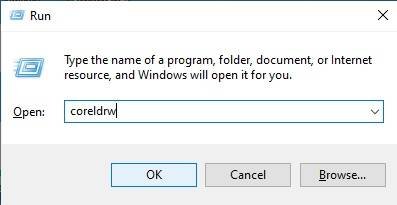
- Press Ok.
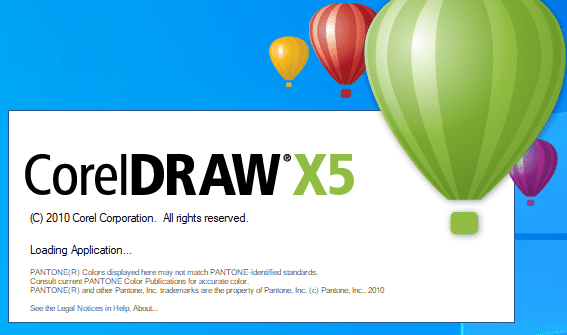
- Press CTRL + N to Open a New Page Window.
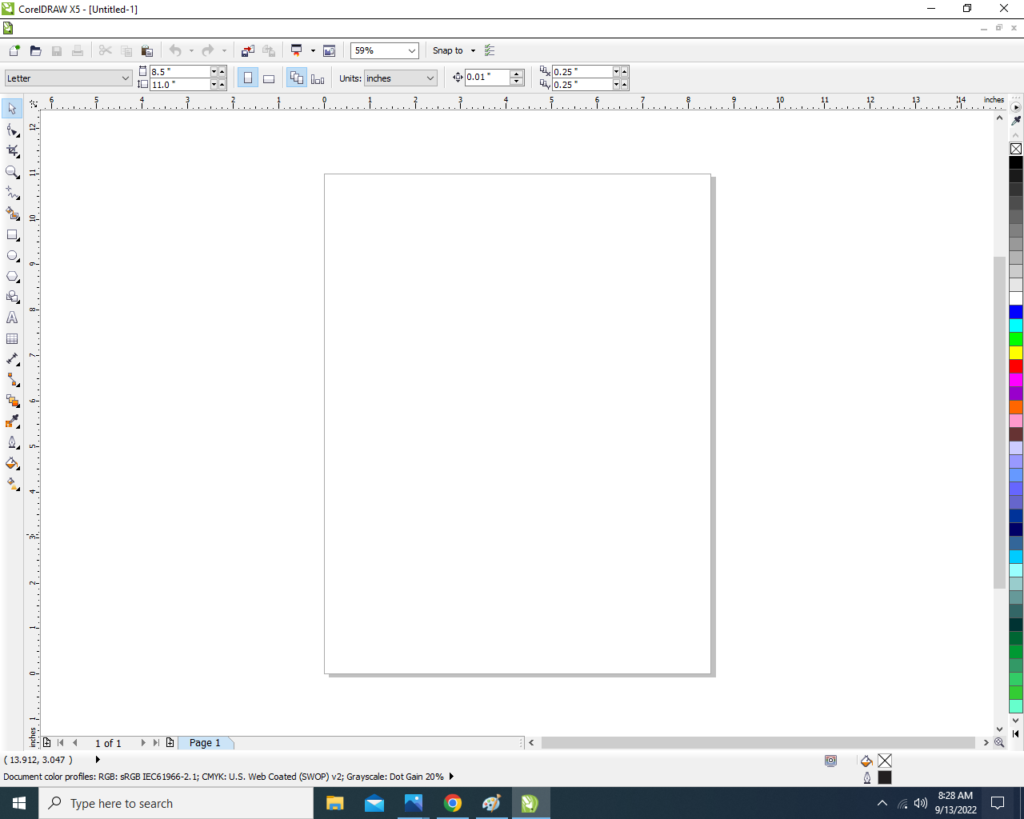
- Double Click on Rectangle Tool.
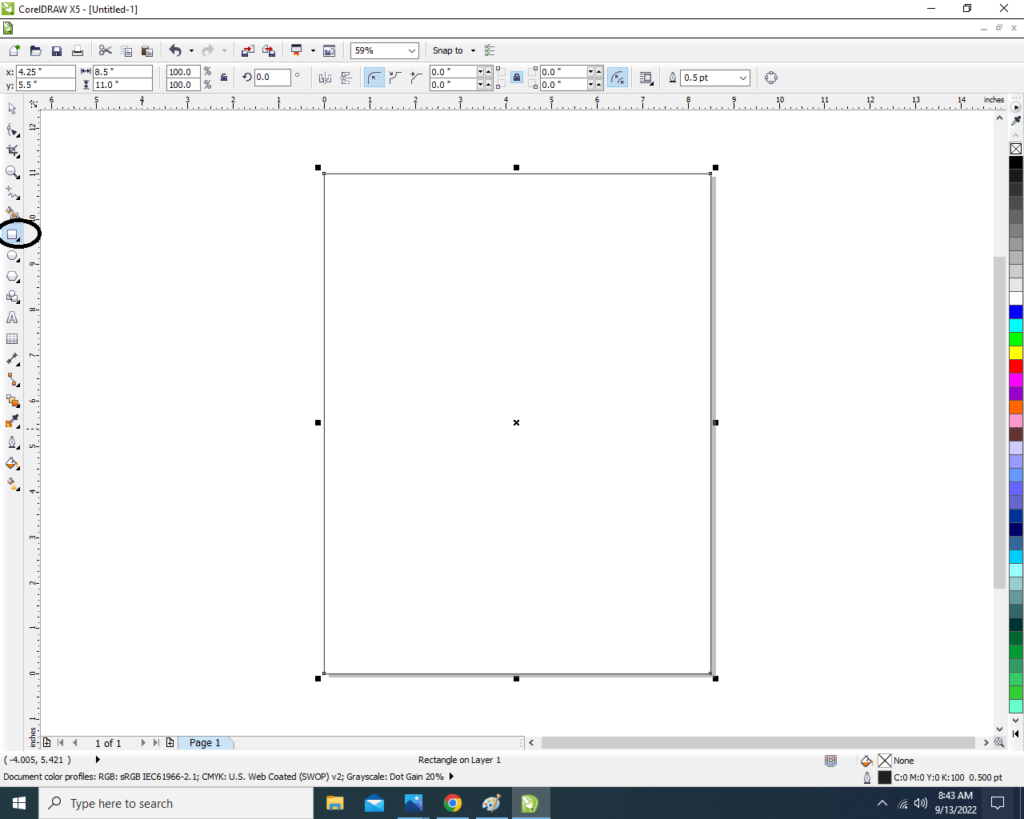
- Then Fill any Color in the page.
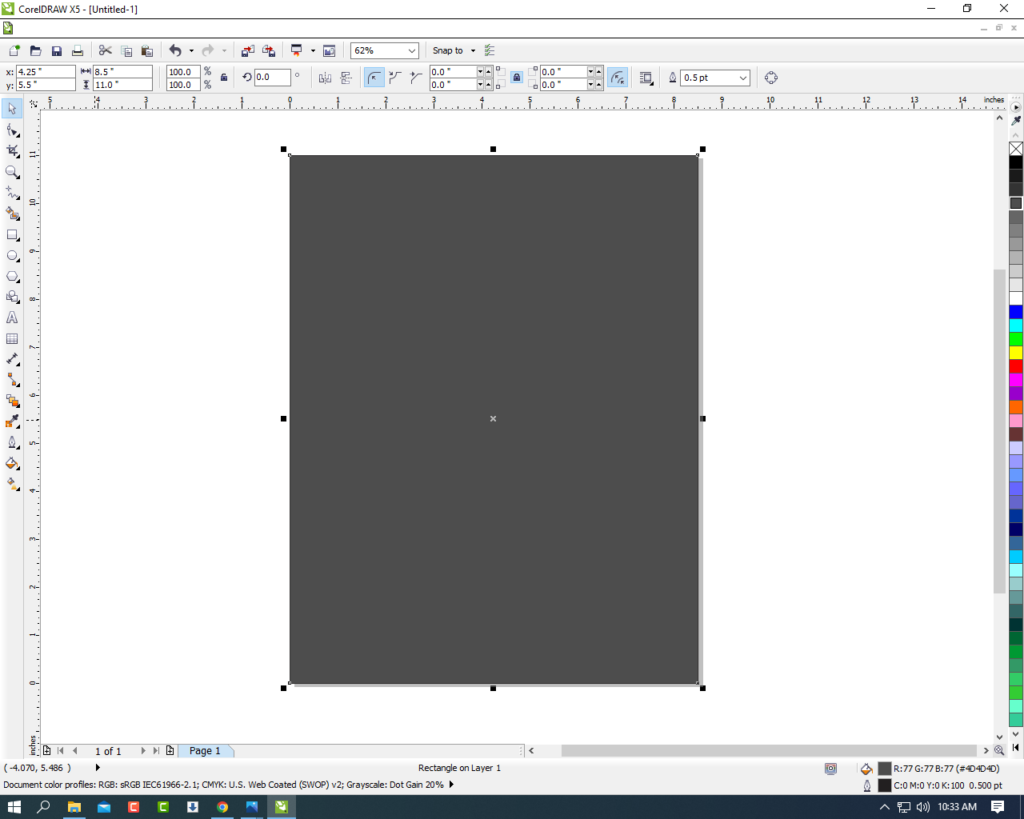
- Draw Rectangle in the page.
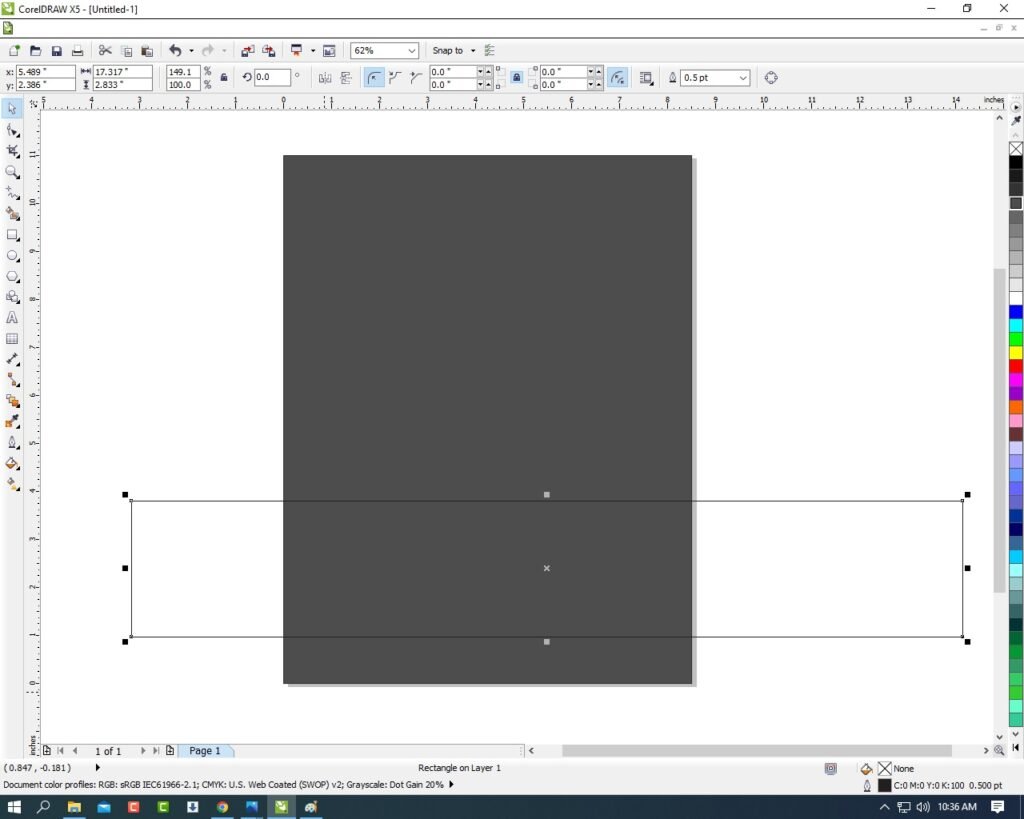
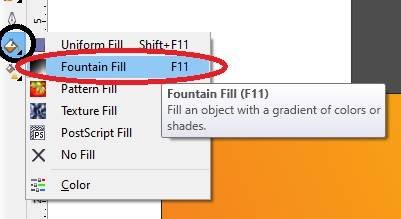
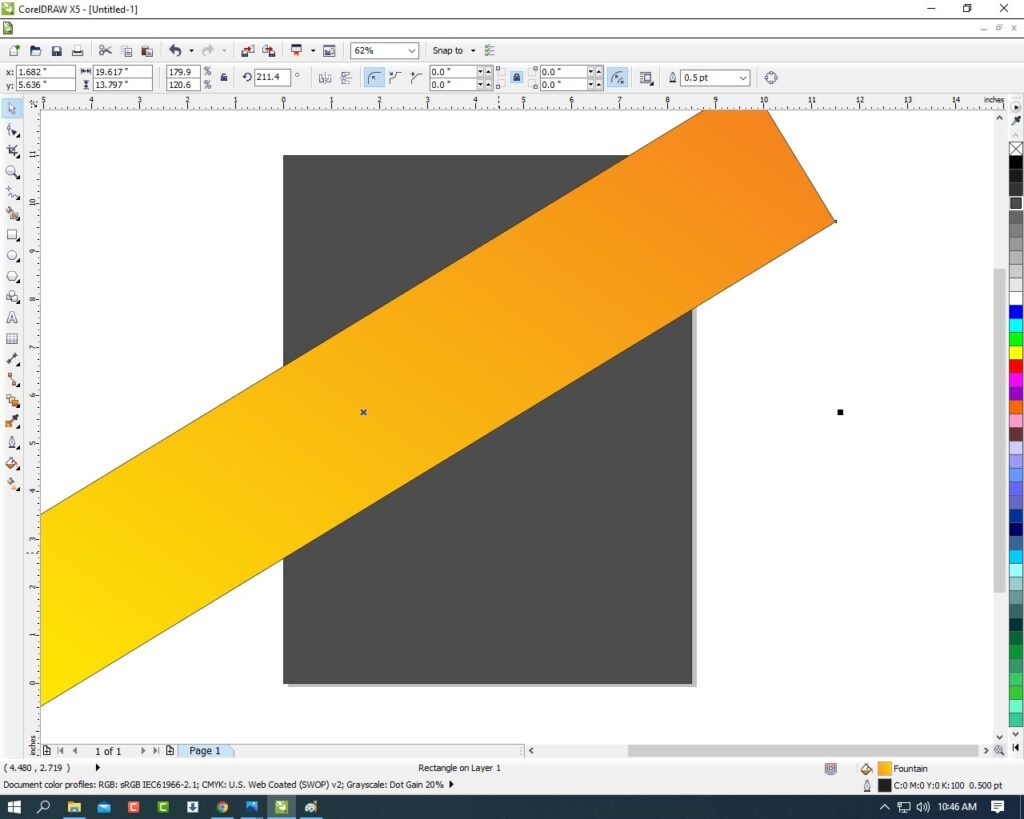
- Then Fill any color > I’m Fill Fountain color First of all go to Fill Tool > Click on Fountain Fill > Then Fill any Color as your Wish.
- Then Double Click on the shape > Rotate the Rectangle Like I Do .
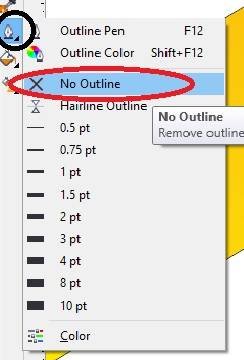
- Then Select the Rectangle > Go to Outline Pen Tool > No Outline.
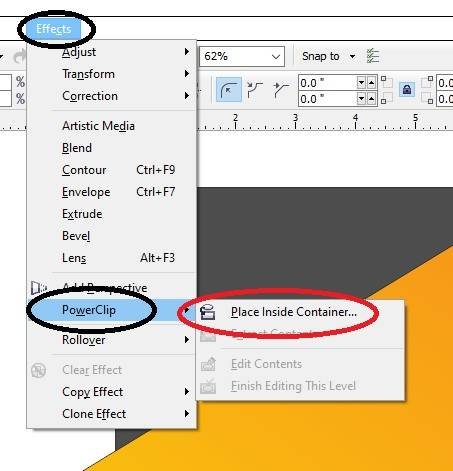
- Then Select the Rectangle > Go to Effect Menu > Click on PowerClip Option > Place Inside Container.
- Then you Can see Extra Aria are clip on the page inside.

- Draw a Triangle > Fill any Color > No Outline.
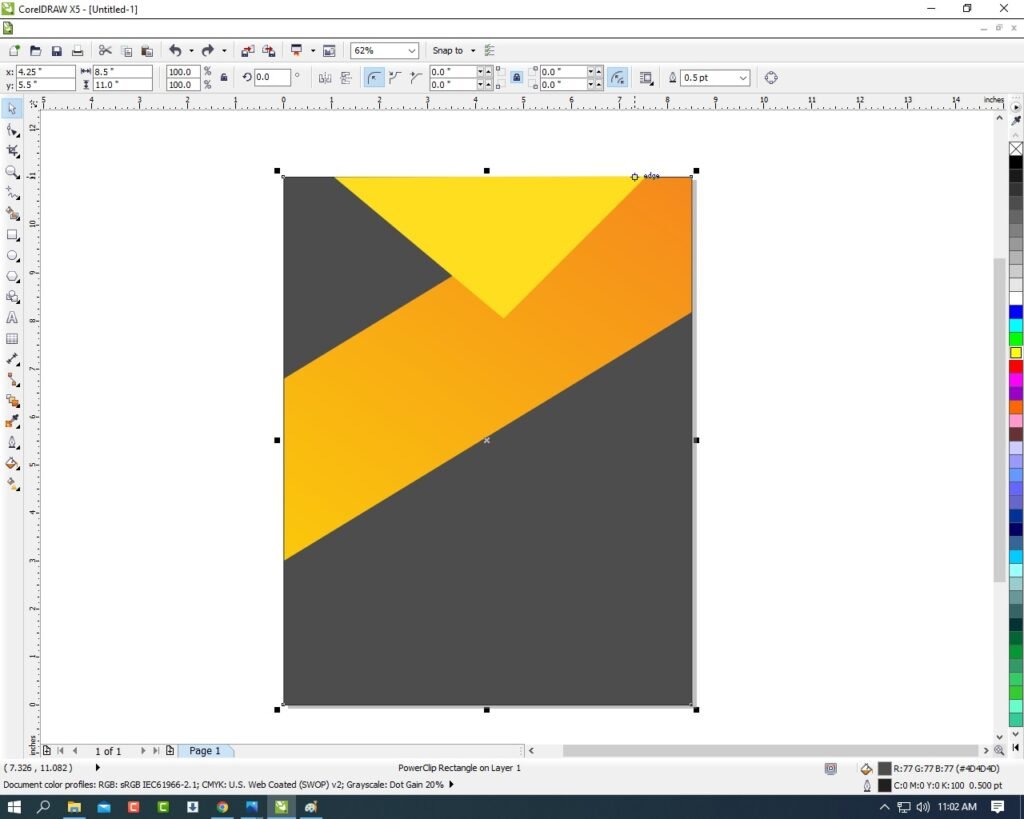
- Then Same Process > Go Effect Menu > PowerClip > Place Inside Container > Click on the Page.
- Then CTRL + Double Click On the Shape > Go to Inside the Page.
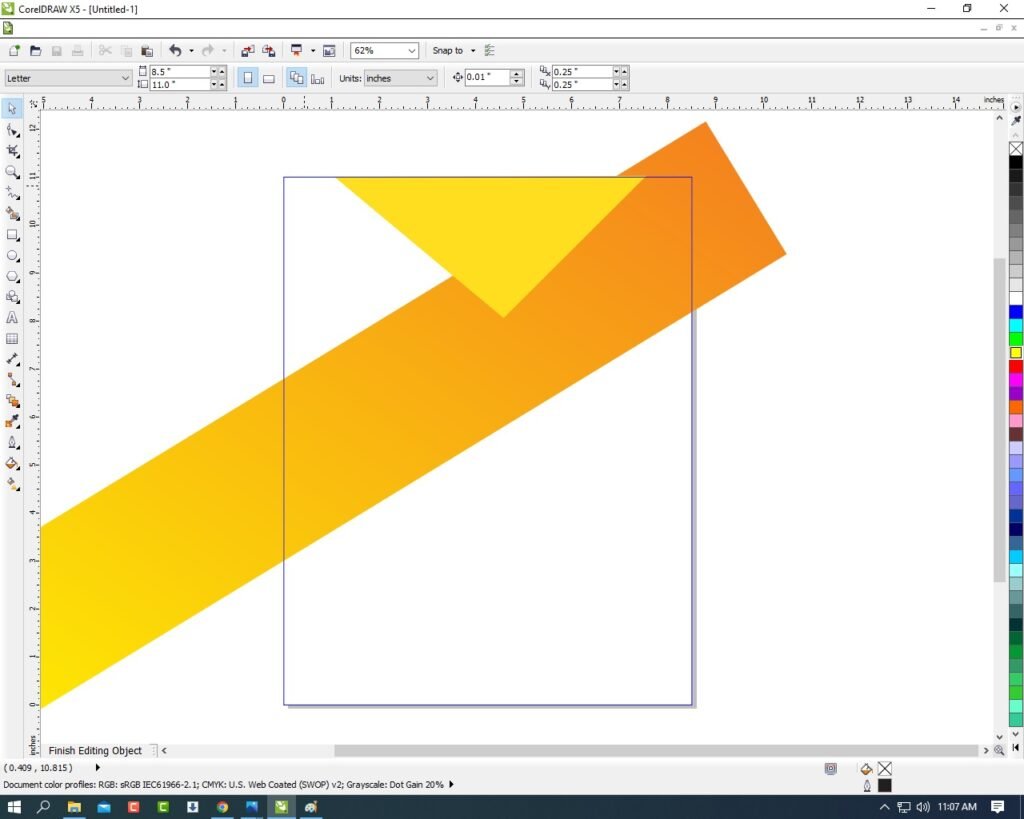
- Then Select the Triangle Press CTRL + Page Down.
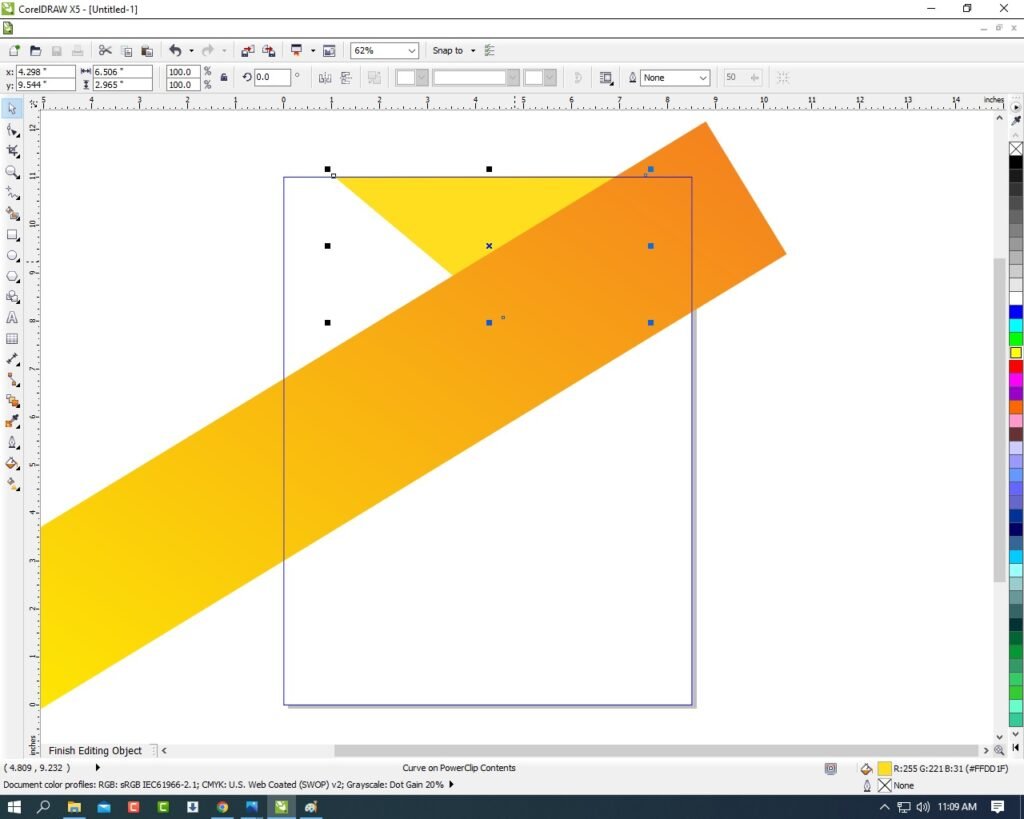
- Then CTRL + Double Click on Out Of Page .
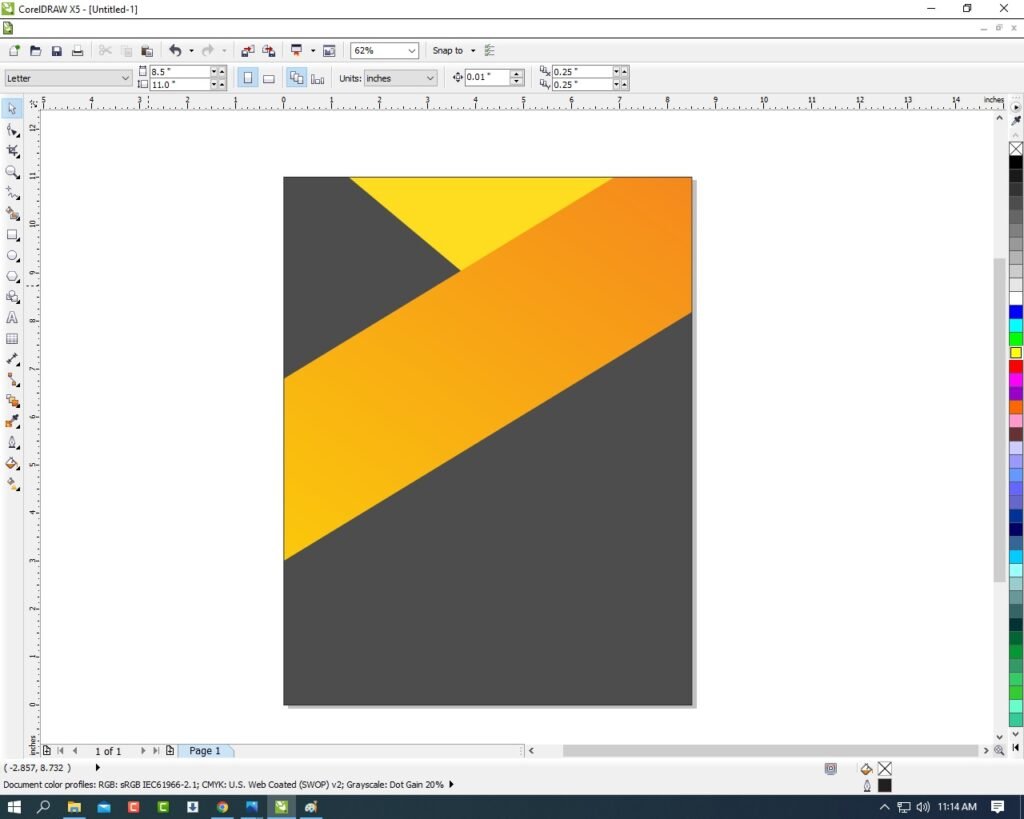
- Then Draw a Very Small Rectangle > Fill any Color > No Outline.

- Then Rotate the Shape > Press F10 > CTRL + Q > to make a New shape and Fix it Like I show.

- Select the Shape > Effect Menu > PowerClip > Inside the Container > Click on the Page.

- Then Draw a New Rectangle Shape > Fill any Color > No Outline > Then Repeat same process Press F10 > CTRL + Q > To Make a New shape and Fix It Like Me.
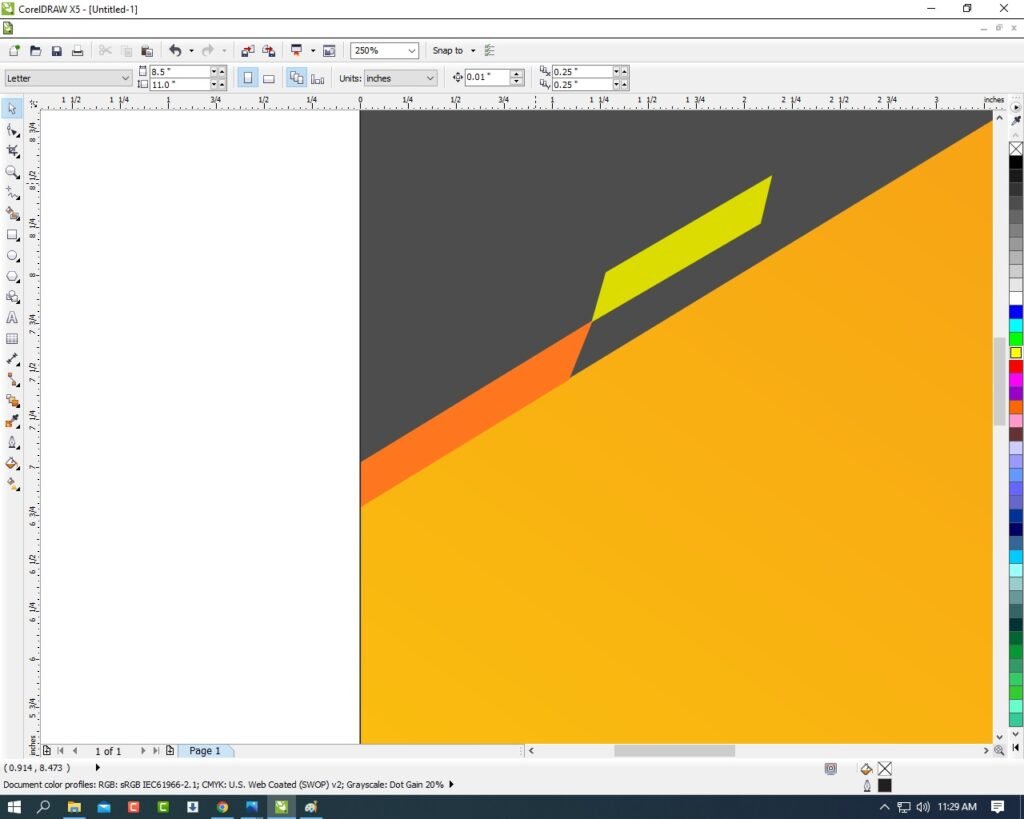
- Then Draw the Rectangle & Repeat Same process I will show.
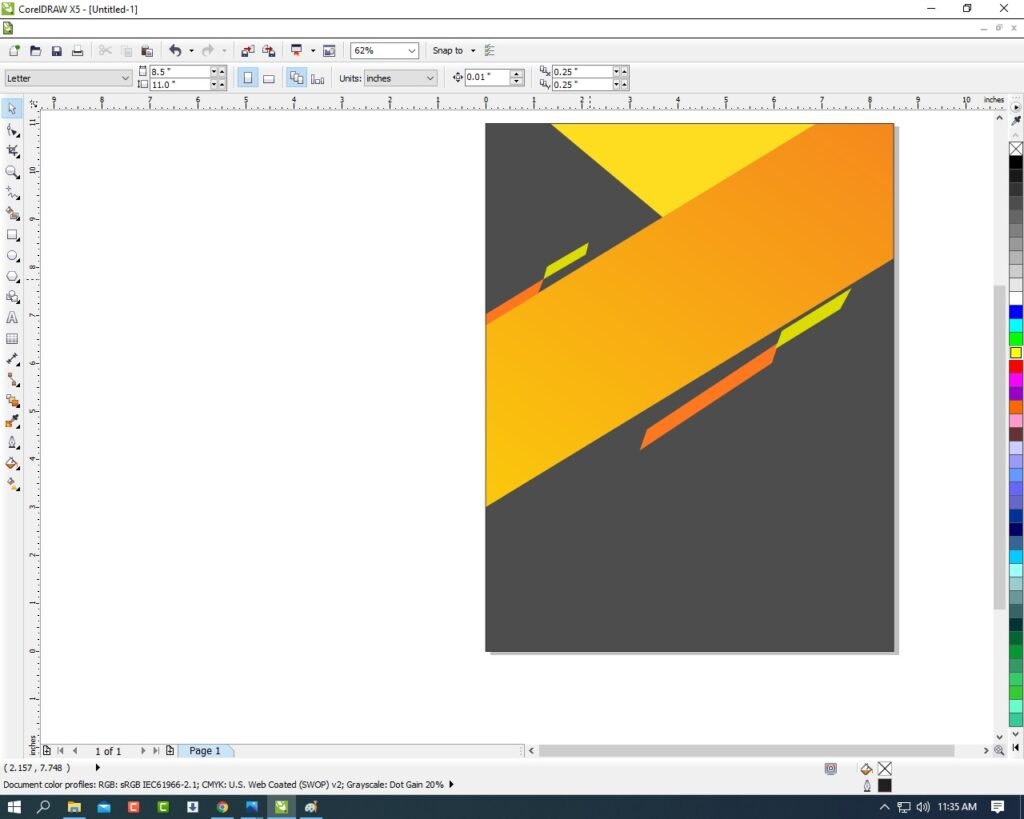
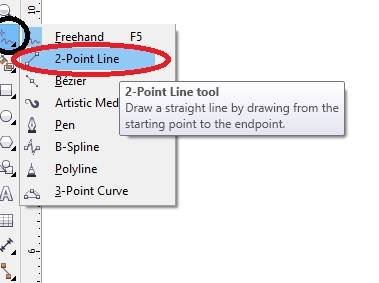
- Then Go to FreeHand tool > Click on 2-Point Line > Then press shift and Draw the line.
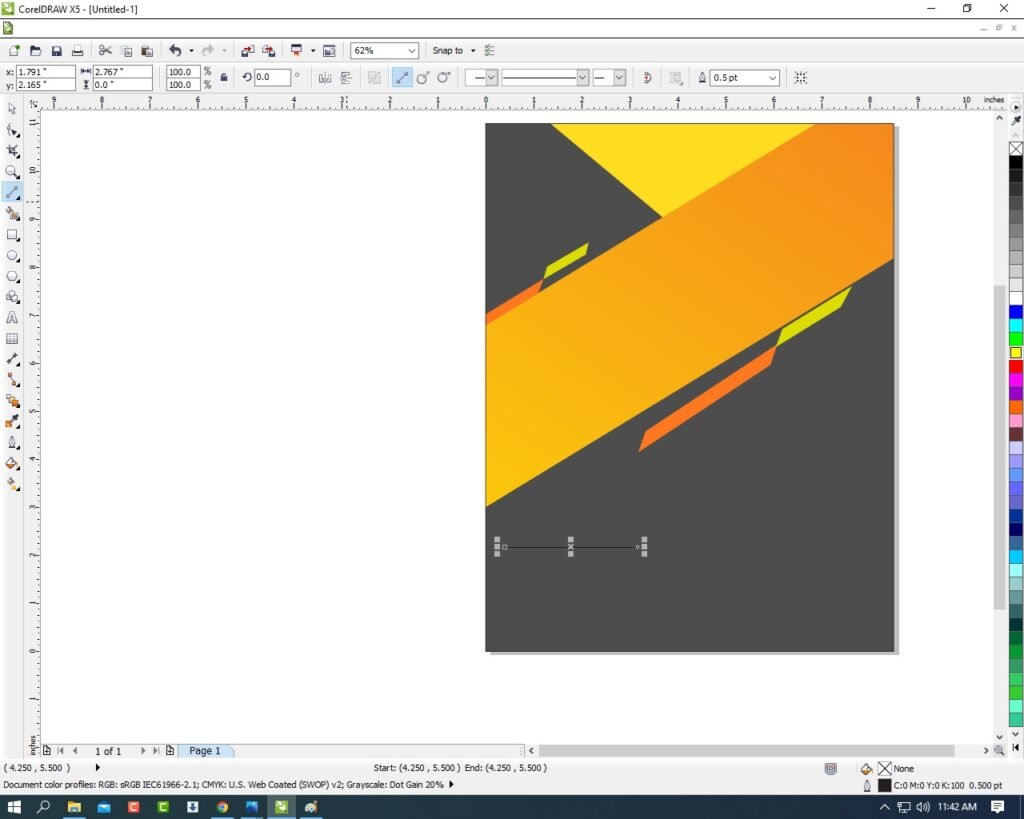
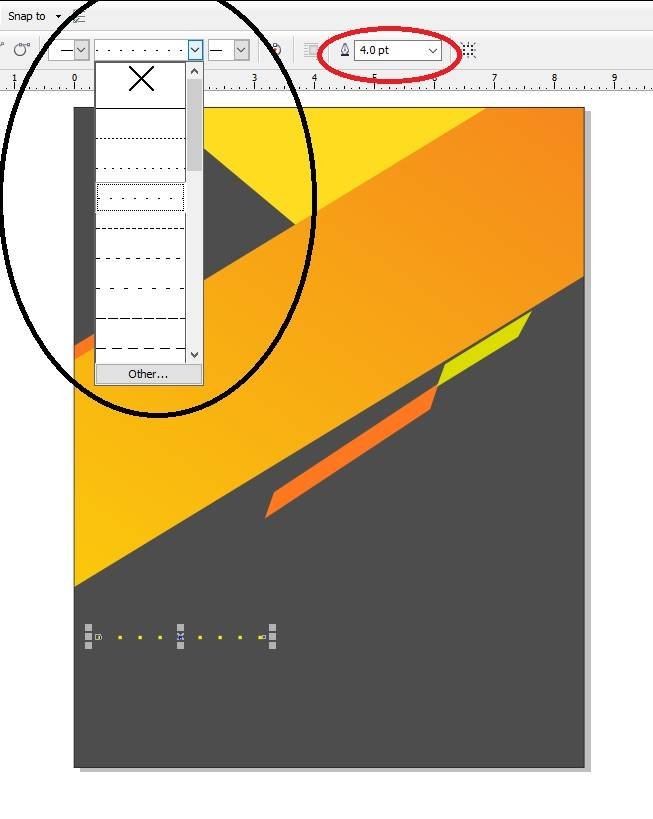
- Then Go to Line Style > Choose any style as your wish > Outline 4pt > Outline Color White.
- Then Make a many Duplicate (CTRL + D) > Fix It I will Show.
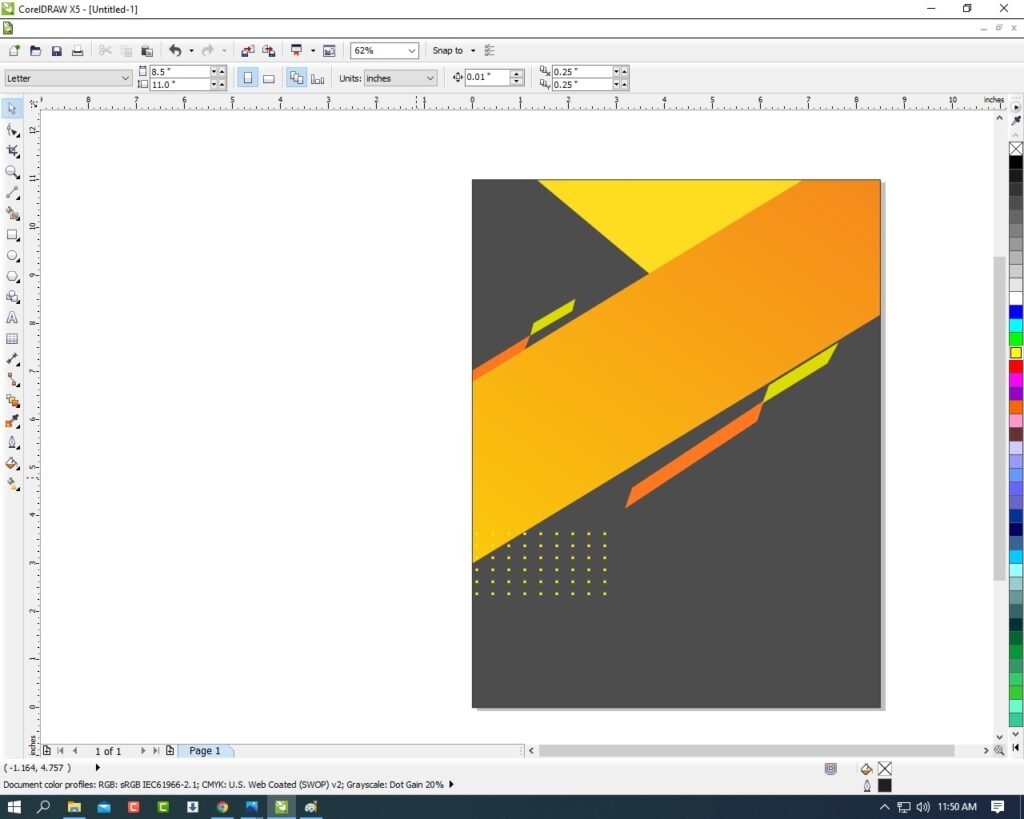
- Select all Lines and Press CTRL + G to Group all Line & Press CTRL + D To Duplicate and Fix It.

- Then You Can Insert LOGO Your Institute or Company.
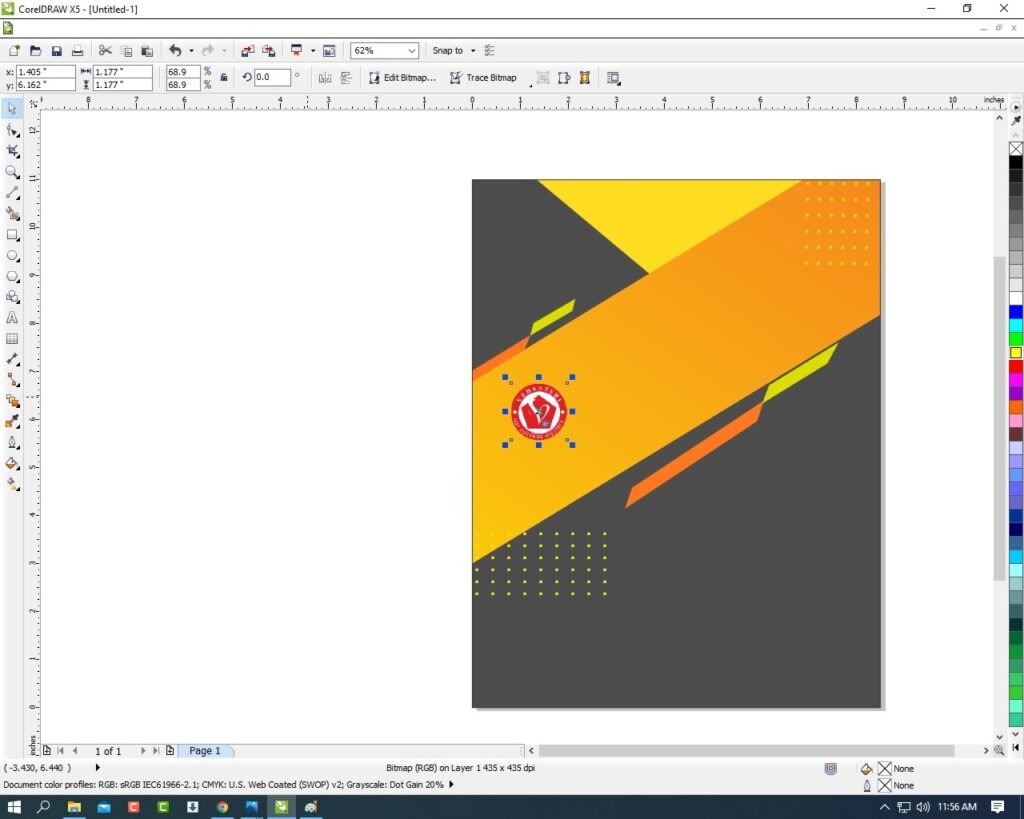
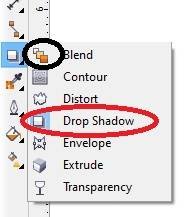
- Apply Shadow on the LOGO > Go To Blend Tool > Click Drop Shadow Option and apply.
- Then Type Your Institute or Company name & Details.

- Create a LOGO. Like Instagram/WhatsApp/Facebook etc.

- I hope You guys have understood all the Step. Thank you .
- I have completed this Project.

Important Links
1-VedantSri Official Website:- https://vedantsri.com
2-Student Support Website:- https://www.vedantsri.net
3-Jobs Assist Website:- https://www.jobdo.in
External Link
1-VedantSri Official Website:- https://vedantsri.com
2-Course Store Website:- https://vedantsri.in
3-Jobs Assist Website:- https://www.jobdo.in
4-MS Word Class:- https://mswordclass.com/
5-Corel Free Class:- https://corelclass.com/
6-Free Excel Class:- https://msexcelclass.com/