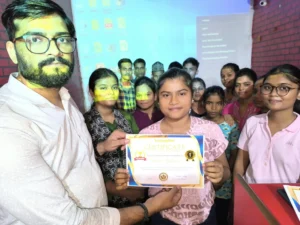
Verify Certificates Here!
Click Here to Verify Certificate
Durgakund 8808888478Rathyatra 9415802061दोनों branch सुबह 7 से रात 8 बजे तक खुली रहती हैं।
How To Verify Certificate
- First Click above Link to Open Page
- Type Your Enrollment No Last 6 Digits from Certificate
- Now Type your Correct Date of Birth
- Then Click at Submit Button
- Now You can See your Verified Certificate Preview
How To Verify Certificate by QR Code
- Open Google App in your Mobile
- Then Click at Google Lens Camera
- Now Scan QR Code Over Your Certificate
- Make Sure Data on in Your Mobile
- While Scanning QR Code, you’ll see Link
- Then Click at Link to Open Verification Preview
About VedantSri

VedantSri Computer Institute provides the best Computer Courses, Classes, and Training in Varanasi. There is NEILIT Courses CCC, BCC, O’level, Certificates, and Diploma Computer Courses available with the best training materials. Also Available Top 100 Best Computer Courses, For Example, OM, DCA, ADCA, DTP, DFA, ADAM, ADTP, ADFA, DCE, and MS Office. VedantSri Computer Coaching updates CCC Online Test 2019 on www.vedantsri.net. (Verify Certificates)
There are some important computer Courses for jobs CCC Classes, Typing, Internships, And Spoken English Available Free of cost with Offer. More than 50 Computer Courses are available with a 50% Fee Discount in VedantSri Varanasi. You can get the Best Digital Marketing Course at Varanasi Institute VedantSri. There is the Latest Computer Course Offer in ADCA Computer Course, DCA Computer Course, CCC Computer Course & English Spoken. (Verify Certificates)
FAQ
Which Details Are Needed to Verify an ADCA Certificate Online?
You need the last six digits of the enrollment number printed on your certificate and your correct date of birth. Enter both details carefully before clicking Submit to view the verification preview.
How Can I Verify an ADCA Certificate Using a QR Code?
Open the Google app on your mobile and use Google Lens to scan the QR code on your certificate. Keep mobile data enabled. Open the displayed link to view the verification preview.
What Appears After Submitting ADCA Certificate Details?
After you enter the required details and click Submit, the verification page displays a certificate preview. Check the displayed information against your certificate. [OFFICE SE PAKKA KAREIN: What steps should students follow if verification fails or the preview does not appear?]
Can I Verify My ADCA Certificate Without the Enrollment Number?
The verification instructions require the last six digits of the enrollment number and your date of birth. A separate method without the enrollment number is not specified. [OFFICE SE PAKKA KAREIN: Confirm the alternative verification process, if available.]
Important Links
1-VedantSri Official Website:- https://vedantsri.com
2-VedantSri Student Support Website:- https://www.vedantsri.net
3-Students Jobs Assist Website:- https://www.jobdo.in
4- News By Students Website:- https://vedantsri.com/
5-Best Deal on IT Website:- https://www.computeritpoint.com
External Link
1-Course Store Website:- https://vedantsri.in
2-Jobs Assist Website:- https://www.jobdo.in
3-MS Word Class:- https://mswordclass.com/
4-Corel Free Class:- https://corelclass.com/
5-Free Excel Class:- https://msexcelclass.com/