Happy Valmiki Jayanti Poster Design in CorelDraw, Top 1 Best Easy and Effective, Download Source File
How to Make a Valmiki Jayanti Poster Drawing?
You can make a Valmiki Jayanti poster drawing in CorelDRAW by using drawing tools, shapes, text, and suitable illustrations. Start with a suitable page layout. Add a clear greeting and arrange the design elements neatly. For Valmiki Jayanti poster making, check the text, spacing, and overall layout before saving your design.
Durgakund 8808888478Rathyatra 9415802061दोनों शाखाएँ सोमवार–शनिवार सुबह 7 से रात 8 बजे तक खुली हैं। कोर्स की जानकारी के लिए Durgakund 8808888478 और Rathyatra 9415802061 पर सातों दिन, किसी भी समय कॉल कर सकते हैं।
Hello! Friends Welcome to www.vedantsri.net In this Project, I am going to Teach you How To Design Valmiki Jayanti posters in CorelDraw. In this Project, you can Learn How to make a Design in CorelDraw Application an Easy Method. You can also Download the Practice File in this Post. So let’s start this Project. Before Starting this Project I request you to Please Follow given below Steps to Learn Properly Step by step.
A Valmiki Jayanti poster is a creative design made to mark the birth anniversary of Maharishi Valmiki. You can design it in CorelDRAW with a respectful illustration, a clear Hindi greeting, readable fonts, and a balanced colour combination. Keep the layout simple so the message is easy to read and the poster looks neat.
- Press Windows + R on the keyboard.
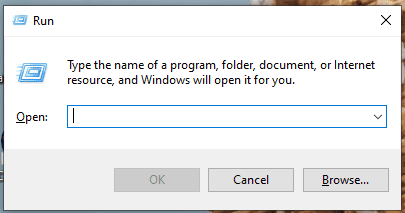
- Type coreldrw in Run Dialog Box.
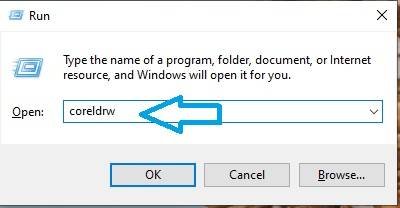
- Click on OK.
- Click on New Blank Document.

- Fill al Information > Regarding New Document.
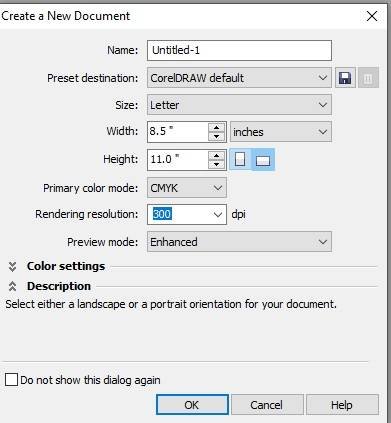
- Click at Ok.
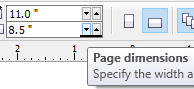
- Define Page.
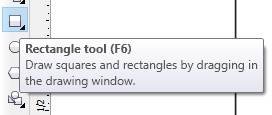
- Go to Rectangle Tool.
- Double Click at Rectangle > Something like this appear.

- Go to Color Palette > Click at Page > Select Color like this.
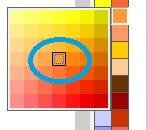
- Something like this appear.
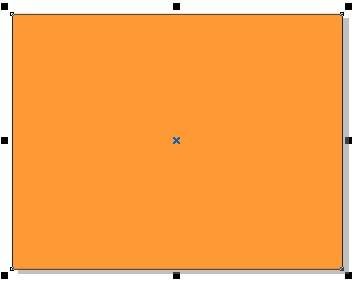
- Click at Interactive Fill Tool
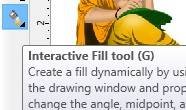
- Select Radial Option From here.
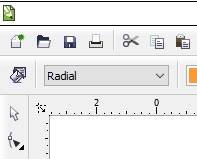
- Something like this appear > Fill color like this.

- Something like this appear.

- Insert Picture of Temple > at Page.
- Download Temple PNG image Below.

- Click at Blend Tool Option > Select Transparency Tool.
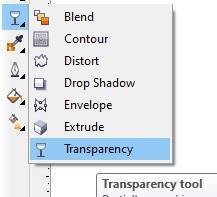
- Apply like this.

- Insert Tree Picture > at Page > like this
- Download Tree PNG image Below

- Insert Valmiki Ji Picture > at Page > like this
- Download Rishi Valmiki PNG image.

- Something like this appear > At Page.
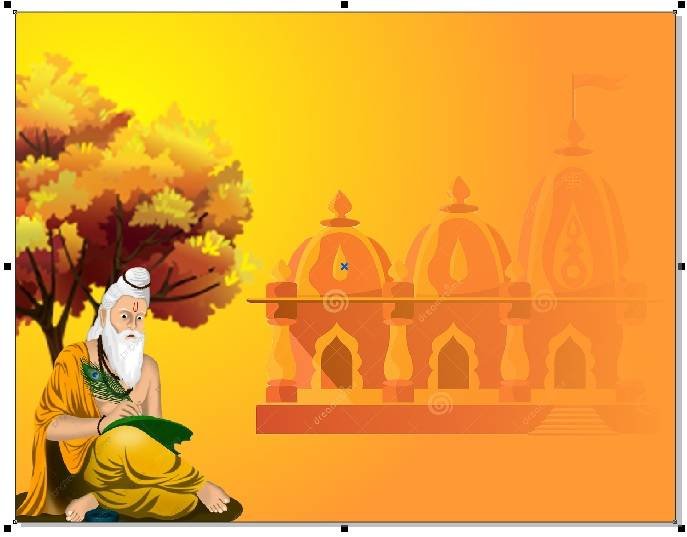
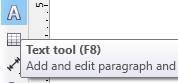
- Click at Text Tool > From Tool Option.
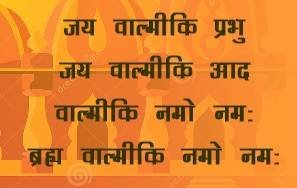
- Type Matter in Hindi Font > at Page > Like this.
- Type Happy Valmiki Jayanti > At page > like this

- Type Institution Name and Site >at Page.

- Insert LOGO of an Institution > at page
- Download VedantSri LOGO image.

- Now Valmiki Jayanti Poster is Ready.
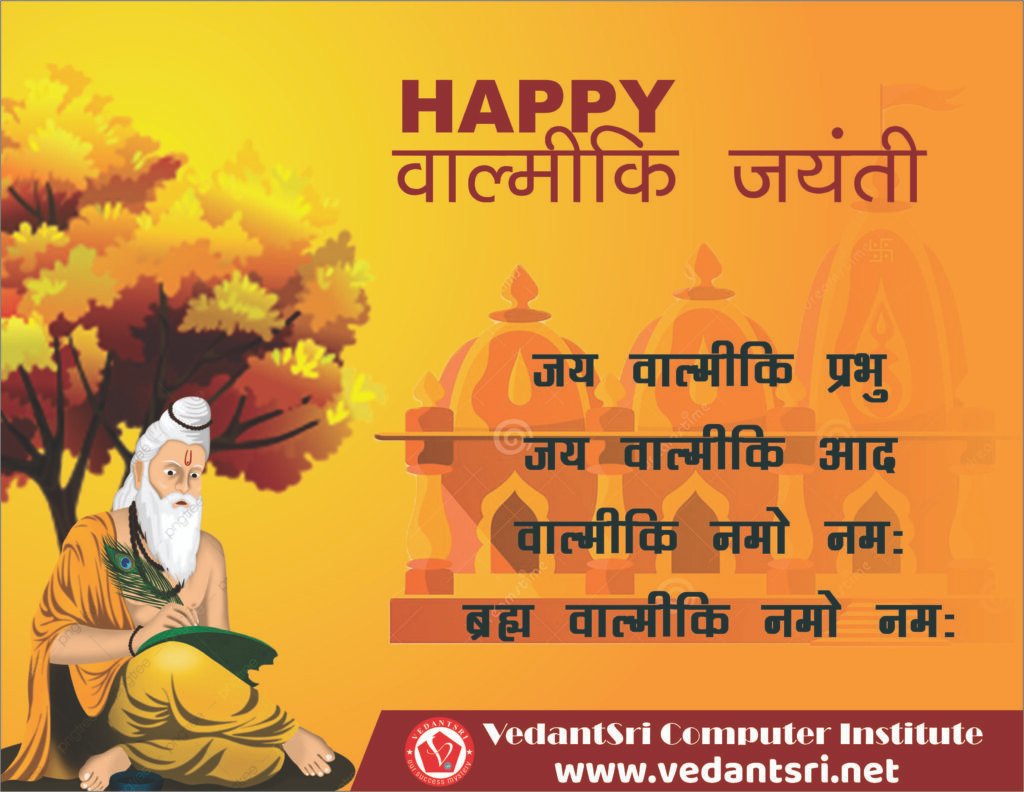
Created and Explained by Sakshi Rawat
FAQ
Q: What Should a Valmiki Jayanti Poster Include?
A Valmiki Jayanti poster can include a greeting, a suitable illustration of Maharishi Valmiki, and clear decorative elements. Keep the text readable and arrange the design neatly. Review the complete poster before saving or printing it.
Q: How to Make a Valmiki Jayanti Poster in Kannada?
A Valmiki Jayanti poster in Kannada should use Kannada text to share the festival greeting and event details. You can create the layout in CorelDraw, add a suitable image of Maharishi Valmiki, choose clear Kannada fonts, and use readable colours. Check the spelling before exporting the final design.
Poster par Kannada mein “ಮಹರ್ಷಿ ವಾಲ್ಮೀಕಿ ಜಯಂತಿಯ ಶುಭಾಶಯಗಳು” likh sakte hain. Text ko clearly arrange karein aur date ya event details add karne se pehle unki accuracy check karein. CorelDraw mein final design ko print ya digital use ke liye export karein.
Visit Also – https://www.corelclass.com
Read it – CorelDraw Course Fees, Duration, Scope, Syllabus, Admission, Institutes & Jobs in Varanasi
Read Also – Tally Course Fees, Duration, Scope, Syllabus, Admission, Institutes & Jobs in Varanasi
Also Read – CCC Course Fees, Syllabus, Duration, Scope, Jobs, and Institute in Varanasi
Important Link – DFA Course Fees, Syllabus, Duration, Scope, Jobs, and Institute in Varanasi
Visit at – ADCA Course Fees, Duration, Scope, Syllabus, Admission, Institutes & Jobs in Varanasi