Navratri Wishes Card in CorelDraw, Easy and Simple, Download Source File
Hello! Friends Welcome to www.vedantsri.net In this Project I am going to Teach you How To Create Navratri Wishes Card in CorelDraw. In this Project, you can Learn How to Design Navratri Wishes cards in CorelDraw Application in Easy Method.
- Press Window + R to Open Run Dialogue Box > Type CorelDraw.
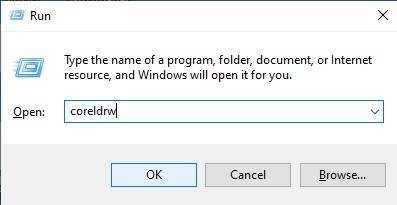
- Press OK.

- Click New Blank Document.

- Press OK.

- Mention Page Size.
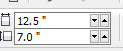
- Double Click on Rectangle Tool.

- Fill any Color on the Page.

- Go to the Ellipse tool.

- Press CTRL + Shift and Draw at Page> Fill white Color > No Outline > Fix Like this.

- Then Select the Circle > Press CTRL + D to Duplicate this Shape > No Fill Color > Go to Pen Tool > Outline 4pt > Outline Color White.

- Fix Like This Help of Movement Keys.

- Press Shift Select Both Circles> Go to Effect Tool > Click on PowerClip Option > Click Place Inside Container Option.

- Click at the page.

- Then Insert Png Pictures.

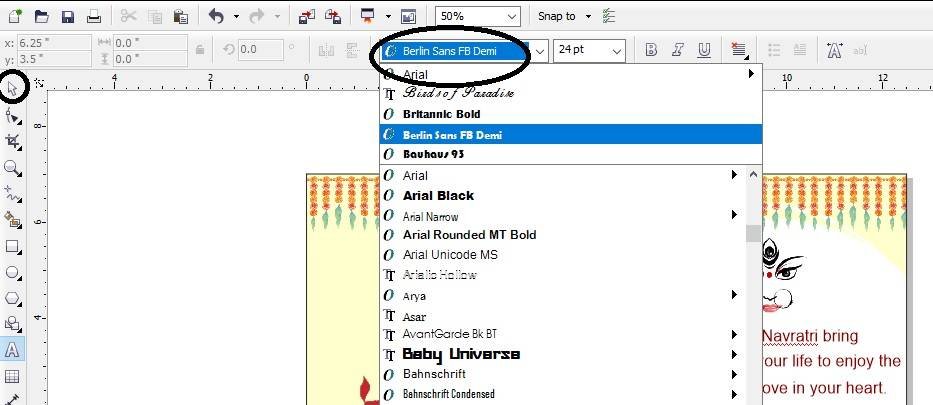
- Then Go to Text Tool > Write Some Lines.

- Go to the Pick tool To apply Formatting this Text > Press CTRL + K To break the text.
- Insert LOGO on your Company or Institute.

- Insert some Clip Art Png.

I have Completed this Project, I hope you guys have understood all the Steps.

Created and Explained By Shikha Singh
Important link
Visit at – https://www.corelclass.com
Read Also it – https://msexcelclass.com/
Also, Read- Tally Course Fees, Duration, Scope, Syllabus, Admission, Institutes
Also Read – CCC Course Fees, Syllabus, Duration, Scope, Jobs, and Institute
Important Link – DFA Course Fees, Syllabus, Duration, Scope, Jobs, and Institute
Visit – https://mswordclass.com/