Home Blog Page 5

COURSE OF PYTHON, DETAILS, FEES, DURATION, SYLLABUS, ELIGIBILITY, INSTITUTE, ADMISSION &JOBS
COURSE OF PYTHON, DETAILS, FEES, DURATION, SYLLABUS, ELIGIBILITY, INSTITUTE, ADMISSION &JOBS

COURSE OF PYTHON
VedantSri Computer Institute

What is Python?

Python is a high-level language and interpreted object-oriented programming language. It was developed by Guido Van Rossum and released in 1991. It is currently a widely used multipurpose high-level Programming language. COURSE OF PYTHON

Python program is generally smaller than other programming language like C++. Python programming language almost used all tech companies like Google, Amazon, Microsoft, Facebook, Dropbox, Uber……etc. Its syntax is much smaller than other programming languages. COURSE OF PYTHON

Demand for Python programming language

Python growth is promising in the future. Top companies are stuck with Java, python trending technologies now and also in the future. As a result of the fact, python has become a core language, using Python for research, production, and development. Small, big, start-up organizations choose Python to meet their customer requirements. COURSE OF PYTHON
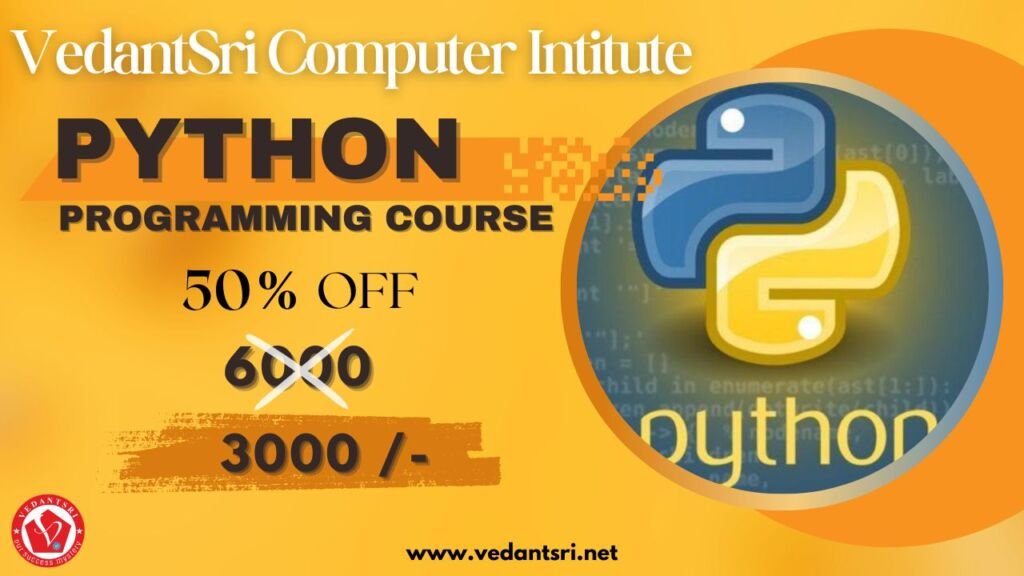
Python Programming Course, VedantSri

There are 10 Reason python is in High demand listed given below: –

  1. Simple Syntax
  2. The abundance of libraries and framework
  3. Portable Feature
  4. Encourage automation
  5. Useful in Data Science
  6. Use in web development
  7. Use in Machine learning, & Artificial intelligence
  8. High Secure
  9. Offer Appreciable jobs
  10. Offer satisfactory salary

A fee for Python Programming language

The average fee structure of Python programming language lies in a minimum of 15,000-20,000 depending upon the institute. COURSE OF PYTHON

Read also:-O Level Course Details, Fees, Duration, Syllabus, Scope, Institute, Admission, and Jobs in Varanasi

Duration of Python Programming language

This course is usually completed in 2 months. It also depends upon Institute COURSE OF PYTHON

How you will get a certificate in Python Programming language

Step 1: – First, Enroll in the course

Step 2: – Then give some personal detail and fill up the registration form.

Step 3: – then Payment option via net banking, UPI, Google pay, phone, etc.

Step 4: – After you complete the course then you get a certificate. 

Syllabus of Python Programming Language

Section 1: Introduction of Python programming language

Section 2: Python Syntax

Section 3: Python Keywords and Identifiers

Section 4: Python Comments

Section 5:  Variables

Section 6:  Data Types in Python

Section 7:  Operators in Python

Section 8: Python control Flow (Decision making)

Section 9: Python control Flow (Looping)

Section 10: Python control Flow (Branching)

Section 11: Python Numbers

Section 12: Python Strings

Section 13: Python List

Section 14: Python tuples

Section 15: Python sets

Section 16: Python dictionaries

Section 17: Python dictionaries

Section 18: Python User-defined Function

Section 19: Python-built Function

Section 20: Python Modules

Section 21: Python user input

Section 22: Python File Handling

Section 23: Python Exceptions handling

Section 24: Regular Expression
COURSE OF PYTHON
COURSE OF PYTHON

Course Category of Python

Read also:-DTP Course Fees, Duration, Scope, Syllabus, Admission, Institutes & Jobs in Varanasi

The course category of Python is a certificate course

Offer in Python Programming language

If students want to learn the best computer course in Varanasi, then they also need to learn computer typing, personality development, and English speaking to achieve their dream job. COURSE OF PYTHON

But the Good news for those who want to learn Python programming language. Because VedantSri is providing 4 courses completely Free in offers and the Free courses such: –

  1. Free Computer Typing for 45 Days
  2. English Spoken For 45 Days
  3. Free Personality Development
  4. CTT training

Admission in Python Programming language

Merit-based & entrance exams are those Students who passed 10+2 minimum 50% or any recognized board in India.

Jobs in Python Programming language

Full Stack Developer, Python Programming language application, Software Developer, Senior Python developer, Data Engineer, Senior Data Developer, Big Data developer, and many more jobs in the IT sector.

Read also:-DCE Course Details, Fees, Duration, Scope, Syllabus, Admission, Institutes & Jobs

Scope in Python Programming language

Python programming language is the brightest career option in the information technology industry. There are many opportunities for Python programming jobs all over the world. Large companies are highly interested in Python because it is simple to learn and can process faster. Python is the multiprogramming language because it has all the features of the conventional Latest programming language. C++. It is the most efficient language for developing applications. COURSE OF PYTHON

  • Python supports multiple programs
  • Expert in Artificial and Machine Languages
  • There are many tools available and you can buy multiple of them.
  • It encourages wide community support
  • It was specifically created to increase code readability.

Discount in Python Programming language

Read also:-HTML Course Details, Fees, Duration, Scope, Syllabus, Admission, Institutes & Jobs

From time to time VedantSri institute discounts on different courses and currently provided a 50% discount on these courses.

Way to Teach Python Programming Language?

  1. Project-based class provided
  2. The best well-experienced teacher teaches the student with a projector.
  3. Weakly tested provided related to the course.
  4. The alternate class provided a theory as well as a practical.
  5. Students skip the class lab or theory class related provided on VedantSri android apps
  6. Provide the latest project training
  7. Daily practice problem solved
  8. Online test
  9. Practical class
  10. Live classes

Amenities in Python Programming language?
COURSE OF PYTHON
COURSE OF PYTHON
  1. Projector based classroom
  2. 4-way approach
  3. Venture primarily based coaching
  4. Online check amenities
  5. Free program coaching
  6. CTT internship coaching
  7. Well, maintained air conditioner computer lab.
  8. Provide a single system for a single student.
  9. Live presentation

Teaching language in Python Programming language?

Read also:-CCC Course Fees, Syllabus, Duration, Scope, Jobs, and Institute in Varanasi

We are provided with both languages Hindi as well as English which you are comfortable learning.

The extra free course provided in Python Programming Language?

  1. Typing class provides.
  2. Personal skill developed course
  3. CTT Training
  4. Spoken English class
  5. CCC course
  6. Free online test

About VedantSri computer institute

VedantSri computer institute is located in Varanasi.it is a government a recognized and ISO-certified computer institute since 2011. It provided so many computers course like DCE, DFA, CCC, DTP, ADCA, DCA, N+., TALLY, H+, HARDWARE, SOFTWARE, And other NIELIT Courses like CCC, O’LEVEL, B’LEVEL, BCC. COURSE OF PYTHON

Vedantsri computer coaching updates CCC online test 2023 in Vedantsri.net. More than 50 computer courses are provided here with a 50% discount fee in VedantSri computer institute. Also, you get the best digital marketing course at VedantSri computer institute. COURSE OF PYTHON

Leant in MS Excel: ADCA Course Fees

Learnt bill remainder in MS Excel: https://youtu.be/ViP3_65P84s

MS Excel form with database macro project: https://youtu.be/tgFn7dWGIRQ

MS Word cover page design: https://youtu.be/zbkXeGNW23U

MS Excel basic calculator basic project: https://youtu.be/ELZ9MDKU3e4

MS word 3D design project: https://youtu.be/JTgFRIMnfKU

MS Word certificate project: https://youtu.be/NyqBEU5nTxA

VedantSri official website: https://vedantsri.com

Course store website: https://vedantsri.in

Job assist website: https://www.jobdo.in

MS Word class: https://mswordclass.com/ 

Corel free class: https://corelclass.com/ 

Free Excel class: https://msexcelclass.com/ 
Course of Advanced Diploma in Information Technology, Details, Fees, Syllabus, Duration, Eligibility, Admission, Institute & jobs

The course of the Advanced Diploma in Information Technology, Details, Fees, Syllabus, Duration, Eligibility, Admission, Institute, & Jobs

What is an Advanced Diploma in Information Technology?

It is defined as these courses generally learning, Diploma in Financial accounting, Graphic PC fundamentals, Diploma in automation, Office automation, Desktop publishing, Programming, PC Troubleshooting, and web Designing, advanced internet, Project Training, etc. 9Course of Advanced Diploma in Information Technology)

Course of Advanced Diploma in Information Technology
The course Advanced Diploma in Information Technology

Demand for Advanced Diploma in Information Technology

Some Demands are Listed below: –

  • IT Engineer
  • IT Consultant.
  • Database Administrator.
  • IT Systems Manager.
  • Systems Developer.
  • Systems Analyst.
  • Web Designer/Developer.
  • Data Security Expert

Fee for the Advanced Diploma in Information Technology

Read Also:- ADCA Course Fees, Duration, Scope, Syllabus, Admission, Institutes & Jobs in Varanasi

The average fee structure of an Advanced Diploma in Information Technology lies in a minimum of INR 4,500 to 5,000, depending on the institute. The course Advanced Diploma in Information Technology

Advanced Diploma in Information Technology
Course of Advanced Diploma in Information Technology, Details, Fees, Syllabus, Duration, Eligibility, Admission, Institute & jobs 10

Duration of Advanced Diploma in Information Technology

This course is usually completed in 6 months. It also depends on the Institute.

How will you get a Certificate of Advanced Diploma in Information Technology?

Course of Advanced Diploma in Information Technology
The course Advanced Diploma in Information Technology
  • Step 1: – First, enrol in the course
  • Step 2: – Then give some personal details and fill out the registration form.
  • Step 3: then payment options via net banking, UPI, Google Pay, phone, etc.
  • Step 4: – After you complete the course, you get a certificate (Course of Advanced Diploma in Information Technology)

Syllabus of Advanced Diploma in Information Technology

  • Section 1: – Fundamental
  • Section 2: – System/Keyboard command
  • Section 3: – M.S Word
  • Section 4: – M.S. Excel
  • Section 5: – M.S. PowerPoint
  • Section 6: – Advanced Internet
  • Section 7: – Tally Prime Latest
  • Section 8: -GST (Goods & Services Tax)
  • Section 9: – Project Training Course of Advanced Diploma in Information Technology

Offer an Advanced Diploma in Information Technology

If students want to learn the best computer course in Varanasi, then they also need to learn computer typing, personality development, and English speaking to achieve their dream job. The course Advanced Diploma in Information Technology

But the Good news is for those who want to learn the Advanced Diploma in Information Technology. Because VedantSri is providing 4 courses completely Free in offers and Free courses such as: (Course Advanced Diploma in Information Technology)

  1. Free Computer Typing for 45 Days
  2. English Spoken For 45 Days
  3. Free Personality Development
  4. CTT training

Admission to the Advanced Diploma in Information Technology

Merit-based & entrance exam, those who passed in 10th with a minimum of 55% or any recognised board of India.

OM Course Fees, Duration, Scope, Syllabus, Admission, Institutes & Jobs in Varanasi

Jobs in Advanced Diploma in Information Technology

Full stack web Developer, Developer Freshers, IT Deployment Specialist, Computer hardware & Networking, sales Engineer, Developers, Software tester, Data Entry Operator, sales executive, Service Engineer, Content Executive, and Customer Care. (Course of Advanced Diploma in Information Technology)

Scope of the Advanced Diploma in Information Technology

Course of Advanced Diploma in Information Technology
The course Advanced Diploma in Information Technology

The diploma will make you alluring to an assortment of various employers in numerous segments, following most operations that use computer technology in some way and need individuals to introduce and maintain that technology. Getting desired jobs in any field, or particularly in this field, is not an easy task nowadays. One must be properly skilled and have the zeal to pursue that particular career. Thorough research is the primary part of this whole process. Go through various links and read all the stuff. The next part is to recognise your interest in which field of information technology you want to pursue for your career. (Course of Advanced Diploma in Information Technology)

WEB DEVELOPMENT

Web developers lead very exciting lives. With technology evolving at an ever-changing rate, you’ll never run out of new skills to learn or ideas to explore. While this can be fun for developers who love to code, it also means you should do your best to keep up with the latest trends.

Read Also:-HTML Course Details, Fees, Duration, Scope, Syllabus, Admission, Institutes & Jobs

DATA SCIENTIST

The role of data scientists is to manage large amounts of data, collecting and analysing huge collections of unstructured and structured data. Data scientists’ work combines the fields of statistics, computer science, and math. They analyse, process, and model data, then use their findings to formulate practical plans for businesses as well as other organisations.

Data scientists are experts in analytical analysis who make use of their knowledge in both social and technology science to discover patterns and manage the data. They employ industry knowledge and contextual understanding, as well as a doubt about assumptions that are in place, to find solutions to business issues.

The work of a data scientist typically involves the analysis of unstructured and unstructured data from sources like smartphones and social media feeds, and emails that cannot be able to fit into a database. (Course of Advanced Diploma in Information Technology)

Discount on the Advanced Diploma in Information Technology

From time to time, VedantSri Institute offers discounts on different courses, and currently provides a 50% discount on these courses.

Way to Teach Advanced Diploma in Information Technology

  1. Project-based class provided
  2. The best well-experienced teacher teaches the student with a projector.
  3. Weakly tested provided related to the course.
  4. The alternate class provided a theory as well as a practical.
  5. Students skip the class lab or theory class related to the VedantSri Android apps
  6. Provide the latest project training
  7. Daily practice problem solved
  8. Online test
  9. Practical class
  10. Live classes

Amenities in the Advanced Diploma in Information Technology

  1. Projector-based classroom
  2. 4-way approach
  3. Venture primarily based coaching
  4. Online check amenities
  5. Free program coaching
  6. CTT internship coaching
  7. Well-maintained air conditioner in the computer lab.
  8. Provide a single system for a single student.
  9. Live presentation (Course of Advanced Diploma in Information Technology)

Teaching language in the Advanced Diploma in Information Technology

Course of Advanced Diploma in Information Technology
The course Advanced Diploma in Information Technology

We are provided with both languages, Hindi as well as English, which you are comfortable learning.

Read Also:- DCE Course Details, Fees, Duration, Scope, Syllabus, Admission, Institutes & Jobs

Is the extra free course provided in the Advanced Diploma in Information Technology?

  1. Typing class provides.
  2. Personal skill development course
  3. CTT Training
  4. Spoken English class
  5. CCC course
  6. Free Online Test

About VedantSri Computer Institute

VedantSri Computer Institute is located in Varanasi. It is a government-recognised and ISO-certified computer institute since 2011. It provided so many computer courses like DCE, DFA, CCC, DTP, ADCA, DCA, N+, TALLY, H+, HARDWARE, SOFTWARE, and other NIELIT Courses like CCC, O’LEVEL, B’LEVEL, BCC. Vedantsri computer coaching updates CCC online test 2025 in Vedantsri.net than 50 computer courses are provided here with a 50% discount fee in VedantSri computer institute. Also, you get the best digital marketing course at VedantSri Computer Institute. (Course of Advanced Diploma in Information Technology)

Important links:

Course Of Python, Details, Fees, Duration, Syllabus, Eligibility, Institute, Admission & Jobs

Course Of Python, Details, Fees, Duration, Syllabus, Eligibility, Institute, Admission & Jobs

What is Python?

Python is a high-level interpreted object-oriented programming language. It was developed by Guido Van Rossum and released in 1991. It is currently a widely used multipurpose high-level Programming language. Course Of Python, Details

Python programs are generally smaller than those in other programming languages like C++. The Python programming language is used by almost all tech companies like Google, Amazon, Microsoft, Facebook, Dropbox, Uber, etc. Its syntax is much smaller than that of other programming languages. Course Of Python, Details

Course Of Python, Details

Demand for the Python programming language

Python’s growth is promising in the future. Top companies are stuck with Java and Python, trending technologies now and also in the future. Course Of Python, Details

As a result of the fact, Python has become a core language, used for research, production, and development. Small, big, start-up organisations choose Python to meet their customer requirements. Course Of Python, Details

Read Also:- DCE Course Details, Fees, Duration, Scope, Syllabus, Admission, Institutes & Jobs

There are 10 reasons Python is in high demand, listed below: –

  1. Simple Syntax
  2. The abundance of libraries and frameworks
  3. Portable Feature
  4. Encourage automation
  5. Useful in Data Science
  6. Use in web development
  7. Use in Machine learning & Artificial intelligence
  8. High Secure
  9. Offer Appreciable jobs
  10. Offer a satisfactory salary

A fee for the Python Programming language

Course Of Python, Details
Course Of Python

The average fee structure of the Python programming language lies in a minimum of 2,000-6,000, depending on the institute. Course Of Python, Details

Duration of the Python Programming language

This course is usually completed in 2 months. It also depends upon other institutes

Read Also:- DFA Course Fees, Syllabus, Duration, Scope, Jobs, and Institute in Varanasi

How will you get a Certificate in the Python programming language?

  • Step 1: – First, enrol in the course
  • Step 2: – Then give some personal details and fill out the registration form.
  • Step 3: – then Payment option via net banking, UPI, Google Pay, phone, etc.
  • Step 4: – After you complete the course, you get a certificate. 
Python Programming Course, VedantSri

Syllabus of Python Programming Language

  • Section 1: Introduction to the Python programming language
  • Section 2: Python Syntax
  • Section 3: Python Keywords and Identifiers
  • Section 4: Python Comments
  • Section 5:  Variables
  • Section 6:  Data Types in Python
  • Section 7:  Operators in Python
  • Section 8: Python control Flow (Decision making)
  • Section 9: Python Control Flow (Looping)
  • Section 10: Python Control Flow (Branching)
  • Section 11: Python Numbers
  • Section 12: Python Strings
  • Section 13: Python List
  • Section 14: Python tuples
  • Section 15: Python sets
  • Section 16: Python dictionaries
  • Section 17: Python dictionaries
  • Section 18: Python User-defined Function
  • Section 19: Python-built Function
  • Section 20: Python Modules
  • Section 21: Python user input
  • Section 22: Python File Handling
  • Section 23: Python Exception Handling
  • Section 24: Regular Expression

Read AlsoO Level Course Details, Fees, Duration, Syllabus, Scope, Institute, Admission, and Jobs in Varanasi Course of Python, Details

Course Category of Python

The course category of Python is a certificate course

Offer in the Python Programming language

Course Of Python, Details
Course Of Python, Details, Fees, Duration, Syllabus, Eligibility, Institute, Admission & Jobs 16

If students want to learn the best computer course in Varanasi, then they also need to learn computer typing, personality development, and English speaking to achieve their dream job.

But the Good news for those who want to learn the Python programming language. Because VedantSri is providing 4 courses completely Free in offers, and the Free courses such as: –

  1. Free Computer Typing for 45 Days
  2. English Spoken For 45 Days
  3. Free Personality Development
  4. CTT training

Admission in the Python Programming language

Merit-Based & entrance exam, those who have completed 10+2 with a minimum 50% required or any recognized of India.

Jobs in the Python Programming language

Read Also:- HTML Course Details, Fees, Duration, Scope, Syllabus, Admission, Institutes & Jobs

Full Stack Developer, Python Programming language application, Software Developer, Senior Python developer, Data Engineer, Senior Data Developer, Big Data developer, and many more jobs in the IT sector. Course Of Python, Details

Scope in the Python Programming language

Python programming language is the brightest career option in the information technology industry. There are many opportunities for Python programming jobs all over the world. Large companies are highly interested in Python because it is simple to learn and can process faster. Python is a multiparadigm language because it supports multiple programming paradigms. C++. It is the most efficient language for developing applications. Course Of Python, Details

  • Python supports multiple programs
  • Expert in Artificial and Machine Languages
  • There are many tools available, and you can buy multiple of them.
  • It encourages wide community support
  • It was specifically created to increase code readability.

Discount in the Python Programming language

From time to time, VedantSri Institute offers discounts on different courses and currently provides a 50% discount for these courses.

Read Also:- Digital Advertising and marketing Course Charges, Institute, Syllabus, Jobs

Way to Teach the Python Programming Language?

  1. Project-based class provided
  2. The best well-experienced teacher teaches the student with a projector.
  3. Weakly tested provided related to the course.
  4. The alternate class provided a theory as well as a practical.
  5. Students skip the class lab or theory class related to the VedantSri Android apps
  6. Provide the latest project training
  7. Daily practice problem solved
  8. Online test
  9. Practical class
  10. Live classes

Amenities in the Python Programming language?

Course Of Python, Details
Course Of Python, Details, Fees, Duration, Syllabus, Eligibility, Institute, Admission & Jobs 17
  1. Projector-based classroom
  2. 4-way approach
  3. Venture primarily based coaching
  4. Online check amenities
  5. Free program coaching
  6. CTT internship coaching
  7. Well-maintained air conditioner in the computer lab.
  8. Provide a single system for a single student.
  9. Live presentation

Teaching language in Python Programming language?

We are provided with both languages, Hindi and English, which you are comfortable learning.

Read Also:- DCE Course Details, Fees, Duration, Scope, Syllabus, Admission, Institutes & Jobs

The extra free course provided in the Python Programming Language?

  1. Typing class provides.
  2. Personal skill development course
  3. CTT Training
  4. Spoken English class
  5. CCC course

Free online test

About VedantSri Computer Institute

VedantSri Computer Institute is located in Varanasi.It is a government-recognised and ISO-certified computer institute since 2011. It provided so many computer courses like DCE, DFA, CCC, DTP, ADCA, DCA, N+, TALLY, H+, HARDWARE, SOFTWARE, and other NIELIT Courses like CCC, O’LEVEL, B’LEVEL, BCC. Vedantsri Computer Coaching updates the CCC online test on Vedantsri.net. More than 50 computer courses are provided here with a 50% discount fee at VedantSri Computer Institute. Also, you get the best digital marketing course at VedantSri Computer Institute. Course Of Python, Details

Follow the other courses link here on the YouTube channel:

Learn in MS Excel: https://www.youtube.com/watch?v=fX59vp5Ez3Y

Important links:

ADVANCED DIPLOMA IN COMPUTER ENGINEERING, DETAILS, SYLLABUS, FEES, DURATION, INSTITUTE, ADMISSION & JOBS

ADVANCED DIPLOMA IN COMPUTER ENGINEERING, DETAILS, SYLLABUS, FEES, DURATION, INSTITUTE, ADMISSION & JOBS

Advanced Diploma in computer Engineering 1
VedantSri computer institute Varanasi

What is Advanced Diploma in Computer Engineering?

It is defined as the basic level to advance fundamentals of Microsoft office. The courses include financial systems such as TALLY can also learn Basic level to advance. Its courses also offer in designing fields such as Adobe Photoshop and Corel drawX5.it also covered financial courses such as tally. In the tally, you can learn all types of accounting like purchases accounts, sales accounts, and GST include such as SCGST, CGST, IGST, and many more.

The demand for Advanced Diploma in Computer Engineering?

There is an Extreme demand for graphics designers. data operator, billing operator, Computer operator Photoshop creator, web-based internet user, document creator, Corel draw maker, and administrator of the computer office.

Fees of Advanced Diploma in Computer Engineering

The average fee structure of an Advance Diploma in Computer Engineering lies in a minimum of 10,000-15,000 depending upon the institute.

Duration of Advanced Diploma in Computer Engineering

These courses are usually completed in 2 Months. It also depends on the institute.

How You will Get certificate Advanced Diploma in Computer Engineering?

Step 1: – First, Enroll in the course

Step 2: – Then give some personal detail and fill up the registration form.

Step 3: – then Payment option via net banking, UPI, Google pay, phone, etc.

Step 4: – After you complete the course then you get a certificate. 

Syllabus of Advanced Diploma in Computer Engineering

Section 1: Fundamentals of Computer

Section 2: MS-DOS

Section 3: MS Windows-7

Section 4: MS Windows-10

Section 5: Internet

Section 6: Multimedia

Section 7: HTML

Section 8: MS-word

Section 9: MS-Excel

Section 10:MS-Powerpoint

Section 11: Concept of DTP

Section 12: Adobe PageMaker

Section 13: Adobe Photoshop

Section 14: Corel Draw

Section 15: Concept of Financial Accounting

Read also:-DCA Course Fees, Duration, Scope, Syllabus, Admission, Institutes & Jobs in Varanasi

Advanced Diploma in computer Engineering
ADVANCED DIPLOMA IN COMPUTER ENGINEERING, DETAILS, SYLLABUS, FEES, DURATION, INSTITUTE, ADMISSION & JOBS 21

Offer an Advanced Diploma in Computer Engineering

If students want to learn the best computer course in Varanasi, then they also need to learn computer typing, personality development, and English speaking to achieve their dream job. But the Good news for those who want to learn Advanced Diploma in Computer Engineering. Because VedantSri is providing 4 courses completely Free in offers and the Free courses such: –

  1. Free Computer Typing for 45 Days
  2. English Spoken For 45 Days
  3. Free Personality Development
  4. CTT training

Admission to Advanced Diploma in Computer Engineering

Merit-based & entrance exam those who passed in 10+2 minimum 55% or any recognized board of India.

Job in Advanced Diploma in Computer Engineering

There is so many jobs in this field such as Team leader, service center manager, Associate Retail store Designer, Management Trainee, HR business partner, Sales Manager, Business intern, Category manager, and many more job in the field of financial accounting also.

Scope of Advanced Diploma in Computer Engineering

Discount in Advanced Diploma in Computer Engineering

From time to time VedantSri institute discounts on different courses and currently provided a 50% discount on these courses.

Read also:-DFA Course Fees, Syllabus, Duration, Scope, Jobs, and Institute in Varanasi

Way to Teach Advanced Diploma in Computer Engineering?

  1. Project-based class provided
  2. The best well experienced teacher teaches the student with a projector.
  3. Weakly test provided related to the course.
  4. The alternate class provided a theory as well as a practical.
  5. Students skip the class lab or theory class related provided on VedantSri android apps
  6. Provide the latest project training
  7. Online test
  8. Practical class

Amenities in Advanced Diploma in computer Engineering?

Advanced Diploma in computer Engineering 3
ADVANCED DIPLOMA IN COMPUTER ENGINEERING, DETAILS, SYLLABUS, FEES, DURATION, INSTITUTE, ADMISSION & JOBS 22
  1. Projector based classroom
  2. 4- way approach
  3. Venture primarily based coaching
  4. Online check amenities
  5. Free program coaching
  6. CTT internship coaching
  7. Well, maintained air conditioner computer lab.

Teaching language in Advanced Diploma in Computer Engineering?

We are provided with both languages Hindi as well as English which you are comfortable learning.

The extra free course provided in Advanced Diploma in Computer Engineering?

  1. Typing class provides.
  2. The personal skill developed course
  3. CTT Training
  4. Spoken English class
  5. CCC course
  6. Free online test

About VedantSri computer institute

VedantSri computer institute is located in Varanasi. it is government a recognized and ISO-certified computer institute since 2011. it provided so many computers course like DCE, DFA, CCC, DTP, ADCA, DCA, N+., TALLY, H+, HARDWARE, SOFTWARE, And other NIELIT Courses like CCC, O’ LEVEL, and BCC. Vedantsri computer coaching updates CCC online test 2023 in Vedantsri.net.More than 50 computer courses are provided here with a 50% discount fee in VedantSri computer institute. Also, you get the best digital marketing course at VedantSri computer institute.

Read also:-Digital Advertising and marketing Course Charges, Institute, Syllabus, Jobs

Follow other courses link here on the YouTube channel:

Leaned in MS excel: https://youtu.be/4Y63MuEsMO4

Learned bill remainder in MS excel: https://youtu.be/ViP3_65P84s

MS excel form with database macro project: https://youtu.be/tgFn7dWGIRQ

MS word cover page design: https://youtu.be/zbkXeGNW23U

MS excel basic calculator basic project: https://www.youtube.com/watch?v=ELZ9MDKU3e4

MS word 3D design project: https://youtu.be/JTgFRIMnfKU

MS Word certificate project: Digital Marketing Course

VedantSri official website: https://vedantsri.com

Course store website: https://vedantsri.in

Job assist website: https://www.jobdo.in

MS word class: https://mswordclass.com/ 

Corel free class: https://corelclass.com/ 

Free excel class: https://msexcelclass.com/ 

About CCC Course Details, Best Top 10 Scope, Fees, Syllabus, Duration, Jobs, and Institute in Varanasi

About CCC Course Detail, Best Top 10 Scope, Fees, Syllabus, Duration, Jobs, and Institute in Varanasi

About CCC Course Details

Computer Conceptsएक कंप्यूटर कोर्स है। इस कोर्स को कंप्यूटर साक्षरता को बढ़ावा देने के लिए आरम्भ किया गया है। सीसीसी कोर्स का आयोजन NIELIT संस्था द्वारा किया जाता है। CCC की फुल फॉर्म Computer Concepts है। कंप्यूटर साक्षरता बढ़ाने के लिए सीसीसी कोर्स सभी लोगो के लिए एक बहुत अच्छा कोर्स है। सीसीसी कोर्स का आयोजन NIELIT संस्थान द्वारा हर महीने किया जाता है।

Download PDF of 100 CCC Questions with Answers

Also Read: – DCA Course Fees, Duration, Scope, Syllabus, Admission, Institutes & Jobs in Varanasi

About CCC Course Details, Best Top 10 Scope, Fees, Syllabus, Duration, Jobs, and Institute in Varanasi

What is the CCC Computer Course?

Computer Concepts एक डिप्लोमा कोर्स है। इस कोर्स को NIELIT यानि इलेक्ट्रॉनिक और सूचना प्रोद्योगिकी के राष्ट्रीय संस्थान द्वारा चलाया जाता है। इस संस्थान के अंतर्गत ACC, BCC, CCC, ECC आदि कोर्सेज करवाए जाते है। NIELIT से पहले ये सभी DOEACC (Branch Of Hardware And License Of PC Classes) के द्वारा करवाए जाते थे।

About CCC Course Details, Best Top 10 Scope, Fees, Syllabus, Duration, Jobs, and Institute in Varanasi

About CCC Course Fees

CCC एक कंप्यूटर कोर्स है। इस कोर्स को कंप्यूटर साक्षरता को बढ़ावा देने के लिए आरम्भ किया गया है।CCC Course की फीस INR 2,500 है

इस कोर्स में आपको Business Paper/Letter तैयार करने, ईमेल भेजने और प्राप्त करने, प्रेजेंटेशन तैयार करने और इंटरनेट से जानकारी प्राप्त करने आदि के बारे में सिखाया जाता है।

Duration of CCC Course

CCC करने के लिए 10 पास होना चाहिए सीसीसी कोर्स 80 घंटे की कोर्स है इंसमे से 25 घंटे की थ्योरी, 50 घंटे की प्रक्टिकल और 5 घंटे की ट्यूटोरियल देना होता। कोर्स कम्पलीट होने में 3 महीने लग जाते हैं।CCC की फुल फॉर्म Seminar On PC Ideas है।

About CCC Course Details, Best Top 10 Scope, Fees, Syllabus, Duration, Jobs, and Institute in Varanasi

CCC Course Scope

Specifically, Computer Concepts एक डिप्लोमा कोर्स है। इस कोर्स को NIELIT यानि इलेक्ट्रॉनिक और सूचना प्रोद्योगिकी के राष्ट्रीय संस्थान द्वारा चलाया जाता है। इस संस्थान के अंतर्गत ACC, BCC, CCC,+, ECC आदि कोर्सेज करवाए जाते है। NIELIT से पहले ये सभी Computer Concepts, DOEACC (Branch Of Hardware And License Of PC Classes) के द्वारा करवाए जाते थे।

Basically, इस कोर्स में आपको Business Paper/Letter तैयार करने, ईमेल भेजने और प्राप्त करने, प्रेजेंटेशन तैयार करने और इंटरनेट से जानकारी प्राप्त करने आदि के बारे में सिखाया जाता है।

About CCC Course Details, Best Top 10 Scope, Fees, Syllabus, Duration, Jobs, and Institute in Varanasi

Syllabus of this Course

CCC (Course On Computer Concepts) Computer Course Syllabus:-

  1. Introduction to Computer
    • History of Computers
    • Types of Computers
    • Components of a Computer System
  2. Operating System
    • Basics of an Operating System
    • Windows and Linux Overview
    • Using and Managing Files
  3. Word Processing
    • Introduction to Word Processing
    • Creating, Editing, and Formatting Documents
    • Printing Documents
  4. Spreadsheet
    • Basics of Spreadsheets
    • Creating and Editing Worksheets
    • Formulas and Functions
  5. Presentation Software
    • Introduction to Presentation Software
    • Creating Slideshows
    • Adding Multimedia Elements
  6. Internet and Email
    • Basics of the Internet
    • Using Search Engines
    • Email Communication
  7. Digital Financial Services
    • Online Banking
    • Digital Payment Methods
    • Security Measures

Jobs Placement in CCC Course

Also, course करने के बाद आप PC administrator की जॉब कर सकते है, Application Backing engineerओर Leader, PC Expert Information Section Administrator, BPo Office Chief, Assistant, Frameworks Official, PC Administrator Junior आदि Courses कर सकते है

Basically, सीसीसी कोर्स करने से आपका essential idea clear होता है। इसमें Working Framework, MS Office, Web और Media आदि की जानकारी प्राप्त करेंगे।
Secondly, इस कोर्स को करने का बड़ा फायदा यह है कि सरकारी और प्राइवेट नौकरी में कर सकेंगे।
Because, हमारे दैनिक जीवन में कंप्यूटर और मोबाइल का उपयोग बढ़ता जा रहा है, Web का उपयोग करके हम Film, Train आदि की Ticket Booking On the web कर सकते हैं।
इस Course के द्वारा Understudies, Web सीखकर नई – नई जानकारी जुटा सकते है

About CCC Course Details, Best Top 10 Scope, Fees, Syllabus, Duration, Jobs, and Institute in Varanasi

Q: What are the eligibility criteria for the CCC course?

A: Direct Applicants – You can directly apply for the exam without formal training.
Through Institutes – If you enrol in an NIELIT-approved institute, you can apply via them.
Government-sponsored candidates – Selected through state/central government schemes.

Q: Can I pursue the CCC course online?

A: Yes, many institutes offer online CCC courses, providing flexibility for working professionals and students who prefer distance learning.

Q: What are the career prospects after completing the CCC course?

A: Open a small computer centre/typing & internet café
Work as a freelance data entry operator
Assist small businesses in basic digital tasks (emails, MS Office, online forms, digital payments)

Q: How do I choose the right institute for the CCC course in Varanasi?

A: Consider factors like the institute’s reputation, faculty experience, infrastructure, placement assistance, and course fees when choosing an institute.

Q: Is there any entrance exam for the CCC course?

A: There is no entrance exam for CCC admission. Anyone can register directly. The only requirement is to pass the final CCC online exam conducted by NIELIT.

Q: What are the fees for the CCC course syllabus?

A: INR 25,00

Q: Is CCC good for a job?

A: Data Entry Operator
Office Clerk / Assistant
Computer Operator
Receptionist
Customer Support Executive
Govt. Clerical Positions (where CCC is compulsory)

Q: What is the duration of the CCC certificate?

A: As soon as the Certificate is achieved, when the Course is completed, and the Course Certificate Completion Duration is 2-3 Months Only.

External Link

Photoshop Basic Online Test 2026

Photoshop Basic Online Test 2026

0%
2191
Photoshop Basic Online Test 2024 for enhance your photoshop Designing Skills with VedantSri Computer Institute scaled

Photoshop Basic Online Test 5513

1 / 26

What is the Full form of RGB?

2 / 26

What is the Shortcut Key for Spot Healings Brush Tool in Photoshop?

3 / 26

What is the Shortcut Key for New Page in Photoshop?

4 / 26

What is the Shortcut Key for Frame Tool in Photoshop?

5 / 26

What is the Run Command to Open Photoshop?


6 / 26

Which Menu Contains the Duplicate Layer Option in Photoshop?

7 / 26

What is the Use of Rectangular Marquee Tool in Photoshop?

8 / 26

What is the Shortcut Key for Quick Selection Tool in Photoshop?

9 / 26

Which of these Software is Using the Gradient tool?

10 / 26

What is the Use of Quick Selection Tool in Photoshop?

11 / 26

What is the Shortcut Key for Lasso Tool in Photoshop?

12 / 26

For What work Photoshop is used?

13 / 26

What is the Use of Eyedropper Tool in Photoshop?

14 / 26

What is the Shortcut Key for Rectangular Marquee Tool in Photoshop?

15 / 26

What is the Use of Crop Tool in Photoshop?

16 / 26

What is the Use of the Lasso Tool in Photoshop?

17 / 26

What is the Use of the Move Tool in Photoshop?

18 / 26

The Full form of GIF?

19 / 26

What is the Shortcut Key for Lasso Tool in Photoshop?

20 / 26

What is the Meaning of CMYK?

21 / 26

What is the Shortcut Key of the Eyedropper Tool in Photoshop?

22 / 26

What is the Use of Frame Tool in Photoshop?


23 / 26

What is the Shortcut Key for Move Tool in Photoshop?

24 / 26

Which of These Formats Supports Transparency?

25 / 26

Full form of DPI?

26 / 26

What is Shortcut Key for Crop Tool in Photoshop?

Your score is

The average score is 42%

0%

इंटरनेट के अनलाइन टेस्ट के लिए यहाँ जायें- Internet Online Test 2026

Pos.NameScoreDurationPoints
1Rishu chaurasiya100 %38 seconds26 / 26
2Rishu chaurasiya100 %39 seconds26 / 26
3Rishu chaurasiya100 %41 seconds26 / 26
4Shivam Verma100 %41 seconds26 / 26
5Shivam Verma100 %42 seconds26 / 26
6Rohit singh100 %43 seconds26 / 26
7Rohit singh100 %43 seconds26 / 26
8Rose Singh100 %43 seconds26 / 26
9Manish Singh100 %43 seconds26 / 26
10Rishu chaurasiya100 %44 seconds26 / 26
11Shivam Verma100 %44 seconds26 / 26
12Shivam Verma100 %44 seconds26 / 26
13Rohit singh100 %44 seconds26 / 26
14Rohit singh100 %44 seconds26 / 26
15Rohit singh100 %45 seconds26 / 26
16Lalbahadur100 %45 seconds26 / 26
17Shivam Verma100 %46 seconds26 / 26
18Sanskar Singh100 %47 seconds26 / 26
19Rohit singh100 %47 seconds26 / 26
20Rohit singh100 %47 seconds26 / 26
21Lalbahadur100 %47 seconds26 / 26
22Shivam Verma100 %48 seconds26 / 26
23Shivam Verma100 %48 seconds26 / 26
24Sanskar Singh100 %48 seconds26 / 26
25Shivam Verma100 %48 seconds26 / 26
26Rohit singh100 %48 seconds26 / 26
27Rohit singh rajput100 %48 seconds26 / 26
28Sanskar Singh100 %48 seconds26 / 26
29Shivam Verma100 %49 seconds26 / 26
30Sanskar Singh100 %49 seconds26 / 26
31Sanskar Singh100 %49 seconds26 / 26
32Sanskar Singh100 %49 seconds26 / 26
33Lalbahadur100 %49 seconds26 / 26
34Rimjhim yadav100 %49 seconds26 / 26
35Rimjhim yadav100 %49 seconds26 / 26
36Shivam Verma100 %50 seconds26 / 26
37Shivam Verma100 %50 seconds26 / 26
38Sanskar Singh100 %50 seconds26 / 26
39Shivam Verma100 %50 seconds26 / 26
40Lalbahadur100 %50 seconds26 / 26
41Rohit singh100 %51 seconds26 / 26
42Lalbahadur100 %51 seconds26 / 26
43Shivam Verma100 %52 seconds26 / 26
44Ankit kashyap100 %52 seconds26 / 26
45Tanu100 %52 seconds26 / 26
46Ankit kashyap100 %52 seconds26 / 26
47Megha Singh100 %52 seconds26 / 26
48Ankit kashyap100 %53 seconds26 / 26
49Prashant maurya100 %53 seconds26 / 26
50Ujjwal Kumar Sahu100 %53 seconds26 / 26
51Khushi100 %53 seconds26 / 26
52Lalbahadur100 %53 seconds26 / 26
53Shivam Verma100 %53 seconds26 / 26
54Shivam Verma100 %54 seconds26 / 26
55Rohit singh100 %54 seconds26 / 26
56Tanu100 %54 seconds26 / 26
57Vishal100 %54 seconds26 / 26
58Tanu100 %54 seconds26 / 26
59ALI KHAN100 %54 seconds26 / 26
60Srishti Singh100 %54 seconds26 / 26
61Vishal100 %54 seconds26 / 26
62Vishal100 %54 seconds26 / 26
63Ankit kashyap100 %54 seconds26 / 26
64Lalbahadur100 %54 seconds26 / 26
65Vishal100 %54 seconds26 / 26
66ALI KHAN100 %54 seconds26 / 26
67Shivam Verma100 %54 seconds26 / 26
68Ankit kashyap100 %55 seconds26 / 26
69Sahil100 %55 seconds26 / 26
70Tanu100 %55 seconds26 / 26
71ALI KHAN100 %55 seconds26 / 26
72Tanu100 %55 seconds26 / 26
73Srishti Singh100 %55 seconds26 / 26
74Shivam Verma100 %56 seconds26 / 26
75Shivam Verma100 %56 seconds26 / 26
76Rohit singh rajput100 %56 seconds26 / 26
77Srishti Singh100 %56 seconds26 / 26
78Vishal100 %56 seconds26 / 26
79ALI KHAN100 %56 seconds26 / 26
80Shivam Verma100 %56 seconds26 / 26
81Shivam Verma100 %56 seconds26 / 26
82Ujjwal Kumar Sahu100 %57 seconds26 / 26
83Ankit kashyap100 %57 seconds26 / 26
84ALI KHAN100 %57 seconds26 / 26
85Ankit kashyap100 %57 seconds26 / 26
86Rimjhim yadav100 %57 seconds26 / 26
87Shivam Verma100 %58 seconds26 / 26
88Prashant maurya100 %58 seconds26 / 26
89Prashant maurya100 %58 seconds26 / 26
90Ankit kashyap100 %58 seconds26 / 26
91Ankit kashyap100 %58 seconds26 / 26
92Shivam Verma100 %58 seconds26 / 26
93Sumit kumar100 %59 seconds26 / 26
94Vishal100 %59 seconds26 / 26
95ALI KHAN100 %59 seconds26 / 26
96Pooja Pandey100 %59 seconds26 / 26
97Tanu100 %59 seconds26 / 26
98Lalbahadur100 %59 seconds26 / 26
99Sonam100 %1 minutes26 / 26
100Ujjwal Kumar Sahu100 %1 minutes26 / 26
101Ankit kashyap100 %1 minutes26 / 26
102Vishal100 %1 minutes26 / 26
103Vishal100 %1 minutes26 / 26
104Rose Singh100 %1 minutes26 / 26
105Ankit kashyap100 %1 minutes26 / 26
106Rohit singh100 %1 minutes 1 seconds26 / 26
107Srishti Singh100 %1 minutes 1 seconds26 / 26
108Ankit kashyap100 %1 minutes 1 seconds26 / 26
109Shivam Verma100 %1 minutes 1 seconds26 / 26
110Shivam Verma100 %1 minutes 1 seconds26 / 26
111Shashank Mishra100 %1 minutes 1 seconds26 / 26
112Vishal yadav100 %1 minutes 2 seconds26 / 26
113Srishti Singh100 %1 minutes 2 seconds26 / 26
114Ankit kashyap100 %1 minutes 2 seconds26 / 26
115Pragati Jaiswal100 %1 minutes 2 seconds26 / 26
116Shivam Verma100 %1 minutes 2 seconds26 / 26
117Shivam Verma100 %1 minutes 2 seconds26 / 26
118Rohit singh100 %1 minutes 3 seconds26 / 26
119Rohit singh rajput100 %1 minutes 3 seconds26 / 26
120Lalbahadur100 %1 minutes 4 seconds26 / 26
121Sanskar Singh100 %1 minutes 4 seconds26 / 26
122Ankit kashyap100 %1 minutes 5 seconds26 / 26
123Ankit kashyap100 %1 minutes 5 seconds26 / 26
124Shivam Verma100 %1 minutes 5 seconds26 / 26
125Prashant maurya100 %1 minutes 6 seconds26 / 26
126Rohit singh100 %1 minutes 6 seconds26 / 26
127Shivam Verma100 %1 minutes 7 seconds26 / 26
128Sakti100 %1 minutes 7 seconds26 / 26
129Rishu chaurasia100 %1 minutes 7 seconds26 / 26
130Sumit kumar100 %1 minutes 8 seconds26 / 26
131Ritesh Chaurasia100 %1 minutes 8 seconds26 / 26
132Vishal100 %1 minutes 8 seconds26 / 26
133Vishal100 %1 minutes 8 seconds26 / 26
134Vishal100 %1 minutes 8 seconds26 / 26
135Shivam Verma100 %1 minutes 9 seconds26 / 26
136Gaurav verma100 %1 minutes 9 seconds26 / 26
137Srishti Singh100 %1 minutes 9 seconds26 / 26
138Ab100 %1 minutes 9 seconds26 / 26
139Manish Singh100 %1 minutes 9 seconds26 / 26
140Megha Singh100 %1 minutes 9 seconds26 / 26
141Gaurav verma100 %1 minutes 10 seconds26 / 26
142Pooja Pandey100 %1 minutes 10 seconds26 / 26
143Priyanshu kumar rai100 %1 minutes 10 seconds26 / 26
144Tanu100 %1 minutes 11 seconds26 / 26
145Sonali yadav100 %1 minutes 12 seconds26 / 26
146Akash100 %1 minutes 12 seconds26 / 26
147Manisha Kumari100 %1 minutes 13 seconds26 / 26
148Gaurav Srivastava100 %1 minutes 14 seconds26 / 26
149Prashant maurya100 %1 minutes 15 seconds26 / 26
150Sanskar Singh100 %1 minutes 16 seconds26 / 26
151Shivam Verma100 %1 minutes 16 seconds26 / 26
152Vivek vishwakarma100 %1 minutes 16 seconds26 / 26
153Rakesh100 %1 minutes 17 seconds26 / 26
154Sonam100 %1 minutes 17 seconds26 / 26
155Srishti Singh100 %1 minutes 17 seconds26 / 26
156DK100 %1 minutes 18 seconds26 / 26
157Huy100 %1 minutes 20 seconds26 / 26
158Jatin100 %1 minutes 20 seconds26 / 26
159Nandani Prajapati100 %1 minutes 21 seconds26 / 26
160Iuuuu100 %1 minutes 21 seconds26 / 26
161Hhhh100 %1 minutes 21 seconds26 / 26
162Sattu100 %1 minutes 22 seconds26 / 26
163Pawan sahani100 %1 minutes 23 seconds26 / 26
164Vishal100 %1 minutes 23 seconds26 / 26
165Vishal100 %1 minutes 23 seconds26 / 26
166Sakti100 %1 minutes 23 seconds26 / 26
167neha prajapati100 %1 minutes 24 seconds26 / 26
168ssssssssssssssssssssssssssssssssssssssssssssssssssssssssssssss100 %1 minutes 24 seconds26 / 26
169Gaurav verma100 %1 minutes 25 seconds26 / 26
170Preeti Sonker100 %1 minutes 25 seconds26 / 26
171Harsh Dubey100 %1 minutes 26 seconds26 / 26
172Arpita Sharma100 %1 minutes 26 seconds26 / 26
173Utsav Tyagi100 %1 minutes 26 seconds26 / 26
174Rohit Singh100 %1 minutes 27 seconds26 / 26
175Ruby kharwar100 %1 minutes 28 seconds26 / 26
176Nishant dubey100 %1 minutes 28 seconds26 / 26
177Rohit singh rajput100 %1 minutes 28 seconds26 / 26
178Kashish100 %1 minutes 28 seconds26 / 26
179Ompal100 %1 minutes 29 seconds26 / 26
180Shivangi100 %1 minutes 29 seconds26 / 26
181Vishal100 %1 minutes 29 seconds26 / 26
182Sangita kumari100 %1 minutes 29 seconds26 / 26
183Shivam Verma100 %1 minutes 29 seconds26 / 26
184Pragati Chaurasia100 %1 minutes 30 seconds26 / 26
185Radhika kumari100 %1 minutes 30 seconds26 / 26
186Shruti Seth100 %1 minutes 31 seconds26 / 26
187Gaurav Srivastava100 %1 minutes 32 seconds26 / 26
188Avinash Yadav100 %1 minutes 32 seconds26 / 26
189Bhakti100 %1 minutes 32 seconds26 / 26
190Anmol100 %1 minutes 33 seconds26 / 26
191Nibha100 %1 minutes 34 seconds26 / 26
192Shivam Verma100 %1 minutes 34 seconds26 / 26
193farhan100 %1 minutes 34 seconds26 / 26
194Ankur vishwakarma100 %1 minutes 34 seconds26 / 26
195Diwakar kumar mishra100 %1 minutes 34 seconds26 / 26
196Vishal100 %1 minutes 35 seconds26 / 26
197Sneha Vishwakarma100 %1 minutes 35 seconds26 / 26
198Neha Patel100 %1 minutes 35 seconds26 / 26
199Babita Kumari100 %1 minutes 36 seconds26 / 26
200Akash tiria100 %1 minutes 36 seconds26 / 26
201Arjun100 %1 minutes 36 seconds26 / 26
202Priyanshi sharma100 %1 minutes 36 seconds26 / 26
203Kalua100 %1 minutes 37 seconds26 / 26
204Xxxvx100 %1 minutes 37 seconds26 / 26
205Utsav Tyagi100 %1 minutes 38 seconds26 / 26
206Shreya100 %1 minutes 38 seconds26 / 26
207Abhishek Seth100 %1 minutes 38 seconds26 / 26
208Srishti Singh100 %1 minutes 39 seconds26 / 26
209Diwakar kumar mishra100 %1 minutes 41 seconds26 / 26
210Khushi100 %1 minutes 42 seconds26 / 26
211Somen Mandal100 %1 minutes 42 seconds26 / 26
212Arpita Sharma100 %1 minutes 43 seconds26 / 26
213Sangita Kumari100 %1 minutes 43 seconds26 / 26
214dfdfdf100 %1 minutes 43 seconds26 / 26
215Anjali choudhary100 %1 minutes 43 seconds26 / 26
216Amisha100 %1 minutes 44 seconds26 / 26
217Arman100 %1 minutes 45 seconds26 / 26
218Anubhav Kushwaha100 %1 minutes 45 seconds26 / 26
219bvv100 %1 minutes 46 seconds26 / 26
220Nitin kumar100 %1 minutes 46 seconds26 / 26
221Arpita Sharma100 %1 minutes 47 seconds26 / 26
222Honey100 %1 minutes 47 seconds26 / 26
223Srishti Singh100 %1 minutes 48 seconds26 / 26
224Preeti singh100 %1 minutes 48 seconds26 / 26
225Nidhi Kumari100 %1 minutes 48 seconds26 / 26
226Srishti Singh100 %1 minutes 49 seconds26 / 26
227Sonali yadav100 %1 minutes 49 seconds26 / 26
228nidhi pandey100 %1 minutes 49 seconds26 / 26
229Pawan sahani100 %1 minutes 49 seconds26 / 26
230GAURAV SRIVASTAVA100 %1 minutes 51 seconds26 / 26
231Arpita Sharma100 %1 minutes 51 seconds26 / 26
232Dipanjali Aditya pal ji 🌞100 %1 minutes 52 seconds26 / 26
233Aditya prajapati100 %1 minutes 52 seconds26 / 26
234vaishnavi rajbhar100 %1 minutes 52 seconds26 / 26
235ss100 %1 minutes 53 seconds26 / 26
236Nibha100 %1 minutes 55 seconds26 / 26
237Pooja pandey100 %1 minutes 55 seconds26 / 26
238dasf100 %1 minutes 55 seconds26 / 26
239Somen Mandal100 %1 minutes 56 seconds26 / 26
240Dhayananthan100 %1 minutes 56 seconds26 / 26
241Rimjhim yadav100 %1 minutes 57 seconds26 / 26
242Shivam Verma100 %1 minutes 59 seconds26 / 26
243priti kumari100 %1 minutes 59 seconds26 / 26
244Sheetal bharti100 %1 minutes 59 seconds26 / 26
245Sulochana100 %2 minutes26 / 26
246Honey100 %2 minutes 2 seconds26 / 26
247chanchal sharma100 %2 minutes 2 seconds26 / 26
248khushi100 %2 minutes 4 seconds26 / 26
249Anjali Singh100 %2 minutes 4 seconds26 / 26
250chanda kumari100 %2 minutes 5 seconds26 / 26
251Babita Kumari100 %2 minutes 5 seconds26 / 26
252janhavi gupta100 %2 minutes 6 seconds26 / 26
253Princi singh100 %2 minutes 6 seconds26 / 26
254bobe100 %2 minutes 6 seconds26 / 26
255D100 %2 minutes 7 seconds26 / 26
256MANAS AGRAWAL100 %2 minutes 8 seconds26 / 26
257u100 %2 minutes 8 seconds26 / 26
258Arpita Sharma100 %2 minutes 11 seconds26 / 26
259khu100 %2 minutes 11 seconds26 / 26
260Manshi Singh100 %2 minutes 11 seconds26 / 26
261sonal upadhyay100 %2 minutes 12 seconds26 / 26
262RITU100 %2 minutes 13 seconds26 / 26
263ak100 %2 minutes 14 seconds26 / 26
264mjhytredf100 %2 minutes 14 seconds26 / 26
265PRIYANSHI AGRAWAL100 %2 minutes 14 seconds26 / 26
266Sumit bharti100 %2 minutes 15 seconds26 / 26
267Anubhav kushwaha100 %2 minutes 15 seconds26 / 26
268riya100 %2 minutes 17 seconds26 / 26
269Yash Gupta100 %2 minutes 17 seconds26 / 26
270Arjun100 %2 minutes 17 seconds26 / 26
271Durgesh Sonkar100 %2 minutes 18 seconds26 / 26
272Khushi Kumari100 %2 minutes 18 seconds26 / 26
273Aditi100 %2 minutes 19 seconds26 / 26
274Khushi100 %2 minutes 20 seconds26 / 26
275Payal maurya100 %2 minutes 21 seconds26 / 26
276farhan100 %2 minutes 22 seconds26 / 26
277P100 %2 minutes 22 seconds26 / 26
278rashika sonkar100 %2 minutes 23 seconds26 / 26
279Badal yadav100 %2 minutes 24 seconds26 / 26
280Aditya Sharma100 %2 minutes 24 seconds26 / 26
281A100 %2 minutes 24 seconds26 / 26
282kanika100 %2 minutes 26 seconds26 / 26
283Anmol Raj100 %2 minutes 28 seconds26 / 26
284farhan100 %2 minutes 29 seconds26 / 26
285Rimjhim yadav100 %2 minutes 29 seconds26 / 26
286Sanjiv100 %2 minutes 30 seconds26 / 26
287Nandita100 %2 minutes 31 seconds26 / 26
288Akd100 %2 minutes 31 seconds26 / 26
289divyanka100 %2 minutes 32 seconds26 / 26
290Namrata And Shubhangi100 %2 minutes 32 seconds26 / 26
291Divya bind100 %2 minutes 33 seconds26 / 26
292TalatNaz100 %2 minutes 33 seconds26 / 26
293vaishnavi rajbhar100 %2 minutes 33 seconds26 / 26
294Arjun100 %2 minutes 33 seconds26 / 26
295kajal yadav100 %2 minutes 35 seconds26 / 26
296Nitin kumar100 %2 minutes 36 seconds26 / 26
297Aditya kumar100 %2 minutes 36 seconds26 / 26
298bhavya100 %2 minutes 37 seconds26 / 26
299farhan100 %2 minutes 38 seconds26 / 26
300Annu100 %2 minutes 39 seconds26 / 26
301Devendra100 %2 minutes 39 seconds26 / 26
302farhan100 %2 minutes 40 seconds26 / 26
303rp100 %2 minutes 40 seconds26 / 26
304komal bind100 %2 minutes 41 seconds26 / 26
305G g100 %2 minutes 42 seconds26 / 26
306Nargis100 %2 minutes 42 seconds26 / 26
307sneha sonkar100 %2 minutes 46 seconds26 / 26
308Ayan100 %2 minutes 47 seconds26 / 26
309shashi100 %2 minutes 48 seconds26 / 26
310Pandey100 %2 minutes 49 seconds26 / 26
311Melina100 %2 minutes 56 seconds26 / 26
312Nisha100 %2 minutes 59 seconds26 / 26
313sanchit100 %3 minutes 2 seconds26 / 26
314H100 %3 minutes 2 seconds26 / 26
315sss100 %3 minutes 4 seconds26 / 26
316Gaurav100 %3 minutes 4 seconds26 / 26
317Khushaboo100 %3 minutes 4 seconds26 / 26
318Ruchi maurya100 %3 minutes 8 seconds26 / 26
319Arpita Sharma100 %3 minutes 8 seconds26 / 26
320E100 %3 minutes 9 seconds26 / 26
321Sameer Gope100 %3 minutes 12 seconds26 / 26
322Priyanshi agrawal100 %3 minutes 12 seconds26 / 26
323Prem100 %3 minutes 12 seconds26 / 26
324deeksha100 %3 minutes 14 seconds26 / 26
325priyanshi Agrawal100 %3 minutes 18 seconds26 / 26
326ttfds100 %3 minutes 22 seconds26 / 26
327Saumya Maurya100 %3 minutes 22 seconds26 / 26
328Rahul sahani100 %3 minutes 23 seconds26 / 26
329www100 %3 minutes 23 seconds26 / 26
330Suryansh Tripathi100 %3 minutes 23 seconds26 / 26
331Anjali Yadav100 %3 minutes 31 seconds26 / 26
332Mahnaz100 %3 minutes 36 seconds26 / 26
333K100 %3 minutes 37 seconds26 / 26
334RIYA100 %3 minutes 40 seconds26 / 26
335Rahul Gupta100 %3 minutes 41 seconds26 / 26
336Manya Sachdeva100 %3 minutes 43 seconds26 / 26
337Kalash100 %3 minutes 45 seconds26 / 26
338l100 %3 minutes 53 seconds26 / 26
339Babita Kumari100 %4 minutes26 / 26
340Sam100 %4 minutes 2 seconds26 / 26
341KAMINI100 %4 minutes 5 seconds26 / 26
342Sharadha100 %4 minutes 6 seconds26 / 26
343kamendra kumar100 %4 minutes 8 seconds26 / 26
344Okay100 %4 minutes 10 seconds26 / 26
345babi100 %4 minutes 12 seconds26 / 26
346B100 %4 minutes 13 seconds26 / 26
347Sameer Gope100 %4 minutes 14 seconds26 / 26
348Arpita Sharma100 %4 minutes 18 seconds26 / 26
349Ankit kashyap100 %4 minutes 29 seconds26 / 26
350Preeti singh100 %4 minutes 36 seconds26 / 26
351deep100 %4 minutes 53 seconds26 / 26
352a100 %5 minutes 19 seconds26 / 26
353AA100 %5 minutes 22 seconds26 / 26
354Nandini100 %5 minutes 55 seconds26 / 26
355Gustap Munda100 %6 minutes 56 seconds26 / 26
356Sneha100 %7 minutes 22 seconds26 / 26
357AAA100 %13 minutes 30 seconds26 / 26
358Rishu chaurasiya96 %45 seconds25 / 26
359Sanskar Singh96 %47 seconds25 / 26
360Rose Singh96 %47 seconds25 / 26
361Prashant maurya96 %48 seconds25 / 26
362Vishal96 %50 seconds25 / 26
363Sanskar Singh96 %51 seconds25 / 26
364Gaurav Srivastava96 %51 seconds25 / 26
365Vishal96 %51 seconds25 / 26
366Rishu chaurasiya96 %52 seconds25 / 26
367Prashant maurya96 %52 seconds25 / 26
368Prashant maurya96 %52 seconds25 / 26
369Prashant maurya96 %52 seconds25 / 26
370Rahul Sahani96 %53 seconds25 / 26
371Sanskar Singh96 %54 seconds25 / 26
372Prashant maurya96 %56 seconds25 / 26
373ANSHUMAN96 %56 seconds25 / 26
374ALI KHAN96 %57 seconds25 / 26
375Shivam Verma96 %58 seconds25 / 26
376Prashant maurya96 %59 seconds25 / 26
377Lalbahadur96 %59 seconds25 / 26
378Pooja Pandey96 %1 minutes25 / 26
379Lalbahadur96 %1 minutes25 / 26
380Lalbahadur96 %1 minutes25 / 26
381Ujjwal Kumar Sahu96 %1 minutes 1 seconds25 / 26
382Abhi96 %1 minutes 2 seconds25 / 26
383Shashank Mishra96 %1 minutes 2 seconds25 / 26
384ALI KHAN96 %1 minutes 3 seconds25 / 26
385ALI KHAN96 %1 minutes 3 seconds25 / 26
386ALI KHAN96 %1 minutes 5 seconds25 / 26
387Akay96 %1 minutes 11 seconds25 / 26
388Tanu96 %1 minutes 12 seconds25 / 26
389Sonam Gupta96 %1 minutes 16 seconds25 / 26
390Gaurav verma96 %1 minutes 16 seconds25 / 26
391Sanskar Singh96 %1 minutes 16 seconds25 / 26
392Nitin96 %1 minutes 16 seconds25 / 26
393Pooja Pandey96 %1 minutes 17 seconds25 / 26
394Pawan sahani96 %1 minutes 17 seconds25 / 26
395Rakesh96 %1 minutes 18 seconds25 / 26
396Jjjb96 %1 minutes 18 seconds25 / 26
397Sonali Yadav96 %1 minutes 19 seconds25 / 26
398Amisha96 %1 minutes 19 seconds25 / 26
399P96 %1 minutes 20 seconds25 / 26
400Shivam Verma96 %1 minutes 21 seconds25 / 26
401Manisha kumari96 %1 minutes 22 seconds25 / 26
402Gaurav verma96 %1 minutes 22 seconds25 / 26
403Ruchi96 %1 minutes 22 seconds25 / 26
404Pooja rai96 %1 minutes 22 seconds25 / 26
405Vivek vishwakarma96 %1 minutes 22 seconds25 / 26
406Nitin kumar96 %1 minutes 22 seconds25 / 26
407Nitin 🚫96 %1 minutes 22 seconds25 / 26
408Gaurav verma96 %1 minutes 23 seconds25 / 26
409.96 %1 minutes 23 seconds25 / 26
410Ankit kashyap96 %1 minutes 24 seconds25 / 26
411Shashank Mishra96 %1 minutes 24 seconds25 / 26
412Melina96 %1 minutes 25 seconds25 / 26
413Gungun Mishra96 %1 minutes 26 seconds25 / 26
414Jatin96 %1 minutes 27 seconds25 / 26
415Mahboob Hasan96 %1 minutes 29 seconds25 / 26
416Rakesh96 %1 minutes 29 seconds25 / 26
417Gyandeep sonkar96 %1 minutes 30 seconds25 / 26
418Jjjj96 %1 minutes 33 seconds25 / 26
419Vivek vishwakarma96 %1 minutes 36 seconds25 / 26
420neha prajapati96 %1 minutes 37 seconds25 / 26
421Priya Tamang96 %1 minutes 38 seconds25 / 26
422uy96 %1 minutes 38 seconds25 / 26
423Manisha96 %1 minutes 38 seconds25 / 26
424Anubhav Kushwaha96 %1 minutes 39 seconds25 / 26
425Ankur vishwakarma96 %1 minutes 39 seconds25 / 26
426Prashant maurya96 %1 minutes 40 seconds25 / 26
427Gaurav verma96 %1 minutes 41 seconds25 / 26
428Sangita Kumari96 %1 minutes 43 seconds25 / 26
429Deepak Jais96 %1 minutes 43 seconds25 / 26
430fy96 %1 minutes 44 seconds25 / 26
431Somen Mandal96 %1 minutes 44 seconds25 / 26
432farhan96 %1 minutes 44 seconds25 / 26
433Pawan sahani96 %1 minutes 46 seconds25 / 26
434Kashish96 %1 minutes 48 seconds25 / 26
435Avinash Yadav96 %1 minutes 49 seconds25 / 26
436Anurag Gupta96 %1 minutes 50 seconds25 / 26
437Sahil Singh96 %1 minutes 53 seconds25 / 26
438Aditya prajapati96 %1 minutes 55 seconds25 / 26
439Divyanshi96 %1 minutes 55 seconds25 / 26
440Poonam96 %1 minutes 56 seconds25 / 26
441Sneha Vishwakarma96 %1 minutes 58 seconds25 / 26
442Anushka thakur96 %2 minutes25 / 26
443Srishti Singh96 %2 minutes25 / 26
444kashish96 %2 minutes25 / 26
445Nidhi Kumari96 %2 minutes25 / 26
446janhavi gupta96 %2 minutes 2 seconds25 / 26
447Ishan Aman96 %2 minutes 3 seconds25 / 26
448Avinash Yadav96 %2 minutes 4 seconds25 / 26
449Sadhna96 %2 minutes 5 seconds25 / 26
450Sonali96 %2 minutes 5 seconds25 / 26
451Hhh96 %2 minutes 5 seconds25 / 26
452arushi yadav96 %2 minutes 5 seconds25 / 26
453Khushi96 %2 minutes 6 seconds25 / 26
454Anushka thakur96 %2 minutes 7 seconds25 / 26
455Rahul sahani96 %2 minutes 7 seconds25 / 26
456anupam kumar96 %2 minutes 8 seconds25 / 26
457t96 %2 minutes 8 seconds25 / 26
458RITU96 %2 minutes 10 seconds25 / 26
459Khushi96 %2 minutes 10 seconds25 / 26
460Anubhav Kushwaha96 %2 minutes 10 seconds25 / 26
461lpplpplplllll96 %2 minutes 10 seconds25 / 26
462Princi singh96 %2 minutes 10 seconds25 / 26
463chanda kumari96 %2 minutes 11 seconds25 / 26
464Manshi Singh96 %2 minutes 11 seconds25 / 26
465Sandhvi96 %2 minutes 11 seconds25 / 26
466Pratishtha kumari Tyagi96 %2 minutes 13 seconds25 / 26
467Dun96 %2 minutes 13 seconds25 / 26
468Mohak96 %2 minutes 14 seconds25 / 26
469Sachi96 %2 minutes 14 seconds25 / 26
470Divya bind96 %2 minutes 14 seconds25 / 26
471Anurag Pandit96 %2 minutes 16 seconds25 / 26
472ammarah96 %2 minutes 18 seconds25 / 26
473Anurag96 %2 minutes 19 seconds25 / 26
474Manshi singh96 %2 minutes 19 seconds25 / 26
475chanda kumari96 %2 minutes 22 seconds25 / 26
476Divya Bind96 %2 minutes 24 seconds25 / 26
477Pranshu96 %2 minutes 24 seconds25 / 26
478DIVYANKA96 %2 minutes 26 seconds25 / 26
479Satyam Gupta96 %2 minutes 27 seconds25 / 26
480rahul rajput96 %2 minutes 27 seconds25 / 26
481vivek96 %2 minutes 27 seconds25 / 26
482Sona96 %2 minutes 27 seconds25 / 26
483aman96 %2 minutes 29 seconds25 / 26
484Elsa96 %2 minutes 29 seconds25 / 26
485harshitha96 %2 minutes 29 seconds25 / 26
486Ais96 %2 minutes 29 seconds25 / 26
487Khushi96 %2 minutes 30 seconds25 / 26
488RITU96 %2 minutes 30 seconds25 / 26
489Aayushi96 %2 minutes 30 seconds25 / 26
490Karthikeya gunti96 %2 minutes 30 seconds25 / 26
491Aaa96 %2 minutes 33 seconds25 / 26
492Deepak Jais96 %2 minutes 34 seconds25 / 26
493PRANSHU96 %2 minutes 35 seconds25 / 26
494AA96 %2 minutes 35 seconds25 / 26
495priti kumari96 %2 minutes 35 seconds25 / 26
496Aryan96 %2 minutes 35 seconds25 / 26
497Soniya96 %2 minutes 38 seconds25 / 26
498ghjmj,96 %2 minutes 39 seconds25 / 26
499Arpita Sharma96 %2 minutes 40 seconds25 / 26
500priti kumari96 %2 minutes 40 seconds25 / 26

Useful Link:- Photoshop Course Fees, Duration, Scope, Syllabus, Admission, Institutes & Jobs in Varanasi

Photoshop Basic Online Test 2026

This is a Photoshop Basic Online Test 2026 Test Website Page. If you are preparing for the CCC Exam or any competitive exam, then you should visit the www.vedantsri.net website.

Photoshop Basic Online Test 2026 at Top 1 Best Photoshop Designing Training Classes
Photoshop Basic Online Test 2026 at the Top 1 Best Photoshop Designing Training Classes

External Link for Photoshop Basic Online Test 2026

MS Word Review Menu Online Test

MS Word Review Menu Online Test

0%
53
MS Word Review Menu Online Test 5512 VedantSri Institute for Top Best Online Quiz Mock Test Practice Test for Free Jobs Preparations website scaled

MS Word Review Menu Online Test 5512

1 / 25

What is the Shortcut Key for Compare Tool in Ms. Word?

2 / 25

What is the Shortcut Key for Track Changes Tool in Ms. Word?

3 / 25

What is the Shortcut Key for Reject Tool in Ms.Word?

4 / 25

What is the Use of the Reject Tool in Ms. Word?

5 / 25

What is the Shortcut Key for Simple Markup Tool in Ms. Word?

6 / 25

What is the Shortcut Key for the Previous Tool in Ms. Word?

7 / 25

What is the Shortcut Key for Print Layout in Ms. Word?

8 / 25

How Many Tools Are There in Changes Toolbox in Ms. Word?

9 / 25

What is the Shortcut Key for Draft Tool in MS Word?

10 / 25

What is the Use of VerticaL Tool in Ms. Word?

11 / 25

What is the Shortcut Key for Vertical Tool in Ms.Word?

12 / 25

What is the Shortcut Key for Outline Tool in Ms. Word?

13 / 25

What is the Shortcut Key for Web Layout Tool in Ms. Word?

14 / 25

What is the Use fo the Track Changes Tool in Ms.Word?

15 / 25

What is the Shortcut Key for Accept Tool in Ms. Word?

16 / 25

How Many Tools Are There in Tracking Toolbox in Ms. Word?

17 / 25

What is the Shortcut Key for Show Markup Tool in Ms. Word?

18 / 25

What is the Shortcut Key for Next Tool in Ms.Word?

19 / 25

What is the Shortcut Key for Restrict Editing Tool in Ms.Word?

20 / 25

What is the Shortcut Key for Block Authors Tool in Ms. Word?

21 / 25

How Many Tools Are There in Protect Toolbox in Ms. Word?

22 / 25

What is the Use of Previous Tools in Ms. Word?

23 / 25

What is the Shortcut Key for the Read mode Tool in MS Word?

24 / 25

What is the Shortcut Key for Reviewing Pane Tool in Ms.Word?

25 / 25

What is the Use of Next Tool in Ms. Word?

Your score is

The average score is 23%

0%

Pos.NameScoreDurationPoints
1Akanksha100 %54 seconds25 / 25
2Akanksha100 %56 seconds25 / 25
3VANSHIKA100 %59 seconds25 / 25
4VANSHIKA100 %1 minutes 1 seconds25 / 25
5Akanksha100 %1 minutes 1 seconds25 / 25
6Mohd Abid100 %4 minutes 56 seconds25 / 25
7Vanshika96 %57 seconds24 / 25
8VANSHIKA96 %1 minutes 4 seconds24 / 25
9Chandani rai92 %1 minutes 21 seconds23 / 25
10suman92 %7 minutes 1 seconds23 / 25
11Chandani rai88 %1 minutes 29 seconds22 / 25
12Mojhd Abid84 %6 minutes 3 seconds21 / 25
13Chandani rai76 %1 minutes 12 seconds19 / 25
14Chandani rai76 %1 minutes 13 seconds19 / 25
15aditya chaurasia72 %2 minutes 41 seconds18 / 25
16Chandani rai68 %1 minutes 24 seconds17 / 25
17Mansi Gupta68 %3 minutes 6 seconds17 / 25
18Chandani rai60 %1 minutes 21 seconds15 / 25
19Mohd Abid60 %7 minutes 4 seconds15 / 25
20Mohd Abid60 %7 minutes 50 seconds15 / 25
21d52 %3 minutes 10 seconds13 / 25
22Mansi Gupta52 %4 minutes 21 seconds13 / 25
23Mohd Abid52 %7 minutes 34 seconds13 / 25
24aditya chaurasia48 %2 minutes 54 seconds12 / 25
25Biswanath48 %4 minutes 46 seconds12 / 25
26sss48 %6 minutes 26 seconds12 / 25
27neelam48 %7 minutes 40 seconds12 / 25
28Vanshika44 %1 minutes 43 seconds11 / 25
29fd44 %2 minutes 2 seconds11 / 25
30Puneet44 %3 minutes 5 seconds11 / 25
31aarushi44 %4 minutes 18 seconds11 / 25
32Chandani rai40 %1 minutes 7 seconds10 / 25
33Chandani rai40 %1 minutes 15 seconds10 / 25
34shivam40 %4 minutes 7 seconds10 / 25
35main nahi bataunga40 %4 minutes 19 seconds10 / 25
36samrat Singh40 %5 minutes 52 seconds10 / 25
37juhi40 %5 minutes 53 seconds10 / 25
38DSDHGGJ36 %12 minutes 19 seconds9 / 25
39VANSHIKA32 %1 minutes 31 seconds8 / 25
40jk32 %1 minutes 32 seconds8 / 25
41sss32 %1 minutes 47 seconds8 / 25
42akshit32 %2 minutes 56 seconds8 / 25
43aditya chaurasia32 %4 minutes 38 seconds8 / 25
44nidhi rai32 %9 minutes 16 seconds8 / 25
45Vanshika28 %1 minutes 12 seconds7 / 25
46Puneet28 %3 minutes 38 seconds7 / 25
47Ayush mourya24 %1 minutes 30 seconds6 / 25
48Nitish Thakur24 %8 minutes 26 seconds6 / 25
49hassanin20 %2 minutes 5 seconds5 / 25
50FL Dr in VK16 %2 minutes 23 seconds4 / 25
51PRIYA CHAURASIA16 %16 minutes 40 seconds4 / 25
52priya verma12 %16 minutes 40 seconds3 / 25
53Guest0 %0 second0 / 0
54Guest0 %0 second0 / 0
55Guest0 %0 second0 / 0
56Guest0 %0 second0 / 0
57Guest0 %0 second0 / 0
58Guest0 %0 second0 / 0
59Guest0 %0 second0 / 0
60Guest0 %0 second0 / 0
61Guest0 %0 second0 / 0
62Guest0 %0 second0 / 0
63Guest0 %0 second0 / 0
64Guest0 %0 second0 / 0
65Guest0 %0 second0 / 0
66Guest0 %0 second0 / 0
67Guest0 %0 second0 / 0
68Guest0 %0 second0 / 0
69Guest0 %0 second0 / 0
70Guest0 %0 second0 / 0
71Guest0 %0 second0 / 0
72Guest0 %0 second0 / 0
73Guest0 %0 second0 / 0
74Guest0 %0 second0 / 0
75Guest0 %0 second0 / 0
76Guest0 %0 second0 / 0
77Guest0 %0 second0 / 0
78Guest0 %0 second0 / 0
79Guest0 %0 second0 / 0
80Guest0 %0 second0 / 0
81Guest0 %0 second0 / 0
82Guest0 %0 second0 / 0
83Guest0 %0 second0 / 0
84Guest0 %0 second0 / 0
85Guest0 %0 second0 / 0
86Guest0 %0 second0 / 0
87Guest0 %0 second0 / 0
88Guest0 %0 second0 / 0
89Guest0 %0 second0 / 0
90Guest0 %0 second0 / 0
91Guest0 %0 second0 / 0
92Guest0 %0 second0 / 0
93Guest0 %0 second0 / 0
94Guest0 %0 second0 / 0
95Guest0 %0 second0 / 0
96Guest0 %0 second0 / 0
97Guest0 %0 second0 / 0
98Guest0 %0 second0 / 0
99Guest0 %0 second0 / 0
100Guest0 %0 second0 / 0
101Guest0 %0 second0 / 0
102Guest0 %0 second0 / 0
103Guest0 %0 second0 / 0
104Guest0 %0 second0 / 0
105Guest0 %0 second0 / 0
106Guest0 %0 second0 / 0
107Guest0 %0 second0 / 0
108Guest0 %0 second0 / 0
109Guest0 %0 second0 / 0
110Guest0 %0 second0 / 0
111Guest0 %0 second0 / 0
112Guest0 %0 second0 / 0
113Guest0 %0 second0 / 0
114Guest0 %0 second0 / 0
115Guest0 %0 second0 / 0
116Guest0 %0 second0 / 0
117Guest0 %0 second0 / 0
118Guest0 %0 second0 / 0
119Guest0 %0 second0 / 0
120Guest0 %0 second0 / 0
121Guest0 %0 second0 / 0
122S p0 %7 minutes 6 seconds0 / 25

Useful Link:-Details About MS Word, Top 5 Best Definitions, Shortcut Keys, Features, Uses, Institute

MS Word Review Menu Online Test: -In the digital era, proficiency in Microsoft Word is not just a requirement but a necessity for professionals across various sectors. As approaches, VedantSri introduces an innovative online test focused on the MS Word Review Menu, designed to bolster your editing, reviewing, and document management skills. This comprehensive guide dives into what you can expect from the MS Word Review Menu Online Test and how it can elevate your proficiency in document handling, setting you apart in the professional world.

MS Word Review Menu Online Test 5512 VedantSri Institute for Top Best Online Quiz Mock Test Practice Test for Free Jobs Preparations website
MS Word Review Menu Online Test

Understanding the MS Word Review Menu:

The Review Menu in MS Word is a powerhouse of tools aimed at enhancing document collaboration and quality. It encompasses features such as spell check, track changes, comments, and compare documents. Mastering these tools is crucial for anyone looking to excel in document creation and editing.

Why Take the MS Word Review Menu Online Test with VedantSri?

  1. Expert-Designed Curriculum: Crafted by industry veterans, the test covers all aspects of the Review Menu, ensuring a deep understanding of its functionalities.
  2. Real-World Applications: With a focus on practical applications, VedantSri’s online test simulates real-world editing scenarios, preparing you for any task that comes your way.
  3. Instant Feedback: Receive immediate insights into your strengths and areas for improvement, allowing for targeted learning.
  4. Certification: Upon successful completion, earn a certification from VedantSri, recognised across various industries as a testament to your expertise in MS Word.

Features of the MS Word Review Menu Online Test:

  • Comprehensive Coverage: From basic spell check to advanced document comparison, the test covers every feature of the Review Menu.
  • Interactive Questions: Engage with a variety of question formats, including multiple-choice, true/false, and scenario-based queries.
  • Timely Updates: Reflecting the latest MS Word features and updates, the test ensures your skills remain current and beyond.

Preparing for the Test:

Success in the MS Word Review Menu Online Test requires a mix of theoretical knowledge and practical experience. VedantSri offers preparatory materials and practice tests to build your confidence. Familiarise yourself with the Review Menu functionalities and practice using them in different document scenarios.

Conclusion:

As businesses and professionals continue to rely heavily on MS Word for document creation and management, the MS Word Review Menu Online Test by VedantSri is your gateway to mastering these essential tools. Whether you’re a student, a professional, or someone looking to refine your MS Word skills, this online test promises to be a significant step forward in your career journey.

Don’t miss this opportunity to certify your MS Word expertise with VedantSri. Enrol now and take your document management skills to the next level!

Call to Action:

Ready to excel in MS Word? Join the ranks of document management experts by taking the MS Word Review Menu Online Test with VedantSri today. Visit VedantSri.net to enrol and start your journey towards becoming an MS Word maestro!

External Link

MS Word Review Menu 2 Online Test

MS Word Review Menu 2 Online Test

0%
37
MS Word Review Menu Online Test 5511 VedantSri Institute for Top Best Online Quiz Mock Test Practice Test for Free Jobs Preparations website scaled

MS Word Review Menu Online Test 5511

1 / 25

What is the Use of Word Count Tool in Ms. Word?

2 / 25

What is the Shortcut Key for the Previous  Tool in Ms. Word?

3 / 25

What is the Shortcut Key for Thesaurus Tool in Ms. Word?

4 / 25

What is the Use of Next Tool in Ms. Word?

5 / 25

What is the Shortcut Key for Language Tool in Ms. Word?

6 / 25

What is the Use of Spelling & Grammar Tool in Ms. Word?

7 / 25

What is the Use of Thesaurus Tool in Ms. Word?

8 / 25

How Many Tools Are There in Proofing Toolbox in Ms. Word?

9 / 25

How Many Tools Are There in Language Toolbox in Ms. Word?

10 / 25

What is the Shortcut Key for Show Comments Tool in Ms. Word?

11 / 25

What is the Shortcut Key for Spelling & Grammar Tool in Ms. Word?

12 / 25

What is the Shortcut Key Word Count Tool in Ms. Word?

13 / 25

What is the Use of the New Comment Tool in Ms. Word?

14 / 25

What is the Shortcut Key for New Comment Tool in Ms. Word?

15 / 25

What is the Shortcut Key for Translate Tool in Ms. Word?

16 / 25

What is the Use of Language Tool in Ms. Word?

17 / 25

What is the Use of Delete Tool in Ms. Word?

18 / 25

What is the Use of the Translate Tool in Ms. Word?

19 / 25

What is the Use of the Show Comments Tool in Ms.Word?

20 / 25

How Many Tools Are There in the Comments Toolbox in Ms. Word?

21 / 25

What is the Shortcut Key for the next Tool in Ms.Word?

22 / 25

What is the Shortcut Key for Review Menu in Ms.Word?

23 / 25

What is the Shortcut key for Delete Tool in Ms. Word?

24 / 25

What is the Use of Previous Tools in Ms. Word?

25 / 25

What is the Shortcut Key for Check Accessibility Tool in Ms. Word?


Your score is

The average score is 22%

0%

Pos.NameScoreDurationPoints
1Akanksha100 %55 seconds25 / 25
2VANSHIKA100 %56 seconds25 / 25
3Akanksha100 %1 minutes25 / 25
4Mohd Abid100 %2 minutes 50 seconds25 / 25
5Mohd Abid72 %3 minutes 10 seconds18 / 25
6Mohd Abid64 %4 minutes 8 seconds16 / 25
7hjfg56 %2 minutes 23 seconds14 / 25
8Xyz56 %3 minutes 17 seconds14 / 25
9ghtjh56 %3 minutes 22 seconds14 / 25
10Neha56 %7 minutes 54 seconds14 / 25
11Sapana52 %2 minutes 21 seconds13 / 25
12pratyaksh52 %3 minutes 49 seconds13 / 25
13abhijeet52 %4 minutes 11 seconds13 / 25
14Suraj52 %4 minutes 42 seconds13 / 25
15yashika srivastava52 %5 minutes 5 seconds13 / 25
16Tanu52 %5 minutes 30 seconds13 / 25
17GYJKHY52 %8 minutes 39 seconds13 / 25
18pr52 %8 minutes 57 seconds13 / 25
19h48 %5 minutes 22 seconds12 / 25
20raman48 %7 minutes 7 seconds12 / 25
21Patel Vishal44 %2 minutes 47 seconds11 / 25
22Gudiya44 %4 minutes 41 seconds11 / 25
23Rahul44 %5 minutes 4 seconds11 / 25
24Ruhi44 %8 minutes 20 seconds11 / 25
25Sapana40 %2 minutes 59 seconds10 / 25
26Gudiya40 %3 minutes 36 seconds10 / 25
27LUCIFER MORNIGSTAR40 %16 minutes 40 seconds10 / 25
28Xyz36 %4 minutes 13 seconds9 / 25
29VIKASH PARJAPATI36 %9 minutes 31 seconds9 / 25
30Rohit kumar bnd36 %10 minutes 10 seconds9 / 25
31ss36 %10 minutes 33 seconds9 / 25
32PRPR32 %6 minutes 11 seconds8 / 25
33Vanshika28 %1 minutes 35 seconds7 / 25
3412328 %6 minutes 29 seconds7 / 25
35abhijeet28 %7 minutes7 / 25
36Suraj24 %4 minutes 46 seconds6 / 25
37Priya12 %3 minutes 31 seconds3 / 25
38Guest0 %0 second0 / 0
39Guest0 %0 second0 / 0
40Guest0 %0 second0 / 0
41Guest0 %0 second0 / 0
42Guest0 %0 second0 / 0
43Guest0 %0 second0 / 0
44Guest0 %0 second0 / 0
45Guest0 %0 second0 / 0
46Guest0 %0 second0 / 0
47Guest0 %0 second0 / 0
48Guest0 %0 second0 / 0
49Guest0 %0 second0 / 0
50Guest0 %0 second0 / 0
51Guest0 %0 second0 / 0
52Guest0 %0 second0 / 0
53Guest0 %0 second0 / 0
54Guest0 %0 second0 / 0
55Guest0 %0 second0 / 0
56Guest0 %0 second0 / 0
57Guest0 %0 second0 / 0
58Guest0 %0 second0 / 0
59Guest0 %0 second0 / 0
60Guest0 %0 second0 / 0
61Guest0 %0 second0 / 0
62Guest0 %0 second0 / 0
63Guest0 %0 second0 / 0
64Guest0 %0 second0 / 0
65Guest0 %0 second0 / 0
66Guest0 %0 second0 / 0
67Guest0 %0 second0 / 0
68Guest0 %0 second0 / 0
69Guest0 %0 second0 / 0
70Guest0 %0 second0 / 0
71Guest0 %0 second0 / 0
72Guest0 %0 second0 / 0
73Guest0 %0 second0 / 0
74Guest0 %0 second0 / 0
75Guest0 %0 second0 / 0
76Guest0 %0 second0 / 0
77Guest0 %0 second0 / 0
78Guest0 %0 second0 / 0
79Guest0 %0 second0 / 0
80Guest0 %0 second0 / 0
81Guest0 %0 second0 / 0
82Guest0 %0 second0 / 0
83Guest0 %0 second0 / 0
84Guest0 %0 second0 / 0
85Guest0 %0 second0 / 0

Useful Link:-Details About MS Word, Top 5 Best Definitions, Shortcut Keys, Features, Uses, Institute

MS Word Review Menu 2 Online Test: -Microsoft Word is a cornerstone in the world of document creation and editing. Also, its comprehensive set of features makes it an indispensable tool for professionals, students, and anyone looking to polish their documents to perfection. Among its vast array of functionalities, the Review Menu stands out as a critical component for ensuring document accuracy and collaboration. Whether you’re preparing for an online test or looking to enhance your Word skills, this guide will walk you through the MS Word Review Menu, offering insights and tips to excel in your assessment on platforms like VedantSri.

MS Word Review Menu Online Test 5511 VedantSri Institute for Top Best Online Quiz Mock Test Practice Test for Free Jobs Preparations website

Understanding the MS Word Review Menu:

The Review Menu in MS Word is designed for editing, proofreading, and collaborating on documents. Besides, it houses tools for spell check, tracking changes, adding comments, and comparing documents, among others. Each feature plays a vital role in the document review process, ensuring clarity, coherence, and correctness.

  1. Spell Check and Grammar: The first line of defence against common errors, the spell check and grammar tool scans your document for potential mistakes, offering corrections to improve your text’s quality.
  2. Track Changes: Essential for collaborative work, Track Changes allows users to make edits that are easy for others to review, accept, or reject. This feature maintains the integrity of the original document while facilitating seamless revisions.
  3. Commenting: Adding comments is a straightforward way to suggest changes, ask questions, or provide context to specific parts of the document without altering the original text.
  4. Comparing Documents: For those looking to identify differences between document versions, the Compare feature is invaluable. It highlights changes in content, formatting, and layout between two documents, making it easier to review amendments.

Tips for Acing Your Online Test on the Review Menu:

  • Familiarise Yourself with Each Feature: Before taking the test, spend time exploring each tool within the Review Menu. Understand its purpose, how it works, and when to use it.
  • Practice with Real Documents: Also, apply what you’ve learned by editing and reviewing actual documents. This practical application will solidify your understanding and improve your speed and efficiency.
  • Use Online Resources and Tutorials: Also, VedantSri.net offers valuable resources, including tutorials and practice tests, to help you prepare thoroughly for your online assessment.
  • Stay Updated: MS Word is continually updated with new features and improvements. Make sure you’re familiar with the latest version of the software to avoid any surprises during the test.

Conclusion: The MS Word Review Menu is a powerful suite of tools designed to enhance the accuracy and professionalism of your documents. By mastering these features, you can significantly improve your document editing skills, making you a valuable asset in any academic or professional setting. As you prepare for your online test, remember that practice, familiarity, and a keen eye for detail are your keys to success. Also, embrace the learning process, and you’ll find that the Review Menu becomes an indispensable part of your MS Word expertise.

External Link

MS Word Mailings Menu Online Test

MS Word Mailings Menu Online Test

0%
47
MS Word Mailings Menu Online Test 5510 VedantSri Institute for Top Best Online Quiz Mock Test Practice Test for Free Jobs Preparations website scaled

MS Word Mailings Menu Online Test 5510

1 / 25

What is the Use of the Envelopes Tool in Ms. Word?

2 / 25

What is the Shortcut Key for Envelopes Tool in Ms. Word?

3 / 25

How Many Tools Are There in Write & Insert Fields Tool in Ms. Word?

4 / 25

What is the Shortcut Key for Start Mail Merge Tool in Ms. Word?

5 / 25

What is the Use of the Start Mail Merge Tool in Ms. Word?

6 / 25

What is the Use of the Labels Tool in Ms. Word?

7 / 25

What is the Shortcut key for Address Block Tool in Ms. Word?

8 / 25

What is the Use of Highlight Merge Fields Tool in Ms. Word?

9 / 25

What is the Use of the Edit Recipient List Tool in Ms. Word?

10 / 25

What is the Shortcut Key for Labels Tool in Ms. Word?

11 / 25

What is the Shortcut Key for Select Recipients Tool in Ms. Word?

12 / 25

What is the Use of Address Block Tool in Ms. Word?

13 / 25

How Many Tools are in Create Toolbox in Ms. Word?

14 / 25

What is the Shortcut key for Update Labels Tool in Ms. Word?

15 / 25

What is the Shortcut Key for Highlight merge fields Tool in Ms. Word?

16 / 25

What is the Shortcut Key for Match Fields Tool in Ms. Word?

17 / 25

What is the Shortcut Key for Edit Recipient List Tool in Ms. Word?

18 / 25

What is the Use of the Greeting Line Tool in Ms. Word?

19 / 25

What is the Shortcut Key for Greeting Line Tool in Ms. Word?

20 / 25

What is the Use of the Select Recipients Tool in Ms. Word?

21 / 25

What is the shortcut Key for Insert Merge Field Tool in Ms. Word?

22 / 25

How Many Tools Are There in Start Mail Merge Tool in Ms. Word?

23 / 25

What is the Shortcut Key for the Mailings Menu in Ms. Word?

24 / 25

How Many Tools Are There in Preview Results Tool in Ms. Word?

25 / 25

What is the Use of Rules Tool in Ms. Word?

Your score is

The average score is 35%

0%

Pos.NameScoreDurationPoints
1Akanksha100 %54 seconds25 / 25
2Vanshika100 %55 seconds25 / 25
3VANSHIKA100 %57 seconds25 / 25
4Akanksha100 %58 seconds25 / 25
5Vanshika100 %1 minutes 3 seconds25 / 25
6Akanksha100 %1 minutes 7 seconds25 / 25
7Rajkumar Yadav100 %3 minutes 6 seconds25 / 25
8Anita96 %5 minutes 1 seconds24 / 25
9Rajkumar Yadav92 %4 minutes 2 seconds23 / 25
10Mohd Abid88 %2 minutes 38 seconds22 / 25
11Rajkumar Yadav88 %4 minutes 51 seconds22 / 25
12Neha88 %6 minutes 44 seconds22 / 25
13Prince pandey80 %4 minutes 23 seconds20 / 25
14GUNJA MAURYA76 %4 minutes 49 seconds19 / 25
15Rajkumar Yadav76 %6 minutes 51 seconds19 / 25
16p72 %4 minutes 51 seconds18 / 25
17Prince pandey72 %5 minutes 33 seconds18 / 25
18Tanu gupta72 %5 minutes 56 seconds18 / 25
19priyanka68 %4 minutes 57 seconds17 / 25
20Gori68 %6 minutes 41 seconds17 / 25
21tgkhjng64 %2 minutes 47 seconds16 / 25
22pulkit64 %5 minutes16 / 25
23Tushar64 %5 minutes 37 seconds16 / 25
24srishti singh64 %6 minutes 26 seconds16 / 25
25Tushar64 %7 minutes 53 seconds16 / 25
26priyanka64 %10 minutes 43 seconds16 / 25
27Shourya singh60 %6 minutes 6 seconds15 / 25
28sonalika singh60 %6 minutes 57 seconds15 / 25
29GUNJA MAURYA60 %7 minutes 18 seconds15 / 25
30Prince pandey60 %8 minutes 4 seconds15 / 25
31VARUN BARANWAL60 %8 minutes 31 seconds15 / 25
32Sharad jaiswal60 %10 minutes 5 seconds15 / 25
33p56 %5 minutes 55 seconds14 / 25
34manish52 %3 minutes 49 seconds13 / 25
35partyaksh52 %4 minutes 37 seconds13 / 25
36Tushar Gupta52 %7 minutes 16 seconds13 / 25
37Tushar52 %8 minutes 12 seconds13 / 25
38rp48 %12 minutes 43 seconds12 / 25
39Tuni44 %5 minutes 24 seconds11 / 25
40Vanshika40 %1 minutes 44 seconds10 / 25
41Archana yadav40 %8 minutes 8 seconds10 / 25
42Ananya prajapati40 %9 minutes 26 seconds10 / 25
43ram kumar36 %4 minutes 33 seconds9 / 25
44priyanka36 %7 minutes 43 seconds9 / 25
45Aman36 %8 minutes 13 seconds9 / 25
46Vanshika28 %1 minutes 40 seconds7 / 25
47akshit24 %2 minutes 15 seconds6 / 25
48Guest0 %0 second0 / 0
49Guest0 %0 second0 / 0
50Guest0 %0 second0 / 0
51Guest0 %0 second0 / 0
52Guest0 %0 second0 / 0
53Guest0 %0 second0 / 0
54Guest0 %0 second0 / 0
55Guest0 %0 second0 / 0
56Guest0 %0 second0 / 0
57Guest0 %0 second0 / 0
58Guest0 %0 second0 / 0
59Guest0 %0 second0 / 0
60Guest0 %0 second0 / 0
61Guest0 %0 second0 / 0
62Guest0 %0 second0 / 0
63Guest0 %0 second0 / 0
64Guest0 %0 second0 / 0
65Guest0 %0 second0 / 0
66Guest0 %0 second0 / 0
67Guest0 %0 second0 / 0
68Guest0 %0 second0 / 0
69Guest0 %0 second0 / 0
70Guest0 %0 second0 / 0
71Guest0 %0 second0 / 0
72Guest0 %0 second0 / 0
73Guest0 %0 second0 / 0
74Guest0 %0 second0 / 0
75Guest0 %0 second0 / 0
76Guest0 %0 second0 / 0
77Guest0 %0 second0 / 0
78Guest0 %0 second0 / 0
79Guest0 %0 second0 / 0
80Guest0 %0 second0 / 0
81Guest0 %0 second0 / 0
82Guest0 %0 second0 / 0
83Guest0 %0 second0 / 0
84Guest0 %0 second0 / 0
85Guest0 %0 second0 / 0
86Guest0 %0 second0 / 0
87Guest0 %0 second0 / 0
88Guest0 %0 second0 / 0
89Guest0 %0 second0 / 0

Useful Link:-Details About MS Word, Top 5 Best Definitions, Shortcut Keys, Features, Uses, Institute

MS Word Mailings Menu Online Test: -In the digital age, proficiency in Microsoft Word is not just expected; it’s required. Whether you’re drafting a business proposal, compiling a report, or creating an invitation, MS Word stands as the go-to software for millions worldwide. Among its myriad of features, the Mailings Menu is a powerhouse for those looking to streamline their document processing tasks. At VedantSri, we recognise the importance of mastering this feature, which is why we’ve introduced an “MS Word Mailings Menu Online Test” designed to elevate your skills to new heights.

MS Word Mailings Menu Online Test 5510 VedantSri Institute for Top Best Online Quiz Mock Test Practice Test for Free Jobs Preparations website

Understanding the Mailings Menu

The Mailings Menu in MS Word is a comprehensive toolkit designed for creating and managing mail merge projects. This feature allows users to send out batches of personalised letters, emails, labels, and envelopes, making it an invaluable asset for businesses, educational institutions, and individuals alike. From generating custom invitations to mass-mailing client letters, mastering the Mailings Menu can significantly cut down on the time and effort required for such tasks.

Why Take the MS Word Mailings Menu Online Test?

  1. Evaluate Your Proficiency: Our online test offers a comprehensive assessment of your skills, helping you understand your mastery level over the Mailings Menu features.
  2. Learn Through Doing: With practical questions that simulate real-world scenarios, you’ll learn to navigate and utilise the Mailings Menu effectively.
  3. Boost Your Resume: In today’s job market, having a certification that attests to your MS Word proficiency can set you apart from the competition.
  4. Free and Accessible: Available on VedantSri.net, our test is entirely free, allowing anyone to assess and improve their skills at their own pace.

How to Prepare for the Test

To ensure you’re fully prepared, we recommend exploring all aspects of the Mailings Menu. Familiarise yourself with creating envelopes and labels, executing a mail merge, and managing recipient lists. VedantSri offers comprehensive tutorials and guides to get you started. Practice is key, so take the time to experiment with different projects to build your confidence and proficiency.

Test Structure and Tips

The MS Word Mailings Menu Online Test consists of a series of questions designed to challenge and evaluate your understanding of the feature. Here are some tips to help you ace the test:

  • Review the Mailings Menu documentation available on Microsoft’s official website.
  • Practice creating different mail merge projects.
  • Time management is crucial. Ensure you understand each question before answering.

Conclusion

Mastering the Mailings Menu in MS Word can significantly enhance your document handling efficiency, making this online test an excellent opportunity for personal and professional growth. By assessing your skills, learning through practical application, and demonstrating your proficiency, you’re taking a significant step toward standing out in any task that requires MS Word expertise.

Visit VedantSri.net today to take the MS Word Mailings Menu Online Test and embark on your journey to becoming a Microsoft Word expert.

External Link

MS Word References Menu 2 Online Test

MS Word References Menu 2 Online Test

0%
18
MS Word References Menu Online Test 5509 VedantSri Institute for Top Best Online Quiz Mock Test Practice Test for Free Jobs Preparations website scaled

MS Word References Menu Online Test 5509

1 / 25

What is the Use of Mark Entry Tool in Ms. Word?

2 / 25

What is the Use of Mark Citation Tool in Ms. Word?

3 / 25

What is the Shortcut Key for Update Index Tool in Ms. Word?

4 / 25

What is the Use of the Update Index Tool in Ms. Word?

5 / 25

What is the Use of the Insert Table of Authorities Tool in Ms.Worde?

6 / 25

What is the Use of Insert Caption Tool in Ms. Word?

7 / 25

How Many Tools Are There in Captions ToolBox in Ms. Word?

8 / 25

What is the Shortcut for Bibliography Tool in Ms. Word?

9 / 25

What is the Shortcut Key for Mark Entry Tool in Ms. Word?

10 / 25

What is the shortcut Key for the Update Table Tool in Ms. Word?

11 / 25

What is the Shortcut Key for Update Table Tool in Ms. Word?

12 / 25

What is the Use of the Update Table Tool in Ms. Word?

13 / 25

How Many Tools Are There in Citations & Bibliography Tool in Ms. Word?

14 / 25

What is the Use of the Insert Index Tool in Ms. Word?

15 / 25

What is the Shortcut Key for Insert Index Tool in Ms. Word?

16 / 25

How Many Tools Are There in Index Toolbox in Ms. Word?

17 / 25

What is the Shortcut Key for Group Tool in Ms. Word?

18 / 25

What is the Shortcut Key for the Insert of Authorities Tool in Ms. Word?

19 / 25

How Many Tools Are There in the Table of Authorities Toolbox in Ms. Word?

20 / 25

What is the Use of Cross References Tool in Ms. Word?

21 / 25

What is the Shortcut Key for Cross References Tool in Ms. Word?

22 / 25

What is the Shortcut Key for Mark Citation Tool in Ms. Word?

23 / 25

What is the Use of the Insert Table of Figures Tool in Ms. Word?

24 / 25

What is the Shortcut key for Insert Caption Tool in Ms. Word?

25 / 25

What is the Shortcut Key for the Insert table of figures Tool in Ms. Word?

Your score is

The average score is 20%

0%

Pos.NameScoreDurationPoints
1VANSHIKA100 %55 seconds25 / 25
2Akanksha100 %56 seconds25 / 25
3Xyz80 %2 minutes 34 seconds20 / 25
4Xyz72 %3 minutes 21 seconds18 / 25
5Ananya prajapati60 %8 minutes 6 seconds15 / 25
6shalini52 %8 minutes 8 seconds13 / 25
7Xyz48 %4 minutes 51 seconds12 / 25
8Vanshika40 %1 minutes 32 seconds10 / 25
9iuguigiul40 %1 minutes 52 seconds10 / 25
10Arati kushwaha40 %10 minutes 21 seconds10 / 25
11a36 %6 minutes 29 seconds9 / 25
12shalini36 %8 minutes 47 seconds9 / 25
13Shivam32 %4 minutes 10 seconds8 / 25
14pr32 %6 minutes 53 seconds8 / 25
15Vishal28 %2 minutes 37 seconds7 / 25
16Hghbbbb24 %1 minutes 36 seconds6 / 25
17SHWETA20 %6 minutes 50 seconds5 / 25
18GAURI20 %16 minutes 40 seconds5 / 25
19Guest0 %0 second0 / 0
20Guest0 %0 second0 / 0
21Guest0 %0 second0 / 0
22Guest0 %0 second0 / 0
23Guest0 %0 second0 / 0
24Guest0 %0 second0 / 0
25Guest0 %0 second0 / 0
26Guest0 %0 second0 / 0
27Guest0 %0 second0 / 0
28Guest0 %0 second0 / 0
29Guest0 %0 second0 / 0
30Guest0 %0 second0 / 0
31Guest0 %0 second0 / 0
32Guest0 %0 second0 / 0
33Guest0 %0 second0 / 0
34Guest0 %0 second0 / 0
35Guest0 %0 second0 / 0
36Guest0 %0 second0 / 0
37Guest0 %0 second0 / 0
38Guest0 %0 second0 / 0
39Guest0 %0 second0 / 0
40Guest0 %0 second0 / 0
41Guest0 %0 second0 / 0
42Guest0 %0 second0 / 0

Useful Link:-Details About MS Word, Top 5 Best Definitions, Shortcut Keys, Features, Uses, Institute

MS Word References Menu 2 Online Test: –In today’s digitally driven world, proficiency in MS Word is not just an asset but a necessity. Understanding the depth of tools and features offered by MS Word, especially the References menu, is pivotal for academic, professional, and personal documentation excellence. This blog post dives into the nuances of the References menu, guiding users through its applications and offering insights into mastering it through an online test available on VedantSri.net.

MS Word References Menu Online Test 5509 VedantSri Institute for Top Best Online Quiz Mock Test Practice Test for Free Jobs Preparations website

The Quintessence of MS Word’s References Menu

The References menu in MS Word is a treasure trove for those involved in creating documents that require citations, bibliographies, indexes, or tables of contents. This feature is indispensable for students, researchers, and professionals alike. It streamlines the process of referencing, ensuring that documents adhere to academic integrity and professional standards.

Key Features Unlocked

  1. Citations & Bibliography: MS Word simplifies the intricate process of citation, accommodating various referencing styles like APA, MLA, and Chicago. Whether you are drafting an academic paper or a research report, the tool allows for seamless integration of citations and generates a bibliography with just a few clicks.
  2. Table of Contents: Creating a table of contents manually can be time-consuming and prone to errors. The References menu automates this process, ensuring your document is navigable and professionally structured.
  3. Captions: Adding captions to figures, tables, or equations is made effortless with MS Word. This function not only enhances the readability of your document but also aids in the automatic generation of lists for figures and tables.
  4. Indexing: For lengthy documents, an index is crucial for quick reference. The References menu provides tools to mark entries and compile them into a comprehensive index, enhancing the document’s utility.

Mastering Through Online Tests

VedantSri.net offers an innovative online test designed to deepen your understanding and proficiency with the References menu in MS Word. This test is structured to challenge and evaluate your skills, providing a hands-on learning experience. Here’s why you should consider taking this online test:

  • Skill Enhancement: The test covers a broad spectrum of functionalities, ensuring you gain a thorough understanding of the References menu.
  • Practical Application: With real-world scenarios and applications, the test prepares you for the practical usage of MS Word in your academic or professional tasks.
  • Flexibility: Learn and test at your own pace, ensuring you are confident in your mastery of the content.

Conclusion

The References menu in MS Word is a powerful feature that, when mastered, can significantly elevate the quality of your documents. VedantSri.net’s online test is an excellent opportunity to hone your skills, ensuring you leverage MS Word to its fullest potential. With an SEO-friendly approach, this guide aims not only to inform but also to empower users to excel in their document creation endeavours.

In a world where document presentation can make or break opportunities, understanding and mastering MS Word’s References menu is invaluable. Start your journey towards mastery today with VedantSri.net and ensure your documents stand out for their professionalism and precision.

Important link

MS Word References Menu Online Test

MS Word References Menu Online Test

0%
24
MS Word References Menu Online Test 5508 VedantSri Institute for Top Best Online Quiz Mock Test Practice Test for Free Jobs Preparations website scaled

MS Word References Menu Online Test 5508

1 / 25

What is the Use of the Table of Contents Tool in Ms. Word?

2 / 25

What is the Use of the Insert Endnote Tool in Ms.Word?

3 / 25

What is the Shortcut Key for Add Text Tool in Ms. Word?

4 / 25

What is the Use of the Insert Footnote Tool in Ms. Word?

5 / 25

What is the Shortcut Key for Table Contents Tool in Ms.Word?

6 / 25

What is the Shortcut key for Insert Citation in Ms. Word?

7 / 25

What is the Shortcut key for Next Footnote Tool in Ms. Word?

8 / 25

What is the Shortcut Key for Footnote Tool in Ms.Word?

9 / 25

What is the Use of Bibliography Tool in Ms. Word?

10 / 25

What is the Use of the Show Notes Tool in Ms. Word?

11 / 25

What is the Use of Style Tool in Ms. Word?

12 / 25

What is the Shortcut for Style Tool in Ms. Word?

13 / 25

What is the Use of the Manage Sources Tool in Ms. Word?

14 / 25

What is the Use of  Add Text Tool in Ms. Word?

15 / 25

What is the shortcut Key for Insert Footnote Tool in Ms.Word?

16 / 25

What is the Shortcut Key for Manage Sources Tool in Ms. Word?

17 / 25

What is the Use of the Update Table Tool in Ms. Word?

18 / 25

What is the Shortcut Key for the Show Notes Tool in Ms. Word?

19 / 25

What is the Shortcut Key for the Reference menu in Ms. Word?

20 / 25

What is the Use of the Next Footnote Tool in Ms.Word?

21 / 25

What is the Shortcut Key for Update Table Tool in Ms. Word?

22 / 25

What is the Use of the Insert Citation Tool in Ms. Word?

23 / 25

How Many Tools are there in the Table of Contents Tool in Ms. Word?

24 / 25

What is the Shortcut Key of Insert Endnote Tool in Ms. Word?

25 / 25

What is the Shortcut key for  Search Tool in Ms. Word?

Your score is

The average score is 23%

0%

Pos.NameScoreDurationPoints
1Vanshika100 %45 seconds25 / 25
2Akanksha100 %50 seconds25 / 25
3Akanksha100 %59 seconds25 / 25
4Satvik yadav100 %1 minutes 22 seconds25 / 25
5Satvik yadav96 %1 minutes 54 seconds24 / 25
6Satvik yadav88 %2 minutes 46 seconds22 / 25
7Arati kushwaha68 %9 minutes 42 seconds17 / 25
8vasanth64 %7 minutes 42 seconds16 / 25
9VANSHIKA52 %2 minutes 14 seconds13 / 25
10Lavi52 %4 minutes 19 seconds13 / 25
11prashant52 %5 minutes 41 seconds13 / 25
12chahat52 %7 minutes 28 seconds13 / 25
13pratyaksh48 %3 minutes 54 seconds12 / 25
14Neha48 %4 minutes 6 seconds12 / 25
15vasanth48 %11 minutes 31 seconds12 / 25
16P.Swetha48 %14 minutes 15 seconds12 / 25
17neha44 %4 minutes 3 seconds11 / 25
18kjuhnjknlk44 %6 minutes 56 seconds11 / 25
19Lila swain40 %5 minutes 57 seconds10 / 25
20a40 %6 minutes 20 seconds10 / 25
21priti36 %8 minutes 20 seconds9 / 25
22Arnav32 %3 minutes 25 seconds8 / 25
23Neha8 %16 minutes 42 seconds2 / 25
24shanvi sharma4 %16 minutes 40 seconds1 / 25
25Guest0 %0 second0 / 0
26Guest0 %0 second0 / 0
27Guest0 %0 second0 / 0
28Guest0 %0 second0 / 0
29Guest0 %0 second0 / 0
30Guest0 %0 second0 / 0
31Guest0 %0 second0 / 0
32Guest0 %0 second0 / 0
33Guest0 %0 second0 / 0
34Guest0 %0 second0 / 0
35Guest0 %0 second0 / 0
36Guest0 %0 second0 / 0
37Guest0 %0 second0 / 0
38Guest0 %0 second0 / 0
39Guest0 %0 second0 / 0
40Guest0 %0 second0 / 0
41Guest0 %0 second0 / 0
42Guest0 %0 second0 / 0
43Guest0 %0 second0 / 0
44Guest0 %0 second0 / 0
45Guest0 %0 second0 / 0
46Guest0 %0 second0 / 0
47Guest0 %0 second0 / 0
48Guest0 %0 second0 / 0
49Guest0 %0 second0 / 0
50Guest0 %0 second0 / 0
51Guest0 %0 second0 / 0
52Guest0 %0 second0 / 0
53Guest0 %0 second0 / 0
54Guest0 %0 second0 / 0
55Guest0 %0 second0 / 0
56Baranwal Snigdha0 %0 second0 / 0
57Guest0 %0 second0 / 0
58Guest0 %0 second0 / 0
59Guest0 %0 second0 / 0
60Guest0 %0 second0 / 0

Useful Link:-Details About MS Word, Top 5 Best Definitions, Shortcut Keys, Features, Uses, Institute

Are you gearing up to take an online test focused on the MS Word References Menu? Whether you’re a student, a professional, or an enthusiastic learner aiming to enhance your document management skills, mastering the References Menu in Microsoft Word is crucial. This article, tailored for https://www.vedantsri.net, presents effective strategies and tips to help you excel in your MS Word References Menu Online Test. With our guidance, you’ll not only prepare effectively but also understand the significance of utilising MS Word’s References features to their fullest potential.

MS Word References Menu Online Test 5508 VedantSri Institute for Top Best Online Quiz Mock Test Practice Test for Free Jobs Preparations website

Understand the References Menu

Before diving into test preparation, it’s essential to familiarise yourself with the References Menu in MS Word. This menu is designed to assist users in creating, managing, and formatting citations, bibliographies, footnotes, endnotes, and the table of contents in a document. Grasping the functionalities and tools available in this menu will lay the groundwork for your test preparation.

Dive into the Features

The References Menu encompasses several key features:

  • Citations & Bibliography: Learn how to insert citations and manage sources. Understand the different citation styles and how to customise a bibliography.
  • Footnotes and Endnotes: Master the art of adding explanatory notes and references at the bottom of the page (footnotes) or the end of the document (endnotes).
  • Table of Contents: Get familiar with generating and updating a table of contents automatically, which reflects the headings and subheadings in your document.
  • Captions: Discover how to add captions to figures, tables, or equations in your document, making it more organised and professional.

Practice with Purpose

Preparation is key to acing any test. Here are some practical tips:

  • Explore Interactive Tutorials: Online resources and tutorials can offer interactive learning experiences. Engage with these materials to solidify your understanding.
  • Take Practice Tests: Search for practice tests or quizzes that focus on the References Menu. This will help you identify your strengths and areas for improvement.
  • Create Sample Documents: Apply what you’ve learned by creating sample documents. This hands-on approach will help you understand how to use the References features effectively.

Time Management and Test-taking Strategies

During the test, managing your time efficiently is critical. Read questions carefully and allocate your time wisely. If you encounter a challenging question, it may be wise to move on and return to it later, ensuring you answer all questions within the allotted time.

Stay Updated

Microsoft Word is continually updated with new features and improvements. Stay informed about any updates or changes to the References Menu by visiting official Microsoft Word documentation or forums. This knowledge can give you an edge in the test.

Conclusion

The MS Word References Menu Online Test assesses your ability to manage citations, bibliographies, and other reference elements in documents. By understanding the menu’s features, practising diligently, and employing effective test-taking strategies, you can excel in this test. Remember, mastering the References Menu not only helps you ace the test but also enhances your document management skills, making your work more professional and organised. Good luck!

External Link

MS Word Layout Menu Online Test

MS Word Layout Menu Online Test

0%
49
MS Word Layout Menu Online Test 5507 VedantSri Institute for Top Best Online Quiz Mock Test Practice Test for Free Jobs Preparations website scaled

MS Word Layout Menu Online Test 5507

1 / 25

What is the Shortcut Key for Selection Pane Tool in Ms. Wor?

2 / 25

What is the Use of Columns Tool in Ms. Word?

3 / 25

What is the Shortcut Key for Size Tool in Ms. Word?

4 / 25

What is the Shortcut Key for Breaks Tool in Ms. Word?

5 / 25

What is the Use of Breaks Tool in Ms. Word?

6 / 25

What is the Shortcut Key for Layout Menu in Ms. Word?

7 / 25

What is the Shortcut Key for Align Tool in Ms. Word?

8 / 25

How Many Tools Are There in Paragraph Tool in Ms. Word?

9 / 25

How Many Tools Are There in Page Setup Tool in Ms. Word?

10 / 25

What is the Shortcut Key for Send Backward Tool in Ms. Word?

11 / 25

What is the Shortcut Key for Hyphenation Tool in Ms. Word?

12 / 25

What is the Shortcut Key for Position Tool in Ms. Word?

13 / 25

What is the Use of Size Tool in Ms. Word?

14 / 25

What is the Use of Orientation Tool in Ms.Word?

15 / 25

How Many Tools Are There in Arrange Tool in Ms. Word?

16 / 25

What is the Shortcut Key for Columns Tool in Ms. Word?

17 / 25

What is the Shortcut Key for Margins Tool in Ms. Word?

18 / 25

What is the Shortcut Key for Wrap text Tool in Ms. Word?

19 / 25

What is the Shortcut Key for Line Numbers Tool in Ms. Word?

20 / 25

What is the Use of the Selection Pane Tool in Ms. Word?

21 / 25

What is the Use of Hyphenation Tool in Ms. Word?

22 / 25

What is the Shortcut Key for Orientation Tool in Ms.Word?

23 / 25

What is the Use of  Line Numbers Tool in Ms. Word?

24 / 25

What is the Shortcut Key for Equation Tool in Ms. Word?

25 / 25

What is the Use of Margins Tool in Ms. Word?

Your score is

The average score is 39%

0%

Pos.NameScoreDurationPoints
1Akanksha100 %53 seconds25 / 25
2VANSHIKA100 %57 seconds25 / 25
3Akanksha100 %1 minutes 2 seconds25 / 25
4BABA100 %1 minutes 7 seconds25 / 25
5Satvik yadav100 %1 minutes 39 seconds25 / 25
6Sakshi100 %2 minutes 1 seconds25 / 25
7Neha100 %2 minutes 11 seconds25 / 25
8Mannat100 %2 minutes 16 seconds25 / 25
9Sakshi100 %3 minutes 28 seconds25 / 25
10sakshi100 %5 minutes 36 seconds25 / 25
11ANIKET SHARMA96 %1 minutes 10 seconds24 / 25
12Satvik yadav96 %1 minutes 48 seconds24 / 25
13Sakshi96 %2 minutes 50 seconds24 / 25
14Bsjsg96 %3 minutes 7 seconds24 / 25
15Jdhv96 %3 minutes 52 seconds24 / 25
16shaki96 %4 minutes 46 seconds24 / 25
17Nehs92 %1 minutes 55 seconds23 / 25
18Vanshika88 %1 minutes 23 seconds22 / 25
19Neha88 %2 minutes 42 seconds22 / 25
20Sakshi88 %2 minutes 44 seconds22 / 25
21Anjali88 %3 minutes 34 seconds22 / 25
22Prashant maurya88 %3 minutes 47 seconds22 / 25
23payal88 %5 minutes 20 seconds22 / 25
24f88 %5 minutes 51 seconds22 / 25
25Mannat80 %2 minutes 41 seconds20 / 25
26Kabir80 %4 minutes 33 seconds20 / 25
27MUSKAN80 %10 minutes 33 seconds20 / 25
28neha76 %5 minutes 22 seconds19 / 25
29Xyz76 %5 minutes 52 seconds19 / 25
30Sakshi72 %3 minutes 47 seconds18 / 25
31POOJA RATHORE72 %10 minutes18 / 25
32Mannat60 %4 minutes 4 seconds15 / 25
33pratyaksh60 %4 minutes 29 seconds15 / 25
34n56 %4 minutes 47 seconds14 / 25
35Jatin56 %5 minutes 9 seconds14 / 25
36Anjali56 %5 minutes 10 seconds14 / 25
37PO56 %7 minutes 53 seconds14 / 25
38Neha52 %3 minutes 21 seconds13 / 25
39Prashant Maurya48 %6 minutes 8 seconds12 / 25
40Dhirendra Pratap Singh44 %5 minutes 7 seconds11 / 25
41pr44 %7 minutes 35 seconds11 / 25
42Chandani rai36 %2 minutes 57 seconds9 / 25
43arnav saini36 %3 minutes 12 seconds9 / 25
44D32 %2 minutes 4 seconds8 / 25
45Surya bhardwaj32 %6 minutes 30 seconds8 / 25
46Gudiya28 %6 minutes 58 seconds7 / 25
47Vanshika20 %2 minutes 57 seconds5 / 25
48yujhijy12 %1 minutes 37 seconds3 / 25
49Guest0 %0 second0 / 0
50Guest0 %0 second0 / 0
51Guest0 %0 second0 / 0
52Guest0 %0 second0 / 0
53Guest0 %0 second0 / 0
54Guest0 %0 second0 / 0
55Guest0 %0 second0 / 0
56Guest0 %0 second0 / 0
57Guest0 %0 second0 / 0
58Guest0 %0 second0 / 0
59Guest0 %0 second0 / 0
60Guest0 %0 second0 / 0
61Guest0 %0 second0 / 0
62Guest0 %0 second0 / 0
63Guest0 %0 second0 / 0
64Guest0 %0 second0 / 0
65Guest0 %0 second0 / 0
66Guest0 %0 second0 / 0
67Guest0 %0 second0 / 0
68Guest0 %0 second0 / 0
69Guest0 %0 second0 / 0
70Guest0 %0 second0 / 0
71Guest0 %0 second0 / 0
72Guest0 %0 second0 / 0
73Baranwal Snigdha0 %0 second0 / 0
74Guest0 %0 second0 / 0
75Guest0 %0 second0 / 0
76Guest0 %0 second0 / 0
77Guest0 %0 second0 / 0
78Guest0 %0 second0 / 0
79Guest0 %0 second0 / 0
80Guest0 %0 second0 / 0
81Guest0 %0 second0 / 0
82Guest0 %0 second0 / 0
83Guest0 %0 second0 / 0
84Guest0 %0 second0 / 0
85Guest0 %0 second0 / 0
86Guest0 %0 second0 / 0
87Guest0 %0 second0 / 0
88Guest0 %0 second0 / 0
89Guest0 %0 second0 / 0
90Guest0 %0 second0 / 0
91payal0 %16 minutes 40 seconds0 / 25

Useful Link:-Details About MS Word, Top 5 Best Definitions, Shortcut Keys, Features, Uses, Institute

In the ever-evolving world of digital documentation, proficiency in Microsoft Word is indispensable. Whether you’re a student, professional, or someone keen on mastering document formatting, understanding the Layout menu’s intricacies is crucial. At VedantSri.net, we recognise the importance of this skill, which is why we’ve introduced the MS Word Layout Menu Online Test – a definitive way to benchmark and enhance your capabilities. This article serves as your comprehensive guide to excelling in this test, ensuring you’re not just prepared but primed to excel.

MS Word Layout Menu Online Test 5507 VedantSri Institute for Top Best Online Quiz Mock Test Practice Test for Free Jobs Preparations website

Understanding the MS Word Layout Menu:

The Layout menu in MS Word is your toolkit for crafting perfectly formatted documents. It allows you to adjust margins, orientation, size, columns, spacing, and more. Before attempting the online test, it’s essential to familiarise yourself with these features:

  • Margins: Learn how to set and customise margins to ensure your document’s text aligns beautifully on the page.
  • Orientation and Size: Mastery over page orientation (portrait vs. landscape) and size (letter, A4, etc.) is fundamental for various document types.
  • Paragraph Settings: Grasping paragraph alignment, indentation, and spacing options will elevate the readability of your document.
  • Columns: Knowing how to efficiently organise text in columns can significantly impact the presentation of newsletters or brochures.
  • Breaks: Inserting page, section, or column breaks properly is crucial for managing text flow and document structure.

Preparing for the Online Test:

To ace the MS Word Layout Menu Online Test, preparation is key. Here’s how to get started:

  1. Review the Layout Menu: Spend time exploring each feature within the MS Word Layout Menu. Practice adjusting settings to see their effect on a sample document.
  2. Utilise Online Resources: VedantSri.net offers tutorials and practice tests designed to bolster your understanding. Engage with these materials to familiarise yourself with the test format and question types.
  3. Practical Application: Apply what you’ve learned by formatting documents from scratch. Experiment with different layout settings to understand their real-world application.

Tips for Success:

  • Time Management: The test is timed, so practice completing tasks efficiently without sacrificing accuracy.
  • Read Questions Carefully: Ensure you understand what each question asks before selecting an answer. Look for keywords that hint at specific layout features.
  • Practice Makes Perfect: The more you practice, the more confident you’ll become. Use every mistake as a learning opportunity.

Conclusion:

Mastering the MS Word Layout Menu is a valuable skill set that enhances your document formatting capabilities. The MS Word Layout Menu Online Test at VedantSri.net is not just a test but a milestone in your journey to becoming proficient in Microsoft Word. With the right preparation, resources, and practice, you’ll not only ace the test but also take a significant step forward in your personal or professional development. Start your preparation today, and unlock the full potential of your document formatting skills!

Important link

MS Word Design Menu Online Test

MS Word Design Menu Online Test

0%
37
MS Word Design Menu Online Test 5506 VedantSri Institute for Top Best Online Quiz Mock Test Practice Test for Free Jobs Preparations website scaled

MS Word Design Menu Online Test 5506

1 / 25

What is the Shortcut Key for Symbol Tool in Ms. Word?

2 / 25

What is the Shortcut Key for Page Color Tool in Ms. Word?

3 / 25

What is the Use of Page Borders Tool in Ms. Word?

4 / 25

What is the Shortcut Key for Fonts Tool in Ms. Word?

5 / 25

What is the Use of Colors Tool in Ms. Word?

6 / 25

What is the Shortcut Key for Watermark Tool in Ms.Word?

7 / 25

Which is not in Ms. Word?

8 / 25

______cannot be used to Work in Ms Office?

9 / 25

What is the Shortcut Key for Set as Default Tool in Ms. Word?

10 / 25

The ___ Works With the Standard Copy and Paste Commands?

11 / 25

What is the Shortcut Key for Document Formatting Tool in Ms. Word?

12 / 25

What is the Use of Page Color Tool in Ms. Word?

13 / 25

What is the Shortcut Key for Themes Tool in Ms. Word?

14 / 25

What is the shortcut Key for the Paragraph Spacing Tool in Ms. Word?

15 / 25

What is the Shortcut Key for Effects Tool in Ms. Word?

16 / 25

What is the Use of Set a Default Tool in Ms. Word?

17 / 25

What is the Blank Space Outside the  Printing area on a Page?

18 / 25

What is the Shortcut Key for Design Menu in Ms. Word?

19 / 25

What is the Use of Effects Tool in Ms. Word?

20 / 25

Microsoft Word is _______Software?

21 / 25

Which is not an addition of Ms. Word?

22 / 25

What is the Use of the Paragraph Spacing Tool in Ms. Word?

23 / 25

How Many Tools Are There in Page Background Toolbox in Ms. Word?

24 / 25

What is the Shortcut Key for Colors Tool in Ms. Word?

25 / 25

What is the Shortcut Key for Page Borders Tool in Ms. Word?

Your score is

The average score is 32%

0%

Pos.NameScoreDurationPoints
1Akanksha100 %53 seconds25 / 25
2Vanshika100 %55 seconds25 / 25
3Akanksha100 %1 minutes25 / 25
4Satvik yadav100 %1 minutes 39 seconds25 / 25
5Neha100 %2 minutes 15 seconds25 / 25
6Satvik yadav96 %2 minutes 1 seconds24 / 25
7.neha96 %2 minutes 17 seconds24 / 25
8Neha96 %2 minutes 38 seconds24 / 25
9Neha96 %3 minutes 29 seconds24 / 25
10Chandani rai92 %1 minutes 31 seconds23 / 25
11Neha92 %2 minutes 43 seconds23 / 25
12neha92 %4 minutes 3 seconds23 / 25
13Neha88 %2 minutes 54 seconds22 / 25
14Xyz84 %3 minutes 1 seconds21 / 25
15Neha84 %3 minutes 56 seconds21 / 25
16Janhvi Verma84 %6 minutes 39 seconds21 / 25
17Neha80 %3 minutes 14 seconds20 / 25
18neha80 %6 minutes 6 seconds20 / 25
19WORD76 %3 minutes 32 seconds19 / 25
20Neha68 %3 minutes 34 seconds17 / 25
21Prashant Maurya68 %5 minutes 51 seconds17 / 25
22chahat64 %5 minutes 59 seconds16 / 25
23pankaj lalwani64 %6 minutes 57 seconds16 / 25
24srivalli60 %5 minutes 47 seconds15 / 25
25Chandani rai56 %2 minutes 52 seconds14 / 25
26Mannay56 %3 minutes 50 seconds14 / 25
27Rekha56 %4 minutes 7 seconds14 / 25
28Ramratam52 %5 minutes 5 seconds13 / 25
29PRR52 %7 minutes 19 seconds13 / 25
30Chandani rai48 %1 minutes 52 seconds12 / 25
31dhirendra48 %6 minutes 21 seconds12 / 25
32Neha48 %16 minutes 40 seconds12 / 25
33priya prajapati36 %10 minutes 52 seconds9 / 25
34ppp36 %12 minutes 19 seconds9 / 25
35Abdul Ramjan20 %2 minutes 49 seconds5 / 25
36Vanshika16 %1 minutes 31 seconds4 / 25
37Rekha Shavipalled4 %5 minutes 8 seconds1 / 25
38Guest0 %0 second0 / 0
39Guest0 %0 second0 / 0
40Guest0 %0 second0 / 0
41Guest0 %0 second0 / 0
42Guest0 %0 second0 / 0
43Guest0 %0 second0 / 0
44Guest0 %0 second0 / 0
45Guest0 %0 second0 / 0
46Guest0 %0 second0 / 0
47Guest0 %0 second0 / 0
48Guest0 %0 second0 / 0
49Guest0 %0 second0 / 0
50Guest0 %0 second0 / 0
51Guest0 %0 second0 / 0
52Guest0 %0 second0 / 0
53Guest0 %0 second0 / 0
54Guest0 %0 second0 / 0
55Guest0 %0 second0 / 0
56Guest0 %0 second0 / 0
57Guest0 %0 second0 / 0
58Guest0 %0 second0 / 0
59Guest0 %0 second0 / 0
60Guest0 %0 second0 / 0
61Guest0 %0 second0 / 0
62Guest0 %0 second0 / 0
63Guest0 %0 second0 / 0
64Guest0 %0 second0 / 0
65Guest0 %0 second0 / 0
66Guest0 %0 second0 / 0
67Guest0 %0 second0 / 0
68Guest0 %0 second0 / 0
69Guest0 %0 second0 / 0
70Guest0 %0 second0 / 0
71Guest0 %0 second0 / 0
72Guest0 %0 second0 / 0
73Guest0 %0 second0 / 0
74Guest0 %0 second0 / 0
75Guest0 %0 second0 / 0
76Guest0 %0 second0 / 0
77Guest0 %0 second0 / 0
78Guest0 %0 second0 / 0
79Guest0 %0 second0 / 0
80Guest0 %0 second0 / 0
81Guest0 %0 second0 / 0

Useful Link:-Details About MS Word, Top 5 Best Definitions, Shortcut Keys, Features, Uses, Institute

MS Word Design Menu Online Test: –In today’s fast-paced digital world, proficiency in Microsoft Word is not just an added advantage; it’s a necessity. Whether you’re a student, a professional, or someone keen on digital documentation, mastering the MS Word Design Menu can significantly elevate the quality of your documents. At VedantSri.net, we understand the importance of this skill, which is why we’re excited to introduce our comprehensive MS Word Design Menu Online Test. Designed for both beginners and advanced users, our test is your gateway to mastering document design like never before.

MS Word Design Menu Online Test 5506 VedantSri Institute for Top Best Online Quiz Mock Test Practice Test for Free Jobs Preparations website

Why Focus on the MS Word Design Menu?

The Design Menu in MS Word is a powerhouse of tools for enhancing document presentation. It offers a wide array of features such as themes, page borders, watermarks, and page colours, enabling users to create professional and visually appealing documents. Whether you’re aiming to impress in the corporate world or looking to score high in academic assignments, understanding the Design Menu is key.

What Our Online Test Offers

Our MS Word Design Menu Online Test is meticulously designed to assess and improve your mastery of document design. Here’s what makes our test a must-try:

  • Comprehensive Coverage: From basic to advanced features, our test covers every aspect of the Design Menu, ensuring a holistic learning experience.
  • Interactive Questions: Engage with a variety of question formats — from multiple-choice to practical tasks — to challenge and enhance your skills.
  • Instant Feedback: Receive immediate feedback on your answers, helping you understand your strengths and areas for improvement.
  • Accessible Learning: Whether at home or on the go, access our online test from any device, enabling learning at your convenience.

Prepare for Success

Before diving into the test, we recommend exploring our range of tutorials and articles on MS Word. Familiarise yourself with the Design Menu’s features through practical exercises and tips shared on our blog. This preparatory step ensures you not only excel in the test but also apply the knowledge effectively in real-world scenarios.

Join Our Community

By participating in our MS Word Design Menu Online Test, you join a community of learners committed to digital literacy excellence. Share your scores, exchange tips, and even discuss how you’ve applied your newfound skills in real-life projects. Our platform is more than just a test; it’s a stepping stone to becoming part of a vibrant learning ecosystem.

Take the Leap

Ready to transform your documents from mundane to magnificent? The MS Word Design Menu Online Test at VedantSri.net is your first step towards mastering the art of document design. With a blend of comprehensive learning material, interactive testing, and a supportive community, we’re here to guide you through your journey of becoming an MS Word Design Menu expert.

Embark on this learning adventure today. Visit https://www.vedantsri.net to access the test and unlock your potential in MS Word design. Let’s make your documents stand out together!

External Link

MS Word Insert Menu 2 Online Test

MS Word Insert Menu 2 Online Test

0%
57
MS Word Insert Menu Online Test 5505 VedantSri Institute for Top Best Online Quiz Mock Test Practice Test for Free Jobs Preparations website scaled

MS Word Insert Menu Online Test 5505

1 / 25

What is the Shortcut Key for Bookmark Tool in Ms. Word?

2 / 25

How Many Tools Are There in Text Toolbox in Ms. Word?

3 / 25

What is the Use of Link Tool in Ms. Word?

4 / 25

What is the Use of Header Tool in Ms. Word?

5 / 25

What is the Shortcut Key for Link Tool in Ms. Word?

6 / 25

What is the Shortcut Key for Hesder Tool in Ms. word?

7 / 25

What is the Shortcut Key for Cross-reference Tool in Ms. Word?

8 / 25

What is the Use of Footer Tool in Ms. Word?

9 / 25

What is the Shortcut Key for Text Box Tool in Ms. Word?

10 / 25

What is the shortcut Key for the Comment Tool in Ms. Word?

11 / 25

What is the Use of Comment Tool in Ms. Word?

12 / 25

What is the Use of Online Videos Tool in Ms. Word?

13 / 25

What is the Use of the Get Add-ins Tool in Ms.Word?

14 / 25

What is the Shortcut key for Footer Tool in Ms. Word?

15 / 25

What is the Shortcut Key for Online Videos Tool in Ms. Word?

16 / 25

How Many Tools Are There in Add-ins Toolbox in Ms.Word?

17 / 25

What is the Use of the Bookmark Tool in Ms.word

18 / 25

What is the Use of the Cross-reference Tool in Ms. Word?

19 / 25

What is the Use of Page Number Tool in Ms. Word?

20 / 25

What is the Use of My Add-ins Tool in Ms.Word?

21 / 25

How Many Tools Are There in Header & Footer Tool in Ms. Word?

22 / 25

What is the Shortcut Key for Page Number Tool in Ms. Word?

23 / 25

What is the Shortcut Key for Insert WordArt Tool In Ms. Word?

24 / 25

What is the Shortcut Key for My Add-ins Tool in Ms. Word?

25 / 25

How Many Tools Are There in Links Toolbox in Ms. Word?

Your score is

The average score is 30%

0%

Pos.NameScoreDurationPoints
1Vanshika100 %51 seconds25 / 25
2VANSHIKA100 %52 seconds25 / 25
3Ritika jaiswal100 %57 seconds25 / 25
4Akanksha100 %1 minutes25 / 25
5KUNAL CHATTERJEE100 %1 minutes 3 seconds25 / 25
6Ritika jaiswal100 %1 minutes 4 seconds25 / 25
7Vanshika100 %1 minutes 6 seconds25 / 25
8ANIKET SHARMA100 %1 minutes 9 seconds25 / 25
9Smita100 %1 minutes 11 seconds25 / 25
10Akanksha100 %1 minutes 14 seconds25 / 25
11Anurag Singh100 %1 minutes 25 seconds25 / 25
12Neja100 %2 minutes 16 seconds25 / 25
13Mohd Abid100 %2 minutes 34 seconds25 / 25
14Ritika jaiswal96 %1 minutes 3 seconds24 / 25
15Ritika jaiswal96 %1 minutes 5 seconds24 / 25
16Vanshika92 %1 minutes 7 seconds23 / 25
17Ritika jaiswal92 %1 minutes 25 seconds23 / 25
18Vivek92 %2 minutes 11 seconds23 / 25
19Anubhuti92 %2 minutes 17 seconds23 / 25
20Ritika jaiswal92 %2 minutes 22 seconds23 / 25
21Mohd Abid92 %2 minutes 47 seconds23 / 25
22Chandani rai92 %2 minutes 51 seconds23 / 25
23ANIKET88 %1 minutes 16 seconds22 / 25
24Ritika jaiswal88 %1 minutes 36 seconds22 / 25
25ANIKET SHARMA88 %1 minutes 56 seconds22 / 25
26Anurag Singh88 %2 minutes 48 seconds22 / 25
27pa88 %3 minutes 25 seconds22 / 25
28Simran88 %4 minutes 18 seconds22 / 25
29s88 %10 minutes 33 seconds22 / 25
30Ritika jaiswal84 %1 minutes 5 seconds21 / 25
31Chandani rai84 %2 minutes 36 seconds21 / 25
32shi84 %6 minutes 33 seconds21 / 25
33Mohd Abid80 %4 minutes 47 seconds20 / 25
34soniya80 %5 minutes 29 seconds20 / 25
35payal80 %9 minutes 6 seconds20 / 25
36sakshi80 %10 minutes 17 seconds20 / 25
37Ritika jaiswal76 %2 minutes 29 seconds19 / 25
38Mohd Abid68 %4 minutes 21 seconds17 / 25
39Vanshika64 %1 minutes 42 seconds16 / 25
40preeti sonker64 %3 minutes 31 seconds16 / 25
41Neha56 %3 minutes 1 seconds14 / 25
42Neha56 %3 minutes 48 seconds14 / 25
43soniya56 %4 minutes 46 seconds14 / 25
44izhar56 %7 minutes 41 seconds14 / 25
45Vivek pal52 %3 minutes 24 seconds13 / 25
46preeti sonker52 %3 minutes 29 seconds13 / 25
47sandhya52 %12 minutes 35 seconds13 / 25
48POONAM48 %2 minutes 55 seconds12 / 25
49Shreya Verma48 %3 minutes12 / 25
50ANIKET SHARMA48 %4 minutes 52 seconds12 / 25
51Mohd Abid44 %4 minutes 3 seconds11 / 25
52Chandani rai36 %3 minutes 49 seconds9 / 25
53VANSHIKA32 %1 minutes 27 seconds8 / 25
54jjbb20 %1 minutes 31 seconds5 / 25
55ANIKET SHARMA20 %2 minutes 40 seconds5 / 25
56Neha20 %16 minutes 41 seconds5 / 25
57Neha16 %17 minutes 2 seconds4 / 25
58Guest0 %0 second0 / 0
59Guest0 %0 second0 / 0
60Guest0 %0 second0 / 0
61Guest0 %0 second0 / 0
62Guest0 %0 second0 / 0
63Guest0 %0 second0 / 0
64Guest0 %0 second0 / 0
65Guest0 %0 second0 / 0
66Guest0 %0 second0 / 0
67Guest0 %0 second0 / 0
68Guest0 %0 second0 / 0
69Guest0 %0 second0 / 0
70Guest0 %0 second0 / 0
71Guest0 %0 second0 / 0
72Guest0 %0 second0 / 0
73Guest0 %0 second0 / 0
74Guest0 %0 second0 / 0
75Guest0 %0 second0 / 0
76Guest0 %0 second0 / 0
77Guest0 %0 second0 / 0
78Guest0 %0 second0 / 0
79Guest0 %0 second0 / 0
80Guest0 %0 second0 / 0
81Guest0 %0 second0 / 0
82Guest0 %0 second0 / 0
83Guest0 %0 second0 / 0
84Guest0 %0 second0 / 0
85Guest0 %0 second0 / 0
86Guest0 %0 second0 / 0
87Guest0 %0 second0 / 0
88Guest0 %0 second0 / 0
89Guest0 %0 second0 / 0
90Guest0 %0 second0 / 0
91Guest0 %0 second0 / 0
92Guest0 %0 second0 / 0
93Guest0 %0 second0 / 0
94Guest0 %0 second0 / 0
95Guest0 %0 second0 / 0
96Guest0 %0 second0 / 0
97Guest0 %0 second0 / 0
98Guest0 %0 second0 / 0
99Guest0 %0 second0 / 0
100Guest0 %0 second0 / 0
101Guest0 %0 second0 / 0
102Guest0 %0 second0 / 0
103Guest0 %0 second0 / 0
104Guest0 %0 second0 / 0
105Guest0 %0 second0 / 0
106Guest0 %0 second0 / 0
107Guest0 %0 second0 / 0
108Guest0 %0 second0 / 0
109Guest0 %0 second0 / 0
110Guest0 %0 second0 / 0
111Guest0 %0 second0 / 0
112Guest0 %0 second0 / 0
113Guest0 %0 second0 / 0
114Guest0 %0 second0 / 0
115Guest0 %0 second0 / 0
116Guest0 %0 second0 / 0
117Guest0 %0 second0 / 0
118Guest0 %0 second0 / 0
119Guest0 %0 second0 / 0
120Guest0 %0 second0 / 0
121Guest0 %0 second0 / 0
122Guest0 %0 second0 / 0
123Guest0 %0 second0 / 0
124Guest0 %0 second0 / 0
125Guest0 %0 second0 / 0
126Guest0 %0 second0 / 0
127Guest0 %0 second0 / 0
128Guest0 %0 second0 / 0
129Guest0 %0 second0 / 0
130Guest0 %0 second0 / 0
131Guest0 %0 second0 / 0
132Guest0 %0 second0 / 0
133Guest0 %0 second0 / 0
134Guest0 %0 second0 / 0
135Guest0 %0 second0 / 0
136Guest0 %0 second0 / 0
137Guest0 %0 second0 / 0
138Guest0 %0 second0 / 0
139Guest0 %0 second0 / 0
140Guest0 %0 second0 / 0
141Guest0 %0 second0 / 0
142Guest0 %0 second0 / 0

Useful Link:-Details About MS Word, Top 5 Best Definitions, Shortcut Keys, Features, Uses, Institute

Ace the MS Word Insert Menu Online Test 5505: Your Ultimate Guide

Introduction: Are you ready to conquer the MS Word Insert Menu Online Test 5505? Whether you’re a student, a professional, or anyone eager to enhance your MS Word skills, this ultimate guide is crafted to ensure you ace the test with flying colours. At VedantSri.net, we understand the importance of mastering MS Word, and this online test is a stepping stone towards achieving proficiency in one of the most crucial tools used worldwide.

MS Word Insert Menu Online Test 5505 VedantSri Institute for Top Best Online Quiz Mock Test Practice Test for Free Jobs Preparations website
MS Word Insert Menu Online Test 5505

Understanding the Insert Menu in MS Word: The Insert Menu in MS Word is a powerhouse of tools and features that allow users to enhance their documents significantly. From adding tables, pictures, and links to headers and footers, the Insert Menu is integral for creating professional and comprehensive documents. Familiarising yourself with each aspect of this menu is not just about passing a test; it’s about enriching your document-crafting skills.

What to Expect in the MS Word Insert Menu Online Test 5505: The MS Word Insert Menu Online Test 5505, available on VedantSri.net, is designed to assess your understanding and ability to use the Insert Menu’s diverse features effectively. This test will cover a range of topics, including but not limited to:

  • Inserting and formatting pictures and shapes
  • Adding hyperlinks, charts, and tables
  • Utilising SmartArt and headers & footers
  • Implementing text boxes, symbols, and equations

Preparation Tips:

  1. Explore Every Feature: Spend time exploring each feature under the Insert Menu. Understand the purpose of each option and how it can be used to enhance your document.
  2. Practice Regularly: The best way to prepare is by practising. Create sample documents where you utilise different features of the Insert Menu. This hands-on experience is invaluable.
  3. Utilise Online Resources: VedantSri.net offers comprehensive tutorials and resources that can help you understand and master the Insert Menu. Leverage these resources to deepen your knowledge.
  4. Take Practice Tests: Before attempting the actual test, take online practice tests. This will help you gauge your understanding and improve your time management skills.

Why Mastering the MS Word Insert Menu is Essential: The MS Word Insert Menu is more than just an exam topic; it’s a critical skill set for anyone looking to excel in any field that requires document preparation. By mastering this menu, you enhance your ability to create visually appealing and content-rich documents, thereby increasing your efficiency and productivity.

Conclusion: The MS Word Insert Menu Online Test 5505 is not just a test; it’s an opportunity to enhance your MS Word skills substantially. By understanding the Insert Menu’s features, practising diligently, and utilising resources like VedantSri.net, you’re setting yourself up for success not only in the test but in any professional or academic endeavour that involves MS Word. Prepare well, and remember, mastery of MS Word is a valuable skill in today’s digital world.

Call to Action: Ready to ace the MS Word Insert Menu Online Test 5505? Head over to VedantSri.net to access a wealth of resources, practice tests, and comprehensive guides designed to help you succeed. Your journey to becoming an MS Word expert starts here!

External Link

MS Word Insert Menu Online Test

MS Word Insert Menu Online Test

0%
246
Word Insert Menu Online Test 5504 VedantSri Institute for Top Best Online Quiz Mock Test Practice Test for Free Jobs Preparations website scaled

Word Insert Menu Online Test 5504

1 / 25

What is the Shortcut Key of Pictures Tool in Ms. Word?

2 / 25

What is the Shortcut Key for Table Tool in Ms word?

3 / 25

How Many Tools Are There in Pages Toolbox in Ms. Word?

4 / 25

What is the Shortcut Key for Icons Tool in Ms. Word?

5 / 25

What is the Shortcut Key for Blank Page Tool in Ms. Word?

6 / 25

What is the Shortcut Key for the 3D Models Tool in Ms. Word?

7 / 25

What is the Use of the Pictures Tool in Ms. Word?

8 / 25

What is the Use of Chart Tool in Ms. Word?

9 / 25

What is the Use of the Shapes Tool in Ms. Word?

10 / 25

What is the Shortcut Key for the Get Add-ins Tool in Ms. Word?

11 / 25

What is the Use of  Screenshot Tool in Ms. Word?

12 / 25

What is the Shortcut Key for Shapes Tool in Ms. Word?

13 / 25

What is the Shortcut Key for Chart Tool in Ms. Word?

14 / 25

What is the Use of Blank Page Tool in Ms. Word?

15 / 25

What is the Use of Cover Page Tool in Ms. Word?

16 / 25

What is the Shortcut Key for Page Break Tool in Ms. Word?

17 / 25

What is the Shortcut Key for Insert Menu in Ms.Word?

18 / 25

What is the Use of SmartArt Tool in Ms.Word?

19 / 25

What is the Shortcut Key for SmartArt Tool in Ms. Word?

20 / 25

What is the Shortcut Key for the Cover Page Tool in Ms. word?

21 / 25

What is the Use of the Page Break Tool in Ms. Word?

22 / 25

How Many Tools Are There in Illustrations Tool in Ms. Word?

23 / 25

What is the Use of Icons Tool in Ms. Word?

24 / 25

What is the Use of the 3D Models Tool in Ms. Word?

25 / 25

What is the Shortcut Key for Screenshot Tool in Ms. Word?

Your score is

The average score is 32%

0%

Pos.NameScoreDurationPoints
1Vanshika100 %48 seconds25 / 25
2Vanshika100 %49 seconds25 / 25
3Sakti100 %1 minutes 1 seconds25 / 25
4Sakti100 %1 minutes 1 seconds25 / 25
5Sakti100 %1 minutes 2 seconds25 / 25
6Sakti100 %1 minutes 5 seconds25 / 25
7Satvik yadav100 %1 minutes 8 seconds25 / 25
8Anurag Singh100 %1 minutes 8 seconds25 / 25
9Sakti100 %1 minutes 10 seconds25 / 25
10Sakti100 %1 minutes 12 seconds25 / 25
11Akanksha100 %1 minutes 14 seconds25 / 25
12Sneha Saroj100 %1 minutes 19 seconds25 / 25
13Smita100 %1 minutes 19 seconds25 / 25
14Sneha Saroj100 %1 minutes 21 seconds25 / 25
15Sakti100 %1 minutes 25 seconds25 / 25
16Naz100 %1 minutes 29 seconds25 / 25
17Naz100 %1 minutes 32 seconds25 / 25
18Aradhya jaiswal100 %1 minutes 45 seconds25 / 25
19sakti100 %1 minutes 53 seconds25 / 25
20Aradhya jaiswal100 %2 minutes 2 seconds25 / 25
21Satvik yadav100 %2 minutes 3 seconds25 / 25
22Neha100 %2 minutes 43 seconds25 / 25
23Karan Kumar100 %2 minutes 45 seconds25 / 25
24Neha100 %2 minutes 51 seconds25 / 25
25Neha100 %3 minutes 19 seconds25 / 25
26Riya Kumari100 %3 minutes 30 seconds25 / 25
27vivek singh100 %16 minutes 16 seconds25 / 25
28Anurag Singh96 %1 minutes 6 seconds24 / 25
29Sneha Saroj96 %1 minutes 18 seconds24 / 25
30Naz96 %1 minutes 21 seconds24 / 25
31Anurag Singh96 %1 minutes 21 seconds24 / 25
32Satvik yadav96 %1 minutes 22 seconds24 / 25
33Sneha Saroj96 %1 minutes 28 seconds24 / 25
34Naz96 %1 minutes 32 seconds24 / 25
35Satvik yadav96 %1 minutes 54 seconds24 / 25
36Sakshi96 %2 minutes 29 seconds24 / 25
37Neha96 %2 minutes 31 seconds24 / 25
38Neha96 %2 minutes 34 seconds24 / 25
39Neha96 %2 minutes 43 seconds24 / 25
40Sakshi96 %2 minutes 51 seconds24 / 25
41Neha96 %2 minutes 51 seconds24 / 25
42Sneha Saroj96 %2 minutes 55 seconds24 / 25
43Shikha96 %3 minutes 8 seconds24 / 25
44Neha96 %3 minutes 30 seconds24 / 25
45Vanisha Maurya96 %3 minutes 48 seconds24 / 25
46Sara Khan96 %3 minutes 53 seconds24 / 25
47Naina96 %8 minutes 58 seconds24 / 25
48Naz92 %1 minutes 32 seconds23 / 25
49Akanksha92 %1 minutes 43 seconds23 / 25
50Devansh kumar92 %2 minutes 8 seconds23 / 25
51Nrha92 %2 minutes 44 seconds23 / 25
52Nehs92 %3 minutes 10 seconds23 / 25
53ravina92 %3 minutes 21 seconds23 / 25
54anita92 %3 minutes 35 seconds23 / 25
55Sakshi92 %3 minutes 38 seconds23 / 25
56Vivek Pal92 %3 minutes 45 seconds23 / 25
57Sakshi92 %3 minutes 50 seconds23 / 25
58sakshi92 %4 minutes 17 seconds23 / 25
59Priyanka Pandey92 %9 minutes 7 seconds23 / 25
60Sneha Saroj88 %1 minutes 32 seconds22 / 25
61N88 %1 minutes 57 seconds22 / 25
62Priyanshu88 %2 minutes 3 seconds22 / 25
63Priyanshu88 %2 minutes 4 seconds22 / 25
64naz88 %2 minutes 16 seconds22 / 25
65Neha88 %2 minutes 48 seconds22 / 25
66Devansh kumar88 %3 minutes 17 seconds22 / 25
67sapna88 %4 minutes 6 seconds22 / 25
68Vanisha Maurya88 %4 minutes 9 seconds22 / 25
69payal88 %5 minutes 1 seconds22 / 25
70Sneha saroj84 %1 minutes 56 seconds21 / 25
71Satvik yadav84 %2 minutes 6 seconds21 / 25
72Priyanshu84 %2 minutes 11 seconds21 / 25
73Aradhya jaiswal84 %2 minutes 16 seconds21 / 25
74Mannat84 %2 minutes 17 seconds21 / 25
75Sonakshi84 %2 minutes 36 seconds21 / 25
76Mannat84 %2 minutes 54 seconds21 / 25
77poonam84 %2 minutes 58 seconds21 / 25
78Devansh kumar84 %3 minutes 8 seconds21 / 25
79chahat84 %4 minutes 11 seconds21 / 25
80shivani84 %4 minutes 45 seconds21 / 25
81Neha84 %9 minutes 30 seconds21 / 25
82Priyanshu80 %2 minutes 47 seconds20 / 25
83Ankita pal80 %2 minutes 48 seconds20 / 25
84P80 %3 minutes 4 seconds20 / 25
85Neha80 %3 minutes 11 seconds20 / 25
86omwati80 %3 minutes 40 seconds20 / 25
87Samiksha shaswat80 %3 minutes 44 seconds20 / 25
88Sakshi80 %3 minutes 45 seconds20 / 25
89Sakshi80 %3 minutes 47 seconds20 / 25
90Sona80 %3 minutes 58 seconds20 / 25
91Raj Nandini Sharma80 %4 minutes 31 seconds20 / 25
92Anjali kushwaha80 %5 minutes 13 seconds20 / 25
93sidhu80 %6 minutes 54 seconds20 / 25
94Neha80 %16 minutes 59 seconds20 / 25
95Ririka76 %2 minutes 7 seconds19 / 25
96K76 %2 minutes 18 seconds19 / 25
97Khushi76 %3 minutes 14 seconds19 / 25
98Neha76 %3 minutes 28 seconds19 / 25
99Ankita pal76 %3 minutes 40 seconds19 / 25
100Pannalal76 %4 minutes 3 seconds19 / 25
101sakhi76 %4 minutes 26 seconds19 / 25
102khushboo76 %5 minutes 10 seconds19 / 25
103gautam76 %6 minutes 1 seconds19 / 25
104gotam76 %6 minutes 9 seconds19 / 25
105ravina76 %6 minutes 52 seconds19 / 25
106Amit76 %9 minutes 41 seconds19 / 25
107jatin76 %10 minutes 33 seconds19 / 25
108Anjali76 %13 minutes 11 seconds19 / 25
109Subh72 %2 minutes 5 seconds18 / 25
110Vivek Pal72 %2 minutes 35 seconds18 / 25
111Ankita pal72 %2 minutes 44 seconds18 / 25
112renu72 %2 minutes 47 seconds18 / 25
113N72 %3 minutes 1 seconds18 / 25
114Mannat72 %3 minutes 15 seconds18 / 25
115Mannat72 %3 minutes 18 seconds18 / 25
116S72 %3 minutes 25 seconds18 / 25
117Sakshi72 %3 minutes 39 seconds18 / 25
118Devansh Kumar72 %3 minutes 45 seconds18 / 25
119Ankita pal72 %3 minutes 49 seconds18 / 25
120renu72 %4 minutes 14 seconds18 / 25
121jagriti72 %4 minutes 14 seconds18 / 25
122Vishal72 %4 minutes 14 seconds18 / 25
123Priti72 %4 minutes 25 seconds18 / 25
124Pandey ji72 %10 minutes 44 seconds18 / 25
125khushboo72 %12 minutes 22 seconds18 / 25
126Naz68 %1 minutes 49 seconds17 / 25
127Naz68 %2 minutes 16 seconds17 / 25
128Priyanshu68 %3 minutes 12 seconds17 / 25
129Neetu chandra68 %3 minutes 34 seconds17 / 25
130Neha68 %3 minutes 52 seconds17 / 25
131Ankita pal68 %4 minutes 16 seconds17 / 25
132Kajal68 %5 minutes 34 seconds17 / 25
133chahat68 %5 minutes 36 seconds17 / 25
134anita68 %5 minutes 47 seconds17 / 25
135Sachin68 %11 minutes 29 seconds17 / 25
136Aradhya jaiswal64 %2 minutes 43 seconds16 / 25
137H64 %2 minutes 56 seconds16 / 25
138alishba64 %3 minutes 17 seconds16 / 25
139sonakhsi64 %3 minutes 48 seconds16 / 25
140riya64 %4 minutes 18 seconds16 / 25
141poonam64 %5 minutes 14 seconds16 / 25
142S64 %5 minutes 17 seconds16 / 25
143July64 %6 minutes 37 seconds16 / 25
144Anjali64 %7 minutes16 / 25
145Palak64 %7 minutes 25 seconds16 / 25
146s64 %9 minutes 15 seconds16 / 25
147DS64 %10 minutes 4 seconds16 / 25
148Subh60 %2 minutes 41 seconds15 / 25
149Priyanshu60 %2 minutes 43 seconds15 / 25
150poonam60 %3 minutes 20 seconds15 / 25
151Sakshi60 %4 minutes 20 seconds15 / 25
152pp60 %5 minutes15 / 25
153Harmain60 %5 minutes 14 seconds15 / 25
154alishba60 %5 minutes 17 seconds15 / 25
155nitin60 %5 minutes 39 seconds15 / 25
156parveen kaur60 %6 minutes 56 seconds15 / 25
157Renu60 %7 minutes 34 seconds15 / 25
158dhirender60 %13 minutes 16 seconds15 / 25
159danish56 %3 minutes 20 seconds14 / 25
160Atul Patel56 %3 minutes 32 seconds14 / 25
161Neha56 %3 minutes 59 seconds14 / 25
162Mannat56 %4 minutes 17 seconds14 / 25
163Rahul56 %4 minutes 42 seconds14 / 25
164priyanshu56 %5 minutes 27 seconds14 / 25
165kaju56 %6 minutes 5 seconds14 / 25
166Priyanka Pandey56 %6 minutes 40 seconds14 / 25
167Bhavna56 %6 minutes 55 seconds14 / 25
168Annu56 %7 minutes 13 seconds14 / 25
169rachna56 %7 minutes 53 seconds14 / 25
170shivam dagar56 %8 minutes 45 seconds14 / 25
171priya56 %11 minutes 2 seconds14 / 25
172Chahat56 %15 minutes 14 seconds14 / 25
173Ritka52 %2 minutes 45 seconds13 / 25
174danish52 %3 minutes 7 seconds13 / 25
175poonam52 %4 minutes 20 seconds13 / 25
176Vivek Pal52 %4 minutes 23 seconds13 / 25
177Kabir52 %4 minutes 55 seconds13 / 25
178jagriti52 %6 minutes 21 seconds13 / 25
179Gori52 %6 minutes 50 seconds13 / 25
180Anjali kushwaha52 %7 minutes 28 seconds13 / 25
181sapna52 %7 minutes 40 seconds13 / 25
182kunnu jaat52 %8 minutes 10 seconds13 / 25
183mohit52 %8 minutes 19 seconds13 / 25
184abhay52 %8 minutes 26 seconds13 / 25
185Mr abhi52 %9 minutes 26 seconds13 / 25
186Mansi Gupta52 %9 minutes 35 seconds13 / 25
187dev52 %12 minutes 29 seconds13 / 25
188Shubhangi52 %16 minutes 40 seconds13 / 25
189P48 %2 minutes 16 seconds12 / 25
190Aradhya jaiswal48 %2 minutes 38 seconds12 / 25
191riya do ramesh48 %5 minutes 18 seconds12 / 25
192Fhhfif48 %5 minutes 32 seconds12 / 25
193Piyush Yadav48 %5 minutes 34 seconds12 / 25
194Raj Nandani Sharma48 %5 minutes 46 seconds12 / 25
195Utsav Tyagi48 %5 minutes 48 seconds12 / 25
196Deeksha48 %6 minutes 11 seconds12 / 25
197B48 %7 minutes 1 seconds12 / 25
198Aman48 %8 minutes 43 seconds12 / 25
199dd48 %16 minutes 31 seconds12 / 25
200LUCIFER MORNINGSTAR48 %16 minutes 40 seconds12 / 25
201Priyanshu44 %3 minutes 48 seconds11 / 25
202Preet44 %5 minutes 17 seconds11 / 25
203Atul Patel44 %5 minutes 49 seconds11 / 25
204Nishu44 %5 minutes 50 seconds11 / 25
205Rijwan44 %6 minutes 29 seconds11 / 25
206vaibhav44 %7 minutes 22 seconds11 / 25
207Shivam44 %8 minutes 22 seconds11 / 25
208twinkle44 %8 minutes 23 seconds11 / 25
209Ankita pal44 %8 minutes 59 seconds11 / 25
210K40 %3 minutes 32 seconds10 / 25
211Kajal40 %4 minutes 33 seconds10 / 25
212prince40 %8 minutes 30 seconds10 / 25
213Shivani40 %8 minutes 55 seconds10 / 25
214shera40 %9 minutes 20 seconds10 / 25
215yogita40 %12 minutes 13 seconds10 / 25
216ff40 %16 minutes 40 seconds10 / 25
217Ritika36 %4 minutes 29 seconds9 / 25
218Nikita Sonkar36 %5 minutes 26 seconds9 / 25
219Devansh kumar36 %5 minutes 54 seconds9 / 25
220ss36 %7 minutes 37 seconds9 / 25
221July36 %7 minutes 51 seconds9 / 25
222Vanisha Maurya36 %8 minutes 46 seconds9 / 25
223shalini36 %9 minutes 51 seconds9 / 25
224ravina36 %14 minutes 40 seconds9 / 25
225Divya Bind36 %15 minutes 17 seconds9 / 25
226Vanshika32 %2 minutes 8 seconds8 / 25
227Aradhya jaiswal32 %2 minutes 42 seconds8 / 25
228Lavi32 %3 minutes 29 seconds8 / 25
229Deepak32 %3 minutes 40 seconds8 / 25
230danish32 %3 minutes 54 seconds8 / 25
231Astha32 %4 minutes 13 seconds8 / 25
232ayesha32 %9 minutes 8 seconds8 / 25
233NNMNB32 %10 minutes 55 seconds8 / 25
234danish28 %4 minutes 5 seconds7 / 25
235bharti24 %5 minutes 57 seconds6 / 25
236Priyanka Pandey24 %11 minutes 25 seconds6 / 25
237pintu24 %11 minutes 59 seconds6 / 25
238jhg20 %1 minutes 24 seconds5 / 25
239Priyanka Pandey20 %22 minutes 25 seconds5 / 25
240ujn uytuiikmuy6816 %1 minutes 20 seconds4 / 25
241harmain16 %6 minutes 28 seconds4 / 25
242bbm12 %16 minutes 40 seconds3 / 25
243chirag4 %17 minutes 53 seconds1 / 25
244Guest0 %0 second0 / 0
245Guest0 %0 second0 / 0
246Guest0 %0 second0 / 0
247Guest0 %0 second0 / 0
248Guest0 %0 second0 / 0
249Guest0 %0 second0 / 0
250Guest0 %0 second0 / 0
251Guest0 %0 second0 / 0
252Guest0 %0 second0 / 0
253Guest0 %0 second0 / 0
254Guest0 %0 second0 / 0
255Guest0 %0 second0 / 0
256Guest0 %0 second0 / 0
257Guest0 %0 second0 / 0
258Guest0 %0 second0 / 0
259Guest0 %0 second0 / 0
260Guest0 %0 second0 / 0
261Guest0 %0 second0 / 0
262Guest0 %0 second0 / 0
263Guest0 %0 second0 / 0
264Guest0 %0 second0 / 0
265Guest0 %0 second0 / 0
266Guest0 %0 second0 / 0
267Guest0 %0 second0 / 0
268Guest0 %0 second0 / 0
269Guest0 %0 second0 / 0
270Guest0 %0 second0 / 0
271Guest0 %0 second0 / 0
272Guest0 %0 second0 / 0
273Guest0 %0 second0 / 0
274Guest0 %0 second0 / 0
275Guest0 %0 second0 / 0
276Guest0 %0 second0 / 0
277Guest0 %0 second0 / 0
278Guest0 %0 second0 / 0
279Guest0 %0 second0 / 0
280Guest0 %0 second0 / 0
281Guest0 %0 second0 / 0
282Guest0 %0 second0 / 0
283Guest0 %0 second0 / 0
284Guest0 %0 second0 / 0
285Guest0 %0 second0 / 0
286Guest0 %0 second0 / 0
287Guest0 %0 second0 / 0
288Guest0 %0 second0 / 0
289Guest0 %0 second0 / 0
290Guest0 %0 second0 / 0
291Guest0 %0 second0 / 0
292Guest0 %0 second0 / 0
293Guest0 %0 second0 / 0
294Guest0 %0 second0 / 0
295Guest0 %0 second0 / 0
296Guest0 %0 second0 / 0
297Guest0 %0 second0 / 0
298Guest0 %0 second0 / 0
299Guest0 %0 second0 / 0
300Guest0 %0 second0 / 0
301Guest0 %0 second0 / 0
302Guest0 %0 second0 / 0
303Guest0 %0 second0 / 0
304Guest0 %0 second0 / 0
305Guest0 %0 second0 / 0
306Guest0 %0 second0 / 0
307Guest0 %0 second0 / 0
308Guest0 %0 second0 / 0
309Guest0 %0 second0 / 0
310Guest0 %0 second0 / 0
311Guest0 %0 second0 / 0
312Guest0 %0 second0 / 0
313Guest0 %0 second0 / 0
314Guest0 %0 second0 / 0
315Guest0 %0 second0 / 0
316Guest0 %0 second0 / 0
317Guest0 %0 second0 / 0
318Guest0 %0 second0 / 0
319Guest0 %0 second0 / 0
320Guest0 %0 second0 / 0
321Guest0 %0 second0 / 0
322Guest0 %0 second0 / 0
323Guest0 %0 second0 / 0
324Guest0 %0 second0 / 0
325Guest0 %0 second0 / 0
326Guest0 %0 second0 / 0
327Guest0 %0 second0 / 0
328Guest0 %0 second0 / 0
329Guest0 %0 second0 / 0
330Guest0 %0 second0 / 0
331Guest0 %0 second0 / 0
332Guest0 %0 second0 / 0
333Guest0 %0 second0 / 0
334Guest0 %0 second0 / 0
335Guest0 %0 second0 / 0
336Guest0 %0 second0 / 0
337Guest0 %0 second0 / 0
338Guest0 %0 second0 / 0
339Guest0 %0 second0 / 0
340Guest0 %0 second0 / 0
341Guest0 %0 second0 / 0
342Guest0 %0 second0 / 0
343Guest0 %0 second0 / 0
344Guest0 %0 second0 / 0
345Guest0 %0 second0 / 0
346Guest0 %0 second0 / 0
347Guest0 %0 second0 / 0
348Guest0 %0 second0 / 0
349Guest0 %0 second0 / 0
350Guest0 %0 second0 / 0
351Guest0 %0 second0 / 0
352Guest0 %0 second0 / 0
353Guest0 %0 second0 / 0
354Guest0 %0 second0 / 0
355Guest0 %0 second0 / 0
356Guest0 %0 second0 / 0
357Guest0 %0 second0 / 0
358Guest0 %0 second0 / 0
359Guest0 %0 second0 / 0
360Guest0 %0 second0 / 0
361Guest0 %0 second0 / 0
362Guest0 %0 second0 / 0
363Guest0 %0 second0 / 0
364Guest0 %0 second0 / 0
365Guest0 %0 second0 / 0
366Guest0 %0 second0 / 0
367Guest0 %0 second0 / 0
368Guest0 %0 second0 / 0
369Guest0 %0 second0 / 0
370Guest0 %0 second0 / 0
371Guest0 %0 second0 / 0
372Guest0 %0 second0 / 0
373Guest0 %0 second0 / 0
374Guest0 %0 second0 / 0
375Guest0 %0 second0 / 0
376Guest0 %0 second0 / 0
377Guest0 %0 second0 / 0
378Guest0 %0 second0 / 0
379Guest0 %0 second0 / 0
380Guest0 %0 second0 / 0
381Guest0 %0 second0 / 0
382Guest0 %0 second0 / 0
383Guest0 %0 second0 / 0
384Guest0 %0 second0 / 0
385Guest0 %0 second0 / 0
386Guest0 %0 second0 / 0
387Guest0 %0 second0 / 0
388Guest0 %0 second0 / 0
389Guest0 %0 second0 / 0
390Guest0 %0 second0 / 0
391Guest0 %0 second0 / 0
392Guest0 %0 second0 / 0
393Guest0 %0 second0 / 0
394Guest0 %0 second0 / 0
395Guest0 %0 second0 / 0
396Guest0 %0 second0 / 0
397Guest0 %0 second0 / 0
398Guest0 %0 second0 / 0
399Guest0 %0 second0 / 0
400Guest0 %0 second0 / 0
401Guest0 %0 second0 / 0
402Guest0 %0 second0 / 0
403Guest0 %0 second0 / 0
404Guest0 %0 second0 / 0
405Guest0 %0 second0 / 0
406Guest0 %0 second0 / 0
407Guest0 %0 second0 / 0
408Guest0 %0 second0 / 0
409Guest0 %0 second0 / 0
410Guest0 %0 second0 / 0
411Guest0 %0 second0 / 0
412Guest0 %0 second0 / 0
413Guest0 %0 second0 / 0
414Guest0 %0 second0 / 0
415Guest0 %0 second0 / 0
416Guest0 %0 second0 / 0
417Guest0 %0 second0 / 0
418Guest0 %0 second0 / 0
419Guest0 %0 second0 / 0
420Guest0 %0 second0 / 0
421Guest0 %0 second0 / 0
422Guest0 %0 second0 / 0
423Guest0 %0 second0 / 0
424Guest0 %0 second0 / 0
425Guest0 %0 second0 / 0
426Guest0 %0 second0 / 0
427Guest0 %0 second0 / 0
428Guest0 %0 second0 / 0
429Guest0 %0 second0 / 0
430Guest0 %0 second0 / 0
431Guest0 %0 second0 / 0
432Guest0 %0 second0 / 0
433Guest0 %0 second0 / 0
434Guest0 %0 second0 / 0
435Guest0 %0 second0 / 0
436Guest0 %0 second0 / 0
437Guest0 %0 second0 / 0
438Guest0 %0 second0 / 0
439Guest0 %0 second0 / 0
440Guest0 %0 second0 / 0
441Guest0 %0 second0 / 0
442Guest0 %0 second0 / 0
443Guest0 %0 second0 / 0
444Guest0 %0 second0 / 0
445Guest0 %0 second0 / 0
446Guest0 %0 second0 / 0
447Guest0 %0 second0 / 0
448Guest0 %0 second0 / 0
449Guest0 %0 second0 / 0
450Guest0 %0 second0 / 0
451Guest0 %0 second0 / 0
452Guest0 %0 second0 / 0
453Guest0 %0 second0 / 0
454Guest0 %0 second0 / 0
455Guest0 %0 second0 / 0
456Guest0 %0 second0 / 0
457Guest0 %0 second0 / 0
458Guest0 %0 second0 / 0
459Guest0 %0 second0 / 0
460Guest0 %0 second0 / 0
461Guest0 %0 second0 / 0
462Guest0 %0 second0 / 0
463Guest0 %0 second0 / 0
464Guest0 %0 second0 / 0
465Guest0 %0 second0 / 0
466Guest0 %0 second0 / 0
467Guest0 %0 second0 / 0
468Guest0 %0 second0 / 0
469Guest0 %0 second0 / 0
470Guest0 %0 second0 / 0
471Guest0 %0 second0 / 0
472Guest0 %0 second0 / 0
473Guest0 %0 second0 / 0
474Guest0 %0 second0 / 0
475Guest0 %0 second0 / 0
476Guest0 %0 second0 / 0
477Guest0 %0 second0 / 0
478Guest0 %0 second0 / 0
479Guest0 %0 second0 / 0
480Guest0 %0 second0 / 0
481Guest0 %0 second0 / 0
482Guest0 %0 second0 / 0
483Guest0 %0 second0 / 0
484Guest0 %0 second0 / 0
485Guest0 %0 second0 / 0
486Guest0 %0 second0 / 0
487Guest0 %0 second0 / 0
488Guest0 %0 second0 / 0
489Guest0 %0 second0 / 0
490Guest0 %0 second0 / 0
491Guest0 %0 second0 / 0
492Guest0 %0 second0 / 0
493Guest0 %0 second0 / 0
494Guest0 %0 second0 / 0
495Guest0 %0 second0 / 0
496Guest0 %0 second0 / 0
497Guest0 %0 second0 / 0
498Guest0 %0 second0 / 0
499Guest0 %0 second0 / 0
500Guest0 %0 second0 / 0

Useful Link:-Details About MS Word, Top 5 Best Definitions, Shortcut Keys, Features, Uses, Institute

Get the Word Insert Menu with Our Comprehensive Online Test 5504

Are you looking to elevate your Microsoft Word skills to new heights? The Word Insert Menu is a critical feature for enhancing your documents, offering a wide range of tools to add tables, pictures, charts, links, and so much more. Understanding how to effectively use these tools can significantly impact your productivity and document quality. That’s where our Online Test 5504 comes in, meticulously designed for users like you who are eager to master the intricacies of the Word Insert Menu. Dive into our test on VedantSri.net and unlock your potential today.

Word Insert Menu Online Test 5504 VedantSri Institute for Top Best Online Quiz Mock Test Practice Test for Free Jobs Preparations website

Why Take the Word Insert Menu Online Test 5504?

  1. In-Depth Understanding: Our online test is tailored to cover every aspect of the Insert Menu, ensuring you gain comprehensive knowledge of its features and how to use them effectively in your documents.
  2. Enhanced Productivity: By mastering these tools, you’ll be able to create more professional and visually appealing documents in less time, significantly boosting your productivity.
  3. Skill Verification: Upon completion, you’ll receive a score that reflects your understanding and proficiency, which can be a valuable addition to your resume or professional profile.
  4. Immediate Feedback: Get instant feedback on your answers, allowing you to learn from mistakes and improve your skills in real-time.

What Will You Learn?

The Word Insert Menu Online Test 5504 on VedantSri.net covers a broad spectrum of topics, including but not limited to:

  • Tables: Learn how to insert and format tables for better data presentation and organisation.
  • Pictures and Charts: Master the art of adding visual elements like pictures and charts to make your documents more engaging.
  • Links: Discover how to insert hyperlinks to external websites, documents, or even places within your document for easy navigation.
  • Header & Footer: Understand how to add essential elements like page numbers, dates, and custom text in headers and footers.
  • Text Box and Shapes: Get creative with text boxes and shapes to highlight information or add decorative elements to your document.

How to Take the Test?

Taking the Word Insert Menu Online Test 5504 is easy and user-friendly:

  1. Visit VedantSri.net.
  2. Navigate to the Online Tests section and select Test 5504.
  3. Start the test, and answer the questions to the best of your ability.
  4. Submit your answers to receive immediate feedback and your score.

Prepare for Success

Before taking the test, we recommend familiarising yourself with the Word Insert Menu. Practice using different features to understand their functionalities and applications. Our website offers tutorials and guides that can help you prepare effectively for the test.

Conclusion

The Word Insert Menu Online Test 5504 is a fantastic opportunity for individuals looking to improve their Microsoft Word skills. Whether you’re a student, professional, or anyone in between, mastering these tools can significantly enhance your document creation capabilities. So why wait? Head over to VedantSri.net, take the test, and start your journey towards becoming a Microsoft Word expert today.

Important link

CorelDraw Basic Tool Online Test

CorelDraw Basic Tool Online Test

0%
30
CorelDraw Basic Tool Online Test 5503 VedantSri Institute for Top Best Online Quiz Mock Test Practice Test for Free Jobs Preparations website scaled

CorelDraw Basic Tool Online Test 5503

1 / 25

What is the Shortcut Key for Save Tool in CorelDraw?

2 / 25

What is the Shortcut key for Import Tool in CorelDraw?

3 / 25

What is the Use of Undo Tool in CorelDraw?

4 / 25

What is the Use of New Document Tool in CorelDraw?

5 / 25

What is the shortcut Key for Print Tool in CorelDraw?

6 / 25

What is the Use of  Save Tool in CorelDraw?

7 / 25

What is the Use of the Nudge Distance Tool in CorelDraw?

8 / 25

What is the Shortcut Key Open Drawing tool in CorelDraw?

9 / 25

What is the Shortcut Key for Export Tool in CorelDraw?

10 / 25

_______Tool Removes Overlapping Segments in the Object?

11 / 25

What is the Shortcut key for Snap Off Tool in CorelDraw?

12 / 25

What is the Shortcut Key for Paste Tool in CorelDraw?

13 / 25

What is the Shortcut Key for Close Window in CorelDraw?

14 / 25

What is the Use of the Show Rulers Tool in CorelDraw?

15 / 25

What is the ShortCut Key Cut Tool in CorelDraw?

16 / 25

What is the Shortcut Key for Alignment Guides Tool in CorelDraw?

17 / 25

What is the Shortcut Key for Exit in CorelDraw?

18 / 25

What is the use Of the Show Grid Tool in CorelDraw?

19 / 25

What is the Allow You to Get a Closer Look at an Object?

20 / 25

What is the Use of the Redo Tool in CorelDraw?

21 / 25

what is the Use of Get Started in CorelDraw?

22 / 25

What is the Use of Import Tool in CorelDraw?

23 / 25

What is the Shortcut Key for New Document in CorelDraw?

24 / 25

What is the Use of the Portrait Page in CorelDraw?

25 / 25

What is the Shortcut for the Refresh window in CorelDraw?

Your score is

The average score is 35%

0%

Pos.NameScoreDurationPoints
1Zaid100 %5 minutes 13 seconds25 / 25
2prinsh100 %5 minutes 31 seconds25 / 25
3maher aqsa96 %4 minutes 42 seconds24 / 25
4maher aqsa96 %7 minutes 30 seconds24 / 25
5khushi88 %3 minutes 26 seconds22 / 25
6mamta84 %3 minutes 17 seconds21 / 25
7prinsh84 %5 minutes 28 seconds21 / 25
8Zaid80 %5 minutes 31 seconds20 / 25
9Vinni76 %3 minutes19 / 25
10zaka72 %5 minutes 50 seconds18 / 25
11shri72 %6 minutes 10 seconds18 / 25
12Prince68 %3 minutes 36 seconds17 / 25
13Priti68 %3 minutes 37 seconds17 / 25
14Rakesh porte68 %5 minutes 27 seconds17 / 25
15ishita68 %6 minutes 15 seconds17 / 25
16Manur68 %6 minutes 28 seconds17 / 25
17Mamta68 %6 minutes 49 seconds17 / 25
18hj64 %2 minutes 43 seconds16 / 25
19Amaan64 %4 minutes 40 seconds16 / 25
20khushi64 %7 minutes 4 seconds16 / 25
21brijesh60 %10 minutes 30 seconds15 / 25
22aarushi56 %3 minutes 29 seconds14 / 25
23juhi kumari52 %6 minutes 40 seconds13 / 25
24Rakesh48 %8 minutes 40 seconds12 / 25
25JAYA44 %9 minutes 48 seconds11 / 25
26hahaha40 %16 minutes 40 seconds10 / 25
27RAKESH36 %9 minutes 19 seconds9 / 25
28ncvhnf32 %3 minutes 19 seconds8 / 25
29sahd4 %16 minutes 40 seconds1 / 25
30Guest0 %0 second0 / 0
31Guest0 %0 second0 / 0
32Guest0 %0 second0 / 0
33Guest0 %0 second0 / 0
34Guest0 %0 second0 / 0
35Guest0 %0 second0 / 0
36Guest0 %0 second0 / 0
37Guest0 %0 second0 / 0
38Guest0 %0 second0 / 0
39Guest0 %0 second0 / 0
40Guest0 %0 second0 / 0
41Guest0 %0 second0 / 0
42Guest0 %0 second0 / 0
43Guest0 %0 second0 / 0
44Guest0 %0 second0 / 0
45Guest0 %0 second0 / 0
46Guest0 %0 second0 / 0
47Guest0 %0 second0 / 0
48Guest0 %0 second0 / 0
49Guest0 %0 second0 / 0
50Guest0 %0 second0 / 0
51Guest0 %0 second0 / 0
52Guest0 %0 second0 / 0
53Guest0 %0 second0 / 0
54Guest0 %0 second0 / 0
55Prince0 %4 minutes 58 seconds0 / 25

Useful Link:-CorelDraw Course Fees, Duration, Scope, Syllabus, Admission, Institutes & Jobs in Varanasi

CorelDraw Basic Tool Online Test: -In today’s digital era, mastering graphic design software like Corel Draw is not just an advantage but a necessity for creatives and professionals alike. VedantSri Computer Institute presents an exceptional opportunity for learners and enthusiasts to assess their Corel Draw expertise through the “CorelDraw Basic Tool Online Test.” This online test is meticulously designed to gauge your understanding and proficiency in using Corel Draw’s fundamental tools, ensuring you have a solid foundation to build upon.

CorelDraw Basic Tool Online Test 5503 VedantSri Institute for Top Best Online Quiz Mock Test Practice Test for Free Jobs Preparations website
CorelDraw Basic Tool Online Test

Why Take the CorelDraw Basic Tool Online Test?

Embarking on the CorelDraw Basic Tool Online Test offers a multitude of benefits. It validates your skills and identifies improvement areas, enabling you to focus your learning efforts more efficiently. Whether you are a beginner aiming to understand the core concepts or a seasoned professional looking to refresh your knowledge, this test caters to all levels.

Features of the Test

  1. Comprehensive Coverage: The test covers all essential CorelDraw tools, ensuring a thorough assessment of your skills.
  2. User-Friendly Interface: VedantSri.net has designed the test focusing on user experience, making it easy for anyone to navigate and complete.
  3. Instant Feedback: Receive immediate results upon completion, along with detailed insights into your performance.

Preparing for the Test

To excel in the Corel Draw Basic Tool Online Test, familiarize yourself with CorelDraw’s interface and practice using the various tools available. VedantSri.net provides a plethora of resources, including tutorials and guides, to help you prepare effectively.

Conclusion

The Corel Draw Basic Tool Online Test at VedantSri is your gateway to demonstrating your graphic design prowess and taking a step closer to achieving your creative aspirations. With its focus on the foundational tools of CorelDraw, this test is invaluable for anyone looking to certify their skills in one of the industry’s most widely used graphic design software. Embrace this opportunity to stand out in the digital design realm. Visit VedantSri.net today and take your first step towards CorelDraw mastery.

External Link

CorelDraw Basic Online Test

CorelDraw Basic Online Test

0%
1176
CorelDraw Basic Online Test 5502 VedantSri Institute for Top Best Online Quiz Mock Test Practice Test for Free Jobs Preparations website scaled

CorelDraw Basic Online Test 5502

1 / 25

In CorelDraw The Keyboard Shortcut to Save Your Drawing is

2 / 25

We have ________ Paper Orientation in CorelDraw.

3 / 25

What is the Shortcut Key for Artistic Media Tool in CorelDraw?

4 / 25

What is the Shortcut Key for Ellipse Tool in CorelDraw?

5 / 25

What is the Shortcut Key for Polygon Tool in CorelDraw?

6 / 25

________ in Used for Selecting and Deleting Objects?

7 / 25

What is the Shortcut Key for the Shape tool in CorelDraw?

8 / 25

What is the Shortcut Key for Interactive Fill Tool in CorelDraw?

9 / 25

What is the Shortcut Key for Bold in CorelDraw?

10 / 25

What is the shortcut Key for Select All in Coreldraw?

11 / 25

What is the Shortcut Key for Zoom Tool in Corel Draw?

12 / 25

The Ruler Bar is Used for __________

13 / 25

What is the Shortcut Key for Text Tool in CorelDraw?

14 / 25

CorelDraw is a ______ Based Drawing Application Package.

15 / 25

What is the Shortcut Key for the Rectangle Tool in CorelDraw?

16 / 25

What is the Use of Crop Tool in CorelDraw?

17 / 25

________Tool is Used for Customizing Object?

18 / 25

What is the Shortcut Key to Toggles Snapping to Object?

19 / 25

Which of the following file Types can be Modified while Applying a Filter on Them?

20 / 25

What is the Shortcut Key to display a full -Screen Preview of the Graphic or Drawing?

21 / 25

What is the Run Command to open CorelDraw?

22 / 25

What is the Shortcut Key to Combine the Selected Objects?

23 / 25

What is the Use of Artistic MediaTool in CorelDraw?

24 / 25

What is the Use of Pick Tool in CorelDraw?

25 / 25

What is the Use of Shape Tool in CorelDraw?

Your score is

The average score is 37%

0%

Pos.NameScoreDurationPoints
1Anjali sonkar100 %58 seconds25 / 25
2Payal Agrahari100 %1 minutes 2 seconds25 / 25
3Manisha Bind100 %1 minutes 7 seconds25 / 25
4Ranjeet100 %1 minutes 10 seconds25 / 25
5Ak9354710740100 %1 minutes 10 seconds25 / 25
6Saniya Israfil100 %1 minutes 12 seconds25 / 25
7Manisha Bind100 %1 minutes 13 seconds25 / 25
8Manisha Bind100 %1 minutes 13 seconds25 / 25
9Ak9354710740100 %1 minutes 13 seconds25 / 25
10Khushi Sharma100 %1 minutes 16 seconds25 / 25
11Manisha Bind100 %1 minutes 25 seconds25 / 25
12Adarsh100 %1 minutes 25 seconds25 / 25
13Vijeta verma100 %1 minutes 27 seconds25 / 25
14Shivan maurya100 %1 minutes 27 seconds25 / 25
15भुआल मद्धेशिया 9565661723100 %1 minutes 27 seconds25 / 25
16Hassan100 %1 minutes 34 seconds25 / 25
17Bhuaal 9565661723100 %1 minutes 35 seconds25 / 25
18Sarika Singh100 %1 minutes 36 seconds25 / 25
19Tttttt100 %1 minutes 39 seconds25 / 25
20Saloni100 %1 minutes 41 seconds25 / 25
21Vatsala Singh100 %1 minutes 43 seconds25 / 25
22Arpita Sharma100 %1 minutes 44 seconds25 / 25
23Bhuaal 9565661723100 %1 minutes 44 seconds25 / 25
24Abhishek pandey100 %1 minutes 44 seconds25 / 25
25Alisha100 %1 minutes 45 seconds25 / 25
26Adarsh100 %1 minutes 45 seconds25 / 25
27Astha chaubey100 %1 minutes 46 seconds25 / 25
28nancy100 %1 minutes 46 seconds25 / 25
29Pramila yadav100 %1 minutes 48 seconds25 / 25
30Nandani patel100 %1 minutes 48 seconds25 / 25
31sahil100 %1 minutes 48 seconds25 / 25
32nimi100 %1 minutes 51 seconds25 / 25
33Rushda100 %1 minutes 53 seconds25 / 25
34Vivek vishwakarma100 %1 minutes 53 seconds25 / 25
35Arpita Sharma100 %1 minutes 53 seconds25 / 25
36Mélissa Ekon100 %1 minutes 53 seconds25 / 25
37Manisha Bind100 %1 minutes 55 seconds25 / 25
38Annu100 %1 minutes 55 seconds25 / 25
39Arpita Sharma100 %1 minutes 58 seconds25 / 25
40Payal Bhimte100 %1 minutes 58 seconds25 / 25
41ritu100 %1 minutes 58 seconds25 / 25
42Divya bind100 %2 minutes 4 seconds25 / 25
43Arpita Sharma100 %2 minutes 5 seconds25 / 25
44Kp100 %2 minutes 7 seconds25 / 25
45abhishek100 %2 minutes 7 seconds25 / 25
46A100 %2 minutes 7 seconds25 / 25
47Deepak100 %2 minutes 7 seconds25 / 25
48BHUAAL 9565661723100 %2 minutes 10 seconds25 / 25
49aa100 %2 minutes 13 seconds25 / 25
50hg100 %2 minutes 14 seconds25 / 25
51Aditya100 %2 minutes 14 seconds25 / 25
52M100 %2 minutes 14 seconds25 / 25
537856100 %2 minutes 15 seconds25 / 25
54Arpita Sharma100 %2 minutes 18 seconds25 / 25
55Nafisa100 %2 minutes 19 seconds25 / 25
56nimi100 %2 minutes 20 seconds25 / 25
57Adarsh maurya100 %2 minutes 22 seconds25 / 25
58Q100 %2 minutes 24 seconds25 / 25
59Ggj85th100 %2 minutes 26 seconds25 / 25
60Urjeej100 %2 minutes 26 seconds25 / 25
61Y100 %2 minutes 28 seconds25 / 25
62Aanchal100 %2 minutes 29 seconds25 / 25
63nim100 %2 minutes 30 seconds25 / 25
64Hdd100 %2 minutes 30 seconds25 / 25
65Nitin100 %2 minutes 31 seconds25 / 25
66Prinsh100 %2 minutes 33 seconds25 / 25
67A,, 😋100 %2 minutes 33 seconds25 / 25
68Prinsh100 %2 minutes 37 seconds25 / 25
69Arpita Sharma100 %2 minutes 42 seconds25 / 25
70Muskan bharti100 %2 minutes 44 seconds25 / 25
71Saniya Parveen100 %2 minutes 45 seconds25 / 25
72Dtu100 %2 minutes 46 seconds25 / 25
73Sonu kumari100 %2 minutes 47 seconds25 / 25
74Ysg100 %2 minutes 49 seconds25 / 25
75Kunal100 %2 minutes 50 seconds25 / 25
76Aak100 %2 minutes 52 seconds25 / 25
77Neha100 %2 minutes 53 seconds25 / 25
78Kim100 %2 minutes 55 seconds25 / 25
79T100 %2 minutes 56 seconds25 / 25
80R100 %2 minutes 57 seconds25 / 25
81M100 %3 minutes25 / 25
82shradha100 %3 minutes 7 seconds25 / 25
83rajkumar100 %3 minutes 8 seconds25 / 25
84ram100 %3 minutes 9 seconds25 / 25
85Bech100 %3 minutes 19 seconds25 / 25
86Arpita Sharma100 %3 minutes 22 seconds25 / 25
87Kamendra kumar100 %3 minutes 24 seconds25 / 25
88Neeloo100 %3 minutes 29 seconds25 / 25
89Q100 %3 minutes 38 seconds25 / 25
90Anantha Subramanian100 %3 minutes 42 seconds25 / 25
912100 %3 minutes 59 seconds25 / 25
92Ee100 %4 minutes25 / 25
93Ded100 %4 minutes 3 seconds25 / 25
94Ded100 %4 minutes 3 seconds25 / 25
95Ded100 %4 minutes 3 seconds25 / 25
96Ded100 %4 minutes 3 seconds25 / 25
97Ded100 %4 minutes 3 seconds25 / 25
98harsh keshari100 %4 minutes 16 seconds25 / 25
99Ali100 %4 minutes 46 seconds25 / 25
100Vikas100 %5 minutes 42 seconds25 / 25
101Fgg100 %5 minutes 51 seconds25 / 25
102Q100 %5 minutes 54 seconds25 / 25
103nandini100 %5 minutes 54 seconds25 / 25
104Schin100 %5 minutes 55 seconds25 / 25
105Abhishek pandey100 %6 minutes 1 seconds25 / 25
106Aryan Bhardwaj100 %6 minutes 54 seconds25 / 25
107Anjani verma100 %8 minutes 17 seconds25 / 25
108Seema96 %0 second24 / 25
109Arzoo96 %1 minutes 9 seconds24 / 25
110Khushi Sharma96 %1 minutes 10 seconds24 / 25
111Ranjeet96 %1 minutes 11 seconds24 / 25
112Preeti Srivastav96 %1 minutes 13 seconds24 / 25
113Vanshika96 %1 minutes 13 seconds24 / 25
114Preeti Srivastav96 %1 minutes 14 seconds24 / 25
115Payal Agrahari96 %1 minutes 15 seconds24 / 25
116adi96 %1 minutes 20 seconds24 / 25
117Ak935471074096 %1 minutes 20 seconds24 / 25
118Saniya Israfil96 %1 minutes 25 seconds24 / 25
119fvcg96 %1 minutes 32 seconds24 / 25
120nancy96 %1 minutes 42 seconds24 / 25
121Saloni96 %1 minutes 43 seconds24 / 25
122Vivekvishwakarma96 %1 minutes 47 seconds24 / 25
123Bhuaal 9596 %1 minutes 50 seconds24 / 25
124gh96 %1 minutes 50 seconds24 / 25
125Chandani96 %1 minutes 52 seconds24 / 25
126Sarika Singh96 %1 minutes 52 seconds24 / 25
127Rushda96 %1 minutes 54 seconds24 / 25
128Vanshika Srivastava96 %1 minutes 55 seconds24 / 25
129Bhuaal 956566172396 %1 minutes 58 seconds24 / 25
130Harshit96 %2 minutes24 / 25
131VEDANT GUPTA96 %2 minutes 4 seconds24 / 25
132q96 %2 minutes 10 seconds24 / 25
133Abhinav96 %2 minutes 15 seconds24 / 25
134Chandani96 %2 minutes 16 seconds24 / 25
135gf96 %2 minutes 16 seconds24 / 25
136PAYAL BHIMTE96 %2 minutes 17 seconds24 / 25
137Rani96 %2 minutes 18 seconds24 / 25
138F96 %2 minutes 18 seconds24 / 25
139Alisha96 %2 minutes 20 seconds24 / 25
140Arpita Sharma96 %2 minutes 21 seconds24 / 25
141Bharti96 %2 minutes 21 seconds24 / 25
142e the same96 %2 minutes 27 seconds24 / 25
143W96 %2 minutes 28 seconds24 / 25
144ritu96 %2 minutes 28 seconds24 / 25
145Himanshu96 %2 minutes 28 seconds24 / 25
146SG96 %2 minutes 29 seconds24 / 25
147Preeti Srivastav96 %2 minutes 33 seconds24 / 25
148BHUAAL 956566172396 %2 minutes 36 seconds24 / 25
149Sneha96 %2 minutes 38 seconds24 / 25
150nimz96 %2 minutes 39 seconds24 / 25
151AAryan96 %2 minutes 43 seconds24 / 25
152A96 %2 minutes 45 seconds24 / 25
153Swati Sharma96 %2 minutes 45 seconds24 / 25
154gftrdcvbtr96 %2 minutes 46 seconds24 / 25
155Anushka tiwari96 %2 minutes 47 seconds24 / 25
156Nikita Sonkar96 %2 minutes 48 seconds24 / 25
157Pooja96 %2 minutes 49 seconds24 / 25
158shashank singh96 %2 minutes 55 seconds24 / 25
159U96 %2 minutes 58 seconds24 / 25
160Seema96 %2 minutes 59 seconds24 / 25
161U96 %3 minutes24 / 25
162Ayat96 %3 minutes 2 seconds24 / 25
163Somesh96 %3 minutes 4 seconds24 / 25
164T96 %3 minutes 5 seconds24 / 25
165Tu tmm96 %3 minutes 6 seconds24 / 25
166Abhishek Shukla96 %3 minutes 10 seconds24 / 25
167Anuj96 %3 minutes 12 seconds24 / 25
168से व स96 %3 minutes 13 seconds24 / 25
169Ali96 %3 minutes 14 seconds24 / 25
170Aditya96 %3 minutes 19 seconds24 / 25
171ok96 %3 minutes 19 seconds24 / 25
172VIKASH96 %3 minutes 24 seconds24 / 25
173Sammar96 %3 minutes 25 seconds24 / 25
174Shobhit dixit96 %3 minutes 27 seconds24 / 25
175Seema96 %3 minutes 28 seconds24 / 25
176Shivangi kumari96 %3 minutes 40 seconds24 / 25
177Radha Soni96 %3 minutes 42 seconds24 / 25
178P96 %3 minutes 46 seconds24 / 25
179Oo96 %3 minutes 46 seconds24 / 25
180Pagal96 %3 minutes 49 seconds24 / 25
181Ali96 %3 minutes 51 seconds24 / 25
182somil96 %3 minutes 56 seconds24 / 25
183Neeloo96 %3 minutes 59 seconds24 / 25
184Mahi96 %4 minutes 3 seconds24 / 25
185Manisha96 %4 minutes 4 seconds24 / 25
186Ibrahim96 %4 minutes 9 seconds24 / 25
187Sonu96 %4 minutes 13 seconds24 / 25
188Neeloo96 %4 minutes 35 seconds24 / 25
189Somya96 %4 minutes 53 seconds24 / 25
190Shivangi kumari96 %4 minutes 57 seconds24 / 25
191iris96 %4 minutes 58 seconds24 / 25
192aditya kumar96 %5 minutes 3 seconds24 / 25
193PRINCY VERMA96 %5 minutes 5 seconds24 / 25
194Abhishek96 %5 minutes 10 seconds24 / 25
195Mamta kumari96 %5 minutes 16 seconds24 / 25
196Afsar Ahmad96 %6 minutes 6 seconds24 / 25
197nimi96 %6 minutes 9 seconds24 / 25
198Ranjeet92 %1 minutes 21 seconds23 / 25
199gfcv92 %1 minutes 28 seconds23 / 25
200Anokhi92 %1 minutes 40 seconds23 / 25
201Ranjeet92 %1 minutes 50 seconds23 / 25
202Alisha92 %1 minutes 58 seconds23 / 25
203Sarika Singh92 %1 minutes 58 seconds23 / 25
204Hvhb92 %2 minutes23 / 25
205nimisha92 %2 minutes 6 seconds23 / 25
206ritu92 %2 minutes 8 seconds23 / 25
207Pushkar Gupta92 %2 minutes 9 seconds23 / 25
208Shrutika92 %2 minutes 10 seconds23 / 25
209Saloni92 %2 minutes 16 seconds23 / 25
210anhjdkjxh92 %2 minutes 16 seconds23 / 25
211Ajay92 %2 minutes 17 seconds23 / 25
212Arpita Sharma92 %2 minutes 18 seconds23 / 25
213tamanpreet92 %2 minutes 19 seconds23 / 25
214Corel draw92 %2 minutes 20 seconds23 / 25
215Vanshika92 %2 minutes 24 seconds23 / 25
216Shruti Verma92 %2 minutes 31 seconds23 / 25
217Ddd92 %2 minutes 33 seconds23 / 25
218ghf92 %2 minutes 35 seconds23 / 25
219guig92 %2 minutes 37 seconds23 / 25
220madhav gaur92 %2 minutes 38 seconds23 / 25
221nisha92 %2 minutes 38 seconds23 / 25
222IJ92 %2 minutes 39 seconds23 / 25
223Sonu kumari92 %2 minutes 42 seconds23 / 25
224Ayat92 %2 minutes 44 seconds23 / 25
225Anju singh92 %2 minutes 45 seconds23 / 25
226shivam92 %2 minutes 48 seconds23 / 25
227Kp92 %2 minutes 49 seconds23 / 25
228M92 %2 minutes 49 seconds23 / 25
229Vartika92 %2 minutes 49 seconds23 / 25
230sanchit sharma92 %2 minutes 50 seconds23 / 25
231Kim92 %2 minutes 52 seconds23 / 25
232himanshu Singhal92 %2 minutes 55 seconds23 / 25
233M92 %2 minutes 57 seconds23 / 25
234Kaaya92 %3 minutes 2 seconds23 / 25
235soanli shakya92 %3 minutes 3 seconds23 / 25
236Alka92 %3 minutes 4 seconds23 / 25
237Supriya yadav92 %3 minutes 5 seconds23 / 25
238Aman92 %3 minutes 7 seconds23 / 25
239ritu92 %3 minutes 8 seconds23 / 25
240S92 %3 minutes 12 seconds23 / 25
241Simpal92 %3 minutes 13 seconds23 / 25
242d92 %3 minutes 18 seconds23 / 25
243A92 %3 minutes 18 seconds23 / 25
244Neeloo92 %3 minutes 21 seconds23 / 25
245Lakshmi92 %3 minutes 27 seconds23 / 25
246Alok92 %3 minutes 29 seconds23 / 25
247ritu92 %3 minutes 30 seconds23 / 25
248sonali92 %3 minutes 30 seconds23 / 25
249Siddhi Chouhan92 %3 minutes 33 seconds23 / 25
250Anantha Subramanian92 %3 minutes 33 seconds23 / 25
251ergfy92 %3 minutes 38 seconds23 / 25
252Neha Sonkar92 %3 minutes 39 seconds23 / 25
253Abhi92 %3 minutes 42 seconds23 / 25
254Chandani gond92 %3 minutes 51 seconds23 / 25
255Astha92 %3 minutes 53 seconds23 / 25
256alok92 %3 minutes 53 seconds23 / 25
257anshu92 %3 minutes 55 seconds23 / 25
258Ritika92 %3 minutes 55 seconds23 / 25
259Kishori sarkar92 %3 minutes 58 seconds23 / 25
260Ayat92 %4 minutes 5 seconds23 / 25
261Ak935471074092 %4 minutes 14 seconds23 / 25
262vikash kushwaha92 %4 minutes 23 seconds23 / 25
263Alok92 %4 minutes 32 seconds23 / 25
264Nandita Srivastava92 %4 minutes 34 seconds23 / 25
265sonali92 %4 minutes 38 seconds23 / 25
266RIYA VERMA92 %5 minutes 20 seconds23 / 25
267pinki kumari92 %5 minutes 40 seconds23 / 25
268Satyam yadav92 %5 minutes 41 seconds23 / 25
269Arfat92 %5 minutes 43 seconds23 / 25
270seema92 %5 minutes 44 seconds23 / 25
271Deepak Thakur92 %5 minutes 50 seconds23 / 25
272ranjana92 %6 minutes 21 seconds23 / 25
273Ali92 %7 minutes 11 seconds23 / 25
274nandni92 %7 minutes 41 seconds23 / 25
275aditya92 %13 minutes 27 seconds23 / 25
276AbdulRehman88 %1 minutes 44 seconds22 / 25
277Ak935471074088 %1 minutes 45 seconds22 / 25
278Pyl88 %1 minutes 51 seconds22 / 25
279Anokhi88 %1 minutes 55 seconds22 / 25
280YADAV RIYA RADHESHYAM88 %1 minutes 58 seconds22 / 25
281Sejal maurya88 %1 minutes 59 seconds22 / 25
282nh88 %2 minutes 1 seconds22 / 25
283nancy88 %2 minutes 7 seconds22 / 25
284Sarika88 %2 minutes 7 seconds22 / 25
285Vivekvishwakarma88 %2 minutes 13 seconds22 / 25
286Khushi Sharma88 %2 minutes 18 seconds22 / 25
287ankit88 %2 minutes 18 seconds22 / 25
288Muskan bharti88 %2 minutes 22 seconds22 / 25
289SHRISHTI KULIYAL88 %2 minutes 23 seconds22 / 25
290Vanshika Srivastava88 %2 minutes 24 seconds22 / 25
291AASHISH PAL88 %2 minutes 27 seconds22 / 25
292Rushda88 %2 minutes 29 seconds22 / 25
293hari88 %2 minutes 31 seconds22 / 25
294Dipanjali88 %2 minutes 32 seconds22 / 25
295Nikhil PAL88 %2 minutes 33 seconds22 / 25
296falak88 %2 minutes 34 seconds22 / 25
297Adarsh maurya88 %2 minutes 34 seconds22 / 25
298Ziyuu88 %2 minutes 40 seconds22 / 25
299jayveer88 %2 minutes 40 seconds22 / 25
300neha88 %2 minutes 42 seconds22 / 25
301Sandhya88 %2 minutes 46 seconds22 / 25
302Simpi88 %2 minutes 49 seconds22 / 25
303Neha88 %2 minutes 50 seconds22 / 25
304PAYAL Bhimte88 %2 minutes 50 seconds22 / 25
305VEDNAT GUPTA88 %2 minutes 51 seconds22 / 25
306Nikhil PAL88 %2 minutes 55 seconds22 / 25
307Aryan88 %2 minutes 55 seconds22 / 25
308Zainab88 %2 minutes 56 seconds22 / 25
309Alka88 %3 minutes22 / 25
310Riya88 %3 minutes 3 seconds22 / 25
311Ankit88 %3 minutes 4 seconds22 / 25
312sanchit sharma88 %3 minutes 6 seconds22 / 25
313Ibrahim88 %3 minutes 8 seconds22 / 25
314shradha88 %3 minutes 22 seconds22 / 25
315Maya88 %3 minutes 24 seconds22 / 25
316ram88 %3 minutes 28 seconds22 / 25
317musi88 %3 minutes 29 seconds22 / 25
318Abc88 %3 minutes 30 seconds22 / 25
319Shital88 %3 minutes 30 seconds22 / 25
320ali88 %3 minutes 39 seconds22 / 25
321Shristi88 %3 minutes 41 seconds22 / 25
322Kp88 %3 minutes 42 seconds22 / 25
323boss88 %3 minutes 43 seconds22 / 25
324Maya88 %3 minutes 44 seconds22 / 25
325Rajkumar yadav88 %3 minutes 57 seconds22 / 25
326kajal88 %3 minutes 57 seconds22 / 25
327Rakhi88 %3 minutes 59 seconds22 / 25
328Chandani88 %4 minutes22 / 25
329Anantha Subramanian88 %4 minutes 5 seconds22 / 25
330Ayat88 %4 minutes 9 seconds22 / 25
331Raman88 %4 minutes 11 seconds22 / 25
332Abc88 %4 minutes 12 seconds22 / 25
333sandra88 %4 minutes 13 seconds22 / 25
334soanli shakya88 %4 minutes 20 seconds22 / 25
335sonali shakya88 %4 minutes 23 seconds22 / 25
336o,88 %4 minutes 27 seconds22 / 25
337SHIVANI88 %4 minutes 30 seconds22 / 25
338nestech88 %4 minutes 48 seconds22 / 25
339Ibrahim88 %4 minutes 52 seconds22 / 25
340Alok88 %5 minutes 11 seconds22 / 25
341simpal88 %5 minutes 12 seconds22 / 25
342Vikas88 %5 minutes 23 seconds22 / 25
343ankit88 %5 minutes 35 seconds22 / 25
344Sivangee88 %5 minutes 37 seconds22 / 25
345Sharadha88 %5 minutes 38 seconds22 / 25
346yjjjjjuhk88 %5 minutes 49 seconds22 / 25
347rrr88 %5 minutes 58 seconds22 / 25
348harsh keshari88 %6 minutes 8 seconds22 / 25
349Shikha88 %6 minutes 8 seconds22 / 25
350okk88 %6 minutes 21 seconds22 / 25
351Mohd Nomaan88 %7 minutes 3 seconds22 / 25
352AMAZON88 %9 minutes 46 seconds22 / 25
353Aryan Bhardwaj88 %11 minutes 33 seconds22 / 25
354Rukshar88 %16 minutes 34 seconds22 / 25
355Rani84 %0 second21 / 25
356Arzoo84 %1 minutes 3 seconds21 / 25
357Ranjeet84 %1 minutes 27 seconds21 / 25
358Rushda84 %1 minutes 32 seconds21 / 25
359राधे84 %1 minutes 35 seconds21 / 25
360Pari84 %2 minutes 13 seconds21 / 25
361nimi84 %2 minutes 18 seconds21 / 25
362Payal Bhimte84 %2 minutes 25 seconds21 / 25
363Isha84 %2 minutes 26 seconds21 / 25
364Abhinav mall84 %2 minutes 26 seconds21 / 25
365Nafisa84 %2 minutes 28 seconds21 / 25
366trfdgtgr84 %2 minutes 29 seconds21 / 25
367Anurag84 %2 minutes 30 seconds21 / 25
368Aditi84 %2 minutes 34 seconds21 / 25
369राधे84 %2 minutes 37 seconds21 / 25
370Somesh84 %2 minutes 39 seconds21 / 25
371Vivekvishwakarma84 %2 minutes 41 seconds21 / 25
372Vijay patel84 %2 minutes 42 seconds21 / 25
373Sanchit sharma84 %2 minutes 43 seconds21 / 25
374Arpita Sharma84 %2 minutes 50 seconds21 / 25
375Swati84 %2 minutes 51 seconds21 / 25
376Sanchit84 %2 minutes 58 seconds21 / 25
377Nafisa84 %3 minutes 1 seconds21 / 25
378Ali84 %3 minutes 6 seconds21 / 25
379Sammar84 %3 minutes 9 seconds21 / 25
380n84 %3 minutes 13 seconds21 / 25
381d84 %3 minutes 25 seconds21 / 25
382shagun84 %3 minutes 31 seconds21 / 25
383S84 %3 minutes 33 seconds21 / 25
384Dhevi84 %3 minutes 35 seconds21 / 25
385Neeloo84 %3 minutes 37 seconds21 / 25
386nisha84 %3 minutes 37 seconds21 / 25
387Shani84 %3 minutes 40 seconds21 / 25
388Alok84 %3 minutes 41 seconds21 / 25
389KEERTI84 %3 minutes 47 seconds21 / 25
390hassan84 %3 minutes 50 seconds21 / 25
391Maryam84 %3 minutes 57 seconds21 / 25
392VIKASH84 %4 minutes 1 seconds21 / 25
393Manshi84 %4 minutes 1 seconds21 / 25
394rupesh84 %4 minutes 4 seconds21 / 25
395Dilu84 %4 minutes 7 seconds21 / 25
396akash chaudhary84 %4 minutes 13 seconds21 / 25
397Seema84 %4 minutes 14 seconds21 / 25
398saniya84 %4 minutes 14 seconds21 / 25
399Kim84 %4 minutes 24 seconds21 / 25
400Maya84 %5 minutes 5 seconds21 / 25
401tanisha84 %5 minutes 7 seconds21 / 25
402Akanksha84 %5 minutes 29 seconds21 / 25
403Kishori sarkar84 %7 minutes 9 seconds21 / 25
404Anjani verma84 %11 minutes 47 seconds21 / 25
405Anokhi80 %2 minutes 15 seconds20 / 25
406Divya Bind80 %2 minutes 17 seconds20 / 25
407Divya bind80 %2 minutes 19 seconds20 / 25
408Muskan bharti80 %2 minutes 20 seconds20 / 25
409Irsha80 %2 minutes 24 seconds20 / 25
410Nikhil PAL80 %2 minutes 25 seconds20 / 25
411Shivani Maurya80 %2 minutes 28 seconds20 / 25
412sanchit sharma80 %2 minutes 31 seconds20 / 25
413mamta80 %2 minutes 37 seconds20 / 25
414Ayushi80 %2 minutes 37 seconds20 / 25
415Adarsh maurya80 %2 minutes 39 seconds20 / 25
416Himanshu80 %2 minutes 47 seconds20 / 25
417Muskan bharti80 %2 minutes 50 seconds20 / 25
418VEDANT GUPTA80 %2 minutes 56 seconds20 / 25
419Shrutika80 %2 minutes 58 seconds20 / 25
420Ruhi80 %2 minutes 59 seconds20 / 25
421Ali80 %3 minutes20 / 25
422Nafisa80 %3 minutes 4 seconds20 / 25
423Prins Gupta80 %3 minutes 4 seconds20 / 25
424SG80 %3 minutes 5 seconds20 / 25
425erfdf80 %3 minutes 7 seconds20 / 25
426VEDANT GUPTA80 %3 minutes 9 seconds20 / 25
427Anjali dhuriya80 %3 minutes 10 seconds20 / 25
428Uutjg80 %3 minutes 15 seconds20 / 25
429ajeet80 %3 minutes 21 seconds20 / 25
430ritik80 %3 minutes 25 seconds20 / 25
431Irsha80 %3 minutes 27 seconds20 / 25
432prajapati80 %3 minutes 31 seconds20 / 25
433Ali Asghar80 %3 minutes 35 seconds20 / 25
434sanchit80 %3 minutes 36 seconds20 / 25
435Zubii80 %3 minutes 36 seconds20 / 25
436Aayushi80 %3 minutes 38 seconds20 / 25
437Somesh80 %3 minutes 38 seconds20 / 25
438Zainab80 %3 minutes 47 seconds20 / 25
439ABC80 %3 minutes 49 seconds20 / 25
440Mo Ishahak80 %3 minutes 49 seconds20 / 25
441aanchal80 %3 minutes 49 seconds20 / 25
442sanxg wydgvbszcfas80 %3 minutes 52 seconds20 / 25
443Sonu80 %4 minutes 1 seconds20 / 25
444rf80 %4 minutes 7 seconds20 / 25
445Anantha Subramanian80 %4 minutes 8 seconds20 / 25
446AMAN80 %4 minutes 18 seconds20 / 25
447anuj80 %4 minutes 19 seconds20 / 25
448jayveer80 %4 minutes 45 seconds20 / 25
449Yadav80 %4 minutes 54 seconds20 / 25
450Appu80 %4 minutes 58 seconds20 / 25
451Mohmmad Adeeb80 %5 minutes 3 seconds20 / 25
452anas80 %5 minutes 4 seconds20 / 25
453Mo Ishahak80 %5 minutes 5 seconds20 / 25
454Akash 935471074080 %5 minutes 6 seconds20 / 25
455Anju sharma80 %5 minutes 26 seconds20 / 25
456p80 %5 minutes 28 seconds20 / 25
457Sa80 %5 minutes 54 seconds20 / 25
458Nam80 %6 minutes 7 seconds20 / 25
459Ayat80 %6 minutes 45 seconds20 / 25
460sagar80 %8 minutes 12 seconds20 / 25
461pinki kumari80 %9 minutes 1 seconds20 / 25
462ranjana80 %10 minutes 26 seconds20 / 25
463Ali80 %10 minutes 53 seconds20 / 25
464priya80 %12 minutes 17 seconds20 / 25
465aditya kumar80 %15 minutes 13 seconds20 / 25
466Adarsh jaat76 %1 minutes 32 seconds19 / 25
467Pyl76 %1 minutes 41 seconds19 / 25
468Dipanjali76 %1 minutes 46 seconds19 / 25
469Ajay76 %1 minutes 49 seconds19 / 25
470SHRISHTI KULIYAL76 %2 minutes 4 seconds19 / 25
471Rani76 %2 minutes 5 seconds19 / 25
472falak76 %2 minutes 33 seconds19 / 25
473N76 %2 minutes 33 seconds19 / 25
474Joe76 %2 minutes 38 seconds19 / 25
475AASHISH PAL76 %2 minutes 42 seconds19 / 25
476Hassan76 %2 minutes 43 seconds19 / 25
477g-tech76 %2 minutes 58 seconds19 / 25
478e76 %3 minutes 4 seconds19 / 25
479राधे76 %3 minutes 6 seconds19 / 25
480Khushi76 %3 minutes 7 seconds19 / 25
481Sudama76 %3 minutes 11 seconds19 / 25
482Pushkar Gupta76 %3 minutes 12 seconds19 / 25
483nimisha76 %3 minutes 22 seconds19 / 25
484PAYAL Bhimte76 %3 minutes 22 seconds19 / 25
485nancy76 %3 minutes 29 seconds19 / 25
486chinuu76 %3 minutes 29 seconds19 / 25
487tushu76 %3 minutes 31 seconds19 / 25
488kanchan76 %3 minutes 40 seconds19 / 25
489Mzp76 %3 minutes 49 seconds19 / 25
490khushi76 %3 minutes 53 seconds19 / 25
491राधे76 %3 minutes 56 seconds19 / 25
492karan76 %3 minutes 57 seconds19 / 25
493Sonu kumai76 %4 minutes19 / 25
494Aditya76 %4 minutes 5 seconds19 / 25
495Mj76 %4 minutes 5 seconds19 / 25
496d76 %4 minutes 7 seconds19 / 25
497khushi76 %4 minutes 11 seconds19 / 25
498Sweta sharma76 %4 minutes 11 seconds19 / 25
499yash76 %4 minutes 14 seconds19 / 25
500Narendra76 %4 minutes 24 seconds19 / 25

Useful Link:-CorelDraw Course Fees, Duration, Scope, Syllabus, Admission, Institutes & Jobs in Varanasi

Are you eager to showcase your CorelDraw skills or wondering where you stand with your graphic design prowess? Look no further! Our CorelDraw Basic Online Test 5502 is designed to assess your knowledge and proficiency in CorelDraw, offering a comprehensive evaluation that caters to both beginners and intermediate users. Dive into our test on https://www.vedantsri.net and discover a world of opportunities to enhance your graphic design capabilities.

CorelDraw Basic Online Test 5502 VedantSri Institute for Top Best Online Quiz Mock Test Practice Test for Free Jobs Preparations website

Why Take the CorelDraw Basic Online Test 5502?

  1. Evaluate Your Skills: Understand your current level of expertise in CorelDraw. This test covers fundamental aspects, ensuring you grasp the basics that are crucial for creating stunning graphics.
  2. Learning Through Assessment: Our test is not just an evaluation tool but a learning step. With every question, learn more about CorelDraw’s functionalities and features, enhancing your knowledge base.
  3. Benchmark for Improvement: By taking the test, you set a benchmark for yourself. It’s an excellent way to measure your progress as you delve deeper into the world of graphic design with CorelDraw.
  4. Certification of Competence: Upon successful completion, receive a certificate from https://www.vedantsri.net, affirming your CorelDraw skills. This certification can be a valuable addition to your professional portfolio.

How to Prepare for the Test?

  • Explore CorelDraw: Familiarize yourself with the CorelDraw interface and its tools. Understanding the basics is key.
  • Practice Regularly: The more you practice, the better you get. Try different designs to cover a wide range of features.
  • Utilize Online Resources: Our website offers tutorials and guides that can be a great help in your preparation. Make the most of these resources.

Take the Leap with Us

Embark on your journey to mastering CorelDraw with our Basic Online Test 5502. It’s not just a test; it’s a step forward in your graphic design career. Visit https://www.vedantsri.net today and take your first step towards becoming a CorelDraw expert. Remember, every expert was once a beginner. Let’s make your learning journey a remarkable one!

External Link

MS PowerPoint View Menu Online Test 5501

MS PowerPoint View Menu Online Test 5501

0%
67
MS PowerPoint View Menu Online Test 5501 VedantSri Institute for Top Best Online Quiz Mock Test Practice Test for Free Jobs Preparations website scaled

MS PowerPoint View Menu Online Test 5501

MS PowerPoint View Menu Online Test 5501

1 / 25

How Many Tools Are There in Master View Toolbox in PowerPoint?

2 / 25

What is the Shortcut Key for Outline View Tool in PowerPoint?

3 / 25

What is the Shortcut Key for Notes Tool in PowerPoint?

4 / 25

What is the shortcut key for the macros Tool in PowerPoint?

5 / 25

What is the Shortcut Key for the cascade Tool in PowerPoint?

6 / 25

What is the Shortcut Key for Arrange Tool in PowerPoint?

7 / 25

What is the Shortcut Key for Grayscale Tool in PowerPoint?

8 / 25

What is the Shortcut Key for Black and White Tool in PowerPoint?

9 / 25

How Many Tools Are There in Presentations View Toolbox in PowerPoint?

10 / 25

What is the Shortcut Key for View Menu in PowerPoint?

11 / 25

What is the Shortcut Key for Notes Master Tool in PowerPoint?

12 / 25

What is the Shortcut Key for Gridline Tool in PowerPoint?

13 / 25

What is the Shortcut Key for Handout Master Tool in PowerPoint?

14 / 25

What is the Shortcut Key for Guides Tool in PowerPoint?

15 / 25

What is the Shortcut Key for Move Split Tool in PowerPoint?

16 / 25

What is the Use of Slide Sorter Tool in PowerPoint?

17 / 25

What is the Shortcut Key for Reading View Tool in PowerPoint?

18 / 25

What is the Shortcut Key for Fit to Window Tool in PowerPoint?

19 / 25

What is the Shortcut Key for Note Page Tool in PowerPoint?

20 / 25

What is the Shortcut Key for Zoom Tool in PowerPoint?

21 / 25

What is the Shortcut Key for Normal View Tool in PowerPoint?

22 / 25

What is the shortcut Key for New Window Tool in PowerPoint?

23 / 25

What is the Shortcut Key for Slide Master Tool in PowerPoint?

24 / 25

What is the Shortcut Key for Switch Window in PowerPoint?

25 / 25

What is the Shortcut Key for Color Tool in PowerPoint?

Your score is

The average score is 24%

0%

Pos.NameScoreDurationPoints
1Ragini100 %51 seconds25 / 25
2Shubham Kumar100 %56 seconds25 / 25
3Ashutosh Rajbhar100 %1 minutes 13 seconds25 / 25
4Divya bind100 %1 minutes 17 seconds25 / 25
5Aman Yadav100 %1 minutes 17 seconds25 / 25
6Adarsh maurya100 %1 minutes 23 seconds25 / 25
7Adarsh Kesarwani100 %1 minutes 32 seconds25 / 25
8Ashutosh Rajbhar100 %2 minutes 36 seconds25 / 25
9Jyoti Sharma100 %4 minutes 30 seconds25 / 25
10Adarsh maurya96 %1 minutes 45 seconds24 / 25
11Adarsh kesarwani92 %1 minutes 5 seconds23 / 25
12Aman Yadav92 %1 minutes 36 seconds23 / 25
13Neha rao92 %1 minutes 51 seconds23 / 25
14Nisha92 %2 minutes 39 seconds23 / 25
15muskan92 %2 minutes 55 seconds23 / 25
16Khushbu prajapati88 %4 minutes 29 seconds22 / 25
17Vishal Maurya84 %2 minutes 2 seconds21 / 25
18Vishal Maurya84 %2 minutes 50 seconds21 / 25
19Nisha84 %2 minutes 56 seconds21 / 25
20harshdeep singh84 %3 minutes 12 seconds21 / 25
21Nisha80 %3 minutes 44 seconds20 / 25
22ragini80 %4 minutes20 / 25
23harshdeep singh76 %3 minutes 10 seconds19 / 25
24muskan76 %4 minutes 42 seconds19 / 25
25chahat76 %8 minutes 4 seconds19 / 25
26Harshdeep singh72 %3 minutes 39 seconds18 / 25
27chahat72 %4 minutes 20 seconds18 / 25
28Khushbu prajapati68 %4 minutes 50 seconds17 / 25
29ARZOO64 %12 minutes 53 seconds16 / 25
30Khushi baranwal60 %1 minutes 39 seconds15 / 25
31Vishal Maurya60 %7 minutes 51 seconds15 / 25
32Adarsh kesarwani56 %2 minutes 44 seconds14 / 25
33Ashwani56 %2 minutes 55 seconds14 / 25
34Ashutosh Rajbhar56 %2 minutes 56 seconds14 / 25
35Adarsh kesarwani56 %3 minutes 7 seconds14 / 25
36ragani56 %3 minutes 10 seconds14 / 25
37Tttt56 %7 minutes 46 seconds14 / 25
38Ashwani48 %3 minutes 23 seconds12 / 25
39Ashwani48 %4 minutes 1 seconds12 / 25
40ANISH KUMAR48 %5 minutes 54 seconds12 / 25
41Aman Yadav48 %5 minutes 58 seconds12 / 25
42darshan48 %8 minutes 18 seconds12 / 25
43Vishal Maurya44 %2 minutes 13 seconds11 / 25
44Susmita44 %3 minutes 29 seconds11 / 25
45Nisha44 %4 minutes 4 seconds11 / 25
46Ar44 %4 minutes 7 seconds11 / 25
47Susmita44 %4 minutes 25 seconds11 / 25
48Vishal Maurya40 %2 minutes 32 seconds10 / 25
49Aaa40 %3 minutes 1 seconds10 / 25
50MUSKAN SHARMA36 %2 minutes 38 seconds9 / 25
51dhananajay36 %4 minutes 1 seconds9 / 25
52Nisha36 %4 minutes 30 seconds9 / 25
53ragini36 %6 minutes 17 seconds9 / 25
54Ragini32 %1 minutes 26 seconds8 / 25
55Ayushi32 %1 minutes 58 seconds8 / 25
56Nikhil Sharma32 %3 minutes 50 seconds8 / 25
57Khusbhu Prajapati32 %7 minutes 6 seconds8 / 25
58muskan28 %10 minutes 43 seconds7 / 25
59Prathvi dhakar24 %1 minutes 41 seconds6 / 25
60Adarsh kesarwani24 %2 minutes 52 seconds6 / 25
61Sita24 %3 minutes 25 seconds6 / 25
62Shambhu24 %5 minutes 17 seconds6 / 25
63Jyoti Sharma20 %2 minutes 8 seconds5 / 25
64Adarsh maurya20 %3 minutes 7 seconds5 / 25
65Nisha20 %3 minutes 51 seconds5 / 25
66Neha rao16 %5 minutes 31 seconds4 / 25
67Guest0 %0 second0 / 0
68Guest0 %0 second0 / 0
69Guest0 %0 second0 / 0
70Guest0 %0 second0 / 0
71Guest0 %0 second0 / 0
72Guest0 %0 second0 / 0
73Guest0 %0 second0 / 0
74Guest0 %0 second0 / 0
75Guest0 %0 second0 / 0
76Guest0 %0 second0 / 0
77Guest0 %0 second0 / 0
78Guest0 %0 second0 / 0
79Guest0 %0 second0 / 0
80Guest0 %0 second0 / 0
81Guest0 %0 second0 / 0
82Guest0 %0 second0 / 0
83Guest0 %0 second0 / 0
84Guest0 %0 second0 / 0
85Guest0 %0 second0 / 0
86Guest0 %0 second0 / 0
87Guest0 %0 second0 / 0
88Guest0 %0 second0 / 0
89Guest0 %0 second0 / 0
90Guest0 %0 second0 / 0
91Guest0 %0 second0 / 0
92Guest0 %0 second0 / 0
93Guest0 %0 second0 / 0
94Guest0 %0 second0 / 0
95Guest0 %0 second0 / 0
96Guest0 %0 second0 / 0
97Guest0 %0 second0 / 0
98Guest0 %0 second0 / 0
99Guest0 %0 second0 / 0
100Guest0 %0 second0 / 0
101Guest0 %0 second0 / 0
102Guest0 %0 second0 / 0
103Guest0 %0 second0 / 0
104Guest0 %0 second0 / 0
105Guest0 %0 second0 / 0
106Guest0 %0 second0 / 0
107Guest0 %0 second0 / 0
108Guest0 %0 second0 / 0
109Guest0 %0 second0 / 0
110Guest0 %0 second0 / 0
111Guest0 %0 second0 / 0
112Guest0 %0 second0 / 0
113Guest0 %0 second0 / 0
114Guest0 %0 second0 / 0
115Guest0 %0 second0 / 0
116Guest0 %0 second0 / 0
117Guest0 %0 second0 / 0
118Guest0 %0 second0 / 0
119Guest0 %0 second0 / 0
120Guest0 %0 second0 / 0
121Guest0 %0 second0 / 0
122Guest0 %0 second0 / 0
123Guest0 %0 second0 / 0
124Guest0 %0 second0 / 0
125Guest0 %0 second0 / 0
126Guest0 %0 second0 / 0
127Guest0 %0 second0 / 0
128Guest0 %0 second0 / 0
129Guest0 %0 second0 / 0
130Guest0 %0 second0 / 0
131Guest0 %0 second0 / 0
132Guest0 %0 second0 / 0
133Guest0 %0 second0 / 0
134Guest0 %0 second0 / 0
135Guest0 %0 second0 / 0
136Guest0 %0 second0 / 0
137Guest0 %0 second0 / 0
138Guest0 %0 second0 / 0
139Guest0 %0 second0 / 0
140Guest0 %0 second0 / 0
141Guest0 %0 second0 / 0
142Guest0 %0 second0 / 0
143Guest0 %0 second0 / 0
144Guest0 %0 second0 / 0
145Guest0 %0 second0 / 0
146Guest0 %0 second0 / 0
147Guest0 %0 second0 / 0
148Guest0 %0 second0 / 0
149Guest0 %0 second0 / 0
150Guest0 %0 second0 / 0
151Guest0 %0 second0 / 0
152Guest0 %0 second0 / 0
153Guest0 %0 second0 / 0
154Guest0 %0 second0 / 0
155Guest0 %0 second0 / 0
156Guest0 %0 second0 / 0
157Guest0 %0 second0 / 0
158Guest0 %0 second0 / 0
159Guest0 %0 second0 / 0
160Guest0 %0 second0 / 0
161Guest0 %0 second0 / 0
162Guest0 %0 second0 / 0
163Guest0 %0 second0 / 0
164Guest0 %0 second0 / 0
165Guest0 %0 second0 / 0
166Guest0 %0 second0 / 0
167Guest0 %0 second0 / 0
168Guest0 %0 second0 / 0
169Guest0 %0 second0 / 0
170deb0 %17 minutes 47 seconds0 / 25

Useful Link:-PowerPoint Course Details, Fees, Duration, Scope, Syllabus, Admission, Institutes & Jobs

In today’s fast-paced digital world, mastering MS PowerPoint is essential for professionals and students alike. At VedantSri.net, we’re excited to introduce the MS PowerPoint View Menu Online Test 5501, designed to enhance your presentation skills and prepare you for real-world challenges. This guide offers a sneak peek into what to expect and how to excel in this comprehensive assessment.

MS PowerPoint View Menu Online Test 5501 VedantSri Institute for Top Best Online Quiz Mock Test Practice Test for Free Jobs Preparations website

Understanding MS PowerPoint View Menu

The View Menu in MS PowerPoint is pivotal for crafting engaging presentations. It allows users to switch between different views, such as Slide Sorter, Reading View, and Slide Show, to fine-tune each slide’s detail. Our online test covers all these aspects, ensuring you gain a profound understanding of the View Menu’s functionalities.

Why Take the Online Test 5501?

Our MS PowerPoint View Menu Online Test 5501 is more than just an assessment; it’s a learning journey. It’s meticulously designed to test your knowledge, identify areas for improvement, and bolster your presentation skills. Whether you’re a student aiming for academic excellence or a professional striving to enhance your career prospects, this test is your stepping stone to success.

Preparation Tips

  1. Explore the View Menu: Familiarize yourself with all the options under the View Menu. Practice switching between different views to see how they can impact your presentation.
  2. Practice Makes Perfect: Utilize the practice tests on VedantSri.net to get a feel for the type of questions you’ll encounter.
  3. Review and Learn: After each practice test, review your answers. Focus on areas where you struggled and seek out additional resources to improve.

Conclusion

The MS PowerPoint View Menu Online Test 5501 at VedantSri.net is your gateway to mastering PowerPoint presentations. With dedicated practice and a thorough understanding of the View Menu, you’re well on your way to achieving this test and impressing your audience with stunning presentations. Start your preparation today and unlock your full potential!

External Link

MS PowerPoint Review Menu Online Test 5500

MS PowerPoint Review Menu Online Test 5500

0%
9
MS PowerPoint Review Menu Online Test 5500 VedantSri Institute for Top Best Online Quiz Mock Test Practice Test for Free Jobs Preparations website scaled

MS PowerPoint Review Menu Online Test 5500

1 / 25

What is the Shortcut Key for New Comment Tool in PowerPoint?

2 / 25

What is the Use of the Language Tool in PowerPoint?

3 / 25

What is the Shortcut Key for Search Tool in PowerPonit?

4 / 25

What is the Use of Use Presenter View Tool in PowerPoint?

5 / 25

What is the Use of Monitor Tool in PowerPoint?

6 / 25

What is the Shortcut Key for Language Tool in PowerPoint?

7 / 25

What is the Shortcut Key for Spelling Tool In PowerPoint?

8 / 25

What is the Use of Translate Tool in PowerPoint?

9 / 25

What is the Use of the Check Accessibility Tool in PowerPoint?

10 / 25

What is the Use of Spelling Tool in PowerPoint?

11 / 25

What is the Shortcut key for Monitor Tool in PowerPoint?

12 / 25

How Many Tools Are There in Comment Toolbox in PowerPoint?

13 / 25

What is the Shortcut Key for Check Accessibility Tool in PowerPoint?

14 / 25

How Many Tools Are There in Monitor Tool Box in PowerPoint?

15 / 25

What is the Shortcut key for Thesaurus Tool in PowerPoint?

16 / 25

What is the Shortcut Key for Using Presenter View Tool in PowerPoint?

17 / 25

What is the Shortcut Key for Record Menu in PowerPoint?

18 / 25

What is the Shortcut key for Review Menu in PowerPoint?

19 / 25

What is the Shortcut for Compare Tool in PowerPoint?

20 / 25

What is the Shortcut for Show Comment Tool in PowerPoint?

21 / 25

What is the Use of New Comment Tools in PowerPoint?

22 / 25

What is the Use of Show media Controls Tool in PowerPoint?

23 / 25

How Many Tools Are There in Proofing Tool in PowerPoint?

24 / 25

What is the Shortcut Key for Translate Tool in PowerPoint?

25 / 25

How many Tools are there in Set Up Tool in PowerPoint?

Your score is

The average score is 19%

0%

Pos.NameScoreDurationPoints
1Shreya Soni100 %2 minutes 59 seconds25 / 25
2Shreya Soni80 %5 minutes 8 seconds20 / 25
3Shreya Soni68 %4 minutes 14 seconds17 / 25
4Jjusu60 %7 minutes 41 seconds15 / 25
5arjun44 %13 minutes 49 seconds11 / 25
6Chandan40 %4 minutes 35 seconds10 / 25
7khushboo rai40 %10 minutes 17 seconds10 / 25
8yashika srivastava32 %7 minutes 8 seconds8 / 25
9Priyanka Kumari28 %1 minutes 57 seconds7 / 25
10Guest0 %0 second0 / 0
11Guest0 %0 second0 / 0
12Guest0 %0 second0 / 0
13Guest0 %0 second0 / 0
14Guest0 %0 second0 / 0
15Guest0 %0 second0 / 0
16Guest0 %0 second0 / 0
17Guest0 %0 second0 / 0
18Guest0 %0 second0 / 0
19Guest0 %0 second0 / 0
20Guest0 %0 second0 / 0
21Guest0 %0 second0 / 0
22Guest0 %0 second0 / 0
23Guest0 %0 second0 / 0
24Guest0 %0 second0 / 0
25Guest0 %0 second0 / 0
26Guest0 %0 second0 / 0

Useful Link:-PowerPoint Course Details, Fees, Duration, Scope, Syllabus, Admission, Institutes & Jobs

In today’s fast-paced professional world, proficiency in Microsoft PowerPoint is not just an added advantage but a necessity. PowerPoint’s comprehensive features can elevate your presentation game, whether for educational purposes, corporate presentations, or personal projects. Recognizing this, VedantSri Institute offers an unparalleled opportunity to enhance your PowerPoint skills through the “MS PowerPoint Review Menu Online Test 5500.” This blog post delves into the essence of this online test and why it’s a must-try for anyone looking to master PowerPoint.

MS PowerPoint Review Menu Online Test 5500 VedantSri Institute for Top Best Online Quiz Mock Test Practice Test for Free Jobs Preparations website

Unveiling the Review Menu’s Potential

The Review Menu in Microsoft PowerPoint is a treasure trove of tools designed to refine and perfect your presentations. From spell check and comments to comparing presentations and protecting your work, the Review Menu is integral for creating polished and professional slides. However, navigating through these options can be daunting for beginners and seasoned users.

Why VedantSri’s Online Test 5500 is a Game-Changer

VedantSri’s Online Test 5500 is meticulously designed to cater to learners at various levels of expertise. Here’s why it stands out:

  • Comprehensive Coverage: The test encompasses many questions, meticulously crafted to cover all aspects of the Review Menu. This ensures a thorough understanding and practical application of each feature.
  • Interactive Learning Experience: Unlike traditional learning methods, this online test provides instant feedback, helping learners understand their mistakes and learn from them in real time.
  • Flexibility: With the online format, you can take the test at your convenience, making it easier to fit into your busy schedule.
  • Skill Enhancement: This test is not just about memorization; it’s about applying knowledge in practical scenarios. It prepares you for real-world challenges, enhancing your problem-solving and presentation skills.

Conclusion

In conclusion, VedantSri’s MS PowerPoint Review Menu Online Test 5500 is a meticulously crafted tool that promises to enhance your PowerPoint skills significantly. Whether you’re a student, a professional, or someone looking to polish your presentation skills, this test offers a unique and interactive way to master the Review Menu. Dive into this learning journey with VedantSri and transform your PowerPoint presentations from good to exceptional. Visit https://www.vedantsri.net to start your test today and take a giant leap in your PowerPoint proficiency journey.

External Link

MS PowerPoint Slide Show Menu Online Test

MS PowerPoint Slide Show Menu Online Test

0%
12
MS PowerPoint Slide Show Menu Online Test 5499 VedantSri Institute for Top Best Online Quiz Mock Test Practice Test for Free Jobs Preparations website scaled

MS PowerPoint Slide Show Menu Online Test 5499

1 / 25

What is the Use of Play Narrations Tool In PowerPoint?

2 / 25

What is the Use of the Hide Slide Tool in PowerPoint?

3 / 25

What is the Shortcut for Pay Narrations Tool in PowerPoint?

4 / 25

What is the Shortcut Key for from beginning Tool in PowerPoint?

5 / 25

What is the Use of the Set Up Slide Shoe Tool in PowrePoint?

6 / 25

What is the Shortcut for Slide Show Menu in PowerPoint?

7 / 25

What is the Shortcut Key from Current Slide Tool in PowerPoint?

8 / 25

What is the Use of Custom Slide Show Tool in PowerPoint?

9 / 25

What is the Shortcut Key for Rehearse Timing Tool in PowerPoint?

10 / 25

What is the Shortcut Key for Custom Slide Show Tool in PowerPoint?

11 / 25

What is the use of From Current Tool In PowerPoint?

12 / 25

What is the Use of from Beginning Tool in PowerPoint?

13 / 25

What is the Use of Record Tool in PowerPoint?

14 / 25

What is the Shortcut Key for Hide Slide Tool in PowerPoint?

15 / 25

What is the Shortcut Key for Add Animation Tool in PowerPoint?

16 / 25

How many Tools are there in the Start Slide Show Toolbox in PowerPoint?

17 / 25

What is the Use of use Timing Tool in PowerPoint?

18 / 25

What is the Shortcut Key for Show Media Controls Tool in PowerPoint?

19 / 25

What is the Shortcut Key for Record Tool in PowerPoint?

20 / 25

What is the Shortcut Key for Animation Painter Tool in PowerPoint?

21 / 25

What is the Shortcut Key for Trigger Tool in PowerPoint?

22 / 25

What is the Use of Fly-In Tool in PowerPoint?

23 / 25

What is the shortcut Key for Set Up Slide Show Tool in PowerPoint?

24 / 25

What is the Shortcut Key for Animation Pane Tool in PowerPoint?

25 / 25

What is the Shortcut Key for Use Timing Tool in PowerPoint?

Your score is

The average score is 28%

0%

Pos.NameScoreDurationPoints
1Yogesh Yadav100 %2 minutes 52 seconds25 / 25
2Saumya maurya96 %1 minutes 27 seconds24 / 25
3aryan80 %3 minutes 25 seconds20 / 25
4Priti80 %6 minutes 16 seconds20 / 25
5aryan72 %3 minutes 28 seconds18 / 25
6aryan68 %6 minutes 5 seconds17 / 25
7Hf60 %5 minutes 53 seconds15 / 25
812348 %4 minutes 42 seconds12 / 25
9Manar48 %9 minutes 1 seconds12 / 25
10Hu48 %36 minutes 38 seconds12 / 25
11kl44 %16 minutes 40 seconds11 / 25
12Golu24 %3 minutes 38 seconds6 / 25
13Guest0 %0 second0 / 0
14Guest0 %0 second0 / 0
15Guest0 %0 second0 / 0
16Guest0 %0 second0 / 0
17Guest0 %0 second0 / 0
18Guest0 %0 second0 / 0
19Guest0 %0 second0 / 0
20Guest0 %0 second0 / 0
21Guest0 %0 second0 / 0
22Guest0 %0 second0 / 0
23Guest0 %0 second0 / 0
24Guest0 %0 second0 / 0
25Guest0 %0 second0 / 0
26Guest0 %0 second0 / 0
27Guest0 %0 second0 / 0

Useful Link:-PowerPoint Course Details, Fees, Duration, Scope, Syllabus, Admission, Institutes & Jobs

PowerPoint Online Test

PowerPoint Online Test:- This is the MS PowerPoint Online Test Website Page. If you are preparing for the CCC Exam or any competitive exam, then you should visit this website www.vedantsri.net. MS PowerPoint Slide Show Menu Online Test

यदि आप Ms PowerPoint 2nd Useful Tricksसिखाना चाहते है तो इस लिंक जाए

You can also download this app from the Play Store, and you will find Just like many more Online Test Series Related, For Example, MS Word, MS Excel, MS PowerPoint, and Internet-related. MS PowerPoint Slide Show Menu Online Test

यदि आप Internet Most Common Questions सिखाना चाहते है तो इस लिंक जाए

This is Provided By VedantSri Computer Institute in Varanasi. The VedantSri Provides the Best Computer Classes, Courses, Coaching, and Computer Training in Varanasi, Uttar Pradesh, India. MS PowerPoint Slide Show Menu Online Test

यदि आप Wordpad Simple Resume Matter सिखाना चाहते है तो इस लिंक जाए

VedantSri Computer Institute Varanasi

CorelDraw Online Test 2020

provides the best Computer CoursesClasses, and Training in Varanasi. There are NIELIT Courses, CCC, BCC, O-level, Certificates, and Diploma Computer Courses available with the best training materials. Also Available: Top 100 Best Computer Courses, For Example, OM, DCA, ADCA, DTP, DFA, ADAM, ADTP, ADFA, DCE, and MS Office. MS PowerPoint Slide Show Menu Online Test 2023

VedantSri Computer Coaching updates the CCC Online Test 2025 on www.vedantsri.net. There are some important computer Courses for jobs, CCC Classes, Typing, Internships, And Spoken English Available Free of cost with an Offer. More than 50 Computer Courses are available with a 50% Fee Discount in VedantSri Varanasi. You can get the Best Digital Marketing Course at Varanasi Institute VedantSri. There is the Latest Computer Course Offer in the ADCA Computer Course, DCA Computer Course, CCC Computer Course & English Spoken.

यदि आप Ms Word Brochure Design Project सिखाना चाहते है तो इस लिंक जाए

About VedantSri Computer Institute Varanasi

VedantSri Computer Institute in Varanasi is a government-recognised and ISO ISO-certified computer Institute in Varanasi, running since 2011. It Provides Computer Courses, Classes, and training through different own branches all over Varanasi.

There are Computer Scholarship Courses, DCE Scholarship (Diploma in Computer Engineering), and DIT most trusted computer course, Available under the Scholarship Test Scheme. Varanasi Computer Institute Vedantsri works at different places to ensure students get better computer education. MS PowerPoint Slide Show Menu Online Test 2025

Computer Classes has Diploma courses and advance diploma courses on the computerVedantSri Institute provides the latest version of computer application training in computer coursesवेदांतश्री कम्प्यूटर इंस्टिट्यूट’ वाराणसी में पिछले 10 वर्षो से बेहतर व न्यूनतम शुल्क में कम्प्यूटर शिक्षा प्रदान करने वाली एक कम्प्यूटर ट्रेनिंग इंस्टिट्यूट है | यह संस्था कम्प्यूटर व इंग्लिश स्पीकिंग कोर्स की ट्रेनिंग प्रदान करती है | वाराणसी में कम्प्यूटर शिक्षा को बेहतर व न्यूनतम शुल्क में छात्रो तक पहुचाने में वेदांतश्री पिछले 10 वर्षो से प्रयासरत है | (1st Rank in Surprise Test) MS PowerPoint Slide Show Menu Online Test 2025

यदि आप MsWord Page Layout Questions सिखाना चाहते है तो इस लिंक जाए

Free To Learn In VedantSri Computer Institute in Varanasi

इस वेबसाइट का यूज़ वेदांतश्री में पढ़ रहे छात्रो को कोर्स से सम्बंधित ऑनलाइन सपोर्ट करने से सम्बंधित है | इस वेबसाइट पर उपलब्ध विडियो, टेस्ट शीट, Questions & Answer सेशन, ट्रिक्स, टिप्स वेदांतश्री में सिख रहे कोर्सेज से सम्बंधित है | उपलब्ध कंटेंट संस्था में सिख रहे छात्रो के डिमांड पर अपडेट किया जाता है | उपलब्ध कंटेंट वेदांतश्री में पढ़ रहे छात्रो व सम्बंधित छात्रो को निशुल्क प्रदान किया जाता है जिसका कोई अलग से शुल्क नही लिया जाता है | इस वेबसाइट पर उपलब्ध कंटेंट कम्प्यूटर कोर्सेज व इंग्लिश स्पीकिंग कोर्सेज से सम्बंधित अपडेट किया जाता है | MS PowerPoint Slide Show Menu Online Test 2025 MS PowerPoint Slide Show Menu Online Test 2025

यदि आप MsWord 6 Useful Tricks सिखाना चाहते है तो इस लिंक जाए

About CCC Online Test 2025

CCC Online Test 2025:- This is the CCC Online Test Website Page. If you are preparing for the CCC Exam or any competitive exam, then you should visit this website www.vedantsri.net. MS PowerPoint Slide Show Menu Online Test 2025

You can also download this app from the Play Store, and you can find Just like many more Online Test Series Related For Example, MS Word, MS Excel, MS PowerPoint, and Internet-related. MS PowerPoint Slide Show Menu Online Test 2025

This is Provided By VedantSri Computer Institute, Varanasi. The VedantSri Provides the Best Computer Classes, Courses, Coaching, and Computer Training in Varanasi, Uttar Pradesh, India. (1st Rank in Surprise Test) MS PowerPoint Slide Show Menu Online Test 2025

यदि आप MsWord Visiting Card Projects सिखाना चाहते है तो इस लिंक जाए MS PowerPoint Slide Show Menu Online Test 2025

Important link

Visit at – https://www.corelclass.com

Read Also it – https://msexcelclass.com/
Also, Read- Tally Course Fees, Duration, Scope, Syllabus, Admission, Institutes

Also Read – CCC Course Fees, Syllabus, Duration, Scope, Jobs, and Institute

Important Link – DFA Course Fees, Syllabus, Duration, Scope, Jobs, and Institute

Visit – https://mswordclass.com/
0%
1175
A To Z Tally Shortcut Keys Online Test Series 102

A To Z Tally Shortcut Keys Online Test Series 2025

1 / 36

Press Ctrl+F4 To Open

2 / 36

Press Ctrl+F3 in Tally To Open

3 / 36

Esc Key Press to Go Back/Previous Pages in Tally

4 / 36

Press Alt+F3 in Tally Open

5 / 36

Press Alt+F5 to Open Which Voucher

6 / 36

Tally Shortcut Key to Open Others Voucher?

7 / 36

Use of Ctrl+A in Tally

8 / 36

Shortcut Key to Open Physical Stock in Tally?

9 / 36

Tally Shortcut key To Change Date Periods?

10 / 36

Shortcut Key To Check Tally Product Information

11 / 36

Double Underline Represent in Tally

12 / 36

Press Ctrl+Alt+R in Tally To Open

13 / 36

Tally Shortcut key to Change Current date?

14 / 36

Press Ctrl+F5 To Open Rejection Out Voucher in Tally

15 / 36

Press F8 To Open

16 / 36

Press F3 in Tally To Open

17 / 36

Press Ctrl+F6 To Open

18 / 36

Press Alt+F8 To Open

19 / 36

Press Ctrl+F8 To Open

20 / 36

Tally Shortcut Key To Open Company Menu

21 / 36

Shortcut Key To Open Configuration Setting in Tally?

22 / 36

Press F6 to Open

23 / 36

Tally Shortcut to Open Help Website?

24 / 36

Shortcut Key To Open Purchase Order Voucher?

25 / 36

Contra Voucher Used To Record Banks Related Entry in Tally

26 / 36

Press Alt+F9 To Open

27 / 36

Single Underline Represents in Tally

28 / 36

F7 Open Journal Voucher in Tally

29 / 36

Press Backspace Key Go to Previous Options in Tally

30 / 36

Press F5 To Open

31 / 36

Tally F4 To Open

32 / 36

Shortcut key To Open Stock Journal in Tally?

33 / 36

F1 Key

34 / 36

F9 Open Purchase Return Voucher

35 / 36

Tally Shortcut Key To Check Installed Release

36 / 36

Shortcut key To Open Features Setting In Tally?

Your score is

The average score is 32%

0%