Create Shortcut For CorelDraw
इस क्लास में हम सीखेंगे की Create Shortcut For CorelDraw को कैसे तैयार करते है | अर्थात CorelDraw के टूल्स से सम्बंधित Shortcut key को खुद से कैसे क्रिएट करें| निचे के स्टेप को फॉलो करें|
- CorelDraw 2021 को ओपन करें |

- Ctrl + N प्रेस करके एक नया पेज लीजिये |

- CorelDraw के Tools मेनू के Options के Customization पर क्लिक करें|
Read Also:-ADCA Course Fees, Duration, Scope, Syllabus, Admission, Institutes & Jobs in Varanasi

- अब Options Window के Commands पर क्लिक करें|
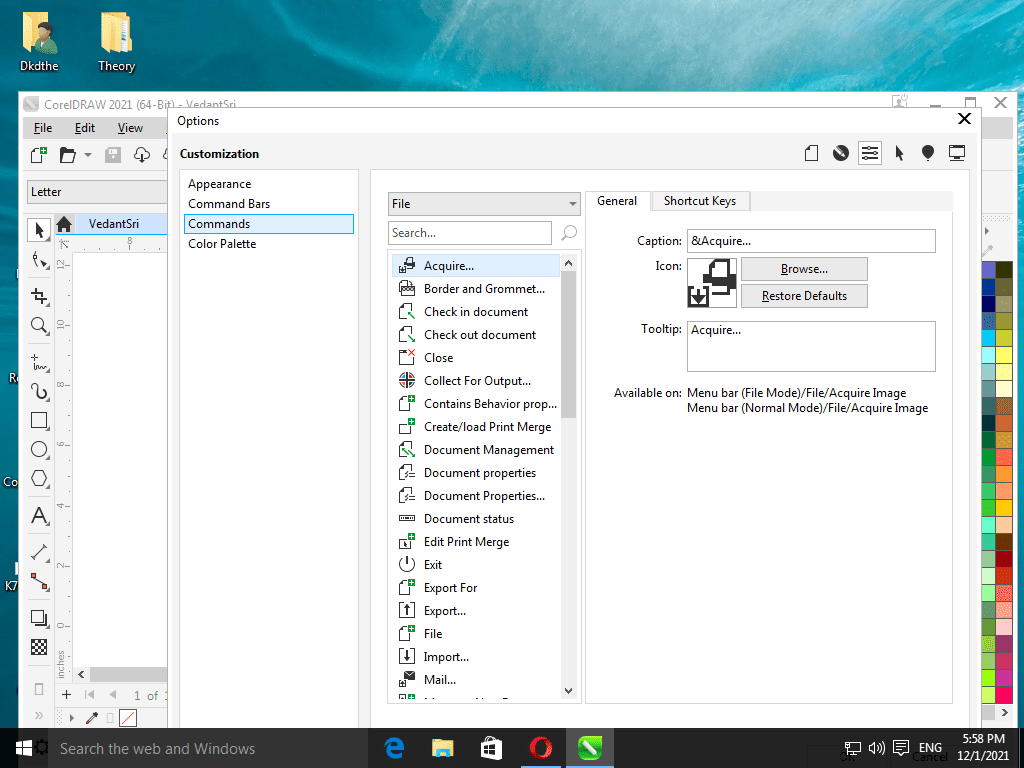
- अब किसी मेनू के जिस टूल का शॉर्टकट क्रिएट करना चाहते है उसे सेलेक्ट करें | उदाहरण के लिए यदि आप PowerClip में Place Inside Container का शॉर्टकट क्रिएट करना चाहते है तो, सबसे पहले इस window के File पर Click करके Object मेनू को सेलेक्ट करें |
Read Also:- O Level Course Detail, Fees, Duration, Syllabus, Scope, Institute, Admission and Jobs in Varanasi

- उसके बाद Slider ड्रैग करके निचे PowerClip Inside टूल को क्लिक करके सेलेक्ट करें|

- अब shortcut Keys Tab पर क्लिक करें
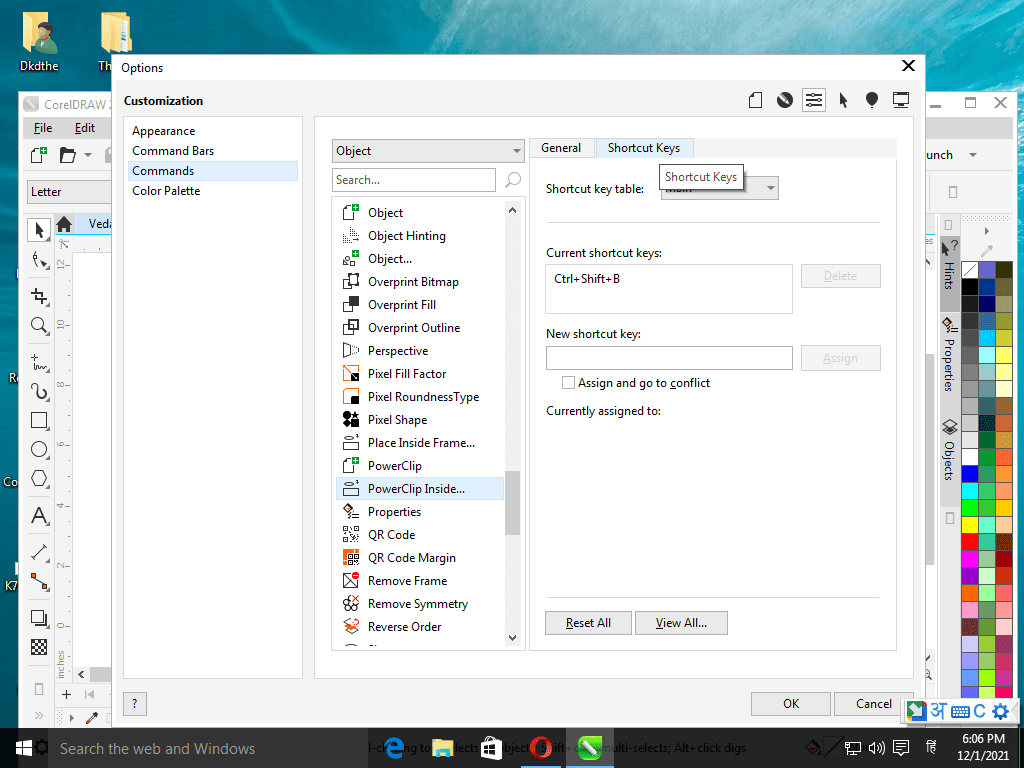
- अब New Shortcut Key ब्लाक में कोई खुद से Shortcut टाइप करें उदाहरण के लिए मैंने Ctrl + Shift प्रेस करके C प्रेस टाइप किया |
Read Also:-CCC Course Fees, Syllabus, Duration, Scope, Jobs, and Institute in Varanasi

- और Assign बटन पर क्लिक करके Ok कर दें|

- अब आप इस शॉर्टकट यूज़ कर सकते है| और इसी प्रकार से अनेको शॉर्टकट Key Corel में क्रिएट कर सकते है|
Important Links
1-VedantSri Official Website:- https://vedantsri.com
2-VedantSri Student Support Website:- https://www.vedantsri.net
3-Students Jobs Assist Website:- https://www.jobdo.in