MS Word Page Layout Questions and Answers (2026) – Top 30 Most Asked Questions
If you are preparing for CCC, O Level, Computer Courses, or MS Office exams, then learning MS Word Page Layout tools is very important.
Durgakund 8808888478Rathyatra 9415802061दोनों branch सुबह 7 से रात 8 बजे तक खुली रहती हैं।
Microsoft Word 2021 and Microsoft 365 provide powerful Page Layout and Formatting features such as margins, columns, orientation, page breaks, alignment, spacing, and object positioning.
In this article, you will learn the Top 30 MS Word Page Layout Questions with Answers, which are frequently asked in:
- CCC Exam
- O Level Exam
- Computer Course Tests
- Competitive Exams
- Interview Questions
These questions are useful for students learning MS Word, computer course students, and beginners preparing for exams.
What is Page Layout in MS Word?
Page Layout in MS Word is a feature that allows users to control the appearance of a document page, including margins, page orientation, page size, columns, spacing, and object alignment.
It helps in designing documents like:
- Reports
- Certificates
- Books
- Assignments
- Office Documents
Page Layout options are available in the Layout Tab in MS Word 2021 and Microsoft 365.
MS Paint Related Question Answers
MS Word Page Layout Questions with Answers (Top 30)
1. MS Word में by default Margin क्या होता है?
MS Word में by default Normal Margin होता है।
Default margin size:
- Top: 1 inch
- Bottom: 1 inch
- Left: 1 inch
- Right: 1 inch
2. MS Word में A4 साइज पर मैक्सिमम कितने कॉलम लिए जा सकते हैं?
MS Word में custom column option की सहायता से 45 तक कॉलम बनाए जा सकते हैं, लेकिन practical use में 2 या 3 कॉलम का प्रयोग किया जाता है।
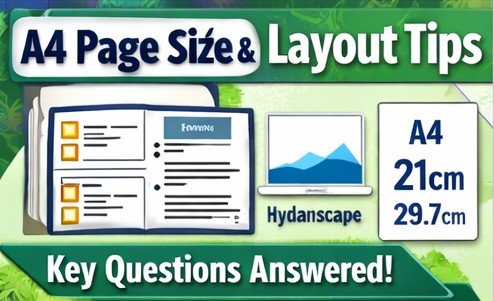
3. MS Word में A4 का साइज़ क्या होता है?
MS Word में A4 Page Size होता है:
- Width: 21 cm
- Height: 29.7 cm
या
- 8.27 × 11.69 inches
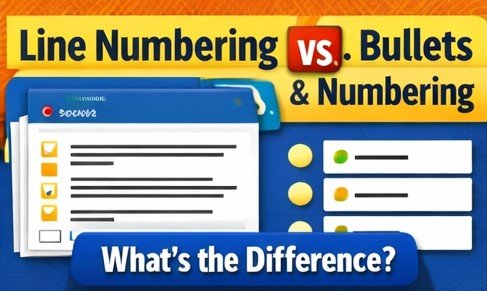
4. Line Numbers तथा Numbering में क्या अंतर है?
| Feature | Description |
| Line Numbers | Document की हर लाइन को numbering देता है |
| Numbering | List या paragraph को numbering देता है |
5. Hyphenation टूल का MS Word 2021 में क्या उपयोग है?
Hyphenation tool का उपयोग word को line के अंत में hyphen (-) लगाकर split करने के लिए किया जाता है ताकि text document में proper alignment बना रहे।
6. Landscape ऑप्शन किस टूल के अंतर्गत आता है?
Landscape option Page Orientation Tool के अंतर्गत आता है।
इसका उपयोग page को horizontal format में बदलने के लिए किया जाता है।
Example:
- Tables
- Certificates
- Reports
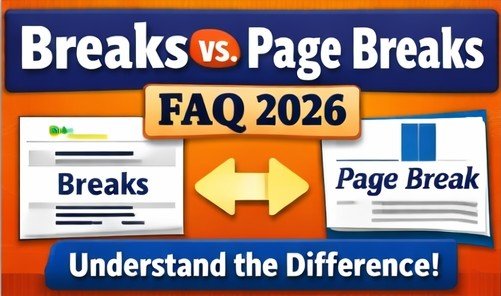
7. Breaks तथा Page Break में क्या अंतर है?
| Breaks | Page Break |
| Breaks कई प्रकार के होते हैं | Page Break केवल नया page शुरू करता है |
| Section Break, Column Break | Document में next page बनाता है |
8. Indent Tool का उपयोग क्या है?
Indent Tool का उपयोग paragraph को left या right side से space देकर format करने के लिए किया जाता है।
9. Spacing Before तथा Spacing After में क्या अंतर है?
- Spacing Before → Paragraph से पहले space देता है
- Spacing After → Paragraph के बाद space देता है
10. Selection Pane Tool का उपयोग क्या है?
Selection Pane का उपयोग document में मौजूद objects, images, shapes, charts को manage करने के लिए किया जाता है।
Pane का अर्थ है side panel या control window।
11. Position तथा Align में क्या अंतर है?
| Position | Align |
| Object की exact location fix करता है | Objects को align करता है |
| Page के हिसाब से placement | Objects को center / left / right |
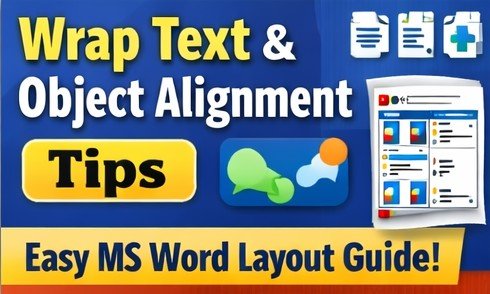
12. किसी object को wrap करने के कितने options होते हैं?
MS Word में 7 wrap text options होते हैं।
- In Line with Text
- Square
- Tight
- Through
- Top and Bottom
- Behind Text
- In Front of Text
13. Object में किसे group नहीं कर सकते?
MS Word में table और chart को directly group नहीं किया जा सकता।
14. Object को Rotate Tool द्वारा कितने degree तक rotate किया जा सकता है?
MS Word में object को 360° तक rotate किया जा सकता है।
15. Object को easily move करने के लिए wrap text का कौन सा option उपयोग होता है?
Object को आसानी से move करने के लिए In Front of Text option का उपयोग किया जाता है।
16. MS Word में Page Orientation कितने प्रकार की होती है?
MS Word में page orientation के 2 प्रकार होते हैं:
- Portrait
- Landscape
17. Portrait Orientation क्या होता है?
Portrait orientation में page vertical format में होता है।
यह documents के लिए default format होता है।
18. MS Word में Columns Tool का उपयोग क्या है?
Columns tool का उपयोग text को newspaper style multiple columns में divide करने के लिए किया जाता है।
19. Page Break का shortcut key क्या है?
MS Word में Page Break की shortcut key है:
Ctrl + Enter
20. Line Spacing क्या होता है?
Line spacing दो lines के बीच का vertical space होता है।
Common spacing options:
- 1.0
- 1.15
- 1.5
- 2.0
21. Watermark क्या होता है?
Watermark document के background में दिखाई देने वाला faded text या image होता है।
Example:
- Confidential
- Draft
22. Page Border का उपयोग क्या है?
Page Border document page के चारों तरफ design border बनाने के लिए उपयोग किया जाता है।
23. Section Break क्या है?
Section Break document को अलग-अलग sections में divide करता है ताकि अलग formatting apply की जा सके।
24. Header और Footer क्या होते हैं?
- Header → Page के top पर information
- Footer → Page के bottom पर information
Example:
Page number, date, document title.
25. MS Word में Page Size कैसे change करते हैं?
Layout Tab → Size → Select Page Size
26. Word Art क्या है?
WordArt का उपयोग text को decorative style में design करने के लिए किया जाता है।
27. MS Word में Page Color का उपयोग क्या है?
Page color document के background color को change करने के लिए उपयोग किया जाता है।
28. MS Word में Gridlines क्या होती हैं?
Gridlines invisible alignment lines होती हैं जो objects को properly align करने में मदद करती हैं।
29. MS Word में Text Box क्या होता है?
Text Box एक container होता है जिसमें text लिखकर उसे document में कहीं भी move किया जा सकता है।
30. MS Word में Shapes Tool का उपयोग क्या है?
Shapes tool का उपयोग diagrams, arrows, boxes और flowcharts बनाने के लिए किया जाता है।
People Also Ask (Google PAA)
MS Word में Page Layout कहाँ होता है?
MS Word में Page Layout features Layout Tab में होते हैं।
MS Word में Columns का उपयोग क्यों किया जाता है?
Columns का उपयोग document को newspaper style layout देने के लिए किया जाता है।
MS Word में Page Break क्या है?
Page Break document में next page start करने का option होता है।
MS Word में Orientation कितने प्रकार की होती है?
MS Word में orientation दो प्रकार की होती है:
- Portrait
- Landscape
About VedantSri Computer Institute Varanasi
VedantSri Computer Institute, Varanasi, is a government-recognised and ISO-certified computer institute running since 2011.
It provides many computer courses, including:
- CCC Computer Course
- ADCA Computer Course
- DCA Computer Course
- DTP Course
- MS Office Training
- Digital Marketing Course
Students can also practice the CCC Online Test Series and Computer Exam Preparation on the website.
Visit:
Internal Learning Resources
Students can also learn practical projects here:
- MS Excel Data Entry Project
- MS Word Certificate Design
- MS Excel Calculator Project
- MS Word Cover Page Design
Final Conclusion
These MS Word Page Layout Questions with Answers are extremely helpful for students preparing for:
- CCC Exam
- O Level Exam
- Computer Courses
- Job Interviews
- MS Office Training
Learning these concepts will help you design professional documents in Microsoft Word and Microsoft 365.
Important Links
- Job Partner Website:- https://jobdo.in
- MS Word Class:- https://mswordclass.com/
- Get Computer Info:- https://computeritpoint.com/
- Free Excel Class:- https://msexcelclass.com/