Computer Hardware Course Institute, Details, Top 5 Best Scope, Syllabus, Fees, Duration, Eligibility
Computer Hardware Course Institute selection is important for students who want to learn PC repair, hardware installation and networking. This guide explains how to choose a training institute, what practical skills to check, eligibility, career opportunities and available computer course options in Varanasi.
Durgakund 8808888478Rathyatra 9415802061दोनों शाखाएँ सोमवार–शनिवार सुबह 7 से रात 8 बजे तक खुली हैं। कोर्स की जानकारी के लिए Durgakund 8808888478 और Rathyatra 9415802061 पर सातों दिन, किसी भी समय कॉल कर सकते हैं।
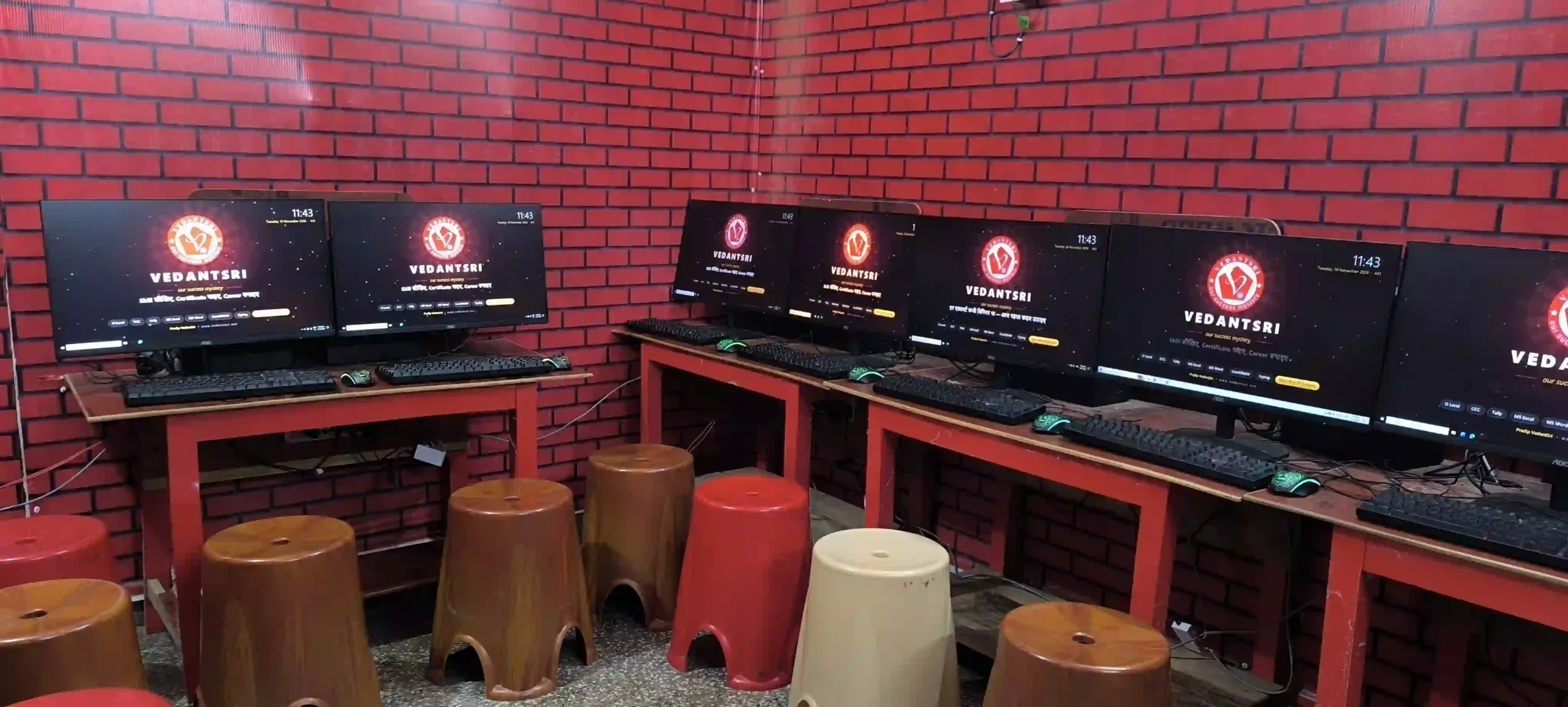
How to Choose a Computer Hardware Course Institute in Varanasi?
A good Computer Hardware Course Institute should provide practical learning, access to computer equipment and proper guidance. Students should check the syllabus, lab facilities, practical assignments and instructor support before taking admission.Computer Hardware Course Institute is related to the physical parts of a computer. It includes the motherboard, processor, RAM, storage devices, power supply and input/output devices.
Before choosing an institute, check these five important points:
- Practical Training: Ask whether students get hands-on practice with computer components.
- Computer Lab: Check the available computers and hardware equipment.
- Installation Practice: Ask whether PC installation and operating system installation are included.
- Networking Skills: Check whether students learn cabling, connectors and network configuration.
- Assessment: Ask how practical knowledge and troubleshooting skills are evaluated.
A course that combines theory with practical work can help students understand how computer systems operate.
What Should You Check Before Taking Admission?
- Visit the institute and ask for a demonstration of the practical work. Check whether students can identify computer components and perform basic troubleshooting exercises.
- Ask about individual computer access, practical assignments, class language and available batch timings.
- Do not select a course only by comparing its fees. The learning activities and practical facilities are also important.
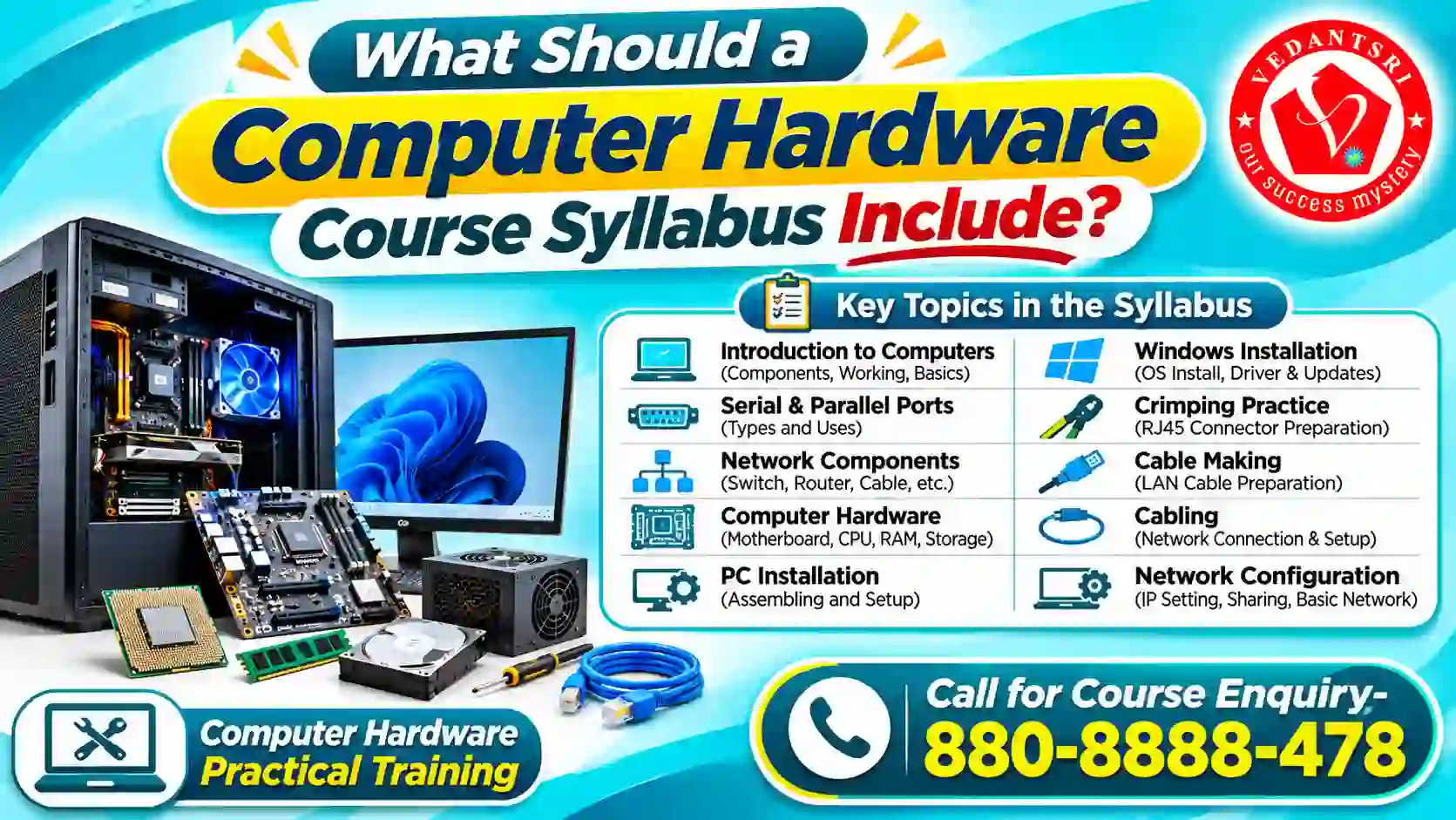
Computer Hardware Course Institute: What Should a Computer Hardware Course Syllabus Include?
A Computer Hardware Course Institute syllabus should cover computer components, PC installation, operating system installation, networking components, cable preparation and network configuration.
The published VedantSri hardware course information includes these topics:
| Subject | Learning Area |
| Introduction to Computers | Basic computer structure |
| Serial and Parallel Ports | Computer connection ports |
| Network Components | Networking equipment |
| Computer Hardware | Physical computer components |
| PC Installation | Installing a computer system |
| Windows Installation | Operating system installation |
| Crimping Practice | Cable connector preparation |
| Cable Making | Preparing network cables |
| Cabling | Cable connections |
| Network Configuration | Installing and configuring a network |
Computer Hardware Course Institute Components and Their Functions
Computer hardware consists of physical components that work together to run a computer system. Each component has a different function. Students should understand these components before learning computer assembly and repair.
| Hardware Component | Main Function |
| CPU (Processor) | Executes instructions and processes data |
| Motherboard | Connects different computer components |
| RAM | Stores temporary working data |
| HDD | Stores files and operating system data |
| SSD | Provides fast data storage |
| Power Supply Unit (PSU) | Supplies electrical power to computer components |
| GPU | Processes graphics and visual output |
| Cooling Fan | Helps control system temperature |
| Network Adapter | Connects a computer to a network |
Computer Hardware Course Institute: What Is the Difference Between RAM and Storage?
RAM and storage perform different functions. RAM temporarily holds data that the processor needs while programs are running. Storage keeps files and applications even after the computer is switched off.
For example, when you open a browser, the computer uses RAM to work with the active application. Your saved documents remain stored on an SSD or HDD.
Computer Hardware Course Institute: What Is the Difference Between HDD and SSD?
Both HDD and SSD are storage devices, but they use different technologies.
| HDD | SSD |
| Uses rotating magnetic disks | Uses flash memory |
| Contains moving mechanical parts | Has no moving mechanical parts |
| Usually costs less per GB | Usually offers faster access |
| Can produce mechanical noise | Works silently |
Computer Hardware Course Institute: Why Is Practical Hardware Training Important?
- Reading about computer components is not enough. Students should also understand how these components work together.
- For example, a student should learn to identify RAM, storage devices and motherboard connections. They should understand how to check basic hardware problems.
- A useful practical session should explain the process step by step. Students should also learn safe handling procedures before working with internal computer components.
- Practical Tip: Ask the institute whether students perform actual installation and troubleshooting exercises or only watch demonstrations.
- The published VedantSri course information also describes project-based learning, practical sessions and periodic tests. Confirm which facilities are currently available in the hardware batch.
Top 5 Career Scope Areas After Computer Hardware Course Institute Training
Computer hardware training can prepare students for different technical support and maintenance roles. The five career areas below are related to hardware, computer systems and networking skills.
1. Computer Hardware Technician
Hardware technicians work with computer components and basic hardware problems. Their work may include identifying faulty parts, checking connections and assisting with component replacement.
2. Desktop Support Technician
Desktop support professionals help users with computer-related problems. Their work may involve system installation, basic troubleshooting and computer maintenance.
3. Network Support Technician
Network support technicians help maintain computer connections. They may work with network cables, connections and basic network configuration.
4. System Administrator
System administrators help maintain computer systems and IT infrastructure. This role generally requires additional experience and knowledge of operating systems, networking and security.
5. Field Service Technician
- Field service technicians visit different locations to inspect, install or repair computer equipment. Practical troubleshooting and communication skills are useful in this role.
- These are possible career directions, not guaranteed job placements. Actual job requirements depend on the employer, practical experience and technical skills.
- A student can improve career preparation by practising hardware installation, troubleshooting and networking tasks regularly.
Computer Hardware Course Institute: How to Assemble a Desktop Computer Step by Step?
Computer assembly means connecting different hardware components to build a working computer system. Students should understand component compatibility and follow safe installation procedures.
A basic desktop assembly process includes the following steps.
- Check Compatibility: Check whether the processor, motherboard, RAM, storage and power supply are compatible.
- Prepare: Arrange the required components, screwdriver and installation manuals. Work on a clean, well-lit surface.
- Install: Install the processor, RAM and supported storage devices according to the motherboard instructions.
- Mount: Secure the motherboard inside the computer cabinet using the correct mounting points.
- Connect: Connect the power supply, storage cables, cooling fans and front-panel connectors as required.
- Inspect: Check all connections and make sure that no loose screws or cables obstruct the cooling fans.
- Test: Start the computer and check whether the system detects the processor, memory and storage devices.
- Install: After successful hardware checks, install the operating system and required device drivers.
Important Safety Tip: Always switch off the computer and disconnect its power cable before working inside the cabinet. Handle electronic components carefully and follow their manuals. Never open a power supply unit yourself.
What Should Students Learn During PC Assembly Practice?
Students should understand more than connecting wires. They should also learn why each component is required and how to identify an incorrect connection.
Important practical activities include:
- Identifying motherboard connections.
- Understanding processor and RAM installation.
- Connecting SATA storage devices.
- Identifying power supply connectors.
- Connecting cabinet front-panel cables.
- Checking cooling fan connections.
- Identifying common boot problems.
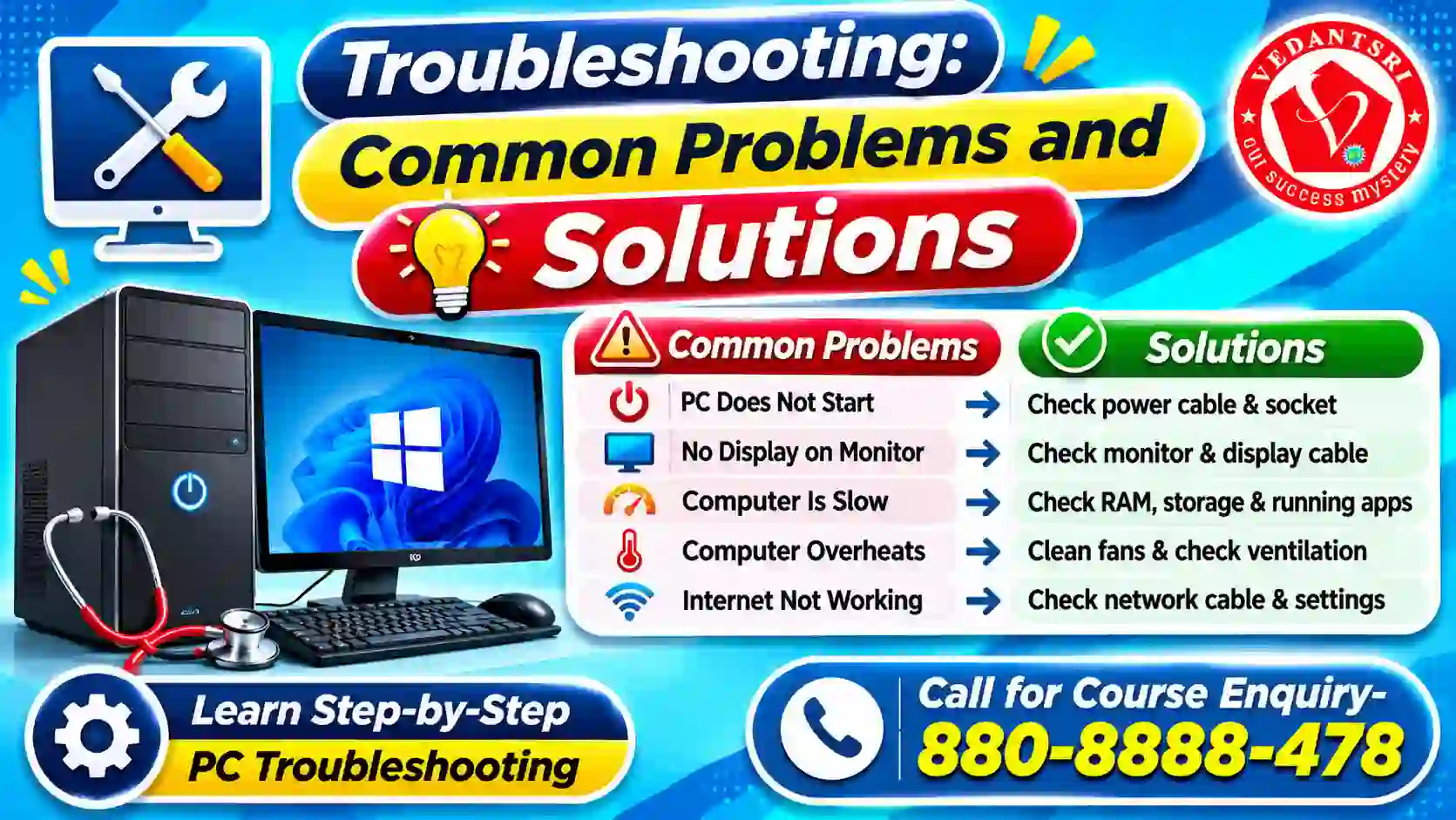
Computer Hardware Course Institute Troubleshooting: Common Problems and Solutions
Computer Hardware Course Institute troubleshooting is the process of identifying and checking problems in a computer system. A technician should inspect the symptoms before replacing any component.
The following table explains some common computer problems.
| Computer Problem | Initial Checks |
| Computer does not start | Check power cable, socket and external power connections |
| No display on monitor | Check monitor power, input selection and display cable |
| Computer becomes slow | Check RAM usage, storage space and running applications |
| Computer overheats | Check ventilation, cooling fans and dust |
| Keyboard or mouse not working | Check USB connection and try another port |
| Internet connection not working | Check network cable, adapter and network settings |
| Storage drive not detected | Check data connection and power connection |
Computer Hardware Course Institute: How to Check a Hardware Problem?
Follow a systematic troubleshooting process.
- Observe: Identify what happens when the computer starts.
- Check: Inspect the external cables and power connections.
- Identify: Determine which component may be causing the problem.
- Test: Check the suspected component using an appropriate diagnostic method.
- Verify: Check whether the problem is resolved after the required correction.
Do not replace hardware immediately. The problem may be caused by a loose connection, incorrect setting or missing driver.
What Is the Use of Device Manager in Windows?
Device Manager is a Windows utility that displays installed hardware devices. It also helps users inspect device status and manage drivers.
Follow these steps:
- Open: Click Start and search for Device Manager.
- Select: Open Device Manager.
- Expand: Select a hardware category such as Display Adapters or Network Adapters.
- Inspect: Double-click a device to view its properties.
- Check: Review the device status and driver information.
- Update: Use the available driver update options when required.
Windows Update is generally the recommended starting point for supported driver updates. Device Manager can also be used to update or reinstall a device driver.
What Skills Should You Develop After a Computer Hardware Course Institute?
Learning hardware component names is only the beginning. Students should also develop practical and problem-solving skills.
Important skills include:
- Hardware Identification: Recognize processors, RAM, motherboards and storage devices.
- PC Assembly: Understand the process of installing and connecting computer components.
- Operating System Installation: Learn the basic steps involved in installing an operating system.
- Driver Management: Understand how to identify and check hardware drivers.
- Troubleshooting: Learn how to inspect common computer problems.
- Networking: Understand cables, connectors and basic network configuration.
- Documentation: Record hardware specifications and troubleshooting results.
How to Prepare a Computer Hardware Practical Record?
Maintaining a practical record helps students remember their work and understand troubleshooting methods.
Use this simple format:
| Practical Record | Details |
| Practical Name | RAM Identification |
| Hardware Used | RAM Module |
| Objective | Understand RAM identification |
| Procedure | Observe module type and specifications |
| Observation | Record available information |
| Result | Write what you learned |
Students can use the same format for motherboard identification, PC installation, cable making and Windows installation in Computer Hardware Course Institute.
Computer Hardware Course Institute Eligibility: Who Can Apply?
The published VedantSri Computer Hardware Course Institute information states that students who have completed Class 10 can apply. It also states that prior basic computer knowledge is not compulsory because computer basics are covered during training.Students interested in computer components, installation and technical troubleshooting may find this field suitable.
Before admission, check the following:
- Minimum educational qualification.
- Current course admission requirements.
- Practical training arrangements.
- Course certificate details.
- Available batch timings.
- Teaching language.
VedantSri’s published hardware information mentions Hindi and English as teaching languages.
Computer Course Duration and Fees: Compare Available Courses
Students searching for computer course duration and fees should first identify the type of skill they want to learn. Different computer courses teach different subjects. Their fees and duration are not interchangeable.
The following table shows other computer courses listed by VedantSri. These are separate courses, not the confirmed fees of the Computer Hardware Course Institute.
| Computer Course | Duration | Regular Fees | Current Offer Fees |
| ADCA | 12 Months | ₹19,000 | ₹6,999 |
| CCC | 3 Months | ₹5,000 | ₹2,500 |
| DCA | 6 Months | ₹7,900 | ₹3,900 |
| DFA | 6 Months | ₹9,000 | ₹4,500 |
| DTP | 6 Months | ₹8,000 | ₹4,500 |
| O Level | 12 Months | ₹24,000 | ₹7,100 |
These course options have different learning objectives.
- ADCA: Suitable for students interested in broader computer applications.
- CCC: Focuses on basic computer knowledge.
- DCA: Provides training in computer applications.
- DFA: Focuses on financial accounting.
- DTP: Covers desktop publishing and design.
- O Level: Covers different areas of information technology.
Computer Hardware Course Institute: Practice Questions with Answers
Question 1. Which component is known as the main processing unit of a computer?
A. RAM
B. CPU
C. HDD
D. Monitor
Correct Answer: B. CPU
👉 Reason: CPU executes instructions and processes data.
Question 2. Which memory temporarily stores data while programs are running?
A. SSD
B. HDD
C. RAM
D. DVD
Correct Answer: C. RAM
👉 Reason: RAM provides temporary working memory.
Question 3. Which component connects different computer hardware devices?
A. Motherboard
B. Mouse
C. Keyboard
D. Speaker
Correct Answer: A. Motherboard
👉 Reason: The motherboard provides connections between major computer components.
Question 4. Which storage device uses flash memory?
A. HDD
B. SSD
C. DVD
D. CD
Correct Answer: B. SSD
👉 Reason: SSD uses flash memory for data storage.
Question 5. Which utility displays installed hardware devices in Windows?
A. Paint
B. Calculator
C. Device Manager
D. Notepad
Correct Answer: C. Device Manager
👉 Reason: Device Manager displays installed hardware devices and their driver status.
Question 6. Which connector is commonly used for Ethernet network cables?
A. HDMI
B. VGA
C. RJ45
D. Audio Jack
Correct Answer: C. RJ45
👉 Reason: RJ45 connectors are commonly used with Ethernet network cables.
Question 7. What is the main function of a Power Supply Unit?
A. Store files
B. Supply electrical power to computer components
C. Display images
D. Process instructions
Correct Answer: B. Supply electrical power to computer components
👉 Reason: The PSU provides suitable power to the computer’s internal components.
Computer Hardware Course Institute Training at VedantSri Computer Institute, Varanasi
VedantSri Computer Institute provides computer training in Varanasi. Its published course information includes Hardware & Networking among its computer-training options.
VedantSri Durgakund Branch
- VedantSri | Varanasi Computer Training Institute
- Address: Block No. 9, Kabir Nagar Road, Durgakund, Naria, Varanasi, Uttar Pradesh – 221005.
- Phone: 8808888478
VedantSri Rathyatra Branch
- VedantSri Computer Institute Rathyatra
- Address: SobhNath, Dhirendra Complex, Rathyatra–Mahmoorganj Road, Rathyatra Crossing, Khanna Villa Colony, Bhelupur, Varanasi, Uttar Pradesh – 221010.
- Phone: 9415802061
Branch Timings: Monday to Saturday, 7:00 AM to 8:00 PM.
For phone enquiries, students can contact the respective branch seven days a week.
Frequently Asked Questions
Is Computer Hardware a good course after Class 10?
Computer Hardware can be a suitable learning option for students interested in computer components, installation and troubleshooting. Practical interest and regular practice are important for developing technical skills.
Do I need programming knowledge for computer hardware training?
Programming is not a compulsory starting skill for basic hardware learning. Students should first understand computer components, installation and troubleshooting. Advanced IT roles may require additional knowledge.
Can I start a computer repair service after hardware training?
Hardware training can provide a foundation for basic repair work. Before starting independently, students should gain practical experience, learn safe repair procedures and understand common hardware faults.
What is the difference between computer hardware and networking?
Computer hardware focuses on physical computer components, installation and maintenance. Networking focuses on connecting computers and managing communication between devices. Both areas are related but involve different practical skills.
What Is BIOS or UEFI in a Computer?
BIOS or UEFI is firmware used to initialize computer hardware during startup. It helps prepare the system before the operating system loads and provides access to basic hardware settings.
Can I Check RAM and Processor Details Without Opening the Computer Cabinet?
Yes. Windows displays processor and installed RAM details under Settings > System > About. You can check basic hardware specifications without opening the cabinet.
What Is the Difference Between RAM and SSD?
RAM temporarily stores data used by running applications. An SSD permanently stores files and programs. RAM is working memory, while an SSD is a storage device.
Why Is Computer Hardware Compatibility Important?
Hardware compatibility ensures that components can work together properly. Before upgrading, check processor support, motherboard specifications, memory type, storage connections and power requirements.
What Is the Purpose of an Ethernet Cable?
An Ethernet cable connects compatible devices to a wired network. It is commonly used to connect desktop computers, routers and network switches.
Important Links to Explore
- Corel Class: https://www.corelclass.com
- MS Excel Class: https://msexcelclass.com/
- MS Word Class: https://mswordclass.com/
- Deep Read on Careers: Tally Course Fees, Duration, Scope, Syllabus, Admission, Institutes.
- Check Govt. Certification Path: CCC Course Fees, Syllabus, Duration, Scope, Jobs, and Institute.
- Specialist Diploma: DFA Course Fees, Syllabus, Duration, Scope, Jobs, and Institute.
- VedantSri Official Website:- https://vedantsri.com