MS Word Course Details, Fees, Duration, Scope, Syllabus, Admission, Institutes & Jobs
What is the MS Word Course?
Microsoft Word Is Actually For Documentation Purposes. It allows users to alter the appearance of text easily by changing its colour, font style, and size. For That Reason, the file is easily stored as a report on a laptop or other media device and retrieved at any time for editing, sharing, or printing. It allows people to create their own documents, including letters, Cover Pages, and even brochures, reducing the need for a dedicated secretarial phase.
Durgakund 8808888478Rathyatra 9415802061दोनों branch सुबह 7 से रात 8 बजे तक खुली रहती हैं।
Also Read: CCC Course Fees, Syllabus, Duration, Scope, Jobs, and Institute in Varanasi
Why demand an MS Word Course?
Microsoft Word software has come to be an integral part of documentation and business organisations internationally. This application program/bundle is specially designed for performing various word processing duties, together with typing, modifying, and printing out textual information. Lastly, it allows adequate management of the introduction and presentation of the typographic work.
Also Read:- DCA Course, Fees, Duration, Scope, Syllabus, Admission, Institutes & Jobs in Varanasi

What skills do we get from learning MS Word?
There are some very useful skills that we get from MS Word, such as:-
- Creating templates.
- Text formatting.
- Textboxes.
- SmartArt.
- Apply pre-designed Styles and format text with fonts and colours.
- Mail merge permits you to, without problems, alter one part of a document with specific record elements.
- Learn To Manage Documents.
- It enhances Your Creativity.
Duration of MS Word?
MS Word is a Professional Expertise Certificate. Thus, Its Duration is 45 Days.

Syllabus of MS Word Course?
- Learn To Create Your New Document.
- Learn How To Change the Page Layout, Background, And Borders.
- Edit Pictures and Shapes.
- Insert Clip Art and Images into Your Document.
- Learn About Paragraphs.
- Managing Content.
- Links, Header, andFooterr.
- References.
- Mail Merge.
- Protecting Your Documents.
Free Download Interview Asked MS Word Course Top 50 Q&A PDF
MS Word Course Details
Also Read: OM Course Fees, Duration, Scope, Syllabus, Admission, Institutes & Jobs in Varanasi
Admission Fees for MS Word Courses?
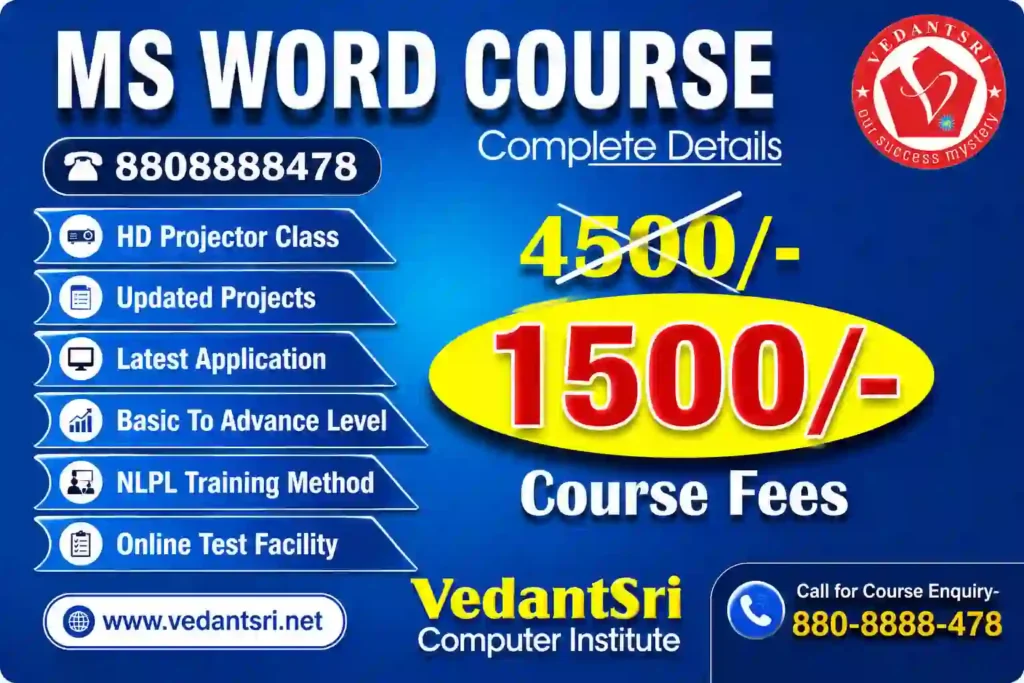
Admission Fees for the MS Excel course are about INR 2,500 to INR 4,000. Therefore, VedantSri provides MS Excel in Varanasi for only INR 1,500 total, with no extra admission charges.
Offer in MS Word Course?
If people want to learn the Best Computer Course in Varanasi, then they have to Also need to learn Computer Typing, English Speaking, Personality development, etc. MS Word Course Details
But the Good news is for those who want to learn MS Excel. Because VedantSri is providing 4 courses completely free in offers,s and The Free Courses Such As:-
- Free Computer Typing for 45 Months.
- AI Productivity Learning.
- Free Personality Development.
- CTT training.
Also Read:- Tally Course Fees, Duration, Scope, Syllabus, Admission, Institutes & Jobs in Varanasi
Discount in MS Word Course?
However, from time to time, VedantSri Institute provides a Discount on different offers.
Hence, currently, the VedantSri Discount offer is 50% off on any course Fees, and the admission Fee is FREE in this offer. MS Word Course Details
Facilities in MS Word?
Also, there are many facilities in MS Word, Such As:-
- Projector Screen Classroom.
- 4-way Technique.
- Project-Based Training.
- Online Test Facilities.
- Online Blog Support. MS Word Course Details
- Free Course Training.
- CTT Training.
Also Read: Photoshop Course Fees, Duration, Scope, Syllabus, Admission, Institutes & Jobs in Varanasi
Extra Free Courses in MS Word Course offer?
Moreover, there are so many extra free Courses in MS Word:-
- Typing Training(30 days).
- Personality Development.
- CTT Training. MS Word Course Details
Also Read:- CorelDRAW Course Fees, Duration, Scope, Syllabus, Admission, Institutes & Jobs in Varanasi
Ways to teach the MS Word course taught?
1. Project-Based.
2. Best Knowledgeable Teachers teach the students using a projector.
3. Provide a single system for a single student.
4. A test is taken for the related course.
5. Live presentation.
6. Alternate days: theory, Projects, and Practical Session.
7. Student skips their lab or Theory class-related video is available on the VedantSri Android apps.
8. Provided the latest project training.
9. Online Test.
10. Practical Classes.
Course Category of MS Word?
The course Category of MS Word is a certificate course.

Job Placement in MS Word Course?
- Typing
- Data Entry
- Truelancer
- Project Management
- Magazine writer
- Content Writer
Also Read: ADCA Course Fees, Duration, Scope, Syllabus, Admission, Institutes & Jobs in Varanasi
Does Basic Computer Knowledge Require For MS Word?
Last, no, basic computer knowledge is not Required For MS Word. So, basic knowledge is taught in MS Word. MS Word Course Details
Teaching Language in MS Word?
Basically, the language of the computer is English. However, you can learn it in both Hindi and English.
Important link
- Visit – https://www.corelclass.com
- Also read – https://msexcelclass.com/
- Also, Read- Tally Course Fees, Duration, Scope, Syllabus, Admission, Institutes
- Also Read – CCC Course Fees, Syllabus, Duration, Scope, Jobs, and Institute
- Important Link – DFA Course Fees, Syllabus, Duration, Scope, Jobs, and Institute
- Visit – https://mswordclass.com/