Home Blog Page 5

MS Word Question Answers (Part-X)

MS Word Question Answers (Part-X)

1.Comment Toolbox का क्या use होता है?

Ans- इस toolbox के द्वारा हम अपने page पर लिखे गए किसी text, document को trapped करने के लिए इस toolbox का use करते है| MS Word Question Answers (Part-X)

2. Tracking toolbox का क्या use होता है?

Ans- इस toolbox के द्वारा हम अपने page पर लिखे गए किसी text, document को track करने के लिए इस toolbox का use करते है| MS Word Question Answers (Part-X)

3. Changes toolbox का क्या use होता है?

Ans- इस toolbox के द्वारा हम अपने page पर tracking किये गए text, document में word को accept या reject करने के लिए use करते है|

MS Word Question Answers (Part-X)

4. Compare toolbox का क्या use होता है?

Ans- इस toolbox के द्वारा हम winword के दो page को आपस में compare करने के लिए use करते है| MS Word Question Answers (Part-X)

5. Protect toolbox का क्या use होता है?

Ans- इस toolbox के द्वारा हम अपे page पर लिखे गए किसी text, document को protect करने के लिए इस toolbox का use करते है| MS Word Question Answers (Part-X)

Question/Answer

6. View toolbox का क्या use होता है?

Ans- इस toolbox में दिए गए tool के MS-Word को अलग-अलग 5 तरीके से किया जाता है|

7. Show/Hide toolbox का क्या use होता है?

Ans- इस toolbox में दिए गए toolbar, gridlines,message bar को show/hide करने के लिए use किया जाता है| MS Word Question Answers (Part-X)

8. Zoom toolbox का क्या use होता है?

Ans- इस toolbox के द्वारा हम अपने page को कम से कम 10% तक छोटा तथा ज्यादा से ज्यादा 500% तक बड़ा करने के लिए use करते है|

9. Window toolbox का क्या use होता है?

Ans- इस toolbox के द्वारा MS-Word के site को एक साथ open करने के लिए इस toolbox का use करते है| MS Word Question Answers (Part-X)

10. Macros toolbox का क्या use होता है?

Ans- इस toolbox के द्वारा हम visual basic पर बनाए गए programme को run, edit, delete करने के लिए इसका use करते है|

About CCC Online Test 2023

CCC Online Test 2023:- This is the CCC Online Test Website Page. If You are preparing for CCC Exam or any competitive exam then you should visit this www.vedantsri.net website.

you can also download this app from the play store and you find Just like many more Online Test Series Related For Example MS Word, MS Excel, MS PowerPoint, and Internet-related. MS Word Question Answers (Part-X)

MS Word Question Answers (Part-X)

This is Provided By VedantSri Computer Institute Varanasi. The VedantSri Provides the Best Computer Classes, Courses, Coaching, and Computer Training in Varanasi Uttar Pradesh India. MS Word Question Answers (Part-X)

Visit at – https://www.corelclass.com

Read Also it – https://msexcelclass.com/

Also, Read- Tally Course Fees, Duration, Scope, Syllabus, Admission, Institutes

Also Read – CCC Course Fees, Syllabus, Duration, Scope, Jobs, and Institute

Important Link – DFA Course Fees, Syllabus, Duration, Scope, Jobs, and Institute

Visit – https://mswordclass.com/
Excel related question answer

Excel related question answer

Q.1 Excel क्या है|

Ans. Excel micro soft office ka application है | Excel-related question to answer

Q.2 Excel के application में कितने menu होते है

Ans.Excel में 8 menu होते है

Q.3 Excel के अंतगर्त कौन -कौन से menu होते है?

Ans .1.Home

2. Insert

3. Page layout

4. Formula

5. Data

6. Review

7. view

8. Developer Excel related question answer

Q.4 Clipboard का use क्या है ?

Ans. इस toolbox का हम ms excel के sheet पर लिखे गये matter को एक जगह से दूसरी जगह पर रखने के लिए तथा किसी भी matter पर दिए गये edting को दूसरे matter पर same editing देने के लिए इस tool का use करते है | Excel related question answer

Q.5 Font toolbox का क्या use है ?

Ans.इस toolbox का use हम excel sheet पर लिखे गये matter के language बदलने के लिए size को छोटा या बड़ा करने के लिए तथा excel sheet पर bourder बनाने के लिए matter को color करने के लिए इस toolbox का use करते है | Excel related question answer

Q.5 Font toolbox के tools के नाम बताइए ?

Ans. 1. font

2. font size

3. bold

4. italic

5. unreline

6. increase font

7. decrease font

8. bottom

9. border

10. fill color

11. font color Excel-related question to answer

Q.6 Excel में number toolbox का क्या use है ?

Ans. इस toolbox का use हम excel sheet पर लिखे गये number को point में लिखने के लिए percentage लगाने के लिए तथा doulr में लिखने के लिए इस toolbox का use करते है | Excel related question answer

Q.7 Excel के alignment toolbox के tools के नाम बताइए|

Ans. 1.top align

2.middle

3.bottom

4.wrop text

5.align lift

6.center

7.align right

8.merge & center

9.decrease indent

10. increase indent

11.orientation Excel related question answer

Q.8 Excel में cells का क्या use है

Ans.इस toolbox का use हम excel sheet पर extra row और colom लेने के लिए और delete करने के लिए तथा cell के साइज़ को कम या ज्यादा करने के लिए इस toolbox का use करते है | Excel related question answer

Q.9 Excel में add-ins toolbox का क्या use है ?

Ans. इस toolbox का use हम excel sheet पर online stor insert कराने के लिए इस toolbox का use करते है

Q.10 Excel में link toolbox का क्या use है ?

Ans. इस toolbox का use हम excel sheet पर लिखे गये matter के किसी भी word पर link देने के लिए इस toolbox का use करते है |

Q.11 Excel में sheet option का क्या use है ?

Ans. इस toolbox का use हम excel पर दिए गये heading को दिखाने और छुपाने के लिए तथा graidlines को दिखाने और छुपाने के लिए इया toolbox का use करते है

Q.12 Excel में scale to fit का क्या use है ?

Ans. इस toolbox का use हम excel sheet के size को छोटा या बड़ा करने के लिए इस toolbox का use करते है

Q.13 Excel में tours toolbox का क्या use है ?

Ans. इस toolbox का use हम excel sheet पर 3d mape insert करने के लिए इस toolbox का use करते है |

Q.14 Excel में defined name का क्या use है ?

Ans. इस toolbox का use हम excel sheet पर कोई भी formula create कराने के लिए या बनाने के लिए इस toolbox का use करते है |

Q.15 excel में function library toolbox का क्या use है ?

Ans. इस toolbox का use हम excel sheet में कोई भी formula insert कराने के लिए इस toolbox के use करते है

Leant in MS Excel: https://youtu.be/4Y63MuEsMO4

Learnt bill remainder in MS Excel: https://youtu.be/ViP3_65P84s

MS Excel form with database macro project: https://youtu.be/tgFn7dWGIRQ

MS Word cover page design: https://youtu.be/zbkXeGNW23U

MS Excel basic calculator basic project: https://youtu.be/ELZ9MDKU3e4

MS word 3D design project: https://youtu.be/JTgFRIMnfKU

MS Word certificate project: https://youtu.be/NyqBEU5nTxA

VedantSri official website: https://vedantsri.com

Course store website: https://vedantsri.in

Job assist website: https://www.jobdo.in

MS Word class: https://mswordclass.com/ 
Corel free class: https://corelclass.com/ 

Free Excel class: https://msexcelclass.com/ 

1-VedantSri Official Website:- https://vedantsri.com

2-Student Support Website:- https://www.vedantsri.net

3-Jobs Assist Website:- https://www.jobdo.in

External Link

1-VedantSri Official Website:- https://vedantsri.com

2-Course Store Website:- https://vedantsri.in

3-Jobs Assist Website:- https://www.jobdo.in

4-MS Word Class:- https://mswordclass.com/
5-Corel Free Class:- https://corelclass.com/

6-Free Excel Class:- https://msexcelclass.com/

COURSE OF PYTHON, DETAILS, FEES, DURATION, SYLLABUS, ELIGIBILITY, INSTITUTE, ADMISSION &JOBS

COURSE OF PYTHON, DETAILS, FEES, DURATION, SYLLABUS, ELIGIBILITY, INSTITUTE, ADMISSION &JOBS

What is Python?

Python is a high-level language and interpreted, object-oriented programming language. It was developed by Guido Van Rossum and released in 1991. It is currently a widely used multipurpose high-level Programming language. (COURSE OF PYTHON)

Python programs are generally smaller than other programming languages like C++. The Python programming language is used by all tech companies like Google, Amazon, Microsoft, Facebook, Dropbox, Uber, etc. Its syntax is much smaller than other programming languages (COURSE OF PYTHON)

Demand for the Python programming language

Python’s growth is promising for the future. Top companies are stuck with Java, Python, and trending technologies now and also in the future. (COURSE OF PYTHON)

As a result of this fact, Python has become a core language, using Python for research, production, and development. Small, big, and start-up organisations choose Python to meet their customer requirements. (COURSE IN PYTHON)

There are 10 reasons Python is in High demand, listed below: –

  1. Simple Syntax
  2. The abundance of libraries and frameworks
  3. Portable Feature
  4. Encourage automation
  5. Useful in Data Science
  6. Use in web development
  7. Use in Machine learning & Artificial intelligence
  8. High Secure
  9. Offer Appreciable jobs
  10. Offer a satisfactory salary (COURSE OF PYTHON)

VedantSri Computer Institute Varanasi

CorelDraw Online Test 2020

provides the best Computer CoursesClasses, and Training in Varanasi. There are NIELIT Courses, CCC, BCC, O-level, Certificates, and Diploma Computer Courses available with the best training materials. Also Available: Top 100 Best Computer Courses, For Example, OM, DCA, ADCA, DTP, DFA, ADAM, ADTP, ADFA, DCE, and MS Office. VedantSri Computer Coaching updates CCC Online Test 2025 on www.vedantsri.net

There are some important computer Courses for jobs, CCC Classes, Typing, Internships, And Spoken English Available Free of Cost with an Offer. More than 50 Computer Courses are available with a 50% Fee Discount in VedantSri Varanasi. You can get the Best Digital Marketing Course at Varanasi Institute VedantSri.

COURSE OF PYTHON
COURSE OF PYTHON

About VedantSri Computer Institute Varanasi

VedantSri Computer Institute in Varanasi is a government-recognised and ISO ISO-certified computer Institute in Varanasi, running since 2011. It Provides Computer Courses, Classes, and training through different own branches all over Varanasi. There are Computer Scholarship Courses, DCE Scholarship (Diploma in Computer Engineering), and DIT most trusted computer course, Available under the Scholarship Test Scheme. Varanasi Computer Institute Vedantsri works at different places to ensure students get better computer education.

Computer Classes has Diploma courses and advance diploma courses on the computerVedantSri Institute provides the latest version of computer application training in computer coursesवेदांतश्री कम्प्यूटर इंस्टिट्यूट’ वाराणसी में पिछले 10 वर्षो से बेहतर व न्यूनतम शुल्क में कम्प्यूटर शिक्षा प्रदान करने वाली एक कम्प्यूटर ट्रेनिंग इंस्टिट्यूट है | यह संस्था कम्प्यूटर व इंग्लिश स्पीकिंग कोर्स की ट्रेनिंग प्रदान करती है | वाराणसी में कम्प्यूटर शिक्षा को बेहतर व न्यूनतम शुल्क में छात्रो तक पहुचाने में वेदांतश्री पिछले 10 वर्षो से प्रयासरत है | (1st Rank in Surprise Test)

1-VedantSri Official Website:- https://vedantsri.com

2-Student Support Website:- https://www.vedantsri.net

3-Jobs Assist Website:- https://www.jobdo.in

External Link

1-VedantSri Official Website:- https://vedantsri.com

2-Course Store Website:- https://vedantsri.in

3-Jobs Assist Website:- https://www.jobdo.in

4-MS Word Class:- https://mswordclass.com/
5-Corel Free Class:- https://corelclass.com/

6-Free Excel Class:- https://msexcelclass.com/

Python Course Details, Fees, Duration, Syllabus, Eligibility, Admission, Institute & Jobs in Varanasi (2026 Updated)

Python Course Details, Fees, Duration, Syllabus, Eligibility, Admission, Institute & Jobs in Varanasi (2026 Updated)

What is the Python programming language?

Python Programming is one of the most powerful, beginner-friendly, and high-demand programming languages in the world. It is a high-level, interpreted, object-oriented, and versatile programming language developed by Guido van Rossum and officially released in 1991.

In 2026, Python has become the backbone of modern technologies such as:

  • Artificial Intelligence (AI)
  • Machine Learning
  • Data Science
  • Web Development
  • Automation
  • Cyber Security
  • Cloud Computing
  • App Development
  • Robotics
  • Software Development
Python Course Details, Fees, Duration, Syllabus, Eligibility, Admission, Institute & Jobs in Varanasi VedantSri Institute

Python is widely used because of its simple syntax, fast development process, huge libraries, and powerful community support.

Top global companies using Python include:

  • Google
  • Microsoft
  • Amazon
  • Meta Platforms
  • Netflix
  • Dropbox
  • Uber Technologies
  • Spotify

Because of AI growth in 2026, Python developers are now among the highest-paid professionals in the IT industry.

Python Course in Varanasi 2026

If you are searching for:

  • Best Python course in Varanasi
  • Python institute near me
  • Python classes in Varanasi with a certificate
  • Python course fees in Varanasi
  • Python training institute in Varanasi
  • Python course for beginners
  • AI and Python classes in Varanasi

Download PDF of 100 Python Questions with Answers in English

Then this complete guide will help you understand everything about the Python programming course in 2026.

Python Course Details, Fees, Duration, Syllabus, Eligibility, Admission, Institute & Jobs in Varanasi VedantSri Computer

Why is Python in high demand in 2026?

Python is one of the most searched programming languages on:

  • Google Search
  • Bing Search
  • Yahoo Search
  • Google Maps
  • Google Business Profile

Because it is highly used in AI-based applications and automation systems.

HTML Course Details, Fees, Duration, Scope, Syllabus, Admission, Institutes & Jobs

Top Reasons Why Python is Trending in 2026

1. Easy Syntax & Beginner-Friendly

Python uses simple English-like syntax, which makes coding easy for beginners and students.

2. Best Language for AI & Machine Learning

Most Artificial Intelligence tools and AI software are built using Python.

3. Huge Job Opportunities

Python developers are highly in demand in India as well as foreign countries.

4. Excellent Salary Packages

Freshers and experienced developers both receive attractive salary packages.

5. Powerful Frameworks & Libraries

Python offers thousands of libraries such as:

  • NumPy
  • Pandas
  • TensorFlow
  • Django
  • Flask
  • OpenCV
  • Scikit-learn

6. Used in Data Science

Data analysis and big data companies use Python extensively.

7. Best for Automation

Python helps automate repetitive tasks quickly.

8. Used in Web Development

Many websites and web applications are developed using Python frameworks.

9. Cyber Security Applications

Python is widely used in ethical hacking and cybersecurity tools.

10. Future-Proof Career

Python remains one of the safest and fastest-growing career options in 2026.

Python Course Details, Fees, Duration, Syllabus, Eligibility, Admission, Institute & Jobs in Varanasi VedantSri Training

Python Course Fees in Varanasi (2026)

The average Python course fee in Varanasi depends on:

  • Institute standing
  • Course level
  • Project training
  • Certification
  • Offline classes

Average Fee Structure

Course TypeFees
Advanced Python Course₹4,000 – ₹6,000
Devised Python Course₹8,000 – ₹20,000
Python with Projects₹15,000 – ₹50,000
Advance Python Course₹20,000 – ₹60,000

VedantSri institutes also provide:

  • EMI options
  • Scholarship discounts
  • Free Enquiry
  • Free Mock Test Series

Python Course Duration

The duration of the Python programming course generally depends on the syllabus and training level.

Course LevelDuration
Essential Python1 – 3 Months
Devised Python3 – 6 Months
Python with Projects2 – 4 Months
Advance Python6 – 12 Months

Students can choose:

  • Online Python classes
  • Offline classroom training
  • Weekend batches
  • Fast-track batches

Python Course Eligibility

Students from any educational background can join the Python course.

Eligibility Criteria

  • 10th Pass
  • 12th Pass
  • College Students
  • BCA / B.Tech Students
  • Job Seekers
  • Working Professionals
  • Freelancers
  • Business Owners

No advanced coding knowledge is required for beginner-level Python training.

Python Course Details, Fees, Duration, Syllabus, Eligibility, Admission, Institute & Jobs in Varanasi VedantSri Class

Python Course Syllabus 2026

The updated 2026 Python syllabus focuses on AI-ready practical training and industry-demanded skills.

Module 1: Introduction to Python

  • History of Python
  • Features of Python
  • Installing Python
  • IDE Setup
  • Python Architecture

Module 2: Python Basics

  • Variables
  • Data Types
  • Operators
  • Input & Output
  • Comments

Module 3: Control Statements

  • If Else
  • Nested Conditions
  • Looping
  • Break & Continue

Module 4: Python Data Structures

  • Lists
  • Tuples
  • Sets
  • Dictionaries

Module 5: Functions

  • User-Defined Functions
  • Lambda Functions
  • Recursive Functions
  • Arguments & Parameters

Module 6: File Handling

  • Read Files
  • Write Files
  • CSV Handling
  • JSON Handling

Module 7: Exception Handling

  • Try Except
  • Finally
  • Custom Exceptions

Module 8: Object Oriented Programming

  • Classes
  • Objects
  • Inheritance
  • Polymorphism
  • Encapsulation

Module 9: Database Connectivity

  • MySQL with Python
  • SQLite
  • CRUD Operations

Module 10: Web Development

  • Django Framework
  • Flask Framework
  • API Integration

Module 11: AI & Machine Learning Basics

  • Introduction to AI
  • Machine Learning Concepts
  • NumPy
  • Pandas
  • Data Visualization

Module 12: Automation Projects

  • Email Automation
  • Excel Automation
  • Web Scraping
  • Chatbot Basics

Module 13: Live Projects

  • Attendance System
  • Billing Software
  • AI Chatbot
  • Data Analysis Projects

PHP Course Details 2026 – Fees, Duration, Syllabus, Scope, Admission & Jobs in Varanasi

Python Course Details, Fees, Duration, Syllabus, Eligibility, Admission, Institute & Jobs in Varanasi VedantSri

Python Course with Certificate

After successful completion of the course, students receive:

  • Training Certificate
  • Project Certificate
  • Internship Certificate (in selected institutes)

Certificates help students in:

  • Job interviews
  • Freelancing
  • Resume building
  • Internship applications

Python Course Admission Process

Step-by-Step Admission Process

Step 1: Visit the Institute

Select VedantSri training institute Branches in Varanasi.

Step 2: Registration

Fill out the admission or registration form.

Step 3: Submit Documents

Basic ID proof and educational details may be required.

Step 4: Pay Fees

Fees can usually be paid through:

  • UPI
  • PhonePe
  • Google Pay
  • Net Banking
  • Debit Card
  • Cash

Step 5: Start Training

Attend regular practical and project-based classes.

Best Python Training Institute in Varanasi

VedantSri Computer Institute is one of the popular computer training institutes offering multiple IT and programming courses.

Facilities Provided

  • Project-based training
  • Experienced trainers
  • Smart classroom
  • Practical lab
  • Offline classes
  • Live projects
  • AI-integrated learning
  • Interview preparation
  • Placement guidance

Free Courses & Offers with the Python Course

Many institutes provide additional free training programs with Python courses.

Extra Free Courses

  • Computer Typing
  • Personality Development
  • CCC Training
  • Interview Preparation
  • Online Mock Tests

Python Jobs in 2026

Python offers excellent career opportunities in India and abroad.

Top Job Roles After a Python Course

  • Python Developer
  • Full Stack Developer
  • Software Engineer
  • Data Analyst
  • Data Scientist
  • AI Engineer
  • Machine Learning Engineer
  • Automation Engineer
  • Web Developer
  • Backend Developer
  • Cyber Security Analyst

Python Salary in India 2026

ExperienceAverage Salary
Fresher₹3 LPA – ₹6 LPA
2–5 Years₹8 LPA – ₹18 LPA
AI/ML Experts₹15 LPA – ₹40 LPA

Freelancers and remote developers can also earn international income through Python projects.


Scope of Python Programming in Future

The future scope of Python is extremely bright because it powers the latest technologies such as:

  • Artificial Intelligence
  • Robotics
  • Automation
  • Cloud Applications
  • AI Agents
  • Generative AI
  • Data Science
  • FinTech Software
  • Healthcare AI Systems

Python is expected to remain one of the top programming languages for the next decade.


Why Students Choose Python?

Students choose Python because:

  • Easy to learn
  • High-paying career
  • Fast-growing industry demand
  • AI integration opportunities
  • Remote job availability
  • Freelancing opportunities
  • Startup-friendly technology

Teaching Methodology in Python Classes

Modern Teaching Features

  • Practical training
  • Live coding sessions
  • Daily assignments
  • Online tests
  • Project-based learning
  • AI-integrated coding practice
  • Real-world examples
  • Career guidance
  • Resume preparation

Amenities Available in Computer Institute

  • Air-conditioned labs
  • High-speed internet
  • Individual computer system
  • Smart projector classroom
  • Online Test Series
  • Online support
  • Doubt-clearing sessions

Languages Available for Learning

Python training is generally available in:

  • Hindi Medium
  • English Medium
  • Hindi + English Mixed Language

People Also Ask

Is Python good for beginners in 2026?

Yes, Python is considered one of the best programming languages for beginners because of its simple syntax and huge career opportunities.

What is the fee for the Python course in Varanasi?

Python course fees in Varanasi generally range from ₹4,000 to ₹20,000 depending on the course level and institute.

How many months does it take to learn Python?

Basic Python can usually be learned in 1 to 2 months, while advanced Python may take 3 to 6 months.

Can I get a job after learning Python?

Yes, students can apply for jobs such as Python Developer, Data Analyst, AI Engineer, and Full Stack Developer.

Is Python useful for AI and Machine Learning?

Yes, Python is the most popular language used in AI, Machine Learning, and Data Science projects.

Which institute is best for Python in Varanasi?

VedantSri Computer Institute is one of the institutes offering Python programming training in Varanasi.


Conclusion

Python programming is one of the best career-oriented computer courses in 2026. Due to the rapid growth of Artificial Intelligence, automation, and software development, Python developers are highly in demand across the world.

Students who want a high-paying IT career, freelancing opportunities, AI-related jobs, or software development skills should definitely learn Python programming.

If you are searching for the best Python course in Varanasi with practical training, live projects, certification, and career support, then joining a reputed institute like VedantSri Computer Institute can help you build a strong future in the IT industry.

Important link

ADTP Course, Fees, Duration, Scope, Syllabus, Admission, Institutes & Jobs in Varanasi

ADTP Course, Fees, Duration, Scope, Syllabus, Admission, Institutes & Jobs in Varanasi

What is the ADTP Course?

ADTP Course consolidates the PC and graphic design Software to make printed archives. This course will concentrate on utilising desktop Publishing software to successfully impart messages in printed form. ADTP Course

The objective of this course is to utilise a mix of sorts, shading, shapes, illustrations, and Pictures to create professionally printed materials. ADTP Course

This ADTP course will instruct a Mix of graphic design abilities and software aptitudes. Every class will comprise 66% address and 33% hands-on work with the software. ADTP Course

The software being taught is Adobe InDesign CC, CorelDraw, and Adobe Photoshop cc. Understudies will pick up involvement in getting ready records that are professional in structure. ADTP Course

What’s more, substance? The understudy will figure out how to design and distribute items, for example, Bulletins, notices, logos, packaging, signs, books, flyers, magazines, yearly reports, Welcomes, and commercials. ADTP Course

Understudies will likewise learn the phrasing, methodology what’s more, and creation requirements to successfully speak with promotion organisations, design Firms, and business printers. ADTP Course

Read Also: DCE Course Details, Fees, Duration, Scope, Syllabus, Admission, Institutes & Jobs

The demand for the ADTP Course?

ADTP Course is a much-in-demand ability that is used by anyone doing it themselves, or for large corporations that are constantly in need of documents and marketing material. ADTP Course

Publishing from the desktop involves anything done on a computer that prepares a document from start to finish. ADTP Course

A desktop publisher uses desktop publishing software that can be used to produce many kinds of documents. ADTP Course

Both the layout of the words and any graphic design or photo manipulation are all done by the software, although different software may be used. These projects could include. ADTP Course

1. Brochures.

2. Business cards.

3. Advertisements.

4. Calendars.

5. Newsletters.

6. Magazines.

7. Ebooks.

8. Book.

9. Web page Images.

10. And so much more.

Read Also: DFA Course Fees, Syllabus, Duration, Scope, Jobs, and Institute in Varanasi

ADTP Course VedantSri
ADTP Course

What Skills are Required for the ADTP Course?

ADTP Skilled operator should:-

have excellent computer skills and knowledge

Be creative, with an eye for good design, ADTP Course

be able to prioritise a varied workload

work well under pressure and to strict deadlines

be flexible and able to adapt quickly to new creative briefs

work methodically and pay attention to detail, ADTP Course

be able to work independently as well as in a team

be able to follow a design brief closely.

Read Also: DCA Course Fees, Duration, Scope, Syllabus, Admission, Institutes & Jobs in Varanasi

Applications in the ADTP Course?

In the ADTP course, the applications are as follows. You can learn and know properly about:-

Basic/Fundamental ADTP Course

MS Word 2019 Latest version

MS Excel 2019 Latest version

MS PowerPoint 2019 Latest version ADTP Course

CorelDraw

Graphics Designing

Adobe Photoshop CC

Adobe PageMaker

Adobe InDesign

CorelDraw Photo Paint ADTP Course

100 Projects Training

Full Form of ADTP Course?

Full-Form of ADTP:-

Advanced Diploma In Desktop Publishing.

Duration of ADTP Course?

ADTP Course is a Useful degree and its duration is one year.

Read Also: DIT Course Details, Fees, Duration, Scope, Syllabus, Admission, Institutes & Jobs

Syllabus of ADTP Course?

All the Students will use the Adobe  Creative Suite in this course. Students will get to learn to use the basic tools of  Photoshop, Illustrator, and InDesign. ADTP Course

Upon completion of the course, students will be able to understand the difference between a pixel-based and vector-based graphic, and they will import and export graphics in multiple formats. ADTP Course

Topics shall include creating text and gradients,  drawing and composing an illustration, transforming and distorting objects, incorporating colour techniques, placing type in an image, working with layers, and printing preparation will also be covered. ADTP Course

Projects will include designing a logo, editing photographs for a brochure, and designing and layout for a company’s newsletter. ADTP Course

VedatSri
ADTP Course

Admission Fees for the ADTP Course?

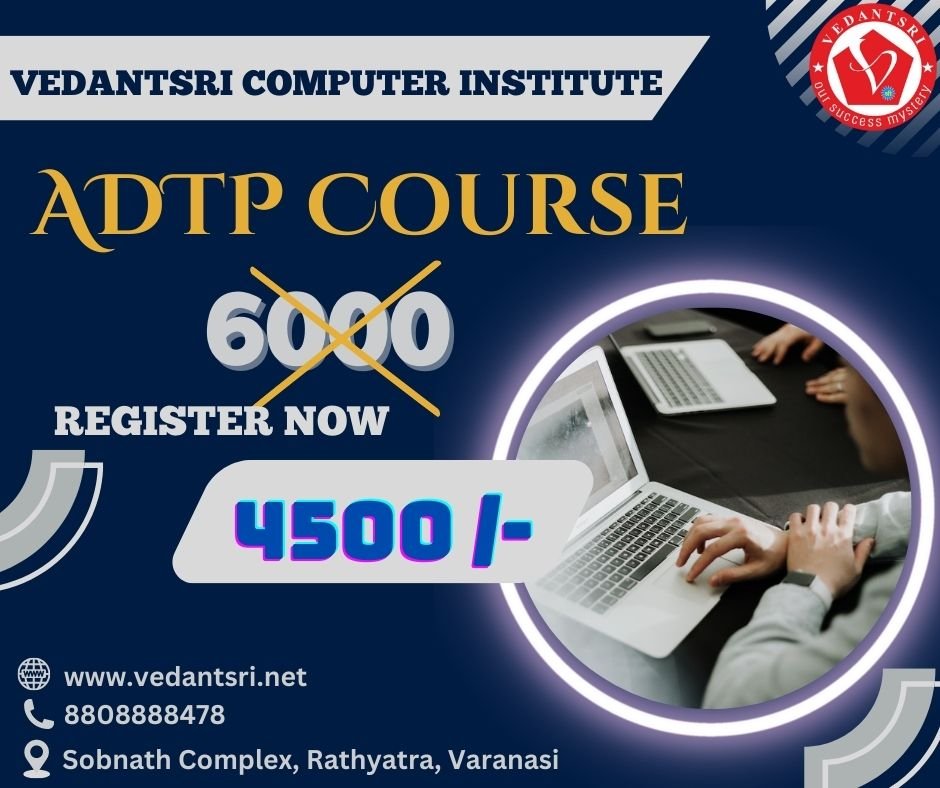
Admission Fees for the ADTP course are about 10 thousand. And the offer fee is 4 thousand Rupees.

Offer in the ADTP Course?

If people want to learn the Best Computer Course, then they have to also need to Learn Computer Typing, English Speaking, Personality development, etc. ADTP Course

But the Good news is for those who want to learn the ADTP Course. Because VedantSri is providing 5 courses completely Free in the offer, and The Free Courses are listed below:-

  1. Computer Typing for 3 Months.

2. English Spoken For 3 Months.

3. Personality Development.

4. CTT training for 6 Months.

5. CCC Classes. ADTP Course

Read Also: CCC Course Fees, Syllabus, Duration, Scope, Jobs, and Institute in Varanasi

About-ADTP-Course-Scope-Top-Best-1-Institute-Fees-Eligibility-Details-Duration-Syllabus-and-Job-Opportunities-Vedantsri-5About-ADTP-Course-Scope-Top-Best-1-Institute-Fees-Eligibility-Details-Duration-Syllabus-and-Job-Opportunities-Vedantsri-5
ADTP Course

Discount in the ADTP Course?

From time to time, VedantSri Institute provides a discount on different offers.

And currently, the VedantSri Discount offer is 50% OFF on any course Fees, and also the admission Fee is FREE in this offer.

Facilities in the ADTP Course?

There are many facilities in the ADTP Course:-

1. Projector Screen Classroom.

2. 4-ways Technique.

3. Project-Based Training.

4. Online Test Facilities.

5. Online Blog Support.

6. Free Courses Training.

7. CTT Internship Training.

8. Online Classes. (free)

9. Internship Training On Office Work. (free)

10. Project Presentation Training.

11. Live Presentation.

Extra Free Course in the ADTP Course Offer?

There are so many extra free Courses in the ADTP Course:-

  1. Typing Training.
  2. 2. English Spoken Class.
  3. 3. Personality Development.
  4. 4. CCC Class.
  5. 5. CTT Training.

6. Free Online Test.

Read Also: O Level Course Detail, Fees, Duration, Syllabus, Scope, Institute, Admission, and Jobs in Varanasi

Way to Teach of ADTP Course?

Way to Teach of ADTP Course In VedantSri:

1. Project-Based

2. Best Knowledgeable Teachers teach the student with the projector.

3. Provided a single system for a single student.

4. Time-to-time tests are taken with the related course.

5. live presentation.

6. Alternate Days Theory, Projects, and Practical Session.

7. Student skips their lab or Theory class-related video available on VedantSri Android apps.

8. Provided the Latest Project Training.

9. Online Test.

10. Practical Classes. ADTP Course

Course Category of ADTP Course?

The course Category of ADTP is an Advanced Diploma in Computer Designing.

A career in ADTP Courses?

There are a number of opportunities available in various fields after completing the ADTP course. Some fields are available that give career options after completing this course.  ADTP Course

Newspaper

Software Companies 

Film Companies

Magazines

Advertising

Read Also: ADCA Course Fees, Duration, Scope, Syllabus, Admission, Institutes & Jobs in Varanasi

ADTP Course Duration
ADTP Course

Job Placement in the ADTP Course?

A vast number of employment opportunities are being offered to graduates of the private and public sectors. Some of the job opportunities that a candidate can find are listed below:

Applications support engineer 

Computer Technician 

Data Entry Operator 

Application Support Executive 

BPO Executive 

Back Office Executive 

Computer Operator 

Clerk

Systems Officer 

DTP Operator

Photoshop Designer

Graphic designer

Desktop Publisher

Desktop Designer

Read Also: CorelDraw Course Fees, Duration, Scope, Syllabus, Admission, Institutes & Jobs in Varanasi

Does eligibility require For ADTP Course?

Yes, if you have completed 10, then you are eligible for the ADTP Course.

Does Computer Basic Knowledge Require For the ADTP Course?

No, Computer Basic Knowledge is not required for the ADTP Course. Because basic knowledge is taught in the ADTP Course.

Teaching Language in the ADTP Course?

Basically, the language of the computer is English, but you can learn it in both Hindi and English.

1-VedantSri Official Website:- https://vedantsri.com

2-Student Support Website:- https://www.vedantsri.net

3-Jobs Assist Website:- https://www.jobdo.in

External Link

1-VedantSri Official Website:- https://vedantsri.com

2-Course Store Website:- https://vedantsri.in

3-Jobs Assist Website:- https://www.jobdo.in

4-MS Word Class:- https://mswordclass.com/

5-Corel Free Class:- https://corelclass.com/

6-Free Excel Class:- https://msexcelclass.com/

COURSE OF PYTHON, DETAILS, FEES, DURATION, SYLLABUS, ELIGIBILITY, INSTITUTE, ADMISSION &JOBS

COURSE OF PYTHON, DETAILS, FEES, DURATION, SYLLABUS, ELIGIBILITY, INSTITUTE, ADMISSION &JOBS

COURSE OF PYTHON
VedantSri Computer Institute

What is Python?

Python is a high-level language and interpreted object-oriented programming language. It was developed by Guido Van Rossum and released in 1991. It is currently a widely used multipurpose high-level Programming language. COURSE OF PYTHON

Python program is generally smaller than other programming language like C++. Python programming language almost used all tech companies like Google, Amazon, Microsoft, Facebook, Dropbox, Uber……etc. Its syntax is much smaller than other programming languages. COURSE OF PYTHON

Demand for Python programming language

Python growth is promising in the future. Top companies are stuck with Java, python trending technologies now and also in the future. As a result of the fact, python has become a core language, using Python for research, production, and development. Small, big, start-up organizations choose Python to meet their customer requirements. COURSE OF PYTHON

Python Programming Course, VedantSri

There are 10 Reason python is in High demand listed given below: –

  1. Simple Syntax
  2. The abundance of libraries and framework
  3. Portable Feature
  4. Encourage automation
  5. Useful in Data Science
  6. Use in web development
  7. Use in Machine learning, & Artificial intelligence
  8. High Secure
  9. Offer Appreciable jobs
  10. Offer satisfactory salary

A fee for Python Programming language

The average fee structure of Python programming language lies in a minimum of 15,000-20,000 depending upon the institute. COURSE OF PYTHON

Read also:-O Level Course Details, Fees, Duration, Syllabus, Scope, Institute, Admission, and Jobs in Varanasi

Duration of Python Programming language

This course is usually completed in 2 months. It also depends upon Institute COURSE OF PYTHON

How you will get a certificate in Python Programming language

Step 1: – First, Enroll in the course

Step 2: – Then give some personal detail and fill up the registration form.

Step 3: – then Payment option via net banking, UPI, Google pay, phone, etc.

Step 4: – After you complete the course then you get a certificate. 

Syllabus of Python Programming Language

Section 1: Introduction of Python programming language

Section 2: Python Syntax

Section 3: Python Keywords and Identifiers

Section 4: Python Comments

Section 5:  Variables

Section 6:  Data Types in Python

Section 7:  Operators in Python

Section 8: Python control Flow (Decision making)

Section 9: Python control Flow (Looping)

Section 10: Python control Flow (Branching)

Section 11: Python Numbers

Section 12: Python Strings

Section 13: Python List

Section 14: Python tuples

Section 15: Python sets

Section 16: Python dictionaries

Section 17: Python dictionaries

Section 18: Python User-defined Function

Section 19: Python-built Function

Section 20: Python Modules

Section 21: Python user input

Section 22: Python File Handling

Section 23: Python Exceptions handling

Section 24: Regular Expression

COURSE OF PYTHON
COURSE OF PYTHON

Course Category of Python

Read also:-DTP Course Fees, Duration, Scope, Syllabus, Admission, Institutes & Jobs in Varanasi

The course category of Python is a certificate course

Offer in Python Programming language

If students want to learn the best computer course in Varanasi, then they also need to learn computer typing, personality development, and English speaking to achieve their dream job. COURSE OF PYTHON

But the Good news for those who want to learn Python programming language. Because VedantSri is providing 4 courses completely Free in offers and the Free courses such: –

  1. Free Computer Typing for 45 Days
  2. English Spoken For 45 Days
  3. Free Personality Development
  4. CTT training

Admission in Python Programming language

Merit-based & entrance exams are those Students who passed 10+2 minimum 50% or any recognized board in India.

Jobs in Python Programming language

Full Stack Developer, Python Programming language application, Software Developer, Senior Python developer, Data Engineer, Senior Data Developer, Big Data developer, and many more jobs in the IT sector.

Read also:-DCE Course Details, Fees, Duration, Scope, Syllabus, Admission, Institutes & Jobs

Scope in Python Programming language

Python programming language is the brightest career option in the information technology industry. There are many opportunities for Python programming jobs all over the world. Large companies are highly interested in Python because it is simple to learn and can process faster. Python is the multiprogramming language because it has all the features of the conventional Latest programming language. C++. It is the most efficient language for developing applications. COURSE OF PYTHON

  • Python supports multiple programs
  • Expert in Artificial and Machine Languages
  • There are many tools available and you can buy multiple of them.
  • It encourages wide community support
  • It was specifically created to increase code readability.

Discount in Python Programming language

Read also:-HTML Course Details, Fees, Duration, Scope, Syllabus, Admission, Institutes & Jobs

From time to time VedantSri institute discounts on different courses and currently provided a 50% discount on these courses.

Way to Teach Python Programming Language?

  1. Project-based class provided
  2. The best well-experienced teacher teaches the student with a projector.
  3. Weakly tested provided related to the course.
  4. The alternate class provided a theory as well as a practical.
  5. Students skip the class lab or theory class related provided on VedantSri android apps
  6. Provide the latest project training
  7. Daily practice problem solved
  8. Online test
  9. Practical class
  10. Live classes

Amenities in Python Programming language?

COURSE OF PYTHON
COURSE OF PYTHON
  1. Projector based classroom
  2. 4-way approach
  3. Venture primarily based coaching
  4. Online check amenities
  5. Free program coaching
  6. CTT internship coaching
  7. Well, maintained air conditioner computer lab.
  8. Provide a single system for a single student.
  9. Live presentation

Teaching language in Python Programming language?

Read also:-CCC Course Fees, Syllabus, Duration, Scope, Jobs, and Institute in Varanasi

We are provided with both languages Hindi as well as English which you are comfortable learning.

The extra free course provided in Python Programming Language?

  1. Typing class provides.
  2. Personal skill developed course
  3. CTT Training
  4. Spoken English class
  5. CCC course
  6. Free online test

About VedantSri computer institute

VedantSri computer institute is located in Varanasi.it is a government a recognized and ISO-certified computer institute since 2011. It provided so many computers course like DCE, DFA, CCC, DTP, ADCA, DCA, N+., TALLY, H+, HARDWARE, SOFTWARE, And other NIELIT Courses like CCC, O’LEVEL, B’LEVEL, BCC. COURSE OF PYTHON

Vedantsri computer coaching updates CCC online test 2023 in Vedantsri.net. More than 50 computer courses are provided here with a 50% discount fee in VedantSri computer institute. Also, you get the best digital marketing course at VedantSri computer institute. COURSE OF PYTHON

Leant in MS Excel: ADCA Course Fees

Learnt bill remainder in MS Excel: https://youtu.be/ViP3_65P84s

MS Excel form with database macro project: https://youtu.be/tgFn7dWGIRQ

MS Word cover page design: https://youtu.be/zbkXeGNW23U

MS Excel basic calculator basic project: https://youtu.be/ELZ9MDKU3e4

MS word 3D design project: https://youtu.be/JTgFRIMnfKU

MS Word certificate project: https://youtu.be/NyqBEU5nTxA

VedantSri official website: https://vedantsri.com

Course store website: https://vedantsri.in

Job assist website: https://www.jobdo.in

MS Word class: https://mswordclass.com/ 

Corel free class: https://corelclass.com/ 

Free Excel class: https://msexcelclass.com/ 

Course of Advanced Diploma in Information Technology, Details, Fees, Syllabus, Duration, Eligibility, Admission, Institute & jobs

The course of the Advanced Diploma in Information Technology, Details, Fees, Syllabus, Duration, Eligibility, Admission, Institute, & Jobs

What is an Advanced Diploma in Information Technology?

It is defined as these courses generally learning, Diploma in Financial accounting, Graphic PC fundamentals, Diploma in automation, Office automation, Desktop publishing, Programming, PC Troubleshooting, and web Designing, advanced internet, Project Training, etc. 9Course of Advanced Diploma in Information Technology)

Course of Advanced Diploma in Information Technology
The course Advanced Diploma in Information Technology

Demand for Advanced Diploma in Information Technology

Some Demands are Listed below: –

  • IT Engineer
  • IT Consultant.
  • Database Administrator.
  • IT Systems Manager.
  • Systems Developer.
  • Systems Analyst.
  • Web Designer/Developer.
  • Data Security Expert

Fee for the Advanced Diploma in Information Technology

Read Also:- ADCA Course Fees, Duration, Scope, Syllabus, Admission, Institutes & Jobs in Varanasi

The average fee structure of an Advanced Diploma in Information Technology lies in a minimum of INR 4,500 to 5,000, depending on the institute. The course Advanced Diploma in Information Technology

Advanced Diploma in Information Technology
Course of Advanced Diploma in Information Technology, Details, Fees, Syllabus, Duration, Eligibility, Admission, Institute & jobs 23

Duration of Advanced Diploma in Information Technology

This course is usually completed in 6 months. It also depends on the Institute.

How will you get a Certificate of Advanced Diploma in Information Technology?

Course of Advanced Diploma in Information Technology
The course Advanced Diploma in Information Technology
  • Step 1: – First, enrol in the course
  • Step 2: – Then give some personal details and fill out the registration form.
  • Step 3: then payment options via net banking, UPI, Google Pay, phone, etc.
  • Step 4: – After you complete the course, you get a certificate (Course of Advanced Diploma in Information Technology)

Syllabus of Advanced Diploma in Information Technology

  • Section 1: – Fundamental
  • Section 2: – System/Keyboard command
  • Section 3: – M.S Word
  • Section 4: – M.S. Excel
  • Section 5: – M.S. PowerPoint
  • Section 6: – Advanced Internet
  • Section 7: – Tally Prime Latest
  • Section 8: -GST (Goods & Services Tax)
  • Section 9: – Project Training Course of Advanced Diploma in Information Technology

Offer an Advanced Diploma in Information Technology

If students want to learn the best computer course in Varanasi, then they also need to learn computer typing, personality development, and English speaking to achieve their dream job. The course Advanced Diploma in Information Technology

But the Good news is for those who want to learn the Advanced Diploma in Information Technology. Because VedantSri is providing 4 courses completely Free in offers and Free courses such as: (Course Advanced Diploma in Information Technology)

  1. Free Computer Typing for 45 Days
  2. English Spoken For 45 Days
  3. Free Personality Development
  4. CTT training

Admission to the Advanced Diploma in Information Technology

Merit-based & entrance exam, those who passed in 10th with a minimum of 55% or any recognised board of India.

OM Course Fees, Duration, Scope, Syllabus, Admission, Institutes & Jobs in Varanasi

Jobs in Advanced Diploma in Information Technology

Full stack web Developer, Developer Freshers, IT Deployment Specialist, Computer hardware & Networking, sales Engineer, Developers, Software tester, Data Entry Operator, sales executive, Service Engineer, Content Executive, and Customer Care. (Course of Advanced Diploma in Information Technology)

Scope of the Advanced Diploma in Information Technology

Course of Advanced Diploma in Information Technology
The course Advanced Diploma in Information Technology

The diploma will make you alluring to an assortment of various employers in numerous segments, following most operations that use computer technology in some way and need individuals to introduce and maintain that technology. Getting desired jobs in any field, or particularly in this field, is not an easy task nowadays. One must be properly skilled and have the zeal to pursue that particular career. Thorough research is the primary part of this whole process. Go through various links and read all the stuff. The next part is to recognise your interest in which field of information technology you want to pursue for your career. (Course of Advanced Diploma in Information Technology)

WEB DEVELOPMENT

Web developers lead very exciting lives. With technology evolving at an ever-changing rate, you’ll never run out of new skills to learn or ideas to explore. While this can be fun for developers who love to code, it also means you should do your best to keep up with the latest trends.

Read Also:-HTML Course Details, Fees, Duration, Scope, Syllabus, Admission, Institutes & Jobs

DATA SCIENTIST

The role of data scientists is to manage large amounts of data, collecting and analysing huge collections of unstructured and structured data. Data scientists’ work combines the fields of statistics, computer science, and math. They analyse, process, and model data, then use their findings to formulate practical plans for businesses as well as other organisations.

Data scientists are experts in analytical analysis who make use of their knowledge in both social and technology science to discover patterns and manage the data. They employ industry knowledge and contextual understanding, as well as a doubt about assumptions that are in place, to find solutions to business issues.

The work of a data scientist typically involves the analysis of unstructured and unstructured data from sources like smartphones and social media feeds, and emails that cannot be able to fit into a database. (Course of Advanced Diploma in Information Technology)

Discount on the Advanced Diploma in Information Technology

From time to time, VedantSri Institute offers discounts on different courses, and currently provides a 50% discount on these courses.

Way to Teach Advanced Diploma in Information Technology

  1. Project-based class provided
  2. The best well-experienced teacher teaches the student with a projector.
  3. Weakly tested provided related to the course.
  4. The alternate class provided a theory as well as a practical.
  5. Students skip the class lab or theory class related to the VedantSri Android apps
  6. Provide the latest project training
  7. Daily practice problem solved
  8. Online test
  9. Practical class
  10. Live classes

Amenities in the Advanced Diploma in Information Technology

  1. Projector-based classroom
  2. 4-way approach
  3. Venture primarily based coaching
  4. Online check amenities
  5. Free program coaching
  6. CTT internship coaching
  7. Well-maintained air conditioner in the computer lab.
  8. Provide a single system for a single student.
  9. Live presentation (Course of Advanced Diploma in Information Technology)

Teaching language in the Advanced Diploma in Information Technology

Course of Advanced Diploma in Information Technology
The course Advanced Diploma in Information Technology

We are provided with both languages, Hindi as well as English, which you are comfortable learning.

Read Also:- DCE Course Details, Fees, Duration, Scope, Syllabus, Admission, Institutes & Jobs

Is the extra free course provided in the Advanced Diploma in Information Technology?

  1. Typing class provides.
  2. Personal skill development course
  3. CTT Training
  4. Spoken English class
  5. CCC course
  6. Free Online Test

About VedantSri Computer Institute

VedantSri Computer Institute is located in Varanasi. It is a government-recognised and ISO-certified computer institute since 2011. It provided so many computer courses like DCE, DFA, CCC, DTP, ADCA, DCA, N+, TALLY, H+, HARDWARE, SOFTWARE, and other NIELIT Courses like CCC, O’LEVEL, B’LEVEL, BCC. Vedantsri computer coaching updates CCC online test 2025 in Vedantsri.net than 50 computer courses are provided here with a 50% discount fee in VedantSri computer institute. Also, you get the best digital marketing course at VedantSri Computer Institute. (Course of Advanced Diploma in Information Technology)

Important links:

Course Of Python, Details, Fees, Duration, Syllabus, Eligibility, Institute, Admission & Jobs

Course Of Python, Details, Fees, Duration, Syllabus, Eligibility, Institute, Admission & Jobs

What is Python?

Python is a high-level interpreted object-oriented programming language. It was developed by Guido Van Rossum and released in 1991. It is currently a widely used multipurpose high-level Programming language. Course Of Python, Details

Python programs are generally smaller than those in other programming languages like C++. The Python programming language is used by almost all tech companies like Google, Amazon, Microsoft, Facebook, Dropbox, Uber, etc. Its syntax is much smaller than that of other programming languages. Course Of Python, Details

Course Of Python, Details

Demand for the Python programming language

Python’s growth is promising in the future. Top companies are stuck with Java and Python, trending technologies now and also in the future. Course Of Python, Details

As a result of the fact, Python has become a core language, used for research, production, and development. Small, big, start-up organisations choose Python to meet their customer requirements. Course Of Python, Details

Read Also:- DCE Course Details, Fees, Duration, Scope, Syllabus, Admission, Institutes & Jobs

There are 10 reasons Python is in high demand, listed below: –

  1. Simple Syntax
  2. The abundance of libraries and frameworks
  3. Portable Feature
  4. Encourage automation
  5. Useful in Data Science
  6. Use in web development
  7. Use in Machine learning & Artificial intelligence
  8. High Secure
  9. Offer Appreciable jobs
  10. Offer a satisfactory salary

A fee for the Python Programming language

Course Of Python, Details
Course Of Python

The average fee structure of the Python programming language lies in a minimum of 2,000-6,000, depending on the institute. Course Of Python, Details

Duration of the Python Programming language

This course is usually completed in 2 months. It also depends upon other institutes

Read Also:- DFA Course Fees, Syllabus, Duration, Scope, Jobs, and Institute in Varanasi

How will you get a Certificate in the Python programming language?

  • Step 1: – First, enrol in the course
  • Step 2: – Then give some personal details and fill out the registration form.
  • Step 3: – then Payment option via net banking, UPI, Google Pay, phone, etc.
  • Step 4: – After you complete the course, you get a certificate. 
Python Programming Course, VedantSri

Syllabus of Python Programming Language

  • Section 1: Introduction to the Python programming language
  • Section 2: Python Syntax
  • Section 3: Python Keywords and Identifiers
  • Section 4: Python Comments
  • Section 5:  Variables
  • Section 6:  Data Types in Python
  • Section 7:  Operators in Python
  • Section 8: Python control Flow (Decision making)
  • Section 9: Python Control Flow (Looping)
  • Section 10: Python Control Flow (Branching)
  • Section 11: Python Numbers
  • Section 12: Python Strings
  • Section 13: Python List
  • Section 14: Python tuples
  • Section 15: Python sets
  • Section 16: Python dictionaries
  • Section 17: Python dictionaries
  • Section 18: Python User-defined Function
  • Section 19: Python-built Function
  • Section 20: Python Modules
  • Section 21: Python user input
  • Section 22: Python File Handling
  • Section 23: Python Exception Handling
  • Section 24: Regular Expression

Read AlsoO Level Course Details, Fees, Duration, Syllabus, Scope, Institute, Admission, and Jobs in Varanasi Course of Python, Details

Course Category of Python

The course category of Python is a certificate course

Offer in the Python Programming language

Course Of Python, Details
Course Of Python, Details, Fees, Duration, Syllabus, Eligibility, Institute, Admission & Jobs 29

If students want to learn the best computer course in Varanasi, then they also need to learn computer typing, personality development, and English speaking to achieve their dream job.

But the Good news for those who want to learn the Python programming language. Because VedantSri is providing 4 courses completely Free in offers, and the Free courses such as: –

  1. Free Computer Typing for 45 Days
  2. English Spoken For 45 Days
  3. Free Personality Development
  4. CTT training

Admission in the Python Programming language

Merit-Based & entrance exam, those who have completed 10+2 with a minimum 50% required or any recognized of India.

Jobs in the Python Programming language

Read Also:- HTML Course Details, Fees, Duration, Scope, Syllabus, Admission, Institutes & Jobs

Full Stack Developer, Python Programming language application, Software Developer, Senior Python developer, Data Engineer, Senior Data Developer, Big Data developer, and many more jobs in the IT sector. Course Of Python, Details

Scope in the Python Programming language

Python programming language is the brightest career option in the information technology industry. There are many opportunities for Python programming jobs all over the world. Large companies are highly interested in Python because it is simple to learn and can process faster. Python is a multiparadigm language because it supports multiple programming paradigms. C++. It is the most efficient language for developing applications. Course Of Python, Details

  • Python supports multiple programs
  • Expert in Artificial and Machine Languages
  • There are many tools available, and you can buy multiple of them.
  • It encourages wide community support
  • It was specifically created to increase code readability.

Discount in the Python Programming language

From time to time, VedantSri Institute offers discounts on different courses and currently provides a 50% discount for these courses.

Read Also:- Digital Advertising and marketing Course Charges, Institute, Syllabus, Jobs

Way to Teach the Python Programming Language?

  1. Project-based class provided
  2. The best well-experienced teacher teaches the student with a projector.
  3. Weakly tested provided related to the course.
  4. The alternate class provided a theory as well as a practical.
  5. Students skip the class lab or theory class related to the VedantSri Android apps
  6. Provide the latest project training
  7. Daily practice problem solved
  8. Online test
  9. Practical class
  10. Live classes

Amenities in the Python Programming language?

Course Of Python, Details
Course Of Python, Details, Fees, Duration, Syllabus, Eligibility, Institute, Admission & Jobs 30
  1. Projector-based classroom
  2. 4-way approach
  3. Venture primarily based coaching
  4. Online check amenities
  5. Free program coaching
  6. CTT internship coaching
  7. Well-maintained air conditioner in the computer lab.
  8. Provide a single system for a single student.
  9. Live presentation

Teaching language in Python Programming language?

We are provided with both languages, Hindi and English, which you are comfortable learning.

Read Also:- DCE Course Details, Fees, Duration, Scope, Syllabus, Admission, Institutes & Jobs

The extra free course provided in the Python Programming Language?

  1. Typing class provides.
  2. Personal skill development course
  3. CTT Training
  4. Spoken English class
  5. CCC course

Free online test

About VedantSri Computer Institute

VedantSri Computer Institute is located in Varanasi.It is a government-recognised and ISO-certified computer institute since 2011. It provided so many computer courses like DCE, DFA, CCC, DTP, ADCA, DCA, N+, TALLY, H+, HARDWARE, SOFTWARE, and other NIELIT Courses like CCC, O’LEVEL, B’LEVEL, BCC. Vedantsri Computer Coaching updates the CCC online test on Vedantsri.net. More than 50 computer courses are provided here with a 50% discount fee at VedantSri Computer Institute. Also, you get the best digital marketing course at VedantSri Computer Institute. Course Of Python, Details

Follow the other courses link here on the YouTube channel:

Learn in MS Excel: https://www.youtube.com/watch?v=fX59vp5Ez3Y

Important links:

ADVANCED DIPLOMA IN COMPUTER ENGINEERING, DETAILS, SYLLABUS, FEES, DURATION, INSTITUTE, ADMISSION & JOBS

ADVANCED DIPLOMA IN COMPUTER ENGINEERING, DETAILS, SYLLABUS, FEES, DURATION, INSTITUTE, ADMISSION & JOBS

Advanced Diploma in computer Engineering 1
VedantSri computer institute Varanasi

What is Advanced Diploma in Computer Engineering?

It is defined as the basic level to advance fundamentals of Microsoft office. The courses include financial systems such as TALLY can also learn Basic level to advance. Its courses also offer in designing fields such as Adobe Photoshop and Corel drawX5.it also covered financial courses such as tally. In the tally, you can learn all types of accounting like purchases accounts, sales accounts, and GST include such as SCGST, CGST, IGST, and many more.

The demand for Advanced Diploma in Computer Engineering?

There is an Extreme demand for graphics designers. data operator, billing operator, Computer operator Photoshop creator, web-based internet user, document creator, Corel draw maker, and administrator of the computer office.

Fees of Advanced Diploma in Computer Engineering

The average fee structure of an Advance Diploma in Computer Engineering lies in a minimum of 10,000-15,000 depending upon the institute.

Duration of Advanced Diploma in Computer Engineering

These courses are usually completed in 2 Months. It also depends on the institute.

How You will Get certificate Advanced Diploma in Computer Engineering?

Step 1: – First, Enroll in the course

Step 2: – Then give some personal detail and fill up the registration form.

Step 3: – then Payment option via net banking, UPI, Google pay, phone, etc.

Step 4: – After you complete the course then you get a certificate. 

Syllabus of Advanced Diploma in Computer Engineering

Section 1: Fundamentals of Computer

Section 2: MS-DOS

Section 3: MS Windows-7

Section 4: MS Windows-10

Section 5: Internet

Section 6: Multimedia

Section 7: HTML

Section 8: MS-word

Section 9: MS-Excel

Section 10:MS-Powerpoint

Section 11: Concept of DTP

Section 12: Adobe PageMaker

Section 13: Adobe Photoshop

Section 14: Corel Draw

Section 15: Concept of Financial Accounting

Read also:-DCA Course Fees, Duration, Scope, Syllabus, Admission, Institutes & Jobs in Varanasi

Advanced Diploma in computer Engineering
ADVANCED DIPLOMA IN COMPUTER ENGINEERING, DETAILS, SYLLABUS, FEES, DURATION, INSTITUTE, ADMISSION & JOBS 34

Offer an Advanced Diploma in Computer Engineering

If students want to learn the best computer course in Varanasi, then they also need to learn computer typing, personality development, and English speaking to achieve their dream job. But the Good news for those who want to learn Advanced Diploma in Computer Engineering. Because VedantSri is providing 4 courses completely Free in offers and the Free courses such: –

  1. Free Computer Typing for 45 Days
  2. English Spoken For 45 Days
  3. Free Personality Development
  4. CTT training

Admission to Advanced Diploma in Computer Engineering

Merit-based & entrance exam those who passed in 10+2 minimum 55% or any recognized board of India.

Job in Advanced Diploma in Computer Engineering

There is so many jobs in this field such as Team leader, service center manager, Associate Retail store Designer, Management Trainee, HR business partner, Sales Manager, Business intern, Category manager, and many more job in the field of financial accounting also.

Scope of Advanced Diploma in Computer Engineering

Discount in Advanced Diploma in Computer Engineering

From time to time VedantSri institute discounts on different courses and currently provided a 50% discount on these courses.

Read also:-DFA Course Fees, Syllabus, Duration, Scope, Jobs, and Institute in Varanasi

Way to Teach Advanced Diploma in Computer Engineering?

  1. Project-based class provided
  2. The best well experienced teacher teaches the student with a projector.
  3. Weakly test provided related to the course.
  4. The alternate class provided a theory as well as a practical.
  5. Students skip the class lab or theory class related provided on VedantSri android apps
  6. Provide the latest project training
  7. Online test
  8. Practical class

Amenities in Advanced Diploma in computer Engineering?

Advanced Diploma in computer Engineering 3
ADVANCED DIPLOMA IN COMPUTER ENGINEERING, DETAILS, SYLLABUS, FEES, DURATION, INSTITUTE, ADMISSION & JOBS 35
  1. Projector based classroom
  2. 4- way approach
  3. Venture primarily based coaching
  4. Online check amenities
  5. Free program coaching
  6. CTT internship coaching
  7. Well, maintained air conditioner computer lab.

Teaching language in Advanced Diploma in Computer Engineering?

We are provided with both languages Hindi as well as English which you are comfortable learning.

The extra free course provided in Advanced Diploma in Computer Engineering?

  1. Typing class provides.
  2. The personal skill developed course
  3. CTT Training
  4. Spoken English class
  5. CCC course
  6. Free online test

About VedantSri computer institute

VedantSri computer institute is located in Varanasi. it is government a recognized and ISO-certified computer institute since 2011. it provided so many computers course like DCE, DFA, CCC, DTP, ADCA, DCA, N+., TALLY, H+, HARDWARE, SOFTWARE, And other NIELIT Courses like CCC, O’ LEVEL, and BCC. Vedantsri computer coaching updates CCC online test 2023 in Vedantsri.net.More than 50 computer courses are provided here with a 50% discount fee in VedantSri computer institute. Also, you get the best digital marketing course at VedantSri computer institute.

Read also:-Digital Advertising and marketing Course Charges, Institute, Syllabus, Jobs

Follow other courses link here on the YouTube channel:

Leaned in MS excel: https://youtu.be/4Y63MuEsMO4

Learned bill remainder in MS excel: https://youtu.be/ViP3_65P84s

MS excel form with database macro project: https://youtu.be/tgFn7dWGIRQ

MS word cover page design: https://youtu.be/zbkXeGNW23U

MS excel basic calculator basic project: https://www.youtube.com/watch?v=ELZ9MDKU3e4

MS word 3D design project: https://youtu.be/JTgFRIMnfKU

MS Word certificate project: Digital Marketing Course

VedantSri official website: https://vedantsri.com

Course store website: https://vedantsri.in

Job assist website: https://www.jobdo.in

MS word class: https://mswordclass.com/ 

Corel free class: https://corelclass.com/ 
Free excel class: https://msexcelclass.com/ 
About CCC Course Details, Best Top 10 Scope, Fees, Syllabus, Duration, Jobs, and Institute in Varanasi

About CCC Course Detail, Best Top 10 Scope, Fees, Syllabus, Duration, Jobs, and Institute in Varanasi

About CCC Course Details

Computer Conceptsएक कंप्यूटर कोर्स है। इस कोर्स को कंप्यूटर साक्षरता को बढ़ावा देने के लिए आरम्भ किया गया है। सीसीसी कोर्स का आयोजन NIELIT संस्था द्वारा किया जाता है। CCC की फुल फॉर्म Computer Concepts है। कंप्यूटर साक्षरता बढ़ाने के लिए सीसीसी कोर्स सभी लोगो के लिए एक बहुत अच्छा कोर्स है। सीसीसी कोर्स का आयोजन NIELIT संस्थान द्वारा हर महीने किया जाता है।

Download PDF of 100 CCC Questions with Answers

Also Read: – DCA Course Fees, Duration, Scope, Syllabus, Admission, Institutes & Jobs in Varanasi

About CCC Course Details, Best Top 10 Scope, Fees, Syllabus, Duration, Jobs, and Institute in Varanasi

What is the CCC Computer Course?

Computer Concepts एक डिप्लोमा कोर्स है। इस कोर्स को NIELIT यानि इलेक्ट्रॉनिक और सूचना प्रोद्योगिकी के राष्ट्रीय संस्थान द्वारा चलाया जाता है। इस संस्थान के अंतर्गत ACC, BCC, CCC, ECC आदि कोर्सेज करवाए जाते है। NIELIT से पहले ये सभी DOEACC (Branch Of Hardware And License Of PC Classes) के द्वारा करवाए जाते थे।

About CCC Course Details, Best Top 10 Scope, Fees, Syllabus, Duration, Jobs, and Institute in Varanasi

About CCC Course Fees

CCC एक कंप्यूटर कोर्स है। इस कोर्स को कंप्यूटर साक्षरता को बढ़ावा देने के लिए आरम्भ किया गया है।CCC Course की फीस INR 2,500 है

इस कोर्स में आपको Business Paper/Letter तैयार करने, ईमेल भेजने और प्राप्त करने, प्रेजेंटेशन तैयार करने और इंटरनेट से जानकारी प्राप्त करने आदि के बारे में सिखाया जाता है।

Duration of CCC Course

CCC करने के लिए 10 पास होना चाहिए सीसीसी कोर्स 80 घंटे की कोर्स है इंसमे से 25 घंटे की थ्योरी, 50 घंटे की प्रक्टिकल और 5 घंटे की ट्यूटोरियल देना होता। कोर्स कम्पलीट होने में 3 महीने लग जाते हैं।CCC की फुल फॉर्म Seminar On PC Ideas है।

About CCC Course Details, Best Top 10 Scope, Fees, Syllabus, Duration, Jobs, and Institute in Varanasi

CCC Course Scope

Specifically, Computer Concepts एक डिप्लोमा कोर्स है। इस कोर्स को NIELIT यानि इलेक्ट्रॉनिक और सूचना प्रोद्योगिकी के राष्ट्रीय संस्थान द्वारा चलाया जाता है। इस संस्थान के अंतर्गत ACC, BCC, CCC,+, ECC आदि कोर्सेज करवाए जाते है। NIELIT से पहले ये सभी Computer Concepts, DOEACC (Branch Of Hardware And License Of PC Classes) के द्वारा करवाए जाते थे।

Basically, इस कोर्स में आपको Business Paper/Letter तैयार करने, ईमेल भेजने और प्राप्त करने, प्रेजेंटेशन तैयार करने और इंटरनेट से जानकारी प्राप्त करने आदि के बारे में सिखाया जाता है।

About CCC Course Details, Best Top 10 Scope, Fees, Syllabus, Duration, Jobs, and Institute in Varanasi

Syllabus of this Course

CCC (Course On Computer Concepts) Computer Course Syllabus:-

  1. Introduction to Computer
    • History of Computers
    • Types of Computers
    • Components of a Computer System
  2. Operating System
    • Basics of an Operating System
    • Windows and Linux Overview
    • Using and Managing Files
  3. Word Processing
    • Introduction to Word Processing
    • Creating, Editing, and Formatting Documents
    • Printing Documents
  4. Spreadsheet
    • Basics of Spreadsheets
    • Creating and Editing Worksheets
    • Formulas and Functions
  5. Presentation Software
    • Introduction to Presentation Software
    • Creating Slideshows
    • Adding Multimedia Elements
  6. Internet and Email
    • Basics of the Internet
    • Using Search Engines
    • Email Communication
  7. Digital Financial Services
    • Online Banking
    • Digital Payment Methods
    • Security Measures

Jobs Placement in CCC Course

Also, course करने के बाद आप PC administrator की जॉब कर सकते है, Application Backing engineerओर Leader, PC Expert Information Section Administrator, BPo Office Chief, Assistant, Frameworks Official, PC Administrator Junior आदि Courses कर सकते है

Basically, सीसीसी कोर्स करने से आपका essential idea clear होता है। इसमें Working Framework, MS Office, Web और Media आदि की जानकारी प्राप्त करेंगे।
Secondly, इस कोर्स को करने का बड़ा फायदा यह है कि सरकारी और प्राइवेट नौकरी में कर सकेंगे।
Because, हमारे दैनिक जीवन में कंप्यूटर और मोबाइल का उपयोग बढ़ता जा रहा है, Web का उपयोग करके हम Film, Train आदि की Ticket Booking On the web कर सकते हैं।
इस Course के द्वारा Understudies, Web सीखकर नई – नई जानकारी जुटा सकते है

About CCC Course Details, Best Top 10 Scope, Fees, Syllabus, Duration, Jobs, and Institute in Varanasi

Q: What are the eligibility criteria for the CCC course?

A: Direct Applicants – You can directly apply for the exam without formal training.
Through Institutes – If you enrol in an NIELIT-approved institute, you can apply via them.
Government-sponsored candidates – Selected through state/central government schemes.

Q: Can I pursue the CCC course online?

A: Yes, many institutes offer online CCC courses, providing flexibility for working professionals and students who prefer distance learning.

Q: What are the career prospects after completing the CCC course?

A: Open a small computer centre/typing & internet café
Work as a freelance data entry operator
Assist small businesses in basic digital tasks (emails, MS Office, online forms, digital payments)

Q: How do I choose the right institute for the CCC course in Varanasi?

A: Consider factors like the institute’s reputation, faculty experience, infrastructure, placement assistance, and course fees when choosing an institute.

Q: Is there any entrance exam for the CCC course?

A: There is no entrance exam for CCC admission. Anyone can register directly. The only requirement is to pass the final CCC online exam conducted by NIELIT.

Q: What are the fees for the CCC course syllabus?

A: INR 25,00

Q: Is CCC good for a job?

A: Data Entry Operator
Office Clerk / Assistant
Computer Operator
Receptionist
Customer Support Executive
Govt. Clerical Positions (where CCC is compulsory)

Q: What is the duration of the CCC certificate?

A: As soon as the Certificate is achieved, when the Course is completed, and the Course Certificate Completion Duration is 2-3 Months Only.

External Link

Photoshop Basic Online Test 2026

Photoshop Basic Online Test 2026

0%
1959
Photoshop Basic Online Test 5513 Pradip VedantSri

Photoshop Basic Online Test 5513

1 / 26

What is the Use of Crop Tool in Photoshop?

2 / 26

What is the Use of Eyedropper Tool in Photoshop?

3 / 26

What is the Shortcut Key for Frame Tool in Photoshop?

4 / 26

What is the Shortcut Key for Rectangular Marquee Tool in Photoshop?

5 / 26

What is the Shortcut Key for Move Tool in Photoshop?

6 / 26

What is the Shortcut Key for New Page in Photoshop?

7 / 26

Which of these Software is Using the Gradient tool?

8 / 26

Full form of DPI?

9 / 26

What is the Use of Frame Tool in Photoshop?


10 / 26

Which Menu Contains the Duplicate Layer Option in Photoshop?

11 / 26

What is the Shortcut Key for Lasso Tool in Photoshop?

12 / 26

What is the Run Command to Open Photoshop?


13 / 26

Which of These Formats Supports Transparency?

14 / 26

For What work Photoshop is used?

15 / 26

What is the Use of Quick Selection Tool in Photoshop?

16 / 26

What is the Shortcut Key for Lasso Tool in Photoshop?

17 / 26

What is the Use of the Move Tool in Photoshop?

18 / 26

What is the Use of the Lasso Tool in Photoshop?

19 / 26

The Full form of GIF?

20 / 26

What is the Full form of RGB?

21 / 26

What is the Meaning of CMYK?

22 / 26

What is the Shortcut Key for Spot Healings Brush Tool in Photoshop?

23 / 26

What is the Use of Rectangular Marquee Tool in Photoshop?

24 / 26

What is the Shortcut Key for Quick Selection Tool in Photoshop?

25 / 26

What is Shortcut Key for Crop Tool in Photoshop?

26 / 26

What is the Shortcut Key of the Eyedropper Tool in Photoshop?

Your score is

The average score is 40%

0%

इंटरनेट के अनलाइन टेस्ट के लिए यहाँ जायें- Internet Online Test 2026

Pos.NameScoreDurationPoints
1Shivam Verma100 %41 seconds26 / 26
2Shivam Verma100 %42 seconds26 / 26
3Rohit singh100 %43 seconds26 / 26
4Rohit singh100 %43 seconds26 / 26
5Rose Singh100 %43 seconds26 / 26
6Manish Singh100 %43 seconds26 / 26
7Shivam Verma100 %44 seconds26 / 26
8Rohit singh100 %44 seconds26 / 26
9Rohit singh100 %44 seconds26 / 26
10Rohit singh100 %45 seconds26 / 26
11Lalbahadur100 %45 seconds26 / 26
12Rohit singh100 %47 seconds26 / 26
13Rohit singh100 %47 seconds26 / 26
14Lalbahadur100 %47 seconds26 / 26
15Rohit singh100 %48 seconds26 / 26
16Rohit singh rajput100 %48 seconds26 / 26
17Sanskar Singh100 %48 seconds26 / 26
18Sanskar Singh100 %49 seconds26 / 26
19Sanskar Singh100 %49 seconds26 / 26
20Sanskar Singh100 %49 seconds26 / 26
21Lalbahadur100 %49 seconds26 / 26
22Rimjhim yadav100 %49 seconds26 / 26
23Rimjhim yadav100 %49 seconds26 / 26
24Lalbahadur100 %50 seconds26 / 26
25Rohit singh100 %51 seconds26 / 26
26Lalbahadur100 %51 seconds26 / 26
27Ankit kashyap100 %52 seconds26 / 26
28Tanu100 %52 seconds26 / 26
29Ankit kashyap100 %52 seconds26 / 26
30Megha Singh100 %52 seconds26 / 26
31Ankit kashyap100 %53 seconds26 / 26
32Prashant maurya100 %53 seconds26 / 26
33Ujjwal Kumar Sahu100 %53 seconds26 / 26
34Khushi100 %53 seconds26 / 26
35Lalbahadur100 %53 seconds26 / 26
36Shivam Verma100 %53 seconds26 / 26
37Rohit singh100 %54 seconds26 / 26
38Tanu100 %54 seconds26 / 26
39Vishal100 %54 seconds26 / 26
40Tanu100 %54 seconds26 / 26
41ALI KHAN100 %54 seconds26 / 26
42Srishti Singh100 %54 seconds26 / 26
43Vishal100 %54 seconds26 / 26
44Vishal100 %54 seconds26 / 26
45Ankit kashyap100 %54 seconds26 / 26
46Lalbahadur100 %54 seconds26 / 26
47Vishal100 %54 seconds26 / 26
48ALI KHAN100 %54 seconds26 / 26
49Shivam Verma100 %54 seconds26 / 26
50Sahil100 %55 seconds26 / 26
51Tanu100 %55 seconds26 / 26
52ALI KHAN100 %55 seconds26 / 26
53Tanu100 %55 seconds26 / 26
54Srishti Singh100 %55 seconds26 / 26
55Rohit singh rajput100 %56 seconds26 / 26
56Srishti Singh100 %56 seconds26 / 26
57Vishal100 %56 seconds26 / 26
58ALI KHAN100 %56 seconds26 / 26
59Shivam Verma100 %56 seconds26 / 26
60Shivam Verma100 %56 seconds26 / 26
61Ankit kashyap100 %57 seconds26 / 26
62ALI KHAN100 %57 seconds26 / 26
63Ankit kashyap100 %57 seconds26 / 26
64Rimjhim yadav100 %57 seconds26 / 26
65Ankit kashyap100 %58 seconds26 / 26
66Ankit kashyap100 %58 seconds26 / 26
67Shivam Verma100 %58 seconds26 / 26
68Vishal100 %59 seconds26 / 26
69ALI KHAN100 %59 seconds26 / 26
70Pooja Pandey100 %59 seconds26 / 26
71Tanu100 %59 seconds26 / 26
72Lalbahadur100 %59 seconds26 / 26
73Ankit kashyap100 %1 minutes26 / 26
74Vishal100 %1 minutes26 / 26
75Vishal100 %1 minutes26 / 26
76Rose Singh100 %1 minutes26 / 26
77Ankit kashyap100 %1 minutes26 / 26
78Rohit singh100 %1 minutes 1 seconds26 / 26
79Srishti Singh100 %1 minutes 1 seconds26 / 26
80Ankit kashyap100 %1 minutes 1 seconds26 / 26
81Shivam Verma100 %1 minutes 1 seconds26 / 26
82Shivam Verma100 %1 minutes 1 seconds26 / 26
83Shashank Mishra100 %1 minutes 1 seconds26 / 26
84Vishal yadav100 %1 minutes 2 seconds26 / 26
85Srishti Singh100 %1 minutes 2 seconds26 / 26
86Ankit kashyap100 %1 minutes 2 seconds26 / 26
87Pragati Jaiswal100 %1 minutes 2 seconds26 / 26
88Shivam Verma100 %1 minutes 2 seconds26 / 26
89Shivam Verma100 %1 minutes 2 seconds26 / 26
90Rohit singh100 %1 minutes 3 seconds26 / 26
91Rohit singh rajput100 %1 minutes 3 seconds26 / 26
92Sanskar Singh100 %1 minutes 4 seconds26 / 26
93Ankit kashyap100 %1 minutes 5 seconds26 / 26
94Ankit kashyap100 %1 minutes 5 seconds26 / 26
95Shivam Verma100 %1 minutes 5 seconds26 / 26
96Rohit singh100 %1 minutes 6 seconds26 / 26
97Shivam Verma100 %1 minutes 7 seconds26 / 26
98Sakti100 %1 minutes 7 seconds26 / 26
99Rishu chaurasia100 %1 minutes 7 seconds26 / 26
100Ritesh Chaurasia100 %1 minutes 8 seconds26 / 26
101Vishal100 %1 minutes 8 seconds26 / 26
102Vishal100 %1 minutes 8 seconds26 / 26
103Vishal100 %1 minutes 8 seconds26 / 26
104Srishti Singh100 %1 minutes 9 seconds26 / 26
105Ab100 %1 minutes 9 seconds26 / 26
106Manish Singh100 %1 minutes 9 seconds26 / 26
107Megha Singh100 %1 minutes 9 seconds26 / 26
108Pooja Pandey100 %1 minutes 10 seconds26 / 26
109Priyanshu kumar rai100 %1 minutes 10 seconds26 / 26
110Tanu100 %1 minutes 11 seconds26 / 26
111Akash100 %1 minutes 12 seconds26 / 26
112Gaurav Srivastava100 %1 minutes 14 seconds26 / 26
113Sanskar Singh100 %1 minutes 16 seconds26 / 26
114Shivam Verma100 %1 minutes 16 seconds26 / 26
115Vivek vishwakarma100 %1 minutes 16 seconds26 / 26
116Rakesh100 %1 minutes 17 seconds26 / 26
117Sonam100 %1 minutes 17 seconds26 / 26
118Srishti Singh100 %1 minutes 17 seconds26 / 26
119DK100 %1 minutes 18 seconds26 / 26
120Huy100 %1 minutes 20 seconds26 / 26
121Jatin100 %1 minutes 20 seconds26 / 26
122Nandani Prajapati100 %1 minutes 21 seconds26 / 26
123Iuuuu100 %1 minutes 21 seconds26 / 26
124Hhhh100 %1 minutes 21 seconds26 / 26
125Sattu100 %1 minutes 22 seconds26 / 26
126Vishal100 %1 minutes 23 seconds26 / 26
127Vishal100 %1 minutes 23 seconds26 / 26
128Sakti100 %1 minutes 23 seconds26 / 26
129neha prajapati100 %1 minutes 24 seconds26 / 26
130ssssssssssssssssssssssssssssssssssssssssssssssssssssssssssssss100 %1 minutes 24 seconds26 / 26
131Utsav Tyagi100 %1 minutes 26 seconds26 / 26
132Rohit Singh100 %1 minutes 27 seconds26 / 26
133Rohit singh rajput100 %1 minutes 28 seconds26 / 26
134Kashish100 %1 minutes 28 seconds26 / 26
135Vishal100 %1 minutes 29 seconds26 / 26
136Sangita kumari100 %1 minutes 29 seconds26 / 26
137Shivam Verma100 %1 minutes 29 seconds26 / 26
138Pragati Chaurasia100 %1 minutes 30 seconds26 / 26
139Radhika kumari100 %1 minutes 30 seconds26 / 26
140Shruti Seth100 %1 minutes 31 seconds26 / 26
141Gaurav Srivastava100 %1 minutes 32 seconds26 / 26
142Avinash Yadav100 %1 minutes 32 seconds26 / 26
143Bhakti100 %1 minutes 32 seconds26 / 26
144Anmol100 %1 minutes 33 seconds26 / 26
145Shivam Verma100 %1 minutes 34 seconds26 / 26
146farhan100 %1 minutes 34 seconds26 / 26
147Ankur vishwakarma100 %1 minutes 34 seconds26 / 26
148Diwakar kumar mishra100 %1 minutes 34 seconds26 / 26
149Babita Kumari100 %1 minutes 36 seconds26 / 26
150Akash tiria100 %1 minutes 36 seconds26 / 26
151Arjun100 %1 minutes 36 seconds26 / 26
152Priyanshi sharma100 %1 minutes 36 seconds26 / 26
153Kalua100 %1 minutes 37 seconds26 / 26
154Xxxvx100 %1 minutes 37 seconds26 / 26
155Shreya100 %1 minutes 38 seconds26 / 26
156Abhishek Seth100 %1 minutes 38 seconds26 / 26
157Srishti Singh100 %1 minutes 39 seconds26 / 26
158Diwakar kumar mishra100 %1 minutes 41 seconds26 / 26
159Somen Mandal100 %1 minutes 42 seconds26 / 26
160Sangita Kumari100 %1 minutes 43 seconds26 / 26
161dfdfdf100 %1 minutes 43 seconds26 / 26
162Anjali choudhary100 %1 minutes 43 seconds26 / 26
163Amisha100 %1 minutes 44 seconds26 / 26
164Anubhav Kushwaha100 %1 minutes 45 seconds26 / 26
165bvv100 %1 minutes 46 seconds26 / 26
166Nitin kumar100 %1 minutes 46 seconds26 / 26
167Nidhi Kumari100 %1 minutes 48 seconds26 / 26
168nidhi pandey100 %1 minutes 49 seconds26 / 26
169Pawan sahani100 %1 minutes 49 seconds26 / 26
170GAURAV SRIVASTAVA100 %1 minutes 51 seconds26 / 26
171Arpita Sharma100 %1 minutes 51 seconds26 / 26
172Dipanjali Aditya pal ji 🌞100 %1 minutes 52 seconds26 / 26
173Aditya prajapati100 %1 minutes 52 seconds26 / 26
174vaishnavi rajbhar100 %1 minutes 52 seconds26 / 26
175ss100 %1 minutes 53 seconds26 / 26
176dasf100 %1 minutes 55 seconds26 / 26
177Somen Mandal100 %1 minutes 56 seconds26 / 26
178Dhayananthan100 %1 minutes 56 seconds26 / 26
179Shivam Verma100 %1 minutes 59 seconds26 / 26
180priti kumari100 %1 minutes 59 seconds26 / 26
181Sheetal bharti100 %1 minutes 59 seconds26 / 26
182Sulochana100 %2 minutes26 / 26
183Honey100 %2 minutes 2 seconds26 / 26
184chanchal sharma100 %2 minutes 2 seconds26 / 26
185Anjali Singh100 %2 minutes 4 seconds26 / 26
186chanda kumari100 %2 minutes 5 seconds26 / 26
187Babita Kumari100 %2 minutes 5 seconds26 / 26
188janhavi gupta100 %2 minutes 6 seconds26 / 26
189Princi singh100 %2 minutes 6 seconds26 / 26
190bobe100 %2 minutes 6 seconds26 / 26
191D100 %2 minutes 7 seconds26 / 26
192MANAS AGRAWAL100 %2 minutes 8 seconds26 / 26
193u100 %2 minutes 8 seconds26 / 26
194Manshi Singh100 %2 minutes 11 seconds26 / 26
195sonal upadhyay100 %2 minutes 12 seconds26 / 26
196RITU100 %2 minutes 13 seconds26 / 26
197mjhytredf100 %2 minutes 14 seconds26 / 26
198PRIYANSHI AGRAWAL100 %2 minutes 14 seconds26 / 26
199Sumit bharti100 %2 minutes 15 seconds26 / 26
200Anubhav kushwaha100 %2 minutes 15 seconds26 / 26
201Yash Gupta100 %2 minutes 17 seconds26 / 26
202Arjun100 %2 minutes 17 seconds26 / 26
203Khushi Kumari100 %2 minutes 18 seconds26 / 26
204Aditi100 %2 minutes 19 seconds26 / 26
205Payal maurya100 %2 minutes 21 seconds26 / 26
206farhan100 %2 minutes 22 seconds26 / 26
207P100 %2 minutes 22 seconds26 / 26
208rashika sonkar100 %2 minutes 23 seconds26 / 26
209A100 %2 minutes 24 seconds26 / 26
210kanika100 %2 minutes 26 seconds26 / 26
211Anmol Raj100 %2 minutes 28 seconds26 / 26
212Rimjhim yadav100 %2 minutes 29 seconds26 / 26
213Sanjiv100 %2 minutes 30 seconds26 / 26
214Akd100 %2 minutes 31 seconds26 / 26
215Namrata And Shubhangi100 %2 minutes 32 seconds26 / 26
216TalatNaz100 %2 minutes 33 seconds26 / 26
217vaishnavi rajbhar100 %2 minutes 33 seconds26 / 26
218Arjun100 %2 minutes 33 seconds26 / 26
219kajal yadav100 %2 minutes 35 seconds26 / 26
220Nitin kumar100 %2 minutes 36 seconds26 / 26
221Aditya kumar100 %2 minutes 36 seconds26 / 26
222bhavya100 %2 minutes 37 seconds26 / 26
223farhan100 %2 minutes 38 seconds26 / 26
224Annu100 %2 minutes 39 seconds26 / 26
225Devendra100 %2 minutes 39 seconds26 / 26
226farhan100 %2 minutes 40 seconds26 / 26
227rp100 %2 minutes 40 seconds26 / 26
228Nargis100 %2 minutes 42 seconds26 / 26
229sneha sonkar100 %2 minutes 46 seconds26 / 26
230Melina100 %2 minutes 56 seconds26 / 26
231sanchit100 %3 minutes 2 seconds26 / 26
232H100 %3 minutes 2 seconds26 / 26
233sss100 %3 minutes 4 seconds26 / 26
234Gaurav100 %3 minutes 4 seconds26 / 26
235Khushaboo100 %3 minutes 4 seconds26 / 26
236Ruchi maurya100 %3 minutes 8 seconds26 / 26
237Arpita Sharma100 %3 minutes 8 seconds26 / 26
238E100 %3 minutes 9 seconds26 / 26
239Priyanshi agrawal100 %3 minutes 12 seconds26 / 26
240Prem100 %3 minutes 12 seconds26 / 26
241deeksha100 %3 minutes 14 seconds26 / 26
242priyanshi Agrawal100 %3 minutes 18 seconds26 / 26
243ttfds100 %3 minutes 22 seconds26 / 26
244Saumya Maurya100 %3 minutes 22 seconds26 / 26
245www100 %3 minutes 23 seconds26 / 26
246sonalika100 %3 minutes 23 seconds26 / 26
247Suryansh Tripathi100 %3 minutes 23 seconds26 / 26
248sonalika100 %3 minutes 34 seconds26 / 26
249K100 %3 minutes 37 seconds26 / 26
250Rahul Gupta100 %3 minutes 41 seconds26 / 26
251l100 %3 minutes 53 seconds26 / 26
252Babita Kumari100 %4 minutes26 / 26
253Sam100 %4 minutes 2 seconds26 / 26
254KAMINI100 %4 minutes 5 seconds26 / 26
255kamendra kumar100 %4 minutes 8 seconds26 / 26
256Okay100 %4 minutes 10 seconds26 / 26
257babi100 %4 minutes 12 seconds26 / 26
258B100 %4 minutes 13 seconds26 / 26
259Arpita Sharma100 %4 minutes 18 seconds26 / 26
260Ankit kashyap100 %4 minutes 29 seconds26 / 26
261deep100 %4 minutes 53 seconds26 / 26
262a100 %5 minutes 19 seconds26 / 26
263Nandini100 %5 minutes 55 seconds26 / 26
264Sneha100 %7 minutes 22 seconds26 / 26
265AAA100 %13 minutes 30 seconds26 / 26
266Rishu chaurasiya96 %45 seconds25 / 26
267Sanskar Singh96 %47 seconds25 / 26
268Rose Singh96 %47 seconds25 / 26
269Prashant maurya96 %48 seconds25 / 26
270Vishal96 %50 seconds25 / 26
271Sanskar Singh96 %51 seconds25 / 26
272Gaurav Srivastava96 %51 seconds25 / 26
273Vishal96 %51 seconds25 / 26
274Rishu chaurasiya96 %52 seconds25 / 26
275Prashant maurya96 %52 seconds25 / 26
276Prashant maurya96 %52 seconds25 / 26
277Prashant maurya96 %52 seconds25 / 26
278Rahul Sahani96 %53 seconds25 / 26
279Sanskar Singh96 %54 seconds25 / 26
280Prashant maurya96 %56 seconds25 / 26
281ANSHUMAN96 %56 seconds25 / 26
282ALI KHAN96 %57 seconds25 / 26
283Shivam Verma96 %58 seconds25 / 26
284Prashant maurya96 %59 seconds25 / 26
285Lalbahadur96 %59 seconds25 / 26
286Pooja Pandey96 %1 minutes25 / 26
287Lalbahadur96 %1 minutes25 / 26
288Lalbahadur96 %1 minutes25 / 26
289Ujjwal Kumar Sahu96 %1 minutes 1 seconds25 / 26
290Abhi96 %1 minutes 2 seconds25 / 26
291Shashank Mishra96 %1 minutes 2 seconds25 / 26
292ALI KHAN96 %1 minutes 3 seconds25 / 26
293ALI KHAN96 %1 minutes 3 seconds25 / 26
294ALI KHAN96 %1 minutes 5 seconds25 / 26
295Akay96 %1 minutes 11 seconds25 / 26
296Tanu96 %1 minutes 12 seconds25 / 26
297Sonam Gupta96 %1 minutes 16 seconds25 / 26
298Gaurav verma96 %1 minutes 16 seconds25 / 26
299Sanskar Singh96 %1 minutes 16 seconds25 / 26
300Nitin96 %1 minutes 16 seconds25 / 26
301Pooja Pandey96 %1 minutes 17 seconds25 / 26
302Pawan sahani96 %1 minutes 17 seconds25 / 26
303Rakesh96 %1 minutes 18 seconds25 / 26
304Jjjb96 %1 minutes 18 seconds25 / 26
305Sonali Yadav96 %1 minutes 19 seconds25 / 26
306Amisha96 %1 minutes 19 seconds25 / 26
307P96 %1 minutes 20 seconds25 / 26
308Shivam Verma96 %1 minutes 21 seconds25 / 26
309Manisha kumari96 %1 minutes 22 seconds25 / 26
310Gaurav verma96 %1 minutes 22 seconds25 / 26
311Ruchi96 %1 minutes 22 seconds25 / 26
312Pooja rai96 %1 minutes 22 seconds25 / 26
313Vivek vishwakarma96 %1 minutes 22 seconds25 / 26
314Nitin kumar96 %1 minutes 22 seconds25 / 26
315Nitin 🚫96 %1 minutes 22 seconds25 / 26
316Gaurav verma96 %1 minutes 23 seconds25 / 26
317.96 %1 minutes 23 seconds25 / 26
318Ankit kashyap96 %1 minutes 24 seconds25 / 26
319Shashank Mishra96 %1 minutes 24 seconds25 / 26
320Melina96 %1 minutes 25 seconds25 / 26
321Gungun Mishra96 %1 minutes 26 seconds25 / 26
322Jatin96 %1 minutes 27 seconds25 / 26
323Mahboob Hasan96 %1 minutes 29 seconds25 / 26
324Rakesh96 %1 minutes 29 seconds25 / 26
325Gyandeep sonkar96 %1 minutes 30 seconds25 / 26
326Jjjj96 %1 minutes 33 seconds25 / 26
327Vivek vishwakarma96 %1 minutes 36 seconds25 / 26
328neha prajapati96 %1 minutes 37 seconds25 / 26
329Priya Tamang96 %1 minutes 38 seconds25 / 26
330uy96 %1 minutes 38 seconds25 / 26
331Manisha96 %1 minutes 38 seconds25 / 26
332Anubhav Kushwaha96 %1 minutes 39 seconds25 / 26
333Ankur vishwakarma96 %1 minutes 39 seconds25 / 26
334Prashant maurya96 %1 minutes 40 seconds25 / 26
335Gaurav verma96 %1 minutes 41 seconds25 / 26
336Sangita Kumari96 %1 minutes 43 seconds25 / 26
337Deepak Jais96 %1 minutes 43 seconds25 / 26
338fy96 %1 minutes 44 seconds25 / 26
339Somen Mandal96 %1 minutes 44 seconds25 / 26
340farhan96 %1 minutes 44 seconds25 / 26
341Pawan sahani96 %1 minutes 46 seconds25 / 26
342Kashish96 %1 minutes 48 seconds25 / 26
343Avinash Yadav96 %1 minutes 49 seconds25 / 26
344Anurag Gupta96 %1 minutes 50 seconds25 / 26
345Sahil Singh96 %1 minutes 53 seconds25 / 26
346Aditya prajapati96 %1 minutes 55 seconds25 / 26
347Divyanshi96 %1 minutes 55 seconds25 / 26
348Poonam96 %1 minutes 56 seconds25 / 26
349Sneha Vishwakarma96 %1 minutes 58 seconds25 / 26
350Anushka thakur96 %2 minutes25 / 26
351Srishti Singh96 %2 minutes25 / 26
352kashish96 %2 minutes25 / 26
353Nidhi Kumari96 %2 minutes25 / 26
354janhavi gupta96 %2 minutes 2 seconds25 / 26
355Ishan Aman96 %2 minutes 3 seconds25 / 26
356Avinash Yadav96 %2 minutes 4 seconds25 / 26
357Sadhna96 %2 minutes 5 seconds25 / 26
358Sonali96 %2 minutes 5 seconds25 / 26
359Hhh96 %2 minutes 5 seconds25 / 26
360arushi yadav96 %2 minutes 5 seconds25 / 26
361Khushi96 %2 minutes 6 seconds25 / 26
362Anushka thakur96 %2 minutes 7 seconds25 / 26
363Rahul sahani96 %2 minutes 7 seconds25 / 26
364anupam kumar96 %2 minutes 8 seconds25 / 26
365t96 %2 minutes 8 seconds25 / 26
366RITU96 %2 minutes 10 seconds25 / 26
367Khushi96 %2 minutes 10 seconds25 / 26
368Anubhav Kushwaha96 %2 minutes 10 seconds25 / 26
369lpplpplplllll96 %2 minutes 10 seconds25 / 26
370Princi singh96 %2 minutes 10 seconds25 / 26
371chanda kumari96 %2 minutes 11 seconds25 / 26
372Manshi Singh96 %2 minutes 11 seconds25 / 26
373Sandhvi96 %2 minutes 11 seconds25 / 26
374Pratishtha kumari Tyagi96 %2 minutes 13 seconds25 / 26
375Dun96 %2 minutes 13 seconds25 / 26
376Mohak96 %2 minutes 14 seconds25 / 26
377Sachi96 %2 minutes 14 seconds25 / 26
378Divya bind96 %2 minutes 14 seconds25 / 26
379Anurag Pandit96 %2 minutes 16 seconds25 / 26
380ammarah96 %2 minutes 18 seconds25 / 26
381Anurag96 %2 minutes 19 seconds25 / 26
382Manshi singh96 %2 minutes 19 seconds25 / 26
383chanda kumari96 %2 minutes 22 seconds25 / 26
384Divya Bind96 %2 minutes 24 seconds25 / 26
385Pranshu96 %2 minutes 24 seconds25 / 26
386DIVYANKA96 %2 minutes 26 seconds25 / 26
387Satyam Gupta96 %2 minutes 27 seconds25 / 26
388rahul rajput96 %2 minutes 27 seconds25 / 26
389vivek96 %2 minutes 27 seconds25 / 26
390Sona96 %2 minutes 27 seconds25 / 26
391aman96 %2 minutes 29 seconds25 / 26
392Elsa96 %2 minutes 29 seconds25 / 26
393harshitha96 %2 minutes 29 seconds25 / 26
394Ais96 %2 minutes 29 seconds25 / 26
395Khushi96 %2 minutes 30 seconds25 / 26
396RITU96 %2 minutes 30 seconds25 / 26
397Aayushi96 %2 minutes 30 seconds25 / 26
398Karthikeya gunti96 %2 minutes 30 seconds25 / 26
399Aaa96 %2 minutes 33 seconds25 / 26
400Deepak Jais96 %2 minutes 34 seconds25 / 26
401PRANSHU96 %2 minutes 35 seconds25 / 26
402AA96 %2 minutes 35 seconds25 / 26
403priti kumari96 %2 minutes 35 seconds25 / 26
404Soniya96 %2 minutes 38 seconds25 / 26
405ghjmj,96 %2 minutes 39 seconds25 / 26
406Arpita Sharma96 %2 minutes 40 seconds25 / 26
407priti kumari96 %2 minutes 40 seconds25 / 26
408sapna chauhan96 %2 minutes 40 seconds25 / 26
409PRANSHU96 %2 minutes 40 seconds25 / 26
410Shreya Soni96 %2 minutes 42 seconds25 / 26
411PRANSHU96 %2 minutes 43 seconds25 / 26
412Dipanjali t96 %2 minutes 44 seconds25 / 26
413Vikash soni96 %2 minutes 44 seconds25 / 26
414rs96 %2 minutes 46 seconds25 / 26
415Sonu Kumari96 %2 minutes 49 seconds25 / 26
416preeti sonker96 %2 minutes 49 seconds25 / 26
417Ayan96 %2 minutes 50 seconds25 / 26
418Bsg96 %2 minutes 51 seconds25 / 26
419jyoti96 %2 minutes 53 seconds25 / 26
420fff96 %2 minutes 54 seconds25 / 26
421komal bind96 %2 minutes 55 seconds25 / 26
422Divyanka96 %2 minutes 55 seconds25 / 26
423Babita Kumari96 %2 minutes 55 seconds25 / 26
424Rimjhim yadav96 %2 minutes 56 seconds25 / 26
425Anchal96 %2 minutes 57 seconds25 / 26
426K96 %2 minutes 58 seconds25 / 26
427Talat Naz96 %3 minutes25 / 26
428l;;;;;;;;;;;;;;;;;;;;;;;;;;;;;;;;;;;;;;;;;;;;;;;;;;;;;;;;;;;;;;;;;;;;;;;;96 %3 minutes25 / 26
429Richa96 %3 minutes 4 seconds25 / 26
430try96 %3 minutes 5 seconds25 / 26
431Pranshu96 %3 minutes 6 seconds25 / 26
432Pradeepa96 %3 minutes 7 seconds25 / 26
433Akash tiria96 %3 minutes 11 seconds25 / 26
434farhan96 %3 minutes 12 seconds25 / 26
435lavanya96 %3 minutes 16 seconds25 / 26
436riya96 %3 minutes 16 seconds25 / 26
437Harshit pal96 %3 minutes 17 seconds25 / 26
438Shristi96 %3 minutes 23 seconds25 / 26
439Khushi Kumari96 %3 minutes 24 seconds25 / 26
440chanda kumari96 %3 minutes 26 seconds25 / 26
441Shivani96 %3 minutes 27 seconds25 / 26
442Pandey96 %3 minutes 28 seconds25 / 26
443Naina Gupta96 %3 minutes 29 seconds25 / 26
444pranshu96 %3 minutes 30 seconds25 / 26
445Arpita Sharma96 %3 minutes 30 seconds25 / 26
446Manas96 %3 minutes 36 seconds25 / 26
447U96 %3 minutes 43 seconds25 / 26
448ballabh96 %3 minutes 44 seconds25 / 26
449sonal upadhyay96 %3 minutes 44 seconds25 / 26
450Annu96 %3 minutes 44 seconds25 / 26
451Gaurav96 %3 minutes 45 seconds25 / 26
4525iu596 %3 minutes 52 seconds25 / 26
453aman kumar96 %3 minutes 54 seconds25 / 26
454khushi96 %3 minutes 54 seconds25 / 26
455Anjali chakrawal96 %3 minutes 58 seconds25 / 26
456pooja96 %4 minutes25 / 26
457ghng96 %4 minutes 1 seconds25 / 26
458sonali shakya96 %4 minutes 3 seconds25 / 26
459bimlesh yadav96 %4 minutes 7 seconds25 / 26
460Shakira96 %4 minutes 8 seconds25 / 26
461Diwakar kumar mishra96 %4 minutes 10 seconds25 / 26
462Priyanka Kumari96 %4 minutes 10 seconds25 / 26
463Shreya seth96 %4 minutes 11 seconds25 / 26
464swati96 %4 minutes 17 seconds25 / 26
465Ar96 %4 minutes 18 seconds25 / 26
466Sonu96 %4 minutes 23 seconds25 / 26
467Shweta Pal96 %4 minutes 27 seconds25 / 26
468vicky96 %4 minutes 32 seconds25 / 26
469E96 %4 minutes 34 seconds25 / 26
470vaishnavi rajbhar96 %4 minutes 39 seconds25 / 26
471Rrr96 %4 minutes 39 seconds25 / 26
472Surbhi Baghel96 %4 minutes 44 seconds25 / 26
473sdf96 %4 minutes 53 seconds25 / 26
474Anushka96 %4 minutes 54 seconds25 / 26
475Nibha96 %4 minutes 59 seconds25 / 26
476K96 %5 minutes 3 seconds25 / 26
477Subham96 %5 minutes 14 seconds25 / 26
478Mayuri Mondal96 %5 minutes 17 seconds25 / 26
479Priyanshi agrawal96 %5 minutes 22 seconds25 / 26
480Sonu96 %5 minutes 24 seconds25 / 26
481Xyz96 %5 minutes 26 seconds25 / 26
482Mohini96 %5 minutes 40 seconds25 / 26
483Ankit96 %5 minutes 58 seconds25 / 26
484Jatin96 %6 minutes 16 seconds25 / 26
485prachi96 %6 minutes 20 seconds25 / 26
486Priyanka96 %6 minutes 26 seconds25 / 26
487ee96 %6 minutes 33 seconds25 / 26
488Pooja sharma96 %7 minutes 2 seconds25 / 26
489siya96 %8 minutes 6 seconds25 / 26
490AVADH96 %9 minutes 7 seconds25 / 26
491Daniel s96 %10 minutes 45 seconds25 / 26
492Priya Patel96 %11 minutes25 / 26
493arpita sharma96 %11 minutes 42 seconds25 / 26
494arpita sharma96 %11 minutes 44 seconds25 / 26
495arpita sharma96 %11 minutes 44 seconds25 / 26
496arpita sharma96 %11 minutes 44 seconds25 / 26
497arpita sharma96 %11 minutes 44 seconds25 / 26
498arpita sharma96 %11 minutes 44 seconds25 / 26
499Sanskar Singh92 %45 seconds24 / 26
500Gaurav Srivastava92 %47 seconds24 / 26

Useful Link:- Photoshop Course Fees, Duration, Scope, Syllabus, Admission, Institutes & Jobs in Varanasi

Photoshop Basic Online Test 2026

This is a Photoshop Basic Online Test 2026 Test Website Page. If you are preparing for the CCC Exam or any competitive exam, then you should visit the www.vedantsri.net website.

Photoshop Basic Online Test 2026 at Top 1 Best Photoshop Designing Training Classes
Photoshop Basic Online Test 2026 at the Top 1 Best Photoshop Designing Training Classes

External Link for Photoshop Basic Online Test 2026

MS Word Review Menu Online Test

MS Word Review Menu Online Test

0%
32
Photoshop Basic Online Test 5513 Pradip VedantSri

MS Word Review Menu Online Test 5512

1 / 25

What is the Use fo the Track Changes Tool in Ms.Word?

2 / 25

What is the Shortcut Key for Web Layout Tool in Ms. Word?

3 / 25

How Many Tools Are There in Tracking Toolbox in Ms. Word?

4 / 25

What is the Use of Previous Tools in Ms. Word?

5 / 25

What is the Shortcut Key for Reviewing Pane Tool in Ms.Word?

6 / 25

What is the Shortcut Key for Outline Tool in Ms. Word?

7 / 25

What is the Shortcut Key for Track Changes Tool in Ms. Word?

8 / 25

What is the Shortcut Key for Reject Tool in Ms.Word?

9 / 25

How Many Tools Are There in Changes Toolbox in Ms. Word?

10 / 25

What is the Shortcut Key for the Previous Tool in Ms. Word?

11 / 25

What is the Shortcut Key for Compare Tool in Ms. Word?

12 / 25

What is the Shortcut Key for Block Authors Tool in Ms. Word?

13 / 25

What is the Shortcut Key for Accept Tool in Ms. Word?

14 / 25

What is the Shortcut Key for Print Layout in Ms. Word?

15 / 25

What is the Shortcut Key for Vertical Tool in Ms.Word?

16 / 25

What is the Shortcut Key for Draft Tool in MS Word?

17 / 25

What is the Use of VerticaL Tool in Ms. Word?

18 / 25

How Many Tools Are There in Protect Toolbox in Ms. Word?

19 / 25

What is the Shortcut Key for Show Markup Tool in Ms. Word?

20 / 25

What is the Shortcut Key for Restrict Editing Tool in Ms.Word?

21 / 25

What is the Use of the Reject Tool in Ms. Word?

22 / 25

What is the Shortcut Key for the Read mode Tool in MS Word?

23 / 25

What is the Shortcut Key for Next Tool in Ms.Word?

24 / 25

What is the Use of Next Tool in Ms. Word?

25 / 25

What is the Shortcut Key for Simple Markup Tool in Ms. Word?

Your score is

The average score is 20%

0%

Pos.NameScoreDurationPoints
1Akanksha100 %54 seconds25 / 25
2Akanksha100 %56 seconds25 / 25
3VANSHIKA100 %59 seconds25 / 25
4VANSHIKA100 %1 minutes 1 seconds25 / 25
5Akanksha100 %1 minutes 1 seconds25 / 25
6Mohd Abid100 %4 minutes 56 seconds25 / 25
7Vanshika96 %57 seconds24 / 25
8VANSHIKA96 %1 minutes 4 seconds24 / 25
9Chandani rai92 %1 minutes 21 seconds23 / 25
10Chandani rai88 %1 minutes 29 seconds22 / 25
11Mojhd Abid84 %6 minutes 3 seconds21 / 25
12Chandani rai76 %1 minutes 12 seconds19 / 25
13Chandani rai76 %1 minutes 13 seconds19 / 25
14Chandani rai68 %1 minutes 24 seconds17 / 25
15Chandani rai60 %1 minutes 21 seconds15 / 25
16Mohd Abid60 %7 minutes 4 seconds15 / 25
17Mohd Abid60 %7 minutes 50 seconds15 / 25
18Mohd Abid52 %7 minutes 34 seconds13 / 25
19sss48 %6 minutes 26 seconds12 / 25
20Vanshika44 %1 minutes 43 seconds11 / 25
21Puneet44 %3 minutes 5 seconds11 / 25
22Chandani rai40 %1 minutes 7 seconds10 / 25
23Chandani rai40 %1 minutes 15 seconds10 / 25
24samrat Singh40 %5 minutes 52 seconds10 / 25
25VANSHIKA32 %1 minutes 31 seconds8 / 25
26sss32 %1 minutes 47 seconds8 / 25
27akshit32 %2 minutes 56 seconds8 / 25
28Vanshika28 %1 minutes 12 seconds7 / 25
29Puneet28 %3 minutes 38 seconds7 / 25
30Ayush mourya24 %1 minutes 30 seconds6 / 25
31hassanin20 %2 minutes 5 seconds5 / 25
32FL Dr in VK16 %2 minutes 23 seconds4 / 25
33Guest0 %0 second0 / 0
34Guest0 %0 second0 / 0
35Guest0 %0 second0 / 0
36Guest0 %0 second0 / 0
37Guest0 %0 second0 / 0
38Guest0 %0 second0 / 0
39Guest0 %0 second0 / 0
40Guest0 %0 second0 / 0
41Guest0 %0 second0 / 0
42Guest0 %0 second0 / 0
43Guest0 %0 second0 / 0
44Guest0 %0 second0 / 0
45Guest0 %0 second0 / 0
46Guest0 %0 second0 / 0
47Guest0 %0 second0 / 0
48Guest0 %0 second0 / 0
49Guest0 %0 second0 / 0
50Guest0 %0 second0 / 0
51Guest0 %0 second0 / 0
52Guest0 %0 second0 / 0
53Guest0 %0 second0 / 0
54Guest0 %0 second0 / 0
55Guest0 %0 second0 / 0
56Guest0 %0 second0 / 0
57Guest0 %0 second0 / 0
58Guest0 %0 second0 / 0
59Guest0 %0 second0 / 0
60Guest0 %0 second0 / 0
61Guest0 %0 second0 / 0
62Guest0 %0 second0 / 0
63Guest0 %0 second0 / 0
64Guest0 %0 second0 / 0
65Guest0 %0 second0 / 0
66Guest0 %0 second0 / 0
67Guest0 %0 second0 / 0
68Guest0 %0 second0 / 0
69Guest0 %0 second0 / 0
70Guest0 %0 second0 / 0
71Guest0 %0 second0 / 0
72Guest0 %0 second0 / 0
73Guest0 %0 second0 / 0
74Guest0 %0 second0 / 0
75Guest0 %0 second0 / 0
76Guest0 %0 second0 / 0
77Guest0 %0 second0 / 0
78Guest0 %0 second0 / 0
79Guest0 %0 second0 / 0
80Guest0 %0 second0 / 0
81Guest0 %0 second0 / 0
82Guest0 %0 second0 / 0
83Guest0 %0 second0 / 0
84Guest0 %0 second0 / 0
85Guest0 %0 second0 / 0
86Guest0 %0 second0 / 0
87Guest0 %0 second0 / 0
88Guest0 %0 second0 / 0
89Guest0 %0 second0 / 0
90Guest0 %0 second0 / 0
91Guest0 %0 second0 / 0
92Guest0 %0 second0 / 0
93Guest0 %0 second0 / 0
94Guest0 %0 second0 / 0
95Guest0 %0 second0 / 0
96Guest0 %0 second0 / 0
97Guest0 %0 second0 / 0
98Guest0 %0 second0 / 0
99Guest0 %0 second0 / 0
100Guest0 %0 second0 / 0
101Guest0 %0 second0 / 0

Useful Link:-Details About MS Word, Top 5 Best Definitions, Shortcut Keys, Features, Uses, Institute

MS Word Review Menu Online Test: -In the digital era, proficiency in Microsoft Word is not just a requirement but a necessity for professionals across various sectors. As approaches, VedantSri introduces an innovative online test focused on the MS Word Review Menu, designed to bolster your editing, reviewing, and document management skills. This comprehensive guide dives into what you can expect from the MS Word Review Menu Online Test and how it can elevate your proficiency in document handling, setting you apart in the professional world.

MS Word Review Menu Online Test 5512 VedantSri Institute for Top Best Online Quiz Mock Test Practice Test for Free Jobs Preparations website
MS Word Review Menu Online Test

Understanding the MS Word Review Menu:

The Review Menu in MS Word is a powerhouse of tools aimed at enhancing document collaboration and quality. It encompasses features such as spell check, track changes, comments, and compare documents. Mastering these tools is crucial for anyone looking to excel in document creation and editing.

Why Take the MS Word Review Menu Online Test with VedantSri?

  1. Expert-Designed Curriculum: Crafted by industry veterans, the test covers all aspects of the Review Menu, ensuring a deep understanding of its functionalities.
  2. Real-World Applications: With a focus on practical applications, VedantSri’s online test simulates real-world editing scenarios, preparing you for any task that comes your way.
  3. Instant Feedback: Receive immediate insights into your strengths and areas for improvement, allowing for targeted learning.
  4. Certification: Upon successful completion, earn a certification from VedantSri, recognised across various industries as a testament to your expertise in MS Word.

Features of the MS Word Review Menu Online Test:

  • Comprehensive Coverage: From basic spell check to advanced document comparison, the test covers every feature of the Review Menu.
  • Interactive Questions: Engage with a variety of question formats, including multiple-choice, true/false, and scenario-based queries.
  • Timely Updates: Reflecting the latest MS Word features and updates, the test ensures your skills remain current and beyond.

Preparing for the Test:

Success in the MS Word Review Menu Online Test requires a mix of theoretical knowledge and practical experience. VedantSri offers preparatory materials and practice tests to build your confidence. Familiarise yourself with the Review Menu functionalities and practice using them in different document scenarios.

Conclusion:

As businesses and professionals continue to rely heavily on MS Word for document creation and management, the MS Word Review Menu Online Test by VedantSri is your gateway to mastering these essential tools. Whether you’re a student, a professional, or someone looking to refine your MS Word skills, this online test promises to be a significant step forward in your career journey.

Don’t miss this opportunity to certify your MS Word expertise with VedantSri. Enrol now and take your document management skills to the next level!

Call to Action:

Ready to excel in MS Word? Join the ranks of document management experts by taking the MS Word Review Menu Online Test with VedantSri today. Visit VedantSri.net to enrol and start your journey towards becoming an MS Word maestro!

External Link

MS Word Review Menu 2 Online Test

MS Word Review Menu 2 Online Test

0%
19
MS Word Review Menu Online Test 5511 Pradip VedantSri

MS Word Review Menu Online Test 5511

1 / 25

What is the Shortcut Key for Translate Tool in Ms. Word?

2 / 25

How Many Tools Are There in Proofing Toolbox in Ms. Word?

3 / 25

What is the Use of Delete Tool in Ms. Word?

4 / 25

What is the Use of Language Tool in Ms. Word?

5 / 25

What is the Shortcut Key for Review Menu in Ms.Word?

6 / 25

What is the Use of the Translate Tool in Ms. Word?

7 / 25

What is the Use of Spelling & Grammar Tool in Ms. Word?

8 / 25

What is the Shortcut key for Delete Tool in Ms. Word?

9 / 25

What is the Shortcut Key for Spelling & Grammar Tool in Ms. Word?

10 / 25

What is the Use of the New Comment Tool in Ms. Word?

11 / 25

What is the Shortcut Key for New Comment Tool in Ms. Word?

12 / 25

What is the Use of Word Count Tool in Ms. Word?

13 / 25

How Many Tools Are There in Language Toolbox in Ms. Word?

14 / 25

How Many Tools Are There in the Comments Toolbox in Ms. Word?

15 / 25

What is the Shortcut Key Word Count Tool in Ms. Word?

16 / 25

What is the Shortcut Key for the next Tool in Ms.Word?

17 / 25

What is the Shortcut Key for Language Tool in Ms. Word?

18 / 25

What is the Shortcut Key for Show Comments Tool in Ms. Word?

19 / 25

What is the Use of the Show Comments Tool in Ms.Word?

20 / 25

What is the Shortcut Key for Check Accessibility Tool in Ms. Word?


21 / 25

What is the Use of Next Tool in Ms. Word?

22 / 25

What is the Use of Previous Tools in Ms. Word?

23 / 25

What is the Shortcut Key for the Previous  Tool in Ms. Word?

24 / 25

What is the Use of Thesaurus Tool in Ms. Word?

25 / 25

What is the Shortcut Key for Thesaurus Tool in Ms. Word?

Your score is

The average score is 16%

0%

Pos.NameScoreDurationPoints
1Akanksha100 %55 seconds25 / 25
2VANSHIKA100 %56 seconds25 / 25
3Akanksha100 %1 minutes25 / 25
4Mohd Abid100 %2 minutes 50 seconds25 / 25
5Mohd Abid72 %3 minutes 10 seconds18 / 25
6Mohd Abid64 %4 minutes 8 seconds16 / 25
7Xyz56 %3 minutes 17 seconds14 / 25
8ghtjh56 %3 minutes 22 seconds14 / 25
9Neha56 %7 minutes 54 seconds14 / 25
10Sapana52 %2 minutes 21 seconds13 / 25
11pratyaksh52 %3 minutes 49 seconds13 / 25
12Suraj52 %4 minutes 42 seconds13 / 25
13Tanu52 %5 minutes 30 seconds13 / 25
14Sapana40 %2 minutes 59 seconds10 / 25
15Xyz36 %4 minutes 13 seconds9 / 25
16ss36 %10 minutes 33 seconds9 / 25
17Vanshika28 %1 minutes 35 seconds7 / 25
1812328 %6 minutes 29 seconds7 / 25
19Suraj24 %4 minutes 46 seconds6 / 25
20Guest0 %0 second0 / 0
21Guest0 %0 second0 / 0
22Guest0 %0 second0 / 0
23Guest0 %0 second0 / 0
24Guest0 %0 second0 / 0
25Guest0 %0 second0 / 0
26Guest0 %0 second0 / 0
27Guest0 %0 second0 / 0
28Guest0 %0 second0 / 0
29Guest0 %0 second0 / 0
30Guest0 %0 second0 / 0
31Guest0 %0 second0 / 0
32Guest0 %0 second0 / 0
33Guest0 %0 second0 / 0
34Guest0 %0 second0 / 0
35Guest0 %0 second0 / 0
36Guest0 %0 second0 / 0
37Guest0 %0 second0 / 0
38Guest0 %0 second0 / 0
39Guest0 %0 second0 / 0
40Guest0 %0 second0 / 0
41Guest0 %0 second0 / 0
42Guest0 %0 second0 / 0
43Guest0 %0 second0 / 0
44Guest0 %0 second0 / 0
45Guest0 %0 second0 / 0
46Guest0 %0 second0 / 0
47Guest0 %0 second0 / 0
48Guest0 %0 second0 / 0
49Guest0 %0 second0 / 0
50Guest0 %0 second0 / 0
51Guest0 %0 second0 / 0
52Guest0 %0 second0 / 0
53Guest0 %0 second0 / 0
54Guest0 %0 second0 / 0
55Guest0 %0 second0 / 0
56Guest0 %0 second0 / 0
57Guest0 %0 second0 / 0
58Guest0 %0 second0 / 0
59Guest0 %0 second0 / 0
60Guest0 %0 second0 / 0
61Guest0 %0 second0 / 0
62Guest0 %0 second0 / 0
63Guest0 %0 second0 / 0
64Guest0 %0 second0 / 0
65Guest0 %0 second0 / 0
66Guest0 %0 second0 / 0
67Guest0 %0 second0 / 0

Useful Link:-Details About MS Word, Top 5 Best Definitions, Shortcut Keys, Features, Uses, Institute

MS Word Review Menu 2 Online Test: -Microsoft Word is a cornerstone in the world of document creation and editing. Also, its comprehensive set of features makes it an indispensable tool for professionals, students, and anyone looking to polish their documents to perfection. Among its vast array of functionalities, the Review Menu stands out as a critical component for ensuring document accuracy and collaboration. Whether you’re preparing for an online test or looking to enhance your Word skills, this guide will walk you through the MS Word Review Menu, offering insights and tips to excel in your assessment on platforms like VedantSri.

MS Word Review Menu Online Test 5511 VedantSri Institute for Top Best Online Quiz Mock Test Practice Test for Free Jobs Preparations website

Understanding the MS Word Review Menu:

The Review Menu in MS Word is designed for editing, proofreading, and collaborating on documents. Besides, it houses tools for spell check, tracking changes, adding comments, and comparing documents, among others. Each feature plays a vital role in the document review process, ensuring clarity, coherence, and correctness.

  1. Spell Check and Grammar: The first line of defence against common errors, the spell check and grammar tool scans your document for potential mistakes, offering corrections to improve your text’s quality.
  2. Track Changes: Essential for collaborative work, Track Changes allows users to make edits that are easy for others to review, accept, or reject. This feature maintains the integrity of the original document while facilitating seamless revisions.
  3. Commenting: Adding comments is a straightforward way to suggest changes, ask questions, or provide context to specific parts of the document without altering the original text.
  4. Comparing Documents: For those looking to identify differences between document versions, the Compare feature is invaluable. It highlights changes in content, formatting, and layout between two documents, making it easier to review amendments.

Tips for Acing Your Online Test on the Review Menu:

  • Familiarise Yourself with Each Feature: Before taking the test, spend time exploring each tool within the Review Menu. Understand its purpose, how it works, and when to use it.
  • Practice with Real Documents: Also, apply what you’ve learned by editing and reviewing actual documents. This practical application will solidify your understanding and improve your speed and efficiency.
  • Use Online Resources and Tutorials: Also, VedantSri.net offers valuable resources, including tutorials and practice tests, to help you prepare thoroughly for your online assessment.
  • Stay Updated: MS Word is continually updated with new features and improvements. Make sure you’re familiar with the latest version of the software to avoid any surprises during the test.

Conclusion: The MS Word Review Menu is a powerful suite of tools designed to enhance the accuracy and professionalism of your documents. By mastering these features, you can significantly improve your document editing skills, making you a valuable asset in any academic or professional setting. As you prepare for your online test, remember that practice, familiarity, and a keen eye for detail are your keys to success. Also, embrace the learning process, and you’ll find that the Review Menu becomes an indispensable part of your MS Word expertise.

External Link

MS Word Mailings Menu Online Test

MS Word Mailings Menu Online Test

0%
32
MS Word Mailings Menu Online Test 5510 VedantSri

MS Word Mailings Menu Online Test 5510

1 / 25

What is the Use of Rules Tool in Ms. Word?

2 / 25

What is the Shortcut Key for Highlight merge fields Tool in Ms. Word?

3 / 25

What is the Use of the Start Mail Merge Tool in Ms. Word?

4 / 25

How Many Tools Are There in Write & Insert Fields Tool in Ms. Word?

5 / 25

What is the shortcut Key for Insert Merge Field Tool in Ms. Word?

6 / 25

What is the Shortcut Key for Edit Recipient List Tool in Ms. Word?

7 / 25

How Many Tools are in Create Toolbox in Ms. Word?

8 / 25

What is the Shortcut key for Update Labels Tool in Ms. Word?

9 / 25

What is the Shortcut Key for Labels Tool in Ms. Word?

10 / 25

What is the Shortcut Key for Match Fields Tool in Ms. Word?

11 / 25

How Many Tools Are There in Preview Results Tool in Ms. Word?

12 / 25

What is the Shortcut Key for the Mailings Menu in Ms. Word?

13 / 25

What is the Shortcut Key for Select Recipients Tool in Ms. Word?

14 / 25

What is the Use of the Select Recipients Tool in Ms. Word?

15 / 25

What is the Shortcut key for Address Block Tool in Ms. Word?

16 / 25

What is the Use of the Labels Tool in Ms. Word?

17 / 25

What is the Use of the Edit Recipient List Tool in Ms. Word?

18 / 25

What is the Use of Highlight Merge Fields Tool in Ms. Word?

19 / 25

What is the Use of Address Block Tool in Ms. Word?

20 / 25

How Many Tools Are There in Start Mail Merge Tool in Ms. Word?

21 / 25

What is the Shortcut Key for Start Mail Merge Tool in Ms. Word?

22 / 25

What is the Shortcut Key for Envelopes Tool in Ms. Word?

23 / 25

What is the Shortcut Key for Greeting Line Tool in Ms. Word?

24 / 25

What is the Use of the Greeting Line Tool in Ms. Word?

25 / 25

What is the Use of the Envelopes Tool in Ms. Word?

Your score is

The average score is 30%

0%

Pos.NameScoreDurationPoints
1Akanksha100 %54 seconds25 / 25
2Vanshika100 %55 seconds25 / 25
3VANSHIKA100 %57 seconds25 / 25
4Akanksha100 %58 seconds25 / 25
5Vanshika100 %1 minutes 3 seconds25 / 25
6Akanksha100 %1 minutes 7 seconds25 / 25
7Rajkumar Yadav100 %3 minutes 6 seconds25 / 25
8Anita96 %5 minutes 1 seconds24 / 25
9Rajkumar Yadav92 %4 minutes 2 seconds23 / 25
10Mohd Abid88 %2 minutes 38 seconds22 / 25
11Rajkumar Yadav88 %4 minutes 51 seconds22 / 25
12Neha88 %6 minutes 44 seconds22 / 25
13Prince pandey80 %4 minutes 23 seconds20 / 25
14Rajkumar Yadav76 %6 minutes 51 seconds19 / 25
15Prince pandey72 %5 minutes 33 seconds18 / 25
16Gori68 %6 minutes 41 seconds17 / 25
17tgkhjng64 %2 minutes 47 seconds16 / 25
18pulkit64 %5 minutes16 / 25
19Tushar64 %5 minutes 37 seconds16 / 25
20srishti singh64 %6 minutes 26 seconds16 / 25
21Tushar64 %7 minutes 53 seconds16 / 25
22sonalika singh60 %6 minutes 57 seconds15 / 25
23Prince pandey60 %8 minutes 4 seconds15 / 25
24manish52 %3 minutes 49 seconds13 / 25
25partyaksh52 %4 minutes 37 seconds13 / 25
26Tushar Gupta52 %7 minutes 16 seconds13 / 25
27Tushar52 %8 minutes 12 seconds13 / 25
28Tuni44 %5 minutes 24 seconds11 / 25
29Vanshika40 %1 minutes 44 seconds10 / 25
30Aman36 %8 minutes 13 seconds9 / 25
31Vanshika28 %1 minutes 40 seconds7 / 25
32akshit24 %2 minutes 15 seconds6 / 25
33Guest0 %0 second0 / 0
34Guest0 %0 second0 / 0
35Guest0 %0 second0 / 0
36Guest0 %0 second0 / 0
37Guest0 %0 second0 / 0
38Guest0 %0 second0 / 0
39Guest0 %0 second0 / 0
40Guest0 %0 second0 / 0
41Guest0 %0 second0 / 0
42Guest0 %0 second0 / 0
43Guest0 %0 second0 / 0
44Guest0 %0 second0 / 0
45Guest0 %0 second0 / 0
46Guest0 %0 second0 / 0
47Guest0 %0 second0 / 0
48Guest0 %0 second0 / 0
49Guest0 %0 second0 / 0
50Guest0 %0 second0 / 0
51Guest0 %0 second0 / 0
52Guest0 %0 second0 / 0
53Guest0 %0 second0 / 0
54Guest0 %0 second0 / 0
55Guest0 %0 second0 / 0
56Guest0 %0 second0 / 0
57Guest0 %0 second0 / 0
58Guest0 %0 second0 / 0
59Guest0 %0 second0 / 0
60Guest0 %0 second0 / 0
61Guest0 %0 second0 / 0
62Guest0 %0 second0 / 0
63Guest0 %0 second0 / 0
64Guest0 %0 second0 / 0
65Guest0 %0 second0 / 0
66Guest0 %0 second0 / 0
67Guest0 %0 second0 / 0
68Guest0 %0 second0 / 0
69Guest0 %0 second0 / 0
70Guest0 %0 second0 / 0
71Guest0 %0 second0 / 0
72Guest0 %0 second0 / 0
73Guest0 %0 second0 / 0
74Guest0 %0 second0 / 0
75Guest0 %0 second0 / 0

Useful Link:-Details About MS Word, Top 5 Best Definitions, Shortcut Keys, Features, Uses, Institute

MS Word Mailings Menu Online Test: -In the digital age, proficiency in Microsoft Word is not just expected; it’s required. Whether you’re drafting a business proposal, compiling a report, or creating an invitation, MS Word stands as the go-to software for millions worldwide. Among its myriad of features, the Mailings Menu is a powerhouse for those looking to streamline their document processing tasks. At VedantSri, we recognise the importance of mastering this feature, which is why we’ve introduced an “MS Word Mailings Menu Online Test” designed to elevate your skills to new heights.

MS Word Mailings Menu Online Test 5510 VedantSri Institute for Top Best Online Quiz Mock Test Practice Test for Free Jobs Preparations website

Understanding the Mailings Menu

The Mailings Menu in MS Word is a comprehensive toolkit designed for creating and managing mail merge projects. This feature allows users to send out batches of personalised letters, emails, labels, and envelopes, making it an invaluable asset for businesses, educational institutions, and individuals alike. From generating custom invitations to mass-mailing client letters, mastering the Mailings Menu can significantly cut down on the time and effort required for such tasks.

Why Take the MS Word Mailings Menu Online Test?

  1. Evaluate Your Proficiency: Our online test offers a comprehensive assessment of your skills, helping you understand your mastery level over the Mailings Menu features.
  2. Learn Through Doing: With practical questions that simulate real-world scenarios, you’ll learn to navigate and utilise the Mailings Menu effectively.
  3. Boost Your Resume: In today’s job market, having a certification that attests to your MS Word proficiency can set you apart from the competition.
  4. Free and Accessible: Available on VedantSri.net, our test is entirely free, allowing anyone to assess and improve their skills at their own pace.

How to Prepare for the Test

To ensure you’re fully prepared, we recommend exploring all aspects of the Mailings Menu. Familiarise yourself with creating envelopes and labels, executing a mail merge, and managing recipient lists. VedantSri offers comprehensive tutorials and guides to get you started. Practice is key, so take the time to experiment with different projects to build your confidence and proficiency.

Test Structure and Tips

The MS Word Mailings Menu Online Test consists of a series of questions designed to challenge and evaluate your understanding of the feature. Here are some tips to help you ace the test:

  • Review the Mailings Menu documentation available on Microsoft’s official website.
  • Practice creating different mail merge projects.
  • Time management is crucial. Ensure you understand each question before answering.

Conclusion

Mastering the Mailings Menu in MS Word can significantly enhance your document handling efficiency, making this online test an excellent opportunity for personal and professional growth. By assessing your skills, learning through practical application, and demonstrating your proficiency, you’re taking a significant step toward standing out in any task that requires MS Word expertise.

Visit VedantSri.net today to take the MS Word Mailings Menu Online Test and embark on your journey to becoming a Microsoft Word expert.

External Link

MS Word References Menu 2 Online Test

MS Word References Menu 2 Online Test

0%
10
MS Word References Menu Online Test 5509 VedantSri

MS Word References Menu Online Test 5509

1 / 25

What is the Shortcut Key for Mark Citation Tool in Ms. Word?

2 / 25

What is the Shortcut Key for Cross References Tool in Ms. Word?

3 / 25

What is the Use of the Insert Table of Figures Tool in Ms. Word?

4 / 25

What is the Shortcut for Bibliography Tool in Ms. Word?

5 / 25

What is the shortcut Key for the Update Table Tool in Ms. Word?

6 / 25

What is the Shortcut Key for Update Index Tool in Ms. Word?

7 / 25

What is the Shortcut Key for the Insert of Authorities Tool in Ms. Word?

8 / 25

How Many Tools Are There in Captions ToolBox in Ms. Word?

9 / 25

What is the Shortcut Key for Insert Index Tool in Ms. Word?

10 / 25

What is the Shortcut Key for Group Tool in Ms. Word?

11 / 25

What is the Shortcut key for Insert Caption Tool in Ms. Word?

12 / 25

What is the Use of Insert Caption Tool in Ms. Word?

13 / 25

What is the Use of Mark Citation Tool in Ms. Word?

14 / 25

What is the Use of the Update Table Tool in Ms. Word?

15 / 25

What is the Shortcut Key for Update Table Tool in Ms. Word?

16 / 25

What is the Shortcut Key for the Insert table of figures Tool in Ms. Word?

17 / 25

What is the Shortcut Key for Mark Entry Tool in Ms. Word?

18 / 25

What is the Use of the Insert Index Tool in Ms. Word?

19 / 25

How Many Tools Are There in Index Toolbox in Ms. Word?

20 / 25

How Many Tools Are There in the Table of Authorities Toolbox in Ms. Word?

21 / 25

How Many Tools Are There in Citations & Bibliography Tool in Ms. Word?

22 / 25

What is the Use of Mark Entry Tool in Ms. Word?

23 / 25

What is the Use of Cross References Tool in Ms. Word?

24 / 25

What is the Use of the Update Index Tool in Ms. Word?

25 / 25

What is the Use of the Insert Table of Authorities Tool in Ms.Worde?

Your score is

The average score is 17%

0%

Pos.NameScoreDurationPoints
1VANSHIKA100 %55 seconds25 / 25
2Akanksha100 %56 seconds25 / 25
3Xyz80 %2 minutes 34 seconds20 / 25
4Xyz72 %3 minutes 21 seconds18 / 25
5Xyz48 %4 minutes 51 seconds12 / 25
6Vanshika40 %1 minutes 32 seconds10 / 25
7iuguigiul40 %1 minutes 52 seconds10 / 25
8Arati kushwaha40 %10 minutes 21 seconds10 / 25
9a36 %6 minutes 29 seconds9 / 25
10Hghbbbb24 %1 minutes 36 seconds6 / 25
11Guest0 %0 second0 / 0
12Guest0 %0 second0 / 0
13Guest0 %0 second0 / 0
14Guest0 %0 second0 / 0
15Guest0 %0 second0 / 0
16Guest0 %0 second0 / 0
17Guest0 %0 second0 / 0
18Guest0 %0 second0 / 0
19Guest0 %0 second0 / 0
20Guest0 %0 second0 / 0
21Guest0 %0 second0 / 0
22Guest0 %0 second0 / 0
23Guest0 %0 second0 / 0
24Guest0 %0 second0 / 0
25Guest0 %0 second0 / 0
26Guest0 %0 second0 / 0
27Guest0 %0 second0 / 0
28Guest0 %0 second0 / 0
29Guest0 %0 second0 / 0
30Guest0 %0 second0 / 0
31Guest0 %0 second0 / 0
32Guest0 %0 second0 / 0
33Guest0 %0 second0 / 0
34Guest0 %0 second0 / 0

Useful Link:-Details About MS Word, Top 5 Best Definitions, Shortcut Keys, Features, Uses, Institute

MS Word References Menu 2 Online Test: –In today’s digitally driven world, proficiency in MS Word is not just an asset but a necessity. Understanding the depth of tools and features offered by MS Word, especially the References menu, is pivotal for academic, professional, and personal documentation excellence. This blog post dives into the nuances of the References menu, guiding users through its applications and offering insights into mastering it through an online test available on VedantSri.net.

MS Word References Menu Online Test 5509 VedantSri Institute for Top Best Online Quiz Mock Test Practice Test for Free Jobs Preparations website

The Quintessence of MS Word’s References Menu

The References menu in MS Word is a treasure trove for those involved in creating documents that require citations, bibliographies, indexes, or tables of contents. This feature is indispensable for students, researchers, and professionals alike. It streamlines the process of referencing, ensuring that documents adhere to academic integrity and professional standards.

Key Features Unlocked

  1. Citations & Bibliography: MS Word simplifies the intricate process of citation, accommodating various referencing styles like APA, MLA, and Chicago. Whether you are drafting an academic paper or a research report, the tool allows for seamless integration of citations and generates a bibliography with just a few clicks.
  2. Table of Contents: Creating a table of contents manually can be time-consuming and prone to errors. The References menu automates this process, ensuring your document is navigable and professionally structured.
  3. Captions: Adding captions to figures, tables, or equations is made effortless with MS Word. This function not only enhances the readability of your document but also aids in the automatic generation of lists for figures and tables.
  4. Indexing: For lengthy documents, an index is crucial for quick reference. The References menu provides tools to mark entries and compile them into a comprehensive index, enhancing the document’s utility.

Mastering Through Online Tests

VedantSri.net offers an innovative online test designed to deepen your understanding and proficiency with the References menu in MS Word. This test is structured to challenge and evaluate your skills, providing a hands-on learning experience. Here’s why you should consider taking this online test:

  • Skill Enhancement: The test covers a broad spectrum of functionalities, ensuring you gain a thorough understanding of the References menu.
  • Practical Application: With real-world scenarios and applications, the test prepares you for the practical usage of MS Word in your academic or professional tasks.
  • Flexibility: Learn and test at your own pace, ensuring you are confident in your mastery of the content.

Conclusion

The References menu in MS Word is a powerful feature that, when mastered, can significantly elevate the quality of your documents. VedantSri.net’s online test is an excellent opportunity to hone your skills, ensuring you leverage MS Word to its fullest potential. With an SEO-friendly approach, this guide aims not only to inform but also to empower users to excel in their document creation endeavours.

In a world where document presentation can make or break opportunities, understanding and mastering MS Word’s References menu is invaluable. Start your journey towards mastery today with VedantSri.net and ensure your documents stand out for their professionalism and precision.

Important link

MS Word References Menu Online Test

MS Word References Menu Online Test

0%
19
MS Word References Menu Online Test 5508 VedantSri

MS Word References Menu Online Test 5508

1 / 25

What is the Shortcut key for Next Footnote Tool in Ms. Word?

2 / 25

What is the Shortcut key for Insert Citation in Ms. Word?

3 / 25

What is the Shortcut Key for Add Text Tool in Ms. Word?

4 / 25

What is the Shortcut Key for Update Table Tool in Ms. Word?

5 / 25

What is the Use of  Add Text Tool in Ms. Word?

6 / 25

What is the Use of the Show Notes Tool in Ms. Word?

7 / 25

What is the Use of Bibliography Tool in Ms. Word?

8 / 25

What is the Use of the Manage Sources Tool in Ms. Word?

9 / 25

What is the Shortcut Key for Footnote Tool in Ms.Word?

10 / 25

What is the Shortcut key for  Search Tool in Ms. Word?

11 / 25

What is the Use of the Next Footnote Tool in Ms.Word?

12 / 25

What is the Use of the Update Table Tool in Ms. Word?

13 / 25

What is the Shortcut for Style Tool in Ms. Word?

14 / 25

What is the shortcut Key for Insert Footnote Tool in Ms.Word?

15 / 25

What is the Shortcut Key for the Reference menu in Ms. Word?

16 / 25

What is the Shortcut Key for Manage Sources Tool in Ms. Word?

17 / 25

What is the Use of the Insert Footnote Tool in Ms. Word?

18 / 25

What is the Use of the Insert Citation Tool in Ms. Word?

19 / 25

What is the Shortcut Key of Insert Endnote Tool in Ms. Word?

20 / 25

What is the Shortcut Key for Table Contents Tool in Ms.Word?

21 / 25

What is the Use of the Table of Contents Tool in Ms. Word?

22 / 25

What is the Shortcut Key for the Show Notes Tool in Ms. Word?

23 / 25

What is the Use of Style Tool in Ms. Word?

24 / 25

What is the Use of the Insert Endnote Tool in Ms.Word?

25 / 25

How Many Tools are there in the Table of Contents Tool in Ms. Word?

Your score is

The average score is 21%

0%

Pos.NameScoreDurationPoints
1Vanshika100 %45 seconds25 / 25
2Akanksha100 %50 seconds25 / 25
3Akanksha100 %59 seconds25 / 25
4Satvik yadav100 %1 minutes 22 seconds25 / 25
5Satvik yadav96 %1 minutes 54 seconds24 / 25
6Satvik yadav88 %2 minutes 46 seconds22 / 25
7Arati kushwaha68 %9 minutes 42 seconds17 / 25
8vasanth64 %7 minutes 42 seconds16 / 25
9VANSHIKA52 %2 minutes 14 seconds13 / 25
10Lavi52 %4 minutes 19 seconds13 / 25
11chahat52 %7 minutes 28 seconds13 / 25
12pratyaksh48 %3 minutes 54 seconds12 / 25
13vasanth48 %11 minutes 31 seconds12 / 25
14P.Swetha48 %14 minutes 15 seconds12 / 25
15neha44 %4 minutes 3 seconds11 / 25
16Lila swain40 %5 minutes 57 seconds10 / 25
17a40 %6 minutes 20 seconds10 / 25
18Arnav32 %3 minutes 25 seconds8 / 25
19shanvi sharma4 %16 minutes 40 seconds1 / 25
20Guest0 %0 second0 / 0
21Guest0 %0 second0 / 0
22Guest0 %0 second0 / 0
23Guest0 %0 second0 / 0
24Guest0 %0 second0 / 0
25Guest0 %0 second0 / 0
26Guest0 %0 second0 / 0
27Guest0 %0 second0 / 0
28Guest0 %0 second0 / 0
29Guest0 %0 second0 / 0
30Guest0 %0 second0 / 0
31Guest0 %0 second0 / 0
32Guest0 %0 second0 / 0
33Guest0 %0 second0 / 0
34Guest0 %0 second0 / 0
35Guest0 %0 second0 / 0
36Guest0 %0 second0 / 0
37Guest0 %0 second0 / 0
38Guest0 %0 second0 / 0
39Guest0 %0 second0 / 0
40Guest0 %0 second0 / 0
41Guest0 %0 second0 / 0
42Guest0 %0 second0 / 0
43Guest0 %0 second0 / 0
44Guest0 %0 second0 / 0
45Guest0 %0 second0 / 0
46Guest0 %0 second0 / 0
47Guest0 %0 second0 / 0
48Guest0 %0 second0 / 0
49Guest0 %0 second0 / 0
50Guest0 %0 second0 / 0
51VedantSri Institute0 %0 second0 / 0
52Guest0 %0 second0 / 0
53Guest0 %0 second0 / 0
54Guest0 %0 second0 / 0
55Guest0 %0 second0 / 0

Useful Link:-Details About MS Word, Top 5 Best Definitions, Shortcut Keys, Features, Uses, Institute

Are you gearing up to take an online test focused on the MS Word References Menu? Whether you’re a student, a professional, or an enthusiastic learner aiming to enhance your document management skills, mastering the References Menu in Microsoft Word is crucial. This article, tailored for https://www.vedantsri.net, presents effective strategies and tips to help you excel in your MS Word References Menu Online Test. With our guidance, you’ll not only prepare effectively but also understand the significance of utilising MS Word’s References features to their fullest potential.

MS Word References Menu Online Test 5508 VedantSri Institute for Top Best Online Quiz Mock Test Practice Test for Free Jobs Preparations website

Understand the References Menu

Before diving into test preparation, it’s essential to familiarise yourself with the References Menu in MS Word. This menu is designed to assist users in creating, managing, and formatting citations, bibliographies, footnotes, endnotes, and the table of contents in a document. Grasping the functionalities and tools available in this menu will lay the groundwork for your test preparation.

Dive into the Features

The References Menu encompasses several key features:

  • Citations & Bibliography: Learn how to insert citations and manage sources. Understand the different citation styles and how to customise a bibliography.
  • Footnotes and Endnotes: Master the art of adding explanatory notes and references at the bottom of the page (footnotes) or the end of the document (endnotes).
  • Table of Contents: Get familiar with generating and updating a table of contents automatically, which reflects the headings and subheadings in your document.
  • Captions: Discover how to add captions to figures, tables, or equations in your document, making it more organised and professional.

Practice with Purpose

Preparation is key to acing any test. Here are some practical tips:

  • Explore Interactive Tutorials: Online resources and tutorials can offer interactive learning experiences. Engage with these materials to solidify your understanding.
  • Take Practice Tests: Search for practice tests or quizzes that focus on the References Menu. This will help you identify your strengths and areas for improvement.
  • Create Sample Documents: Apply what you’ve learned by creating sample documents. This hands-on approach will help you understand how to use the References features effectively.

Time Management and Test-taking Strategies

During the test, managing your time efficiently is critical. Read questions carefully and allocate your time wisely. If you encounter a challenging question, it may be wise to move on and return to it later, ensuring you answer all questions within the allotted time.

Stay Updated

Microsoft Word is continually updated with new features and improvements. Stay informed about any updates or changes to the References Menu by visiting official Microsoft Word documentation or forums. This knowledge can give you an edge in the test.

Conclusion

The MS Word References Menu Online Test assesses your ability to manage citations, bibliographies, and other reference elements in documents. By understanding the menu’s features, practising diligently, and employing effective test-taking strategies, you can excel in this test. Remember, mastering the References Menu not only helps you ace the test but also enhances your document management skills, making your work more professional and organised. Good luck!

External Link

MS Word Layout Menu Online Test

MS Word Layout Menu Online Test

0%
36
MS Word Layout Menu Online Test 5507 VedantSri

MS Word Layout Menu Online Test 5507

1 / 25

What is the Shortcut Key for Hyphenation Tool in Ms. Word?

2 / 25

What is the Use of Breaks Tool in Ms. Word?

3 / 25

What is the Use of Orientation Tool in Ms.Word?

4 / 25

What is the Shortcut Key for Columns Tool in Ms. Word?

5 / 25

How Many Tools Are There in Page Setup Tool in Ms. Word?

6 / 25

How Many Tools Are There in Arrange Tool in Ms. Word?

7 / 25

What is the Use of Margins Tool in Ms. Word?

8 / 25

What is the Shortcut Key for Layout Menu in Ms. Word?

9 / 25

What is the Shortcut Key for Wrap text Tool in Ms. Word?

10 / 25

What is the Shortcut Key for Breaks Tool in Ms. Word?

11 / 25

What is the Use of Size Tool in Ms. Word?

12 / 25

What is the Shortcut Key for Send Backward Tool in Ms. Word?

13 / 25

What is the Shortcut Key for Equation Tool in Ms. Word?

14 / 25

What is the Use of  Line Numbers Tool in Ms. Word?

15 / 25

How Many Tools Are There in Paragraph Tool in Ms. Word?

16 / 25

What is the Use of Hyphenation Tool in Ms. Word?

17 / 25

What is the Shortcut Key for Position Tool in Ms. Word?

18 / 25

What is the Shortcut Key for Size Tool in Ms. Word?

19 / 25

What is the Shortcut Key for Orientation Tool in Ms.Word?

20 / 25

What is the Use of Columns Tool in Ms. Word?

21 / 25

What is the Shortcut Key for Margins Tool in Ms. Word?

22 / 25

What is the Shortcut Key for Align Tool in Ms. Word?

23 / 25

What is the Shortcut Key for Line Numbers Tool in Ms. Word?

24 / 25

What is the Use of the Selection Pane Tool in Ms. Word?

25 / 25

What is the Shortcut Key for Selection Pane Tool in Ms. Wor?

Your score is

The average score is 34%

0%

Pos.NameScoreDurationPoints
1Akanksha100 %53 seconds25 / 25
2VANSHIKA100 %57 seconds25 / 25
3Akanksha100 %1 minutes 2 seconds25 / 25
4Satvik yadav100 %1 minutes 39 seconds25 / 25
5Sakshi100 %2 minutes 1 seconds25 / 25
6Mannat100 %2 minutes 16 seconds25 / 25
7Sakshi100 %3 minutes 28 seconds25 / 25
8ANIKET SHARMA96 %1 minutes 10 seconds24 / 25
9Satvik yadav96 %1 minutes 48 seconds24 / 25
10Sakshi96 %2 minutes 50 seconds24 / 25
11Bsjsg96 %3 minutes 7 seconds24 / 25
12Jdhv96 %3 minutes 52 seconds24 / 25
13shaki96 %4 minutes 46 seconds24 / 25
14Vanshika88 %1 minutes 23 seconds22 / 25
15Sakshi88 %2 minutes 44 seconds22 / 25
16Anjali88 %3 minutes 34 seconds22 / 25
17payal88 %5 minutes 20 seconds22 / 25
18f88 %5 minutes 51 seconds22 / 25
19Mannat80 %2 minutes 41 seconds20 / 25
20Kabir80 %4 minutes 33 seconds20 / 25
21MUSKAN80 %10 minutes 33 seconds20 / 25
22Xyz76 %5 minutes 52 seconds19 / 25
23Sakshi72 %3 minutes 47 seconds18 / 25
24POOJA RATHORE72 %10 minutes18 / 25
25Mannat60 %4 minutes 4 seconds15 / 25
26Kartik Chauhan60 %4 minutes 8 seconds15 / 25
27pratyaksh60 %4 minutes 29 seconds15 / 25
28n56 %4 minutes 47 seconds14 / 25
29Jatin56 %5 minutes 9 seconds14 / 25
30Anjali56 %5 minutes 10 seconds14 / 25
31Chandani rai36 %2 minutes 57 seconds9 / 25
32arnav saini36 %3 minutes 12 seconds9 / 25
33D32 %2 minutes 4 seconds8 / 25
34Surya bhardwaj32 %6 minutes 30 seconds8 / 25
35Vanshika20 %2 minutes 57 seconds5 / 25
36yujhijy12 %1 minutes 37 seconds3 / 25
37Guest0 %0 second0 / 0
38Guest0 %0 second0 / 0
39Guest0 %0 second0 / 0
40Guest0 %0 second0 / 0
41Guest0 %0 second0 / 0
42Guest0 %0 second0 / 0
43Guest0 %0 second0 / 0
44Guest0 %0 second0 / 0
45Guest0 %0 second0 / 0
46Guest0 %0 second0 / 0
47Guest0 %0 second0 / 0
48Guest0 %0 second0 / 0
49Guest0 %0 second0 / 0
50Guest0 %0 second0 / 0
51Guest0 %0 second0 / 0
52Guest0 %0 second0 / 0
53Guest0 %0 second0 / 0
54Guest0 %0 second0 / 0
55Guest0 %0 second0 / 0
56Guest0 %0 second0 / 0
57Guest0 %0 second0 / 0
58Guest0 %0 second0 / 0
59Guest0 %0 second0 / 0
60Guest0 %0 second0 / 0
61Guest0 %0 second0 / 0
62VedantSri Institute0 %0 second0 / 0
63Guest0 %0 second0 / 0
64Guest0 %0 second0 / 0
65Guest0 %0 second0 / 0
66Guest0 %0 second0 / 0
67Guest0 %0 second0 / 0
68Guest0 %0 second0 / 0
69Guest0 %0 second0 / 0
70Guest0 %0 second0 / 0
71Guest0 %0 second0 / 0
72Guest0 %0 second0 / 0
73Guest0 %0 second0 / 0
74Guest0 %0 second0 / 0
75Guest0 %0 second0 / 0
76Guest0 %0 second0 / 0
77Guest0 %0 second0 / 0
78Guest0 %0 second0 / 0
79Guest0 %0 second0 / 0

Useful Link:-Details About MS Word, Top 5 Best Definitions, Shortcut Keys, Features, Uses, Institute

In the ever-evolving world of digital documentation, proficiency in Microsoft Word is indispensable. Whether you’re a student, professional, or someone keen on mastering document formatting, understanding the Layout menu’s intricacies is crucial. At VedantSri.net, we recognise the importance of this skill, which is why we’ve introduced the MS Word Layout Menu Online Test – a definitive way to benchmark and enhance your capabilities. This article serves as your comprehensive guide to excelling in this test, ensuring you’re not just prepared but primed to excel.

MS Word Layout Menu Online Test 5507 VedantSri Institute for Top Best Online Quiz Mock Test Practice Test for Free Jobs Preparations website

Understanding the MS Word Layout Menu:

The Layout menu in MS Word is your toolkit for crafting perfectly formatted documents. It allows you to adjust margins, orientation, size, columns, spacing, and more. Before attempting the online test, it’s essential to familiarise yourself with these features:

  • Margins: Learn how to set and customise margins to ensure your document’s text aligns beautifully on the page.
  • Orientation and Size: Mastery over page orientation (portrait vs. landscape) and size (letter, A4, etc.) is fundamental for various document types.
  • Paragraph Settings: Grasping paragraph alignment, indentation, and spacing options will elevate the readability of your document.
  • Columns: Knowing how to efficiently organise text in columns can significantly impact the presentation of newsletters or brochures.
  • Breaks: Inserting page, section, or column breaks properly is crucial for managing text flow and document structure.

Preparing for the Online Test:

To ace the MS Word Layout Menu Online Test, preparation is key. Here’s how to get started:

  1. Review the Layout Menu: Spend time exploring each feature within the MS Word Layout Menu. Practice adjusting settings to see their effect on a sample document.
  2. Utilise Online Resources: VedantSri.net offers tutorials and practice tests designed to bolster your understanding. Engage with these materials to familiarise yourself with the test format and question types.
  3. Practical Application: Apply what you’ve learned by formatting documents from scratch. Experiment with different layout settings to understand their real-world application.

Tips for Success:

  • Time Management: The test is timed, so practice completing tasks efficiently without sacrificing accuracy.
  • Read Questions Carefully: Ensure you understand what each question asks before selecting an answer. Look for keywords that hint at specific layout features.
  • Practice Makes Perfect: The more you practice, the more confident you’ll become. Use every mistake as a learning opportunity.

Conclusion:

Mastering the MS Word Layout Menu is a valuable skill set that enhances your document formatting capabilities. The MS Word Layout Menu Online Test at VedantSri.net is not just a test but a milestone in your journey to becoming proficient in Microsoft Word. With the right preparation, resources, and practice, you’ll not only ace the test but also take a significant step forward in your personal or professional development. Start your preparation today, and unlock the full potential of your document formatting skills!

Important link

MS Word Design Menu Online Test

MS Word Design Menu Online Test

0%
14
MS Word Design Menu Online Test 5506 VedantSri

MS Word Design Menu Online Test 5506

1 / 25

What is the Use of Colors Tool in Ms. Word?

2 / 25

What is the Shortcut Key for Design Menu in Ms. Word?

3 / 25

Which is not an addition of Ms. Word?

4 / 25

What is the Use of Set a Default Tool in Ms. Word?

5 / 25

______cannot be used to Work in Ms Office?

6 / 25

What is the shortcut Key for the Paragraph Spacing Tool in Ms. Word?

7 / 25

What is the Shortcut Key for Page Borders Tool in Ms. Word?

8 / 25

What is the Use of Effects Tool in Ms. Word?

9 / 25

The ___ Works With the Standard Copy and Paste Commands?

10 / 25

What is the Shortcut Key for Symbol Tool in Ms. Word?

11 / 25

What is the Shortcut Key for Themes Tool in Ms. Word?

12 / 25

What is the Shortcut Key for Effects Tool in Ms. Word?

13 / 25

What is the Shortcut Key for Document Formatting Tool in Ms. Word?

14 / 25

What is the Shortcut Key for Colors Tool in Ms. Word?

15 / 25

What is the Shortcut Key for Watermark Tool in Ms.Word?

16 / 25

What is the Use of Page Color Tool in Ms. Word?

17 / 25

What is the Shortcut Key for Set as Default Tool in Ms. Word?

18 / 25

Microsoft Word is _______Software?

19 / 25

How Many Tools Are There in Page Background Toolbox in Ms. Word?

20 / 25

What is the Shortcut Key for Page Color Tool in Ms. Word?

21 / 25

What is the Use of the Paragraph Spacing Tool in Ms. Word?

22 / 25

What is the Shortcut Key for Fonts Tool in Ms. Word?

23 / 25

What is the Use of Page Borders Tool in Ms. Word?

24 / 25

What is the Blank Space Outside the  Printing area on a Page?

25 / 25

Which is not in Ms. Word?

Your score is

The average score is 18%

0%

Pos.NameScoreDurationPoints
1Akanksha100 %53 seconds25 / 25
2Vanshika100 %55 seconds25 / 25
3Akanksha100 %1 minutes25 / 25
4Satvik yadav100 %1 minutes 39 seconds25 / 25
5Satvik yadav96 %2 minutes 1 seconds24 / 25
6Chandani rai92 %1 minutes 31 seconds23 / 25
7Xyz84 %3 minutes 1 seconds21 / 25
8WORD76 %3 minutes 32 seconds19 / 25
9chahat64 %5 minutes 59 seconds16 / 25
10Chandani rai56 %2 minutes 52 seconds14 / 25
11Mannay56 %3 minutes 50 seconds14 / 25
12Ramratam52 %5 minutes 5 seconds13 / 25
13Chandani rai48 %1 minutes 52 seconds12 / 25
14Vanshika16 %1 minutes 31 seconds4 / 25
15Guest0 %0 second0 / 0
16Guest0 %0 second0 / 0
17Guest0 %0 second0 / 0
18Guest0 %0 second0 / 0
19Guest0 %0 second0 / 0
20Guest0 %0 second0 / 0
21Guest0 %0 second0 / 0
22Guest0 %0 second0 / 0
23Guest0 %0 second0 / 0
24Guest0 %0 second0 / 0
25Guest0 %0 second0 / 0
26Guest0 %0 second0 / 0
27Guest0 %0 second0 / 0
28Guest0 %0 second0 / 0
29Guest0 %0 second0 / 0
30Guest0 %0 second0 / 0
31Guest0 %0 second0 / 0
32Guest0 %0 second0 / 0
33Guest0 %0 second0 / 0
34Guest0 %0 second0 / 0
35Guest0 %0 second0 / 0
36Guest0 %0 second0 / 0
37Guest0 %0 second0 / 0
38Guest0 %0 second0 / 0
39Guest0 %0 second0 / 0
40Guest0 %0 second0 / 0
41Guest0 %0 second0 / 0
42Guest0 %0 second0 / 0
43Guest0 %0 second0 / 0
44Guest0 %0 second0 / 0
45Guest0 %0 second0 / 0
46Guest0 %0 second0 / 0
47Guest0 %0 second0 / 0
48Guest0 %0 second0 / 0
49Guest0 %0 second0 / 0
50Guest0 %0 second0 / 0
51Guest0 %0 second0 / 0
52Guest0 %0 second0 / 0
53Guest0 %0 second0 / 0
54Guest0 %0 second0 / 0
55Guest0 %0 second0 / 0
56Guest0 %0 second0 / 0
57Guest0 %0 second0 / 0
58Guest0 %0 second0 / 0

Useful Link:-Details About MS Word, Top 5 Best Definitions, Shortcut Keys, Features, Uses, Institute

MS Word Design Menu Online Test: –In today’s fast-paced digital world, proficiency in Microsoft Word is not just an added advantage; it’s a necessity. Whether you’re a student, a professional, or someone keen on digital documentation, mastering the MS Word Design Menu can significantly elevate the quality of your documents. At VedantSri.net, we understand the importance of this skill, which is why we’re excited to introduce our comprehensive MS Word Design Menu Online Test. Designed for both beginners and advanced users, our test is your gateway to mastering document design like never before.

MS Word Design Menu Online Test 5506 VedantSri Institute for Top Best Online Quiz Mock Test Practice Test for Free Jobs Preparations website

Why Focus on the MS Word Design Menu?

The Design Menu in MS Word is a powerhouse of tools for enhancing document presentation. It offers a wide array of features such as themes, page borders, watermarks, and page colours, enabling users to create professional and visually appealing documents. Whether you’re aiming to impress in the corporate world or looking to score high in academic assignments, understanding the Design Menu is key.

What Our Online Test Offers

Our MS Word Design Menu Online Test is meticulously designed to assess and improve your mastery of document design. Here’s what makes our test a must-try:

  • Comprehensive Coverage: From basic to advanced features, our test covers every aspect of the Design Menu, ensuring a holistic learning experience.
  • Interactive Questions: Engage with a variety of question formats — from multiple-choice to practical tasks — to challenge and enhance your skills.
  • Instant Feedback: Receive immediate feedback on your answers, helping you understand your strengths and areas for improvement.
  • Accessible Learning: Whether at home or on the go, access our online test from any device, enabling learning at your convenience.

Prepare for Success

Before diving into the test, we recommend exploring our range of tutorials and articles on MS Word. Familiarise yourself with the Design Menu’s features through practical exercises and tips shared on our blog. This preparatory step ensures you not only excel in the test but also apply the knowledge effectively in real-world scenarios.

Join Our Community

By participating in our MS Word Design Menu Online Test, you join a community of learners committed to digital literacy excellence. Share your scores, exchange tips, and even discuss how you’ve applied your newfound skills in real-life projects. Our platform is more than just a test; it’s a stepping stone to becoming part of a vibrant learning ecosystem.

Take the Leap

Ready to transform your documents from mundane to magnificent? The MS Word Design Menu Online Test at VedantSri.net is your first step towards mastering the art of document design. With a blend of comprehensive learning material, interactive testing, and a supportive community, we’re here to guide you through your journey of becoming an MS Word Design Menu expert.

Embark on this learning adventure today. Visit https://www.vedantsri.net to access the test and unlock your potential in MS Word design. Let’s make your documents stand out together!

External Link

MS Word Insert Menu 2 Online Test

MS Word Insert Menu 2 Online Test

0%
48
MS Word Insert Menu Online Test 5505 VedantSri

MS Word Insert Menu Online Test 5505

1 / 25

What is the Use of Footer Tool in Ms. Word?

2 / 25

What is the Shortcut key for Footer Tool in Ms. Word?

3 / 25

What is the Use of My Add-ins Tool in Ms.Word?

4 / 25

What is the Shortcut Key for Online Videos Tool in Ms. Word?

5 / 25

What is the Use of Page Number Tool in Ms. Word?

6 / 25

What is the Shortcut Key for Cross-reference Tool in Ms. Word?

7 / 25

What is the Use of Comment Tool in Ms. Word?

8 / 25

What is the Shortcut Key for Bookmark Tool in Ms. Word?

9 / 25

What is the Use of Link Tool in Ms. Word?

10 / 25

What is the Shortcut Key for Text Box Tool in Ms. Word?

11 / 25

What is the Use of the Get Add-ins Tool in Ms.Word?

12 / 25

What is the Shortcut Key for Link Tool in Ms. Word?

13 / 25

What is the Shortcut Key for Hesder Tool in Ms. word?

14 / 25

What is the shortcut Key for the Comment Tool in Ms. Word?

15 / 25

How Many Tools Are There in Header & Footer Tool in Ms. Word?

16 / 25

How Many Tools Are There in Text Toolbox in Ms. Word?

17 / 25

What is the Use of the Bookmark Tool in Ms.word

18 / 25

What is the Use of Online Videos Tool in Ms. Word?

19 / 25

What is the Shortcut Key for My Add-ins Tool in Ms. Word?

20 / 25

What is the Shortcut Key for Page Number Tool in Ms. Word?

21 / 25

What is the Use of the Cross-reference Tool in Ms. Word?

22 / 25

How Many Tools Are There in Links Toolbox in Ms. Word?

23 / 25

What is the Use of Header Tool in Ms. Word?

24 / 25

How Many Tools Are There in Add-ins Toolbox in Ms.Word?

25 / 25

What is the Shortcut Key for Insert WordArt Tool In Ms. Word?

Your score is

The average score is 27%

0%

Pos.NameScoreDurationPoints
1Vanshika100 %51 seconds25 / 25
2VANSHIKA100 %52 seconds25 / 25
3Ritika jaiswal100 %57 seconds25 / 25
4Ritika jaiswal100 %1 minutes 4 seconds25 / 25
5Vanshika100 %1 minutes 6 seconds25 / 25
6Anurag Singh100 %1 minutes 25 seconds25 / 25
7Mohd Abid100 %2 minutes 34 seconds25 / 25
8Ritika jaiswal96 %1 minutes 3 seconds24 / 25
9Ritika jaiswal96 %1 minutes 5 seconds24 / 25
10Vanshika92 %1 minutes 7 seconds23 / 25
11Ritika jaiswal92 %1 minutes 25 seconds23 / 25
12Vivek92 %2 minutes 11 seconds23 / 25
13Anubhuti92 %2 minutes 17 seconds23 / 25
14Ritika jaiswal92 %2 minutes 22 seconds23 / 25
15Mohd Abid92 %2 minutes 47 seconds23 / 25
16Chandani rai92 %2 minutes 51 seconds23 / 25
17ANIKET88 %1 minutes 16 seconds22 / 25
18Ritika jaiswal88 %1 minutes 36 seconds22 / 25
19ANIKET SHARMA88 %1 minutes 56 seconds22 / 25
20Anurag Singh88 %2 minutes 48 seconds22 / 25
21pa88 %3 minutes 25 seconds22 / 25
22s88 %10 minutes 33 seconds22 / 25
23Ritika jaiswal84 %1 minutes 5 seconds21 / 25
24Chandani rai84 %2 minutes 36 seconds21 / 25
25shi84 %6 minutes 33 seconds21 / 25
26Mohd Abid80 %4 minutes 47 seconds20 / 25
27soniya80 %5 minutes 29 seconds20 / 25
28payal80 %9 minutes 6 seconds20 / 25
29sakshi80 %10 minutes 17 seconds20 / 25
30Ritika jaiswal76 %2 minutes 29 seconds19 / 25
31Shiva68 %2 minutes 22 seconds17 / 25
32Mohd Abid68 %4 minutes 21 seconds17 / 25
33Vanshika64 %1 minutes 42 seconds16 / 25
34preeti sonker64 %3 minutes 31 seconds16 / 25
35soniya56 %4 minutes 46 seconds14 / 25
36izhar56 %7 minutes 41 seconds14 / 25
37Vivek pal52 %3 minutes 24 seconds13 / 25
38preeti sonker52 %3 minutes 29 seconds13 / 25
39sandhya52 %12 minutes 35 seconds13 / 25
40POONAM48 %2 minutes 55 seconds12 / 25
41Shreya Verma48 %3 minutes12 / 25
42ANIKET SHARMA48 %4 minutes 52 seconds12 / 25
43Shiva44 %3 minutes 34 seconds11 / 25
44Mohd Abid44 %4 minutes 3 seconds11 / 25
45Chandani rai36 %3 minutes 49 seconds9 / 25
46VANSHIKA32 %1 minutes 27 seconds8 / 25
47jjbb20 %1 minutes 31 seconds5 / 25
48ANIKET SHARMA20 %2 minutes 40 seconds5 / 25
49Guest0 %0 second0 / 0
50Guest0 %0 second0 / 0
51Guest0 %0 second0 / 0
52Guest0 %0 second0 / 0
53Guest0 %0 second0 / 0
54Guest0 %0 second0 / 0
55Guest0 %0 second0 / 0
56Guest0 %0 second0 / 0
57Guest0 %0 second0 / 0
58Guest0 %0 second0 / 0
59Guest0 %0 second0 / 0
60Guest0 %0 second0 / 0
61Guest0 %0 second0 / 0
62Guest0 %0 second0 / 0
63Guest0 %0 second0 / 0
64Guest0 %0 second0 / 0
65Guest0 %0 second0 / 0
66Guest0 %0 second0 / 0
67Guest0 %0 second0 / 0
68Guest0 %0 second0 / 0
69Guest0 %0 second0 / 0
70Guest0 %0 second0 / 0
71Guest0 %0 second0 / 0
72Guest0 %0 second0 / 0
73Guest0 %0 second0 / 0
74Guest0 %0 second0 / 0
75Guest0 %0 second0 / 0
76Guest0 %0 second0 / 0
77Guest0 %0 second0 / 0
78Guest0 %0 second0 / 0
79Guest0 %0 second0 / 0
80Guest0 %0 second0 / 0
81Guest0 %0 second0 / 0
82Guest0 %0 second0 / 0
83Guest0 %0 second0 / 0
84Guest0 %0 second0 / 0
85Guest0 %0 second0 / 0
86Guest0 %0 second0 / 0
87Guest0 %0 second0 / 0
88Guest0 %0 second0 / 0
89Guest0 %0 second0 / 0
90Guest0 %0 second0 / 0
91Guest0 %0 second0 / 0
92Guest0 %0 second0 / 0
93Guest0 %0 second0 / 0
94Guest0 %0 second0 / 0
95Guest0 %0 second0 / 0
96Guest0 %0 second0 / 0
97Guest0 %0 second0 / 0
98Guest0 %0 second0 / 0
99Guest0 %0 second0 / 0
100Guest0 %0 second0 / 0
101Guest0 %0 second0 / 0
102Guest0 %0 second0 / 0
103Guest0 %0 second0 / 0
104Guest0 %0 second0 / 0
105Guest0 %0 second0 / 0
106Guest0 %0 second0 / 0
107Guest0 %0 second0 / 0
108Guest0 %0 second0 / 0
109Guest0 %0 second0 / 0
110Guest0 %0 second0 / 0
111Guest0 %0 second0 / 0
112Guest0 %0 second0 / 0
113Guest0 %0 second0 / 0
114Guest0 %0 second0 / 0
115Guest0 %0 second0 / 0
116Guest0 %0 second0 / 0
117Guest0 %0 second0 / 0
118Guest0 %0 second0 / 0
119Guest0 %0 second0 / 0
120Guest0 %0 second0 / 0
121Guest0 %0 second0 / 0
122Guest0 %0 second0 / 0
123Guest0 %0 second0 / 0
124Guest0 %0 second0 / 0
125Guest0 %0 second0 / 0
126Guest0 %0 second0 / 0
127Guest0 %0 second0 / 0
128Guest0 %0 second0 / 0
129Guest0 %0 second0 / 0
130Guest0 %0 second0 / 0
131Guest0 %0 second0 / 0
132Guest0 %0 second0 / 0
133Guest0 %0 second0 / 0

Useful Link:-Details About MS Word, Top 5 Best Definitions, Shortcut Keys, Features, Uses, Institute

Ace the MS Word Insert Menu Online Test 5505: Your Ultimate Guide

Introduction: Are you ready to conquer the MS Word Insert Menu Online Test 5505? Whether you’re a student, a professional, or anyone eager to enhance your MS Word skills, this ultimate guide is crafted to ensure you ace the test with flying colours. At VedantSri.net, we understand the importance of mastering MS Word, and this online test is a stepping stone towards achieving proficiency in one of the most crucial tools used worldwide.

MS Word Insert Menu Online Test 5505 VedantSri Institute for Top Best Online Quiz Mock Test Practice Test for Free Jobs Preparations website
MS Word Insert Menu Online Test 5505

Understanding the Insert Menu in MS Word: The Insert Menu in MS Word is a powerhouse of tools and features that allow users to enhance their documents significantly. From adding tables, pictures, and links to headers and footers, the Insert Menu is integral for creating professional and comprehensive documents. Familiarising yourself with each aspect of this menu is not just about passing a test; it’s about enriching your document-crafting skills.

What to Expect in the MS Word Insert Menu Online Test 5505: The MS Word Insert Menu Online Test 5505, available on VedantSri.net, is designed to assess your understanding and ability to use the Insert Menu’s diverse features effectively. This test will cover a range of topics, including but not limited to:

  • Inserting and formatting pictures and shapes
  • Adding hyperlinks, charts, and tables
  • Utilising SmartArt and headers & footers
  • Implementing text boxes, symbols, and equations

Preparation Tips:

  1. Explore Every Feature: Spend time exploring each feature under the Insert Menu. Understand the purpose of each option and how it can be used to enhance your document.
  2. Practice Regularly: The best way to prepare is by practising. Create sample documents where you utilise different features of the Insert Menu. This hands-on experience is invaluable.
  3. Utilise Online Resources: VedantSri.net offers comprehensive tutorials and resources that can help you understand and master the Insert Menu. Leverage these resources to deepen your knowledge.
  4. Take Practice Tests: Before attempting the actual test, take online practice tests. This will help you gauge your understanding and improve your time management skills.

Why Mastering the MS Word Insert Menu is Essential: The MS Word Insert Menu is more than just an exam topic; it’s a critical skill set for anyone looking to excel in any field that requires document preparation. By mastering this menu, you enhance your ability to create visually appealing and content-rich documents, thereby increasing your efficiency and productivity.

Conclusion: The MS Word Insert Menu Online Test 5505 is not just a test; it’s an opportunity to enhance your MS Word skills substantially. By understanding the Insert Menu’s features, practising diligently, and utilising resources like VedantSri.net, you’re setting yourself up for success not only in the test but in any professional or academic endeavour that involves MS Word. Prepare well, and remember, mastery of MS Word is a valuable skill in today’s digital world.

Call to Action: Ready to ace the MS Word Insert Menu Online Test 5505? Head over to VedantSri.net to access a wealth of resources, practice tests, and comprehensive guides designed to help you succeed. Your journey to becoming an MS Word expert starts here!

External Link

MS Word Insert Menu Online Test

MS Word Insert Menu Online Test

0%
265
Word Insert Menu Online Test 5504 VedantSri

Word Insert Menu Online Test 5504

1 / 25

What is the Shortcut Key of Pictures Tool in Ms. Word?

2 / 25

What is the Use of Blank Page Tool in Ms. Word?

3 / 25

What is the Shortcut Key for Shapes Tool in Ms. Word?

4 / 25

What is the Shortcut Key for the Cover Page Tool in Ms. word?

5 / 25

What is the Use of Cover Page Tool in Ms. Word?

6 / 25

What is the Use of the 3D Models Tool in Ms. Word?

7 / 25

What is the Shortcut Key for Screenshot Tool in Ms. Word?

8 / 25

What is the Shortcut Key for Page Break Tool in Ms. Word?

9 / 25

What is the Use of the Page Break Tool in Ms. Word?

10 / 25

What is the Use of the Pictures Tool in Ms. Word?

11 / 25

What is the Shortcut Key for Table Tool in Ms word?

12 / 25

What is the Use of  Screenshot Tool in Ms. Word?

13 / 25

What is the Shortcut Key for Chart Tool in Ms. Word?

14 / 25

What is the Shortcut Key for the Get Add-ins Tool in Ms. Word?

15 / 25

How Many Tools Are There in Pages Toolbox in Ms. Word?

16 / 25

What is the Shortcut Key for Icons Tool in Ms. Word?

17 / 25

What is the Use of Icons Tool in Ms. Word?

18 / 25

How Many Tools Are There in Illustrations Tool in Ms. Word?

19 / 25

What is the Shortcut Key for the 3D Models Tool in Ms. Word?

20 / 25

What is the Shortcut Key for SmartArt Tool in Ms. Word?

21 / 25

What is the Use of the Shapes Tool in Ms. Word?

22 / 25

What is the Use of Chart Tool in Ms. Word?

23 / 25

What is the Use of SmartArt Tool in Ms.Word?

24 / 25

What is the Shortcut Key for Insert Menu in Ms.Word?

25 / 25

What is the Shortcut Key for Blank Page Tool in Ms. Word?

Your score is

The average score is 31%

0%

Pos.NameScoreDurationPoints
1Vanshika100 %48 seconds25 / 25
2Vanshika100 %49 seconds25 / 25
3Sakti100 %1 minutes 1 seconds25 / 25
4Sakti100 %1 minutes 1 seconds25 / 25
5Sakti100 %1 minutes 2 seconds25 / 25
6Sakti100 %1 minutes 5 seconds25 / 25
7Satvik yadav100 %1 minutes 8 seconds25 / 25
8Anurag Singh100 %1 minutes 8 seconds25 / 25
9Sakti100 %1 minutes 10 seconds25 / 25
10Sakti100 %1 minutes 12 seconds25 / 25
11Sneha Saroj100 %1 minutes 19 seconds25 / 25
12Smita100 %1 minutes 19 seconds25 / 25
13Sneha Saroj100 %1 minutes 21 seconds25 / 25
14Sakti100 %1 minutes 25 seconds25 / 25
15Naz100 %1 minutes 29 seconds25 / 25
16Naz100 %1 minutes 32 seconds25 / 25
17Aradhya jaiswal100 %1 minutes 45 seconds25 / 25
18sakti100 %1 minutes 53 seconds25 / 25
19Aradhya jaiswal100 %2 minutes 2 seconds25 / 25
20Satvik yadav100 %2 minutes 3 seconds25 / 25
21Karan Kumar100 %2 minutes 45 seconds25 / 25
22Riya Kumari100 %3 minutes 30 seconds25 / 25
23vivek singh100 %16 minutes 16 seconds25 / 25
24Anurag Singh96 %1 minutes 6 seconds24 / 25
25Sneha Saroj96 %1 minutes 18 seconds24 / 25
26Naz96 %1 minutes 21 seconds24 / 25
27Anurag Singh96 %1 minutes 21 seconds24 / 25
28Satvik yadav96 %1 minutes 22 seconds24 / 25
29Sneha Saroj96 %1 minutes 28 seconds24 / 25
30Naz96 %1 minutes 32 seconds24 / 25
31Satvik yadav96 %1 minutes 54 seconds24 / 25
32Sakshi96 %2 minutes 29 seconds24 / 25
33Sakshi96 %2 minutes 51 seconds24 / 25
34Sneha Saroj96 %2 minutes 55 seconds24 / 25
35Shikha96 %3 minutes 8 seconds24 / 25
36Vanisha Maurya96 %3 minutes 48 seconds24 / 25
37Sara Khan96 %3 minutes 53 seconds24 / 25
38Naina96 %8 minutes 58 seconds24 / 25
39Naz92 %1 minutes 32 seconds23 / 25
40Akanksha92 %1 minutes 43 seconds23 / 25
41Devansh kumar92 %2 minutes 8 seconds23 / 25
42ravina92 %3 minutes 21 seconds23 / 25
43anita92 %3 minutes 35 seconds23 / 25
44Sakshi92 %3 minutes 38 seconds23 / 25
45Vivek Pal92 %3 minutes 45 seconds23 / 25
46Sakshi92 %3 minutes 50 seconds23 / 25
47sakshi92 %4 minutes 17 seconds23 / 25
48Priyanka Pandey92 %9 minutes 7 seconds23 / 25
49Sneha Saroj88 %1 minutes 32 seconds22 / 25
50N88 %1 minutes 57 seconds22 / 25
51Priyanshu88 %2 minutes 3 seconds22 / 25
52Priyanshu88 %2 minutes 4 seconds22 / 25
53naz88 %2 minutes 16 seconds22 / 25
54Shivani88 %2 minutes 17 seconds22 / 25
55Devansh kumar88 %3 minutes 17 seconds22 / 25
56sapna88 %4 minutes 6 seconds22 / 25
57Vanisha Maurya88 %4 minutes 9 seconds22 / 25
58payal88 %5 minutes 1 seconds22 / 25
59Sneha saroj84 %1 minutes 56 seconds21 / 25
60Satvik yadav84 %2 minutes 6 seconds21 / 25
61Priyanshu84 %2 minutes 11 seconds21 / 25
62Aradhya jaiswal84 %2 minutes 16 seconds21 / 25
63Mannat84 %2 minutes 17 seconds21 / 25
64Sonakshi84 %2 minutes 36 seconds21 / 25
65Mannat84 %2 minutes 54 seconds21 / 25
66poonam84 %2 minutes 58 seconds21 / 25
67Devansh kumar84 %3 minutes 8 seconds21 / 25
68Kartik Chauhan84 %4 minutes21 / 25
69chahat84 %4 minutes 11 seconds21 / 25
70shivani84 %4 minutes 45 seconds21 / 25
71Priyanshu80 %2 minutes 47 seconds20 / 25
72Ankita pal80 %2 minutes 48 seconds20 / 25
73P80 %3 minutes 4 seconds20 / 25
74omwati80 %3 minutes 40 seconds20 / 25
75Samiksha shaswat80 %3 minutes 44 seconds20 / 25
76Sakshi80 %3 minutes 45 seconds20 / 25
77Sakshi80 %3 minutes 47 seconds20 / 25
78Sona80 %3 minutes 58 seconds20 / 25
79Anjali kushwaha80 %5 minutes 13 seconds20 / 25
80sidhu80 %6 minutes 54 seconds20 / 25
81Ririka76 %2 minutes 7 seconds19 / 25
82K76 %2 minutes 18 seconds19 / 25
83jignesh76 %2 minutes 43 seconds19 / 25
84Khushi76 %3 minutes 14 seconds19 / 25
85Lovekit76 %3 minutes 19 seconds19 / 25
86Ankita pal76 %3 minutes 40 seconds19 / 25
87jignesh76 %4 minutes 2 seconds19 / 25
88Pannalal76 %4 minutes 3 seconds19 / 25
89sakhi76 %4 minutes 26 seconds19 / 25
90YUVARANJINI76 %5 minutes 1 seconds19 / 25
91khushboo76 %5 minutes 10 seconds19 / 25
92gautam76 %6 minutes 1 seconds19 / 25
93gotam76 %6 minutes 9 seconds19 / 25
94ravina76 %6 minutes 52 seconds19 / 25
95Amit76 %9 minutes 41 seconds19 / 25
96jatin76 %10 minutes 33 seconds19 / 25
97Anjali76 %13 minutes 11 seconds19 / 25
98Vivek Pal72 %2 minutes 35 seconds18 / 25
99Ankita pal72 %2 minutes 44 seconds18 / 25
100renu72 %2 minutes 47 seconds18 / 25
101N72 %3 minutes 1 seconds18 / 25
102Shiva72 %3 minutes 14 seconds18 / 25
103Mannat72 %3 minutes 15 seconds18 / 25
104Mannat72 %3 minutes 18 seconds18 / 25
105S72 %3 minutes 25 seconds18 / 25
106Sakshi72 %3 minutes 39 seconds18 / 25
107Devansh Kumar72 %3 minutes 45 seconds18 / 25
108Ankita pal72 %3 minutes 49 seconds18 / 25
109renu72 %4 minutes 14 seconds18 / 25
110jagriti72 %4 minutes 14 seconds18 / 25
111Vishal72 %4 minutes 14 seconds18 / 25
112Pandey ji72 %10 minutes 44 seconds18 / 25
113khushboo72 %12 minutes 22 seconds18 / 25
114Naz68 %1 minutes 49 seconds17 / 25
115Naz68 %2 minutes 16 seconds17 / 25
116jai68 %2 minutes 33 seconds17 / 25
117Priyanshu68 %3 minutes 12 seconds17 / 25
118Neetu chandra68 %3 minutes 34 seconds17 / 25
119urvashi68 %3 minutes 58 seconds17 / 25
120Kartik68 %4 minutes 5 seconds17 / 25
121Ankita pal68 %4 minutes 16 seconds17 / 25
122Anuska68 %5 minutes 23 seconds17 / 25
123Kajal68 %5 minutes 34 seconds17 / 25
124chahat68 %5 minutes 36 seconds17 / 25
125anita68 %5 minutes 47 seconds17 / 25
126Sachin68 %11 minutes 29 seconds17 / 25
127Aradhya jaiswal64 %2 minutes 43 seconds16 / 25
128H64 %2 minutes 56 seconds16 / 25
129jyoti64 %3 minutes 3 seconds16 / 25
130alishba64 %3 minutes 17 seconds16 / 25
131sonakhsi64 %3 minutes 48 seconds16 / 25
132riya64 %4 minutes 18 seconds16 / 25
133poonam64 %5 minutes 14 seconds16 / 25
134S64 %5 minutes 17 seconds16 / 25
135July64 %6 minutes 37 seconds16 / 25
136Jay64 %6 minutes 45 seconds16 / 25
137Anjali64 %7 minutes16 / 25
138Palak64 %7 minutes 25 seconds16 / 25
139s64 %9 minutes 15 seconds16 / 25
140Priyanshu60 %2 minutes 43 seconds15 / 25
141bhupender60 %2 minutes 45 seconds15 / 25
142Jignesh60 %2 minutes 48 seconds15 / 25
143poonam60 %3 minutes 20 seconds15 / 25
144Sakshi60 %4 minutes 20 seconds15 / 25
145pp60 %5 minutes15 / 25
146Harmain60 %5 minutes 14 seconds15 / 25
147alishba60 %5 minutes 17 seconds15 / 25
148nitin60 %5 minutes 39 seconds15 / 25
149parveen kaur60 %6 minutes 56 seconds15 / 25
150Renu60 %7 minutes 34 seconds15 / 25
151payal60 %8 minutes 50 seconds15 / 25
152Lakshay60 %13 minutes 8 seconds15 / 25
153dhirender60 %13 minutes 16 seconds15 / 25
154saraswati60 %14 minutes 36 seconds15 / 25
155Hululu56 %2 minutes 42 seconds14 / 25
156danish56 %3 minutes 20 seconds14 / 25
157Atul Patel56 %3 minutes 32 seconds14 / 25
158jai56 %3 minutes 53 seconds14 / 25
159bhupender56 %3 minutes 59 seconds14 / 25
160Mannat56 %4 minutes 17 seconds14 / 25
161Lovekit56 %4 minutes 45 seconds14 / 25
162priyanshu56 %5 minutes 27 seconds14 / 25
163kaju56 %6 minutes 5 seconds14 / 25
164Priyanka Pandey56 %6 minutes 40 seconds14 / 25
165Bhavna56 %6 minutes 55 seconds14 / 25
166Annu56 %7 minutes 13 seconds14 / 25
167nisha56 %7 minutes 13 seconds14 / 25
168rachna56 %7 minutes 53 seconds14 / 25
169Jignesh56 %8 minutes 4 seconds14 / 25
170Shivani56 %8 minutes 28 seconds14 / 25
171Ritu56 %8 minutes 36 seconds14 / 25
172shivam dagar56 %8 minutes 45 seconds14 / 25
173priya56 %11 minutes 2 seconds14 / 25
174Chahat56 %15 minutes 14 seconds14 / 25
175Ritka52 %2 minutes 45 seconds13 / 25
176jai52 %2 minutes 47 seconds13 / 25
177danish52 %3 minutes 7 seconds13 / 25
178poonam52 %4 minutes 20 seconds13 / 25
179Vivek Pal52 %4 minutes 23 seconds13 / 25
180Kabir52 %4 minutes 55 seconds13 / 25
181jagriti52 %6 minutes 21 seconds13 / 25
182Gori52 %6 minutes 50 seconds13 / 25
183Anjali kushwaha52 %7 minutes 28 seconds13 / 25
184sapna52 %7 minutes 40 seconds13 / 25
185JYoti52 %8 minutes 7 seconds13 / 25
186kunnu jaat52 %8 minutes 10 seconds13 / 25
187mohit52 %8 minutes 19 seconds13 / 25
188abhay52 %8 minutes 26 seconds13 / 25
189Mr abhi52 %9 minutes 26 seconds13 / 25
190bhumi52 %11 minutes 39 seconds13 / 25
191dev52 %12 minutes 29 seconds13 / 25
192Shubhangi52 %16 minutes 40 seconds13 / 25
193P48 %2 minutes 16 seconds12 / 25
194Aradhya jaiswal48 %2 minutes 38 seconds12 / 25
195jignesh48 %3 minutes 36 seconds12 / 25
196Jignesh48 %3 minutes 45 seconds12 / 25
197riya do ramesh48 %5 minutes 18 seconds12 / 25
198Fhhfif48 %5 minutes 32 seconds12 / 25
199Piyush Yadav48 %5 minutes 34 seconds12 / 25
200Utsav Tyagi48 %5 minutes 48 seconds12 / 25
201Deeksha48 %6 minutes 11 seconds12 / 25
202B48 %7 minutes 1 seconds12 / 25
203bhupender48 %8 minutes 11 seconds12 / 25
204Aman48 %8 minutes 43 seconds12 / 25
205sanjana48 %9 minutes 53 seconds12 / 25
206Asha48 %9 minutes 58 seconds12 / 25
207dd48 %16 minutes 31 seconds12 / 25
208lucky48 %16 minutes 40 seconds12 / 25
209Latasha48 %17 minutes 36 seconds12 / 25
210Jignesh44 %3 minutes 31 seconds11 / 25
211Priyanshu44 %3 minutes 48 seconds11 / 25
212JUHI44 %4 minutes 26 seconds11 / 25
213Milan44 %4 minutes 26 seconds11 / 25
214Preet44 %5 minutes 17 seconds11 / 25
215Atul Patel44 %5 minutes 49 seconds11 / 25
216Nishu44 %5 minutes 50 seconds11 / 25
217vaibhav44 %7 minutes 22 seconds11 / 25
218harender44 %7 minutes 54 seconds11 / 25
219Shivam44 %8 minutes 22 seconds11 / 25
220twinkle44 %8 minutes 23 seconds11 / 25
221Ankita pal44 %8 minutes 59 seconds11 / 25
222DDD44 %9 minutes 52 seconds11 / 25
223jai40 %2 minutes 38 seconds10 / 25
224K40 %3 minutes 32 seconds10 / 25
225bhupender40 %3 minutes 33 seconds10 / 25
226prince40 %8 minutes 30 seconds10 / 25
227Shivani40 %8 minutes 55 seconds10 / 25
228shera40 %9 minutes 20 seconds10 / 25
229yogita40 %12 minutes 13 seconds10 / 25
230Juhi40 %16 minutes 26 seconds10 / 25
231ff40 %16 minutes 40 seconds10 / 25
232Ritika36 %4 minutes 29 seconds9 / 25
233Nikita Sonkar36 %5 minutes 26 seconds9 / 25
234Devansh kumar36 %5 minutes 54 seconds9 / 25
235Gungun36 %6 minutes9 / 25
236rohan36 %7 minutes 32 seconds9 / 25
237ss36 %7 minutes 37 seconds9 / 25
238July36 %7 minutes 51 seconds9 / 25
239divya36 %8 minutes 4 seconds9 / 25
240Vanisha Maurya36 %8 minutes 46 seconds9 / 25
241minakshi36 %10 minutes 22 seconds9 / 25
242ravina36 %14 minutes 40 seconds9 / 25
243Jyoti36 %16 minutes 13 seconds9 / 25
244Vanshika32 %2 minutes 8 seconds8 / 25
245Aradhya jaiswal32 %2 minutes 42 seconds8 / 25
246Lavi32 %3 minutes 29 seconds8 / 25
247Deepak32 %3 minutes 40 seconds8 / 25
248danish32 %3 minutes 54 seconds8 / 25
249Astha32 %4 minutes 13 seconds8 / 25
250ayesha32 %9 minutes 8 seconds8 / 25
251Gungun32 %10 minutes 53 seconds8 / 25
252bhupender32 %16 minutes 30 seconds8 / 25
253danish28 %4 minutes 5 seconds7 / 25
254Sachin28 %11 minutes 8 seconds7 / 25
255bharti24 %5 minutes 57 seconds6 / 25
256Priyanka Pandey24 %11 minutes 25 seconds6 / 25
257pintu24 %11 minutes 59 seconds6 / 25
258jai24 %16 minutes 7 seconds6 / 25
259Divya24 %16 minutes 40 seconds6 / 25
260Priyanka Pandey20 %22 minutes 25 seconds5 / 25
261ujn uytuiikmuy6816 %1 minutes 20 seconds4 / 25
262harmain16 %6 minutes 28 seconds4 / 25
263bbm12 %16 minutes 40 seconds3 / 25
264Lovekit12 %24 minutes3 / 25
265chirag4 %17 minutes 53 seconds1 / 25
266Guest0 %0 second0 / 0
267Guest0 %0 second0 / 0
268Guest0 %0 second0 / 0
269Guest0 %0 second0 / 0
270Guest0 %0 second0 / 0
271Guest0 %0 second0 / 0
272Guest0 %0 second0 / 0
273Guest0 %0 second0 / 0
274Guest0 %0 second0 / 0
275Guest0 %0 second0 / 0
276Guest0 %0 second0 / 0
277Guest0 %0 second0 / 0
278Guest0 %0 second0 / 0
279Guest0 %0 second0 / 0
280Guest0 %0 second0 / 0
281Guest0 %0 second0 / 0
282Guest0 %0 second0 / 0
283Guest0 %0 second0 / 0
284Guest0 %0 second0 / 0
285Guest0 %0 second0 / 0
286Guest0 %0 second0 / 0
287Guest0 %0 second0 / 0
288Guest0 %0 second0 / 0
289Guest0 %0 second0 / 0
290Guest0 %0 second0 / 0
291Guest0 %0 second0 / 0
292Guest0 %0 second0 / 0
293Guest0 %0 second0 / 0
294Guest0 %0 second0 / 0
295Guest0 %0 second0 / 0
296Guest0 %0 second0 / 0
297Guest0 %0 second0 / 0
298Guest0 %0 second0 / 0
299Guest0 %0 second0 / 0
300Guest0 %0 second0 / 0
301Guest0 %0 second0 / 0
302Guest0 %0 second0 / 0
303Guest0 %0 second0 / 0
304Guest0 %0 second0 / 0
305Guest0 %0 second0 / 0
306Guest0 %0 second0 / 0
307Guest0 %0 second0 / 0
308Guest0 %0 second0 / 0
309Guest0 %0 second0 / 0
310Guest0 %0 second0 / 0
311Guest0 %0 second0 / 0
312Guest0 %0 second0 / 0
313Guest0 %0 second0 / 0
314Guest0 %0 second0 / 0
315Guest0 %0 second0 / 0
316Guest0 %0 second0 / 0
317Guest0 %0 second0 / 0
318Guest0 %0 second0 / 0
319Guest0 %0 second0 / 0
320Guest0 %0 second0 / 0
321Guest0 %0 second0 / 0
322Guest0 %0 second0 / 0
323Guest0 %0 second0 / 0
324Guest0 %0 second0 / 0
325Guest0 %0 second0 / 0
326Guest0 %0 second0 / 0
327Guest0 %0 second0 / 0
328Guest0 %0 second0 / 0
329Guest0 %0 second0 / 0
330Guest0 %0 second0 / 0
331Guest0 %0 second0 / 0
332Guest0 %0 second0 / 0
333Guest0 %0 second0 / 0
334Guest0 %0 second0 / 0
335Guest0 %0 second0 / 0
336Guest0 %0 second0 / 0
337Guest0 %0 second0 / 0
338Guest0 %0 second0 / 0
339Guest0 %0 second0 / 0
340Guest0 %0 second0 / 0
341Guest0 %0 second0 / 0
342Guest0 %0 second0 / 0
343Guest0 %0 second0 / 0
344Guest0 %0 second0 / 0
345Guest0 %0 second0 / 0
346Guest0 %0 second0 / 0
347Guest0 %0 second0 / 0
348Guest0 %0 second0 / 0
349Guest0 %0 second0 / 0
350Guest0 %0 second0 / 0
351Guest0 %0 second0 / 0
352Guest0 %0 second0 / 0
353Guest0 %0 second0 / 0
354Guest0 %0 second0 / 0
355Guest0 %0 second0 / 0
356Guest0 %0 second0 / 0
357Guest0 %0 second0 / 0
358Guest0 %0 second0 / 0
359Guest0 %0 second0 / 0
360Guest0 %0 second0 / 0
361Guest0 %0 second0 / 0
362Guest0 %0 second0 / 0
363Guest0 %0 second0 / 0
364Guest0 %0 second0 / 0
365Guest0 %0 second0 / 0
366Guest0 %0 second0 / 0
367Guest0 %0 second0 / 0
368Guest0 %0 second0 / 0
369Guest0 %0 second0 / 0
370Guest0 %0 second0 / 0
371Guest0 %0 second0 / 0
372Guest0 %0 second0 / 0
373Guest0 %0 second0 / 0
374Guest0 %0 second0 / 0
375Guest0 %0 second0 / 0
376Guest0 %0 second0 / 0
377Guest0 %0 second0 / 0
378Guest0 %0 second0 / 0
379Guest0 %0 second0 / 0
380Guest0 %0 second0 / 0
381Guest0 %0 second0 / 0
382Guest0 %0 second0 / 0
383Guest0 %0 second0 / 0
384Guest0 %0 second0 / 0
385Guest0 %0 second0 / 0
386Guest0 %0 second0 / 0
387Guest0 %0 second0 / 0
388Guest0 %0 second0 / 0
389Guest0 %0 second0 / 0
390Guest0 %0 second0 / 0
391Guest0 %0 second0 / 0
392Guest0 %0 second0 / 0
393Guest0 %0 second0 / 0
394Guest0 %0 second0 / 0
395Guest0 %0 second0 / 0
396Guest0 %0 second0 / 0
397Guest0 %0 second0 / 0
398Guest0 %0 second0 / 0
399Guest0 %0 second0 / 0
400Guest0 %0 second0 / 0
401Guest0 %0 second0 / 0
402Guest0 %0 second0 / 0
403Guest0 %0 second0 / 0
404Guest0 %0 second0 / 0
405Guest0 %0 second0 / 0
406Guest0 %0 second0 / 0
407Guest0 %0 second0 / 0
408Guest0 %0 second0 / 0
409Guest0 %0 second0 / 0
410Guest0 %0 second0 / 0
411Guest0 %0 second0 / 0
412Guest0 %0 second0 / 0
413Guest0 %0 second0 / 0
414Guest0 %0 second0 / 0
415Guest0 %0 second0 / 0
416Guest0 %0 second0 / 0
417Guest0 %0 second0 / 0
418Guest0 %0 second0 / 0
419Guest0 %0 second0 / 0
420Guest0 %0 second0 / 0
421Guest0 %0 second0 / 0
422Guest0 %0 second0 / 0
423Guest0 %0 second0 / 0
424Guest0 %0 second0 / 0
425Guest0 %0 second0 / 0
426Guest0 %0 second0 / 0
427Guest0 %0 second0 / 0
428Guest0 %0 second0 / 0
429Guest0 %0 second0 / 0
430Guest0 %0 second0 / 0
431Guest0 %0 second0 / 0
432Guest0 %0 second0 / 0
433Guest0 %0 second0 / 0
434Guest0 %0 second0 / 0
435Guest0 %0 second0 / 0
436Guest0 %0 second0 / 0
437Guest0 %0 second0 / 0
438Guest0 %0 second0 / 0
439Guest0 %0 second0 / 0
440Guest0 %0 second0 / 0
441Guest0 %0 second0 / 0
442Guest0 %0 second0 / 0
443Guest0 %0 second0 / 0
444Guest0 %0 second0 / 0
445Guest0 %0 second0 / 0
446Guest0 %0 second0 / 0
447Guest0 %0 second0 / 0
448Guest0 %0 second0 / 0
449Guest0 %0 second0 / 0
450Guest0 %0 second0 / 0
451Guest0 %0 second0 / 0
452Guest0 %0 second0 / 0
453Guest0 %0 second0 / 0
454Guest0 %0 second0 / 0
455Guest0 %0 second0 / 0
456Guest0 %0 second0 / 0
457Guest0 %0 second0 / 0
458Guest0 %0 second0 / 0
459Guest0 %0 second0 / 0
460Guest0 %0 second0 / 0
461Guest0 %0 second0 / 0
462Guest0 %0 second0 / 0
463Guest0 %0 second0 / 0
464Guest0 %0 second0 / 0
465Guest0 %0 second0 / 0
466Guest0 %0 second0 / 0
467Guest0 %0 second0 / 0
468Guest0 %0 second0 / 0
469Guest0 %0 second0 / 0
470Guest0 %0 second0 / 0
471Guest0 %0 second0 / 0
472Guest0 %0 second0 / 0
473Guest0 %0 second0 / 0
474Guest0 %0 second0 / 0
475Guest0 %0 second0 / 0
476Guest0 %0 second0 / 0
477Guest0 %0 second0 / 0
478Guest0 %0 second0 / 0
479Guest0 %0 second0 / 0
480Guest0 %0 second0 / 0
481Guest0 %0 second0 / 0
482Guest0 %0 second0 / 0
483Guest0 %0 second0 / 0
484Guest0 %0 second0 / 0
485Guest0 %0 second0 / 0
486Guest0 %0 second0 / 0
487Guest0 %0 second0 / 0
488Guest0 %0 second0 / 0
489Guest0 %0 second0 / 0
490Guest0 %0 second0 / 0
491Guest0 %0 second0 / 0
492Guest0 %0 second0 / 0
493Guest0 %0 second0 / 0
494Guest0 %0 second0 / 0
495Guest0 %0 second0 / 0
496Guest0 %0 second0 / 0
497Guest0 %0 second0 / 0
498Guest0 %0 second0 / 0
499Guest0 %0 second0 / 0
500Guest0 %0 second0 / 0

Useful Link:-Details About MS Word, Top 5 Best Definitions, Shortcut Keys, Features, Uses, Institute

Get the Word Insert Menu with Our Comprehensive Online Test 5504

Are you looking to elevate your Microsoft Word skills to new heights? The Word Insert Menu is a critical feature for enhancing your documents, offering a wide range of tools to add tables, pictures, charts, links, and so much more. Understanding how to effectively use these tools can significantly impact your productivity and document quality. That’s where our Online Test 5504 comes in, meticulously designed for users like you who are eager to master the intricacies of the Word Insert Menu. Dive into our test on VedantSri.net and unlock your potential today.

Word Insert Menu Online Test 5504 VedantSri Institute for Top Best Online Quiz Mock Test Practice Test for Free Jobs Preparations website

Why Take the Word Insert Menu Online Test 5504?

  1. In-Depth Understanding: Our online test is tailored to cover every aspect of the Insert Menu, ensuring you gain comprehensive knowledge of its features and how to use them effectively in your documents.
  2. Enhanced Productivity: By mastering these tools, you’ll be able to create more professional and visually appealing documents in less time, significantly boosting your productivity.
  3. Skill Verification: Upon completion, you’ll receive a score that reflects your understanding and proficiency, which can be a valuable addition to your resume or professional profile.
  4. Immediate Feedback: Get instant feedback on your answers, allowing you to learn from mistakes and improve your skills in real-time.

What Will You Learn?

The Word Insert Menu Online Test 5504 on VedantSri.net covers a broad spectrum of topics, including but not limited to:

  • Tables: Learn how to insert and format tables for better data presentation and organisation.
  • Pictures and Charts: Master the art of adding visual elements like pictures and charts to make your documents more engaging.
  • Links: Discover how to insert hyperlinks to external websites, documents, or even places within your document for easy navigation.
  • Header & Footer: Understand how to add essential elements like page numbers, dates, and custom text in headers and footers.
  • Text Box and Shapes: Get creative with text boxes and shapes to highlight information or add decorative elements to your document.

How to Take the Test?

Taking the Word Insert Menu Online Test 5504 is easy and user-friendly:

  1. Visit VedantSri.net.
  2. Navigate to the Online Tests section and select Test 5504.
  3. Start the test, and answer the questions to the best of your ability.
  4. Submit your answers to receive immediate feedback and your score.

Prepare for Success

Before taking the test, we recommend familiarising yourself with the Word Insert Menu. Practice using different features to understand their functionalities and applications. Our website offers tutorials and guides that can help you prepare effectively for the test.

Conclusion

The Word Insert Menu Online Test 5504 is a fantastic opportunity for individuals looking to improve their Microsoft Word skills. Whether you’re a student, professional, or anyone in between, mastering these tools can significantly enhance your document creation capabilities. So why wait? Head over to VedantSri.net, take the test, and start your journey towards becoming a Microsoft Word expert today.

Important link

0%
1103
A To Z Tally Shortcut Keys Online Test Series 2026 Pradip VedantSri

A To Z Tally Shortcut Keys Online Test Series 2026

1 / 36

Press F5 To Open

2 / 36

Tally Shortcut Key To Check Installed Release

3 / 36

Press F3 in Tally To Open

4 / 36

Esc Key Press to Go Back/Previous Pages in Tally

5 / 36

Press Alt+F9 To Open

6 / 36

Shortcut Key To Open Purchase Order Voucher?

7 / 36

Press Alt+F5 to Open Which Voucher

8 / 36

Press Ctrl+F8 To Open

9 / 36

Press F6 to Open

10 / 36

Tally Shortcut to Open Help Website?

11 / 36

Shortcut Key to Open Physical Stock in Tally?

12 / 36

Tally Shortcut key To Change Date Periods?

13 / 36

Tally F4 To Open

14 / 36

Contra Voucher Used To Record Banks Related Entry in Tally

15 / 36

Press Ctrl+F6 To Open

16 / 36

Double Underline Represent in Tally

17 / 36

Shortcut Key To Open Configuration Setting in Tally?

18 / 36

Tally Shortcut Key To Open Company Menu

19 / 36

Press Ctrl+F4 To Open

20 / 36

F1 Key

21 / 36

Tally Shortcut key to Change Current date?

22 / 36

Press Backspace Key Go to Previous Options in Tally

23 / 36

Press Ctrl+Alt+R in Tally To Open

24 / 36

F9 Open Purchase Return Voucher

25 / 36

Single Underline Represents in Tally

26 / 36

Shortcut Key To Check Tally Product Information

27 / 36

Press Alt+F8 To Open

28 / 36

Shortcut key To Open Features Setting In Tally?

29 / 36

Press F8 To Open

30 / 36

Press Alt+F3 in Tally Open

31 / 36

Press Ctrl+F3 in Tally To Open

32 / 36

Use of Ctrl+A in Tally

33 / 36

Press Ctrl+F5 To Open Rejection Out Voucher in Tally

34 / 36

Tally Shortcut Key to Open Others Voucher?

35 / 36

Shortcut key To Open Stock Journal in Tally?

36 / 36

F7 Open Journal Voucher in Tally

Your score is

The average score is 30%

0%