Home Blog Page 4

Excel Online Test Series 5431

Excel Online Test Series 5431

0%
2612
Excel Online Test Series 5431 Pradip VedantSri

Excel Online Test Series 5431

1 / 45

Shortcut Key of Row Height?

2 / 45

In Cell Address A2, if $A2 Means Row Unlock and Column Lock...

3 / 45

In the Following Picture, what is the Correct Formula of Total?

Absolute References Project in Excel by Top Best Computer Institute VedantSri

4 / 45

Shortcut To Save Spreadsheet?

5 / 45

Use of Merge Across?

6 / 45

Shortcut To Rename Sheet?

7 / 45

Student Result Assigned Based on Student-Obtained Marks...

8 / 45

In the Following Picture, What is the Correct Formula of Auto Sr No?

Auto Sr No Project in Excel by Top Best Computer Institute VedantSri

9 / 45

Excel Pages also Known as...

10 / 45

Use of Ctrl+1?

11 / 45

No. of Columns in Spreadsheet...

12 / 45

In the Following Picture, what is the Shortcut Key Convert Range in Percentage Format?

Relative References Project in Excel by Best Computer Institute VedantSri

13 / 45

In the Following Picture, What All the Correct Formula for Total?

Relative References Project in Excel by Top Best Computer Institute VedantSri

14 / 45

Short Key to Go Next Sheet?

15 / 45

Shortcut Key to Apply Formula in Next Columns?

16 / 45

Shortcut Key of Merge Across?

17 / 45

What is Wrap Text?

18 / 45

In the Following Picture, what is the Correct Formula of SubTotal?

Relative References Project in Excel by Top Best Computer Institute VedantSri

19 / 45

In the Following Picture, what is the Correct Formula of EMI?

EMI Chart Project in Excel by Top Best Computer Institute VedantSri

20 / 45

To show the date in 23-November-2026, what is the Correct Format?

21 / 45

Correct Formula of AutoFit Column Width?

22 / 45

To Press F4 Thrice in the Cell Address, Means Column Lock in the Cell Address.

23 / 45

In the Following Picture, What is the Correct Formula of Text Reminder?

Payment Reminder Project in Excel by Top Best Computer Institute VedantSri

24 / 45

What is the Meaning of Nper? in the Following Picture?

EMI Calculate Project in Excel by Top Best Computer Institute VedantSri


25 / 45

In the Following Picture, what is the Correct Shortcut of Showing 21 November 2023?

Basic Calculator Projects in Excel VedantSri

26 / 45

The student's grade is assigned based on Subject Mark...

27 / 45

Press___Key to Go to the Next Cell.

28 / 45

No. of Rows in Spreadsheet...

29 / 45

Explain This Formula =RandArray(1,2,33,99,1)

30 / 45

Alt+H+O+I is the Shortcut key of AutoFit Column Width?

31 / 45

Use of Alt+H+W?

32 / 45

In the Following Picture, what is the Correct Formula of EMI?

EMI Calculate Project in Excel by Top Best Computer Institute VedantSri

33 / 45

To Close Excel Sheet?

34 / 45

In the Following Picture, What is the Correct Formula of Ranking?

Ranking Project in Excel by Top Best Computer Institute VedantSri

35 / 45

In the Following Picture, what is PV?

EMI Calculate Project in Excel by Top Best Computer Institute VedantSri

36 / 45

In the Following Picture, What is the Correct Formula of Right?

Calculate Character Project in Excel by Top Best Computer Institute VedantSri

37 / 45

Correct Formula of Insert Random Value in Single Cell?

38 / 45

Use of Windows+Decimal?

39 / 45

To Close Excel Application?

40 / 45

Correct Order During Formula?

41 / 45

To Press F4 Twice in the Cell Address, Means the Row Lock in the Cell Address.

42 / 45

Not Shortcut Key of Align?

43 / 45

Why is $ Applied In the Following Formula "=(B4*C4)-(B4*C4)*$B$2+(B4*C4)*$C$2"

44 / 45

Shortcut Key to Apply Formula in Below Rows?

45 / 45

Methods to Apply Formula in Below Cells?

Your score is

The average score is 73%

0%

Pos.NameScoreDurationPoints
1SATYAM RAI100 %1 minutes 25 seconds45 / 45
2Satyam Rai100 %1 minutes 36 seconds45 / 45
3Abhishek Kumar maurya100 %1 minutes 36 seconds45 / 45
4Ishan Pandey100 %1 minutes 49 seconds45 / 45
5Tanu singh100 %1 minutes 49 seconds45 / 45
6Abhishek Kumar maurya100 %1 minutes 53 seconds45 / 45
7Kundan100 %1 minutes 53 seconds45 / 45
8Gayatri100 %1 minutes 56 seconds45 / 45
9Gayatri100 %1 minutes 57 seconds45 / 45
10Aman Singh100 %1 minutes 57 seconds45 / 45
11Abhishek Kumar maurya100 %1 minutes 57 seconds45 / 45
12Tanu singh100 %1 minutes 58 seconds45 / 45
13Khushi sharma100 %1 minutes 59 seconds45 / 45
14Abhishek Kumar maurya100 %1 minutes 59 seconds45 / 45
15Abhishek Kumar maurya100 %1 minutes 59 seconds45 / 45
16Gayatri100 %1 minutes 59 seconds45 / 45
17Ganesh100 %1 minutes 59 seconds45 / 45
18Tanu singh100 %1 minutes 59 seconds45 / 45
19Ganesh100 %2 minutes45 / 45
20Aman Singh100 %2 minutes45 / 45
21Abhishek Kumar maurya100 %2 minutes45 / 45
22Khushi sharma100 %2 minutes 1 seconds45 / 45
23Deepali maurya100 %2 minutes 2 seconds45 / 45
24Ganesh100 %2 minutes 2 seconds45 / 45
25Aman Singh100 %2 minutes 2 seconds45 / 45
26Khushi sharma100 %2 minutes 4 seconds45 / 45
27Gayatri100 %2 minutes 4 seconds45 / 45
28Kundan100 %2 minutes 4 seconds45 / 45
29Tanu singh100 %2 minutes 5 seconds45 / 45
30Ishan Pandey100 %2 minutes 5 seconds45 / 45
31Kundan100 %2 minutes 5 seconds45 / 45
32Kundan100 %2 minutes 5 seconds45 / 45
33Aaman100 %2 minutes 5 seconds45 / 45
34Ganesh100 %2 minutes 7 seconds45 / 45
35Amar raj kumar shukla100 %2 minutes 7 seconds45 / 45
36Kundan100 %2 minutes 7 seconds45 / 45
37Aman Singh100 %2 minutes 8 seconds45 / 45
38Gayatri100 %2 minutes 8 seconds45 / 45
39Gayatri100 %2 minutes 8 seconds45 / 45
40Sahil Singh100 %2 minutes 9 seconds45 / 45
41Kundan100 %2 minutes 9 seconds45 / 45
42Tanu singh100 %2 minutes 10 seconds45 / 45
43Khushi Sharma100 %2 minutes 10 seconds45 / 45
44Khushi Sharma100 %2 minutes 10 seconds45 / 45
45Ganesh100 %2 minutes 12 seconds45 / 45
46Mahak saleem100 %2 minutes 13 seconds45 / 45
47Abhishek Kumar maurya100 %2 minutes 16 seconds45 / 45
48Nibha100 %2 minutes 17 seconds45 / 45
49Ishan Pandey100 %2 minutes 19 seconds45 / 45
50Ankit Kumar sen100 %2 minutes 19 seconds45 / 45
51Khushi Pal100 %2 minutes 22 seconds45 / 45
52Ishan Pandey100 %2 minutes 22 seconds45 / 45
53Gayatri100 %2 minutes 23 seconds45 / 45
54Aaman Singh100 %2 minutes 24 seconds45 / 45
55Nibha100 %2 minutes 27 seconds45 / 45
56Nibha100 %2 minutes 28 seconds45 / 45
57Gayatri100 %2 minutes 28 seconds45 / 45
58Tannu singh 😍100 %2 minutes 29 seconds45 / 45
59Somen Mandal100 %2 minutes 30 seconds45 / 45
60Md. Suzain100 %2 minutes 30 seconds45 / 45
61Nibha100 %2 minutes 31 seconds45 / 45
62Jyoti yadav100 %2 minutes 32 seconds45 / 45
63shubham100 %2 minutes 33 seconds45 / 45
64Kundan100 %2 minutes 34 seconds45 / 45
65EkataSingh100 %2 minutes 37 seconds45 / 45
66Khushi sharma100 %2 minutes 38 seconds45 / 45
67Gayatri100 %2 minutes 39 seconds45 / 45
68Somen Mandal100 %2 minutes 39 seconds45 / 45
69Shivansh maurya100 %2 minutes 41 seconds45 / 45
70Nibha100 %2 minutes 41 seconds45 / 45
71Somen Mandal100 %2 minutes 42 seconds45 / 45
72Mridul Srivastava100 %2 minutes 42 seconds45 / 45
73Ayushi Yadav100 %2 minutes 43 seconds45 / 45
74Ayushi Yadav100 %2 minutes 44 seconds45 / 45
75Ayushi Yadav100 %2 minutes 45 seconds45 / 45
76Anchal yadav100 %2 minutes 46 seconds45 / 45
77Anchal yadav100 %2 minutes 46 seconds45 / 45
78Somen Mandal100 %2 minutes 46 seconds45 / 45
79मोहम्मद अली100 %2 minutes 46 seconds45 / 45
80Rakesh Kumar verma100 %2 minutes 47 seconds45 / 45
81Mahak saleem100 %2 minutes 47 seconds45 / 45
82Anjani Kumari100 %2 minutes 47 seconds45 / 45
83Abhay yadav ji100 %2 minutes 47 seconds45 / 45
84Jyoti yadav...100 %2 minutes 48 seconds45 / 45
85Ayushi Yadav100 %2 minutes 48 seconds45 / 45
86Somen Mandal100 %2 minutes 50 seconds45 / 45
87Somen Mandal100 %2 minutes 50 seconds45 / 45
88Rahul yadav100 %2 minutes 50 seconds45 / 45
89Ayushi Yadav100 %2 minutes 50 seconds45 / 45
90Ayushi Yadav100 %2 minutes 50 seconds45 / 45
91Somen Mandal100 %2 minutes 51 seconds45 / 45
92Jaykishan100 %2 minutes 51 seconds45 / 45
93Somen Mandal100 %2 minutes 52 seconds45 / 45
94Somen Mandal100 %2 minutes 53 seconds45 / 45
95Ayushi Yadav100 %2 minutes 53 seconds45 / 45
96Somen Mandal100 %2 minutes 54 seconds45 / 45
97Somen Mandal100 %2 minutes 55 seconds45 / 45
98Somen Mandal100 %2 minutes 56 seconds45 / 45
99Shivansh100 %2 minutes 56 seconds45 / 45
100Ankit100 %2 minutes 56 seconds45 / 45
101Ayushi Yadav100 %2 minutes 57 seconds45 / 45
102Somen Mandal100 %2 minutes 59 seconds45 / 45
103Ayushi Yadav100 %3 minutes45 / 45
104Ayushi Yadav100 %3 minutes45 / 45
105Nishant100 %3 minutes 2 seconds45 / 45
106Somen Mandal100 %3 minutes 3 seconds45 / 45
107Ayushi Yadav100 %3 minutes 4 seconds45 / 45
108ANJALI YADAV100 %3 minutes 5 seconds45 / 45
109Nibha100 %3 minutes 5 seconds45 / 45
110Radhika kumari100 %3 minutes 6 seconds45 / 45
111Swatantrata100 %3 minutes 6 seconds45 / 45
112Rohit singh rajput100 %3 minutes 6 seconds45 / 45
113Nandani Prajapati100 %3 minutes 7 seconds45 / 45
114Somen Mandal100 %3 minutes 8 seconds45 / 45
115Astha srivastava100 %3 minutes 10 seconds45 / 45
116Nibha100 %3 minutes 12 seconds45 / 45
117Rohit singh100 %3 minutes 12 seconds45 / 45
118Somen Mandal100 %3 minutes 13 seconds45 / 45
119ANJALI Yadav100 %3 minutes 13 seconds45 / 45
120Nandani Prajapati100 %3 minutes 13 seconds45 / 45
121Arushi singh100 %3 minutes 13 seconds45 / 45
122Ayushi Yadav100 %3 minutes 17 seconds45 / 45
123Nibha100 %3 minutes 19 seconds45 / 45
124Md. Ali R15 🏍️100 %3 minutes 22 seconds45 / 45
125Nandani Prajapati100 %3 minutes 24 seconds45 / 45
126Jyoti yadav100 %3 minutes 26 seconds45 / 45
127Aditya singh100 %3 minutes 27 seconds45 / 45
128Anil Vishwakarma100 %3 minutes 28 seconds45 / 45
129Somen Mandal100 %3 minutes 30 seconds45 / 45
130smita100 %3 minutes 33 seconds45 / 45
131Abhishek Sinha100 %3 minutes 35 seconds45 / 45
132Anjali yadav100 %3 minutes 35 seconds45 / 45
133Shaba parawin100 %3 minutes 36 seconds45 / 45
134shivam kumar maurya100 %3 minutes 40 seconds45 / 45
135Somen Mandal100 %3 minutes 40 seconds45 / 45
136Smita100 %3 minutes 41 seconds45 / 45
137Anjali Yadav100 %3 minutes 43 seconds45 / 45
138Mahak saleem100 %3 minutes 44 seconds45 / 45
139Adarsh giri100 %3 minutes 45 seconds45 / 45
140Karishma100 %3 minutes 46 seconds45 / 45
141Shikha kumari100 %3 minutes 50 seconds45 / 45
142Anurag singh100 %3 minutes 50 seconds45 / 45
143khushboo gupta100 %3 minutes 50 seconds45 / 45
144aarohi100 %3 minutes 51 seconds45 / 45
145Aditya singh100 %3 minutes 52 seconds45 / 45
146Radhika kumari100 %3 minutes 55 seconds45 / 45
147Shivansh100 %3 minutes 58 seconds45 / 45
148Ritesh Chaurasia100 %4 minutes 6 seconds45 / 45
149Kanchan Kannaujiya100 %4 minutes 7 seconds45 / 45
150Jyoti yadav100 %4 minutes 10 seconds45 / 45
151Jagriti Pandey100 %4 minutes 10 seconds45 / 45
152Srishti singh100 %4 minutes 10 seconds45 / 45
153Kajal Singh100 %4 minutes 15 seconds45 / 45
154Yumna Shaheen100 %4 minutes 17 seconds45 / 45
155Amit Singh100 %4 minutes 17 seconds45 / 45
156ANJALI Yadav100 %4 minutes 19 seconds45 / 45
157simi100 %4 minutes 20 seconds45 / 45
158Pashupati Nath100 %4 minutes 21 seconds45 / 45
159Priyanshi Singh100 %4 minutes 21 seconds45 / 45
160Kajal100 %4 minutes 26 seconds45 / 45
161Mridul Srivastava100 %4 minutes 27 seconds45 / 45
162EkataSingh100 %4 minutes 35 seconds45 / 45
163PRIYA CHAURASIA100 %4 minutes 36 seconds45 / 45
164Aishwarya gupta100 %4 minutes 40 seconds45 / 45
165Shikha Kumari100 %4 minutes 45 seconds45 / 45
166Rekha kumari100 %4 minutes 47 seconds45 / 45
167Khushi sharma100 %4 minutes 48 seconds45 / 45
168Shristi Jaiswal100 %4 minutes 53 seconds45 / 45
169Harshit100 %5 minutes 2 seconds45 / 45
170NANDANI BHARDWAJ100 %5 minutes 5 seconds45 / 45
171Lalabahadur100 %5 minutes 23 seconds45 / 45
172Nibha100 %5 minutes 25 seconds45 / 45
173Priya100 %5 minutes 26 seconds45 / 45
174Priyanshu Singh100 %5 minutes 31 seconds45 / 45
175Ruchi100 %5 minutes 34 seconds45 / 45
176Anjali Yadav100 %5 minutes 39 seconds45 / 45
177ujjwal kumar sahu100 %5 minutes 44 seconds45 / 45
178Vivek Maurya100 %5 minutes 59 seconds45 / 45
179Priyanshu Keshari100 %6 minutes 16 seconds45 / 45
180Arushi Singh100 %6 minutes 27 seconds45 / 45
181shreya100 %6 minutes 50 seconds45 / 45
182ARPIT100 %7 minutes 12 seconds45 / 45
183Preeti singh100 %7 minutes 50 seconds45 / 45
184Kabir kashyap100 %11 minutes 24 seconds45 / 45
185Pawan sahani100 %12 minutes 54 seconds45 / 45
186Khushi sharma100 %17 minutes 42 seconds45 / 45
187Satyam Rai98 %1 minutes 39 seconds44 / 45
188Anjali sonkar98 %1 minutes 55 seconds44 / 45
189Supriya98 %2 minutes 3 seconds44 / 45
190Tanu singh98 %2 minutes 6 seconds44 / 45
191Tanu singh98 %2 minutes 7 seconds44 / 45
192Anjali98 %2 minutes 7 seconds44 / 45
193Aman Singh98 %2 minutes 8 seconds44 / 45
194Kundan98 %2 minutes 9 seconds44 / 45
195Tanu singh98 %2 minutes 11 seconds44 / 45
196Tanu singh98 %2 minutes 12 seconds44 / 45
197Tanu singh98 %2 minutes 13 seconds44 / 45
198Tanu singh98 %2 minutes 15 seconds44 / 45
199Ganesh98 %2 minutes 16 seconds44 / 45
200Tanu singh98 %2 minutes 16 seconds44 / 45
201Tanu Singh98 %2 minutes 17 seconds44 / 45
202Kundan98 %2 minutes 18 seconds44 / 45
203Tanu singh98 %2 minutes 19 seconds44 / 45
204Kundan98 %2 minutes 20 seconds44 / 45
205Tanu singh98 %2 minutes 20 seconds44 / 45
206Kundan98 %2 minutes 21 seconds44 / 45
207Tanu singh98 %2 minutes 21 seconds44 / 45
208Anjali98 %2 minutes 22 seconds44 / 45
209Tanu Singh98 %2 minutes 24 seconds44 / 45
210Khushi Sharma98 %2 minutes 24 seconds44 / 45
211Somen Mandal98 %2 minutes 25 seconds44 / 45
212Tanu singh98 %2 minutes 26 seconds44 / 45
213Somen Mandal98 %2 minutes 27 seconds44 / 45
214Tanu singh98 %2 minutes 29 seconds44 / 45
215Tanu singh98 %2 minutes 30 seconds44 / 45
216Tanu singh98 %2 minutes 30 seconds44 / 45
217Sahil98 %2 minutes 31 seconds44 / 45
218Tanu Singh98 %2 minutes 32 seconds44 / 45
219Tanu singh98 %2 minutes 32 seconds44 / 45
220Khushi sharma98 %2 minutes 34 seconds44 / 45
221Aman Singh98 %2 minutes 34 seconds44 / 45
222Sahil98 %2 minutes 35 seconds44 / 45
223Somen Mandal98 %2 minutes 35 seconds44 / 45
224Ganesh98 %2 minutes 36 seconds44 / 45
225Tanu singh98 %2 minutes 36 seconds44 / 45
226Bhoomika Pandey98 %2 minutes 36 seconds44 / 45
227Tanu singh98 %2 minutes 37 seconds44 / 45
228Tanu singh98 %2 minutes 38 seconds44 / 45
229Kundan98 %2 minutes 39 seconds44 / 45
230Somen Mandal98 %2 minutes 41 seconds44 / 45
231Somen Mandal98 %2 minutes 42 seconds44 / 45
232Vicky Sahani98 %2 minutes 43 seconds44 / 45
233Aman Singh98 %2 minutes 43 seconds44 / 45
234Bhoomika Pandey98 %2 minutes 43 seconds44 / 45
235Sumit bharti98 %2 minutes 44 seconds44 / 45
236Kundan98 %2 minutes 44 seconds44 / 45
237Tanu Singh98 %2 minutes 44 seconds44 / 45
238Vicky Sahani98 %2 minutes 47 seconds44 / 45
239Sahil Singh98 %2 minutes 49 seconds44 / 45
240Somen Mandal98 %2 minutes 49 seconds44 / 45
241Ayushi Yadav98 %2 minutes 50 seconds44 / 45
242Kundan98 %2 minutes 51 seconds44 / 45
243Somen Mandal98 %2 minutes 51 seconds44 / 45
244Aman Singh98 %2 minutes 52 seconds44 / 45
245Aman Singh98 %2 minutes 53 seconds44 / 45
246Radhika kumari98 %2 minutes 53 seconds44 / 45
247Anjani Kumari98 %2 minutes 55 seconds44 / 45
248Somen Mandal98 %2 minutes 56 seconds44 / 45
249Bhoomika Pandey98 %2 minutes 57 seconds44 / 45
250Vicky Sahani98 %2 minutes 58 seconds44 / 45
251Rohit singh98 %3 minutes 5 seconds44 / 45
252Ayushi98 %3 minutes 9 seconds44 / 45
253shivam kumar maurya98 %3 minutes 9 seconds44 / 45
254Nandani Prajapati98 %3 minutes 9 seconds44 / 45
255Vicky Sahani98 %3 minutes 10 seconds44 / 45
256Abhishek Kumar maurya98 %3 minutes 11 seconds44 / 45
257Shivansh98 %3 minutes 12 seconds44 / 45
258Nandani Prajapati98 %3 minutes 14 seconds44 / 45
259Mohammad Rashid98 %3 minutes 17 seconds44 / 45
260Ayushi Yadav98 %3 minutes 18 seconds44 / 45
261Sahil98 %3 minutes 19 seconds44 / 45
262Ayushi Yadav98 %3 minutes 19 seconds44 / 45
263Anjali98 %3 minutes 19 seconds44 / 45
264Akki98 %3 minutes 20 seconds44 / 45
265Bhoomika Pandey98 %3 minutes 29 seconds44 / 45
266Shubham yadav98 %3 minutes 30 seconds44 / 45
267Nandani Prajapati98 %3 minutes 31 seconds44 / 45
268Ayushi Yadav98 %3 minutes 33 seconds44 / 45
269Kajal98 %3 minutes 34 seconds44 / 45
270Kundan98 %3 minutes 35 seconds44 / 45
271Sumit bharti98 %3 minutes 36 seconds44 / 45
272Radhika kumari98 %3 minutes 38 seconds44 / 45
273Rohit singh98 %3 minutes 39 seconds44 / 45
274Shivansh98 %3 minutes 41 seconds44 / 45
275Rahul Gupta98 %3 minutes 41 seconds44 / 45
276Rohit singh98 %3 minutes 48 seconds44 / 45
277Anmol Raj98 %3 minutes 49 seconds44 / 45
278Mahak saleem98 %3 minutes 52 seconds44 / 45
279Somen Mandal98 %3 minutes 55 seconds44 / 45
280Priya chaurasia98 %3 minutes 55 seconds44 / 45
281Nandani Prajapati98 %4 minutes44 / 45
282Ayush Jaiswal98 %4 minutes 1 seconds44 / 45
283aarohi98 %4 minutes 1 seconds44 / 45
284Ankit98 %4 minutes 1 seconds44 / 45
285Ujjwal Kumar Sahu98 %4 minutes 1 seconds44 / 45
286Yumna Shaheen98 %4 minutes 2 seconds44 / 45
287Yumna Shaheen98 %4 minutes 2 seconds44 / 45
288Ujjwal Kumar Sahu98 %4 minutes 8 seconds44 / 45
289Amit Singh98 %4 minutes 11 seconds44 / 45
290pooja98 %4 minutes 12 seconds44 / 45
291Kajal98 %4 minutes 13 seconds44 / 45
292Mahak saleem98 %4 minutes 13 seconds44 / 45
293Ankit98 %4 minutes 17 seconds44 / 45
294Jyoti yadav98 %4 minutes 22 seconds44 / 45
295Abhay yaav98 %4 minutes 22 seconds44 / 45
296Anjali yadav98 %4 minutes 25 seconds44 / 45
297Ankit98 %4 minutes 25 seconds44 / 45
298Anjani98 %4 minutes 28 seconds44 / 45
299Ayat98 %4 minutes 30 seconds44 / 45
300Rahul Gupta98 %4 minutes 35 seconds44 / 45
301Vicky Sahani98 %4 minutes 37 seconds44 / 45
302Kajal kumari98 %4 minutes 39 seconds44 / 45
303Amit Singh98 %4 minutes 46 seconds44 / 45
304Kajal98 %4 minutes 51 seconds44 / 45
305Kajal Patel98 %4 minutes 51 seconds44 / 45
306Amit Singh98 %4 minutes 52 seconds44 / 45
307Kajal98 %4 minutes 54 seconds44 / 45
308shivam kumar maurya98 %4 minutes 57 seconds44 / 45
309Arushi Singh98 %4 minutes 57 seconds44 / 45
310Anil98 %5 minutes44 / 45
311Anmol Raj98 %5 minutes 5 seconds44 / 45
312Arushi Singh98 %5 minutes 7 seconds44 / 45
313Rahul Gupta98 %5 minutes 24 seconds44 / 45
314ARPIT98 %5 minutes 56 seconds44 / 45
315Arushi Singh98 %6 minutes 4 seconds44 / 45
316Kajal kumari98 %6 minutes 5 seconds44 / 45
317Pashupati Nath98 %6 minutes 12 seconds44 / 45
318Suryansh Tripathi98 %6 minutes 27 seconds44 / 45
319SHIKHA KUMARI98 %6 minutes 41 seconds44 / 45
320Pashupati Nath98 %6 minutes 46 seconds44 / 45
321Harshit98 %6 minutes 53 seconds44 / 45
322khushboo gupta98 %6 minutes 53 seconds44 / 45
323Govind98 %6 minutes 54 seconds44 / 45
324Shreya98 %8 minutes44 / 45
325Kanchan Kannaujiya98 %8 minutes 3 seconds44 / 45
326Shreya98 %8 minutes 16 seconds44 / 45
327Vivek Maurya98 %8 minutes 16 seconds44 / 45
328SURYANSH TRIPATHI98 %8 minutes 51 seconds44 / 45
329Khushi Sharma96 %1 minutes 51 seconds43 / 45
330Khushi Sharma96 %1 minutes 51 seconds43 / 45
331Satyam Singh Rajput96 %1 minutes 51 seconds43 / 45
332Abhishek Kumar maurya96 %1 minutes 54 seconds43 / 45
333Khushi Sharma96 %1 minutes 54 seconds43 / 45
334Rahul Prajapati96 %1 minutes 55 seconds43 / 45
335Rahul Prajapati96 %1 minutes 55 seconds43 / 45
336Deepali maurya96 %1 minutes 57 seconds43 / 45
337Abhishek Kumar maurya96 %1 minutes 59 seconds43 / 45
338Abhishek Kumar maurya96 %2 minutes 1 seconds43 / 45
339Aman Singh96 %2 minutes 1 seconds43 / 45
340Khushi Sharma96 %2 minutes 1 seconds43 / 45
341Abhishek Kumar maurya96 %2 minutes 3 seconds43 / 45
342Sahil Singh96 %2 minutes 4 seconds43 / 45
343Satyam Singh Rajput96 %2 minutes 6 seconds43 / 45
344Deepali maurya96 %2 minutes 8 seconds43 / 45
345Priyanshi singh96 %2 minutes 9 seconds43 / 45
346Ankit96 %2 minutes 10 seconds43 / 45
347Sumit bharti96 %2 minutes 11 seconds43 / 45
348Abhishek Kumar maurya96 %2 minutes 12 seconds43 / 45
349Abhi96 %2 minutes 12 seconds43 / 45
350Priya Patel96 %2 minutes 13 seconds43 / 45
351Kundan96 %2 minutes 13 seconds43 / 45
352Abhishek Kumar maurya96 %2 minutes 13 seconds43 / 45
353Kundan96 %2 minutes 14 seconds43 / 45
354Nandani bhardwaj96 %2 minutes 16 seconds43 / 45
355Abhishek Kumar maurya96 %2 minutes 17 seconds43 / 45
356Tanu singh96 %2 minutes 19 seconds43 / 45
357Nandan kumar96 %2 minutes 20 seconds43 / 45
358Tanu Singh96 %2 minutes 20 seconds43 / 45
359Priya Patel96 %2 minutes 21 seconds43 / 45
360Bhoomika Pandey96 %2 minutes 22 seconds43 / 45
361Tanu singh96 %2 minutes 22 seconds43 / 45
362Aaman Singh96 %2 minutes 23 seconds43 / 45
363Tanu singh96 %2 minutes 24 seconds43 / 45
364EkataSingh96 %2 minutes 26 seconds43 / 45
365Tanu singh96 %2 minutes 28 seconds43 / 45
366Tanu singh96 %2 minutes 29 seconds43 / 45
367Deepali 4596 %2 minutes 30 seconds43 / 45
368Kundan96 %2 minutes 30 seconds43 / 45
369EkataSingh96 %2 minutes 31 seconds43 / 45
370Tanu singh96 %2 minutes 31 seconds43 / 45
371Abhishek Kumar maurya96 %2 minutes 32 seconds43 / 45
372Tanu singh96 %2 minutes 32 seconds43 / 45
373Tanu singh96 %2 minutes 34 seconds43 / 45
374Tanu singh96 %2 minutes 36 seconds43 / 45
375Kundan96 %2 minutes 38 seconds43 / 45
376Khushboo Gupta96 %2 minutes 42 seconds43 / 45
377Mridul Srivastava96 %2 minutes 44 seconds43 / 45
378Tanu singh96 %2 minutes 47 seconds43 / 45
379Kundan96 %2 minutes 49 seconds43 / 45
380Vicky Sahani96 %2 minutes 50 seconds43 / 45
381Tanu singh96 %2 minutes 50 seconds43 / 45
382Khushi pal96 %2 minutes 50 seconds43 / 45
383Somen Mandal96 %2 minutes 50 seconds43 / 45
384Somen Mandal96 %2 minutes 50 seconds43 / 45
385Kundan96 %2 minutes 52 seconds43 / 45
386MOHAMMAD ALI96 %2 minutes 52 seconds43 / 45
387Aditya singh96 %2 minutes 52 seconds43 / 45
388Rohit singh96 %2 minutes 52 seconds43 / 45
389Aditya singh96 %2 minutes 54 seconds43 / 45
390Nishant dubey96 %2 minutes 55 seconds43 / 45
391Somen Mandal96 %2 minutes 56 seconds43 / 45
392Deepu kumar96 %2 minutes 57 seconds43 / 45
393Kundan96 %2 minutes 59 seconds43 / 45
394Mridul Srivastava96 %2 minutes 59 seconds43 / 45
395Ankit96 %3 minutes 1 seconds43 / 45
396Somen Mandal96 %3 minutes 1 seconds43 / 45
397Rakesh Verma96 %3 minutes 2 seconds43 / 45
398Aditya singh96 %3 minutes 2 seconds43 / 45
399Vicky Sahani96 %3 minutes 3 seconds43 / 45
400Khushi pal96 %3 minutes 4 seconds43 / 45
401Somen Mandal96 %3 minutes 6 seconds43 / 45
402Sumit Kumar96 %3 minutes 6 seconds43 / 45
403Aman Singh96 %3 minutes 7 seconds43 / 45
404Kajal Singh96 %3 minutes 7 seconds43 / 45
405Shaba parawin96 %3 minutes 8 seconds43 / 45
406Vicky Sahani96 %3 minutes 9 seconds43 / 45
407Pratham gour96 %3 minutes 9 seconds43 / 45
408MOHAMMAD ALI96 %3 minutes 10 seconds43 / 45
409Himanshu96 %3 minutes 10 seconds43 / 45
410shubham96 %3 minutes 12 seconds43 / 45
411Nandan kumar96 %3 minutes 15 seconds43 / 45
412Deepu kumar96 %3 minutes 20 seconds43 / 45
413Ritesh Chaurasia96 %3 minutes 20 seconds43 / 45
414Ritesh Chaurasia96 %3 minutes 22 seconds43 / 45
415Rohit singh96 %3 minutes 22 seconds43 / 45
416Rahul yadav96 %3 minutes 22 seconds43 / 45
417Radhika kumari96 %3 minutes 22 seconds43 / 45
418Rakesh Verma96 %3 minutes 24 seconds43 / 45
419Aditya singh96 %3 minutes 25 seconds43 / 45
420Kundan96 %3 minutes 26 seconds43 / 45
421Bhoomika Pandey96 %3 minutes 26 seconds43 / 45
422Kundan96 %3 minutes 29 seconds43 / 45
423Rohit singh96 %3 minutes 30 seconds43 / 45
424Radhika kumari96 %3 minutes 30 seconds43 / 45
425Vicky Sahani96 %3 minutes 31 seconds43 / 45
426Shaba parawin96 %3 minutes 32 seconds43 / 45
427Aditya singh96 %3 minutes 32 seconds43 / 45
428Amit Singh96 %3 minutes 32 seconds43 / 45
429Smita96 %3 minutes 33 seconds43 / 45
430Amit Singh96 %3 minutes 34 seconds43 / 45
431Rohan kumar96 %3 minutes 34 seconds43 / 45
432smita96 %3 minutes 34 seconds43 / 45
433Ajit Gupta96 %3 minutes 35 seconds43 / 45
434aarohi96 %3 minutes 36 seconds43 / 45
435Amit Singh96 %3 minutes 37 seconds43 / 45
436jagriti Pandey96 %3 minutes 38 seconds43 / 45
437Aditya singh96 %3 minutes 38 seconds43 / 45
438shivam kumar maurya96 %3 minutes 43 seconds43 / 45
439Rohit singh rajput96 %3 minutes 43 seconds43 / 45
440Nandan kumar96 %3 minutes 43 seconds43 / 45
441Arushi singh96 %3 minutes 45 seconds43 / 45
442Rekha kumari96 %3 minutes 47 seconds43 / 45
443Somen Mondal96 %3 minutes 47 seconds43 / 45
444Anjali Kumari96 %3 minutes 48 seconds43 / 45
445Aarohi96 %3 minutes 49 seconds43 / 45
446Faizan ahamad96 %3 minutes 49 seconds43 / 45
447Somen Mandal96 %3 minutes 50 seconds43 / 45
448aarohi96 %3 minutes 51 seconds43 / 45
449Nandani Prajapati96 %3 minutes 53 seconds43 / 45
450Aman Singh96 %3 minutes 58 seconds43 / 45
451Priyanshu Singh96 %4 minutes 1 seconds43 / 45
452Somen mandal96 %4 minutes 1 seconds43 / 45
453Jagriti pandey96 %4 minutes 2 seconds43 / 45
454Anmol Raj96 %4 minutes 2 seconds43 / 45
455Rekha kumari96 %4 minutes 3 seconds43 / 45
456Arushi singh96 %4 minutes 3 seconds43 / 45
457Jay kishan96 %4 minutes 4 seconds43 / 45
458Khushi pal96 %4 minutes 5 seconds43 / 45
459Akki96 %4 minutes 5 seconds43 / 45
460Adarsh giri96 %4 minutes 7 seconds43 / 45
461Aditya singh96 %4 minutes 7 seconds43 / 45
462Anil Vishwakarma96 %4 minutes 8 seconds43 / 45
463jagriti Pandey96 %4 minutes 8 seconds43 / 45
464PRIYA96 %4 minutes 10 seconds43 / 45
465Priyanshu Singh96 %4 minutes 10 seconds43 / 45
466Priyanshu Singh96 %4 minutes 10 seconds43 / 45
467Anjani Kumari96 %4 minutes 11 seconds43 / 45
468shivam kumar maurya96 %4 minutes 11 seconds43 / 45
469Rohit singh96 %4 minutes 11 seconds43 / 45
470Anmol Raj96 %4 minutes 15 seconds43 / 45
471Aditya singh96 %4 minutes 16 seconds43 / 45
472Sumit bharti96 %4 minutes 17 seconds43 / 45
473Anil Vishwakarma96 %4 minutes 18 seconds43 / 45
474jagriti Pandey96 %4 minutes 21 seconds43 / 45
475Manisha96 %4 minutes 23 seconds43 / 45
476Jyoti yadav96 %4 minutes 23 seconds43 / 45
477Minika96 %4 minutes 24 seconds43 / 45
478Somen mandal96 %4 minutes 24 seconds43 / 45
479Vicky Sahani96 %4 minutes 25 seconds43 / 45
480Anchal yadav96 %4 minutes 25 seconds43 / 45
481jagriti Pandey96 %4 minutes 28 seconds43 / 45
482jagriti pandey96 %4 minutes 29 seconds43 / 45
483Mahak saleem96 %4 minutes 29 seconds43 / 45
484Rahul yadav96 %4 minutes 36 seconds43 / 45
485Ishan Pandey96 %4 minutes 37 seconds43 / 45
486KHUSHBOO GUPTA96 %4 minutes 39 seconds43 / 45
487Arushi singh96 %4 minutes 40 seconds43 / 45
488Arushi singh96 %4 minutes 42 seconds43 / 45
489Vivek Maurya96 %4 minutes 45 seconds43 / 45
490Abhay yadav96 %4 minutes 47 seconds43 / 45
491simi96 %4 minutes 55 seconds43 / 45
492Jagriti Pandey96 %4 minutes 57 seconds43 / 45
493Mridul Srivastava96 %5 minutes 1 seconds43 / 45
494Anil Vishwakarma96 %5 minutes 1 seconds43 / 45
495Mridul Srivastava96 %5 minutes 2 seconds43 / 45
496Nandani prajapati96 %5 minutes 2 seconds43 / 45
497Rekha kumari96 %5 minutes 5 seconds43 / 45
498Kirti96 %5 minutes 6 seconds43 / 45
499Rohit singh96 %5 minutes 6 seconds43 / 45
500Nandani prajapati96 %5 minutes 9 seconds43 / 45

Excel Online Test Series 5431: –In the digital era, proficiency in Microsoft Excel is not just an asset; it’s a necessity. Whether you’re a student, a professional, or someone keen on organizing and analyzing data efficiently, Excel skills stand out as a cornerstone of productivity. Recognizing this need, VedantSri 2026 MS Excel Online Test Series offers a comprehensive platform to not only test but also enhance your Excel capabilities.

Excel Online Test Series 5431 VedantSri Institute

Excel Online Test

Crafted meticulously to cater to various proficiency levels, our online test series is designed to challenge and expand your understanding of MS Excel. From basic operations and formulae to advanced data analysis and visualization techniques, our tests cover a wide array of topics. This ensures that every participant, irrespective of their current skill level, finds value and opportunities for growth.

MS Excel Test

Our tests are crafted by Excel experts, ensuring a wide-ranging examination of your skills. Each test is designed to probe your knowledge in practical, real-world scenarios, making your learning experience both relevant and challenging.

Excel Online Test 2026

Understanding the demands of modern life, our test series is completely online, allowing you to participate from anywhere, at any time. This flexibility ensures that your learning journey progresses without interruptions.

After each test, receive immediate feedback on your performance. Our detailed insights help you identify strengths and areas for improvement, enabling a focused and efficient learning strategy.

MS Excel Practical Test

Excel skills are timeless and universally in demand. By participating in our test series, you’re not just preparing for an exam; you’re equipping yourself with skills that are crucial in the academic and professional world.

Excel Online Test Series

Embark on your journey to Excel mastery with VedantSri 2026 MS Excel Online Test Series. Whether you’re aiming to boost your resume, ace academic projects, or streamline business processes, our test series is your gateway to becoming an Excel expert. Visit VedantSri.net today and take the first step towards unlocking your potential with Microsoft Excel.

(Note: Rank May Change Until End Date of Test)

Excel Online Test Series 5431
Excel Online Test Series 5431 21
Excel Online Test Series
Excel Online Test Series 5431 22
Excel Online Test Series
Excel Online Test Series 5431 23
Excel Online Test Ayushi Yadav VedantSri
Excel Online Test Series 5431 24
Excel Online Test Series Ishan Pandey VedantSri
Excel Online Test Series 5431 25

Video How to Insert Random Data in Excel: A Comprehensive Guide

Video How to Insert Random Data in Excel: A Comprehensive Guide

Are you looking for a video to watch on How To insert random data in Excel? Look no further! In this video tutorial by Pradip VedantSri, you’ll learn various techniques to insert random data into Excel sheets.

Video Timestamps

  1. 00:00:00 How to Insert Random Data in an Excel Sheet
  2. 00:00:07 Types of Rand Commands in Spreadsheet
  3. 00:00:30 What Formula Use to Insert Random Numeric Values in Excel Sheets
  4. 00:00:53 How To Use Randbetween Formula in a Worksheet
  5. 00:01:26 How to Use RandArray Formula in Excel Sheet
  6. 00:02:34 How to Stop Random Value in Excel Sheet
  7. 00:03:20 What Formula Use to Insert Random Dates in the Excel Sheet
  8. 00:03:27 How to Use Today and RandBetween Formula To Insert Back Time of Dates
  9. 00:04:00 How to Use RandBetween and Date Formula to Insert Random Dates
  10. 00:04:45 How to Use RandBetween and Cell Range to Insert Random Dates
  11. 00:05:30 How To Change Date in Custom Format
  12. 00:06:10 What Formula Use To Insert Random Text in Excel Cells
  13. 00:06:49 How to Use the Index and RandBetween Formulas in a Spreadsheet
  14. 00:08:35 How we Learn 3 Types of Data Randomly Inserted in Excel

The video tutorial starts with an introduction to the different types of random commands available in spreadsheets. Pradip VedantSri explains how to use these commands to generate random numeric values in Excel sheets. He demonstrates the use of the RAND formula, the RANDBETWEEN formula, and the RANDARRAY formula.

Video How to Insert Random Data in Excel: A Comprehensive Guide

Next, the tutorial covers how to insert random dates in Excel sheets. Pradip VedantSri explains the formula to use and demonstrates different methods to generate random dates. He shows how to use the TODAY and RANDBETWEEN formula to insert dates in the past, and how to use the RANDBETWEEN and DATE formula to insert random dates within a specific range.

Express your Love by Subscribing to Us 

The tutorial also covers how to insert random text in Excel cells. Pradip VedantSri explains the formula to use and demonstrates how to generate random text using the INDEX and RANDBETWEEN formulas in a spreadsheet.

Read More – MS Excel Course Details

By the end of the video, you’ll have a comprehensive understanding of how to insert random data in Excel using different formulas and commands. Whether you need to generate random numeric values, dates, or text, this tutorial has got you covered!

Watch the full video tutorial here and start inserting random data in your Excel sheets today!

Windows Button Shortcut Keys and Their Functions

The Windows operating system provides a range of keyboard Button Shortcut Keys to help users navigate various functions and features quickly. This blog post will discuss some of the basic Windows keys and their functions.

Windows Button Shortcut Keys and Their Functions

Windows Button Shortcut Keys List

  1. Windows+R: Open Run Box
  2. Windows+E: Open File Explorer
  3. Windows+A: Open Notification Panel
  4. Windows+B: Show Hidden Icon
  5. Windows+C: Open Window Cortana
  6. Windows+D: Goto Desktop
  7. Windows+F: Open Feedback
  8. Windows+G: Open Game Console
  9. Windows+H: Open Speech
  10. Windows+I: Open System Properties
  11. Windows+K: Open Available Display
  12. Windows+L: Sign Out Window
  13. Windows+M: Minimise All Open Apps
  14. Windows+N: Open Notification

Uses of Windows Button Shortcut Keys

  1. Windows R: This key combination opens the Run box, which allows users to quickly execute commands or launch programs by typing in their names.
  2. Windows E: Pressing this key combination opens File Explorer, which provides easy access to files, folders, and drives on your computer.
  3. Windows A: By pressing Windows A, you can open the Notification Panel, where you can view and manage notifications from various apps and system settings.
  4. Windows B: This key combination shows hidden icons in the notification area, allowing you to quickly access any hidden system or app icons. Also Know:- CCC Full Course Details
  5. Windows C: Pressing Windows C opens Windows Cortana, a virtual assistant that can help you with tasks, answer questions, and provide information.
  6. Windows D: If you want to go to your desktop quickly, press Windows D. This key combination minimises all open windows and takes you straight to the desktop.
  7. Windows F: By pressing Windows F, you can open the Feedback hub, where you can provide feedback to Microsoft about your Windows experience. Also Know:-Corel Draw Course Full Details
  8. Windows G: This key combination opens the Game Console, which allows you to access gaming features and settings on your Windows computer.
  9. Windows H: Pressing Windows H opens Speech recognition, enabling you to dictate text, control your computer using voice commands, and more.
  10. Windows I: By pressing Windows I, you can open the System Properties, where you can manage various system settings and configurations. Also Know:-DFA Course Full Details
  11. Windows K: This key combination opens the Available Display window, allowing you to connect and manage external displays or projectors.
  12. Windows L: Pressing Windows L locks your computer and takes you to the Sign Out window, where you can switch users or sign out of your account. Also Know:-OM Course Full Details
  13. Windows M: If you want to quickly minimise all open apps, press Windows M. This key combination minimises all open windows and takes you back to the desktop.
  14. Windows N: By pressing Windows N, you can open the Notification Centre, where you can view and manage notifications from various apps and system settings.
  15. These are just a few examples of the basic Windows keys and their functions. Learning and utilising these keyboard shortcuts can significantly improve your productivity and efficiency when using a Windows computer. Also Know:- ADCA Course Full Details

Tally Prime Online Test Series

Tally Prime Online Test Series

0%
2197
Tally Prime Online Test Series 5430 Pradip VedantSri

Tally Prime Online Test Series 5430

Tally Prime Online Test Series 5430

1 / 24

"Tablet 12Pcs/20000Rs Purchased for Office Use" Transactions Record in The Voucher of...

2 / 24

"Paid Courier Exp 12000 with 18% GST To DTDC" Transactions Record in The Voucher of...

3 / 24

"Purchase Fixed Assets in Credit" Transactions Record in The Voucher of...

4 / 24

Type of Purchase Transaction" Big Bazaar से Kurta, Pajama, Jacket, Coat कैश 800, 900, 1000, 1100 प्रति/Pcs के रेट से 100-100 Pcs Purchase किया"

5 / 24

Undergroup of Cash/Trade Discount Allow?

6 / 24

Type of Purchase Transaction" Snapdeal से Stool, Chair, Bench, Table BOI Cheque No - 123457 Issue करते हुए 500, 1000, 1500, 2000 प्रति/Pcs के रेट से Purchase किया 50-50 Pcs

7 / 24

"Loan and Advance Assets" Transactions Record in The Voucher of...

8 / 24

Type of Purchase Transaction" Big Bazaar से Kurta, Pajama, Jacket, Coat 800, 900, 1000, 1100 प्रति/Pcs के रेट से Purchase किया 150-150 Pcs

9 / 24

"Interest Received 12000Rs" Transactions Record in The Voucher of...

10 / 24

"Purchase Fixed Assets on Cash" Transactions Record in The Voucher of...

11 / 24

"Printing Expenses 3000Rs" Transactions Record in The Voucher of...

12 / 24

"Bad Debt on Bills Receivable" Transactions Record in The Voucher of...

13 / 24

Allow zero value transactions required to

14 / 24

"Bad Debt on Bills Receivable" Transactions Record in The Voucher of...

15 / 24

The formal name of Qtl?

16 / 24

"10Pcs Chair 1500Rs/Pcs Loss in Broken" Transactions Record in The Voucher of...

17 / 24

Transaction Related "Loss in Sales Assets" Record in Which Voucher?

18 / 24

"8000 Paid Loading Unloading Expense" Transactions Record in The Voucher of...

19 / 24

Retailer Undergroup is Sundry Debtor

20 / 24

The formal name of UGS is US Gallon.

21 / 24

Transaction Related "Depreciation on Fixed Assets" Record in Which Voucher?

22 / 24

"120000 Rs Paid Myntra Security Deposit" Transactions Record in The Voucher of...

23 / 24

"Office Expenses" Transactions Record in The Voucher of...

24 / 24

"17000 Electricity Bill Paid by Capital" Transactions Record in The Voucher of...

Your score is

The average score is 64%

0%

इंटरनेट के अनलाइन टेस्ट के लिए यहाँ जायें- Internet Online Test 2024

Pos.NameScoreDurationPoints
1Faheem100 %30 seconds24 / 24
2Om100 %31 seconds24 / 24
3Faheem100 %32 seconds24 / 24
4Faheem100 %32 seconds24 / 24
5Faheem100 %32 seconds24 / 24
6Faheem100 %32 seconds24 / 24
7Om100 %32 seconds24 / 24
8Faheem100 %33 seconds24 / 24
9Faheem100 %33 seconds24 / 24
10Vivek Jaiswal100 %33 seconds25 / 25
11Vivek Jaiswal100 %33 seconds25 / 25
12Vivek Jaiswal100 %34 seconds25 / 25
13Faheem100 %35 seconds24 / 24
14SV100 %35 seconds25 / 25
15Vivek Jaiswal100 %35 seconds25 / 25
16Prakher100 %35 seconds24 / 24
17Vivek Jaiswal100 %35 seconds25 / 25
18Vivek Jaiswal100 %35 seconds25 / 25
19Rahul Gupta100 %35 seconds25 / 25
20Rahul Gupta100 %35 seconds25 / 25
21Vivek Jaiswal100 %36 seconds25 / 25
22Vivek Jaiswal100 %36 seconds25 / 25
23Vivek Jaiswal100 %36 seconds25 / 25
24Rahul Gupta100 %36 seconds25 / 25
25Rahul Gupta100 %36 seconds25 / 25
26Rahul Gupta100 %37 seconds25 / 25
27Himanshu Maurya100 %37 seconds25 / 25
28Rahul Gupta100 %37 seconds25 / 25
29SV100 %38 seconds25 / 25
30Rahul Gupta100 %38 seconds25 / 25
31Himanshu Maurya100 %38 seconds25 / 25
32Khushi100 %39 seconds25 / 25
33Ruchi tiwari100 %39 seconds25 / 25
34Khushi100 %40 seconds25 / 25
35Manish100 %40 seconds25 / 25
36Sumit kumar100 %40 seconds24 / 24
37Yash Gupta100 %40 seconds25 / 25
38Yash Gupta100 %41 seconds25 / 25
39Himanshu Maurya100 %41 seconds25 / 25
40Yash Gupta100 %41 seconds25 / 25
41Manish100 %42 seconds25 / 25
42Yash Gupta100 %42 seconds25 / 25
43Himanshu Maurya100 %42 seconds25 / 25
44Neha Prajapati100 %43 seconds24 / 24
45Himanshu M100 %43 seconds25 / 25
46Yash Gupta100 %43 seconds25 / 25
47Yash Gupta100 %43 seconds25 / 25
48Yash Gupta100 %43 seconds25 / 25
49Yash Gupta100 %43 seconds25 / 25
50Rudrapal Singh100 %44 seconds24 / 24
51Yash Gupta100 %44 seconds25 / 25
52Yash Gupta100 %44 seconds25 / 25
53Ravi100 %45 seconds24 / 24
54Yash Gupta100 %45 seconds25 / 25
55HIMANSHU MAURYA100 %46 seconds25 / 25
56Yash Gupta100 %46 seconds25 / 25
57Yash Gupta100 %46 seconds25 / 25
58Astha Prajapati100 %47 seconds24 / 24
59Sumit kumar100 %47 seconds24 / 24
60Amisha100 %47 seconds24 / 24
61Yash Gupta100 %47 seconds25 / 25
62Arpita Pandey100 %48 seconds24 / 24
63Arpita Pandey100 %48 seconds24 / 24
64Ravi100 %48 seconds24 / 24
65Neha Prajapati100 %49 seconds24 / 24
66Himanshu Maurya100 %49 seconds25 / 25
67Faheem100 %49 seconds24 / 24
68Himanshu Maurya100 %50 seconds25 / 25
69AKANKSHA100 %51 seconds24 / 24
70Adarsh Gupta 🔥🖋️💯100 %51 seconds24 / 24
71Kajal100 %51 seconds24 / 24
72Rishu chauhan100 %52 seconds24 / 24
73Gaurangi100 %52 seconds24 / 24
74Yash Gupta100 %53 seconds25 / 25
75Anmol100 %54 seconds24 / 24
76Rahul Gupta100 %54 seconds25 / 25
77Ravi100 %55 seconds24 / 24
78Rudrapal singh100 %55 seconds24 / 24
79ADARSH GUPTA 😎🔥 🖋️100 %56 seconds24 / 24
80Rahul Gupta100 %56 seconds25 / 25
81Rahul Gupta100 %56 seconds25 / 25
82Nandani100 %57 seconds24 / 24
83Vishal Singh100 %1 minutes25 / 25
84Vishal Singh100 %1 minutes25 / 25
85Manish100 %1 minutes25 / 25
86Vivek Jaiswal100 %1 minutes25 / 25
87Ganesh100 %1 minutes 1 seconds24 / 24
88Harsh Maurya100 %1 minutes 1 seconds24 / 24
89Vishal Singh100 %1 minutes 2 seconds25 / 25
90Harsh Maurya100 %1 minutes 2 seconds24 / 24
91Vishal Singh100 %1 minutes 3 seconds25 / 25
92Sk100 %1 minutes 3 seconds25 / 25
93Manish100 %1 minutes 3 seconds25 / 25
94Rishu chauhan100 %1 minutes 3 seconds24 / 24
95Punam100 %1 minutes 3 seconds24 / 24
96Soni yadav100 %1 minutes 4 seconds24 / 24
97Prateek Gupta100 %1 minutes 5 seconds24 / 24
98Vishal Singh100 %1 minutes 5 seconds25 / 25
99Gayatri100 %1 minutes 5 seconds24 / 24
100AKANKSHA100 %1 minutes 6 seconds24 / 24
101Vishal Singh100 %1 minutes 6 seconds25 / 25
102Payal Agrahari100 %1 minutes 6 seconds24 / 24
103Karan Singh100 %1 minutes 6 seconds24 / 24
104Nandani Sonkar100 %1 minutes 6 seconds24 / 24
105Pragati Jaiswal100 %1 minutes 7 seconds24 / 24
106ANSHUMAN100 %1 minutes 8 seconds24 / 24
107Sapna sahani100 %1 minutes 9 seconds25 / 25
108Rashika100 %1 minutes 9 seconds24 / 24
109Sapna sonkar100 %1 minutes 9 seconds24 / 24
110Vivek Jaiswal100 %1 minutes 9 seconds25 / 25
111Vivek Jaiswal100 %1 minutes 9 seconds25 / 25
112Shubhangi singh100 %1 minutes 10 seconds25 / 25
113Siddhi Keshari100 %1 minutes 11 seconds24 / 24
114Vishal100 %1 minutes 11 seconds25 / 25
115Priya Maurya100 %1 minutes 11 seconds25 / 25
116Vivek Jaiswal100 %1 minutes 11 seconds25 / 25
117Nitya Singh100 %1 minutes 11 seconds24 / 24
118Rahul Gupta100 %1 minutes 11 seconds25 / 25
119nandani patel100 %1 minutes 12 seconds24 / 24
120Rahul Gupta100 %1 minutes 12 seconds25 / 25
121Vishal Singh100 %1 minutes 13 seconds25 / 25
122Sonali100 %1 minutes 13 seconds24 / 24
123Sanskriti Yadav100 %1 minutes 13 seconds24 / 24
124Himanshu singh100 %1 minutes 14 seconds25 / 25
125Kartik100 %1 minutes 14 seconds24 / 24
126Ajay patel100 %1 minutes 14 seconds25 / 25
127Ajay patel100 %1 minutes 14 seconds25 / 25
128Vishal Singh100 %1 minutes 15 seconds25 / 25
129Rashika sonkar100 %1 minutes 17 seconds24 / 24
130pragati Chaurasia100 %1 minutes 18 seconds24 / 24
131Sonali100 %1 minutes 19 seconds24 / 24
132Prakher100 %1 minutes 20 seconds24 / 24
133Gauav100 %1 minutes 20 seconds25 / 25
134Priti pandey100 %1 minutes 20 seconds24 / 24
135Sapna sahani100 %1 minutes 21 seconds25 / 25
136Akash verma100 %1 minutes 21 seconds24 / 24
137Sarveshwar100 %1 minutes 21 seconds24 / 24
138Divya bind100 %1 minutes 22 seconds24 / 24
139Suraj Patel100 %1 minutes 23 seconds24 / 24
140anjali100 %1 minutes 23 seconds24 / 24
141Divya Bind100 %1 minutes 23 seconds24 / 24
142Abhinav Kumar sharma100 %1 minutes 23 seconds24 / 24
143Vikash Mukherjee100 %1 minutes 24 seconds24 / 24
144Rahul patel100 %1 minutes 24 seconds25 / 25
145Tanu singh100 %1 minutes 25 seconds25 / 25
146Rahul patel100 %1 minutes 26 seconds25 / 25
147Ritik kumar100 %1 minutes 27 seconds24 / 24
148anjali100 %1 minutes 27 seconds24 / 24
149Chandani rai100 %1 minutes 28 seconds24 / 24
150Ritu100 %1 minutes 28 seconds24 / 24
151Akash100 %1 minutes 28 seconds24 / 24
152Sanskriti Yadav100 %1 minutes 29 seconds24 / 24
153Sakshi100 %1 minutes 30 seconds24 / 24
154Shobhit Kumar100 %1 minutes 30 seconds24 / 24
155Pratik bind100 %1 minutes 31 seconds24 / 24
156krishna100 %1 minutes 32 seconds24 / 24
157Rahul Gupta100 %1 minutes 32 seconds25 / 25
158Abhishek Srivastava100 %1 minutes 33 seconds24 / 24
159Naincy kamat100 %1 minutes 33 seconds24 / 24
160vaishnavi100 %1 minutes 33 seconds24 / 24
161Rounak100 %1 minutes 33 seconds24 / 24
162Aryan Bhardwaj100 %1 minutes 33 seconds24 / 24
163Anshika100 %1 minutes 33 seconds24 / 24
164Shobhit Kumar100 %1 minutes 34 seconds24 / 24
165Khushi upadhyay100 %1 minutes 34 seconds24 / 24
166Abhinav Kumar sharma100 %1 minutes 35 seconds24 / 24
167Anshika100 %1 minutes 35 seconds24 / 24
168anjali100 %1 minutes 36 seconds24 / 24
169arya100 %1 minutes 36 seconds24 / 24
170anjali100 %1 minutes 37 seconds24 / 24
171Mukesh Patel100 %1 minutes 38 seconds24 / 24
172Siya saroj100 %1 minutes 38 seconds24 / 24
173Aditya yadav100 %1 minutes 38 seconds24 / 24
174Shubh100 %1 minutes 40 seconds24 / 24
175Aditi gupta100 %1 minutes 40 seconds25 / 25
176anjali100 %1 minutes 41 seconds24 / 24
177karan100 %1 minutes 42 seconds24 / 24
178Sushama sonkar100 %1 minutes 47 seconds24 / 24
179Anshika100 %1 minutes 47 seconds24 / 24
180Priyanshu gautam100 %1 minutes 48 seconds24 / 24
181Prachi Pandey100 %1 minutes 49 seconds25 / 25
182Ravi verma100 %1 minutes 51 seconds24 / 24
183ayushi pandey100 %1 minutes 52 seconds24 / 24
184Rahul100 %1 minutes 53 seconds24 / 24
185Shivansh100 %1 minutes 54 seconds25 / 25
186anuj verma100 %1 minutes 54 seconds24 / 24
187sonal100 %1 minutes 55 seconds24 / 24
188Jagruti Singh100 %1 minutes 55 seconds24 / 24
189Tanu Srivastava100 %1 minutes 57 seconds24 / 24
190Sameer patel100 %1 minutes 57 seconds25 / 25
191Anisha Hansda100 %1 minutes 58 seconds24 / 24
192MONDAY100 %1 minutes 59 seconds25 / 25
193manya100 %2 minutes24 / 24
194Ravi100 %2 minutes 2 seconds24 / 24
195Triptanshu Verma100 %2 minutes 2 seconds24 / 24
196Prince gupta100 %2 minutes 3 seconds24 / 24
197Pratik bind100 %2 minutes 3 seconds24 / 24
198Astha100 %2 minutes 5 seconds24 / 24
199Aditya100 %2 minutes 6 seconds24 / 24
200Satyam Kumar100 %2 minutes 6 seconds24 / 24
201Parineeta100 %2 minutes 7 seconds24 / 24
202Prateeksha Yadav100 %2 minutes 8 seconds24 / 24
203Kritika Arora100 %2 minutes 8 seconds24 / 24
204Sheetal bharti100 %2 minutes 10 seconds24 / 24
205Ananya Gupta100 %2 minutes 13 seconds24 / 24
206Abhinav prajapati100 %2 minutes 13 seconds25 / 25
207Anshika100 %2 minutes 18 seconds24 / 24
208Minakshi Jha100 %2 minutes 19 seconds24 / 24
209Priyansh jaiswal100 %2 minutes 20 seconds24 / 24
210Siddharth kashyap100 %2 minutes 20 seconds24 / 24
211Prachi100 %2 minutes 21 seconds25 / 25
212Jyoti Patel100 %2 minutes 25 seconds24 / 24
213Priyanshi agrawal100 %2 minutes 32 seconds24 / 24
214Ananya Gupta100 %2 minutes 32 seconds24 / 24
215Karan Singh100 %2 minutes 33 seconds24 / 24
216Anchal pandey100 %2 minutes 34 seconds24 / 24
217sangeeta kumari100 %2 minutes 40 seconds24 / 24
218Harsh Rinayat100 %2 minutes 42 seconds25 / 25
219Yash Gupta100 %2 minutes 43 seconds25 / 25
220Gg100 %2 minutes 46 seconds24 / 24
221Ritika kumari100 %2 minutes 52 seconds24 / 24
222Vaishnavi Yadav100 %2 minutes 55 seconds24 / 24
223khushi100 %3 minutes 1 seconds24 / 24
224Priyanshi agrawal100 %3 minutes 5 seconds24 / 24
225Sheetal bharti100 %3 minutes 8 seconds24 / 24
226sonal100 %3 minutes 12 seconds24 / 24
227shivam gupta100 %3 minutes 15 seconds24 / 24
228Deepanshi chaurasiya100 %3 minutes 15 seconds24 / 24
229MANAS100 %3 minutes 21 seconds24 / 24
230Krishna100 %3 minutes 23 seconds24 / 24
231Priyanshi agrawal100 %3 minutes 30 seconds24 / 24
232Babita Kumari100 %3 minutes 33 seconds24 / 24
233Sipranjali samal100 %3 minutes 35 seconds24 / 24
234Anuj Bharti100 %3 minutes 36 seconds24 / 24
235preeti kumari100 %3 minutes 39 seconds24 / 24
236babita kumari100 %3 minutes 48 seconds24 / 24
237amit100 %3 minutes 58 seconds25 / 25
238Shivanshi Seth100 %4 minutes 8 seconds24 / 24
239kaif100 %4 minutes 33 seconds24 / 24
240Harsh Rinayat100 %5 minutes 2 seconds25 / 25
241shreya singh100 %5 minutes 7 seconds25 / 25
242Sarita100 %10 minutes 52 seconds24 / 24
243Prakher96 %35 seconds23 / 24
244Prakher96 %35 seconds23 / 24
245Yash Gupta96 %41 seconds24 / 25
246Yash Gupta96 %41 seconds24 / 25
247Yash Gupta96 %42 seconds24 / 25
248Abc96 %44 seconds23 / 24
249Yash Gupta96 %46 seconds24 / 25
250Himanshu Maurya96 %47 seconds24 / 25
251Yash Gupta96 %48 seconds24 / 25
252Arpita Pandey96 %50 seconds23 / 24
253Ravi96 %51 seconds23 / 24
254Himanshu Maurya96 %52 seconds24 / 25
255Himanshu Maurya96 %55 seconds24 / 25
256Aayush Kumar96 %55 seconds23 / 24
257Rishu chauhan96 %56 seconds23 / 24
258Arpita Pandey96 %59 seconds23 / 24
259Ravi96 %59 seconds23 / 24
260Sonam96 %1 minutes23 / 24
261Sonam96 %1 minutes 2 seconds23 / 24
262Pragati Jaiswal96 %1 minutes 2 seconds23 / 24
263Rishu chauhan96 %1 minutes 3 seconds23 / 24
264Punam96 %1 minutes 4 seconds23 / 24
265Aarushi yadav96 %1 minutes 5 seconds23 / 24
266Payal Agrahari96 %1 minutes 6 seconds23 / 24
267Rahul Gupta96 %1 minutes 8 seconds24 / 25
268Preeti Srivastav96 %1 minutes 9 seconds23 / 24
269Vishal Singh96 %1 minutes 10 seconds24 / 25
270Ajay patel96 %1 minutes 12 seconds24 / 25
271Rahul patel96 %1 minutes 14 seconds24 / 25
272Rahul patel96 %1 minutes 14 seconds24 / 25
273Triptanshu verma96 %1 minutes 14 seconds23 / 24
274Harsh Maurya96 %1 minutes 16 seconds23 / 24
275Priya Maurya96 %1 minutes 17 seconds24 / 25
276Pawan96 %1 minutes 18 seconds23 / 24
277Prity yadav96 %1 minutes 19 seconds23 / 24
278Vishal96 %1 minutes 20 seconds24 / 25
279Vishal96 %1 minutes 22 seconds24 / 25
280anjali96 %1 minutes 22 seconds23 / 24
281Priti pandey96 %1 minutes 22 seconds23 / 24
282Samiksha yadav96 %1 minutes 23 seconds23 / 24
283Samiksha yadav96 %1 minutes 24 seconds23 / 24
284Nafisa96 %1 minutes 25 seconds23 / 24
285Vishal Singh96 %1 minutes 26 seconds24 / 25
286Khushi96 %1 minutes 26 seconds24 / 25
287Aman Sharma96 %1 minutes 30 seconds23 / 24
288Anjali Choudhary96 %1 minutes 33 seconds23 / 24
289Soumya sharma96 %1 minutes 34 seconds23 / 24
290Anushka thakur96 %1 minutes 34 seconds23 / 24
291Jagruti Singh96 %1 minutes 35 seconds23 / 24
292Sonali96 %1 minutes 36 seconds23 / 24
293Chandani rai96 %1 minutes 36 seconds23 / 24
294Sanskriti Yadav96 %1 minutes 36 seconds23 / 24
295Khushi96 %1 minutes 37 seconds24 / 25
296karan96 %1 minutes 37 seconds23 / 24
297Mukesh Patel96 %1 minutes 39 seconds23 / 24
298Aditi gupta96 %1 minutes 40 seconds24 / 25
299Neha saha96 %1 minutes 41 seconds23 / 24
300Sonali96 %1 minutes 41 seconds23 / 24
301Sarveshwar96 %1 minutes 41 seconds23 / 24
302Priyanshu gautam96 %1 minutes 41 seconds23 / 24
303Yashmeen kaur96 %1 minutes 42 seconds23 / 24
304Aditi gupta96 %1 minutes 43 seconds24 / 25
305Suraj Patel96 %1 minutes 44 seconds23 / 24
306Ajay patel96 %1 minutes 44 seconds24 / 25
307Aditi gupta96 %1 minutes 44 seconds24 / 25
308Payal Maurya96 %1 minutes 46 seconds23 / 24
309riyanshi96 %1 minutes 48 seconds23 / 24
310Satyam gupta96 %1 minutes 49 seconds24 / 25
311ANJALI96 %1 minutes 50 seconds23 / 24
312pragati chaurasia96 %1 minutes 50 seconds23 / 24
313Khushi upadhyay96 %1 minutes 50 seconds23 / 24
314Abhinav prajapati96 %1 minutes 52 seconds24 / 25
315Vikash Mukherjee96 %1 minutes 53 seconds23 / 24
316Anushka thakur96 %1 minutes 55 seconds23 / 24
317Himanshu yadav96 %1 minutes 55 seconds23 / 24
318Shivansh96 %1 minutes 56 seconds24 / 25
319Pratik bind96 %1 minutes 56 seconds23 / 24
320Simran rai96 %1 minutes 57 seconds24 / 25
321Priyanshi Sharma96 %1 minutes 59 seconds23 / 24
322Triptanshu verma96 %1 minutes 59 seconds23 / 24
323Kashish96 %2 minutes23 / 24
324Sheetal bharti96 %2 minutes23 / 24
325Pratik bind96 %2 minutes23 / 24
326Shobhit Kumar96 %2 minutes 2 seconds23 / 24
327Abhinav prajapati96 %2 minutes 2 seconds24 / 25
328gopi96 %2 minutes 5 seconds23 / 24
329Triptanshu Verma96 %2 minutes 12 seconds23 / 24
330Simran rai96 %2 minutes 14 seconds24 / 25
331Triptanshu verma96 %2 minutes 15 seconds23 / 24
332Divyanka96 %2 minutes 16 seconds23 / 24
333Manya Sachdeva96 %2 minutes 17 seconds23 / 24
334Pravesh96 %2 minutes 22 seconds24 / 25
335bushra fatima96 %2 minutes 23 seconds23 / 24
336ssdd96 %2 minutes 25 seconds24 / 25
337Nisha Gupta96 %2 minutes 26 seconds23 / 24
338ankit singh96 %2 minutes 29 seconds23 / 24
339manisha96 %2 minutes 32 seconds23 / 24
340khalid96 %2 minutes 33 seconds23 / 24
341Sheetal bharti96 %2 minutes 36 seconds23 / 24
342Tanu Srivastava96 %2 minutes 37 seconds23 / 24
343Sheetal bharti96 %2 minutes 40 seconds23 / 24
344Krishna kumar Gond96 %2 minutes 40 seconds23 / 24
345riyanshi96 %2 minutes 42 seconds23 / 24
346Ajay96 %2 minutes 42 seconds24 / 25
347Pooja RAI96 %2 minutes 43 seconds24 / 25
348Raj Kumar96 %2 minutes 50 seconds24 / 25
349Sonali96 %2 minutes 56 seconds23 / 24
350neeraj patel96 %2 minutes 57 seconds23 / 24
351Prateeksha Yadav96 %3 minutes 4 seconds23 / 24
352babita kumari96 %3 minutes 6 seconds23 / 24
353Nafisa96 %3 minutes 12 seconds23 / 24
354ANJALI96 %3 minutes 14 seconds23 / 24
355Aditya Patel96 %3 minutes 18 seconds23 / 24
356Anuj bharti96 %3 minutes 19 seconds23 / 24
357Kritika Arora96 %3 minutes 20 seconds23 / 24
358Ritika96 %3 minutes 23 seconds23 / 24
359Prakhar Srivastava96 %3 minutes 29 seconds23 / 24
360Yash Gupta96 %3 minutes 29 seconds24 / 25
361Raj Kumar96 %3 minutes 30 seconds24 / 25
362tanu96 %3 minutes 32 seconds23 / 24
363Fatima96 %3 minutes 38 seconds23 / 24
364babita kumari96 %3 minutes 38 seconds23 / 24
365ABHISHEK SHARMA96 %3 minutes 44 seconds23 / 24
366Priyanshu gautam96 %3 minutes 45 seconds23 / 24
367Sumit96 %3 minutes 47 seconds23 / 24
368Harsh Rinayat96 %3 minutes 47 seconds24 / 25
369Yash Gupta96 %3 minutes 47 seconds24 / 25
370Yash Gupta96 %3 minutes 49 seconds24 / 25
371Kavita Choudhary96 %3 minutes 56 seconds23 / 24
372Deepanshi96 %3 minutes 58 seconds23 / 24
373Sangeeta96 %3 minutes 58 seconds23 / 24
374tanu96 %4 minutes 1 seconds23 / 24
375PANKAJ96 %4 minutes 5 seconds23 / 24
376babita kumari96 %4 minutes 10 seconds23 / 24
377Raj96 %4 minutes 17 seconds24 / 25
378Raj kumar96 %4 minutes 19 seconds24 / 25
379Manya Sachdeva96 %4 minutes 44 seconds23 / 24
380Shreyanshi nishad96 %4 minutes 51 seconds23 / 24
381Aon Haider96 %4 minutes 57 seconds23 / 24
382Yash Gupta96 %5 minutes 16 seconds24 / 25
383ahmad96 %5 minutes 25 seconds24 / 25
384Sana bano96 %5 minutes 49 seconds23 / 24
385khushboo96 %6 minutes 15 seconds24 / 25
386R96 %6 minutes 52 seconds23 / 24
387Himanshu Maurya92 %50 seconds23 / 25
388Yash Gupta92 %50 seconds23 / 25
389Punam92 %56 seconds22 / 24
390Ravi92 %57 seconds22 / 24
391Gyandeep92 %57 seconds22 / 24
392Ravi92 %58 seconds22 / 24
393Ravi92 %1 minutes 1 seconds22 / 24
394Punam92 %1 minutes 2 seconds22 / 24
395Aarushi yadav92 %1 minutes 4 seconds22 / 24
396Ravi92 %1 minutes 6 seconds22 / 24
397Himanshu bhai bus karo🙏92 %1 minutes 8 seconds23 / 25
398Hshd92 %1 minutes 9 seconds22 / 24
399Ravi92 %1 minutes 10 seconds22 / 24
400Sapna92 %1 minutes 14 seconds22 / 24
401Ganesh92 %1 minutes 15 seconds22 / 24
402Ganesh92 %1 minutes 16 seconds22 / 24
403Ganesh92 %1 minutes 16 seconds22 / 24
404Rahul patel92 %1 minutes 17 seconds23 / 25
405Sanskriti Yadav92 %1 minutes 18 seconds22 / 24
406Ganesh92 %1 minutes 19 seconds22 / 24
407Ganesh92 %1 minutes 20 seconds22 / 24
408Sapna sahani92 %1 minutes 22 seconds23 / 25
409Sapna sahani92 %1 minutes 24 seconds23 / 25
410Soni yadav92 %1 minutes 24 seconds22 / 24
411Abhinav Kumar sharma92 %1 minutes 25 seconds22 / 24
412Sapna92 %1 minutes 26 seconds22 / 24
413Ajay patel92 %1 minutes 28 seconds23 / 25
414Aman Sharma92 %1 minutes 30 seconds22 / 24
415Aman Sharma92 %1 minutes 32 seconds22 / 24
416Khushi92 %1 minutes 32 seconds23 / 25
417Divya bind92 %1 minutes 32 seconds22 / 24
418Nandani Sonkar92 %1 minutes 35 seconds22 / 24
419ANJali92 %1 minutes 36 seconds22 / 24
420Sarveshwar92 %1 minutes 37 seconds22 / 24
421Kartik92 %1 minutes 38 seconds22 / 24
422Prakher92 %1 minutes 38 seconds22 / 24
423Aman Sharma92 %1 minutes 42 seconds22 / 24
424anjali92 %1 minutes 42 seconds22 / 24
425Sapna92 %1 minutes 42 seconds22 / 24
426Shivangi92 %1 minutes 43 seconds22 / 24
427Shobhit Kumar92 %1 minutes 43 seconds22 / 24
428Siddhi Keshari92 %1 minutes 45 seconds22 / 24
429Triptanshu verma92 %1 minutes 46 seconds22 / 24
430Payal Maurya92 %1 minutes 48 seconds22 / 24
431Siddhi Keshari92 %1 minutes 50 seconds22 / 24
432priya92 %1 minutes 51 seconds23 / 25
433Komal maurya92 %1 minutes 53 seconds22 / 24
43421392 %1 minutes 53 seconds23 / 25
435Akash singh92 %1 minutes 55 seconds22 / 24
436Sonali92 %1 minutes 56 seconds22 / 24
437Akash92 %1 minutes 59 seconds22 / 24
438Sushama sonkar92 %2 minutes 1 seconds22 / 24
439Sushama sonkar92 %2 minutes 2 seconds22 / 24
440Krishna92 %2 minutes 2 seconds22 / 24
441YADAV KING92 %2 minutes 2 seconds23 / 25
442RAM RAM92 %2 minutes 3 seconds23 / 25
443Pratik bind92 %2 minutes 4 seconds22 / 24
444t54ty92 %2 minutes 6 seconds22 / 24
445Satyam Kumar92 %2 minutes 7 seconds22 / 24
446Arsalan92 %2 minutes 11 seconds22 / 24
447Shanvi singh92 %2 minutes 12 seconds22 / 24
448Abhishek kumar Prajapati92 %2 minutes 13 seconds22 / 24
449Harshita Anarthe92 %2 minutes 13 seconds22 / 24
450Abhinav Kumar sharma92 %2 minutes 15 seconds22 / 24
451pallavi92 %2 minutes 16 seconds23 / 25
452Astha92 %2 minutes 16 seconds22 / 24
453Triptanshu Verma92 %2 minutes 16 seconds22 / 24
454khalid92 %2 minutes 21 seconds22 / 24
455khan92 %2 minutes 23 seconds22 / 24
456Shashank Mishra92 %2 minutes 24 seconds22 / 24
457Shreyash92 %2 minutes 25 seconds22 / 24
458Triptanshu Verma92 %2 minutes 27 seconds22 / 24
459Shivam kumar92 %2 minutes 28 seconds22 / 24
460priya92 %2 minutes 31 seconds23 / 25
461Khushi sonkar92 %2 minutes 36 seconds22 / 24
46212392 %2 minutes 36 seconds23 / 25
463Shanvi Singh92 %2 minutes 39 seconds22 / 24
464Khushi92 %2 minutes 40 seconds23 / 25
465Aanchal vishwakarma92 %2 minutes 42 seconds22 / 24
466Ananya Gupta92 %2 minutes 43 seconds22 / 24
467PRIYA SHARMA92 %2 minutes 43 seconds22 / 24
468Shashank Mishra92 %2 minutes 44 seconds22 / 24
469Deepanshi chaurasiya92 %2 minutes 46 seconds22 / 24
470Radhika92 %2 minutes 47 seconds22 / 24
471priya92 %2 minutes 55 seconds23 / 25
472rakesh92 %3 minutes 1 seconds23 / 25
473Krishna Singh92 %3 minutes 2 seconds23 / 25
474sangeeta kumari92 %3 minutes 4 seconds22 / 24
475mngy92 %3 minutes 4 seconds22 / 24
476Shanvi singh92 %3 minutes 4 seconds22 / 24
477Himanshu Maurya92 %3 minutes 8 seconds23 / 25
478babita kumari92 %3 minutes 9 seconds22 / 24
479Aditya singh92 %3 minutes 15 seconds22 / 24
480dffg92 %3 minutes 17 seconds23 / 25
481RR92 %3 minutes 18 seconds22 / 24
482ROJI BANO92 %3 minutes 22 seconds22 / 24
483vaibhav shah92 %3 minutes 24 seconds22 / 24
484Krishna kumar Gond92 %3 minutes 25 seconds22 / 24
485MALATHI92 %3 minutes 30 seconds22 / 24
486Pankhudi Jaiswal92 %3 minutes 57 seconds22 / 24
487Neha saha92 %4 minutes 1 seconds22 / 24
488Shivanshi Seth92 %4 minutes 2 seconds22 / 24
489babita kumari92 %4 minutes 2 seconds22 / 24
490Pawan singh92 %4 minutes 7 seconds22 / 24
491nikita gupta92 %4 minutes 9 seconds22 / 24
492Pankhudi Jaiswal92 %4 minutes 12 seconds22 / 24
493Yash Gupta92 %4 minutes 18 seconds23 / 25
494sangeeta kumari92 %4 minutes 25 seconds22 / 24
495khushi92 %5 minutes 1 seconds22 / 24
496divya92 %5 minutes 5 seconds22 / 24
497Tanya92 %5 minutes 13 seconds22 / 24
498Far92 %5 minutes 18 seconds22 / 24
499Ko92 %6 minutes 29 seconds22 / 24
500Rakesh92 %6 minutes 30 seconds22 / 24

Useful Link: –Tally Prime Course Fees, Duration, Scope, Syllabus, Admission, Institutes & Jobs

In today’s fast-paced business environment, proficiency in accounting software like Tally Prime is a must-have skill for finance professionals. Tally Prime, the latest iteration from the makers of the acclaimed Tally software, brings forward a host of new features and an enhanced user experience. To master this intricate software, enrolling in a Tally Prime Online Test Series is a step in the right direction. This article delves into the significance of such test series and how they can help you excel in your finance career.

Tally Prime Online Test Series VedantSri Institute
Tally Prime Online Test Series

Understanding Tally Prime Online Test

Tally Prime is the next-generation business management software that simplifies business operations while offering comprehensive solutions for accounting, inventory management, and compliance. With its user-friendly interface and powerful features, Tally Prime is designed to facilitate seamless business management.

The Importance of Tally Prime Online Test Series

An online test series for Tally Prime is crucial for several reasons. Firstly, it provides a structured learning path, enabling learners to grasp the software’s functionalities systematically. Secondly, it offers a practical, hands-on approach to learning, which is indispensable for mastering any software. Finally, these tests are designed to simulate real-world scenarios, preparing users for the challenges they might face in the business world.

Benefits of Enrolling in a Tally Prime Test Series

  • Skill Enhancement: Through regular practice and exposure to various test scenarios, learners can significantly improve their Tally Prime skills.
  • Flexibility: Online test series offer the flexibility to learn at your own pace and time, making it easier for working professionals to balance their work and study.
  • Immediate Feedback: Instant feedback on test performance helps in identifying strengths and areas for improvement, allowing for targeted learning.
  • Certification Preparation: For those aiming to acquire Tally certification, these test series are an invaluable resource for preparation, covering all the essential topics and more.

Choosing the Right Tally Prime Online Test Series

When selecting an online test series for Tally Prime, consider the following factors:

  • Comprehensiveness: The series should cover all aspects of Tally Prime, from basic to advanced levels.
  • Up-to-date Content: Ensure that the test series is updated with the latest features and updates of Tally Prime.
  • Expertise of Instructors: Experienced instructors can provide deeper insights and more effective learning strategies.
  • Reviews and Testimonials: Feedback from past participants can offer valuable insights into the quality and effectiveness of the test series.

Conclusion

The TallyPrime Online Test Series is a vital tool for anyone looking to master this sophisticated software. Not only does it offer a practical, hands-on approach to learning, but it also prepares individuals for the demands of the modern business world. By choosing the right test series and dedicating oneself to consistent practice, achieving proficiency in Tally Prime is within reach. Embrace the challenge, and take the first step towards becoming a Tally Prime expert today.

In this digital age, enhancing your skills with tools like Tally Prime not only broadens your career opportunities but also equips you with the knowledge to tackle complex financial tasks efficiently. So, dive into a Tally Prime Online Test Series and unlock your potential in the realm of finance and accounting.

  1. VedantSri Official Website:- https://vedantsri.com
  2. Course Store Website:- https://vedantsri.in
  3. Jobs Assist Website:- https://www.jobdo.in
  4. MS Word Class:- https://mswordclass.com/
  5. Corel Free Class:- https://corelclass.com/
  6. Free Excel Class:- https://msexcelclass.com/

Top 50 Best Jobs Related Photoshop Application in India

Top 50 Best Jobs Related Photoshop Application in India

Adobe Photoshop is a powerful graphic design and image editing software, and there are various job opportunities related to Photoshop in India. Here are the top 50 best jobs related to Photoshop:

1. Graphic Designer:

Create visual content for print and digital media, including advertisements, websites, and marketing materials. Top 50 Best Jobs Related Photoshop

2. Web Designer:

Design and create visually appealing websites and user interfaces. Top 50 Best Jobs Related Photoshop

3. UI/UX Designer:

Focus on user interface and user experience design for websites and applications.

4. Digital Illustrator:

Create digital illustrations for various purposes, such as books, magazines, and advertisements. Top 50 Best Jobs Related Photoshop

5. Photo Editor/Retoucher:

Edit and enhance photographs for various purposes, including fashion, advertising, and editorial. Top 50 Best Jobs Related Photoshop

6. Motion Graphics Designer:

Design animated graphics and visual effects for videos, television, and digital media.

7. Art Director:

Oversee the visual aspects of a project, ensuring that it aligns with the creative vision.

8. 3D Artist:

Create 3D models, animations, and visual effects for games, films, and simulations.

9. Video Editor:

Edit and manipulate video footage for films, television, and online content.

10. Packaging Designer:

Design packaging for products, considering both aesthetics and functionality. Top 50 Best Jobs Related Photoshop

11. Branding Specialist:

Develop and maintain brand identities through visual design elements, including logos and marketing materials.

12. Digital Marketing Specialist:

Create and optimize visuals for online marketing campaigns and social media.

13. E-commerce Product Photographer:

Capture high-quality product images for e-commerce websites. Top 50 Best Jobs Related Photoshop

14. Advertising Creative Director:

Lead the creative direction of advertising campaigns, including visuals and messaging.

15. Print Production Artist:

Prepare digital files for printing and ensure print quality. Top 50 Best Jobs Related Photoshop

16. Social Media Manager:

Create and curate visually engaging content for social media platforms.

17. Textile/Fashion Designer:

Design patterns and graphics for clothing and textiles.

18. Presentation Designer:

Design visually appealing presentations for business and corporate purposes.

19. Architectural Visualizer:

Create visualizations and renderings for architectural projects. Top 50 Best Jobs Related Photoshop

20. Game Artist:

Design characters, environments, and assets for video games.

21. Medical Illustrator:

Create visual representations of medical and scientific concepts. Top 50 Best Jobs Related Photoshop

22. User Interface (UI) Designer:

Focus on designing the interface elements of software and applications.

23. Photojournalist:

Capture and edit photographs to tell news stories and document events.

24. Exhibit Designer:

Design displays and exhibitions for museums and events.

25. Cartoonist:

Create cartoons and illustrations for comics, editorial, and entertainment. Top 50 Best Jobs Related Photoshop

26. Interior Designer:

Use Photoshop for creating visual representations of interior design concepts.

27. Event Photographer:

Capture and edit photos at events, such as weddings and corporate functions.

28. Food Photographer:

Specialize in capturing appealing images of food for culinary publications and marketing.

29. Architectural Photographer:

Focus on photographing buildings and architectural structures.

30. Film Poster Designer:

Create promotional posters and artwork for movies.

31. Landscape Photographer:

Specialize in capturing scenic landscapes and nature.

32. Video Game Tester:

Test and provide feedback on the visual aspects of video games.

33. Product Designer:

Use Photoshop for designing physical products and prototypes.

34. Prepress Technician:

Prepare digital files for printing, ensuring color accuracy and print quality.

35. T-shirt Designer:

Create custom designs for clothing, particularly T-shirts.

36. Fine Art Photographer:

Focus on creating artistic and visually striking photographs.

37. Scientific Illustrator:

Create visuals for scientific publications and educational materials.

38. Wedding Photographer:

Specialize in capturing moments at weddings and editing the photographs.

39. Cartoon Animator:

Animate cartoons and illustrations for videos and entertainment.

40. Catalog Designer:

Design product catalogs for companies and retailers.

41. Film Visual Effects Artist:

Create visual effects and digital enhancements for films and TV shows.

42. Drone Photographer:

Use drones to capture aerial photographs and videos.

43. Virtual Reality (VR) Content Creator:

Create visual content for VR experiences and simulations.

44. Packaging Photographer:

Capture product images for packaging and marketing materials.

45. Children’s Book Illustrator:

Create illustrations for children’s books and educational materials.

46. Medical Photographer:

Capture medical images for documentation and education.

47. Real Estate Photographer:

Photograph and edit images for real estate listings.

48. Jewelry Photographer:

Specialize in capturing high-quality images of jewelry pieces.

49. Infographic Designer:

Create visually engaging infographics for presentations and publications.

50. Post-production Supervisor:

Oversee the editing and post-production processes in film and video production.

These job roles require various levels of Photoshop expertise and cater to different industries and creative fields. Depending on your interests and skills, you can explore and pursue a career in one of these Photoshop-related professions in India in 2023.

Important Link

Top 20 Microsoft Word-Related Jobs in India

Top 20 Microsoft Word-Related Jobs in India

In India’s dynamic job market, proficiency in Microsoft Word remains a fundamental skill sought after across diverse industries and roles. Here’s a concise list of the top 20 job positions that demand expertise in Microsoft Word: Top 20 Microsoft Word-Related Jobs

  1. Content Writer/Editor: Crafting and polishing written content for online platforms and publications.
  2. Technical Writer: Producing user guides, manuals, and technical reports across industries.
  3. Legal Assistant: Drafting legal documents, contracts, and agreements in Word with precision.
  4. Executive Assistant: Assisting top-tier professionals with reports, presentations, and correspondence.
  5. Administrative Assistant: Managing day-to-day office tasks, including document handling in Word.
  6. Office Manager: Overseeing office operations, including document management and record-keeping.
  7. Data Entry Operator: Accurate data entry and management within Word documents.
  8. Academic Writer/Editor: Writing and formatting academic papers, theses, and research materials.
  9. Proposal Writer: Crafting persuasive business proposals, project plans, and grant applications.
  10. Market Research Analyst: Organising research findings into formatted reports and documents. Top 20 Microsoft Word-Related Jobs
  11. Government Roles: Positions like clerks and administrative officers require Word proficiency for documentation.
  12. Content Manager: Organising digital content strategies, often involving Word for planning.
  13. Corporate Communications Specialist: Drafting internal and external communications, including press releases.
  14. Compliance Officer: Ensuring regulatory adherence and preparing compliance reports with Word.
  15. Document Controller: Managing and organising an organization’s documents, records, and archives.
  16. Instructional Designer: Creating e-learning content and instructional materials within Word.
  17. Social Media Manager: Developing and formatting content for social media and marketing campaigns.
  18. HR Coordinator: Maintaining employee records, preparing HR documents, and assisting in recruitment.
  19. Event Coordinator: Creating event plans, schedules, and communications using Word. Top 20 Microsoft Word-Related Jobs
  20. Freelance Writer/Editor: Offering writing and editing services across diverse sectors.

These roles span across various industries, including content creation, law, administration, education, and more. Proficiency in Microsoft Word is a valuable and versatile skill that enhances employability in these positions. It plays a pivotal role in document creation, editing, formatting, and professional communication, making it indispensable for success in the contemporary Indian job market.

Important Link

Top 50 Tally PRIME Application Related Jobs work which is highly demanded in Market

Top 50 Tally PRIME Application Related Jobs work which is highly demanded in Market

Introduction:

Tally PRIME is a leading accounting and business management software widely used by businesses and professionals to streamline financial operations and enhance productivity. Top 50 Tally PRIME Application Related Jobs work With its versatile features and user-friendly interface, Tally PRIME has become an indispensable tool in various industries. In this article, we’ll explore the top 50 Tally PRIME application related jobs that are in high demand in today’s competitive job market. Whether you’re an experienced Tally PRIME user or just starting your career, these job roles can open up exciting opportunities for you in the world of finance and accounting.

  1. Accountant: Financial Wizardry
    Accountants use Tally PRIME to manage financial transactions, prepare balance sheets, and generate financial reports.
  2. Financial Analyst: Data Insights
    Financial analysts leverage Tally PRIME for data analysis and financial forecasting.
  3. Tax Consultant: Tax Management
    Tax consultants use Tally PRIME to calculate taxes and generate tax-related reports.
  4. Auditor: Audit Trail Analysis Top 50 Tally PRIME Application Related Jobs work
    Auditors rely on Tally PRIME to examine financial records and ensure compliance.
  5. Bookkeeper: Precise Record Keeping
    Bookkeepers use Tally PRIME to maintain accurate financial records for organizations.
  6. Payroll Specialist: Payroll Management
    Payroll specialists manage employee salaries, deductions, and benefits using Tally PRIME.
  7. Cost Accountant: Cost Analysis
    Cost accountants use Tally PRIME to track and analyze production costs.
  8. Finance Manager: Financial Strategy
    Finance managers utilize Tally PRIME to develop financial strategies and budgets.
  9. Inventory Controller: Inventory Management
    Inventory controllers manage stock levels and monitor inventory movements in Tally PRIME. Top 50 Tally PRIME Application Related Jobs work
  10. Credit Analyst: Credit Risk Assessment
    Credit analysts assess creditworthiness using data from Tally PRIME.
  11. Business Analyst: Business Performance Metrics
    Business analysts analyze business data from Tally PRIME to make informed decisions.
  12. Accounts Payable Specialist: Vendor Management
    Accounts payable specialists manage payments to vendors using Tally PRIME.
  13. Accounts Receivable Specialist: Receivables Management
    Accounts receivable specialists use Tally PRIME to track and manage customer payments. Top 50 Tally PRIME Application Related Jobs work
  14. Financial Planner: Financial Planning
    Financial planners create financial plans and forecasts with Tally PRIME.
  15. Investment Analyst: Investment Portfolio Analysis
    Investment analysts use Tally PRIME to analyze investment portfolios.
  16. Treasury Analyst: Cash Flow Management
    Treasury analysts manage cash flow and liquidity using Tally PRIME.
  17. Credit Control Manager: Credit Policy Management
    Credit control managers use Tally PRIME to enforce credit policies and manage debtors.
  18. Internal Auditor: Internal Controls
    Internal auditors ensure compliance and internal controls using Tally PRIME.
  19. Project Accountant: Project Costing
    Project accountants use Tally PRIME to track project expenses and revenue.
  20. Forensic Accountant: Financial Investigations
    Forensic accountants investigate financial fraud using data from Tally PRIME.
  21. Compliance Officer: Regulatory Compliance
    Compliance officers ensure regulatory compliance by using Tally PRIME for reporting.
  22. Budget Analyst: Budgeting and Forecasting
    Budget analysts create budgets and forecasts in Tally PRIME.
  23. Financial Controller: Financial Oversight
    Financial controllers oversee financial operations and reporting in Tally PRIME.
  24. Credit Manager: Credit Portfolio Management
    Credit managers manage credit portfolios and assess credit risk using Tally PRIME.
  25. Retail Accountant: Retail Finance Management
    Retail accountants use Tally PRIME to manage financial operations in retail businesses. Top 50 Tally PRIME Application Related Jobs work
  26. Chief Financial Officer (CFO): Financial Strategy
    CFOs develop financial strategies and oversee financial functions using Tally PRIME.
  27. Project Manager: Project Financials
    Project managers use Tally PRIME for project financial planning and monitoring.
  28. Procurement Analyst: Procurement Analytics
    Procurement analysts use Tally PRIME to analyze procurement data.
  29. Cost Controller: Cost Control
    Cost controllers monitor and control costs using Tally PRIME.
  30. Credit Risk Manager: Risk Mitigation
    Credit risk managers use Tally PRIME for risk assessment and mitigation.
  31. Financial Risk Analyst: Risk Analysis
    Financial risk analysts analyze financial data to identify risks using Tally PRIME.
  32. Management Accountant: Management Reporting
    Management accountants prepare management reports and financial insights in Tally PRIME.
  33. Real Estate Accountant: Property Accounting
    Real estate accountants use Tally PRIME for property accounting and reporting.
  34. Equity Analyst: Equity Research
    Equity analysts use Tally PRIME to research and analyze stocks and equities.
  35. Healthcare Financial Analyst: Healthcare Finance
    Healthcare financial analysts analyze financial data in the healthcare sector using Tally PRIME. Top 50 Tally PRIME Application Related Jobs work
  36. Insurance Underwriter: Risk Assessment
    Insurance underwriters assess risk and determine insurance premiums using Tally PRIME.
  37. Procurement Manager: Procurement Management
    Procurement managers use Tally PRIME for procurement strategy and management.
  38. Sales Analyst: Sales Data Analysis
    Sales analysts analyze sales data in Tally PRIME to drive sales strategies.
  39. Investment Banking Analyst: Investment Banking
    Investment banking analysts use Tally PRIME for financial analysis and modeling.
  40. Energy Accountant: Energy Sector Finance
    Energy accountants manage financial operations in the energy sector using Tally PRIME. Top 50 Tally PRIME Application Related Jobs work
  41. Supply Chain Analyst: Supply Chain Finance
    Supply chain analysts use Tally PRIME to analyze supply chain costs and performance.
  42. Retirement Planner: Retirement Planning
    Retirement planners create retirement plans using Tally PRIME.
  43. Environmental Accountant: Environmental Finance
    Environmental accountants manage financial aspects of environmental initiatives using Tally PRIME.
  44. Nonprofit Accountant: Nonprofit Financial Management
    Nonprofit accountants use Tally PRIME for financial management in nonprofit organizations. Top 50 Tally PRIME Application Related Jobs work
  45. Credit Analyst Manager: Credit Analysis
    Credit analyst managers oversee credit analysis teams and processes using Tally PRIME.
  46. Mergers and Acquisitions Analyst: M&A Analysis
    M&A analysts use Tally PRIME for financial analysis in mergers and acquisitions.
  47. IT Finance Manager: IT Financial Planning
    IT finance managers use Tally PRIME for IT financial planning and budgeting. Top 50 Tally PRIME Application Related Jobs work
  48. Retail Financial Analyst: Retail Finance Analysis
    Retail financial analysts analyze financial data in the retail sector using Tally PRIME.
  49. Hedge Fund Analyst: Hedge Fund Analysis
    Hedge fund analysts use Tally PRIME for financial analysis in hedge funds.
  50. Data Analyst: Data-Driven Decision Making
    Data analysts leverage Tally PRIME for data analysis and decision-making in various industries. Top 50 Tally PRIME Application Related Jobs work

Conclusion:

Tally PRIME is much more than accounting software; it’s a powerful tool that empowers professionals across a wide range of industries to manage financial operations efficiently and make informed decisions. Proficiency in Tally PRIME is a valuable skill that is highly sought after in today’s competitive job market. Whether you’re an experienced Tally PRIME user or looking to enhance your skills, mastering Tally PRIME can open doors to numerous job opportunities. Embrace the potential of Tally PRIME and explore the exciting career paths it can lead you to in the world of finance and accounting. Top 50 Tally PRIME Application Related Jobs work

Important Link

Visit at – https://www.corelclass.com

Read Also it – https://msexcelclass.com/
Also, Read- Tally Course Fees, Duration, Scope, Syllabus, Admission, Institutes

Also Read – CCC Course Fees, Syllabus, Duration, Scope, Jobs, and Institute

Important Link – DFA Course Fees, Syllabus, Duration, Scope, Jobs, and Institute

Visit – https://mswordclass.com/

Posted By Pradeep VedantSri

Learn CCC to Get Government Jobs Opportunity

Learn CCC to Get Government Jobs Opportunity

In today’s digital world, computer literacy is not just an advantage; it is a necessity. Learn CCC with VedantSri to Get Government job opportunities. One of the best ways to participate and enhance your employability is by enrolling in the Course on Computer Concepts (CCC). In this post, we’ll explore how CCC can be your ticket to securing a government job and how VedantSri can help you learn CCC to get government job opportunities.

Also Read: – Top 3 Computer Diploma Courses, 6 Months of Computer Diploma, After 12th Pass Out Computer Courses.

Also Read: Top 3 Computer Diploma Courses, 6 Months of Computer Diploma, After 12th Pass Out Computer Courses.

Why CCC is Essential for Government Jobs

Government agencies and organisations increasingly rely on computer-based systems and processes to streamline operations. Whether you aspire to work in public administration, banking, education, or any other government sector, computer literacy is a fundamental skill. Here’s why CCC is essential:

Also Read: – Top 3 Computer Diploma Courses, 6 Months of Computer Diploma, After 12th Pass Out Computer Courses.

  1. Mandatory Requirement: –
  2. Many government job notifications explicitly state that candidates must have passed the CCC exam to be eligible for the position.
  3. Basic Computer Knowledge: –
  4. CCC covers the fundamental concepts of computer operation, software, and applications, ensuring that candidates possess a solid foundation in essential computer skills. Learn CCC with VedantSri to get government job opportunities.
  1. Competetive Edge: –
  2. Possessing a CCC certificate sets you apart from other candidates and demonstrates your commitment to improving your skills.
  3. Versatility: –
  4. CCC is recognised across various government departments, making it a versatile qualification that can open doors to a wide range of Learn CCC to Get Government Jobs Opportunity.

Also Read: – Top 3 Computer Diploma Courses, 6 Months of Computer Diploma, After 12th Pass Out Computer Courses.

Why Choose VedantSri Institute for CCC

At VedantSri Institute, we recognise the importance of CCC in the context of government employment. Here’s why you should consider us for your CCC training:

  1. Experienced Faculty: –
  2. Our instructors are highly qualified and experienced in teaching CCC concepts, ensuring that you receive top-notch education.
  3. Comprehensive Curriculum: –
  4. We offer a well-structured CCC curriculum that covers all the topics and modules required to pass the exam successfully.
  5. Interactive Learning: –
  6. Our teaching methodology focuses on hands-on learning, ensuring that you not only understand the concepts but also gain practical experience. Learn CCC with VedantSri to Get a Government Job
  7. Mock Tests and Practice: –
  8. To boost your confidence, we provide mock tests and sample practice opportunities to prepare you thoroughly for the CCC exam.
  1. Flexible Learning Options:
  2. We offer both classroom and online CCC courses, allowing you to choose the learning format that suits your schedule and preferences.
  3. Career Guidance:
  4. Our support doesn’t end with course completion. We offer career guidance and assistance in job placement to help you kick-start your career.
  5. Affordable Fees:
  6. We believe that quality education should be accessible to all. Our CCC courses are competitively priced to ensure affordability. Learn CCC to Get Government Job Opportunities

Also Read: – Top 3 Computer Diploma Courses, 6 Months of Computer Diploma, After 12th Pass Out Computer Courses.

Are you ready to take the first step toward a fulfilling career in government jobs? Join VedantSri Institute’s CCC program, and let us equip you with the essential computer knowledge needed to excel in your desired field. Don’t miss out on the countless opportunities awaiting you in the government sector. Enrol today, and together, we’ll pave the way to your success.

Learn CCC to Get Government Jobs Opportunities

FAQs at Learn CCC to Get Government Jobs Opportunity

Q: What are the eligibility criteria for the Learn CCC course?

A: Similarly, there is no age restriction for CCC aspirants. Anyone of any age can register and take the exam.
There is no minimum or maximum educational qualification required to appear for the CCC examination. You can take it regardless of your academic background—even without passing 10th, 12th, or higher studies.

Q: Can I pursue the Learn CCC course online?

A: Yes, you can pursue the CCC (Course on Computer Concepts) course online.

Q: What are the career prospects after completing the Learn CCC course?

A: The Course on Computer Concepts (CCC) is an entry-level certification that provides basic computer literacy. While it’s not a professional or advanced-level qualification, it opens up useful opportunities in both jobs and further education.
Computer Operator
Data Entry Operator (DEO)
Office Assistant
Receptionist / Front Office Staff
Clerk / Back Office Executive
Customer Support Executive (BPO/KPO)

Q: How do I choose the right institute for the Learn CCC course in Varanasi?

A: VedantSri Varanasi Computer Institute — offers both online and offline CCC training. They’re known for flexible scheduling, practical sessions, and even free/discounted courses during promotions.

Q: Is there any entrance exam for the Learn CCC course?

A: For the Learn CCC (Course on Computer Concepts) offered by NIELIT, there is no separate entrance exam that you must clear before joining.

Q: What are the fees for the Learn CCC course syllabus?

A: INR 2,500

Q: Is Learn CCC good for a job?

A: Yes, Learn CCC is good for a job, particularly in government recruitment and basic computer-based roles in private companies.
But if your career goal is higher-level IT/software jobs, CCC should be treated as a foundation, not the final qualification.

Q: What is the duration of the Learn CCC certificate?

A: Many training centres (like VedantSri, UPTEC, etc.) run CCC for 2–3 months.

Important Link

Top 20 List of Computer Courses with Fees in Rupees

Top 20 List of Computer Courses with Fees in Rupees

Introduction:

Are you interested in pursuing a career in the field of computer science or looking to enhance your existing computer skills? Top 20 List of Computer Courses with Fees in Rupees With the increasing demand for skilled professionals in the IT industry, it is essential to stay updated with the latest computer courses and technologies. In this blog post, we have compiled a list of the top 50 computer courses with their fees in rupees to help you choose the right course that fits your budget and career goals. Top 20 List of Computer Courses with Fees in Rupees

List of Computer Courses:

Top 20 List of Computer Courses with Fees in Rupees

1. Web Development: Rs. 10,000
2. Data Science: Rs. 15,000
3. Artificial Intelligence: Rs. 20,000
4. Cybersecurity: Rs. 12,000
5. Machine Learning: Rs. 18,000
6. Ethical Hacking: Rs. 14,000
7. Networking: Rs. 8,000
8. Mobile App Development: Rs. 12,000
9. Database Management: Rs. 10,000
10. Cloud Computing: Rs. 15,000
11. Game Development: Rs. 12,000
12. UI/UX Design: Rs. 10,000
13. Digital Marketing: Rs. 8,000
14. Python Programming: Rs. 6,000
15. Java Programming: Rs. 7,000
16. C++ Programming: Rs. 5,000
17. PHP Development: Rs. 6,000
18. Big Data Analytics: Rs. 15,000
19. Robotics: Rs. 10,000
20. Software Testing: Rs. 8,000

Conclusion:

Choosing the right computer course can significantly impact your career prospects. It is important to consider your interests, skills, and future job market trends while selecting a course. The fees mentioned in this list are approximate and may vary depending on the institute or training provider. We recommend researching more about the courses and their syllabus before making a final decision. Invest in your future by acquiring the necessary computer skills and stay ahead in this fast-paced digital era! Top 20 List of Computer Courses with Fees in Rupees

Important Link

Visit at – https://www.corelclass.com

Read Also it – https://msexcelclass.com/

Also, Read- Tally Course Fees, Duration, Scope, Syllabus, Admission, Institutes

Also Read – CCC Course Fees, Syllabus, Duration, Scope, Jobs, and Institute

Important Link – DFA Course Fees, Syllabus, Duration, Scope, Jobs, and Institute

Visit – https://mswordclass.com/

How DFA Course will Boost your Career in Accounting Fields

How the DFA Course will Boost your Career in the Accounting Field

Are you considering a career in accounting? If so, pursuing a DFA (Diploma in Financial Accounting) course can be a great way to boost your career prospects in the accounting field. Whether you are a recent graduate or someone looking to switch careers, this specialised course can provide you with the necessary skills and knowledge to excel in the accounting industry. How the DFA Course will Boost your Career in the Accounting Field

Details about the DFA Course

One of the key advantages of a DFA course is that it provides you with a strong foundation in financial accounting principles. You will learn about essential topics such as financial statement preparation, budgeting, tax planning, and auditing. This comprehensive understanding of financial accounting principles will make you highly employable in various accounting roles. How the DFA Course will Boost your Career in the Accounting Field

In addition to the theoretical knowledge, DFA courses also focus on practical training. You will have the opportunity to work with industry-standard accounting software and tools, which are widely used in the accounting profession. This hands-on experience will not only enhance your technical skills but also give you a competitive edge in the job market. How the DFA Course will Boost your Career

Furthermore, completing a DFA course demonstrates your commitment to professional development and continuous learning. Employers value candidates who invest in their education and show a willingness to stay updated with the latest industry trends and regulations. By obtaining a DFA qualification, you showcase your dedication to the accounting field and increase your chances of securing lucrative job opportunities.

Another advantage of pursuing a DFA course is the networking opportunities it provides. During your studies, you will have the chance to connect with industry professionals, fellow students, and experts in the accounting field. These connections can be invaluable when it comes to finding job opportunities, seeking mentorship, or staying updated with industry news and developments.

Q: What are the eligibility criteria for the DFA course?

A: The primary eligibility criterion is the completion of 10+2 or equivalent from a recognised board. A basic knowledge of computers is preferred, but not mandatory.

Q: Can I pursue the DFA course online?

A: Yes, you can pursue the DFA course online. It is widely available in private institutes (NIIT, ICA, Aptech) and online platforms (Coursera, Udemy, Simplilearn) with certification.

Q: What are the career prospects after completing the DFA course?

A: The DFA course prepares you for accounting, GST, payroll, and finance-related jobs in companies, shops, banks, and government offices. You can work as an Account Assistant, Tally Operator, Tax Executive, Payroll Officer, or even start your own accounting services business.

Q: How do I choose the right institute for the DFA course in Varanasi?

A: Consider factors like the institute’s reputation, faculty experience, infrastructure, placement assistance, and course fees when choosing an institute.

Q: Is there any entrance exam for the DFA course?

A: A few reputed institutes may conduct a basic computer/accounting aptitude test (not a formal entrance exam) just to understand your skill level.
This is usually for batch allocation or counselling, not for elimination.

Q: What are the fees for the DFA course syllabus?

A: The DFA course in Varanasi generally costs INR6,000 – INR12,000, but you can find promotional offers as low as INR5,00–INR6,000. Fees vary depending on the institute’s reputation, syllabus depth, and extra value-added modules.

Q: Is DFA good for a job?

A: Yes, DFA is good for a job. It makes you employable quickly in the accounting and finance sector. With experience and further specialisation, you can grow into higher-paying roles like Accountant, Tax Consultant, or Finance Executive.

Q: What is the duration of the DFA certificate?

A: As soon as the Certificate is achieved, when the Course is completed, and the Course Certificate Completion Duration is 12 Months Only.

Important Link

The Best Computer Institute in Varanasi for Computer Courses and Classes

If you’re looking for the best computer courses and classes in Varanasi, look no further than VedantSri Computer Institute. Located in the heart of Varanasi, VedantSri offers a wide range of computer courses to suit your needs and help you stay ahead in the rapidly evolving world of technology.

The Best Computer Institute in Varanasi

At VedantSri, we understand the importance of practical knowledge alongside theoretical concepts. That’s why our courses are designed to provide hands-on experience and real-world application. Whether you’re a beginner or an advanced learner, our experienced faculty will guide you through each step of the learning process.

The Best Computer Institute Courses

Our computer courses cover a wide range of topics including Accounting, Internet, programming languages, web development, graphic design, data science, and more. We offer both short-term and long-term courses to cater to the needs of students and professionals alike. With our flexible timings, you can easily fit the classes into your schedule.

The Best Computer Institute Features

What sets VedantSri apart from other computer institutes in Varanasi is our state-of-the-art infrastructure and industry-relevant curriculum. Our classrooms are equipped with Big Screen HD Projector, latest computers and software, ensuring that you have access to the tools and technologies used in the industry.

The Best Computer Institute Training Advantage

When you enroll in a course at VedantSri, you not only gain knowledge but also become a part of a supportive community. Our faculty members are always ready to assist you and provide guidance whenever you need it. Additionally, we conduct regular Practical’s, Theory Classes and Project Training to enhance your skills and keep you updated with the latest trends in the field.

Learn Computer Courses with Free Typing Course in Offer with 50% Scholarship in VedantSri
The Best Computer Institute in Varanasi for Computer Courses and Classes

So, whether you’re a student looking to enhance your skills or a professional aiming for career growth, VedantSri Computer Institute is the best choice for computer courses and classes in Varanasi. Join us today and embark on a journey of learning and success!

🌟 Discover Excellence in Computer Education at Varanasi’s Premier Computer Institute! 🌟

Are you eager to embark on a journey of digital knowledge and tech-savvy skills? Look no further than the “Best Computer Institute in Varanasi”! 🖥️💡

🔥 What Sets Us Apart? 🔥

🚀 Comprehensive Course Offerings: From programming languages to graphic design, our institute offers a diverse range of computer courses to suit your interests and career aspirations.

👩‍🏫 Expert Faculty: Learn from seasoned professionals and industry experts who are dedicated to nurturing your talents and helping you excel.

💻 State-of-the-Art Facilities: Immerse yourself in a cutting-edge learning environment, complete with modern labs and the latest software and hardware.

🌐 Real-World Projects: Gain hands-on experience through practical projects that mirror real-world challenges, ensuring you’re job-ready upon graduation.

Read Also – About DCA Course Detail, Top 5 Best Scope, Fees, Duration, Syllabus, Institute & Career Option

The Best Computer Institute
The Best Computer Institute in Varanasi for Computer Courses and Classes

🌟 Why Choose Us? 🌟

📚 Curriculum Excellence: Our curriculum is carefully crafted to meet industry demands, ensuring you acquire skills that are in high demand in today’s job market.

🌍 Industry Connections: We have strong ties with leading tech companies, providing you with networking opportunities and access to internships.

🌈 Supportive Community: Join a vibrant community of like-minded learners, where you can collaborate, share ideas, and grow together.

💯 Placement Assistance: Our dedicated placement cell offers guidance and support to help you land your dream job or internship.

🎓 Certifications: Earn industry-recognized certifications upon course completion, enhancing your resume and career prospects.

📆 Enroll today and unlock your potential in the world of technology!

📍 Location: [Kabir Nagar, Durgakund, Varanasi]
📞 Contact: [880-8888-478]
🌐 Website: [www.vedantsri.net]

Join us at the “Best Computer Institute in Varanasi” and take the first step towards a rewarding and exciting career in the ever-evolving world of computers and technology! 💻🚀 #ComputerEducation #TechSkills #VaranasiInstitute

Important Link

Visit at – https://www.corelclass.com

Read Also it – https://msexcelclass.com/

Also, Read- Tally Course Fees, Duration, Scope, Syllabus, Admission, Institutes

Also Read – CCC Course Fees, Syllabus, Duration, Scope, Jobs, and Institute

Important Link – DFA Course Fees, Syllabus, Duration, Scope, Jobs, and Institute

Visit – https://mswordclass.com/

Learn Computer Courses with Free Typing Course in Offer with 50% Scholarship in VedantSri

Learn Computer Courses with Free Typing Course Offered with 50% Scholarship in VedantSri

Enhance Your Computer Skills with VedantSri

Are you looking to upgrade your computer skills and enhance your career prospects? Look no further than VedantSri, the leading provider of computer courses that can help you achieve your goals. Whether you are a beginner or an experienced professional, VedantSri has the perfect course for you.

As part of our commitment to empowering individuals with essential computer skills, we are offering a free typing course with every computer course enrollment. Typing skills are crucial in today’s digital age, and this course will help you improve your speed and accuracy. Learn Computer Courses with a Free Typing Course

But that’s not all – we are also offering a 50% scholarship on all our computer courses. This is a limited-time offer, so make sure you don’t miss out on this incredible opportunity to learn from industry experts at a discounted price.

Why Choose VedantSri?

There are several reasons why thousands of students choose VedantSri for their computer courses:

  • Experienced Instructors: Our courses are taught by industry professionals with years of experience in their respective fields. You can rest assured that you are learning from the best. Learn Computer Courses with a Free Typing Course
  • Flexible Learning Options: We offer both online and offline classes, allowing you to choose the mode of learning that suits your schedule and preferences.
  • Comprehensive Curriculum: Our courses cover a wide range of topics, including programming languages, web development, data analysis, and more. You will gain in-depth knowledge and practical skills that are in high demand in today’s job market. Learn Computer Courses with a Free Typing Course

Enrol Today!

Don’t miss out on this amazing opportunity to upgrade your computer skills. Visit our website today to explore our courses and enrol. Remember, the free typing course and 50% scholarship offer won’t last forever, so take advantage of them while you can.

What is VedantSri.net?

VedantSri.net is the website of VedantSri Computer Institute in Varanasi, Uttar Pradesh. Students can explore computer courses, typing-course details, and learning resources on the website. Before admission, students and parents can contact a branch to confirm the latest fees, batch timing, and admission process.

FAQ

How can students contact VedantSri Computer Institute?

Students and parents can contact the Durgakund branch at +91-8808888478 or the Rathyatra branch at +91-9415802061. Both branches are open Monday to Saturday, from 7 AM to 8 PM.

Important Link

Visit at – https://www.corelclass.com

Read Also it – https://msexcelclass.com/

Also, Read- Tally Course Fees, Duration, Scope, Syllabus, Admission, Institutes

Also Read – CCC Course Fees, Syllabus, Duration, Scope, Jobs, and Institute

Important Link – DFA Course Fees, Syllabus, Duration, Scope, Jobs, and Institute

Visit – https://mswordclass.com/

Learn Computer Courses in VedantSri Varanasi with 50% Scholarship Offer

Learn Computer Courses in VedantSri Varanasi with 50% Scholarship Offer

If you are looking to enhance your computer skills and gain a competitive edge in the job market, Courses in VedantSri with 50% Scholarship then VedantSri Varanasi is the place for you Courses in VedantSri with 50% Scholarship. We are pleased to announce a special scholarship offer of 50% for all computer courses at our institute.

At VedantSri Varanasi, we offer a wide range of computer courses to suit the needs of students at various levels of expertise. Whether you are a beginner or an advanced learner, our experienced faculty members will guide you through the course curriculum and help you master the necessary skills. Courses in VedantSri with 50% Scholarship

Our computer courses cover a variety of topics, including programming languages, web development, software engineering, data science, and more. We use a hands-on approach to teaching, allowing students to practice what they learn in real-world scenarios. This not only helps them understand the concepts better but also builds their confidence in applying their knowledge. Courses in VedantSri with 50% Scholarship

With our 50% scholarship offer, you can now avail of high-quality computer courses at a fraction of the cost. This is a limited-time offer, so make sure to enroll soon to secure your spot. Don’t miss this opportunity to upgrade your skills and open doors to new career prospects.

To enroll in our computer courses, simply visit our website and fill out the registration form. Our team will get in touch with you to provide further details and guide you through the admission process.

Important Link

Visit at – https://www.corelclass.com

Read Also it – https://msexcelclass.com/

Also, Read- Tally Course Fees, Duration, Scope, Syllabus, Admission, Institutes

Also Read – CCC Course Fees, Syllabus, Duration, Scope, Jobs, and Institute

Important Link – DFA Course Fees, Syllabus, Duration, Scope, Jobs, and Institute

Visit – https://mswordclass.com/

Learn CCC Computer Course with VedantSri Varanasi Computer Institute

Learn CCC Computer Course with VedantSri Varanasi Computer Institute

If you are looking to enhance your computer skills and gain a comprehensive understanding of computer concepts, then the CCC (Course on Computer Concepts) offered by VedantSri Varanasi Computer Institute is the perfect choice for you. Learn CCC Computer Course with VedantSri

The CCC course is designed to provide individuals with a strong foundation in computer basics and equip them with the necessary skills to effectively utilize computers in their personal and professional lives. Whether you are a beginner or have some prior knowledge of computers, this course will cater to your learning needs. Learn CCC Computer Course with VedantSri

With VedantSri Varanasi Computer Institute, learning the CCC course is both convenient and flexible. You have the option to choose between online and offline classes, depending on your preference and schedule. The institute offers well-structured and interactive online classes that allow you to learn at your own pace and from the comfort of your home. Learn CCC Computer Course with VedantSri

The course curriculum covers a wide range of topics including computer fundamentals, operating systems, internet basics, word processing, spreadsheets, presentations, and more. The experienced faculty at VedantSri Varanasi Computer Institute ensures that the concepts are explained in a clear and concise manner, making it easy for students to grasp and apply their knowledge. Learn CCC Computer Course with VedantSri

Along with theoretical knowledge, the CCC course also includes practical sessions and hands-on exercises to help you gain practical experience and develop your computer skills. The institute provides access to state-of-the-art computer labs equipped with the latest software and hardware, ensuring a seamless learning experience. Learn CCC Computer Course with VedantSri

Upon successful completion of the CCC course, you will receive a certification that is recognized by various government and private organizations. This certification will not only validate your computer skills but also enhance your career prospects in fields such as banking, insurance, retail, education, and more.

So, if you are ready to embark on a journey of learning and acquire valuable computer skills, enroll in the CCC course with VedantSri Varanasi Computer Institute today. Whether you choose online or offline classes, you can be assured of high-quality education and expert guidance that will help you succeed in your computer learning journey.

Important Link

Visit at – https://www.corelclass.com

Read Also it – https://msexcelclass.com/
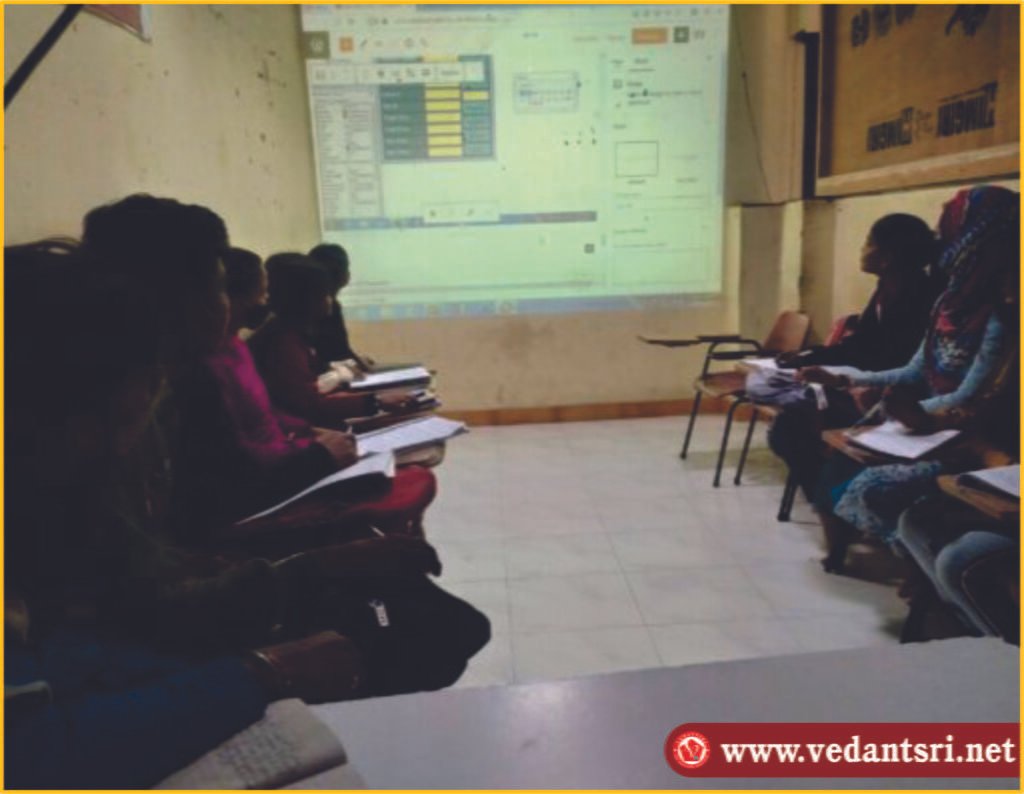
Also, Read- Tally Course Fees, Duration, Scope, Syllabus, Admission, Institutes

Also Read – CCC Course Fees, Syllabus, Duration, Scope, Jobs, and Institute

Important Link – DFA Course Fees, Syllabus, Duration, Scope, Jobs, and Institute

Visit – https://mswordclass.com/

Learn DFA Course with VedantSri Varanasi Computer Institute

Learn DFA Course with VedantSri Varanasi Computer Institute

If you are interested in pursuing a career in finance and accounting, then obtaining a Diploma in Financial Accounting (DFA) can be a great step towards achieving your goals. At VedantSri Varanasi Computer Institute, we offer a comprehensive DFA course that will equip you with the necessary skills and knowledge to excel in the field of financial accounting. Learn DFA Course with VedantSri

Our DFA course is designed to provide you with a strong foundation in accounting principles, financial management, taxation, and auditing. You will learn how to prepare financial statements, analyze financial data, and make informed decisions based on financial information. The course also covers essential topics such as budgeting, cost control, and financial analysis. Learn DFA Course with VedantSri

One of the key advantages of learning DFA with VedantSri Varanasi Computer Institute is the hands-on experience you will gain through practical training. Our expert faculty members have extensive industry experience and will guide you through real-world scenarios and case studies. You will have the opportunity to work with industry-standard accounting software and tools, giving you a competitive edge in the job market.

Upon completion of the DFA course, you will be well-prepared for various job roles in finance and accounting, such as financial analyst, accountant, tax consultant, or auditor. The demand for professionals with strong financial accounting skills is high, and this course will open up numerous career opportunities for you.

Important Link

Unlock Your Potential with ADCA Course at VedantSri Computer Institute

Unlock Your Potential with the ADCA Course at VedantSri Computer Institute

Are you looking to enhance your computer skills and unlock new career opportunities? Look no further than VedantSri Computer Institute! We offer an extensive range of computer courses, and one of our most popular programs is the Advanced Diploma in Computer Application (ADCA) course. Unlock Your Potential with the ADCA Course

Also Read: – DIT Course Details, Fees, Duration, Scope, Syllabus, Admission, Institutes & Jobs

ADCA is a comprehensive course that covers all essential aspects of computer applications, from basic computer operations to advanced programming languages. It is designed to equip students with the necessary skills and knowledge to excel in the ever-evolving field of information technology. Unlock Your Potential with the ADCA Course

ADCA Course Syllabus Download

ADCA Course Syllabus Download – If you are looking for the latest ADCA (Advanced Diploma in Computer Applications) course syllabus, you have come to the right place. Get the complete, updated semester-wise ADCA syllabus PDF covering all core subjects such as Fundamentals of Computer, Microsoft Office (Word, Excel, PowerPoint), Tally with GST, Internet & E-mail, Photoshop, CorelDRAW, HTML, C Language, and Database Management (SQL). Simply click the button given below to instantly download the updated syllabus in PDF format. You can also receive the same updated syllabus at your email ID and get it directly on WhatsApp for easy offline access. Whether you want to read the full course structure online or save it for future reference, this is the fastest and most reliable way to get the official ADCA syllabus. Don’t forget to share it with friends who are searching for “ADCA syllabus PDF download” or “ADCA course content in Hindi/English”.

Also Read: – About O Level Course, Top 1 Best Syllabus, Duration, Fees, Scope, Institute, and Jobs in Varanasi

Why Choose the ADCA Course at VedantSri Computer Institute?

There are numerous reasons why the ADCA course at VedantSri Computer Institute stands out:

  • Expert Faculty: Our institute boasts a team of highly experienced and knowledgeable faculty members who are dedicated to providing quality education. Unlock Your Potential with the ADCA Course
  • Hands-on Training: We believe in a practical approach to learning. The ADCA course includes extensive hands-on training to ensure students gain real-world experience.
  • Industry-Relevant Curriculum: Our ADCA course curriculum is regularly updated to match industry standards and trends. We cover computer fundamentals, programming languages, database management, and more. Unlock Your Potential with the ADCA Course
  • Flexible Learning Options: At VedantSri Computer Institute, we understand that everyone has different schedules and commitments. That’s why we offer flexible learning options, including online and offline classes.

Also Read: – CCC Course Fees, Syllabus, Duration, Scope, Jobs, and Institute in Varanasi

Joining the ADCA Course at VedantSri Computer Institute

Enrolling in the ADCA course at VedantSri Computer Institute is a simple process. Here’s how you can get started:

  1. Visit our Website: Head over to our website and navigate to the ‘Courses’ section.
  2. Choose ADCA: Browse the various courses available and select the ADCA course. Unlock Your Potential with the ADCA Course
  3. Fill out the Enquiry Form: Fill in your details in the enquiry form, including your name, contact information, and any specific queries you may have.
  4. Submit the Form: Once you have filled in all the necessary information, submit the form. Unlock Your Potential with the ADCA Course
  5. Get in Touch: Our team will contact you shortly to provide all the relevant details about the ADCA course, including the fee structure, course duration, and class timings.

Also Read: – Top 3 Computer Diploma Courses, 6 Months of Computer Diploma, After 12th Pass Out Computer Courses.

Don’t miss this opportunity to enhance your computer skills and boost your career prospects. Join the ADCA course at VedantSri Computer Institute today!

Q: What are the eligibility criteria for the ADCA course?

A: The primary eligibility criterion is the completion of 10+2 or equivalent from a recognised board. A basic knowledge of computers is preferred, but not mandatory.

Q: Can I pursue the ADCA course online?

A: Yes, many institutes offer online ADCA courses, providing flexibility for working professionals and students who prefer distance learning.

Q: What are the career prospects after completing the ADCA course?

A: ADCA can pursue various roles such as Computer Operator, Data Entry Operator, Web Designer, Software Developer, Network Administrator, and more.

Q: How do I choose the right institute for the ADCA course in Varanasi?

A: Consider factors like the institute’s reputation, faculty experience, infrastructure, placement assistance, and course fees when choosing an institute.

Q: Is there any entrance exam for the ADCA course?

A: Most institutes do not require an entrance exam. Admission is usually based on academic qualifications and a personal interview.

Q: What are the fees for the ADCA course syllabus?

A: INR 6,000

Q: Is ADCA good for a job?

A: Sure, because ADCA Course Content has Official Jobs Training, Internet Blog, Content Management and Promotion Skills, Accounting, Billing, Inventory, Stock Management, Order, Payroll, Content Designing, Graphic Designing, Etc. All these works are important in each type of business, so if a candidate has ADCA Skills, then definitely he is capable of getting Good jobs for his Dream Achievement.

Q: What is the duration of the ADCA certificate?

A: As soon as the Certificate is achieved, when the Course is completed, and the Course Certificate Completion Duration is 12 Months Only.

Important Link

Also Read: – DCA Course Fees, Duration, Scope, Syllabus, Admission, Institutes & Jobs in Varanasi

Boost Your Career with VedantSri Computer Institute

Boost Your Career with VedantSri Computer Institute

Start Your Journey to Success

Are you looking to kick-start your career in the exciting field of computer profiling? Look no further than VedantSri Computer Institute! Our institute is dedicated to providing top-notch education and training to help you excel in your career and land your dream job. Boost Your Career with VedantSri Computer

At VedantSri Computer Institute, we understand the importance of having dedicated faculty members who are passionate about teaching and guiding students. Our experienced instructors have extensive knowledge in computer profiling and are committed to helping you succeed. They will provide you with personalized attention and support throughout your learning journey, ensuring that you grasp the concepts effectively. Boost Your Career with VedantSri Computer

Detailed Learning for Career Growth

When it comes to learning, we believe in going above and beyond the basics. Our courses are designed to provide you with in-depth knowledge and practical skills that are relevant to the industry. You will learn from real-world examples and case studies, giving you a comprehensive understanding of computer profiling. Boost Your Career with VedantSri Computer

Our curriculum is constantly updated to keep up with the latest trends and technologies in the field. We cover a wide range of topics, including data analysis, programming languages, data visualization, and more. With our detailed learning approach, you will be well-equipped to tackle any challenges that come your way in the professional world.

Why Choose VedantSri Computer Institute?

Choosing the right institute for your career growth is crucial, and VedantSri Computer Institute stands out from the rest for several reasons. Firstly, our institute has a proven track record of success. Many of our alumni have gone on to secure lucrative jobs in reputable companies.

Secondly, we provide a supportive and nurturing learning environment. Our small class sizes allow for individual attention and interaction. You can freely ask questions, seek clarification, and engage in discussions with both instructors and fellow students.

Furthermore, we offer career guidance and placement assistance to our students. Our team will help you identify your strengths, polish your resume, and prepare for interviews. We have strong ties with various companies in the industry, and we will connect you with potential employers to kick-start your career.

Don’t miss out on the opportunity to boost your career with VedantSri Computer Institute! Join us today and embark on a journey towards a successful and fulfilling professional life.

Important Link

Visit at – https://www.corelclass.com

Read Also it – https://msexcelclass.com/
Also, Read- Tally Course Fees, Duration, Scope, Syllabus, Admission, Institutes

Also Read – CCC Course Fees, Syllabus, Duration, Scope, Jobs, and Institute

Important Link – DFA Course Fees, Syllabus, Duration, Scope, Jobs, and Institute

Visit – https://mswordclass.com/

The Power of MS Word: Unlocking Career Opportunities

The Power of MS Word: Unlocking Career Opportunities

Introduction

MS Word may be a tool we often take for granted, but its importance in the professional world cannot be overstated. The Power of MS Word With its wide range of features and functionalities, mastering MS Word can open up a myriad of career opportunities. The Power of MS Word: Unlocking Career Opportunities

In this blog post, we will explore the various benefits of learning MS Word and discuss why it is in high demand in companies across industries. The Power of MS Word: Unlocking Career Opportunities

Enhanced Documentation and Communication

One of the primary benefits of learning MS Word is the ability to create, edit, and format documents with ease. In today’s digital age, effective communication is essential, and MS Word provides the necessary tools to present information professionally. By learning MS Word, you can enhance your documentation skills and create visually appealing resumes, reports, proposals, and more. The Power of MS Word: Unlocking Career Opportunities

Moreover, MS Word offers advanced formatting options such as tables, headers, footers, and styles, allowing you to organize content efficiently. These features enable you to create polished documents that capture the attention of employers and clients.

Wide Demand in Companies

MS Word is a ubiquitous application used in every industry, making it a must-have skill in the job market. Whether you work in finance, marketing, administration, or any other field, chances are you will encounter MS Word on a daily basis.

Companies rely on MS Word for a multitude of tasks, including drafting contracts, creating presentations, designing marketing materials, and collaborating on projects. Having a solid grasp of MS Word not only makes you a valuable asset to any organization but also streamlines your workflow and enhances productivity.

Streamlined Collaboration and Efficiency

One of the key features of MS Word is its collaboration capabilities. Using cloud-based platforms like Microsoft 365, multiple users can work on the same document simultaneously, making real-time edits and revisions. This fosters seamless collaboration within teams and eliminates the need for back-and-forth email exchanges.

In addition, MS Word offers automation features such as mail merge, which allows you to personalize bulk emails and letters effortlessly. This not only saves time but also ensures that your communication is tailored to each recipient.

Conclusion

Learning MS Word is a valuable investment in your career. It equips you with the skills necessary to create professional documents, enhances your employability across industries, and promotes collaboration and efficiency in the workplace. By mastering MS Word, you unlock a world of opportunities and become a proficient communicator in the digital age.

Important Link

Visit at – https://www.corelclass.com

Read Also it – https://msexcelclass.com/
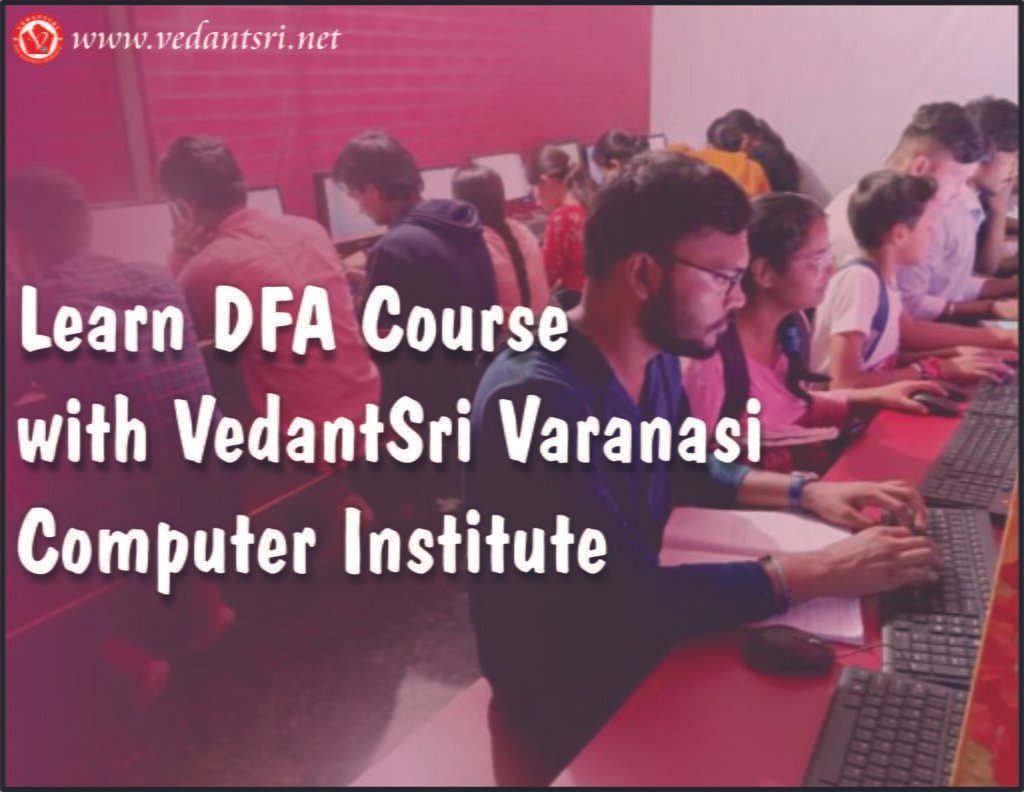
Also, Read- Tally Course Fees, Duration, Scope, Syllabus, Admission, Institutes

Also Read – CCC Course Fees, Syllabus, Duration, Scope, Jobs, and Institute

Important Link – DFA Course Fees, Syllabus, Duration, Scope, Jobs, and Institute

Visit – https://mswordclass.com/

Unleashing Your Potential: How to Build a Successful Career as a Computer Operator

Unleashing Your Potential: How to Build a Successful Career as a Computer Operator

Section 1: The Power of Being a Computer Operator

Are you someone who enjoys working with computers and has a keen eye for detail? If so, then a career as a computer operator might just be the perfect fit for you. In today’s digital era, computer operators play a crucial role in ensuring the smooth functioning and efficiency of computer systems. From managing data processing operations to monitoring system performance, computer operators are an integral part of any organization’s success. Unleashing Your Potential

One of the key advantages of being a computer operator is the versatility it offers. As technology continues to advance, the demand for skilled computer operators is on the rise. Whether you choose to work in the finance industry, healthcare sector, or any other field, there will always be a need for individuals who can navigate complex computer systems with ease. Unleashing Your Potential

Section 2: Building the Foundation

To embark on a successful career as a computer operator, it is essential to lay a solid foundation of knowledge and skills. Obtaining a degree or certification in computer science or a related field can greatly enhance your prospects in this profession. It will equip you with a comprehensive understanding of computer systems, programming languages, and data management, giving you a competitive edge in the job market. Unleashing Your Potential

However, formal education is just the beginning. To truly excel as a computer operator, you must constantly stay updated with the latest technological advancements. Familiarize yourself with different operating systems, software applications, and programming languages. This will not only broaden your skill set but also make you a valuable asset to any organization. Unleashing Your Potential

Section 3: Thriving as a Computer Operator

Once you have acquired the necessary knowledge and skills, it’s time to embark on your journey as a computer operator. One of the key traits of a successful computer operator is attention to detail. Being meticulous in your work and ensuring accuracy in data entry and processing will set you apart from the crowd.

Additionally, effective communication and collaboration are essential in this role. As a computer operator, you will often need to work closely with other members of the IT team, as well as various departments within the organization. Clear and concise communication, both written and verbal, is crucial to ensure the smooth flow of information and the timely resolution of any technical issues.

Important Link

Visit at – https://www.corelclass.com

Read Also it – https://msexcelclass.com/

Also, Read- Tally Course Fees, Duration, Scope, Syllabus, Admission, Institutes

Also Read – CCC Course Fees, Syllabus, Duration, Scope, Jobs, and Institute

Important Link – DFA Course Fees, Syllabus, Duration, Scope, Jobs, and Institute

Visit – https://mswordclass.com/

Mastering the Art of Focus: How to Excel in Computer Courses and Build a Successful Career

Mastering the Art of Focus: How to Excel in Computer Courses and Build a Successful Career

Section 1: Cultivating Laser-Like Focus for Computer Course Success

Embarking on a journey to learn computer courses can be an exciting and fulfilling experience. However, staying focused amidst the distractions of the digital age can be a daunting task. To ensure you maximize your learning potential, it’s crucial to develop effective study habits and strategies that allow you to concentrate deeply and absorb knowledge efficiently. Mastering the Art of Focus

One way to enhance your focus is by creating a dedicated study environment. Find a quiet space free from distractions where you can immerse yourself in your coursework. Remove any potential interruptions, such as turning off notifications on your phone or computer, and let your loved ones know that you need uninterrupted study time. Mastering the Art of Focus

Transition Words:

Moreover, incorporating effective time management techniques can help you stay on track. Break your study sessions into manageable blocks, using techniques like the Pomodoro Technique, which involves working for 25 minutes and then taking a short break. This not only helps prevent burnout but also maintains your focus throughout your study sessions. Mastering the Art of Focus

Engaging in active learning can also boost your concentration. Instead of passively watching course videos or reading textbooks, actively participate by taking detailed notes, asking questions, and challenging yourself to solve practice problems. This interactive approach keeps your brain engaged and enhances your retention of the material. Mastering the Art of Focus

Section 2: Nurturing Your Future Career Path

Completing computer courses is just the beginning of your journey towards a successful career in the digital world. To turn your newfound knowledge into professional opportunities, it’s essential to have a clear career plan in mind. Mastering the Art of Focus

Start by setting specific goals for your career. Determine the industries or sectors where your skills align, and research the job market to identify potential roles that match your interests and aspirations. By having a target to aim for, you can stay motivated throughout your learning journey. Mastering the Art of Focus

Transition Words:

Another crucial aspect of building a successful career is networking. Connect with professionals in your field of interest through online platforms, attend industry events, and join relevant communities. Networking not only provides valuable insights but also opens doors to internships, job opportunities, and mentorship.

Additionally, continuously updating your skills and knowledge is vital in the ever-evolving world of technology. Stay informed about the latest trends, attend webinars or workshops, and consider obtaining industry certifications. By staying ahead of the curve, you demonstrate your commitment to growth and enhance your marketability.

Section 3: Maintaining Focus on Your Computer Courses

As you progress in your computer courses, it’s essential to maintain focus and avoid burnout. Here are a few strategies to help you stay motivated and engaged:

  1. Take breaks: Schedule regular breaks during your study sessions to recharge your mind and prevent mental fatigue.
  2. Reward yourself: Set milestones or goals and reward yourself when you achieve them. This can be as simple as treating yourself to a favorite snack or taking a short break to do something enjoyable.
  3. Stay organized: Maintain a study schedule or to-do list to keep track of your progress and prioritize your tasks. This helps prevent overwhelm and allows you to approach your coursework more systematically.

By implementing these strategies, you can stay focused, motivated, and achieve your full potential in your computer courses, setting a solid foundation for a successful career.

Important Link

Visit at – https://www.corelclass.com

Read Also it – https://msexcelclass.com/
Also, Read- Tally Course Fees, Duration, Scope, Syllabus, Admission, Institutes

Also Read – CCC Course Fees, Syllabus, Duration, Scope, Jobs, and Institute

Important Link – DFA Course Fees, Syllabus, Duration, Scope, Jobs, and Institute

Visit – https://mswordclass.com/

0%
1302
A To Z Tally Shortcut Keys Online Test Series 2026 Pradip VedantSri

A To Z Tally Shortcut Keys Online Test Series 2026

1 / 36

Shortcut Key to Open Physical Stock in Tally?

2 / 36

Press Alt+F8 To Open

3 / 36

Tally Shortcut Key To Check Installed Release

4 / 36

F9 Open Purchase Return Voucher

5 / 36

F7 Open Journal Voucher in Tally

6 / 36

Press F3 in Tally To Open

7 / 36

Shortcut Key To Check Tally Product Information

8 / 36

Press F5 To Open

9 / 36

Press Ctrl+F3 in Tally To Open

10 / 36

Tally Shortcut to Open Help Website?

11 / 36

Shortcut key To Open Features Setting In Tally?

12 / 36

Press F6 to Open

13 / 36

F1 Key

14 / 36

Press Alt+F5 to Open Which Voucher

15 / 36

Press Alt+F9 To Open

16 / 36

Tally Shortcut Key to Open Others Voucher?

17 / 36

Use of Ctrl+A in Tally

18 / 36

Tally F4 To Open

19 / 36

Tally Shortcut key To Change Date Periods?

20 / 36

Shortcut Key To Open Purchase Order Voucher?

21 / 36

Tally Shortcut key to Change Current date?

22 / 36

Press F8 To Open

23 / 36

Double Underline Represent in Tally

24 / 36

Shortcut Key To Open Configuration Setting in Tally?

25 / 36

Press Ctrl+F5 To Open Rejection Out Voucher in Tally

26 / 36

Single Underline Represents in Tally

27 / 36

Shortcut key To Open Stock Journal in Tally?

28 / 36

Press Ctrl+F6 To Open

29 / 36

Esc Key Press to Go Back/Previous Pages in Tally

30 / 36

Tally Shortcut Key To Open Company Menu

31 / 36

Press Ctrl+F8 To Open

32 / 36

Press Ctrl+Alt+R in Tally To Open

33 / 36

Press Ctrl+F4 To Open

34 / 36

Press Backspace Key Go to Previous Options in Tally

35 / 36

Press Alt+F3 in Tally Open

36 / 36

Contra Voucher Used To Record Banks Related Entry in Tally

Your score is

The average score is 68%

0%