MS Excel Course Duration, Fees, Syllabus, Scope, Jobs, Admission & Best Institutes Near Me
About the MS Excel Course
Microsoft Excel एक professional spreadsheet software है जिसे दुनियाभर में data entry, accounting, office work, MIS reporting, data analysis, billing, salary sheet, GST calculation, inventory management, और business reporting के लिए उपयोग किया जाता है।
2026 में MS Excel सीखना सिर्फ Computer Knowledge नहीं बल्कि Job Skill बन चुका है। आज लगभग हर कंपनी में Excel का उपयोग होता है, चाहे वह स्कूल हो, कॉलेज, बैंक, ऑफिस, हॉस्पिटल, दुकान, फैक्ट्री या मल्टीनेशनल कंपनी।
अगर आप Computer Course करने की सोच रहे हैं, तो MS Excel Course आपके Career के लिए सबसे Important और High Demand Skill Courses में से एक है।
About O Level Course, Top 1 Best Syllabus, Duration, Fees, Scope, Institute, and Jobs in Varanasi
What is MS Excel?
Microsoft Excel Microsoft Corporation द्वारा विकसित एक Spreadsheet Application है जो Rows और Columns में Data को Manage करने की सुविधा देता है।
MS Excel का उपयोग किया जाता है:
- Data Entry करने में
- Salary Sheet बनाने में
- Invoice और Billing करने में
- GST Calculation में
- Attendance बनाने में
- Reports तैयार करने में
- Data Analysis करने में
- Charts और Graphs बनाने में
- Office Automation में
आज 2026 में Excel केवल Basic Spreadsheet Software नहीं बल्कि Business Intelligence और Data Analytics का महत्वपूर्ण Tool बन चुका है।
MS Excel Course Duration in 2026
MS Excel Course की अवधि आपके सीखने के स्तर पर निर्भर करती है।
| Course Type | Duration |
| Basic MS Excel Course | 1 Month |
| Advanced Excel Course | 2 to 3 Months |
| Professional Excel + MIS | 3 to 6 Months |
अगर छात्र रोज Practice करता है तो वह 30 से 45 दिनों में Excel अच्छी तरह सीख सकता है।
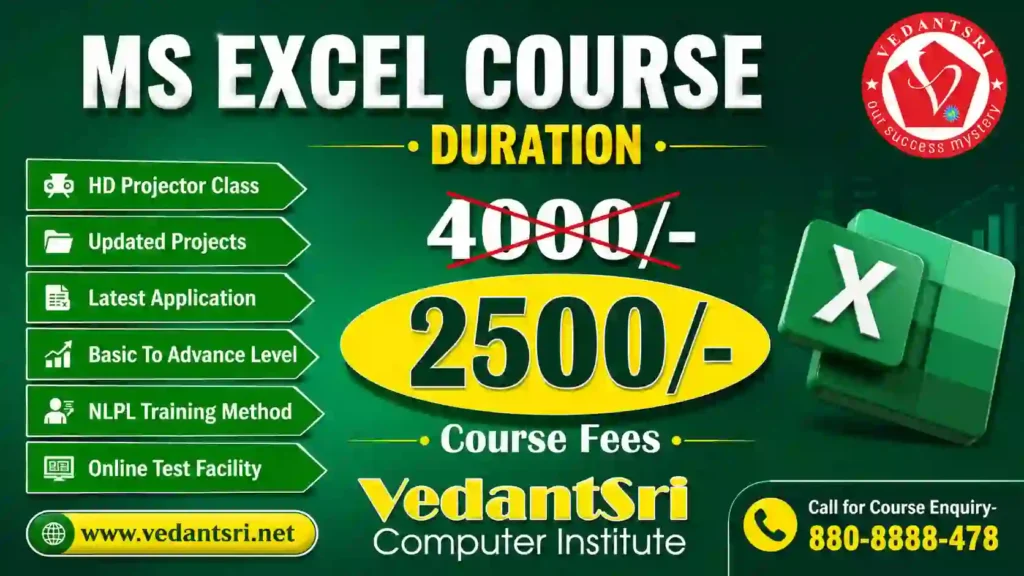
MS Excel Course Fees in 2026
भारत में MS Excel Course Fees Institute, City और Course Level पर निर्भर करती है।
| Course Type | Average Fees |
| Basic Excel Course | ₹1500 – ₹4000 |
| Advanced Excel Course | ₹4000 – ₹12000 |
| Excel with MIS Training | ₹8000 – ₹25000 |
अगर आप VedantSri Computer Institute में Admission लेते हैं तो आपको कम फीस में Practical Training, Notes और Live Projects के साथ Excel Training मिल सकती है।
CCC Course Fees, Syllabus, Duration, Scope, Jobs, and Institute in Varanasi
MS Excel Course Syllabus 2026
Basic Excel Topics
- Introduction to Excel
- Workbook और Worksheet
- Rows, Columns और Cells
- Data Entry और Formatting
- Formula और Functions
- AutoFill और Flash Fill
- Tables बनाना
- Page Setup और Printing
Advanced Excel Topics
- IF Formula
- VLOOKUP
- HLOOKUP
- XLOOKUP
- Pivot Table
- Conditional Formatting
- Data Validation
- Charts और Dashboards
- Lookup Functions
- Logical Functions
- Text Functions
- Date & Time Functions
- MIS Reports
Professional Excel Topics
- Macros
- VBA Basics
- Power Query
- Power Pivot
- Data Analysis
- Automation
- Dashboard Designing
DCA Course Fees, Duration, Scope, Syllabus, Admission, Institutes & Jobs in Varanasi
MS Excel Course Eligibility
MS Excel Course करने के लिए किसी विशेष Qualification की आवश्यकता नहीं होती।
यह Course कर सकते हैं:
- 10th पास छात्र
- 12th पास छात्र
- Graduation Students
- नौकरी करने वाले लोग
- Shop Owners
- Accountants
- Data Entry Operators
- Housewives
- Freelancers
Scope of MS Excel Course in 2026
2026 में Excel Skill की Demand तेजी से बढ़ रही है क्योंकि लगभग सभी कंपनियां Data Management और Reporting के लिए Excel का उपयोग करती हैं।
MS Excel सीखने के बाद मिलने वाले फायदे
- Office Job मिलने में आसानी
- Data Entry Work
- MIS Executive Jobs
- Banking Sector Jobs
- Accounting Work
- GST Billing
- Inventory Management
- Freelancing Opportunities
- Reporting Work
- Business Analysis
Top Career Opportunities After an MS Excel Course
MS Excel सीखने के बाद आप निम्न Jobs के लिए Apply कर सकते हैं:
| Job Profile | Average Salary |
| Data Entry Operator | ₹12,000 – ₹25,000 |
| MIS Executive | ₹18,000 – ₹45,000 |
| Office Assistant | ₹15,000 – ₹30,000 |
| Accountant | ₹20,000 – ₹50,000 |
| Financial Analyst | ₹35,000 – ₹1,00,000 |
| Data Analyst | ₹30,000 – ₹1,50,000 |
Why is MS Excel important in 2026?
आज AI और Automation के समय में भी Excel की Demand कम नहीं हुई है, बल्कि और बढ़ी है।
Excel का उपयोग किया जा रहा है:
- Banking Sector
- Government Offices
- Schools & Colleges
- Hospitals
- Retail Shops
- E-commerce Companies
- Corporate Offices
- Digital Marketing Agencies
- Accounting Firms
Features of MS Excel
1. Easy Data Management
Excel में बड़ी मात्रा में Data को आसानी से Store और Manage किया जा सकता है।
2. Fast Calculations
Formulas और Functions की सहायता से Seconds में Calculation किया जा सकता है।
3. Graphical Reports
Charts, Graphs और Dashboards के माध्यम से Professional Reports बनाई जा सकती हैं।
4. Automation Support
Macros और VBA की सहायता से Repetitive Work को Automate किया जा सकता है।
5. Multi-Worksheet Support
एक ही Workbook में Multiple Sheets पर काम किया जा सकता है।
Benefits of Learning MS Excel
- नौकरी के अवसर बढ़ते हैं
- Office Work आसान होता है
- Salary बढ़ने के Chances बढ़ते हैं
- Productivity Improve होती है
- Business Reports जल्दी बनती हैं
- Freelancing Work मिल सकता है
- Data Analysis Skill Develop होती है
OM Course Fees, Duration, Scope, Syllabus, Admission, Institutes & Jobs in Varanasi
Best Institutes for MS Excel Course Near Me
अगर आप “Best MS Excel Institute Near Me”, “Advanced Excel Classes Near Me” या “Excel Training Institute in Varanasi” search कर रहे हैं, तो Practical Training और Live Project Based Learning वाले Institute का चयन करें।
एक अच्छे Institute में ये सुविधाएं होनी चाहिए:
- Practical Training
- Live Projects
- Experienced Trainers
- Certification
- Placement Support
- Advanced Excel Modules
- Interview Preparation
Jobs After Advanced Excel Course
Advanced Excel सीखने के बाद निम्न क्षेत्रों में नौकरी के अवसर मिलते हैं:
- Banking
- Finance
- Accounting
- MIS Reporting
- Data Analytics
- HR Management
- Sales Reporting
- Inventory Management
- Admin Work
Who Should Learn MS Excel?
यह Course विशेष रूप से उपयोगी है:
- Students
- Job Seekers
- Office Employees
- Business Owners
- Accountants
- Teachers
- Data Entry Operators
- Freelancers
Future of MS Excel in India
भारत में Digital India और Automation के बढ़ते उपयोग के कारण Excel Experts की मांग लगातार बढ़ रही है।
2026 से आने वाले वर्षों में Advanced Excel, Data Analysis और Business Reporting Skills रखने वाले Professionals की Demand और अधिक बढ़ेगी।
Frequently Asked Questions (FAQ)
Q1. MS Excel Course कितने महीने का होता है?
Basic Course लगभग 1 महीने का और Advanced Excel Course 2 से 3 महीने का होता है।
Q2. MS Excel Course की फीस कितनी होती है?
भारत में Excel Course Fees लगभग ₹1500 से ₹25000 तक हो सकती है।
Q3. क्या MS Excel सीखकर नौकरी मिल सकती है?
हाँ, Excel सीखने के बाद Data Entry, MIS Executive, Accountant और Office Assistant जैसी Jobs मिल सकती हैं।
Q4. क्या MS Excel Course Online किया जा सकता है?
हाँ, आज कई Institutes Online और Offline दोनों प्रकार की Excel Training प्रदान करते हैं।
Q5. Advanced Excel में क्या सिखाया जाता है?
Advanced Excel में Pivot Table, VLOOKUP, XLOOKUP, Dashboard, Macros, VBA और Data Analysis सिखाया जाता है।
People Also Search For
- Best Advanced Excel Course Near Me
- MS Excel Training Institute in Varanasi
- Advanced Excel Course Fees
- Excel Classes Near Me
- Excel Certification Course
- Excel Course for a Job
- MIS Executive Course
- Advanced Excel with GST
- Excel for Data Analysis
- Excel Interview Questions
Conclusion
Microsoft Excel 2026 का सबसे Useful और High-Demand Computer Skill Course बन चुका है। चाहे आप Student हों, Job Seeker हों या Business Owner हों, Excel Skill आपके Career Growth में महत्वपूर्ण भूमिका निभा सकती है।
अगर आप कम समय में एक Practical और Job Oriented Skill सीखना चाहते हैं तो MS Excel Course आपके लिए एक बेहतरीन विकल्प है।
Important Links