A to Z Photoshop Online Test Series
Durgakund 8808888478Rathyatra 9415802061दोनों शाखाएँ सोमवार–शनिवार सुबह 7 से रात 8 बजे तक खुली हैं। कोर्स की जानकारी के लिए Durgakund 8808888478 और Rathyatra 9415802061 पर सातों दिन, किसी भी समय कॉल कर सकते हैं।
यदि आप Adobe Photoshop सीख रहे हैं, Graphic Designing Course कर रहे हैं, Freelancing की तैयारी कर रहे हैं या किसी Computer Course, DCA, ADCA, O Level, BCA, B.Sc IT, Polytechnic, Diploma, Competitive Exam या Job Interview की तैयारी कर रहे हैं, तो यह A to Z Photoshop Online Test Series आपके लिए एक Complete Practice Platform है।
| Pos. | Name | Score | Duration | Points |
|---|---|---|---|---|
| 1 | Abhimanyu Kannan | 70 % | 7 minutes 13 seconds | 28 / 40 |
| 2 | Abhimanyu Kannan | 68 % | 13 minutes 42 seconds | 27 / 40 |
| 3 | revathi | 55 % | 8 minutes 5 seconds | 22 / 40 |
| 4 | Abhimanyu Kannan | 55 % | 9 minutes 57 seconds | 22 / 40 |
| 5 | Guest | 0 % | 0 second | 0 / 0 |
| 6 | Guest | 0 % | 0 second | 0 / 0 |
इस Online Test Series में Photoshop के Basic, Intermediate और Advanced Level के Multiple Choice Questions (MCQs) दिए गए हैं, जिनकी मदद से आप अपनी तैयारी को आसानी से जांच सकते हैं।
यह Test Series वर्ष 2026 के Latest Photoshop Concepts, AI-Based Features, Layer Management, Selection Tools, Image Editing, Photo Manipulation, Color Correction, Typography, Smart Objects, Generative AI, Export Settings तथा Professional Workflow को ध्यान में रखकर तैयार की गई है।
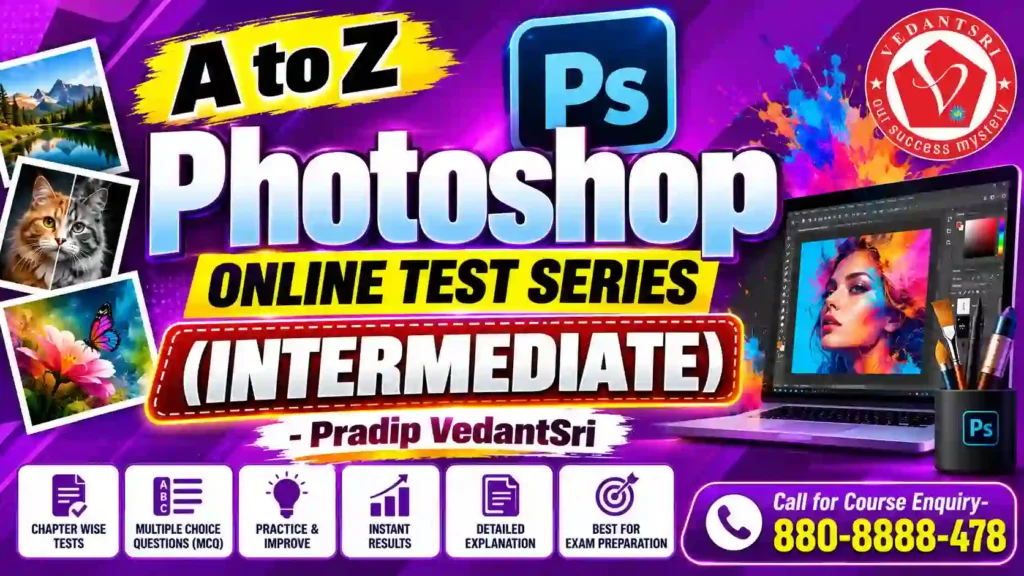
Photoshop Online Test क्या है?
Photoshop Online Test एक ऐसा Practice Test है जिसमें Adobe Photoshop से जुड़े Objective Questions पूछे जाते हैं। यह छात्रों, Graphic Designers, Freelancers, Content Creators तथा Job Seekers के लिए उपयोगी है।
इस Test Series का उद्देश्य केवल प्रश्न पूछना नहीं बल्कि Photoshop Concepts को मजबूत बनाना है ताकि विद्यार्थी Interview, Exam तथा Practical Work में बेहतर प्रदर्शन कर सकें।
इस Photoshop Test Series में क्या मिलेगा?
इस Series में आपको निम्न विषयों पर प्रश्न मिलेंगे—
- Photoshop Interface
- Workspace Management
- Layers
- Layer Styles
- Selection Tools
- Move Tool
- Marquee Tool
- Lasso Tool
- Quick Selection Tool
- Object Selection Tool
- Magic Wand Tool
- Crop Tool
- Perspective Crop
- Clone Stamp Tool
- Healing Brush
- Spot Healing Brush
- Patch Tool
- Gradient Tool
- Paint Bucket
- Brush Tool
- Eraser Tool
- Pen Tool
- Shape Tools
- Text Tool
- Smart Objects
- Filters
- Camera Raw Filter
- Adjustment Layers
- Masks
- Blending Modes
- Channels
- Paths
- Actions
- Batch Processing
- Color Management
- Image Resolution
- DPI & PPI
- Print Settings
- Export for Web
- PNG, JPG, TIFF, PSD
- AI Generative Fill
- Remove Tool
- Background Removal
- Photo Restoration
- Social Media Design
- Banner Design
- Poster Design
- Logo Editing
- Product Editing
- Library
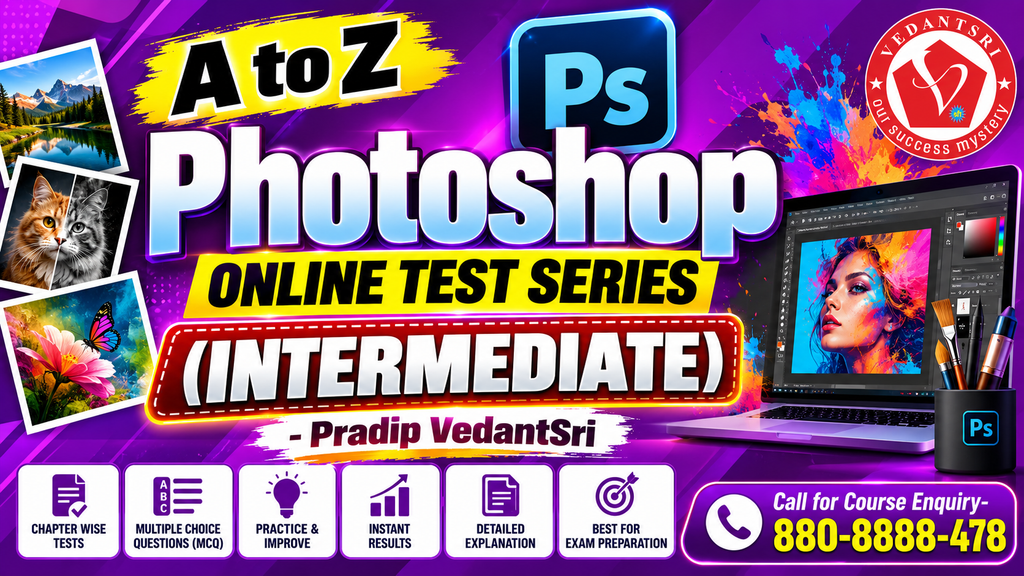
Photoshop Online Test देने के फायदे
Regular Practice करने से निम्न लाभ प्राप्त होते हैं—
- Photoshop Concepts मजबूत होते हैं।
- Interview Confidence बढ़ता है।
- Graphic Designing Jobs के लिए तैयारी होती है।
- Freelancing Projects Handle करना आसान होता है।
- Adobe Certification की तैयारी में सहायता मिलती है।
- Competitive Exams में अच्छे अंक प्राप्त करने में मदद मिलती है।
- Practical Speed बढ़ती है।
- Accuracy Improve होती है।
- Real Project Workflow समझ आता है।
यह Test किन विद्यार्थियों के लिए है?
यह Test विशेष रूप से उपयोगी है—
- Beginners
- Intermediate Learners
- Advanced Photoshop Users
- Graphic Designers
- DCA Students
- ADCA Students
- O Level Students
- BCA Students
- MCA Students
- Polytechnic Students
- Web Designers
- Digital Marketing Students
- Content Creators
- Freelancers
- Print Media Designers
- Social Media Designers
- Job Aspirants
Photoshop में कौन-कौन से नए Topics 2026 में महत्वपूर्ण हैं?
वर्ष 2026 में Photoshop में AI आधारित कई Features Professional Workflow का हिस्सा बन चुके हैं।
सबसे अधिक उपयोग होने वाले आधुनिक Features—
- AI Generative Fill
- AI Background Replacement
- AI Object Removal
- Smart Selection
- Neural Filters
- AI Image Expansion
- AI Colour Matching
- AI Portrait Enhancement
- AI Lighting Effects
- AI Content Generation
इन्हीं Topics से संबंधित प्रश्न इस Test Series में शामिल किए जाते हैं।
Photoshop सीखने के बाद Career Opportunities
Photoshop सीखने के बाद विद्यार्थी निम्न क्षेत्रों में कार्य कर सकते हैं—
- Graphic Designer
- Social Media Designer
- UI Graphic Artist
- Print Designer
- Packaging Designer
- Banner Designer
- Advertisement Designer
- Freelance Graphic Designer
- Thumbnail Designer
- Product Image Editor
- Wedding Album Designer
- Digital Marketing Executive
- Creative Designer
- Photo Editor
- Content Creator
Photoshop Online Test कैसे दें?
- प्रत्येक Test को ध्यानपूर्वक पढ़ें।
- सभी प्रश्नों का उत्तर दें।
- Submit करें।
- अपना Score देखें।
- गलत उत्तरों को दोबारा पढ़ें।
- अगला Test Attempt करें।
- नियमित Practice करें।
क्यों चुनें VedantSri?
VedantSri पिछले कई वर्षों से Computer Education, Graphic Designing, MS Office, Excel, Word, CorelDRAW, Photoshop तथा Professional Computer Courses के क्षेत्र में विद्यार्थियों को गुणवत्तापूर्ण प्रशिक्षण प्रदान कर रहा है।
यदि आप Photoshop का Professional Course करना चाहते हैं या Online Practice Tests देना चाहते हैं, तो हमारी आधिकारिक वेबसाइट देखें।
- Official Website: https://vedantsri.com
- Course Store: https://vedantsri.in
- Career & Jobs: https://www.jobdo.in
- MS Word Learning: https://mswordclass.com/
- CorelDRAW Learning: https://corelclass.com/
- MS Excel Learning: https://msexcelclass.com/
Frequently Asked Questions (People Also Ask)
Photoshop Online Test क्या होता है?
Photoshop Online Test एक Objective Practice Test होता है जिसमें Photoshop के Basic, Intermediate और Advanced Level के MCQs पूछे जाते हैं।
Photoshop सीखने में कितना समय लगता है?
यदि नियमित अभ्यास किया जाए तो Basic Photoshop लगभग 30–45 दिनों में सीखा जा सकता है। Professional Level तक पहुंचने में Project Practice आवश्यक होती है।
क्या Photoshop Interview में MCQ पूछे जाते हैं?
हाँ। Graphic Designing, DTP, Printing, Advertising तथा Computer Institute Interviews में Photoshop से संबंधित Objective तथा Practical Questions पूछे जाते हैं।
क्या Photoshop Online Test Free है?
कई Practice Tests बिल्कुल Free उपलब्ध होते हैं जबकि Advanced Mock Tests Premium भी हो सकते हैं।
Photoshop सीखकर कौन-कौन सी Job मिल सकती है?
Graphic Designer, Thumbnail Designer, Photo Editor, Print Designer, Packaging Designer, Social Media Designer, Freelance Graphic Artist और Creative Executive जैसी नौकरियों में अवसर मिलते हैं।
निष्कर्ष
यदि आप Photoshop में मजबूत पकड़ बनाना चाहते हैं, Graphic Designing Career शुरू करना चाहते हैं या Interview एवं Competitive Exams की तैयारी कर रहे हैं, तो A to Z Photoshop Online Test Series आपके लिए एक बेहतरीन Practice Resource है। नियमित अभ्यास, नवीनतम Photoshop Features की समझ और वास्तविक Projects पर कार्य करने से आपकी Skills लगातार बेहतर होती जाएंगी।
2026 के अनुसार Updated Questions, AI आधारित Photoshop Concepts तथा Professional Workflow पर आधारित यह Test Series Beginners से लेकर Advanced Learners तक सभी के लिए उपयोगी है। नियमित Practice करें, अपना Score Improve करें और Photoshop में Expert बनने की दिशा में आगे बढ़ें।
Photoshop के तीनों level के online test
Photoshop पूरा सीखना है? VedantSri Varanasi की अपनी नज़दीकी branch पर कॉल कीजिए:
📞 Durgakund 8808888478📞 Rathyatra 9415802061सीधे institute से — VedantSri Computer Institute, Varanasi
- दो अपनी branch, वाराणसी में — Durgakund (Kabir Nagar Road, Naria) और Rathyatra (Dhirendra Complex, Rathyatra Crossing). दोनों शाखाएँ सोमवार–शनिवार सुबह 7 से रात 8 बजे तक खुली हैं। कोर्स की जानकारी के लिए Durgakund 8808888478 और Rathyatra 9415802061 पर सातों दिन, किसी भी समय कॉल कर सकते हैं।
- 3,300+ admission — January 2023 से हमारे digital record में.
- 1,268 certificate जारी — हर certificate QR से vedantsri.net/certificate पर verify होता है.
- Classes हमारे अपने classroom और computer lab में होती हैं — admission से पहले आकर देख सकते हैं.
Photoshop Questions with Answers
Photoshop Questions with Answers – Set 3
- What is the Shortcut Key for Frame Tool in Photoshop?Answer: K
- What is the Use of Frame Tool in Photoshop?Answer: Create Placeholder frames of Images
- What is the Shortcut Key of the Eyedropper Tool in Photoshop?Answer: I
- What is the Use of Eyedropper Tool in Photoshop?Answer: Samples Colors Form's an Image
- What is the Shortcut Key for Spot Healings Brush Tool in Photoshop?Answer: J
Photoshop Questions with Answers – Set 5
- What is the standard resolution for web images?Answer: 72 PPI
- Which tool is used to sample colors?Answer: Eyedropper Tool
- What is the shortcut for the Eyedropper Tool?Answer: I
- Which tool is used to erase pixels?Answer: Eraser Tool
- What is the shortcut for the Eraser Tool?Answer: E
- What does the Zoom Tool do?Answer: Magnifies the image
- What is the shortcut for the Zoom Tool?Answer: Z
- What is the shortcut to fit the image on screen?Answer: Ctrl+0
- What is the shortcut to view the image at 100%?Answer: Ctrl+1
- What is the purpose of the History Panel?Answer: To undo steps
Photoshop Questions with Answers – Set 11
- What is the shortcut to Step Backward?Answer: Ctrl+Alt+Z
- What is the shortcut to Stamp Visible?Answer: Ctrl+Shift+Alt+E
- What is the shortcut for Transform Again?Answer: Ctrl+Shift+Alt+T
- What is the shortcut for Paste Into?Answer: Ctrl+Shift+Alt+V
- What does the Blend If feature do?Answer: Blends layers based on luminosity or color
- What is the 'Apply Image' command used for?Answer: Merges layers into a target
- What is the 'Calculations' command used for?Answer: Blends two channels
- What is a Color Profile?Answer: Defines the color space
- What is Soft Proofing?Answer: Simulates print output
- What is Gamut Warning?Answer: Highlights out-of-print colors
Photoshop Questions with Answers – Set 14
- What is the Lens Correction filter?Answer: Fixes lens flaws
- What is the Vanishing Point filter?Answer: Edits in perspective
- What is the 3D workspace in Photoshop?Answer: Creates and edits 3D models
- What is a Depth Map?Answer: A grayscale image representing distance
- What is the 'Text on a Path' feature?Answer: Types text along a path
- What is the 'Type Mask' tool?Answer: Creates a selection from text
- What is the 'Vertical Type' tool?Answer: Types text vertically
- What is the 'Rasterize Type' command?Answer: Converts text to pixels
- What is the 'Convert to Shape' command?Answer: Converts text to a vector shape
- What is the 'Create Work Path' command?Answer: Converts text to a path