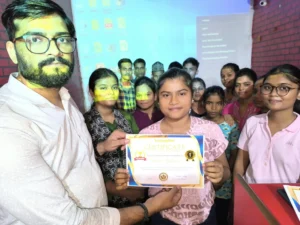
MS Word Basic Online Test Series, Top 50 MS Word Online Test Series
इंटरनेट के ऑनलाइन टेस्ट के लिए यहाँ जाएँ- Internet Online Test 2025
| Pos. | Name | Score | Duration | Points |
|---|---|---|---|---|
| 1 | Sayed zishan Raza | 100 % | 46 seconds | 32 / 32 |
| 2 | Himanshu Dubey | 100 % | 48 seconds | 32 / 32 |
| 3 | Sayed zishan Raza | 100 % | 48 seconds | 32 / 32 |
| 4 | Sayed zishan Raza | 100 % | 48 seconds | 32 / 32 |
| 5 | Sayed zishan Raza | 100 % | 49 seconds | 32 / 32 |
| 6 | Sayed zishan Raza | 100 % | 50 seconds | 32 / 32 |
| 7 | Himanshu Dubey | 100 % | 51 seconds | 32 / 32 |
| 8 | Himanshu Dubey | 100 % | 52 seconds | 32 / 32 |
| 9 | Satyam singh | 100 % | 52 seconds | 32 / 32 |
| 10 | Himanshu Dubey | 100 % | 54 seconds | 32 / 32 |
| 11 | Sayed zishan Raza | 100 % | 55 seconds | 32 / 32 |
| 12 | Tamanna sharma | 100 % | 57 seconds | 32 / 32 |
| 13 | Piyuh Yadav | 100 % | 57 seconds | 32 / 32 |
| 14 | Sarthak maurya | 100 % | 59 seconds | 32 / 32 |
| 15 | Shweta Singh | 100 % | 59 seconds | 32 / 32 |
| 16 | Tamanna Sharma | 100 % | 59 seconds | 32 / 32 |
| 17 | Shweta gupta | 100 % | 59 seconds | 32 / 32 |
| 18 | Rohan Tiwari | 100 % | 1 minutes | 32 / 32 |
| 19 | Aparna Singh | 100 % | 1 minutes 1 seconds | 32 / 32 |
| 20 | Kajal | 100 % | 1 minutes 1 seconds | 32 / 32 |
| 21 | Tamanna Sharma | 100 % | 1 minutes 2 seconds | 32 / 32 |
| 22 | Kavy Dubey | 100 % | 1 minutes 2 seconds | 32 / 32 |
| 23 | Mayank Vishwakarma | 100 % | 1 minutes 3 seconds | 32 / 32 |
| 24 | Tamanna Sharma | 100 % | 1 minutes 3 seconds | 32 / 32 |
| 25 | Ankit Sharma | 100 % | 1 minutes 3 seconds | 32 / 32 |
| 26 | Shivshant yadav | 100 % | 1 minutes 4 seconds | 32 / 32 |
| 27 | Shweta Shah.. | 100 % | 1 minutes 4 seconds | 32 / 32 |
| 28 | Aparna Singh | 100 % | 1 minutes 4 seconds | 32 / 32 |
| 29 | Himanshu Dubey | 100 % | 1 minutes 4 seconds | 32 / 32 |
| 30 | Himanshu Dubey | 100 % | 1 minutes 4 seconds | 32 / 32 |
| 31 | Harshit Mishra | 100 % | 1 minutes 5 seconds | 32 / 32 |
| 32 | Sayed zishan Raza | 100 % | 1 minutes 5 seconds | 32 / 32 |
| 33 | Tamanna Sharma | 100 % | 1 minutes 5 seconds | 32 / 32 |
| 34 | Shweta gupta | 100 % | 1 minutes 5 seconds | 32 / 32 |
| 35 | Jaya patel | 100 % | 1 minutes 6 seconds | 32 / 32 |
| 36 | Tamanna Sharma | 100 % | 1 minutes 6 seconds | 32 / 32 |
| 37 | Vishal Yadav | 100 % | 1 minutes 6 seconds | 32 / 32 |
| 38 | Shweta Shah | 100 % | 1 minutes 6 seconds | 32 / 32 |
| 39 | Jaya patel | 100 % | 1 minutes 6 seconds | 32 / 32 |
| 40 | Jaya patel | 100 % | 1 minutes 7 seconds | 32 / 32 |
| 41 | Shivshant yadav | 100 % | 1 minutes 8 seconds | 32 / 32 |
| 42 | Jaya patel | 100 % | 1 minutes 8 seconds | 32 / 32 |
| 43 | Tamanna Sharma | 100 % | 1 minutes 8 seconds | 32 / 32 |
| 44 | Himanshu Dubey | 100 % | 1 minutes 8 seconds | 32 / 32 |
| 45 | Harshit Mishra | 100 % | 1 minutes 9 seconds | 32 / 32 |
| 46 | Tamanna sharma | 100 % | 1 minutes 9 seconds | 32 / 32 |
| 47 | Tamanna Sharma | 100 % | 1 minutes 9 seconds | 32 / 32 |
| 48 | Ayushi Singh | 100 % | 1 minutes 9 seconds | 32 / 32 |
| 49 | Tamanna sharma | 100 % | 1 minutes 9 seconds | 32 / 32 |
| 50 | Vishal Yadav | 100 % | 1 minutes 9 seconds | 32 / 32 |
| 51 | Tamanna Sharma | 100 % | 1 minutes 10 seconds | 32 / 32 |
| 52 | Ritika Thapa | 100 % | 1 minutes 10 seconds | 32 / 32 |
| 53 | Abhay Sonkar | 100 % | 1 minutes 10 seconds | 32 / 32 |
| 54 | Jaya patel | 100 % | 1 minutes 10 seconds | 32 / 32 |
| 55 | Tamanna sharma | 100 % | 1 minutes 10 seconds | 32 / 32 |
| 56 | Tamanna Sharma | 100 % | 1 minutes 10 seconds | 32 / 32 |
| 57 | Himanshu Dubey | 100 % | 1 minutes 10 seconds | 32 / 32 |
| 58 | Tamanna Sharma | 100 % | 1 minutes 10 seconds | 32 / 32 |
| 59 | Nitin Pal | 100 % | 1 minutes 10 seconds | 32 / 32 |
| 60 | Jaya patel | 100 % | 1 minutes 11 seconds | 32 / 32 |
| 61 | Jaya patel | 100 % | 1 minutes 11 seconds | 32 / 32 |
| 62 | Shweta gupta | 100 % | 1 minutes 11 seconds | 32 / 32 |
| 63 | Ayushi Singh | 100 % | 1 minutes 11 seconds | 32 / 32 |
| 64 | Ritika Thapa | 100 % | 1 minutes 11 seconds | 32 / 32 |
| 65 | Gautam Prajapati | 100 % | 1 minutes 11 seconds | 32 / 32 |
| 66 | Jaya patel | 100 % | 1 minutes 11 seconds | 32 / 32 |
| 67 | Jaya patel | 100 % | 1 minutes 11 seconds | 32 / 32 |
| 68 | Jaya patel | 100 % | 1 minutes 11 seconds | 32 / 32 |
| 69 | Tamanna Sharma | 100 % | 1 minutes 11 seconds | 32 / 32 |
| 70 | Manas | 100 % | 1 minutes 11 seconds | 32 / 32 |
| 71 | Manas | 100 % | 1 minutes 11 seconds | 32 / 32 |
| 72 | Chandrachurna Singh | 100 % | 1 minutes 12 seconds | 32 / 32 |
| 73 | Ritika Thapa | 100 % | 1 minutes 12 seconds | 32 / 32 |
| 74 | Ayushi Singh | 100 % | 1 minutes 12 seconds | 32 / 32 |
| 75 | Manas | 100 % | 1 minutes 12 seconds | 32 / 32 |
| 76 | Ayushi Singh | 100 % | 1 minutes 13 seconds | 32 / 32 |
| 77 | Ayushi Singh | 100 % | 1 minutes 13 seconds | 32 / 32 |
| 78 | Tamanna Sharma | 100 % | 1 minutes 13 seconds | 32 / 32 |
| 79 | Tamanna Sharma | 100 % | 1 minutes 13 seconds | 32 / 32 |
| 80 | Manas | 100 % | 1 minutes 13 seconds | 32 / 32 |
| 81 | Satyam | 100 % | 1 minutes 14 seconds | 32 / 32 |
| 82 | Ritika Thapa | 100 % | 1 minutes 14 seconds | 32 / 32 |
| 83 | Ritika Thapa | 100 % | 1 minutes 14 seconds | 32 / 32 |
| 84 | Ayushi Singh | 100 % | 1 minutes 14 seconds | 32 / 32 |
| 85 | Ayushi Singh | 100 % | 1 minutes 14 seconds | 32 / 32 |
| 86 | Ayushi Singh | 100 % | 1 minutes 14 seconds | 32 / 32 |
| 87 | Jaya patel | 100 % | 1 minutes 14 seconds | 32 / 32 |
| 88 | Sarthak maurya | 100 % | 1 minutes 15 seconds | 32 / 32 |
| 89 | Ayushi Singh | 100 % | 1 minutes 15 seconds | 32 / 32 |
| 90 | Mayank Vishwakarma | 100 % | 1 minutes 15 seconds | 32 / 32 |
| 91 | Tamanna sharma | 100 % | 1 minutes 15 seconds | 32 / 32 |
| 92 | Vishal Yadav | 100 % | 1 minutes 15 seconds | 32 / 32 |
| 93 | Aparna Singh | 100 % | 1 minutes 15 seconds | 32 / 32 |
| 94 | Tamanna Sharma | 100 % | 1 minutes 15 seconds | 32 / 32 |
| 95 | Ankit Sharma | 100 % | 1 minutes 15 seconds | 32 / 32 |
| 96 | Ritika Thapa | 100 % | 1 minutes 16 seconds | 32 / 32 |
| 97 | Ayushi Singh | 100 % | 1 minutes 16 seconds | 32 / 32 |
| 98 | Abhay Sonkar | 100 % | 1 minutes 16 seconds | 32 / 32 |
| 99 | Vagisha | 100 % | 1 minutes 16 seconds | 32 / 32 |
| 100 | Simtan Siddiqui | 100 % | 1 minutes 17 seconds | 32 / 32 |
| 101 | Tamanna Sharma | 100 % | 1 minutes 17 seconds | 32 / 32 |
| 102 | Tamanna Sharma | 100 % | 1 minutes 17 seconds | 32 / 32 |
| 103 | Ritika Thapa | 100 % | 1 minutes 17 seconds | 32 / 32 |
| 104 | Jaya patel | 100 % | 1 minutes 17 seconds | 32 / 32 |
| 105 | Nitin Pal | 100 % | 1 minutes 17 seconds | 32 / 32 |
| 106 | Ayushi Singh | 100 % | 1 minutes 18 seconds | 32 / 32 |
| 107 | Ritika Thapa | 100 % | 1 minutes 18 seconds | 32 / 32 |
| 108 | Ayushi Singh | 100 % | 1 minutes 18 seconds | 32 / 32 |
| 109 | Harshit Mishra | 100 % | 1 minutes 19 seconds | 32 / 32 |
| 110 | Pragya pandey | 100 % | 1 minutes 19 seconds | 32 / 32 |
| 111 | Tamsil Siddiqui | 100 % | 1 minutes 19 seconds | 32 / 32 |
| 112 | Naitik chakrawal | 100 % | 1 minutes 19 seconds | 32 / 32 |
| 113 | Krishna Rawat | 100 % | 1 minutes 19 seconds | 32 / 32 |
| 114 | Tamanna Sharma | 100 % | 1 minutes 19 seconds | 32 / 32 |
| 115 | Satyam | 100 % | 1 minutes 20 seconds | 32 / 32 |
| 116 | Shubham sonkar | 100 % | 1 minutes 20 seconds | 32 / 32 |
| 117 | Arti pal | 100 % | 1 minutes 20 seconds | 32 / 32 |
| 118 | Manas | 100 % | 1 minutes 20 seconds | 32 / 32 |
| 119 | Shivshant yadav | 100 % | 1 minutes 21 seconds | 32 / 32 |
| 120 | Arya Rai | 100 % | 1 minutes 21 seconds | 32 / 32 |
| 121 | lol | 100 % | 1 minutes 21 seconds | 32 / 32 |
| 122 | Divyanshi Srivastava | 100 % | 1 minutes 21 seconds | 32 / 32 |
| 123 | Simtan Siddiqui | 100 % | 1 minutes 22 seconds | 32 / 32 |
| 124 | Nitish jaiswal | 100 % | 1 minutes 22 seconds | 32 / 32 |
| 125 | Nitin pal | 100 % | 1 minutes 22 seconds | 32 / 32 |
| 126 | Ashutosh Yadav | 100 % | 1 minutes 22 seconds | 32 / 32 |
| 127 | Tamsil Siddiqui | 100 % | 1 minutes 23 seconds | 32 / 32 |
| 128 | Ahtesham | 100 % | 1 minutes 23 seconds | 32 / 32 |
| 129 | Simtan Siddiqui | 100 % | 1 minutes 24 seconds | 32 / 32 |
| 130 | Vishal yadav | 100 % | 1 minutes 24 seconds | 32 / 32 |
| 131 | Ritika Thapa | 100 % | 1 minutes 25 seconds | 32 / 32 |
| 132 | Tamsil Siddiqui | 100 % | 1 minutes 25 seconds | 32 / 32 |
| 133 | Shanvi Sharma | 100 % | 1 minutes 25 seconds | 32 / 32 |
| 134 | Simran Singh | 100 % | 1 minutes 25 seconds | 32 / 32 |
| 135 | Tamsil Siddiqui | 100 % | 1 minutes 26 seconds | 32 / 32 |
| 136 | Nitish jaiswal | 100 % | 1 minutes 26 seconds | 32 / 32 |
| 137 | Kanika Ranjani Singh | 100 % | 1 minutes 26 seconds | 32 / 32 |
| 138 | Ankit Sharma | 100 % | 1 minutes 26 seconds | 32 / 32 |
| 139 | Sayed zishan Raza | 100 % | 1 minutes 27 seconds | 32 / 32 |
| 140 | Tamsil Siddiqui | 100 % | 1 minutes 27 seconds | 32 / 32 |
| 141 | Aditya singh | 100 % | 1 minutes 27 seconds | 32 / 32 |
| 142 | Abhay | 100 % | 1 minutes 27 seconds | 32 / 32 |
| 143 | Bhart Singth | 100 % | 1 minutes 28 seconds | 32 / 32 |
| 144 | Vagisha | 100 % | 1 minutes 28 seconds | 32 / 32 |
| 145 | Nitish jaiswal | 100 % | 1 minutes 28 seconds | 32 / 32 |
| 146 | Jaya patel | 100 % | 1 minutes 28 seconds | 32 / 32 |
| 147 | Sonali Sonkar | 100 % | 1 minutes 29 seconds | 32 / 32 |
| 148 | Simtan Siddiqui | 100 % | 1 minutes 29 seconds | 32 / 32 |
| 149 | Tamsil Siddiqui | 100 % | 1 minutes 29 seconds | 32 / 32 |
| 150 | Ishita patel | 100 % | 1 minutes 29 seconds | 32 / 32 |
| 151 | Ehtesham Hussain | 100 % | 1 minutes 30 seconds | 32 / 32 |
| 152 | Tausif Akhtar | 100 % | 1 minutes 30 seconds | 32 / 32 |
| 153 | Kajal 04 | 100 % | 1 minutes 30 seconds | 32 / 32 |
| 154 | Ashutosh | 100 % | 1 minutes 31 seconds | 32 / 32 |
| 155 | Abhay kumar | 100 % | 1 minutes 31 seconds | 32 / 32 |
| 156 | Manas | 100 % | 1 minutes 31 seconds | 32 / 32 |
| 157 | Tamsil Siddiqui | 100 % | 1 minutes 31 seconds | 32 / 32 |
| 158 | Suhani Singh | 100 % | 1 minutes 31 seconds | 32 / 32 |
| 159 | Simran Singh | 100 % | 1 minutes 31 seconds | 32 / 32 |
| 160 | Mayank | 100 % | 1 minutes 31 seconds | 32 / 32 |
| 161 | Pranjali | 100 % | 1 minutes 32 seconds | 32 / 32 |
| 162 | Paridhi | 100 % | 1 minutes 32 seconds | 32 / 32 |
| 163 | Arya rai | 100 % | 1 minutes 32 seconds | 32 / 32 |
| 164 | Ayushi Singh | 100 % | 1 minutes 32 seconds | 32 / 32 |
| 165 | Naveen | 100 % | 1 minutes 32 seconds | 32 / 32 |
| 166 | Anjali Gautam | 100 % | 1 minutes 32 seconds | 32 / 32 |
| 167 | Raj Yadav | 100 % | 1 minutes 32 seconds | 32 / 32 |
| 168 | Simtan Siddiqui | 100 % | 1 minutes 32 seconds | 32 / 32 |
| 169 | Tamanna Sharma | 100 % | 1 minutes 32 seconds | 32 / 32 |
| 170 | Prince Mishra | 100 % | 1 minutes 33 seconds | 32 / 32 |
| 171 | Pappu | 100 % | 1 minutes 33 seconds | 32 / 32 |
| 172 | Santosh Mishra | 100 % | 1 minutes 34 seconds | 32 / 32 |
| 173 | Aneesur Rahman | 100 % | 1 minutes 34 seconds | 32 / 32 |
| 174 | Tripti Dubey | 100 % | 1 minutes 34 seconds | 32 / 32 |
| 175 | Vivek M | 100 % | 1 minutes 34 seconds | 32 / 32 |
| 176 | Satyam | 100 % | 1 minutes 35 seconds | 32 / 32 |
| 177 | Shivam | 100 % | 1 minutes 35 seconds | 32 / 32 |
| 178 | Tanya Chauhan | 100 % | 1 minutes 35 seconds | 32 / 32 |
| 179 | Anchal soni | 100 % | 1 minutes 36 seconds | 32 / 32 |
| 180 | Anjali Gautam | 100 % | 1 minutes 36 seconds | 32 / 32 |
| 181 | Rammani yadav | 100 % | 1 minutes 36 seconds | 32 / 32 |
| 182 | Diptee | 100 % | 1 minutes 36 seconds | 32 / 32 |
| 183 | Hardik Harsh | 100 % | 1 minutes 36 seconds | 32 / 32 |
| 184 | Anshika | 100 % | 1 minutes 36 seconds | 32 / 32 |
| 185 | . | 100 % | 1 minutes 36 seconds | 32 / 32 |
| 186 | Simtan siddiqui | 100 % | 1 minutes 37 seconds | 32 / 32 |
| 187 | Sneha Sonkar | 100 % | 1 minutes 37 seconds | 32 / 32 |
| 188 | Ayush Kumar Singh | 100 % | 1 minutes 37 seconds | 32 / 32 |
| 189 | Shashank singh | 100 % | 1 minutes 37 seconds | 32 / 32 |
| 190 | Abhay singh | 100 % | 1 minutes 37 seconds | 32 / 32 |
| 191 | Anshika | 100 % | 1 minutes 38 seconds | 32 / 32 |
| 192 | Tamanna Sharma | 100 % | 1 minutes 38 seconds | 32 / 32 |
| 193 | Ashutosh Bhardwaj | 100 % | 1 minutes 38 seconds | 32 / 32 |
| 194 | Piyanshu Singh | 100 % | 1 minutes 38 seconds | 32 / 32 |
| 195 | Simtan Siddiqui | 100 % | 1 minutes 38 seconds | 32 / 32 |
| 196 | Saurabh Gupta | 100 % | 1 minutes 39 seconds | 32 / 32 |
| 197 | Divya Dubey | 100 % | 1 minutes 39 seconds | 32 / 32 |
| 198 | Simtan Siddiqui | 100 % | 1 minutes 39 seconds | 32 / 32 |
| 199 | Ritika Thapa | 100 % | 1 minutes 40 seconds | 32 / 32 |
| 200 | Shweta kumari | 100 % | 1 minutes 40 seconds | 32 / 32 |
| 201 | Vishal | 100 % | 1 minutes 40 seconds | 32 / 32 |
| 202 | Abhimanyu Pandey | 100 % | 1 minutes 40 seconds | 32 / 32 |
| 203 | Nancy Gupta | 100 % | 1 minutes 40 seconds | 32 / 32 |
| 204 | zishan Raza | 100 % | 1 minutes 41 seconds | 32 / 32 |
| 205 | Vikram Singh | 100 % | 1 minutes 41 seconds | 32 / 32 |
| 206 | Swaranjali patil | 100 % | 1 minutes 41 seconds | 32 / 32 |
| 207 | jATIN | 100 % | 1 minutes 41 seconds | 32 / 32 |
| 208 | Shubham Sonkar | 100 % | 1 minutes 42 seconds | 32 / 32 |
| 209 | Ankit Yadav | 100 % | 1 minutes 42 seconds | 32 / 32 |
| 210 | Arpita singh | 100 % | 1 minutes 42 seconds | 32 / 32 |
| 211 | Arti pal | 100 % | 1 minutes 42 seconds | 32 / 32 |
| 212 | Shiva | 100 % | 1 minutes 42 seconds | 32 / 32 |
| 213 | Pragati Gupta | 100 % | 1 minutes 42 seconds | 32 / 32 |
| 214 | Rishabh Gautam | 100 % | 1 minutes 42 seconds | 32 / 32 |
| 215 | Rishika Maurya | 100 % | 1 minutes 42 seconds | 32 / 32 |
| 216 | Tanya chauhan | 100 % | 1 minutes 42 seconds | 32 / 32 |
| 217 | Abhay | 100 % | 1 minutes 42 seconds | 32 / 32 |
| 218 | Simtan siddiqui | 100 % | 1 minutes 43 seconds | 32 / 32 |
| 219 | Ritika Thapa | 100 % | 1 minutes 43 seconds | 32 / 32 |
| 220 | Neha | 100 % | 1 minutes 43 seconds | 32 / 32 |
| 221 | Kartikey Verma | 100 % | 1 minutes 43 seconds | 32 / 32 |
| 222 | Anshika | 100 % | 1 minutes 43 seconds | 32 / 32 |
| 223 | Anmol | 100 % | 1 minutes 43 seconds | 32 / 32 |
| 224 | Harshit | 100 % | 1 minutes 44 seconds | 32 / 32 |
| 225 | Arpita Singh | 100 % | 1 minutes 44 seconds | 32 / 32 |
| 226 | Simtan siddiqui | 100 % | 1 minutes 45 seconds | 32 / 32 |
| 227 | Piyanshu Singh | 100 % | 1 minutes 45 seconds | 32 / 32 |
| 228 | Vikram Singh | 100 % | 1 minutes 45 seconds | 32 / 32 |
| 229 | bart | 100 % | 1 minutes 45 seconds | 32 / 32 |
| 230 | Simtan siddiqui | 100 % | 1 minutes 45 seconds | 32 / 32 |
| 231 | Ritika Thapa | 100 % | 1 minutes 45 seconds | 32 / 32 |
| 232 | Rishabh | 100 % | 1 minutes 45 seconds | 32 / 32 |
| 233 | Manju Sharma | 100 % | 1 minutes 45 seconds | 32 / 32 |
| 234 | doctor | 100 % | 1 minutes 45 seconds | 32 / 32 |
| 235 | Utkarsh Gupta | 100 % | 1 minutes 46 seconds | 32 / 32 |
| 236 | Dhriti kumari | 100 % | 1 minutes 46 seconds | 32 / 32 |
| 237 | Satyam Sharma | 100 % | 1 minutes 46 seconds | 32 / 32 |
| 238 | Akhand singh | 100 % | 1 minutes 46 seconds | 32 / 32 |
| 239 | Shashank singh | 100 % | 1 minutes 46 seconds | 32 / 32 |
| 240 | Arya rai | 100 % | 1 minutes 47 seconds | 32 / 32 |
| 241 | Preeti Yadav | 100 % | 1 minutes 47 seconds | 32 / 32 |
| 242 | Ayushi yadav | 100 % | 1 minutes 47 seconds | 32 / 32 |
| 243 | Chahat yadav | 100 % | 1 minutes 47 seconds | 32 / 32 |
| 244 | Deepanshu | 100 % | 1 minutes 47 seconds | 32 / 32 |
| 245 | Nancy gupta | 100 % | 1 minutes 47 seconds | 32 / 32 |
| 246 | Simtan siddiqui | 100 % | 1 minutes 48 seconds | 32 / 32 |
| 247 | Simtan siddiqui | 100 % | 1 minutes 48 seconds | 32 / 32 |
| 248 | Aditya singh | 100 % | 1 minutes 48 seconds | 32 / 32 |
| 249 | Neha | 100 % | 1 minutes 48 seconds | 32 / 32 |
| 250 | DEV | 100 % | 1 minutes 48 seconds | 32 / 32 |
| 251 | Ayushi shah | 100 % | 1 minutes 48 seconds | 32 / 32 |
| 252 | Khushi mishra | 100 % | 1 minutes 48 seconds | 32 / 32 |
| 253 | ????? | 100 % | 1 minutes 49 seconds | 32 / 32 |
| 254 | Sauhard tiwari | 100 % | 1 minutes 49 seconds | 32 / 32 |
| 255 | Anshika | 100 % | 1 minutes 49 seconds | 32 / 32 |
| 256 | Tanya chauhan | 100 % | 1 minutes 49 seconds | 32 / 32 |
| 257 | Shahid juned | 100 % | 1 minutes 49 seconds | 32 / 32 |
| 258 | Raj Yadav | 100 % | 1 minutes 49 seconds | 32 / 32 |
| 259 | Mayank | 100 % | 1 minutes 50 seconds | 32 / 32 |
| 260 | Santosh Mishra | 100 % | 1 minutes 50 seconds | 32 / 32 |
| 261 | Paridhi sonkar | 100 % | 1 minutes 50 seconds | 32 / 32 |
| 262 | Shrey pathak | 100 % | 1 minutes 50 seconds | 32 / 32 |
| 263 | Naman sahani | 100 % | 1 minutes 50 seconds | 32 / 32 |
| 264 | Sagar Maurya | 100 % | 1 minutes 50 seconds | 32 / 32 |
| 265 | Vinayak Jjr | 100 % | 1 minutes 51 seconds | 32 / 32 |
| 266 | Krishna | 100 % | 1 minutes 51 seconds | 32 / 32 |
| 267 | Simtan Siddiqui | 100 % | 1 minutes 51 seconds | 32 / 32 |
| 268 | Ayushi yadav | 100 % | 1 minutes 52 seconds | 32 / 32 |
| 269 | Divesh | 100 % | 1 minutes 52 seconds | 32 / 32 |
| 270 | Anshika | 100 % | 1 minutes 53 seconds | 32 / 32 |
| 271 | Shubham Gupta | 100 % | 1 minutes 53 seconds | 32 / 32 |
| 272 | Kishan | 100 % | 1 minutes 53 seconds | 32 / 32 |
| 273 | Nancy Gupta | 100 % | 1 minutes 53 seconds | 32 / 32 |
| 274 | Shubhangini Bhardwaj | 100 % | 1 minutes 53 seconds | 32 / 32 |
| 275 | Ayushi yadav | 100 % | 1 minutes 54 seconds | 32 / 32 |
| 276 | Paridhi sonkar | 100 % | 1 minutes 54 seconds | 32 / 32 |
| 277 | Pragati Gupta | 100 % | 1 minutes 54 seconds | 32 / 32 |
| 278 | vivek | 100 % | 1 minutes 54 seconds | 32 / 32 |
| 279 | Alok shukla | 100 % | 1 minutes 54 seconds | 32 / 32 |
| 280 | Akash | 100 % | 1 minutes 54 seconds | 32 / 32 |
| 281 | Priyanshu Singh | 100 % | 1 minutes 54 seconds | 32 / 32 |
| 282 | Anchal soni | 100 % | 1 minutes 55 seconds | 32 / 32 |
| 283 | Saksham Choudhary | 100 % | 1 minutes 55 seconds | 32 / 32 |
| 284 | Prince Sharma | 100 % | 1 minutes 55 seconds | 32 / 32 |
| 285 | vivek | 100 % | 1 minutes 56 seconds | 32 / 32 |
| 286 | Raj Yadav | 100 % | 1 minutes 56 seconds | 32 / 32 |
| 287 | Kavya | 100 % | 1 minutes 56 seconds | 32 / 32 |
| 288 | Anjum bano | 100 % | 1 minutes 57 seconds | 32 / 32 |
| 289 | abhinav prajapati | 100 % | 1 minutes 57 seconds | 32 / 32 |
| 290 | Anjali Dubey | 100 % | 1 minutes 58 seconds | 32 / 32 |
| 291 | Shashank singh | 100 % | 1 minutes 58 seconds | 32 / 32 |
| 292 | Sangharsh kumar saroj | 100 % | 1 minutes 59 seconds | 32 / 32 |
| 293 | Priyanshu gautam | 100 % | 2 minutes | 32 / 32 |
| 294 | Shashank singh | 100 % | 2 minutes | 32 / 32 |
| 295 | Ayushi yadav | 100 % | 2 minutes | 32 / 32 |
| 296 | ayush prajapati | 100 % | 2 minutes | 32 / 32 |
| 297 | Awanish Singh | 100 % | 2 minutes 1 seconds | 32 / 32 |
| 298 | Divya Bharti | 100 % | 2 minutes 1 seconds | 32 / 32 |
| 299 | Abhinav Upadhyay | 100 % | 2 minutes 1 seconds | 32 / 32 |
| 300 | Mridul Srivastava | 100 % | 2 minutes 1 seconds | 32 / 32 |
| 301 | Roshani keshari | 100 % | 2 minutes 1 seconds | 32 / 32 |
| 302 | Shakti Pratap Singh | 100 % | 2 minutes 1 seconds | 32 / 32 |
| 303 | king | 100 % | 2 minutes 1 seconds | 32 / 32 |
| 304 | Jaya patel | 100 % | 2 minutes 2 seconds | 32 / 32 |
| 305 | Vishal jii | 100 % | 2 minutes 2 seconds | 32 / 32 |
| 306 | Arpita singh | 100 % | 2 minutes 2 seconds | 32 / 32 |
| 307 | Sushil Singh | 100 % | 2 minutes 3 seconds | 32 / 32 |
| 308 | Alankrita Tripathi | 100 % | 2 minutes 4 seconds | 32 / 32 |
| 309 | Vinayak Jjr | 100 % | 2 minutes 4 seconds | 32 / 32 |
| 310 | Saloni kumari | 100 % | 2 minutes 4 seconds | 32 / 32 |
| 311 | MUFED | 100 % | 2 minutes 4 seconds | 32 / 32 |
| 312 | Akanksha Tripathi | 100 % | 2 minutes 5 seconds | 32 / 32 |
| 313 | Shubhanshu | 100 % | 2 minutes 5 seconds | 32 / 32 |
| 314 | Preeti Yadav | 100 % | 2 minutes 5 seconds | 32 / 32 |
| 315 | Ayushi dubey | 100 % | 2 minutes 5 seconds | 32 / 32 |
| 316 | Anchal Keshari | 100 % | 2 minutes 5 seconds | 32 / 32 |
| 317 | Piyush Kant Tiwari | 100 % | 2 minutes 5 seconds | 32 / 32 |
| 318 | Anshika | 100 % | 2 minutes 6 seconds | 32 / 32 |
| 319 | naitik chakrawal | 100 % | 2 minutes 6 seconds | 32 / 32 |
| 320 | Zeeshan Nawaz | 100 % | 2 minutes 6 seconds | 32 / 32 |
| 321 | Arti pal | 100 % | 2 minutes 7 seconds | 32 / 32 |
| 322 | Ut | 100 % | 2 minutes 7 seconds | 32 / 32 |
| 323 | Uday Kashyap | 100 % | 2 minutes 7 seconds | 32 / 32 |
| 324 | Alok | 100 % | 2 minutes 7 seconds | 32 / 32 |
| 325 | Muskan pal | 100 % | 2 minutes 8 seconds | 32 / 32 |
| 326 | Vaishali chaurasia | 100 % | 2 minutes 8 seconds | 32 / 32 |
| 327 | Krishna Upadhyay | 100 % | 2 minutes 8 seconds | 32 / 32 |
| 328 | Shreya | 100 % | 2 minutes 9 seconds | 32 / 32 |
| 329 | Akhand singh | 100 % | 2 minutes 9 seconds | 32 / 32 |
| 330 | Shiva | 100 % | 2 minutes 9 seconds | 32 / 32 |
| 331 | Dubey ji | 100 % | 2 minutes 10 seconds | 32 / 32 |
| 332 | Muskan Chaurasiya | 100 % | 2 minutes 10 seconds | 32 / 32 |
| 333 | HIMANSHU RANJAN | 100 % | 2 minutes 10 seconds | 32 / 32 |
| 334 | Neha | 100 % | 2 minutes 10 seconds | 32 / 32 |
| 335 | Shivangi Kumari | 100 % | 2 minutes 10 seconds | 32 / 32 |
| 336 | Shreya | 100 % | 2 minutes 11 seconds | 32 / 32 |
| 337 | Tanya Chauhan | 100 % | 2 minutes 11 seconds | 32 / 32 |
| 338 | Sushil Singh | 100 % | 2 minutes 11 seconds | 32 / 32 |
| 339 | Simtan Siddiqui | 100 % | 2 minutes 11 seconds | 32 / 32 |
| 340 | Simtan Siddiqui | 100 % | 2 minutes 11 seconds | 32 / 32 |
| 341 | aLOK | 100 % | 2 minutes 12 seconds | 32 / 32 |
| 342 | Mahtab | 100 % | 2 minutes 12 seconds | 32 / 32 |
| 343 | Shweta Sonkar | 100 % | 2 minutes 13 seconds | 32 / 32 |
| 344 | Priyanshu gautam | 100 % | 2 minutes 13 seconds | 32 / 32 |
| 345 | Ritika Thapa | 100 % | 2 minutes 13 seconds | 32 / 32 |
| 346 | Shivam Patel | 100 % | 2 minutes 13 seconds | 32 / 32 |
| 347 | Tamsil Siddiqui | 100 % | 2 minutes 13 seconds | 32 / 32 |
| 348 | Mohini Singh | 100 % | 2 minutes 14 seconds | 32 / 32 |
| 349 | Aryan Chaurasiya | 100 % | 2 minutes 14 seconds | 32 / 32 |
| 350 | Ananya Verma | 100 % | 2 minutes 15 seconds | 32 / 32 |
| 351 | Hemant Prajapati | 100 % | 2 minutes 15 seconds | 32 / 32 |
| 352 | Saloni | 100 % | 2 minutes 15 seconds | 32 / 32 |
| 353 | Kishan raj Keshari | 100 % | 2 minutes 15 seconds | 32 / 32 |
| 354 | Kundan | 100 % | 2 minutes 16 seconds | 32 / 32 |
| 355 | Ashutosh Maurya | 100 % | 2 minutes 16 seconds | 32 / 32 |
| 356 | Ponnarasi | 100 % | 2 minutes 17 seconds | 32 / 32 |
| 357 | Anchal Dubey | 100 % | 2 minutes 17 seconds | 32 / 32 |
| 358 | 𝘈𝘯𝘴𝘩𝘪𝘬𝘢 𝘊𝘩𝘢𝘶𝘳𝘢𝘴𝘪𝘢 | 100 % | 2 minutes 17 seconds | 32 / 32 |
| 359 | Vinayak Jjr | 100 % | 2 minutes 17 seconds | 32 / 32 |
| 360 | abhinav prajapati | 100 % | 2 minutes 18 seconds | 32 / 32 |
| 361 | Salma | 100 % | 2 minutes 19 seconds | 32 / 32 |
| 362 | Tarun verma | 100 % | 2 minutes 19 seconds | 32 / 32 |
| 363 | Jaya Kumari | 100 % | 2 minutes 19 seconds | 32 / 32 |
| 364 | Anchal Keshari | 100 % | 2 minutes 19 seconds | 32 / 32 |
| 365 | Ayushi yadav | 100 % | 2 minutes 20 seconds | 32 / 32 |
| 366 | Aditya singh | 100 % | 2 minutes 20 seconds | 32 / 32 |
| 367 | jiya binu | 100 % | 2 minutes 20 seconds | 32 / 32 |
| 368 | Jyoti Nirbhaya | 100 % | 2 minutes 21 seconds | 32 / 32 |
| 369 | vivek | 100 % | 2 minutes 21 seconds | 32 / 32 |
| 370 | Hare Krishna Thakur | 100 % | 2 minutes 22 seconds | 26 / 26 |
| 371 | abc | 100 % | 2 minutes 22 seconds | 32 / 32 |
| 372 | Shivangi Kumari | 100 % | 2 minutes 22 seconds | 32 / 32 |
| 373 | Kartikey Verma | 100 % | 2 minutes 23 seconds | 32 / 32 |
| 374 | Shruti | 100 % | 2 minutes 23 seconds | 32 / 32 |
| 375 | Amisha Patel | 100 % | 2 minutes 23 seconds | 32 / 32 |
| 376 | Swati Dubey | 100 % | 2 minutes 23 seconds | 32 / 32 |
| 377 | Tamsil Siddiqui | 100 % | 2 minutes 23 seconds | 32 / 32 |
| 378 | Bhavya | 100 % | 2 minutes 23 seconds | 32 / 32 |
| 379 | Prince raj | 100 % | 2 minutes 24 seconds | 32 / 32 |
| 380 | Mohammad Naved | 100 % | 2 minutes 24 seconds | 32 / 32 |
| 381 | Yash Seth | 100 % | 2 minutes 24 seconds | 32 / 32 |
| 382 | Vikram Singh | 100 % | 2 minutes 24 seconds | 32 / 32 |
| 383 | khushi kumari | 100 % | 2 minutes 24 seconds | 32 / 32 |
| 384 | Ritu | 100 % | 2 minutes 24 seconds | 32 / 32 |
| 385 | Aradhya Singh | 100 % | 2 minutes 25 seconds | 32 / 32 |
| 386 | Neha Singh Chauhan | 100 % | 2 minutes 25 seconds | 32 / 32 |
| 387 | Riya Yadav | 100 % | 2 minutes 25 seconds | 32 / 32 |
| 388 | Kavya | 100 % | 2 minutes 25 seconds | 32 / 32 |
| 389 | Shubham yadav | 100 % | 2 minutes 26 seconds | 32 / 32 |
| 390 | Salma | 100 % | 2 minutes 26 seconds | 32 / 32 |
| 391 | Aditya singh | 100 % | 2 minutes 26 seconds | 32 / 32 |
| 392 | Shreya Tiwari | 100 % | 2 minutes 26 seconds | 32 / 32 |
| 393 | Akhilesh Vishwakarma | 100 % | 2 minutes 26 seconds | 32 / 32 |
| 394 | Simtan Siddiqui | 100 % | 2 minutes 26 seconds | 32 / 32 |
| 395 | Akhilesh Vishwakarma | 100 % | 2 minutes 27 seconds | 32 / 32 |
| 396 | Saloni yadav | 100 % | 2 minutes 27 seconds | 32 / 32 |
| 397 | SMITA | 100 % | 2 minutes 27 seconds | 32 / 32 |
| 398 | Vatsala Singh | 100 % | 2 minutes 27 seconds | 32 / 32 |
| 399 | Sonali Thakur | 100 % | 2 minutes 28 seconds | 32 / 32 |
| 400 | Vipul | 100 % | 2 minutes 28 seconds | 32 / 32 |
| 401 | Gautam Kumar | 100 % | 2 minutes 28 seconds | 32 / 32 |
| 402 | Anmol Pandey | 100 % | 2 minutes 30 seconds | 32 / 32 |
| 403 | Riya shree | 100 % | 2 minutes 30 seconds | 32 / 32 |
| 404 | puja kumari | 100 % | 2 minutes 30 seconds | 32 / 32 |
| 405 | Deepak | 100 % | 2 minutes 31 seconds | 32 / 32 |
| 406 | Richa singh | 100 % | 2 minutes 31 seconds | 32 / 32 |
| 407 | Harsh Kumar | 100 % | 2 minutes 32 seconds | 32 / 32 |
| 408 | Priyanshu gautam | 100 % | 2 minutes 32 seconds | 32 / 32 |
| 409 | Khushi | 100 % | 2 minutes 32 seconds | 32 / 32 |
| 410 | Shubham yadav | 100 % | 2 minutes 33 seconds | 32 / 32 |
| 411 | Samiksha Choudhary | 100 % | 2 minutes 33 seconds | 32 / 32 |
| 412 | Salma | 100 % | 2 minutes 33 seconds | 32 / 32 |
| 413 | Simaran | 100 % | 2 minutes 33 seconds | 32 / 32 |
| 414 | vedanshkumar142@gmail.com | 100 % | 2 minutes 33 seconds | 32 / 32 |
| 415 | Sneha Yadav | 100 % | 2 minutes 34 seconds | 32 / 32 |
| 416 | Anju Kannaujiya | 100 % | 2 minutes 34 seconds | 32 / 32 |
| 417 | Rachana | 100 % | 2 minutes 35 seconds | 32 / 32 |
| 418 | Amisha tiwari | 100 % | 2 minutes 36 seconds | 32 / 32 |
| 419 | MUFEED | 100 % | 2 minutes 37 seconds | 32 / 32 |
| 420 | Priya singh | 100 % | 2 minutes 37 seconds | 32 / 32 |
| 421 | Ashish kumar | 100 % | 2 minutes 38 seconds | 32 / 32 |
| 422 | DIGVIJAY SINGH | 100 % | 2 minutes 38 seconds | 32 / 32 |
| 423 | Vishal yadav | 100 % | 2 minutes 38 seconds | 32 / 32 |
| 424 | Ritika Thapa | 100 % | 2 minutes 38 seconds | 32 / 32 |
| 425 | Priyanka | 100 % | 2 minutes 39 seconds | 32 / 32 |
| 426 | Sristy kumari | 100 % | 2 minutes 39 seconds | 32 / 32 |
| 427 | Alka patel | 100 % | 2 minutes 39 seconds | 32 / 32 |
| 428 | Santosh Mishra | 100 % | 2 minutes 41 seconds | 32 / 32 |
| 429 | Mahima | 100 % | 2 minutes 42 seconds | 32 / 32 |
| 430 | Prince Paswan | 100 % | 2 minutes 43 seconds | 32 / 32 |
| 431 | Aditya singh | 100 % | 2 minutes 43 seconds | 32 / 32 |
| 432 | shivam singh | 100 % | 2 minutes 43 seconds | 32 / 32 |
| 433 | Anjali singh | 100 % | 2 minutes 44 seconds | 32 / 32 |
| 434 | Shiva | 100 % | 2 minutes 44 seconds | 32 / 32 |
| 435 | Dakshya bagga | 100 % | 2 minutes 44 seconds | 32 / 32 |
| 436 | Vinayak Jjr | 100 % | 2 minutes 46 seconds | 32 / 32 |
| 437 | Samiksha Choudhary | 100 % | 2 minutes 47 seconds | 32 / 32 |
| 438 | Aishwarya Singh | 100 % | 2 minutes 48 seconds | 32 / 32 |
| 439 | Pradeep giri | 100 % | 2 minutes 49 seconds | 32 / 32 |
| 440 | Kajal gupta | 100 % | 2 minutes 49 seconds | 32 / 32 |
| 441 | Prince Paswan | 100 % | 2 minutes 50 seconds | 32 / 32 |
| 442 | 𝘈𝘯𝘴𝘩𝘪𝘬𝘢 𝘊𝘩𝘢𝘶𝘳𝘢𝘴𝘪𝘢 | 100 % | 2 minutes 50 seconds | 32 / 32 |
| 443 | Aashi kumari | 100 % | 2 minutes 50 seconds | 32 / 32 |
| 444 | Riya | 100 % | 2 minutes 52 seconds | 32 / 32 |
| 445 | Gunja kannaujiya | 100 % | 2 minutes 52 seconds | 32 / 32 |
| 446 | Prince Paswan | 100 % | 2 minutes 52 seconds | 32 / 32 |
| 447 | Vartika singh | 100 % | 2 minutes 53 seconds | 32 / 32 |
| 448 | Durgawati Singh | 100 % | 2 minutes 54 seconds | 32 / 32 |
| 449 | Anshika | 100 % | 2 minutes 55 seconds | 32 / 32 |
| 450 | SNEHA YADAV | 100 % | 2 minutes 55 seconds | 32 / 32 |
| 451 | Jatin | 100 % | 2 minutes 56 seconds | 32 / 32 |
| 452 | DEV | 100 % | 2 minutes 56 seconds | 32 / 32 |
| 453 | Nandani | 100 % | 2 minutes 56 seconds | 32 / 32 |
| 454 | Piyush Kant tiwari | 100 % | 2 minutes 57 seconds | 32 / 32 |
| 455 | Priya singh | 100 % | 2 minutes 58 seconds | 32 / 32 |
| 456 | Kanishka Jaiswal | 100 % | 2 minutes 59 seconds | 32 / 32 |
| 457 | Sandhya | 100 % | 3 minutes | 32 / 32 |
| 458 | Aditya singh | 100 % | 3 minutes | 32 / 32 |
| 459 | Sachin Pandey | 100 % | 3 minutes 1 seconds | 32 / 32 |
| 460 | Prince narayan | 100 % | 3 minutes 2 seconds | 32 / 32 |
| 461 | Rishil bhardwaj | 100 % | 3 minutes 2 seconds | 32 / 32 |
| 462 | Ratna Priya | 100 % | 3 minutes 3 seconds | 32 / 32 |
| 463 | Akash Kumar | 100 % | 3 minutes 4 seconds | 32 / 32 |
| 464 | Anushka Tripathi | 100 % | 3 minutes 5 seconds | 32 / 32 |
| 465 | Anushka Tripathi | 100 % | 3 minutes 7 seconds | 32 / 32 |
| 466 | Nikita Sonkar | 100 % | 3 minutes 7 seconds | 32 / 32 |
| 467 | Kartikey ray | 100 % | 3 minutes 7 seconds | 32 / 32 |
| 468 | Khushi singh | 100 % | 3 minutes 8 seconds | 32 / 32 |
| 469 | Shiva | 100 % | 3 minutes 8 seconds | 32 / 32 |
| 470 | Durgawati Singh | 100 % | 3 minutes 10 seconds | 32 / 32 |
| 471 | Kavy Dubey | 100 % | 3 minutes 10 seconds | 32 / 32 |
| 472 | Akash vishwakarma | 100 % | 3 minutes 11 seconds | 32 / 32 |
| 473 | Ritu | 100 % | 3 minutes 12 seconds | 32 / 32 |
| 474 | Rajkumar Yadav | 100 % | 3 minutes 12 seconds | 32 / 32 |
| 475 | Durgawati Singh | 100 % | 3 minutes 13 seconds | 32 / 32 |
| 476 | Dilip Kumar | 100 % | 3 minutes 14 seconds | 32 / 32 |
| 477 | WA | 100 % | 3 minutes 15 seconds | 32 / 32 |
| 478 | Ankit Kushwaha | 100 % | 3 minutes 16 seconds | 32 / 32 |
| 479 | Flavia | 100 % | 3 minutes 17 seconds | 32 / 32 |
| 480 | Khushi Sonkar | 100 % | 3 minutes 17 seconds | 32 / 32 |
| 481 | Nandani | 100 % | 3 minutes 18 seconds | 32 / 32 |
| 482 | Akhilesh Vishwakarma | 100 % | 3 minutes 18 seconds | 32 / 32 |
| 483 | Sangharsh kumar saroj | 100 % | 3 minutes 20 seconds | 32 / 32 |
| 484 | Priya Verma | 100 % | 3 minutes 21 seconds | 32 / 32 |
| 485 | Payal Dubey | 100 % | 3 minutes 21 seconds | 32 / 32 |
| 486 | Arpit kumar | 100 % | 3 minutes 23 seconds | 32 / 32 |
| 487 | Simran siddiqui | 100 % | 3 minutes 24 seconds | 32 / 32 |
| 488 | Ankit Tiwari | 100 % | 3 minutes 25 seconds | 32 / 32 |
| 489 | Salahuddin Ansari | 100 % | 3 minutes 25 seconds | 32 / 32 |
| 490 | Abhijeet | 100 % | 3 minutes 25 seconds | 32 / 32 |
| 491 | Riya yadav | 100 % | 3 minutes 28 seconds | 32 / 32 |
| 492 | Raghu | 100 % | 3 minutes 29 seconds | 32 / 32 |
| 493 | Ujjwal kumar Rai | 100 % | 3 minutes 30 seconds | 32 / 32 |
| 494 | Pooja Sharma | 100 % | 3 minutes 30 seconds | 32 / 32 |
| 495 | Roshani Kumari | 100 % | 3 minutes 31 seconds | 32 / 32 |
| 496 | Anju Gupta | 100 % | 3 minutes 31 seconds | 32 / 32 |
| 497 | Ankit Gupta | 100 % | 3 minutes 37 seconds | 32 / 32 |
| 498 | Tanvi keshari | 100 % | 3 minutes 37 seconds | 32 / 32 |
| 499 | Kulsoom | 100 % | 3 minutes 37 seconds | 32 / 32 |
| 500 | Sushma Kumari | 100 % | 3 minutes 38 seconds | 32 / 32 |
Top MS Word Online Basic Test Series List
November Month MS Word Online Test
October Month MS Word Online Test
September Month MS Word Online Test
August Month MS Word Online Test
July Month MS Word Online Test
June Month MS Word Online Test
Toppers List of November Month in Accounting
(Note: Rank may change until the end date of the test)
Word Online Test Series
VedantSri, Varanasi me MS Word basic online test series milti hai. Isse students MS Word ke basic sawaal practice kar sakte hain. Test series free to learn hai. Roz thoda practice kariye to MS Word ke tools aur menu yaad rehte hain.
Word online test series me objective sawaal aate hain. Ye computer course karne wale 10th/12th pass students ke liye useful hai. Test dene se pehle basic class join kariye. Class Monday se Saturday, subah 7 se raat 8 baje tak chalti hai.
MS word test online
MS Word test online dene se student ko pata chalta hai ki basic tools kitne clear hain. Pehle ribbon, font, paragraph, page setup aur save options ke simple sawal karein. Har test ke baad galat jawab dekhein. Galti ko note karein. Agle din wahi topic dobara practice karein. Isse speed aur confidence dono badhte hain.
Roz 15 se 20 minute ka MS Word test online karein. Chhote test se shuru karein. Time limit rakhein. Pehle easy questions solve karein. Phir shortcut keys aur formatting wale sawal try karein. Test ke baad score likhein. Hafte ke ant me purane test dobara dein. Regular practice se exam ka dar kam hota hai.
VedantSri Computer Institute Varanasi

Provides the best Computer Courses, Classes, and Training in Varanasi. There are NIELIT Courses CCC, BCC, O Level, Certificates, and Diploma Computer Courses available with the best training materials. Also available: top 100 Best Computer Courses, For Example, OM, DCA, ADCA, DTP, DFA, ADAM, ADTP, ADFA, DCE, and MS Office. VedantSri Computer Coaching updates the MS Word Basic Online Test on www.vedantsri.net. There are some important computer Courses for jobs: CCC Classes, typing, Internships, And Spoken English Available Free of cost with an offer. More than 50 Computer Courses are available with a 50% fee discount at VedantSri Varanasi. You can get the Best Digital Marketing Course at Varanasi Institute VedantSri. There are the latest computer course offers in ADCA Computer Course, DCA Computer Course, CCC Computer Course & English Spoken. MS Word Basic Online Test
यदि आप Ms Word Brochure Design Project सिखाना चाहते हैं तो इस लिंक जाए

About VedantSri Computer Institute Varanasi
VedantSri Computer Institute in Varanasi is a government-recognised and ISO ISO-certified computer Institute in Varanasi, running since 2008. It Provides Computer Courses, Classes, and training through different branches all over Varanasi. There are computer scholarship courses: DCE Scholarship (Diploma in Computer Engineering), DIT's most trusted computer course Available under the Scholarship Test Scheme. MS Word Basic Online Test
Varanasi Computer Institute Vedantsri works at different places to ensure students get a better computer education. MS Word Basic Online Test
Computer Classes has Diploma courses and advance diploma courses on the computer. VedantSri Institute provides the latest version of computer application training in computer courses. वेदांतश्री कम्प्यूटर इंस्टिट्यूट’ वाराणसी में पिछले 10 वर्षो से बेहतर व न्यूनतम शुल्क में कम्प्यूटर शिक्षा प्रदान करने वाली एक कम्प्यूटर ट्रेनिंग इंस्टिट्यूट है | यह संस्था कम्प्यूटर व इंग्लिश स्पीकिंग कोर्स की ट्रेनिंग प्रदान करती है | वाराणसी में कम्प्यूटर शिक्षा को बेहतर व न्यूनतम शुल्क में छात्रो तक पहुचाने में वेदांतश्री पिछले 10 वर्षो से प्रयासरत है | MS Word Basic Online Test
यदि आप MsWord Page Layout Questions सिखाना चाहते है तो इस लिंक जाए
Free To Learn In VedantSri Computer Institute in Varanasi
इस वेबसाइट का यूज़ वेदांतश्री में पढ़ रहे छात्रो को कोर्स से सम्बंधित ऑनलाइन सपोर्ट करने से सम्बंधित है | इस वेबसाइट पर उपलब्ध विडियो, टेस्ट शीट, Questions & Answer सेशन, ट्रिक्स, टिप्स वेदांतश्री में सिख रहे कोर्सेज से सम्बंधित है | उपलब्ध कंटेंट संस्था में सिख रहे छात्रो के डिमांड पर अपडेट किया जाता है | उपलब्ध कंटेंट वेदांतश्री में पढ़ रहे छात्रो व सम्बंधित छात्रो को निशुल्क प्रदान किया जाता है जिसका कोई अलग से शुल्क नही लिया जाता है | इस वेबसाइट पर उपलब्ध कंटेंट कम्प्यूटर कोर्सेज व इंग्लिश स्पीकिंग कोर्सेज से सम्बंधित अपडेट किया जाता है | MS Word Basic Online Test
यदि आप MsWord 6 Useful Tricks सिखाना चाहते है तो इस लिंक जाए
About MS Word Basic Online Test Series
MS Word Basic Online Test:- This is the MS Word Basic Online Test Website Page. If you are preparing for the MS Word Basic Online Test Exam or any competitive exam, then you should visit this www.vedantsri.net website. You can also download this app from the Play Store, and you will find it just like many more online test series, for example, MS Word, MS Excel, MS PowerPoint, and Internet-related. This is Provided By VedantSri Computer Institute, Varanasi. VedantSri Provides the Best Computer Classes, Courses, Coaching, and Computer Training in Varanasi, Uttar Pradesh, India. MS Word Basic Online Test
MS Word MCQ Questions with Answers (Hindi + English)
नीचे MS Word के 20 नए MCQ हैं — shortcut keys, tabs और formatting पर, जो CCC, O Level, SSC, Bank और office job के test में बार-बार पूछे जाते हैं। “Test शुरू कीजिए” दबाइए — न login, न phone; आख़िर में score और हर सवाल का सही जवाब।
MS Word में text को center में करने की shortcut key:
- Ctrl + C
- Ctrl + R
- Ctrl + J
- Ctrl + E
उत्तर देखें
उत्तर: (d) Ctrl + E — Ctrl+E = Center, Ctrl+L = Left, Ctrl+R = Right, Ctrl+J = Justify।
Spelling और grammar जाँचने (Editor) की key:
- F7
- Shift + F7
- F5
- F12
उत्तर देखें
उत्तर: (a) F7 — F7 = Spelling & Grammar; Shift+F7 = Thesaurus।
चुने हुए text का case (छोटा/बड़ा) बदलने की key:
- Ctrl + F3
- Alt + F3
- F3
- Shift + F3
उत्तर देखें
उत्तर: (d) Shift + F3 — Shift+F3 बार-बार दबाने पर lowercase → UPPERCASE → Capitalize Each Word।
Word document का default extension (Word 2007 के बाद):
- .dot
- .txt
- .docx
- .doc
उत्तर देखें
उत्तर: (c) .docx — .docx; macro वाली file .docm, template .dotx।
Page break डालने की shortcut key:
- Alt + Enter
- Ctrl + Enter
- Ctrl + B
- Shift + Enter
उत्तर देखें
उत्तर: (b) Ctrl + Enter — Ctrl+Enter नया page; Shift+Enter सिर्फ़ नई line (line break)।
Mail Merge का option किस tab में होता है?
- References
- Insert
- Review
- Mailings
उत्तर देखें
उत्तर: (d) Mailings — Mailings tab में Start Mail Merge, Select Recipients आदि होते हैं।
Track Changes किस tab में मिलता है?
- Review
- Layout
- View
- Home
उत्तर देखें
उत्तर: (a) Review — Review tab में Track Changes, Comments, Word Count होते हैं।
Document में watermark किस tab से लगाते हैं?
- Layout
- View
- Insert
- Design
उत्तर देखें
उत्तर: (d) Design — Microsoft 365/2021 में Design tab → Watermark।
Find and Replace खोलने की shortcut key:
- Ctrl + R
- Ctrl + F
- Ctrl + H
- Ctrl + G
उत्तर देखें
उत्तर: (c) Ctrl + H — Ctrl+H = Replace; Ctrl+F = Find; Ctrl+G = Go To।
Line spacing को double (2.0) करने की key:
- Ctrl + D
- Ctrl + 1
- Ctrl + 2
- Ctrl + 5
उत्तर देखें
उत्तर: (c) Ctrl + 2 — Ctrl+1 = single, Ctrl+5 = 1.5, Ctrl+2 = double।
Subscript (जैसे H₂O का 2) की shortcut key:
- Ctrl + =
- Ctrl + -
- Alt + =
- Ctrl + Shift + =
उत्तर देखें
उत्तर: (a) Ctrl + = — Ctrl+= subscript; Ctrl+Shift+= superscript (x²)।
Word में hyperlink डालने की key:
- Ctrl + I
- Ctrl + K
- Ctrl + L
- Ctrl + H
उत्तर देखें
उत्तर: (b) Ctrl + K — Ctrl+K = Insert Link।
Font dialog box खोलने की key:
- Ctrl + O
- Ctrl + T
- Ctrl + F
- Ctrl + D
उत्तर देखें
उत्तर: (d) Ctrl + D — Ctrl+D से font, size, effects एक साथ बदलते हैं।
Drop Cap (पहला बड़ा अक्षर) कहाँ मिलता है?
- Insert
- View
- Home
- Layout
उत्तर देखें
उत्तर: (a) Insert — Insert tab → Text group → Drop Cap।
Margins, Orientation और Columns किस tab में हैं?
- Insert
- Review
- Layout
- Design
उत्तर देखें
उत्तर: (c) Layout — Layout tab (पुराने version में Page Layout)।
Save As खोलने की key:
- Ctrl + S
- Alt + S
- F12
- F2
उत्तर देखें
उत्तर: (c) F12 — F12 = Save As; Ctrl+S = Save।
एक-एक point से font size बढ़ाने की key:
- Ctrl + +
- Ctrl + ]
- Ctrl + Shift + <
- Ctrl + [
उत्तर देखें
उत्तर: (b) Ctrl + ] — Ctrl+] बढ़ाता है, Ctrl+[ घटाता है।
Format Painter से format copy करने की keyboard key:
- Ctrl + Shift + C
- Alt + C
- Ctrl + Alt + C
- Ctrl + C
उत्तर देखें
उत्तर: (a) Ctrl + Shift + C — Ctrl+Shift+C format copy, Ctrl+Shift+V format paste।
Document की शुरुआत पर cursor ले जाने की key:
- Home
- Ctrl + Up
- Ctrl + Home
- Page Up
उत्तर देखें
उत्तर: (c) Ctrl + Home — Ctrl+Home = शुरुआत; Ctrl+End = आख़िर।
Word में अधिकतम zoom कितना हो सकता है?
- 500%
- 400%
- 200%
- 1000%
उत्तर देखें
उत्तर: (a) 500% — Word में zoom 10% से 500% तक।
MS Word Objective Questions for SSC, Bank & Govt Exams (Model Paper)
सरकारी परीक्षाओं (SSC, Bank, Railway, Police, High Court) के computer section के pattern पर 10 objective सवाल — model question paper की तरह हल कीजिए।
(SSC/Bank pattern) MS Word में 'Ctrl + Z' का काम है:
- Zoom
- Undo
- Close
- Redo
उत्तर देखें
उत्तर: (b) Undo — Ctrl+Z पिछला काम हटाता है (Undo); Ctrl+Y Redo।
Header और Footer डालने का option किस tab में है?
- Insert
- View
- Home
- Review
उत्तर देखें
उत्तर: (a) Insert — Insert tab → Header & Footer group।
Paragraph की पहली line को बाक़ी lines से अंदर रखना कहलाता है:
- First line indent
- Margin
- Hanging indent
- Gutter
उत्तर देखें
उत्तर: (a) First line indent — Hanging indent में उल्टा होता है — पहली line बाहर, बाक़ी अंदर।
Binding के लिए page पर छोड़ी जाने वाली extra जगह:
- Gutter
- Footer
- Header
- Orientation
उत्तर देखें
उत्तर: (a) Gutter — Gutter margin किताब की सिलाई वाली तरफ़ extra जगह देता है।
Paragraph की आख़िरी line अकेली अगले page के ऊपर चली जाए तो उसे कहते हैं:
- Widow
- Column
- Section
- Orphan
उत्तर देखें
उत्तर: (a) Widow — Widow = आख़िरी line अगले page पर अकेली; Orphan = पहली line पिछले page के नीचे अकेली।
Thesaurus (समानार्थी शब्द) खोलने की key:
- Alt + F7
- Shift + F7
- F7
- Ctrl + F7
उत्तर देखें
उत्तर: (b) Shift + F7 — Shift+F7 = Thesaurus।
Word में table डालने का option:
- Layout → Table
- Home → Table
- View → Table
- Insert → Table
उत्तर देखें
उत्तर: (d) Insert → Table — Insert tab → Table।
Ruler दिखाने/छिपाने का option:
- Home
- Insert
- Design
- View
उत्तर देखें
उत्तर: (d) View — View tab → Show group → Ruler।
Word Count कहाँ से देखते हैं?
- Review tab
- Mailings tab
- Home tab
- Insert tab
उत्तर देखें
उत्तर: (a) Review tab — Review tab → Word Count (नीचे status bar में भी दिखता है)।
एक document के अलग-अलग हिस्सों में अलग page orientation के लिए क्या डालते हैं?
- Section break
- Line break
- Page break
- Column break
उत्तर देखें
उत्तर: (a) Section break — Section break से हर हिस्से का अलग layout रख सकते हैं।
MS Word Interview Questions and Answers for Freshers
Computer operator, data entry, office assistant और receptionist की नौकरी के interview में पूछे जाने वाले MS Word के सवाल, आसान जवाब के साथ:
MS Word में Mail Merge किस काम आता है?
एक ही letter/certificate को बहुत से लोगों के नाम-पते के साथ अपने-आप बनाने के लिए। Data Excel sheet से लेते हैं — Mailings tab → Start Mail Merge → Select Recipients → Insert Merge Field → Finish & Merge।
Page break और Section break में क्या फ़र्क़ है?
Page break सिर्फ़ अगला page शुरू करता है। Section break से नए हिस्से का margin, orientation, header-footer और page number अलग रख सकते हैं।
Track Changes क्यों इस्तेमाल करते हैं?
जब कई लोग एक document सुधारते हैं — हर बदलाव रंग में दिखता है, फिर Accept या Reject करते हैं। Review tab में मिलता है।
Word में अपने-आप Table of Contents कैसे बनाते हैं?
Headings पर Heading 1, Heading 2 style लगाइए, फिर References tab → Table of Contents। बदलाव के बाद Update Table दबाइए।
Document को PDF में कैसे save करेंगे?
File → Save As → 'Save as type' में PDF चुनिए (या File → Export → Create PDF/XPS)। PDF हर device पर एक जैसी दिखती है।
Office job के लिए Word की कौन-सी 5 चीज़ें सबसे ज़रूरी हैं?
1) तेज़ typing और shortcut keys, 2) letter/application की सही formatting, 3) table बनाना, 4) Mail Merge, 5) PDF बनाना और print setup (margin, page size)।
Header-footer में page number कैसे डालते हैं?
Insert tab → Page Number → Top/Bottom of Page चुनिए। पहला page अलग रखना हो तो Header & Footer tab में 'Different First Page' tick कीजिए।
Word file खराब (corrupt) हो जाए तो क्या करेंगे?
File → Open → file चुनकर Open बटन के तीर से 'Open and Repair'। AutoRecover की copy File → Info → Manage Document में भी देख सकते हैं।
People Also Ask (FAQ)
Q: MS Word Mock Test?
MS Word Online Test 2026 At Top 1 Best Mock Test Series Hub CLICK Here for Mock Test.
Q: Microsoft word online test?
MS Word Basic Online Test CLICK Here for Mock Test.
Q: MS word to pdf?
Q: MS word to pdf converter?
MS Word file ko PDF mein convert karne ka sabse aasaan tarika File > Save As hai. Save As dialogue box mein file type PDF chunein aur Save par click karein. Aapka document PDF format mein save ho jayega.
Q: MS Word Shortcut Keys?
MS Word ki common shortcut keys Ctrl+C, Ctrl+V, Ctrl+X, Ctrl+B, Ctrl+U aur Ctrl+S hain. Ye keys copy, paste, bold aur save jaise kaam seconds mein kar deti hain, isliye basic online test mein inka sawaal aana aam baat hai.
Q: MS Word 2007?
MS Word 2007 Microsoft ka purana word processor hai jisme Ribbon interface aur SmartArt jaise features pehli baar aaye. Isi version se design aur chart banana aasaan hua, aur aaj bhi purane documents isme support hote hain.
Q: MS word online test in Hindi?
MS Word online test Hindi me dene ke liye is article ki basic test series use karein. Yahan Top 50 MS Word online test series di gayi hain. Sawal simple aur basic level ke hain, isliye Hindi bolne wale bachche aasani se practice kar sakte hain.
External Link
- 1-VedantSri Official Website:- https://vedantsri.com
- 2-Course Store Website: https://vedantsri.in
- 3-Jobs Assist Website: https://www.jobdo.in
- 4-MS Word Class: https://mswordclass.com
- 5-Corel Free Class: https://corelclass.com
- 6-Free Excel Class: https://msexcelclass.com
Test dene ke baad MS Word ka abhyaas aage badhaiye: MS Word Cover Page Project-3 aur MS Word Indent Outline Level Tool — inhe padh kar test dobara dijiye, number apne aap behtar honge.
Word के तीनों level के online test
Word पूरा सीखना है? VedantSri Varanasi की अपनी नज़दीकी branch पर कॉल कीजिए:
📞 Durgakund 8808888478📞 Rathyatra 9415802061MS Word Questions with Answers
MS Word Questions with Answers – Set 4
- What is the use of Line Numbers in MS Word?Answer: Gives Specific lines to the document
- What is the use of Hyphenation in MS Word?Answer: It helps to create more uniform spacing
- What is the Shortcut key of Indent Right in MS Word?Answer: Ctrl+M
- What is the use of Indent Right in MS Word?Answer: It allows to choose how far to move the paragraph away from the right margin
- What is the Shortcut Key of Indent Left in MS Word?Answer: Ctrl+Shift+M
- What is the use of Indent Left in MS Word?Answer: It allows to choose how far to move the paragraph away from the left margin
- What is the use of Position Object in MS Word?Answer: It allows to choose the Selected object Position on the page
- What is the use of Bring Forward tool in MS Word?Answer: Both
- What is the use of Send Backward Tool in MS Word?Answer: Both
- What is the use of Align object tool in MS WordAnswer: Both
MS Word Questions with Answers – Set 9
- What is the use of Spelling & Grammar in MS Word?Answer: It allows to Check Spelling & Grammar
- What is the use of Thesaurus in MS Word?Answer: It suggest another way to say what you mean
- Spelling & Grammar, Thesaurus, and Word Count these tools come under which toolbox?Answer: Proofing
- What is the use of Read Aloud in MS Word?Answer: Read text out loud and highlight each word
- What is the Use of Language in MS Word?Answer: Choose the language for proofing tool like Spell Checker
- What is the use of Translate in MS Word?Answer: Translate the content in different language
- Translate and Language these tools come under which toolbox?Answer: Language
- What is the use of New Comments in MS Word?Answer: Both A and B option
- What is the use of Delete comment in MS Word?Answer: Delete the selected comment
- What is the use of Previous Comment in MS Word?Answer: Jump to the previous comment
MS Word Questions with Answers – Set 14
- Use of Spacing?Answer: To Customize Gaping Before or After of Paragraph
- Use of Selection Pane?Answer: To Show/Hide or Select Object of Page
- Default Orienation?Answer: Portrait
- Different between Numbering & Line Numbers?Answer: Numbering Apply at Paragraph & Line Numbers Apply at Lines
- No. of Method To Insert Table?Answer: 5
- Use of Icons?Answer: To Insert Online Communicative Objects in Document
- Use of Add-ins?Answer: To Install Document Related Apps in Word
- Use of Media?Answer: To Insert Online Sources Video in Document
- Use of My Add-ins?Answer: All of These
- Use of Bookmark?Answer: To Link Location wise Text in Document
MS Word Questions with Answers – Set 19
- What is the use of Copy in MS Word?Answer: A copy of the selection on the clipboard
- What is the use of Font Family in MS Word?Answer: To pick a new font style for the text
- What is the use of Font Size in MS Word?Answer: To Change the size of the text
- what is the use of Increase Font size in MS Word?Answer: To make text bit bigger
- What is the use of Decrease Font size in MS Word?Answer: To make text bit smaller size
- What is the use of Bold in MS Word?Answer: To make text bold
- What is the use of Italic in MS Word?Answer: To italicize the text
- What is the use of Underline in MS Word?Answer: To underline the text
MS Word Questions with Answers – Set 24
- What is the Shortcut Key for the Reference menu in Ms. Word?Answer: Alt + S
- What is the Use of the Table of Contents Tool in Ms. Word?Answer: Provide an overview of the Document by Adding a Table of Content
- What is the Use of Add Text Tool in Ms. Word?Answer: Include the Current Heading in the Table of Content
- What is the Use of the Update Table Tool in Ms. Word?Answer: Refresh the Table of Content
- What is the Use of the Insert Footnote Tool in Ms. Word?Answer: Add a note at the Bottom of the Page
- What is the Use of the Insert Endnote Tool in Ms.Word?Answer: Add a note, Like a Comment
- What is the Use of the Next Footnote Tool in Ms.Word?Answer: Jump to the next Footnote
- What is the Use of the Show Notes Tool in Ms. Word?Answer: Both A & B
- What is the Use of the Insert Citation Tool in Ms. Word?Answer: Credit a Source of Information
- What is the Use of the Manage Sources Tool in Ms. Word?Answer: Organize the Sources cited in Document