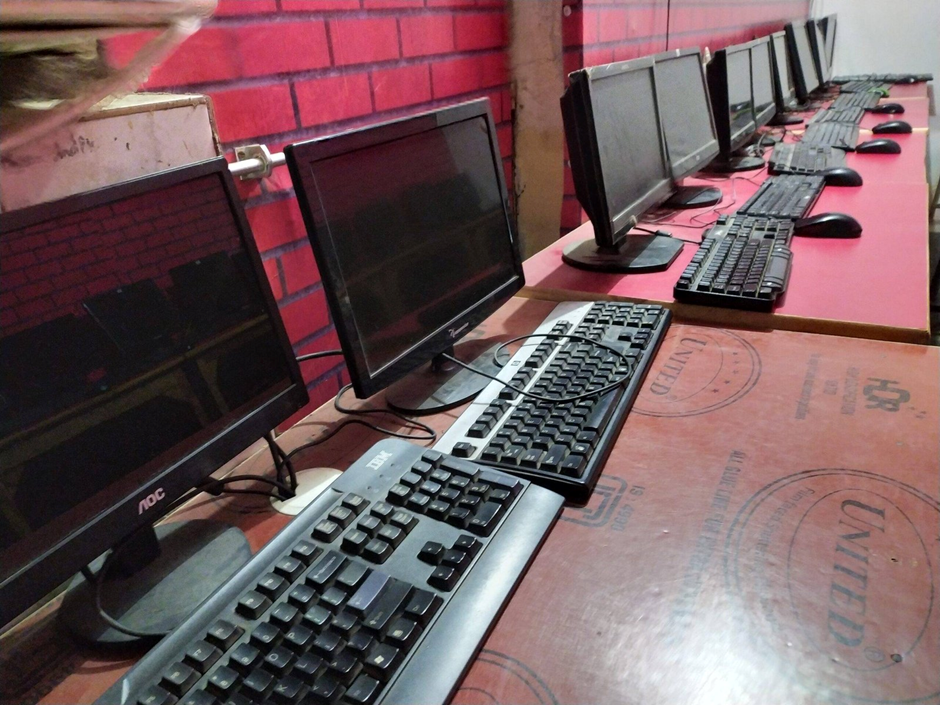
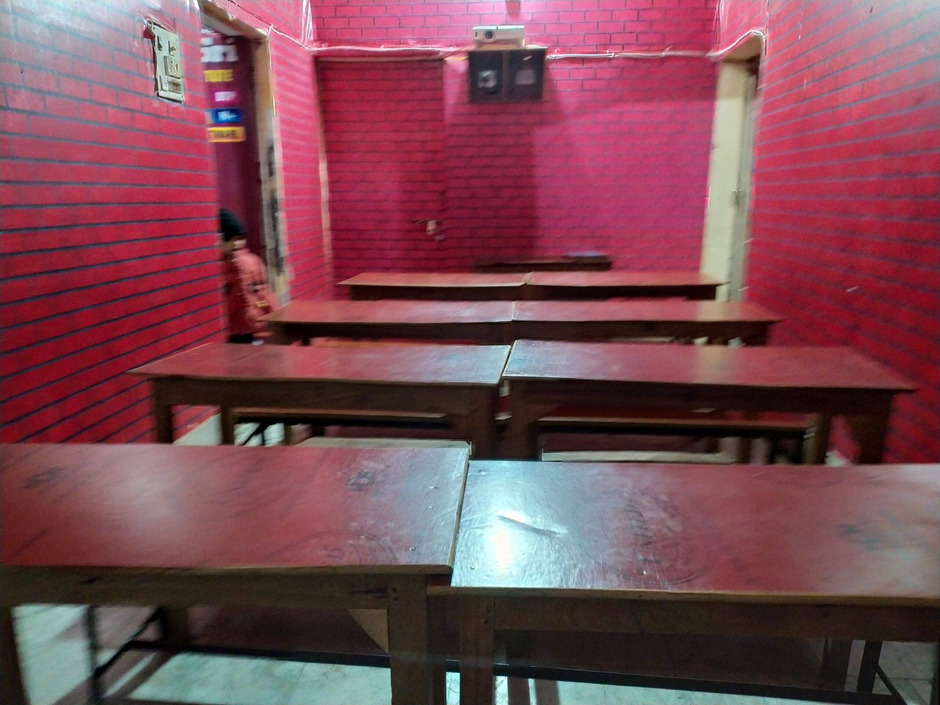
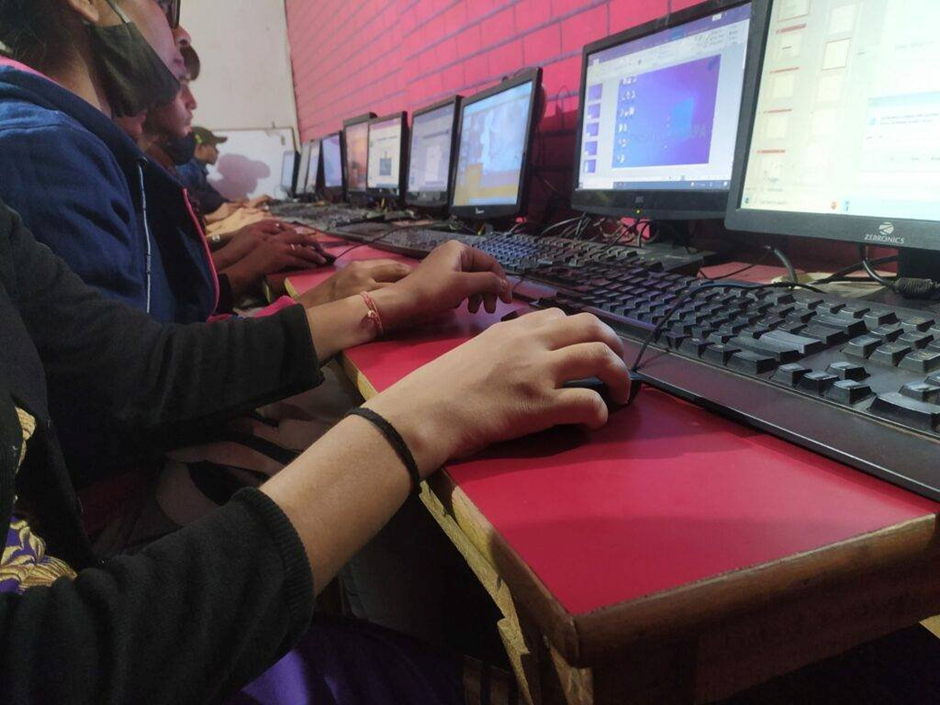
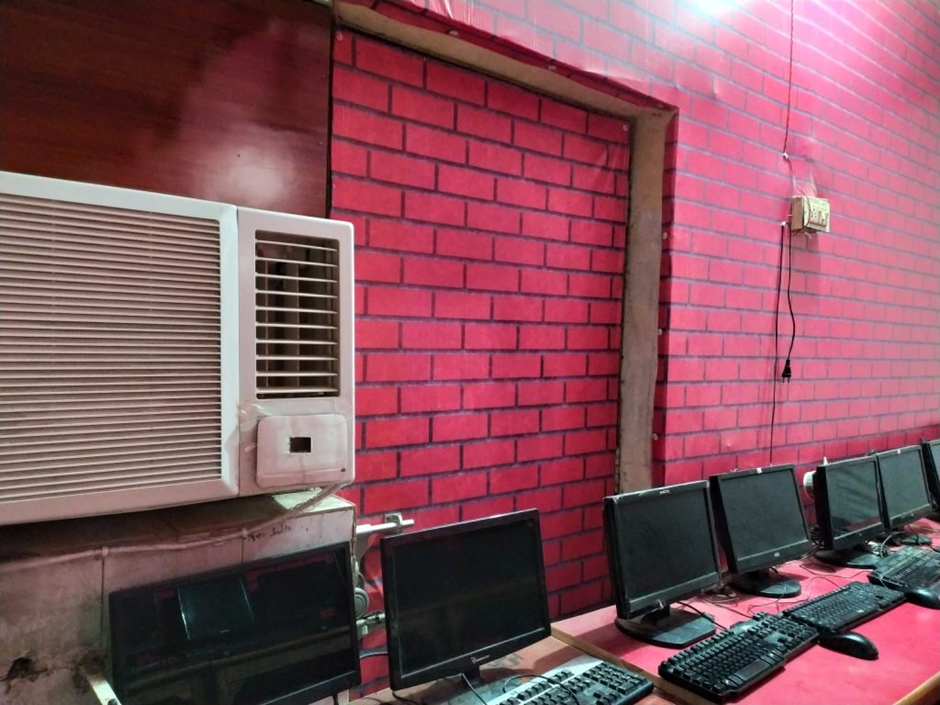
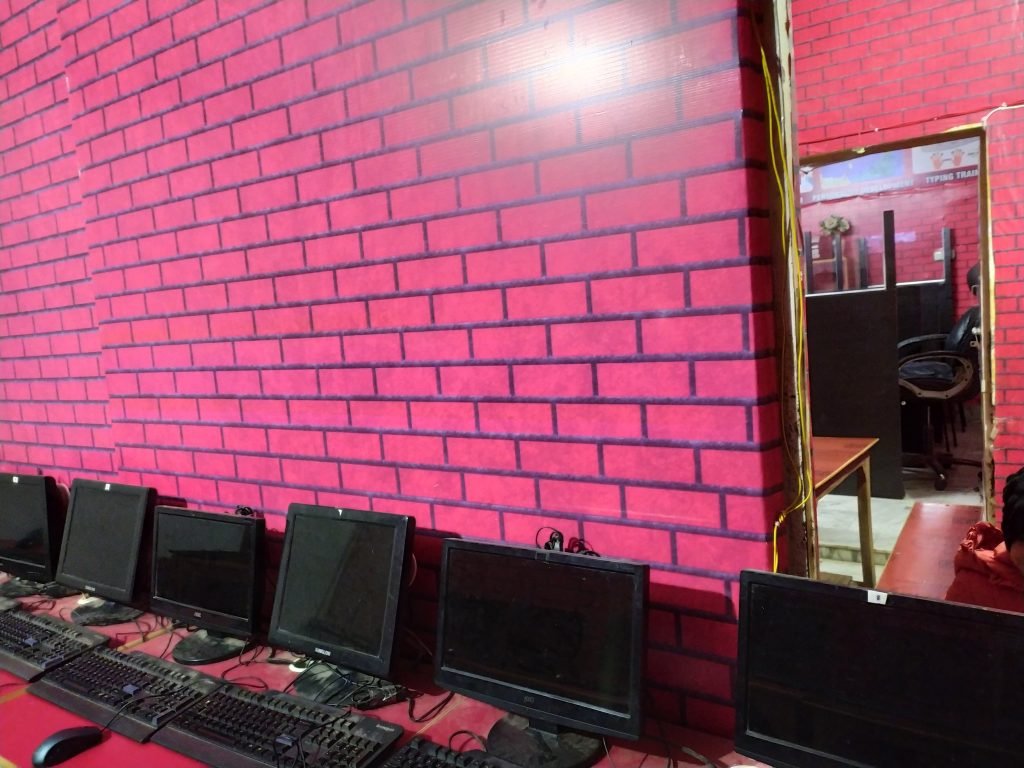
provides the best Computer Courses, Classes, and Training in Varanasi. There is NIELIT Courses CCC, BCC, O’level, Certificates, and Diploma Computer Courses available with the best training materials. Also Available Top 100 Best Computer Courses, For Example, OM, DCA, ADCA, DTP, DFA, ADAM, ADTP, ADFA, DCE, and MS Office. VedantSri Computer Coaching updates CCC Online Test 2023 in www.vedantsri.net. There are some important computer Courses for jobs CCC Class, Typing, Internship, And Spoken English Available Free of cost with Offer. More than 50 Computer Courses are available with a 50% Fee Discount in VedantSri Varanasi. You can get the Best Digital Marketing Course at Varanasi Institute VedantSri. There is the Latest Computer Course Offer in ADCA Computer Course, DCA Computer Course, CCC Computer Course & English Spoken.CCC online test 2023
About VedantSri Computer Institute Varanasi
VedantSri Computer Institute in Varanasi is the Government recognized and ISO Certified Computer Institute in Varanasi running since 2011. It Provides Computer Courses, Classes, and Training through different own branches all over Varanasi. There is Computer Scholarship Courses DCE Scholarship (Diploma in Computer Engineering), DIT most trusted computer course Available under Scholarship Test Scheme. CCC online test 2023
वेदांतश्री कम्प्यूटर इंस्टिट्यूट’ वाराणसी में पिछले 10 वर्षो से बेहतर व न्यूनतम शुल्क में कम्प्यूटर शिक्षा प्रदान करने वाली एक कम्प्यूटर ट्रेनिंग इंस्टिट्यूट है | यह संस्था कम्प्यूटर व इंग्लिश स्पीकिंग कोर्स की ट्रेनिंग प्रदान करती है | वाराणसी में कम्प्यूटर शिक्षा को बेहतर व न्यूनतम शुल्क में छात्रो तक पहुचाने में वेदांतश्री पिछले 10 वर्षो से प्रयासरत है |CCC online test 2023
Free To Learn In VedantSri Computer Institute in Varanasi
इस वेबसाइट का यूज़ वेदांतश्री में पढ़ रहे छात्रो को कोर्स से सम्बंधित ऑनलाइन सपोर्ट करने से सम्बंधित है | इस वेबसाइट पर उपलब्ध विडियो, टेस्ट शीट, Questions & Answer सेशन, ट्रिक्स, टिप्स वेदांतश्री में सिख रहे कोर्सेज से सम्बंधित है | उपलब्ध कंटेंट संस्था में सिख रहे छात्रो के डिमांड पर अपडेट किया जाता है | उपलब्ध कंटेंट वेदांतश्री में पढ़ रहे छात्रो व सम्बंधित छात्रो को निशुल्क प्रदान किया जाता है जिसका कोई अलग से शुल्क नही लिया जाता है | इस वेबसाइट पर उपलब्ध कंटेंट कम्प्यूटर कोर्सेज व इंग्लिश स्पीकिंग कोर्सेज से सम्बंधित अपडेट किया जाता है |
CCC online test 2023
About CCC Online Test 2023
CCC Online Test 2023:- This is the CCC Online Test Website Page. If You are preparing for CCC Exam or any competitive exam then you should visit this www.vedantsri.net website.
you can also download this app from the play store and will find Just like many more Online Test Series Related For Example MS Word, MS Excel, MS PowerPoint, and Internet-related.
This is Provided By VedantSri Computer Institute Varanasi. The VedantSri Provides the Best Computer Classes, Courses, Coaching, and Computer Training in Varanasi Uttar Pradesh India. CCC online test 2023
When the growth of the internet was taking quantum leaps in the 1990s, nobody thought that a developing nation like India would cash in so much on the web boom and build a massive industry around it employing more than 10 million people. Yet surpassing expectations India did it. The Indian IT industry today made revenues of about $160 Billion in the year 2017 alone and manages to contribute 7.7% to India’s massive GDP. (IT-Industry GD Topics Spoken)
जब 1990 के दशक में इंटरनेट की वृद्धि क्वांटम छलांग ले रही थी, तो किसी ने भी नहीं सोचा था कि भारत जैसा विकासशील देश वेब बूम पर इतना अधिक नकदी देगा और इसके चारों ओर एक बड़े पैमाने पर उद्योग का निर्माण करेगा और 10 मिलियन से अधिक लोगों को रोजगार देगा। फिर भी भारत की अपेक्षाओं को पार करते हुए। भारतीय आईटी उद्योग ने आज अकेले वर्ष 2017 में लगभग 160 बिलियन डॉलर का राजस्व कमाया और भारत के विशाल सकल घरेलू उत्पाद में 7.7% का योगदान करता है। (IT-Industry GD Topics Spoken)
Information technology-enabled services -सूचना प्रौद्योगिकी सक्षम सेवायें
Sector -क्षेत्र
Integral Part -अभिन्न अंग
undergoing –
rapid –
evolution –
Indian Business Standards –
The Information Technology and Information Technology Enabled Services (IT-ITeS) sector is a field forming an integral part of India’s corporate today. It is undergoing rapid evolution and is helping to change the shape of Indian Business Standards. This sector includes software development, consultancies, software management, online services, and business process outsourcing (BPO). (IT-Industry GD Topics Spoken)
It wouldn’t be an exaggeration to say that India grew at an exponential pace in the IT industry. India’s export exploits in the IT industry are now about $70 billion and employ about 2.8 million. India has grown at a breathtaking pace in the IT industry due to the following reasons, according to a NASSCOM-Mckinsey report:- IT-Industry GD Topics Spoken (IT-Industry GD Topics Spoken)
India’s IT services industry was born in Mumbai in 1967 with the establishment of the TATA Group in partnership with Burroughs. The first export zone, SEEPZ- The precursor to the modern-day IT park- was established in Mumbai in 1973. More than 80% of the country’s software exports were from SEEPZ in the 1980s. (IT-Industry GD Topics Spoken)
The growth in the IT industry skyrocketed with the world wide web turning up on the scene in the 1990s. The Indian economy too underwent major economic reforms in 1991. It led to a new era of globalization and economic integration, IT industry was greatly benefited due to the economic transformation of the country and since then it has grown leaps and bounds. IT-Industry GD Topics Spoken (IT-Industry GD Topics Spoken)
सूचना प्रौद्योगिकी और सूचना प्रौद्योगिकी सक्षम सेवाएं (आईटी-आईटीईएस) क्षेत्र आज भारत के कॉर्पोरेट का एक अभिन्न अंग है। यह तेजी से विकास कर रहा है और भारतीय व्यापार मानकों के आकार को बदलने में मदद कर रहा है। इस सेक्टर में सॉफ्टवेयर डेवलपमेंट, कंसल्टेंसी, सॉफ्टवेयर मैनेजमेंट, ऑनलाइन सर्विसेज और बिजनेस प्रोसेस आउटसोर्सिंग (BPO) शामिल हैं।
यह कहना अतिश्योक्ति नहीं होगी कि भारत आईटी उद्योग में तेजी के साथ बढ़ा है। आईटी उद्योग में भारत का निर्यात अब 70 बिलियन डॉलर और लगभग 2.8 मिलियन की रोजगार क्षमता है। NASSCOM-Mckinsey की रिपोर्ट के अनुसार निम्नलिखित कारणों से भारत आईटी उद्योग में लुभावने गति से बढ़ा है: – (IT-Industry GD Topics Spoken)
भारत के आईटी सेवा उद्योग का जन्म मुंबई में 1967 में बुरॉग्स की साझेदारी में टाटा समूह की स्थापना के साथ हुआ था। पहला निर्यात क्षेत्र, एसईईपीजेड- आधुनिक दिन आईटी पार्क का अग्रदूत, 1973 में मुंबई में स्थापित किया गया था। देश के 80% से अधिक सॉफ्टवेयर निर्यात 1980 के दशक में एसईईपीजेड से हुए थे।
1990 के दशक में आईटी उद्योग की विकास दर दुनिया भर में फैल गई। 1991 में भारतीय अर्थव्यवस्था भी बड़े आर्थिक सुधारों से गुज़री। इसने वैश्वीकरण और आर्थिक एकीकरण के एक नए युग का नेतृत्व किया, देश के आर्थिक परिवर्तन के कारण आईटी उद्योग को बहुत लाभ हुआ और तब से यह छलांग और सीमा तक बढ़ गया है।
India is the largest exporter of IT services today. Exports dominate the IT industry and constitute about 79% of the total revenue. The domestic IT industry also has robust growth with significant revenue. The top 5 IT service providers in India are- Tata Consultancy Services (TCS), Infosys, Cognizant, WIPRO, and HCL Technologies. (IT-Industry GD Topics Spoken)
The exports in the IT industry accounted for about 25% of the total Indian exports in FY2012, rising from less than 4% in FY1998.
TIDEL Park, situated in Chennai, is one of Asia’s largest IT parks. It was established to promote Information Technology Services in the state of Tamil Nadu.
Cities of India that have become IT hubs include Bengaluru, Pune, Chennai, Hyderabad, Trivandrum, Chandigarh, and Mohali.
TCS, India’s IT giant, is the world’s third-largest employer in the technology sector. TCS is also India’s fifth-biggest employer.
In about 10 years the no. of employees in It sector is estimated to be doubled from 1 crore to 2 crores. (IT-Industry GD Topics Spoken)
भारत आज आईटी सेवाओं का सबसे बड़ा निर्यातक है। निर्यात आईटी उद्योग पर हावी है और कुल राजस्व का लगभग 79% है। घरेलू आईटी उद्योग भी महत्वपूर्ण राजस्व के साथ एक मजबूत वृद्धि है। भारत में शीर्ष 5 आईटी सेवा प्रदाता हैं- Tata Consultancy Services (TCS), Infosys, Cognizant, WIPRO और HCL Technologies। (IT-Industry GD Topics Spoken)
भारत में आईटी उद्योग की विशेषताओं में शामिल हैं: –
आईटी उद्योग में निर्यात वित्त वर्ष २०१२ में कुल भारतीय निर्यात का लगभग २५% था, जो वित्त वर्ष २०१ the में ४% से कम था।
चेन्नई में स्थित TIDEL पार्क, एशिया के सबसे बड़े आईटी पार्कों में से एक है। यह तमिलनाडु राज्य में सूचना प्रौद्योगिकी सेवाओं को बढ़ावा देने के लिए स्थापित किया गया था।
भारत के जो शहर आईटी हब बन गए हैं उनमें शामिल हैं- बेंगलुरु, पुणे, चेन्नई, हैदराबाद, त्रिवेंद्रम, चंडीगढ़ और मोहाली।
टीसीएस, भारत का आईटी दिग्गज, प्रौद्योगिकी क्षेत्र में दुनिया का तीसरा सबसे बड़ा नियोक्ता है। TCS भारत का पांचवा सबसे बड़ा नियोक्ता भी है।
लगभग 10 वर्षों में नहीं। कर्मचारियों के लिए इस क्षेत्र में 1 करोड़ से 2 करोड़ तक दोगुना होने का अनुमान है।
FUTURE OF THE IT INDUSTRY IN INDIA
People who believe that India has seen the best of the IT industry are in for a surprise. India, along with the rest of the world, will see the IT and IT-enabled services industry not only developing but also outgrowing other industries with the pace of its expansion.
With the emergence of new path-breaking technologies like Artificial Intelligence, the Internet of Things, Blockchain, Machine Learning, modern data science practices, cloud computing, and big data, and the introduction and implementation of Microservices, Developer-Operations (DevOps) and automation in most of the industrial sectors, the future of the IT industry in India is bright.
It is estimated that in the coming 10 years the no. of jobs in the IT industry will get doubled along with better academic facilities, and greater research on the subject of Information Technology and its practices. (IT-Industry GD Topics Spoken)
लोगों का मानना है कि भारत ने आईटी उद्योग को सबसे अच्छे रूप में देखा है। शेष विश्व के साथ भारत, आईटी और आईटी सक्षम सेवाओं के उद्योग को न केवल विकसित कर रहा है, बल्कि इसके विस्तार की गति से अन्य उद्योगों को भी पछाड़ देगा।
आर्टिफिशियल इंटेलिजेंस, इंटरनेट ऑफ थिंग्स, ब्लॉकचैन, मशीन लर्निंग, आधुनिक डेटा साइंस प्रैक्टिस, क्लाउड कंप्यूटिंग और बिग डेटा और माइक्रोसर्विस, डेवलपर-ऑपरेशंस (डेवोप्स) के कार्यान्वयन और कार्यान्वयन जैसे नई पथ-ब्रेकिंग तकनीकों के उभरने के साथ अधिकांश में स्वचालन औद्योगिक क्षेत्र भारत में आईटी उद्योग का भविष्य उज्ज्वल है।
यह अनुमान है कि आने वाले 10 वर्षों में नहीं। सूचना प्रौद्योगिकी और इसकी प्रथाओं के विषय में बेहतर शैक्षणिक सुविधाओं के साथ आईटी उद्योग में नौकरियों की संख्या दोगुनी हो जाएगी।
IT-Industry GD Topics Spoken
Some important points related to the future of the IT industry in India are
Automation is expected to create the majority of the upcoming jobs in the IT sector.
Make in India and other such government schemes will help to create a variety of new jobs in the field of IT and IT-enabled services.
All industrial sectors will start making greater use of Information Technology to speed up their growth or enhance their efficiency.
IT and its tools will help in creating more jobs in other sectors as well, like banking, manufacturing, finance, and sales.
IT-related startups will flourish, especially those with innovative products like chatbots, etc.
The IT industry is one of the biggest employers in India. (IT-Industry GD Topics Spoken)
भारत में आईटी उद्योग के भविष्य से जुड़े कुछ महत्वपूर्ण बिंदु हैं: –
ऑटोमेशन से आईटी क्षेत्र में आगामी नौकरियों के बहुमत के निर्माण की उम्मीद है।
मेक इन इंडिया और ऐसी अन्य सरकारी योजनाओं से आईटी और आईटी सक्षम सेवाओं के क्षेत्र में विभिन्न प्रकार के नए रोजगार सृजित करने में मदद मिलेगी।
सभी औद्योगिक क्षेत्र अपने विकास को गति देने या अपनी दक्षता बढ़ाने के लिए सूचना प्रौद्योगिकी का अधिक उपयोग करना शुरू कर देंगे।
आईटी और इसके उपकरण अन्य क्षेत्रों के साथ-साथ बैंकिंग, विनिर्माण, वित्त, बिक्री में और अधिक नौकरियां पैदा करने में मदद करेंगे।
आईटी से संबंधित स्टार्टअप पनपेंगे, खासकर उन लोगों के साथ जिनमें नवीन उत्पाद जैसे चैटबॉट्स आदि।
आईटी उद्योग भारत में सबसे बड़े नियोक्ताओं में से एक है।
Major challenges that the IT Industry in India will be facing in the future are
High unemployment rate of IT professionals- According to corporate surveys, only 20% of the Indian engineering graduates are considered employable because of lack of skills and absence of right attitude.
Changing Technology and Trends- Global advisory firm, McKinsey & Company, declared that nearly half of the workforce in the Indian IT sector will be irrelevant over the next 3-4 years. It was backed by Capgemini’s CEO, declaring that 65% of the workforce is not trainable and not keen on upgrading their skills.
Loss of jobs due to automation- According to Horses for Sources, the Indian Information Technology sector is likely to lose around 6,40,000 jobs due to automation.
Conventional Jobs to be replaced- Typical manual jobs are expected to be taken over by automatic coding and cloud computing technologies.
Uncertain future- Large majority of the workforce today is engaged in jobs that are expected to be non-existent in the coming future. Hiring too will slow down in the near future. (IT-Industry GD Topics Spoken)
World Bank report- World Bank report titled ‘Digital Dividend’ declares that 69% of work in India can get automated. This may lead to a sudden crisis in the Indian IT industry. IT-Industry GD Topics Spoken
भारत में आईटी उद्योग भविष्य में आने वाली प्रमुख चुनौतियाँ हैं: –
आईटी पेशेवरों की उच्च बेरोजगारी दर- कॉर्पोरेट सर्वेक्षणों के अनुसार, कौशल की कमी और सही दृष्टिकोण की अनुपस्थिति के कारण केवल 20% भारतीय इंजीनियरिंग स्नातकों को रोजगार योग्य माना जाता है।
बदलती प्रौद्योगिकी और रुझान- वैश्विक सलाहकार फर्म, मैकिंसे एंड कंपनी ने घोषणा की कि भारतीय आईटी क्षेत्र में लगभग आधे कार्यबल अगले 3-4 वर्षों में अप्रासंगिक हो जाएंगे। यह Capgemini सीईओ द्वारा घोषित किया गया था कि 65% कर्मचारियों की संख्या प्रशिक्षण योग्य नहीं है और उनके कौशल को उन्नत करने के लिए उत्सुक नहीं है।
ऑटोमेशन के कारण नौकरियों का नुकसान- हॉर्स फॉर सोर्स के अनुसार, भारतीय सूचना प्रौद्योगिकी क्षेत्र में स्वचालन के कारण लगभग 6,40,000 नौकरियों के खोने की संभावना है।
पारंपरिक नौकरियों को प्रतिस्थापित किया जाएगा- विशिष्ट मैनुअल नौकरियों को स्वचालित कोडिंग और क्लाउड कंप्यूटिंग प्रौद्योगिकियों द्वारा ले जाने की उम्मीद है।
अनिश्चित भविष्य- बड़ी संख्या में कार्यबल आज उन नौकरियों में लगे हुए हैं जो आने वाले भविष्य में गैर-मौजूद होने की उम्मीद है। निकट भविष्य में किराए पर लेना भी धीमा हो जाएगा।
विश्व बैंक की रिपोर्ट- report डिजिटल डिविडेंड ’शीर्षक से विश्व बैंक की रिपोर्ट बताती है कि भारत में 69% कार्य स्वचालित हो सकते हैं। इससे भारतीय आईटी उद्योग में अचानक संकट आ सकता है।
The road ahead for the Information Technology industry in India
IT can undoubtedly be considered as one of the most emerging fields yet the challenges are many to tap this resource and use its full potential for the development of the country.
With time, Information Technology promises to be less of an isolated technology and is directed towards being an integral part of all development in almost all leading sectors. India, today, is regarded as the back-office of the world owing to the booming IT and ITeS industry in India.
It is known that anyone resisting change perishes and it is no mystery that as the world of Information Technology is undergoing a major transition globally from simple software development to integrated solutions involving emerging technology stacks like cloud computing, Big data, and artificial intelligence, India must prepare its workforce accordingly, stay open to new policies and flexible to their approach regarding the industry.
If India manages to transit smoothly and create a skilled workforce armed with expertise in core as well as emerging technologies, establishing more product-based startups driven by technology and innovation there will be no stopping India in the Information Technology industry for a long time to come. (IT-Industry GD Topics Spoken)
भारत में सूचना प्रौद्योगिकी उद्योग के लिए आगे की रोड मैप
आईटी को निस्संदेह सबसे उभरते हुए क्षेत्रों में से एक के रूप में माना जा सकता है, फिर भी इस संसाधन को टैप करने और देश के विकास के लिए अपनी पूरी क्षमता का उपयोग करने के लिए चुनौतियां हैं।
समय के साथ सूचना प्रौद्योगिकी एक अलग प्रौद्योगिकी के कम होने का वादा करती है और लगभग सभी अग्रणी क्षेत्रों में सभी विकास का एक अभिन्न अंग होने की दिशा में निर्देशित होती है। भारत, आज भारत में आईटी और आईटीईएस उद्योग के कारण दुनिया का सबसे पीछे का कार्यालय माना जाता है।
यह ज्ञात है कि कोई भी परिवर्तन को नष्ट करता है और यह कोई रहस्य नहीं है कि सूचना प्रौद्योगिकी की दुनिया सरल सॉफ्टवेयर विकास से विश्व स्तर पर प्रमुख संक्रमण के दौर से गुजर रही है, जिसमें क्लाउड कंप्यूटिंग, बिग डेटा और आर्टिफिशियल इंटेलिजेंस जैसे उभरते प्रौद्योगिकी स्टैक शामिल हैं, भारत को इसकी तैयारी करनी चाहिए तदनुसार कार्यबल, नई नीतियों के लिए खुले रहें और उद्योग के बारे में उनके दृष्टिकोण के लिए लचीला।
यदि भारत सुचारु रूप से पारगमन करने और एक कुशल कार्यबल बनाने के साथ-साथ कोर में विशेषज्ञता के साथ-साथ उभरती हुई प्रौद्योगिकियों का निर्माण करने का प्रबंधन करता है, तो प्रौद्योगिकी और नवाचार द्वारा संचालित अधिक उत्पाद आधारित स्टार्टअप स्थापित करना, आने वाले लंबे समय तक सूचना प्रौद्योगिकी उद्योग में भारत को रोक नहीं पाएगा।
IT-Industry GD Topics Spoken
About VedantSri
VedantSri Computer Institute provides the best Computer Courses, Classes, and Training in Varanasi. There are NEILIT Courses, CCC, BCC, O-level, Certificates, and Diploma Computer Courses available with the best training materials. Also Available: Top 100 Best Computer Courses, For Example, OM, DCA, ADCA, DTP, DFA, ADAM, ADTP, ADFA, DCE, and MS Office. VedantSri Computer Coaching updates the CCC Online Test 2025 on www.vedantsri.net. There are some important computer Courses for jobs, CCC Classes, Typing, Internships, And Spoken English Available Free of cost with an Offer. More than 50 Computer Courses are available with a 50% Fee Discount in VedantSri Varanasi. You can get the Best Digital Marketing Course at Varanasi Institute VedantSri. There is the Latest Computer Course Offer in the ADCA Computer Course, DCA Computer Course, CCC Computer Course & English Spoken.
यदि आप GD Topics की जानकारी चाहते हैं तो इस लिंक पर जाए (IT-Industry GD Topics Spoken)
MS-Word Online Test 2025:- This is M.S Word Online Test Website Page. If You are preparing for CCC Exam or any competitive exam then you should visit this www.vedantsri.net website.
you can also download this app from play store and you find Just like many more Online Test Series Related, For Example, MS Word, MS Excel, MS PowerPoint, Internet-related.
This is Provided By VedantSri Computer Institute in Varanasi. The VedantSri Provides the Best Computer Classes, Courses, Coaching, and Computer Training in Varanasi Uttar Pradesh India. IT-Industry GD Topics Spoken
CCC Online Test:- This is the CCC Online Test Website Page. If You are preparing for CCC Exam or any competitive exam then you should visit this www.vedantsri.net website.
Online CCC Test 2023
CCC Online Test 2023
you can also download this app from the play store and will find Just like many more Online Test Series Related For Example MS Word, MS Excel, MS PowerPoint, and Internet-related. This is Provided By VedantSri Computer Institute in Varanasi. The VedantSri Provides the Best Computer Classes, Courses, Coaching, and Computer Training in Varanasi Uttar Pradesh India. Online CCC Test 2023
About VedantSri
Online CCC Test 2021
VedantSri Computer Institute provides the best Computer Courses, Classes, and Training in Varanasi. There is NEILIT Courses CCC, BCC, O’level, Certificates, and Diploma Computer Courses available with the best training materials. Also Available Top 100 Best Computer Courses, For Example, OM, DCA, ADCA, DTP, DFA, ADAM, ADTP, ADFA, DCE, and MS Office. Online CCC Test 2023
VedantSri Computer Coaching updates CCC Online Test 2023 on www.vedantsri.net. There are some important computer Courses for jobs CCC Classes, Typing, Internships, And Spoken English Available Free of cost with Offer. More than 50 Computer Courses are available with a 50% Fee Discount in VedantSri Varanasi. You can get the Best Digital Marketing Course at Varanasi Institute VedantSri. There are the Latest Computer Courses Offered in ADCA Computer Course, DCA Computer Course, CCC Computer Course & English Spoken. Online CCC Test 2023
Tally ERP9 में बैंक से सम्बंधित Transaction की Entry Contra Voucher में कैसे किया जाता है उदहारण के लिए निचे कुछ Bank से Related Transaction दिए गये है
Transaction:-
● वेदांतश्री ने 15 लाख लगाकर मेडिकल स्टोर का ब्यापार आरम्भ किया (Receipt F6 )
● 5 लाख रूपये BOB में डिपाजिट किया (Contra F4)
● 3 लाख रूपये BOB से SBI में ट्रान्सफर किया (Contra F4)
● 50-50 हजार रूपये BOB तथा SBI से निकला (Contra F4)
अब इसकी एंट्री टैली के कॉण्ट्रा वाउचर में कैसे किया जाता है Step by Step फॉलो करें
सबसे पहले किसी भी नाम से कंपनी क्रिएट कर लें
TallyERP9 Bank Entry in Contra
अब Gateway of tally पेज पर Accounting Voucher पर क्लिक करें या V प्रेस करें
TallyERP9 Bank Entry in Contra
अब सबसे पहले Receipt Voucher में जाने के लिए F6 प्रेस करें
तथा पहले Transaction की एंट्री कर लें
TallyERP9 Bank Entry in Contra
अब कॉण्ट्रा में दिए गए दुसरे नंबर के Transaction की एंट्री करने के लिए F4 Press करेंगे
और “5 लाख रूपये BOB में डिपाजिट किया” Transaction की एंट्री करेंगे
Account में BOB का ledger Alt + C प्रेस करके अंडर ग्रुप Bank Account में क्रिएट करेंगे
TallyERP9 Bank Entry in Contra
अतः BOB लेजर Account में आ जाता है (क्योकि जिसमे अमाउंट आता है उसे अकाउंट में ऊपर रखते है Contra के अंतर्गत)
TallyERP9 Bank Entry in Contra
अब Particular में cash A/c को Spacebar प्रेस करके सेलेक्ट लेंगे
तथा अमाउंट में 5 लाख टाइप करेंगे
तथा Ctrl + A से एंट्री को एक्सेप्ट कर लेंगे
TallyERP9 Bank Entry in Contra
अब तीसरे Transaction “3 लाख रूपये BOB से SBI में ट्रान्सफर किया” की एंट्री करेंगे
इसके लिए SBI जिसमे अमाउंट आ रहा है उसका ledger Account में Alt + C press करके अंडर ग्रुप बैंक अकाउंट में क्रिएट कर लेंगे (क्योकि जिसमे अमाउंट आता है उसे Account में ऊपर रखते है Contra के अंतर्गत)
तथा Particular में BOB जिसमे से अमाउंट निकल रहा है उसको ledger Spacebar प्रेस करके सेलेक्ट कर लेंगे TallyERP9 Bank Entry in Contra
तथा अमाउंट में 3 लाख टाइप करेंगे और Ctrl + A से एंट्री को एक्सेप्ट कर लेंगे(TallyERP9 BankEntry in Contra)
TallyERP9 Bank Entry in Contra
अब चौथे Transaction “50-50 हजार रूपये BOB तथा SBI से निकला” की एंट्री करेंगे
इसके लिए Account में Cash को सेलेक्ट कर लेंगे (क्योकि जिसमे अमाउंट आता है उसे अकाउंट में ऊपर रखते है Contra के अंतर्गत)
तथा Particular में BOB तथा SBI अकाउंट को सेलेक्ट करेंगे (क्योकि जिसमे से अमाउंट जाता है उसे Particular में रखते है Contra के अंतर्गत)
और अमाउंट में 50-50 हजार टाइप करेंगे तथा Ctrl + A से Entry को Accept कर लेंगे(TallyERP9 BankEntry in Contra)
provides the best Computer Courses, Classes, and Training in Varanasi. There is NIELIT Courses CCC, BCC, O’level, Certificates, and Diploma Computer Courses available with the best training materials. Also Available Top 100 Best Computer Courses, For Example, OM, DCA, ADCA, DTP, DFA, ADAM, ADTP, ADFA, DCE, MS Office. VedantSri Computer Coaching update CCC Online Test 2023 in www.vedantsri.net. There are some important computer Courses for jobs CCC Class, Typing, Internship, And Spoken English Available Free of cost with Offer. More than 50 Computer Courses are available with a 50% Fee Discount in VedantSri Varanasi. You can get the Best Digital Marketing Course in Varanasi Institute VedantSri. There is Latest Computer Course Offer in ADCA Computer Course, DCA Computer Course, CCC Computer Course & English Spoken.
About VedantSri Computer Institute Varanasi
VedantSri Computer Institute in Varanasi is the Government recognized and An ISO Certified Computer Institute in Varanasi running since 2011. It Provides Computer Courses, Classes, Training by different own branches in all over Varanasi. There is Computer Scholarship Courses DCE Scholarship (Diploma in Computer Engineering), DIT most trusted computer course Available under Scholarship Test Scheme.
वेदांतश्री कम्प्यूटर इंस्टिट्यूट’ वाराणसी में पिछले 10 वर्षो से बेहतर व न्यूनतम शुल्क में कम्प्यूटर शिक्षा प्रदान करने वाली एक कम्प्यूटर ट्रेनिंग इंस्टिट्यूट है | यह संस्था कम्प्यूटर व इंग्लिश स्पीकिंग कोर्स की ट्रेनिंग प्रदान करती है | वाराणसी में कम्प्यूटर शिक्षा को बेहतर व न्यूनतम शुल्क में छात्रो तक पहुचाने में वेदांतश्री पिछले 10 वर्षो से प्रयासरत है |
Free To Learn In VedantSri Computer Institute in Varanasi
इस वेबसाइट का यूज़ वेदांतश्री में पढ़ रहे छात्रो को कोर्स से सम्बंधित ऑनलाइन सपोर्ट करने से सम्बंधित है | इस वेबसाइट पर उपलब्ध विडियो, टेस्ट शीट, Questions & Answer सेशन, ट्रिक्स, टिप्स वेदांतश्री में सिख रहे कोर्सेज से सम्बंधित है | उपलब्ध कंटेंट संस्था में सिख रहे छात्रो के डिमांड पर अपडेट किया जाता है | उपलब्ध कंटेंट वेदांतश्री में पढ़ रहे छात्रो व सम्बंधित छात्रो को निशुल्क प्रदान किया जाता है जिसका कोई अलग से शुल्क नही लिया जाता है | इस वेबसाइट पर उपलब्ध कंटेंट कम्प्यूटर कोर्सेज व इंग्लिश स्पीकिंग कोर्सेज से सम्बंधित अपडेट किया जाता है |
(TallyERP9 BankEntry in Contra)
About CCC Online Test 2023
CCC Online Test 2023:- This is the CCC Online Test Website Page. If You are preparing for CCC Exam or any competitive exam then you should visit on this www.vedantsri.net website.
you can also download this app from play store and you find Just like many more Online Test Series Related For Example MS Word, MS Excel, MS PowerPoint, Internet-related.
This is Provided By VedantSri Computer Institute Varanasi. The VedantSri Provides Best Computer Classes, Courses, Coachings and Computer Training in Varanasi Uttar Pradesh India.
CorelDraw Roughen Brush Tool:-VedantSri Computer Institute provides the best Computer Courses, Classes, and Training in Varanasi. There is NEILIT Courses CCC, BCC, O’level, Certificates, and Diploma Computer Courses available with the best training materials.
Also Available Top 100 Best Computer Courses, For Example, OM, DCA, ADCA, DTP, DFA, ADAM, ADTP, ADFA, DCE, and MS Office. VedantSri Computer Coaching updates CCC Online Test 2019 on www.vedantsri.net.
CorelDraw Roughen Brush Tool
There are some important computer Courses for jobs CCC Classes, Typing, Internships, And Spoken English Available Free of cost with Offer. More than 50 Computer Courses are available with a 50% Fee Discount in VedantSri Varanasi. You can get the Best DigitalMarketing Course at Varanasi Institute VedantSri.There is Latest Computer Course Offer in ADCA Computer Course, DCA Computer Course, CCC Computer Course & English Spoken. (CorelDraw Roughen Brush Tool)
About CCC Online Test 2021
MS-Word Online Test 2019:- This is M.S Word Online Test Website Page. If You are preparing for CCC Exam or any competitive exam then you should visit this www.vedantsri.net website. you can also download this app from the play store and you find Just like many more Online Test Series Related For Example MS Word, MS Excel, MS PowerPoint, and Internet-related. (CorelDraw Roughen Brush Tool)
This is Provided By VedantSri Computer Institute in Varanasi. The VedantSri Provides the Best Computer Classes, Courses, Coaching, and Computer Training in Varanasi
स्वागत है एक बार फिर MsWord 2019 वर्शन के प्रोजेक्ट बेस्ड क्लासेज में इस विडियो के अंतर्गत आप सीखेंगे की MsWord के किसी भी वर्शन पर Calculate कैसे डिजाईन किया जाता है |इस विडियो को आराम से देखेते हुए स्टेप by स्टेप फॉलो करें| यदि किसी भी प्रकार का कोई क्वेश्चन या क्वेरी है तो नीचे कमेंट बॉक्स में जरुर लिखें धन्यवाद
About VedantSri
MsWord How to Calculate
VedantSri Computer Institute provides the best Computer Courses, Classes, and Training in Varanasi. There is NEILIT Courses CCC, BCC, O’level, Certificates, and Diploma Computer Courses available with the best training materials. Also Available Top 100 Best Computer Courses, For Example, OM, DCA, ADCA, DTP, DFA, ADAM, ADTP, ADFA, DCE, and MS Office. VedantSri Computer Coaching updates CCC Online Test 2023 on www.vedantsri.net. There are some important computer Courses for jobs CCC Classes, Typing, Internships, And Spoken English Available Free of cost with Offer. More than 50 Computer Courses are available with a 50% Fee Discount in VedantSri Varanasi. You can get the Best Digital Marketing Course at Varanasi Institute VedantSri. There is the Latest Computer Course Offer in ADCA Computer Course, DCA Computer Course, CCC Computer Course & English Spoken. (MsWord How to Calculate)
MS-Word Online TJournal Voucher Entry Transactions 2019:- This is M.S Word Online Test Website Page. If You are preparing for CCC Exam or any competitive exam then you should visit this www.vedantsri.net website. MsWord How to Calculate
यदि आप Online Course को जानना चाहते है तो इस लिंक पर जाए
you can also download this app from play store and you find Just like many more Online Test Series Related, For Example, MS Word, MS Excel, MS PowerPoint, Internet-related.
This is Provided By VedantSri Computer Institute in Varanasi. The VedantSri Provides the Best Computer Classes, Courses, Coaching, and Computer Training in Varanasi Uttar Pradesh India.
DFA Course Fees, Syllabus, Duration, Scope, Jobs & Institute (2026 Complete Guide)
Overview
Topic
Details
Course Name
Diploma in Financial Accounting (DFA)
Duration
6 Months
Fees
₹8,000 – ₹20,000 (Average)
Best Offer
₹4,500 (VedantSri Institute)
Eligibility
10th Pass
Mode
Offline + Online
Job Roles
Accountant, Billing Executive, Data Operator
What is the DFA Course?
DFA (Diploma in Financial Accounting) is a professional computer accounting course hai jo students ko basic se advanced accounting + taxation + Tally Prime + GST tak complete practical knowledge deta hai.
Ye course specially design kiya gaya hai un logon ke liye jo:
Job-oriented skill seekhna chahte hain
Accounting field me career banana chahte hain
Business, office ya firm me kaam karna chahte hain
Download the DFA Course Updated 2026 Syllabus PDF
DFA ek job-ready course hai jisme theoretical ke sath-sath, practical ki Advance training di jati hai.
Tally Course Fees, Duration, Scope, Syllabus, Admission, Institutes & Jobs in Varanasi
What is the Tally Course?
If you belong to an Accounting or non-accounting arts or science and are looking for a job in accounting Fields Such as Inventory, Vouchers, Ledgers, Balance sheet, Profit & Loss A/c, Stock Management, taxation or payroll, you are in search of a course that shines in your career? Then Vedantsri is introducing an Accounting package, Tally Prime. It is a widely used accounting software that indeed helps small and medium-sized businesses with their accounting needs.
Download Tally Prime Course Updated 2026 Syllabus PDF
It has all the functions of accounting, taxation and payroll that a midsize business needs. Most people think Tally can only be used by small businesses, but it has many more capabilities.
Tally Course Fees
Tally is not just accounting software; after becoming an ERP, it has expanded significantly.
Computer Knowledge is the most demanded skill in any Sector of a Career. And Tally Prime Course is one of the Best Skill fulfilment courses on the computer.
Tally, this program opens up various avenues for students. After the completion of the program, as a fresher, you can begin your career as:-
If you have any Computer Knowledge, then you have multiple Skills in computers. But the Tally Course provides you with Most of the Demanded Skills in the Computer Job Sector.
Download Tally Prime 100 Questions with Answers in PDF
With the skills of the Tally Course, People Can make Professional ledgers, Voucher Transactions, Data Entry Work, stock management, and Taxation Auditing.
Tally Course Fees
Features in the Tally Course
Tally Prime software appeals to any kind of business, big or small, because its ease of use is hard to beat. You can track your revenue and expenses with just a few clicks. Some Features are listed below:-
The full form of Tally is Transactions Allowed in Linear Line Yards. Basically, Tally is accounting software that has decreased the accounting burdens of massive organisations.
Duration of Tally Course
Tally is a beneficial course, and its duration is 3 months.
Syllabus of Tally Course
The main core features of Tally are explained here:-
ACCOUNTING: Accounting is the most important feature of Tally Prime. The main thought that comes to mind for a person when hearing about tally is accounting.
BILLING: Billing is an important part of business. This feature is included in Tally. Actually, billing is included in the accounting feature whenever you pass an accounting entry; simultaneously, a bill is generated, which can be used for raising or sending an invoice.
Free Download Interview Asked Tally Prime Course Top 50 Q&A PDF
PAYROLL: This feature is used when you need to maintain the payroll of Employees. This feature manages employee categories, employee groups, attendance, pay heads, and employees.
INVENTORY: Maintenance of stock is a very important part of business, as it gives better control over business sales; hence, the movement of stock is an integral part that can be kept under control.
BANKING: In this era of digitalisation, without banking, no business can survive. Banking functionality is very well covered by Tally. Though it was not present in earlier versions of Tally, it can be useful in PRIME TAXATION: TDS, GST, both direct and indirect taxes can be calculated automatically
Tally Course Fees in Varanasi
Admission Fees for the Tally course are about INR 5,000 to INR 12,000. But in Offer Fees VedantSri provides Tally Course only INR 2,500 Total and No Extra Admission Charge.
Tally Course Fees, Duration, Scope, Syllabus, Admission, Institutes & Jobs in Varanasi 33
Discount in Tally Course
From time to Time, VedantSri Institute provides a Discount on different offers.
And currently, the VedantSri Discount offer is 50% OFF on any course Fees, and also the admission Fee is FREE in this offer.
There are so many extra free Courses in the Tally Course:-
Typing Training.
Internship Class.
Personality Development.
CCC Class.
CTT Training.
Tally Course Fees
The teaching method of the Tally Course
Way to Teach the Tally Course In VedantSri:-
Project-Based.
The Best Knowledgeable Teachers teach students with a projector.
Provided a single system for a single student.
Time-to-time tests are taken with the related course.
live presentation.
Alternate Days Theory, Projects, and Practical Session.
What is the Course Category of the Tally Course
The course Category of Tally is a Diploma in Tally Accounting.
A career in the Tally Course
Tally is an application that is generally utilised for accounting reasons, for the most part by small and medium businesses. Nonetheless, there are even different highlights of tally, yet it is prominently known as accounting software.
After the arrival of the Tally Prime form, this product isn’t only an accounting program. The ERP (Enterprise Resource Planning) form completely changed the meaning of Tally programming. Presently, this product is utilised for Accounting, Payroll, Billing, Sales, Profit Analysis, Auditing, Banking, Inventory, and Taxation, for example, VAT, TDS, and TCS.
Job Placement in Tally Course
A vast number of employment opportunities are being offered to graduates of the private and public sectors. Some of the job opportunities that a candidate can find are listed below
Accounts Executive
Review Executive
Balance Sheet Manager
Stock Manager
Tax Auditing
Billing & Invoicing
Profit & Loss Auditor
Accounts Assistant
Payroll Manager
Cost Tracker
Tally operator
Accounts trainer
Accounts Analyst
Account Manager
Senior Accountant
Does eligibility require the Tally Course
No, Computer basics knowledge is not required for the Tally Course. Because basic knowledge is taught in the Tally Course.
Teaching Language in Tally Course
Basically, the language of the computer is English, but you can learn it in English and Hindi.
FAQs
Q: What are the eligibility criteria for theTally course?
A: Some diploma or certification programs accept students with 10+2—even if results are awaited
Q: Can I pursue the Tally course online?
A: Yes, you can definitely pursue a Tally course online. E-Learning Platforms: VedantSri offer online Tally courses with flexible learning.
Q: What are the career prospects after completing the Tally course?
Q: How do I choose the right institute for the Tally course in Varanasi?
A: VedantSri Institute Varanasi, India Very low‑cost Tally Prime course, plus free extras like typing, spoken English, CCC, personality development, with project‑based training.
Q: Is there any entrance exam for the Tally course?
A: Most institutes do not require an entrance exam. Admission is usually based on academic qualifications and a personal interview.
Q: What are the fees for the Tally course syllabus?
A: ACCOUNTING BILLING PAYROLL INVENTORY BANKING INR 5,000 to 12,000
Q: Is ADCA good for a job?
A: Sure, because ADCA Course Content has Official Jobs Training, Internet Blog, Content Management and Promotion Skills, Accounting, Billing, Inventory, Stock Management, Order, Payroll, Content Designing, Graphic Designing, Etc. All these works are important in each type of business, so if a candidate has ADCA Skills, then definitely he is capable of getting Good jobs for his Dream Achievement.
Q: What is the duration of the ADCA certificate?
A: Tally is a beneficial course, and its duration is 3 months.
PowerPoint Shortcut Keys List:-F5 Runs the presentation (View > Slide Show) Shift + F3 Toggles between lowercase, mixed-case, and uppercase on the selection Shift + F9 Toggles the display of Guide Lines Shift + Enter: Enters a line break (Soft break) Ctrl + A selects all the objects on the active slide Ctrl + T Displays the (Format > Font) dialog box Ctrl + Shift + Tab: Toggle between the Slides and Outlines tabs (Normal view) Ctrl + Shift + G Group the currently selected objects/shapes Ctrl + Shift + H Ungroups the currently selected object/shape Alt + Shift + F4 closes all the presentations (saving first) and exits PowerPoint (File > Exit). PowerPoint Shortcut Keys List
F1 Display Help or the Office Assistant F2 Select the text box containing an object or text F4 Repeats the last presentation action (Edit > Repeat) (not Format Autoshape dialogue) F5 Runs the presentation (View > Slide Show) F6 Moves to the next pane in the presentation (clockwise) F7 Displays the (Tools > Spelling) dialog box F10 Toggles the activation of the Menu Bar F12 Displays the (File > Save As) dialogue box, PowerPoint Shortcut Keys List
Shift + F1 Activates the context-sensitive What’s this? prompt (Help > What’s This) Shift + F3 Toggles between lowercase, mixed-case, and uppercase on the selection Shift + F4 Repeat the last Find, the same as (Edit > Find Next) Shift + F6 Moves to the previous pane in the presentation (anti-clockwise) Shift + F9 Toggles the display of Guide Lines Shift + F10: Display the (Shortcut) menu for the selected item Shift + F12 Saves, Displays the (File > Save As) dialogue box if a new presentation PowerPoint Shortcut Keys List
Ctrl + F4 Closes the active presentation or window (File > Close) Ctrl + F5: Restore the size of the active presentation or window Ctrl + F6 Moves to the next presentation window Ctrl + F7 Activates the Move window command Ctrl + F8 Activates the Resize window command Ctrl + F9 Minimises the size of the active presentation or window Ctrl + F10 Maximise the size of the active presentation or window Ctrl + F12 Displays the (File > Open) dialogue box, PowerPoint Shortcut Keys List
Alt + F2 Displays the (File > Save As) dialog box Alt + F4 Closes the active presentation (saving first) and exits PowerPoint (File > Exit) Alt + F5: Restore the program window size Alt + F7 Find next misspelt word – continue (Tools > Spelling) ?? Alt + F8 Displays the (Tools > Macros > Macro) dialog box Alt + F9 Toggles the display of the Grid Alt + F10 Maximise the program window Alt + F11 Toggles between the Visual Basic Editor window and the PowerPoint window. PowerPoint Shortcut Keys List Alt + Shift + F2 Displays the (File > Save As) dialog box Alt + Shift + F4 Closes the active presentation (saving first) and exits PowerPoint (File > Exit) Alt + Shift + F10 displays the drop-down menu for the corresponding smart tag Ctrl + Shift + F10 Activates the Menu Bar or displays the (View > Toolbars) dialog box Ctrl + Shift + F12 Displays the (File > Print) dialog box PowerPoint Shortcut Keys List
Ctrl + A selects all the objects on the active slide Ctrl + B toggles bold on the current selection Ctrl + C Copies the current selection to the clipboard (Edit > Copy) Ctrl + D Duplicate the selected slide (Edit > Duplicate) Ctrl + E Centre aligns the current selection Ctrl + F Displays the (Edit > Find) dialog box Ctrl + G displays the (View > Grid and Guides) dialogue box Ctrl + H Displays the (Edit > Replace) dialog box Ctrl + I toggles italics on the current selection Ctrl + J Justifies the current selection Ctrl + K displays the (Insert > Hyperlink) dialogue box (in a textbox) Ctrl + L Left-aligns the current selection Ctrl + M Inserts a new slide (Insert > New Slide) Ctrl + N Creates a new presentation (File > New) Ctrl + O Displays the (File > Open) dialog box Ctrl + P Displays the (File > Print) dialog box Ctrl + R right-aligns the current selection Ctrl + S Saves, Displays the (File > Save As) dialogue box if a new presentation Ctrl + T Displays the (Format > Font) dialog box Ctrl + U Toggles (continuous) underlying the selection Ctrl + V Pastes the entry from the clipboard (Edit > Paste) Ctrl + W Closes the active presentation or window (File > Close) Ctrl + X Cuts the current selection to the clipboard (Edit > Cut) Ctrl + Y Repeats the last Presentation action (Edit > Repeat) Ctrl + Z Undo the last Presentation action (Edit > Undo) PowerPoint Shortcut Keys List
Ctrl + Shift + B Opens the Outlook Address Book Ctrl + Shift + C Copies the formatting attributes from the current selection to the clipboard Ctrl + Shift + F Activates the Font Names drop-down on the Formatting toolbar Ctrl + Shift + G Group the currently selected objects/shapes Ctrl + Shift + H Ungroups the currently selected object/shape Ctrl + Shift + P activates the Font Size drop-down on the Formatting toolbar Ctrl + Shift + V Pastes the formatting attributes from the clipboard onto the selection Alt + D Displays the (Slide Show) menu Alt + E Displays the (Edit) menu Alt + F Displays the (File) menu Alt + H Displays the (Help) menu Alt + I Displays the (Insert) menu Alt + K Checks the names in the To, Cc, and Bcc lines against the Address Book Alt + O Displays the (Format) menu Alt + S Displays an e-mail message containing the active presentation Alt + T Displays the (Tools) menu Alt + U displays the AutoShapes drop-down menu on the Drawing toolbar Alt + V Displays the (View) menu Alt + W Displays the (Window) menu Alt + Shift + A Show all or collapse all text or headings (Outline view) PowerPoint Shortcut Keys List
Enter a new paragraph Shift + Enter: Enters a line break (Soft break) Ctrl + Tab: Inserts a tab in a table cell. PowerPoint Shortcut Keys List
Extending Data
Shift + Home extends the selection to the beginning of the line Shift + End extends the selection to the end of the line Shift + Up Arrow extends the selection of one line up Shift + Down Arrow: Extends the selection one line down Shift + Left Arrow: Extends the selection of one character to the left Shift + Right Arrow: Extends the selection of one character to the right Ctrl + Shift + Home extends the selection to the beginning of the textbox Ctrl + Shift + End extends the selection to the end of the textbox. PowerPoint Shortcut Keys List
Ctrl + Shift + Up Arrow selects the line above Ctrl + Shift + Down Arrow selects to the line below Ctrl + Shift + Left Arrow Selects the beginning of the word Ctrl + Shift + Right Arrow Selects the end of the world Delete Deletes one character to the right Backspace deletes one character to the left Ctrl + Delete Deletes one word to the right Ctrl + Backspace: Deletes one word to the left. PowerPoint Shortcut Keys List
Formatting Data
Ctrl + ] Increases the font size to the next size in the drop-down list Ctrl + [ Decreases the font size to the next size in the drop-down list Ctrl + Shift + > Increases the font size to the next size in the drop-down list Ctrl + Shift + < Decreases the font size to the next size in the drop-down list Ctrl + = Toggles Subscript on the selection Ctrl + Shift + = Toggles Superscript on the selection, PowerPoint Shortcut Keys List
Maneuvering
Arrow Keys: Move one character or line in the given direction Tab moves to the first or next hyperlink/object/cell Shift + Tab moves to the last or previous hyperlink/object/cell Home moves to the beginning of the line End Moves to the end of the line Page Up Moves to the previous slide Page Down Moves to the next slide Shift + Page Up Moves to the previous slide Shift + Page Down Moves to the next slide Ctrl + Home Moves to the beginning of the text box Ctrl + End Moves to the end of the text box Ctrl + Up Arrow Moves up one paragraph Ctrl + Down Arrow Moves down one paragraph Ctrl + Left Arrow: Moves one word to the left Ctrl + Right Arrow: Moves one word to the right Ctrl + Enter Moves to the next title or body text placeholder
Alt + Tab Toggles between all your open applications Alt + Shift + Tab Toggles backward between all your open applications Ctrl + Shift + Tab Toggles between the Outline tab and the Slides tab in Normal view. Ctrl + Spacebar Remove manual character formatting, returning the text to its default Esc Cancels the action or closes the dialogue box Alt + Shift + Left Arrow Promotes a paragraph (Outline view) Alt + Shift + Right Arrow Demotes a paragraph (Outline view) Alt + Shift + Up Arrow Moves the selected paragraphs up (Outline view) Alt + Shift + Down Arrow Moves the selected paragraphs down (Outline view) Alt + Shift + + Expands the text below a heading (Outline view) Alt + Shift + – Collapses the text below a heading (Outline view) / Turn character formatting on or off (numeric keypad) Alt + Escape Switches to the next program Ctrl + Escape Displays the Start Menu Print Screen Copies a picture of the whole screen to the clipboard Alt + Print Screen copies a picture of just the active window to the clipboard
Redundant Shortcut Keys
Ctrl + Shift + F6 Move to the previous presentation window. Alt + S Send presentation as an email ?? Alt + K Check the names in the email against the address book.
CCC Online Test 2026:- This is the CCC Online Test 2026 Website Page. If You are preparing for CCC Exam or any competitive exam then you should visit this www.vedantsri.net website.
you can also download this app from the play store and you find Just like many more Online Test Series Related For Example Tally, Accounting, MS Word, MS Excel, MS PowerPoint, and Internet-related.
This is Provided By VedantSri Computer Institute in Varanasi. The VedantSri Provides the Best Computer Classes, Courses, Coaching, and Computer Training in Varanasi Uttar Pradesh India.
About VedantSri
VedantSri Computer Institute provides the best Computer Courses, Classes, and Training in Varanasi. There is NEILIT Courses CCC, BCC, O’level, Certificates, and Diploma Computer Courses available with the best training materials. Also Available Top 100 Best Computer Courses, For Example, OM, DCA, ADCA, DTP, DFA, ADAM, ADTP, ADFA, DCE, and MS Office. VedantSri Computer Coaching updates CCC Online Test 2025 on www.vedantsri.net. There are some important computer Courses for jobs CCC Classes, Typing, Internships, And Spoken English Available Free of cost with Offer. More than 50 Computer Courses are available with a 50% Fee Discount in VedantSri Varanasi. You can get the Best Digital Marketing Course at Varanasi Institute VedantSri. There is the Latest Computer Course Offer in ADCA Computer Course, DCA Computer Course, CCC Computer Course & English Spoken. CCC Online Test 2025
सुनील से 2% के डिस्काउंट पर 35.22 रूपये के दर 128.222 Kilogram चीनी ख़रीदा
आदित्य से 4% के डिस्काउंट पर 39000 रूपये प्रति ग्राम की दर 12.5 ग्राम सोना ख़रीदा
सलीम से 1% के डिस्काउंट पर गुलाब जामुन 5.5 पीस 15.5 रूपये के दर से ख़रीदा
accounting Voucher > Purchase A/c
Party Name > जिससे आप खरीद रहे है उसका ledger बनाईये Alt + C प्रेस करके
Purchase Ledger में Purchase A/c ledger बना लीजिये
अब चीनी का स्टॉक क्रिएट कीजिये Alt + C के द्वारा
और स्टॉक क्रिएट करने के दौरान यूनिट को Alt + C से क्रिएट करे Kgs के नाम से और Number of Decimal Places में 3 टाइप करे और Ctrl + A से यूनिट तथा Stock save कर ले
डिस्काउंट का कॉलम इनेबल करने के लिए F11 और F2 प्रेस करके Invoicing कॉलम में Use Separate Discount Column in Invoice को yes करके Ctrl + A से एक्सेप्ट कर ले
VedantSri Computer Institute provides the best Computer Courses, Classes, and Training in Varanasi. There is NEILIT Courses CCC, BCC, O’level, Certificates, and Diploma Computer Courses available with the best training materials. Also Available Top 100 Best Computer Courses, For Example, OM, DCA, ADCA, DTP, DFA, ADAM, ADTP, ADFA, DCE, and MS Office. TallyERP9 Units Transaction Entry TallyERP9 Units Transaction Entry
VedantSri Computer Coaching updates CCC Online Test 2023 on www.vedantsri.net. TallyERP9 Units Transaction Entry
There are some important computer Courses for jobs CCC Classes, Typing, Internships, And Spoken English Available Free of cost with Offer. More than 50 Computer Courses are available with a 50% Fee Discount in VedantSri Varanasi. You can get the Best Digital Marketing Course at Varanasi Institute VedantSri. There is the Latest Computer Course Offer in ADCA Computer Course, DCA Computer Course, CCC Computer Course & English Spoken.
MS-Word Online Test 2023:- This is M.S Word Online Test Website Page. If You are preparing for CCC Exam or any competitive exam then you should visit this www.vedantsri.net website.
you can also download this app from play store and you find Just like many more Online Test Series Related, For Example, MS Word, MS Excel, MS PowerPoint, Internet-related. TallyERP9 Units Transaction Entry
This is Provided By VedantSri Computer Institute in Varanasi. The VedantSri Provides the Best Computer Classes, Courses, Coaching, and Computer Training in Varanasi Uttar Pradesh India.
4- Download किये गए फाइल को Extract करके फॉण्ट Code39 को Zipped फाइल से बहार निकाले|
5-अब Code39 फॉण्ट पर राईट क्लिक करके कम्प्यूटर में install कर लें|
MS Excel Bar-code Project-9
6-अब एक्सेल पेज पर वापस जाएँ तथा जिस कंटेंट को BAR कोड में बदलना चाहते है उसे सेलेक्ट करें व फॉण्ट स्टाइल में Code39 सेलेक्ट कर दें|
MS Excel Bar-code Project-9
Excel Bar-code Projects
About VedantSri
VedantSri Computer Institute provides best Computer Courses, Classes and Training in Varanasi. There is NEILIT Courses CCC, BCC, O’level, Certificates and Diploma Computer Courses available with best training materials. Also Available Top 100 Best Computer Courses, For Example, OM, DCA, ADCA, DTP, DFA, ADAM, ADTP, ADFA, DCE, MS Office. VedantSri Computer Coaching update CCC Online Test 2023 in www.vedantsri.net. There are some important computer Courses for jobs CCC Class, Typing, Internship And Spoken English Available Freeof cost with Offer. MS Excel Bar-code Project-9
More than 50 Computer Courses are available with 50% Fee Discount in VedantSri Varanasi. You can get the Best Digital Marketing Course in Varanasi Institute VedantSri. There is Latest Computer Course Offer in ADCA Computer Course, DCA Computer Course, CCC Computer Course & English Spoken.
VedantSri Computer Institute provides the best Computer Courses, Classes, and Training in Varanasi. There are NEILIT Courses, CCC, BCC, O-level, Certificates, and Diploma Computer Courses available with the best training materials. Also Available: Top 100 Best Computer Courses, For Example, OM, DCA, ADCA, DTP, DFA, ADAM, ADTP, ADFA, DCE, and MS Office. VedantSri Computer Coaching updates the CCC Online Test 2025 on www.vedantsri.net. There are some important computer Courses for jobs, CCC Classes, Typing, Internships, And Spoken English Available Free of cost with an Offer. More than 50 Computer Courses are available with a 50% Fee Discount in VedantSri Varanasi. You can get the Best Digital Marketing Course at Varanasi Institute VedantSri. There is the Latest Computer Course Offer in the ADCA Computer Course, DCA Computer Course, CCC Computer Course & English Spoken. Photoshop Face Effect Project
MS-Word Online Test 2025:- This is the CCC Online Test Website Page. If you are preparing for the CCC Exam or any other competitive exam, visit the www.vedantsri.net website.
. You can also download this app from the Play Store, and you can find Just like many more Online Test Series Related For Example, MS Word, MS Excel, MS PowerPoint, and Internet-related. Photoshop Face Effect Project
This is Provided By VedantSri Computer Institute in Varanasi. The VedantSri Provides the Best Computer Classes, Courses, Coaching, and Computer Training in Varanasi, Uttar Pradesh, India. Photoshop Face Effect Project
स्वागत है एक बार फिर Corel Draw वर्शन के प्रोजेक्ट बेस्ड क्लासेज में इस विडियो के अंतर्गत आप सीखेंगे की Corel Draw के किसी भी वर्शन पर Knife Tool कैसे डिजाईन किया जाता है |इस विडियो को आराम से देखेते हुए स्टेप by स्टेप फॉलो करें| यदि किसी भी प्रकार का कोई क्वेश्चन का क्वेरी है तो नीचे कमेंट बॉक्स में जरुर लिखें धन्यवाद
इस विडियो के माध्यम से आप यह जान पाएंगे कि Corel Draw के अंतर्गत आने वाला Knife टूल्स का यूज़ क्या हैऔर कैसे इसे आसान तरीके से कर सकते हैं
VedantSri Computer Institute provides the best Computer Courses, Classes, and Training in Varanasi. There is NEILIT Courses CCC, BCC, O’level, Certificates, and Diploma Computer Courses available with the best training materials. Also Available Top 100 Best Computer Courses, For Example, OM, DCA, ADCA, DTP, DFA, ADAM, ADTP, ADFA, DCE, MS Office. VedantSri Computer Coaching update CCC Online Test 2023 in www.vedantsri.net.
Corel Draw Knife Tool
There are some important computer Courses for jobs CCC Class, Typing, Internship, And Spoken English Available Free of cost with Offer. More than 50 Computer Courses are available with a 50% Fee Discount in VedantSri Varanasi. You can get the Best Digital Marketing Course at Varanasi Institute VedantSri. There is Latest Computer Course Offer in ADCA Computer Course, DCA Computer Course, CCC Computer Course & English Spoken. (Journal Voucher Entry Transaction )
About CCC Online Test 2023
MS-Word Online Test 2023:- This is the CCC Online Test Website Page. If You are preparing for CCC Exam or any competitive exam then you should visit this www.vedantsri.net website.
you can also download this app from the play store and you find Just like many more Online Test Series Related For Example MS Word, MS Excel, MS PowerPoint, and Internet-related. Corel Draw Knife Tool
This is Provided By VedantSri Computer Institute in Varanasi. The VedantSri Provides the Best Computer Classes, Courses, Coaching, and Computer Training in Varanasi Uttar Pradesh India.
MsExcel Simple Data Entry:-VedantSri Computer Institute provides the best Computer Courses, Classes, and Training in Varanasi. There is NEILIT Courses CCC, BCC, O’level, Certificates, and Diploma Computer Courses available with the best training materials. Also Available Top 100 Best Computer Courses, For Example, OM, DCA, ADCA, DTP, DFA, ADAM, ADTP, ADFA, DCE, and MS Office. VedantSri Computer Coaching updates CCC Online Test 2019 on www.vedantsri.net. There are some important computer Courses for jobs CCC Classes, Typing, Internships, And Spoken English Available Free of cost with Offer. More than 50 Computer Courses are available with a 50% Fee Discount in VedantSri Varanasi. You can get the Best Digital Marketing Course at Varanasi Institute VedantSri. There is the Latest Computer Course Offer in ADCA Computer Course, DCA Computer Course, CCC Computer Course & English Spoken.
MS-Word Online Test 2023:- This is the CCC Online Test Website Page. If You are preparing for CCC Exam or any competitive exam then you should visit this www.vedantsri.net website. MS Excel Simple Data Entry Project-3 Video
you can also download this app from play store and you find Just like many more Online Test Series Related, For Example, MS Word, MS Excel, MS PowerPoint, Internet-related. MS Excel Simple Data Entry Project-3 Video
यदि आप Data Entry Form को बनाना सीखना चाहते हैं तो इस लिंक पर जाए
This is Provided By VedantSri Computer Institute in Varanasi. The VedantSri Provides the Best Computer Classes, Courses, Coaching, and Computer Training in Varanasi Uttar Pradesh India.
MS Excel Form with Database Macro Project VedantSri Varanasi
Coding of MS Excel Form with Database Macro Project
Sub Rectangle2_Click()
Dim x As Long
Dim y As Long
x = Sheet2.Range("A" & Rows.Count).End(xlUp).Row
For y = 2 To x
If Sheet1.Range("F14").Value = Sheet2.Cells(y, "a").Value Then
Sheet1.Range("c8").Value = Sheet2.Cells(y, "a").Value
Sheet1.Range("c9").Value = Sheet2.Cells(y, "b").Value
Sheet1.Range("c10").Value = Sheet2.Cells(y, "c").Value
Sheet1.Range("c11").Value = Sheet2.Cells(y, "d").Value
Sheet1.Range("c12").Value = Sheet2.Cells(y, "e").Value
Sheet1.Range("c13").Value = Sheet2.Cells(y, "f").Value
Sheet1.Range("c15").Value = Sheet2.Cells(y, "g").Value
Sheet1.Range("c16").Value = Sheet2.Cells(y, "h").Value
Sheet1.Range("c18").Value = Sheet2.Cells(y, "i").Value
Sheet1.Range("c19").Value = Sheet2.Cells(y, "j").Value
Sheet1.Range("c20").Value = Sheet2.Cells(y, "k").Value
Sheet1.Range("c21").Value = Sheet2.Cells(y, "l").Value
Sheet1.Range("c22").Value = Sheet2.Cells(y, "m").Value
End If
Next y
End Sub
provides the best Computer Courses, Classes, and Training in Varanasi. There is NIELIT Courses CCC, BCC, O’level, Certificates, and Diploma Computer Courses available with the best training materials. Also Available Top 100 Best Computer Courses, For Example, OM, DCA, ADCA, DTP, DFA, ADAM, ADTP, ADFA, DCE, MS Office. (ADCA Course Fees in Varanasi)
VedantSri Computer Coaching update CCC Online Test 2023 in www.vedantsri.net. There are some important computer Courses for jobs CCC Class, Typing, Internship, And Spoken English Available Freeof cost with Offer.
More than 50 Computer Courses are available with a 50% Fee Discount in VedantSri Varanasi. You can get the Best Digital Marketing Course at Varanasi Institute VedantSri. MS Excel Form with Database Macro Project-4 Video
There is Latest Computer Course Offer in ADCA Computer Course, DCA Computer Course, CCC Computer Course & English Spoken. (MS Excel Form with Database Macro Project)
About VedantSri Computer Institute Varanasi
VedantSri Computer Institute in Varanasi is the Government recognized and ISO Certified Computer Institute in Varanasi running since 2011. It Provides Computer Courses, Classes, Training by different own branches all over Varanasi.
There is Computer Scholarship Courses DCE Scholarship (Diploma in Computer Engineering), DIT most trusted computer course Available under Scholarship Test Scheme. (ADCA Course Fees in Varanasi)
वेदांतश्री कम्प्यूटर इंस्टिट्यूट’ वाराणसी में पिछले 10 वर्षो से बेहतर व न्यूनतम शुल्क में कम्प्यूटर शिक्षा प्रदान करने वाली एक कम्प्यूटर ट्रेनिंग इंस्टिट्यूट है | यह संस्था कम्प्यूटर व इंग्लिश स्पीकिंग कोर्स की ट्रेनिंग प्रदान करती है | वाराणसी में कम्प्यूटर शिक्षा को बेहतर व न्यूनतम शुल्क में छात्रो तक पहुचाने में वेदांतश्री पिछले 10 वर्षो से प्रयासरत है |(MS Excel Form with Database Macro Project)
Free To Learn In VedantSri Computer Institute in Varanasi
इस वेबसाइट का यूज़ वेदांतश्री में पढ़ रहे छात्रो को कोर्स से सम्बंधित ऑनलाइन सपोर्ट करने से सम्बंधित है | इस वेबसाइट पर उपलब्ध विडियो, टेस्ट शीट, Questions & Answer सेशन, ट्रिक्स, टिप्स वेदांतश्री में सिख रहे कोर्सेज से सम्बंधित है | MS Excel Form with Database Macro Project-4 Video
उपलब्ध कंटेंट संस्था में सिख रहे छात्रो के डिमांड पर अपडेट किया जाता है | उपलब्ध कंटेंट वेदांतश्री में पढ़ रहे छात्रो व सम्बंधित छात्रो को निशुल्क प्रदान किया जाता है जिसका कोई अलग से शुल्क नही लिया जाता है | इस वेबसाइट पर उपलब्ध कंटेंट कम्प्यूटर कोर्सेज व इंग्लिश स्पीकिंग कोर्सेज से सम्बंधित अपडेट किया जाता है | (MS Excel Form with Database Macro Project)
About CCC Online Test 2023
CCC Online Test 2023:- This is the CCC Online Test Website Page. If You are preparing for CCC Exam or any competitive exam then you should visit on this www.vedantsri.net website. (ADCA Course Fees in Varanasi)
you can also download this app from the play store and you find Just like many more Online Test Series Related For Example MS Word, MS Excel, MS PowerPoint, Internet-related.
This is Provided By VedantSri Computer Institute Varanasi. The VedantSri Provides Best Computer Classes, Courses, Coachings, and Computer Training in Varanasi Uttar Pradesh India. (MS Excel Form with Database Macro Project)
स्वागत है एक बार फिर MS Excel वर्शन के प्रोजेक्ट बेस्ड क्लासेज में इस विडियो के अंतर्गत आप सीखेंगे की MS Excel के किसी भी वर्शन पर Macros Search & Print कैसे डिजाईन किया जाता है |इस विडियो को आराम से देखेते हुए स्टेप by स्टेप फॉलो करें|यदि किसी भी प्रकार का कोई क्वेश्चन या क्वेरी है तो नीचे कमेंट बॉक्स में जरुर लिखें धन्यवाद MS Excel Macros Search & Print Project-5 Video
इस विडियो के माध्यम से आप यह जान पाएंगे कि MS Excel के अंतर्गत आने वाले विभिन्न प्रकार के शेपस,कलर,टेक्स्ट,टूल्स,फॉण्ट इत्यादि का यूज़ करके एक बेहतर MS Excel Macros Search & Print Project का कैसे क्रिएट कर सकते हैं जो देखने में आकर्षक लगे MS Excel Macros Search & Print Project-5 Video
Part:-1
MS Excel Macros Search & Print Project-5 Video
Part:-2
MS Excel Macros Search & Print Project-5 Video
Macros Coding
Sub searchdata()
Dim erow As Long
Dim ws As Worksheet
Dim lastrow As Long
Dim count As Integer


lastrow = Sheets("Database").Cells(Rows.count, 1).End(xlUp).Row
count = 0
For x = 2 To lastrow

If Sheets("Database").Cells(x, 1) = Sheet2.Range("B3") Then
Sheet2.Range("A11") = Sheets("Database").Cells(x, 1)
Sheet2.Range("B11") = Sheets("Database").Cells(x, 2)
Sheet2.Range("C11") = Sheets("Database").Cells(x, 3)
Sheet2.Range("D11") = Sheets("Database").Cells(x, 4)
Sheet2.Range("E11") = Sheets("Database").Cells(x, 5)
Sheet2.Range("F11") = Sheets("Database").Cells(x, 6)
count = count + 1
End If


Next x
If count = 0 Then
Set ws = Worksheets("Log")
erow = ws.Cells(Rows.count, 1).End(xlUp).Offset(1, 0).Row
ws.Cells(erow, 1) = Date
ws.Cells(erow, 2) = Time
ws.Cells(erow, 3) = Sheet2.Range("B3")
Sheet2.Range("A11:F11").ClearContents
End If
End Sub

Sub printdata()
Sheet2.Range("A11:F11").PrintPreview
Sheet2.Range("A11:F11").Printout
End Sub
Provides the best Computer Courses, Classes, and Training in Varanasi. NIELIT Courses Include CCC, BCC, O-level, Certificates, and diploma computer courses, with the best training materials. Also Available: Top 100 Best Computer Courses, For Example, OM, DCA, ADCA, DTP, DFA, ADAM, ADTP, ADFA, DCE, MS Office. VedantSri Computer Coaching update CCC Online Test 2020 in www.vedantsri.net. There are some important computer Courses for jobs, CCC Class, Typing, Internship, and Spoken English Available Free of cost with an offer. More than 50 Computer Courses are available with a 50% fee discount at VedantSri Varanasi. You can get the best digital marketing course at the Varanasi Institute VedantSri. There is a Latest Computer Course Offer in ADCA Computer Course, DCA Computer Course, CCC Computer Course & English Spoken.
About VedantSri Computer Institute Varanasi
VedantSri Computer Institute in Varanasi is the Government recognized and ISO Certified Computer Institute in Varanasi running since 2011. It Provides Computer Courses, Classes, and training through its own branches across Varanasi. There is Computer Scholarship Courses DCE Scholarship (Diploma in Computer Engineering), DIT most trusted computer course Available under Scholarship Test Scheme. MS Excel Macros Search & Print Project-5 Video
वेदांतश्री कम्प्यूटर इंस्टिट्यूट’ वाराणसी में पिछले 10 वर्षो से बेहतर व न्यूनतम शुल्क में कम्प्यूटर शिक्षा प्रदान करने वाली एक कम्प्यूटर ट्रेनिंग इंस्टिट्यूट है | यह संस्था कम्प्यूटर व इंग्लिश स्पीकिंग कोर्स की ट्रेनिंग प्रदान करती है | वाराणसी में कम्प्यूटर शिक्षा को बेहतर व न्यूनतम शुल्क में छात्रो तक पहुचाने में वेदांतश्री पिछले 10 वर्षो से प्रयासरत है |
Free To Learn In VedantSri Computer Institute in Varanasi
इस वेबसाइट का यूज़ वेदांतश्री में पढ़ रहे छात्रो को कोर्स से सम्बंधित ऑनलाइन सपोर्ट करने से सम्बंधित है | इस वेबसाइट पर उपलब्ध विडियो, टेस्ट शीट, Questions & Answer सेशन, ट्रिक्स, टिप्स वेदांतश्री में सिख रहे कोर्सेज से सम्बंधित है | उपलब्ध कंटेंट संस्था में सिख रहे छात्रो के डिमांड पर अपडेट किया जाता है | उपलब्ध कंटेंट वेदांतश्री में पढ़ रहे छात्रो व सम्बंधित छात्रो को निशुल्क प्रदान किया जाता है जिसका कोई अलग से शुल्क नही लिया जाता है | इस वेबसाइट पर उपलब्ध कंटेंट कम्प्यूटर कोर्सेज व इंग्लिश स्पीकिंग कोर्सेज से सम्बंधित अपडेट किया जाता है |
About the CCC Online Test
CCC Online Test:- This is the CCC Online Test Website Page. If you are preparing for the CCC Exam or any other competitive exam, you should visit the website at www.vedantsri.net.
You can also download this app from the Play Store and find many more Online Test Series Related to MS Word, MS Excel, MS PowerPoint, and Internet-related topics.
VedantSri Computer Institute, Varanasi, provides this. VedantSri Provides the Best Computer Classes, Courses, Coaching, and Training in Varanasi, Uttar Pradesh, India.
VedantSri Computer Institute provides the best Computer Courses, Classes, and Training in Varanasi. There is NEILIT Courses CCC, BCC, O’level, Certificates, and Diploma Computer Courses available with the best training materials. Also Available Top 100 Best Computer Courses, For Example, OM, DCA, ADCA, DTP, DFA, ADAM, ADTP, ADFA, DCE, MS Office. VedantSri Computer Coaching update CCC Online Test in www.vedantsri.net. There are some important computer Courses for jobs CCC Class, Typing, Internship, And Spoken English Available Free of cost with Offer. (Download Nielit CCC Form)
VedantSri Courses Details:-
More than 50 Computer Courses are available with a 50% Fee Discount in VedantSri Varanasi. You can get the Best Digital Marketing Course at Varanasi Institute VedantSri. There is Latest Computer Course Offer in ADCA Computer Course, DCA Computer Course, CCC Computer Course & English Spoken.
MS-Word Online Test:- This is M.S Word Online Test Website Page. If You are preparing for CCC Exam or any competitive exam then you should visit this www.vedantsri.net website.
you can also download this app from play store and you find Just like many more Online Test Series Related For Example MS Word, MS Excel, MS PowerPoint, Internet-related. (Download Nielit CCC Form)
This is Provided By VedantSri Computer Institute in Varanasi. The VedantSri Provides Best Computer Classes, Courses, Coachings and Computer Training in Varanasi Uttar Pradesh India.
Ans- MS Excel एक सॉफ्टवेर प्रोग्राम है जिसे Microsoft कंपनी के द्वारा बिकसित किया गया है जिसमे Formulas की मदद से डाटा को कैलकुलेट, Organize, Manage तथा Formatting सेट की जा सकती है MS Excel के पेज को Spreadsheet कहा जाता है जिसे संक्षिप्त में Sheet भी कहते है इस application को open करने का run commond “excel” होता है और इसका extension name (.xlsx) है|
2. MS-Excel का क्या use होता है?
Ans- MS Excel का उपयोग Data entry, Data record, Data-store, Data find, तथा Data filter के लिए use किया जाता है|
3. MS Excel में मुख्य कितने और कौन-कौन से Menu होते है?
Ans- MS Excel में मुख्य 8 Menu होते है जिनके नाम निम्नलिखित है-
(i) Home
(ii) Insert
(iii) Page Layout
(iv) Formulas
(v) Data
(vi) Review
(vii) View
(viii) Developer
4. Excel के Home menu में कितने और कौन-कौन से toolbox होते है?
Ans- Excel के Home menu में 5 Toolbox होते है जिनके नाम निम्नलिखित है-
5. Clipboard toolbox में कितने और कौन-कौन से tools होते है?
Ans- Clipboard Toolbox में 4 tools होते है जिनके नाम निम्नलिखित है-
(i) Paste : कट तथा कॉपी किये गए डाटा को पेज पर प्लेस करना
(ii) Cut : टेक्स्ट,मैटर ऑब्जेक्ट को एक स्थान से हटाकर अन्य दुसरे स्थानों पर रखना
(iii) Copy : टेक्स्ट,मैटर ऑब्जेक्ट को एक स्थान के अलावा अन्य दुसरे स्थानों पर रखना
(iv) Format Painter : टेक्स्ट पर उपलब्ध फॉण्ट स्टाइल, इफ़ेक्ट, साइज़ तथा कलर को दुसरे टेक्स्ट पर अप्लाई करना
6. Paste का use और इसका shortcut key क्या होता है?
Ans- इस tool की help से हम cut तथा copy किये गये data को रखने के लिए इस tool का use करते है और इसका shortcut key CTRL+V होता है|
7. Format painter का क्या use होता है?
Ans- Excel sheet पर उपलब्ध effect, size, color को दुसरे data पर apply करने के लिए इस tool का उपयोग किया जाता है|
8. Alignment toolbox में कितने और कौन-कौन से tools होते है?
Ans- इस toolbox में 6 tools होते है जिनके नाम निम्नलिखित है-
(i) Top Align, Middle Align, Bottom Align
(ii) Orientation
(iii) Wrap Text
(iv) Align Text Left, Center, Align Text Right
(v) Decrease Indent And Increase Indent
(vi) Merge & Center
9. Top, Middle, Bottom align का क्या use होता है?
Ans- इस Tools की help से हम cell में उपलब्ध data को top, middle, bottom direction में switch करने के लिए इसका उपयोग करते है|
10. Orientation का क्या use होता है?
Ans- इस tool की help से हम cell में उपलब्ध data को 0 से 90 डिग्री के angle में switch करने के लिए इसका उपयोग करते है|
By Lucky Rajbhar
VedantSri Computer Institute Varanasi
provides the best Computer Courses, Classes, and Training in Varanasi. There is NIELIT Courses CCC, BCC, O’level, Certificates, and Diploma Computer Courses available with the best training materials. Also Available Top 100 Best Computer Courses, For Example, OM, DCA, ADCA, DTP, DFA, ADAM, ADTP, ADFA, DCE, and MS Office. VedantSri Computer Coaching updates CCC Online Test 2020 on www.vedantsri.net. There are some important computer Courses for jobs CCC Classes, Typing, Internships, And Spoken English Available Free of cost with Offer. More than 50 Computer Courses are available with a 50% Fee Discount in VedantSri Varanasi. You can get the Best Digital Marketing Course at Varanasi Institute VedantSri. There is the Latest Computer Course Offer in ADCA Computer Course, DCA Computer Course, CCC Computer Course & English Spoken. (ADCA Course Offer in Varanasi)
MS-Excel Question Answers (Part-I)
About VedantSri Computer Institute Varanasi
VedantSri Computer Institute in Varanasi is the Government recognized and ISO Certified Computer Institute in Varanasi running since 2011. It Provides Computer Courses, Classes, and Training through different own branches all over Varanasi. There is Computer Scholarship Courses DCE Scholarship (Diploma in Computer Engineering), DIT most trusted computer course Available under Scholarship Test Scheme. MS-Excel Question Answers (Part-I) MS-Excel Question Answers (Part-I)
वेदांतश्री कम्प्यूटर इंस्टिट्यूट’ वाराणसी में पिछले 10 वर्षो से बेहतर व न्यूनतम शुल्क में कम्प्यूटर शिक्षा प्रदान करने वाली एक कम्प्यूटर ट्रेनिंग इंस्टिट्यूट है | यह संस्था कम्प्यूटर व इंग्लिश स्पीकिंग कोर्स की ट्रेनिंग प्रदान करती है | वाराणसी में कम्प्यूटर शिक्षा को बेहतर व न्यूनतम शुल्क में छात्रो तक पहुचाने में वेदांतश्री पिछले 10 वर्षो से प्रयासरत है | MS-Excel Question Answers (Part-I)
Free To Learn In VedantSri Computer Institute in Varanasi
इस वेबसाइट का यूज़ वेदांतश्री में पढ़ रहे छात्रो को कोर्स से सम्बंधित ऑनलाइन सपोर्ट करने से सम्बंधित है | इस वेबसाइट पर उपलब्ध विडियो, टेस्ट शीट, Questions & Answer सेशन, ट्रिक्स, टिप्स वेदांतश्री में सिख रहे कोर्सेज से सम्बंधित है | उपलब्ध कंटेंट संस्था में सिख रहे छात्रो के डिमांड पर अपडेट किया जाता है | उपलब्ध कंटेंट वेदांतश्री में पढ़ रहे छात्रो व सम्बंधित छात्रो को निशुल्क प्रदान किया जाता है जिसका कोई अलग से शुल्क नही लिया जाता है | इस वेबसाइट पर उपलब्ध कंटेंट कम्प्यूटर कोर्सेज व इंग्लिश स्पीकिंग कोर्सेज से सम्बंधित अपडेट किया जाता है | MS-Excel Question Answers (Part-I)
MS-Excel Question Answers (Part-I)
About CCC Online Test 2023
CCC Online Test 2023:- This is the CCC Online Test Website Page. If You are preparing for CCC Exam or any competitive exam then you should visit this www.vedantsri.net website. (ADCA Course Fees in Varanasi) MS-Excel Question Answers (Part-I)
you can also download this app from the play store and you find Just like many more Online Test Series Related For Example MS Word, MS Excel, MS PowerPoint, and Internet-related. MS-Excel Question Answers (Part-I)
This is Provided By VedantSri Computer Institute Varanasi. The VedantSri Provides the Best Computer Classes, Courses, Coaching, and Computer Training in Varanasi Uttar Pradesh India.
CorelDraw Crop Tool:-VedantSri Computer Institute provides the best Computer Courses, Classes, and Training in Varanasi. There is NEILIT Courses CCC, BCC, O’level, Certificates, and Diploma Computer Courses available with the best training materials. Also Available Top 100 Best Computer Courses, For Example, OM, DCA, ADCA, DTP, DFA, ADAM, ADTP, ADFA, DCE, and MS Office. VedantSri Computer Coaching updates CCC Online Test 2023 on www.vedantsri.net. CorelDraw Crop Tool
There are some important computer Courses for jobs CCC Classes, Typing, Internships, And Spoken English Available Free of cost with Offer. More than 50 Computer Courses are available with a 50% Fee Discount in VedantSri Varanasi. You can get the Best Digital Marketing Course at Varanasi Institute VedantSri. There is the Latest Computer Course Offer in ADCA Computer Course, DCA Computer Course, CCC Computer Course & English Spoken.
About CCC Online Test 2023
MS-Word Online Test 2023:- This is M.S Word Online Test Website Page. If You are preparing for CCC Exam or any competitive exam then you should visit this www.vedantsri.net website. CorelDraw Crop Tool
CorelDraw Crop Tool
you can also download this app from the play store and you find Just like many more Online Test Series Related For Example MS Word, MS Excel, MS PowerPoint, and Internet-related. CorelDraw Crop Tool
This is Provided By VedantSri Computer Institute in Varanasi. The VedantSri Provides the Best Computer Classes, Courses, Coaching, and Computer Training in Varanasi Uttar Pradesh India.