Home Blog Page 32

PowerPoint Online Test

PowerPoint Online Test

Welcome To PowerPoint Online Test

0%
2509
Power Point Online Test 5456 Final Pradip VedantSri

Power Point Online Test 5456 Final

Power Point Online Test 5456 Final

1 / 50

Default Slide Name...

2 / 50

Key To Disable Blinker in Textbox

3 / 50

No. of Default Slides...

4 / 50

Keyboard can...

5 / 50

Loop Used to...

6 / 50

Format To Save Presentation in Video...

7 / 50

Shape Outline Used to...

8 / 50

Shortcut Key To Switch Language Keyboard...

9 / 50

Delay Settings Apply at...

10 / 50

First Animations Category name is...

11 / 50

Run Command To Open PowerPoint?

12 / 50

No. of Animation Effects Category...

13 / 50

Red Underline Display the Error of...

14 / 50

On Mouse Click Used to Apply at...

15 / 50

Mouse can...

16 / 50

Shortcut key To Duplicate Object

17 / 50

Use of Animation Effects?

18 / 50

Place Where Display File name of Presentation...

19 / 50

Default means...

20 / 50

Custom Means...

21 / 50

Min and Max Font Size in PowerPoint...

22 / 50

Format Painter Used to...

23 / 50

Layout Used to...

24 / 50

Latest Version of PowerPoint in 2024 Now...

25 / 50

Line Effects Available in...

26 / 50

Extension name of PowerPoint...

27 / 50

Shortcut Key To Save Presentation...

28 / 50

Use of Animation Pane?

29 / 50

Default Min and Max Font Size in PowerPoint...

30 / 50

PowerPoint Developed by...

31 / 50

Shortcut key To Close PowerPoint Presentation...

32 / 50

Format To Save Presentation in Animated Image File...

33 / 50

To Play Presentation from Current Slide...

34 / 50

Default Slide Size...

35 / 50

Shortcut To Play Presentation

36 / 50

Object is...

37 / 50

Keyboard can Type...

38 / 50

New Slide used to...

39 / 50

Animations Effects Category Name...

40 / 50

Text means...

41 / 50

2nd Animations Effects Category Name is...

42 / 50

Place Where Display Zoom Size of Slide...

43 / 50

Transitions Used to

44 / 50

Trigger Used to Apply at...

45 / 50

Shortcut Key to Duplicate Slide?

46 / 50

Command to Insert Random Text in Slides...

47 / 50

Character Spacing Used to...

48 / 50

Duration Used to Apply for...

49 / 50

Shortcut Key To Increase Font Size...

50 / 50

Align Used to Apply at...

Your score is

The average score is 31%

0%

Pos.NameScoreDurationPoints
1Ayush Sharma100 %1 minutes 22 seconds50 / 50
2Ayush Sharma100 %1 minutes 26 seconds50 / 50
3Ayush Sharma100 %1 minutes 29 seconds50 / 50
4Shubhanshu Maurya100 %1 minutes 30 seconds50 / 50
5Shubhanshu Maurya100 %1 minutes 34 seconds50 / 50
6Shalini100 %1 minutes 36 seconds50 / 50
7Nidhi Pandey100 %1 minutes 42 seconds50 / 50
8Nidhi Pandey100 %1 minutes 43 seconds50 / 50
9Ayush Sharma100 %1 minutes 45 seconds50 / 50
10Nidhi Pandey100 %1 minutes 50 seconds50 / 50
11Shubham Kumar100 %1 minutes 55 seconds50 / 50
12Shubham Kumar100 %1 minutes 55 seconds50 / 50
13Shubham Kumar100 %1 minutes 57 seconds50 / 50
14Mayank jaiswal100 %1 minutes 58 seconds50 / 50
15Ritik100 %2 minutes 2 seconds50 / 50
16Preeti100 %2 minutes 9 seconds50 / 50
17rishu chauhan100 %2 minutes 11 seconds50 / 50
18Priyanshusingh100 %2 minutes 20 seconds50 / 50
19Roshan100 %2 minutes 47 seconds50 / 50
20Abhinav singh100 %2 minutes 55 seconds50 / 50
21Ritika Thapa100 %2 minutes 56 seconds50 / 50
22Nidhi Pandey100 %3 minutes 6 seconds50 / 50
23Deepak Kumar100 %3 minutes 14 seconds50 / 50
24Mukesh thakur100 %3 minutes 17 seconds50 / 50
25Sona100 %3 minutes 24 seconds50 / 50
26Anurag Patel100 %3 minutes 48 seconds50 / 50
27Nidhi100 %3 minutes 53 seconds50 / 50
28shreya100 %3 minutes 55 seconds50 / 50
29Rohini Gaurav100 %4 minutes 27 seconds50 / 50
30Priya100 %4 minutes 41 seconds50 / 50
31Karan Singh98 %1 minutes 19 seconds49 / 50
32Ayush Sharma98 %1 minutes 28 seconds49 / 50
33Ayush Sharma98 %1 minutes 33 seconds49 / 50
34Rishu chaurasiya98 %1 minutes 34 seconds49 / 50
35Rishu chaurasiya98 %1 minutes 45 seconds49 / 50
36Ayush Sharma98 %1 minutes 47 seconds49 / 50
37Ayush Sharma98 %1 minutes 52 seconds49 / 50
38Ayush Sharma98 %1 minutes 54 seconds49 / 50
39Swati Dubey98 %1 minutes 58 seconds49 / 50
40Shalini prajapati98 %2 minutes 1 seconds49 / 50
41Sonali sharma98 %2 minutes 9 seconds49 / 50
42Abhishek98 %2 minutes 10 seconds49 / 50
43Mayank jaiswal98 %2 minutes 13 seconds49 / 50
44Deepmala singh98 %2 minutes 13 seconds49 / 50
45Ayushi Rawat98 %2 minutes 14 seconds49 / 50
46Abhishek98 %2 minutes 15 seconds49 / 50
47Sanjana98 %2 minutes 17 seconds49 / 50
48rishu chauhan98 %2 minutes 18 seconds49 / 50
49Nancy chaurasia98 %2 minutes 21 seconds49 / 50
50rishu chauhan98 %2 minutes 26 seconds49 / 50
51Sneha Sonkar98 %2 minutes 28 seconds49 / 50
52Vanshika Shrivastava98 %2 minutes 38 seconds49 / 50
53Divya Bind98 %2 minutes 50 seconds49 / 50
54Prateeksha Yadav98 %3 minutes 8 seconds49 / 50
55Ashwani98 %3 minutes 20 seconds49 / 50
56Anurag Patel98 %3 minutes 21 seconds49 / 50
57Aditya Gupta98 %3 minutes 22 seconds49 / 50
58Siddharth kashyap98 %3 minutes 24 seconds49 / 50
59Ria98 %3 minutes 29 seconds49 / 50
60Adarsh mishra98 %3 minutes 36 seconds49 / 50
61Shivam Singh98 %3 minutes 39 seconds49 / 50
62HimAnshu98 %3 minutes 40 seconds49 / 50
63Mayank jaiswal98 %3 minutes 41 seconds49 / 50
64Alka98 %3 minutes 49 seconds49 / 50
65Adarsh mishra98 %3 minutes 55 seconds49 / 50
66Anushka98 %4 minutes 4 seconds49 / 50
67Aakanksha Singh98 %4 minutes 9 seconds49 / 50
68Deepak Kumar98 %4 minutes 12 seconds49 / 50
69Nidhi Pandey98 %4 minutes 15 seconds49 / 50
70Shreya Yadav98 %4 minutes 34 seconds49 / 50
71Khushi Sonkar98 %4 minutes 39 seconds49 / 50
72Komal prajapati98 %4 minutes 45 seconds49 / 50
73Shubh singh98 %4 minutes 46 seconds49 / 50
74Jivika98 %4 minutes 59 seconds49 / 50
75Varsha kumari98 %5 minutes 5 seconds49 / 50
76Sarika Singh98 %5 minutes 41 seconds49 / 50
77alka98 %6 minutes 1 seconds49 / 50
78Abhinav Kumar Sharma98 %6 minutes 42 seconds49 / 50
79Aakash patel98 %7 minutes 10 seconds49 / 50
80Khushi98 %7 minutes 15 seconds49 / 50
81Harshit singh98 %7 minutes 48 seconds49 / 50
82Siddharth kashyap98 %9 minutes 2 seconds49 / 50
83Shubhanshu Maurya96 %1 minutes 25 seconds48 / 50
84Ayush Sharma96 %1 minutes 31 seconds48 / 50
85Rishu chaurasiya96 %1 minutes 34 seconds48 / 50
86Janhavi gupta96 %1 minutes 46 seconds48 / 50
87Karan Singh96 %1 minutes 50 seconds48 / 50
88Pratishtha96 %1 minutes 58 seconds48 / 50
89Janhavi gupta96 %1 minutes 59 seconds48 / 50
90Priyanshu Singh96 %2 minutes48 / 50
91Abhishek96 %2 minutes 2 seconds48 / 50
92Sristi96 %2 minutes 20 seconds48 / 50
93Rinki Maurya96 %2 minutes 35 seconds48 / 50
94Abhishek96 %2 minutes 40 seconds48 / 50
95Akash96 %2 minutes 44 seconds48 / 50
96Mayank jaiswal96 %2 minutes 47 seconds48 / 50
97Shubham Kumar96 %3 minutes 1 seconds48 / 50
98Abhay sarkar96 %3 minutes 5 seconds48 / 50
99Tanish96 %3 minutes 22 seconds48 / 50
100Irfan raza96 %3 minutes 24 seconds48 / 50
101Ria96 %3 minutes 40 seconds48 / 50
102Saba96 %3 minutes 46 seconds48 / 50
103Aakanksha Singh96 %3 minutes 52 seconds48 / 50
104Priyanshusingh96 %3 minutes 56 seconds48 / 50
105Anurag Patel96 %4 minutes 5 seconds48 / 50
106Anshu Yadav96 %4 minutes 9 seconds48 / 50
107Riya Shree96 %4 minutes 10 seconds48 / 50
108Prakhar Srivastava96 %4 minutes 14 seconds48 / 50
109Khushbu prajapati96 %4 minutes 19 seconds48 / 50
110Sarika Singh96 %4 minutes 20 seconds48 / 50
111Rachana96 %4 minutes 23 seconds48 / 50
112jivika96 %4 minutes 31 seconds48 / 50
113Shivangi Gupta96 %4 minutes 36 seconds48 / 50
114Vivek96 %4 minutes 46 seconds48 / 50
115Naina96 %5 minutes 8 seconds48 / 50
116Komal prajapati96 %5 minutes 24 seconds48 / 50
117Satyam Pandey96 %5 minutes 37 seconds48 / 50
118Mohit Singh96 %5 minutes 54 seconds48 / 50
119jivika96 %7 minutes 3 seconds48 / 50
120Masooma Naaz96 %7 minutes 5 seconds48 / 50
121Anjali96 %7 minutes 15 seconds48 / 50
122Sanskrity96 %7 minutes 54 seconds48 / 50
123arzoo96 %8 minutes 44 seconds48 / 50
124Abhinav kumar sharma96 %9 minutes 18 seconds48 / 50
125Ayush patel94 %1 minutes 33 seconds47 / 50
126Rishu chaurasiya94 %1 minutes 36 seconds47 / 50
127Rishu chaurasiya94 %1 minutes 39 seconds47 / 50
128Janhavi gupta94 %1 minutes 44 seconds47 / 50
129Shubham Kumar94 %2 minutes 20 seconds47 / 50
130Ayush patel94 %2 minutes 22 seconds47 / 50
131Dhananjay Patel94 %2 minutes 26 seconds47 / 50
132Shubham Kumar94 %2 minutes 34 seconds47 / 50
133Swati Dubey94 %2 minutes 35 seconds47 / 50
134Divya Bind94 %2 minutes 40 seconds47 / 50
135Nidhi94 %2 minutes 54 seconds47 / 50
136Swati Dubey94 %2 minutes 56 seconds47 / 50
137Mayank Chaudhary94 %3 minutes 3 seconds47 / 50
138Shubh94 %3 minutes 7 seconds47 / 50
139Karan94 %3 minutes 13 seconds47 / 50
140Faizan ahmad94 %3 minutes 14 seconds47 / 50
141Harsh Sharma94 %3 minutes 14 seconds47 / 50
142Harsh Sharma94 %3 minutes 15 seconds47 / 50
143Rachana94 %3 minutes 20 seconds47 / 50
144Tanish94 %3 minutes 22 seconds47 / 50
145Swati Dubey94 %3 minutes 30 seconds47 / 50
146Adarsh mishra94 %3 minutes 30 seconds47 / 50
147Anurag Patel94 %3 minutes 38 seconds47 / 50
148Sakshi Srivastava94 %3 minutes 45 seconds47 / 50
149Riya Shree94 %3 minutes 47 seconds47 / 50
150Aman Pandey94 %3 minutes 58 seconds47 / 50
151Anushka94 %4 minutes 2 seconds47 / 50
152Samridh Pandey94 %4 minutes 2 seconds47 / 50
153Anshu Yadav94 %4 minutes 8 seconds47 / 50
154Anshika94 %4 minutes 10 seconds47 / 50
155Anurag Patel94 %4 minutes 11 seconds47 / 50
156Priti pandey94 %4 minutes 12 seconds47 / 50
157Riya Shree94 %4 minutes 13 seconds47 / 50
158Amar94 %4 minutes 32 seconds47 / 50
159Aakanksha Singh94 %4 minutes 40 seconds47 / 50
160Saloni yadav94 %4 minutes 41 seconds47 / 50
161Sahil94 %4 minutes 41 seconds47 / 50
162Nishant Pandey94 %4 minutes 53 seconds47 / 50
163shivangi94 %4 minutes 53 seconds47 / 50
164Shreya94 %4 minutes 58 seconds47 / 50
165Aditya94 %5 minutes 4 seconds47 / 50
166Pratishtha94 %5 minutes 4 seconds47 / 50
167Aakanksha Singh94 %5 minutes 12 seconds47 / 50
168Shivangi gupta94 %5 minutes 13 seconds47 / 50
169Lovely94 %5 minutes 55 seconds47 / 50
170Divyansh sharma94 %5 minutes 58 seconds47 / 50
171Arsh Patel94 %6 minutes 6 seconds47 / 50
172Raj kharwar94 %7 minutes47 / 50
173rishu chauhan94 %7 minutes 20 seconds47 / 50
174Mohit Singh94 %7 minutes 27 seconds47 / 50
175rishu chauhan94 %10 minutes 41 seconds47 / 50
176Karan Singh92 %1 minutes 44 seconds46 / 50
177Vivek rai92 %1 minutes 46 seconds46 / 50
178Shalini92 %1 minutes 50 seconds46 / 50
179Ayush patel92 %1 minutes 51 seconds46 / 50
180Janhavi gupta92 %1 minutes 55 seconds46 / 50
181Rudra mishra92 %1 minutes 58 seconds46 / 50
182Pranjali Singh92 %1 minutes 58 seconds46 / 50
183Divyanshu raj92 %1 minutes 59 seconds46 / 50
184Devam sahu92 %2 minutes 17 seconds46 / 50
185Shashi bhushan yadav92 %2 minutes 35 seconds46 / 50
186Shreya92 %2 minutes 42 seconds46 / 50
187Devansh92 %2 minutes 44 seconds46 / 50
188Mayank jaiswal92 %2 minutes 45 seconds46 / 50
189Anshikha92 %2 minutes 46 seconds46 / 50
190Badal92 %2 minutes 46 seconds46 / 50
191Ritu keshari92 %2 minutes 49 seconds46 / 50
192Mohammad Rashid92 %3 minutes 6 seconds46 / 50
193Sneha Sonkar92 %3 minutes 9 seconds46 / 50
194Shrishti92 %3 minutes 12 seconds46 / 50
195Zainab92 %3 minutes 12 seconds46 / 50
196Shreya92 %3 minutes 13 seconds46 / 50
197Ayush patel92 %3 minutes 16 seconds46 / 50
198Priyanshu kannojiya92 %3 minutes 17 seconds46 / 50
199Pallabi92 %3 minutes 18 seconds46 / 50
200Ayush patel92 %3 minutes 23 seconds46 / 50
201Sameer92 %3 minutes 37 seconds46 / 50
202Rachana92 %3 minutes 43 seconds46 / 50
203Rachana92 %3 minutes 47 seconds46 / 50
204Mayank jaiswal92 %3 minutes 51 seconds46 / 50
205Aradhya verma92 %3 minutes 58 seconds46 / 50
206Sonali92 %4 minutes46 / 50
207Anshu Yadav92 %4 minutes 10 seconds46 / 50
208Shruti Singh92 %4 minutes 11 seconds46 / 50
209Anurag Patel92 %4 minutes 13 seconds46 / 50
210Shruti Singh92 %4 minutes 21 seconds46 / 50
211Nidhi Pandey92 %4 minutes 23 seconds46 / 50
212Srishti92 %4 minutes 31 seconds46 / 50
213Aditi92 %4 minutes 37 seconds46 / 50
214Riya Shree92 %4 minutes 41 seconds46 / 50
215Nidhi92 %4 minutes 51 seconds46 / 50
216Anushka92 %4 minutes 54 seconds46 / 50
217Anshu Yadav92 %4 minutes 55 seconds46 / 50
218Riya Shree92 %5 minutes46 / 50
219Abhishek92 %5 minutes 3 seconds46 / 50
220arushi yadav92 %5 minutes 24 seconds46 / 50
221Roshani keshari92 %5 minutes 39 seconds46 / 50
222Shreya Yadav92 %5 minutes 41 seconds46 / 50
223Aakanksha Singh92 %5 minutes 43 seconds46 / 50
224Aakanksha Singh92 %5 minutes 45 seconds46 / 50
225Anshu Yadav92 %5 minutes 47 seconds46 / 50
226divyansh keshari92 %5 minutes 50 seconds46 / 50
227Rahul92 %5 minutes 58 seconds46 / 50
228Komal prajapati92 %6 minutes 2 seconds46 / 50
229shivangi92 %7 minutes 34 seconds46 / 50
230Deepak Kumar92 %7 minutes 53 seconds46 / 50
231sakshi patel92 %8 minutes 32 seconds46 / 50
232Archana maurya92 %10 minutes 20 seconds46 / 50
233Rishu chaurasiya90 %1 minutes 36 seconds45 / 50
234Aditya singh90 %1 minutes 46 seconds45 / 50
235Aditya pandey90 %2 minutes 8 seconds45 / 50
236Ragini90 %2 minutes 17 seconds45 / 50
237Priyanshu90 %2 minutes 19 seconds45 / 50
238Ayush patel90 %2 minutes 20 seconds45 / 50
239Kumar bipin90 %2 minutes 22 seconds45 / 50
240Chandni kumari chauhan90 %2 minutes 37 seconds45 / 50
241Shreya90 %2 minutes 39 seconds45 / 50
242Ayush patel90 %2 minutes 42 seconds45 / 50
243Sakshi Srivastava90 %2 minutes 43 seconds45 / 50
244Ritika kumari90 %2 minutes 46 seconds45 / 50
245Chandni kumari chauhan90 %2 minutes 50 seconds45 / 50
246Shashank Shrivastava90 %3 minutes 4 seconds45 / 50
247Harsh Sharma90 %3 minutes 10 seconds45 / 50
248Ritu keshari90 %3 minutes 12 seconds45 / 50
249Shashank Shrivastava90 %3 minutes 12 seconds45 / 50
250sameer90 %3 minutes 13 seconds45 / 50
251CHANDANI KUMARI CHAUHAN90 %3 minutes 16 seconds45 / 50
252Anurag Patel90 %3 minutes 17 seconds45 / 50
253Priti pandey90 %3 minutes 17 seconds45 / 50
254Priti pandey90 %3 minutes 17 seconds45 / 50
255Shruti90 %3 minutes 18 seconds45 / 50
256Karan90 %3 minutes 23 seconds45 / 50
257Ritu keshari90 %3 minutes 32 seconds45 / 50
258Priyanshu90 %3 minutes 33 seconds45 / 50
259Shrishti90 %3 minutes 35 seconds45 / 50
260Niranjan90 %3 minutes 35 seconds45 / 50
261Akanksha90 %3 minutes 36 seconds45 / 50
262Sakshi Srivastava90 %3 minutes 46 seconds45 / 50
263Chandrama90 %3 minutes 52 seconds45 / 50
264Shreya kesharwani90 %3 minutes 53 seconds45 / 50
265Satyam singh90 %3 minutes 55 seconds45 / 50
266Ritu keshari90 %3 minutes 57 seconds45 / 50
267Shrishti90 %3 minutes 58 seconds45 / 50
268Aradhya verma90 %4 minutes 9 seconds45 / 50
269Ayush patel90 %4 minutes 12 seconds45 / 50
270Jaya90 %4 minutes 13 seconds45 / 50
271Sadhana90 %4 minutes 19 seconds45 / 50
272Prakhar Srivastava90 %4 minutes 22 seconds45 / 50
273Devansh90 %4 minutes 29 seconds45 / 50
274Kareena prajapati90 %4 minutes 31 seconds45 / 50
275anchal Kumari90 %4 minutes 31 seconds45 / 50
276Anand90 %4 minutes 52 seconds45 / 50
277Anurag Patel90 %4 minutes 56 seconds45 / 50
278Dalih90 %4 minutes 58 seconds45 / 50
279Anurag Patel90 %4 minutes 58 seconds45 / 50
280Saloni yadav90 %4 minutes 59 seconds45 / 50
281Saloni yadav90 %4 minutes 59 seconds45 / 50
282Ritika Thapa90 %5 minutes 12 seconds45 / 50
283Madhup shastri90 %5 minutes 32 seconds45 / 50
284Anshika90 %5 minutes 40 seconds45 / 50
285Khushbu prajapati90 %5 minutes 46 seconds45 / 50
286Aditya singh90 %5 minutes 54 seconds45 / 50
287Rachana90 %6 minutes 30 seconds45 / 50
288Aakanksha Singh90 %6 minutes 40 seconds45 / 50
289pratishtha90 %6 minutes 42 seconds45 / 50
290Soumya pathak88 %1 minutes 19 seconds44 / 50
291Soumya pathak88 %1 minutes 20 seconds44 / 50
292Aryan bhardwaj88 %1 minutes 23 seconds44 / 50
293Sneha Sonkar88 %1 minutes 26 seconds44 / 50
294Nancy88 %1 minutes 28 seconds44 / 50
295Rudra Mishra88 %1 minutes 28 seconds44 / 50
296Rudra Mishra88 %1 minutes 31 seconds44 / 50
297Rudra Mishra88 %1 minutes 31 seconds44 / 50
298Aryan bhardwaj88 %1 minutes 32 seconds44 / 50
299Deepmala singh88 %1 minutes 33 seconds44 / 50
300Rudra88 %1 minutes 33 seconds44 / 50
301Sristi88 %1 minutes 33 seconds44 / 50
302Pranjali88 %1 minutes 35 seconds44 / 50
303Rishu chaurasiya88 %1 minutes 35 seconds44 / 50
304Sneha Sonkar88 %1 minutes 35 seconds44 / 50
305Laxmi88 %1 minutes 35 seconds44 / 50
306Rudra Mishra88 %1 minutes 36 seconds44 / 50
307Sristi88 %1 minutes 36 seconds44 / 50
308Sneha Sonkar88 %1 minutes 37 seconds44 / 50
309Shalini prajapati88 %1 minutes 38 seconds44 / 50
310Rudra Mishra88 %1 minutes 39 seconds44 / 50
311Nancy88 %1 minutes 40 seconds44 / 50
312Shweta Singh88 %1 minutes 40 seconds44 / 50
313Sristi88 %1 minutes 42 seconds44 / 50
314Shalini prajapati88 %1 minutes 42 seconds44 / 50
315Shweta Singh88 %1 minutes 42 seconds44 / 50
316Ragini88 %1 minutes 43 seconds44 / 50
317Shalini prajapati88 %1 minutes 43 seconds44 / 50
318Shalini prajapati88 %1 minutes 43 seconds44 / 50
319Deepmala singh88 %1 minutes 45 seconds44 / 50
320Laxmi88 %1 minutes 45 seconds44 / 50
321Tamanna Sharma88 %1 minutes 46 seconds44 / 50
322Nikhil Shukla88 %1 minutes 46 seconds44 / 50
323Sristi88 %1 minutes 48 seconds44 / 50
324Unknown88 %1 minutes 48 seconds44 / 50
325Pranjali88 %1 minutes 49 seconds44 / 50
326Nancy88 %1 minutes 50 seconds44 / 50
327Nikhil Shukla88 %1 minutes 50 seconds44 / 50
328Yash bhumihar88 %1 minutes 50 seconds44 / 50
329Sakshi bind88 %1 minutes 50 seconds44 / 50
330Rudra Mishra88 %1 minutes 54 seconds44 / 50
331Nancy88 %1 minutes 55 seconds44 / 50
332Nikhil Shukla88 %1 minutes 55 seconds44 / 50
333Ananya Gupta88 %1 minutes 55 seconds44 / 50
334Laxmi88 %1 minutes 55 seconds44 / 50
335Divya bind88 %1 minutes 55 seconds44 / 50
336Chanchal sharma88 %1 minutes 57 seconds44 / 50
337Nikhil Shukla88 %1 minutes 58 seconds44 / 50
338Yash chaubey88 %1 minutes 58 seconds44 / 50
339Yash chaubey88 %1 minutes 59 seconds44 / 50
340sheetal88 %2 minutes44 / 50
341Tamanna Sharma88 %2 minutes 3 seconds44 / 50
342Yash chaubey88 %2 minutes 4 seconds44 / 50
343Pratishtha88 %2 minutes 5 seconds44 / 50
344Deepmala singh88 %2 minutes 5 seconds44 / 50
345Yash Singh88 %2 minutes 5 seconds44 / 50
346Lucky maurya88 %2 minutes 7 seconds44 / 50
347Tanvi keshari88 %2 minutes 8 seconds44 / 50
348Divya bind88 %2 minutes 8 seconds44 / 50
349Nidhi Pandey88 %2 minutes 9 seconds44 / 50
350Chanchal sharma88 %2 minutes 9 seconds44 / 50
351Aryan bhardwaj88 %2 minutes 9 seconds44 / 50
352Unknown88 %2 minutes 9 seconds44 / 50
353Shivangi mishra88 %2 minutes 10 seconds44 / 50
354Arti Gond88 %2 minutes 11 seconds44 / 50
355sheetal88 %2 minutes 11 seconds44 / 50
356Aryan bhardwaj88 %2 minutes 11 seconds44 / 50
357Divya bind88 %2 minutes 13 seconds44 / 50
358Sristi88 %2 minutes 13 seconds44 / 50
359Nikhil88 %2 minutes 17 seconds44 / 50
360Sanskriti Yadav88 %2 minutes 18 seconds44 / 50
361Aastha88 %2 minutes 18 seconds44 / 50
362Ragini88 %2 minutes 19 seconds44 / 50
363Arti Gond88 %2 minutes 19 seconds44 / 50
364Divya bind88 %2 minutes 19 seconds44 / 50
365😊88 %2 minutes 20 seconds44 / 50
366Akanksha Gupta88 %2 minutes 20 seconds44 / 50
367Payal Agrahari88 %2 minutes 20 seconds44 / 50
368Nikhil88 %2 minutes 21 seconds44 / 50
369Ritika Thapa88 %2 minutes 21 seconds44 / 50
370Yash chaubey88 %2 minutes 21 seconds44 / 50
371Nikhil Shukla88 %2 minutes 23 seconds44 / 50
372Muskan gupta88 %2 minutes 24 seconds44 / 50
373Muskan gupta88 %2 minutes 24 seconds44 / 50
374Rohini Gaurav88 %2 minutes 24 seconds44 / 50
375Ashish yadav88 %2 minutes 24 seconds44 / 50
376Ayush patel88 %2 minutes 24 seconds44 / 50
377Arti Gond88 %2 minutes 24 seconds44 / 50
378Sarika Singh88 %2 minutes 24 seconds44 / 50
379Unknown88 %2 minutes 26 seconds44 / 50
380Ayush patel88 %2 minutes 27 seconds44 / 50
381Ayush patel88 %2 minutes 27 seconds44 / 50
382Aryan bhardwaj88 %2 minutes 28 seconds44 / 50
383Yash chaubey88 %2 minutes 29 seconds44 / 50
384Raunak chourasiya88 %2 minutes 29 seconds44 / 50
385Sundaram Tiwari88 %2 minutes 29 seconds44 / 50
386Yogesh Kumar Dabagarwal88 %2 minutes 32 seconds44 / 50
387Nikhil Shukla88 %2 minutes 33 seconds44 / 50
388Sapna chauhan88 %2 minutes 34 seconds44 / 50
389Chandni singh88 %2 minutes 34 seconds44 / 50
390Fhufhbh88 %2 minutes 34 seconds44 / 50
391Ragini88 %2 minutes 35 seconds44 / 50
392Nishtha singh88 %2 minutes 36 seconds44 / 50
393Rohini Gaurav88 %2 minutes 37 seconds44 / 50
394Sakshi Sonkar88 %2 minutes 37 seconds44 / 50
395Rohini Gaurav88 %2 minutes 38 seconds44 / 50
396Akanksha88 %2 minutes 39 seconds44 / 50
397Arti Gond88 %2 minutes 39 seconds44 / 50
398aniket rai88 %2 minutes 39 seconds44 / 50
399Rohini Gaurav88 %2 minutes 40 seconds44 / 50
400Rohini Gaurav88 %2 minutes 41 seconds44 / 50
401Nandini88 %2 minutes 41 seconds44 / 50
402Dristy Srivastava88 %2 minutes 41 seconds44 / 50
403Ayush patel88 %2 minutes 43 seconds44 / 50
404Nikhil Shukla88 %2 minutes 44 seconds44 / 50
405Lucky maurya88 %2 minutes 44 seconds44 / 50
406Sakshi Sonkar88 %2 minutes 44 seconds44 / 50
407Varsha kumari88 %2 minutes 47 seconds44 / 50
408Mukesh thakur88 %2 minutes 47 seconds44 / 50
409Arya chaudhary88 %2 minutes 47 seconds44 / 50
410Aarti kumari88 %2 minutes 47 seconds44 / 50
411Yash chaubey88 %2 minutes 48 seconds44 / 50
412Aarti kumari88 %2 minutes 48 seconds44 / 50
413Ritika Thapa88 %2 minutes 49 seconds44 / 50
414Shivangi mishra88 %2 minutes 50 seconds44 / 50
415Lucky Singh88 %2 minutes 50 seconds44 / 50
416Arti Gond88 %2 minutes 51 seconds44 / 50
417Harshit Singh88 %2 minutes 51 seconds44 / 50
418Neha rao88 %2 minutes 51 seconds44 / 50
419Sanskriti jaiswal88 %2 minutes 52 seconds44 / 50
420Unknown88 %2 minutes 52 seconds44 / 50
421Neha yadav88 %2 minutes 54 seconds44 / 50
422Aastha88 %2 minutes 54 seconds44 / 50
423Varsha kumari88 %2 minutes 55 seconds44 / 50
424Jyoti88 %2 minutes 56 seconds44 / 50
425Sakshi Sonkar88 %2 minutes 56 seconds44 / 50
426Jivika88 %2 minutes 57 seconds44 / 50
427samiksha Choudhary88 %2 minutes 58 seconds44 / 50
428Jyoti88 %2 minutes 59 seconds44 / 50
429Ashutosh Rajbhar88 %2 minutes 59 seconds44 / 50
430Ashutosh Rajbhar88 %3 minutes 1 seconds44 / 50
431Sanjana Kannaujiya88 %3 minutes 1 seconds44 / 50
432Harsh Sharma88 %3 minutes 3 seconds44 / 50
433Sanskriti jaiswal88 %3 minutes 3 seconds44 / 50
434Samiksha Choudhary88 %3 minutes 4 seconds44 / 50
435Reshma88 %3 minutes 4 seconds44 / 50
436Sanskriti jaiswal88 %3 minutes 4 seconds44 / 50
437Samiksha Choudhary88 %3 minutes 5 seconds44 / 50
438Shashank Shrivastava88 %3 minutes 5 seconds44 / 50
439Shashank Singh88 %3 minutes 7 seconds44 / 50
440Sanskriti Yadav88 %3 minutes 7 seconds44 / 50
441Jivika88 %3 minutes 7 seconds44 / 50
442Sonali88 %3 minutes 8 seconds44 / 50
443Sakshi Sonkar88 %3 minutes 8 seconds44 / 50
444Ritika kumari88 %3 minutes 8 seconds44 / 50
445Shreya88 %3 minutes 9 seconds44 / 50
446Priti pandey88 %3 minutes 9 seconds44 / 50
447Dhananjay Patel88 %3 minutes 11 seconds44 / 50
448Anurag Patel88 %3 minutes 11 seconds44 / 50
449Samiksha88 %3 minutes 11 seconds44 / 50
450Samiksha Choudhary88 %3 minutes 12 seconds44 / 50
451Chandni kumari chauhan88 %3 minutes 14 seconds44 / 50
452Akanksha Gupta88 %3 minutes 15 seconds44 / 50
453rishu chauhan88 %3 minutes 15 seconds44 / 50
454Mayank agrahari88 %3 minutes 16 seconds44 / 50
455Dristy Srivastava88 %3 minutes 17 seconds44 / 50
456Dristy Srivastava88 %3 minutes 19 seconds44 / 50
457Reshma88 %3 minutes 21 seconds44 / 50
458Sakshi Sonkar88 %3 minutes 21 seconds44 / 50
459Deepak Kumar88 %3 minutes 23 seconds44 / 50
460Harsh Sharma88 %3 minutes 23 seconds44 / 50
461Sakshi Sonkar88 %3 minutes 23 seconds44 / 50
462R88 %3 minutes 24 seconds44 / 50
463Nidhi Pandey88 %3 minutes 24 seconds44 / 50
464Ananya Gupta88 %3 minutes 24 seconds44 / 50
465Alok Verma88 %3 minutes 25 seconds44 / 50
466Priya Chaubey88 %3 minutes 26 seconds44 / 50
467Saba88 %3 minutes 28 seconds44 / 50
468Shashank Shrivastava88 %3 minutes 28 seconds44 / 50
469ABCD88 %3 minutes 29 seconds44 / 50
470Mayank Agrahari88 %3 minutes 29 seconds44 / 50
471Samiksha Choudhary88 %3 minutes 31 seconds44 / 50
472Muskan88 %3 minutes 31 seconds44 / 50
473Alka88 %3 minutes 31 seconds44 / 50
474Yash chaubey88 %3 minutes 32 seconds44 / 50
475Mukesh thakur88 %3 minutes 33 seconds44 / 50
476Tanvi keshari88 %3 minutes 33 seconds44 / 50
477Ayush patel88 %3 minutes 33 seconds44 / 50
478Sonali88 %3 minutes 35 seconds44 / 50
479Samiksha Choudhary88 %3 minutes 35 seconds44 / 50
480Sarika Singh88 %3 minutes 36 seconds44 / 50
481Sanjana Kannaujiya88 %3 minutes 36 seconds44 / 50
482Ashutosh Rajbhar88 %3 minutes 38 seconds44 / 50
483Shivam Kumar88 %3 minutes 39 seconds44 / 50
484Astha88 %3 minutes 39 seconds44 / 50
485Manjeet Singh Sodhi88 %3 minutes 39 seconds44 / 50
486Aditi88 %3 minutes 40 seconds44 / 50
487Sakshi Sonkar88 %3 minutes 40 seconds44 / 50
488Anjali Kumari88 %3 minutes 41 seconds44 / 50
489Sandhya88 %3 minutes 42 seconds44 / 50
490Yogesh Kumar Dabagarwal88 %3 minutes 42 seconds44 / 50
491Sakshi Upadhyay88 %3 minutes 42 seconds44 / 50
492Aditi88 %3 minutes 43 seconds44 / 50
493Aditi88 %3 minutes 44 seconds44 / 50
494Dali88 %3 minutes 46 seconds44 / 50
495Tanvi88 %3 minutes 47 seconds44 / 50
496Ashish88 %3 minutes 48 seconds44 / 50
497shreya jaiswal88 %3 minutes 48 seconds44 / 50
498Aditi88 %3 minutes 48 seconds44 / 50
499Anjali Dubey88 %3 minutes 54 seconds44 / 50
500Kareena prajapati88 %3 minutes 56 seconds44 / 50

CCC Course Details:- CCC Course Fees, Syllabus, Duration, Scope, Jobs, and Institute

VedantSri Computer Institute Varanasi

PowerPoint Online Test 2020

Provides the best Computer Courses, Classes, and Training in Varanasi. There are NIELIT Courses, CCC, BCC, O-level, Certificates, and Diploma Computer Courses available with the best training materials. Also Available: Top 100 Best Computer Courses, For Example, OM, DCA, ADCA, DTP, DFA, ADAM, ADTP, ADFA, DCE, and MS Office.

VedantSri Computer Coaching update CCC Online Test on www.vedantsri.net. There are some important computer Courses for jobs, CCC Class, Typing, Internship, and Spoken English Available Free of cost with an offer. More than 50 computer courses are available with a 50% fee discount at VedantSri Varanasi.

You can get the Best Digital Marketing Course at Varanasi Institute VedantSri. There are the latest computer courses offered in ADCA Computer Course, DCA Computer Course, CCC Computer Course & English Spoken.

About VedantSri Computer Institute Varanasi

VedantSri Computer Institute in Varanasi is a government-recognised and ISO Certified Computer Institute in Varanasi, running since 2011. It Provides Computer Courses, Classes, and Training through its own branches across Varanasi.

There are Computer Scholarship Courses, DCE Scholarship (Diploma in Computer Engineering), DIT, the most trusted computer course Available under the Scholarship Test Scheme.

Varanasi Computer Institute vedantsri works at different places to ensure students get better computer education. VedantSri Computer Classes offers diploma and advanced diploma courses in computer technologyVedantSri Institute provides the latest version of computer application training in computer courses.

वेदांतश्री कम्प्यूटर इंस्टिट्यूट’ वाराणसी में पिछले 10 वर्षो से बेहतर व न्यूनतम शुल्क में कम्प्यूटर शिक्षा प्रदान करने वाली एक कम्प्यूटर ट्रेनिंग इंस्टिट्यूट है | यह संस्था कम्प्यूटर व इंग्लिश स्पीकिंग कोर्स की ट्रेनिंग प्रदान करती है | वाराणसी में कम्प्यूटर शिक्षा को बेहतर व न्यूनतम शुल्क में छात्रो तक पहुचाने में वेदांतश्री पिछले 10 वर्षो से प्रयासरत है |

Free To Learn In VedantSri Computer Institute in Varanasi

इस वेबसाइट का यूज़ वेदांतश्री में पढ़ रहे छात्रो को कोर्स से सम्बंधित ऑनलाइन सपोर्ट करने से सम्बंधित है | इस वेबसाइट पर उपलब्ध विडियो, टेस्ट शीट, Questions & Answer सेशन, ट्रिक्स, टिप्स वेदांतश्री में सिख रहे कोर्सेज से सम्बंधित है |

उपलब्ध कंटेंट संस्था में सिख रहे छात्रो के डिमांड पर अपडेट किया जाता है | उपलब्ध कंटेंट वेदांतश्री में पढ़ रहे छात्रो व सम्बंधित छात्रो को निशुल्क प्रदान किया जाता है जिसका कोई अलग से शुल्क नही लिया जाता है | इस वेबसाइट पर उपलब्ध कंटेंट कम्प्यूटर कोर्सेज व इंग्लिश स्पीकिंग कोर्सेज से सम्बंधित अपडेट किया जाता है | 

About CCC Online Test
PowerPoint Online Test 2023

CCC Online Test:- This is the CCC Online Test Website Page. If you are preparing for the CCC Exam or any other competitive exam, visit www.vedantsri.net.

You can also download this app from the Play Store and will find Just like many more online test series related to, for example, MS Word, MS Excel, MS PowerPoint, and Internet-related.

VedantSri Computer Institute, Varanasi, provides this. VedantSri provides the Best Computer Classes, Courses, Coaching, and Training in Varanasi, Uttar Pradesh, India.

Important Link

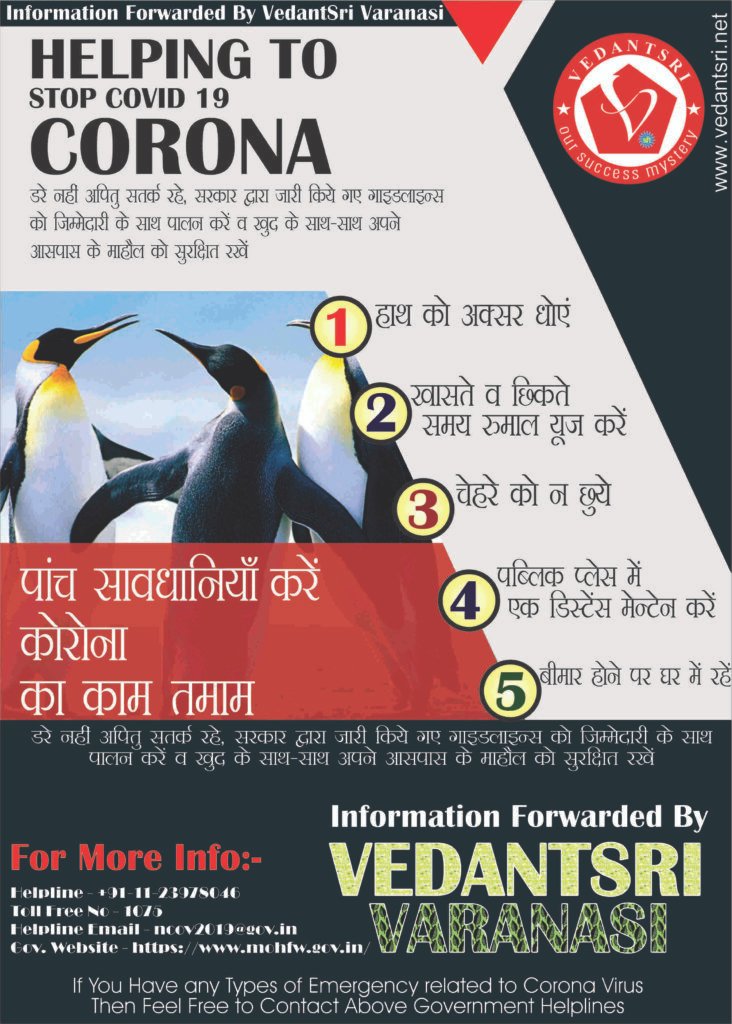
CorelDraw Corona Awareness Poster Design

CorelDraw Corona Awareness Poster Design

Wait for the Learning Video of this Design…

CorelDraw Corona Awareness Poster Design

Preview

CorelDraw Corona Awareness Poster
CorelDraw Corona Awareness Poster Design 6

About VedantSri Computer Institute Varanasi

VedantSri Computer Institute in Varanasi is the Government recognized and ISO Certified Computer Institute in Varanasi running since 2011. It Provides Computer Courses, Classes, and Training through its own different branches all over Varanasi. CorelDraw Corona Awareness Poster Design

There is Computer Scholarship Courses DCE Scholarship (Diploma in Computer Engineering), DIT’s most trusted computer course Available under Scholarship Test Scheme. CorelDraw Corona Awareness Poster Design

Varanasi Computer Institute Vedantsri works at different places to ensure students get better computer education. VedantSri Computer Classes has Diploma courses and advanced diploma courses on the computerVedantSri Institute provides the latest version of computer application training in computer courses. CorelDraw Corona Awareness Poster Design

वेदांतश्री कम्प्यूटर इंस्टिट्यूट’ वाराणसी में पिछले 10 वर्षो से बेहतर व न्यूनतम शुल्क में कम्प्यूटर शिक्षा प्रदान करने वाली एक कम्प्यूटर ट्रेनिंग इंस्टिट्यूट है | यह संस्था कम्प्यूटर व इंग्लिश स्पीकिंग कोर्स की ट्रेनिंग प्रदान करती है | वाराणसी में कम्प्यूटर शिक्षा को बेहतर व न्यूनतम शुल्क में छात्रो तक पहुचाने में वेदांतश्री पिछले 10 वर्षो से प्रयासरत है |

Free To Learn In VedantSri Computer Institute in Varanasi

इस वेबसाइट का यूज़ वेदांतश्री में पढ़ रहे छात्रो को कोर्स से सम्बंधित ऑनलाइन सपोर्ट करने से सम्बंधित है | इस वेबसाइट पर उपलब्ध विडियो, टेस्ट शीट, Questions & Answer सेशन, ट्रिक्स, टिप्स वेदांतश्री में सिख रहे कोर्सेज से सम्बंधित है | उपलब्ध कंटेंट संस्था में सिख रहे छात्रो के डिमांड पर अपडेट किया जाता है | CorelDraw Corona Awareness Poster Design

उपलब्ध कंटेंट वेदांतश्री में पढ़ रहे छात्रो व सम्बंधित छात्रो को निशुल्क प्रदान किया जाता है जिसका कोई अलग से शुल्क नही लिया जाता है | इस वेबसाइट पर उपलब्ध कंटेंट कम्प्यूटर कोर्सेज व इंग्लिश स्पीकिंग कोर्सेज से सम्बंधित अपडेट किया जाता है | VedantSri Computer Institute Varanasi

About CCC Online Test 2023

CCC Online Test 2023:- This is the CCC Online Test Website Page. If You are preparing for CCC Exam or any competitive exam then you should visit this www.vedantsri.net website. CorelDraw Corona Awareness Poster Design

CorelDraw Corona Awareness Poster Design

You can also download this app from the play store and you find Just like many more Online Test Series Related For Example MS Word, MS Excel, MS PowerPoint, and Internet-related. CorelDraw Corona Awareness Poster Design

VedantSri Computer Institute Varanasi provides this. The VedantSri Provides the Best Computer Classes, Courses, coaching, and Computer Training in Varanasi Uttar Pradesh India. CorelDraw Corona Awareness Poster Design

Important link

Visit at – https://www.corelclass.com

Read Also it – https://msexcelclass.com/

Also, Read- Tally Course Fees, Duration, Scope, Syllabus, Admission, Institutes

Also Read – CCC Course Fees, Syllabus, Duration, Scope, Jobs, and Institute

Important Link – DFA Course Fees, Syllabus, Duration, Scope, Jobs, and Institute

Visit – https://mswordclass.com/

CorelDraw Corona Awareness Poster Design

14 Important Grammar Tips

14 Important Grammar Tips

Speaking English class in Varanasi vedantsri provides Spoken English Classes, Group Discussion Batches, Presentation preparation training, and Interviews Practice Classes.

Introduction
Daily Routine
Finger Tense
Use Of ‘There’
Use Of ‘Can’
Use Of ‘Could’
Use Of ‘Could Have
Use Of ‘Will Be able to
Use Of ‘is about to
Use Of ‘am about to
Use Of ‘is about to
Use Of ‘was about to
Use Of ‘will be about to’

14 Important Grammar Tips

About VedantSri Varanasi

14 Important Grammar Tips

VedantSri Varanasi the best Computer Courses, Classes, and Training in Varanasi. There is NEILIT Courses CCC, BCC, O’level, Certificates, and Diploma Computer Courses available with the best training materials. Also Available Top 100 Best Computer Courses, For Example, OM, DCA, ADCA, DTP, DFA, ADAM, ADTP, ADFA, DCE, and MS Office.

VedantSri Computer Coaching updates CCC Online Test on www.vedantsri.net. There are some important computer Courses for jobs CCC Classes, Typing, Internships, And Spoken English Available Free of cost with Offer. More than 50 Computer Courses are available with a 50% Fee Discount in VedantSri Varanasi. You can get the Best Digital Marketing Course at Varanasi Institute VedantSri. There is the Latest Computer Course Offer in ADCA Computer Course, DCA Computer Course, CCC Computer Course & English Spoken.

DTP Course Fees, Duration, Scope, Syllabus, Admission, Institutes & Jobs in Varanasi
DTP Course Fees, Duration, Scope, Syllabus, Admission, Institutes & Jobs in Varanasi
What is the DTP Course?

The DTP (Desktop Publishing) course is a practical computer course that teaches students how to design professional print and digital materials using modern publishing software. In 2026, DTP is not limited to books and booklets—it also includes designing brochures, posters, business cards, social media creatives, magazines, certificates, and marketing materials using easy-to-use graphical software.

Students learn how to work with text formatting, page layout, images, fonts, colour correction, and print-ready file preparation for inkjet and laser printers. This course is highly useful for students, freelancers, job seekers, and small business owners who want to build creative digital skills and launch a career in graphic design, printing, advertising agencies, or digital media production.

The demand for DTP Courses?

DTP Course Fees, Duration, Scope, Syllabus, Admission, Institutes & Jobs in Varanasi VedantSri Institute

Desktop publishing is a much-in-demand skill used by anyone doing it themselves or by large corporations that are constantly in need of documents and marketing materials. Publishing from the desktop involves anything done on a computer that prepares a document from start to finish. DTP Course Fees

The document could be printed on paper or put online and circulated as an eDocument. Desktop publishing can be a department in a corporation or a business in itself. DTP Course Fees, Duration, Scope, Syllabus

Top 3 Computer Diploma Courses, 6 Months of Computer Diploma, After 12th Pass Out Computer Courses

A desktop publisher uses desktop publishing software to produce many kinds of documents. Both the layout of the words and any graphic design or photo manipulation are done by the software, although different software may be used. These projects could include.

  1. Brochures.
  2. Business cards.
  3. Advertisements.
  4. Calendars.
  5. Newsletters.
  6. Magazines.
  7. E-books.
  8. Book.
  9. Web pages.
  10. And so much more.

Read This Also:- DCA Course, Fees, Duration, Scope, Syllabus, Admission, Institutes & Jobs
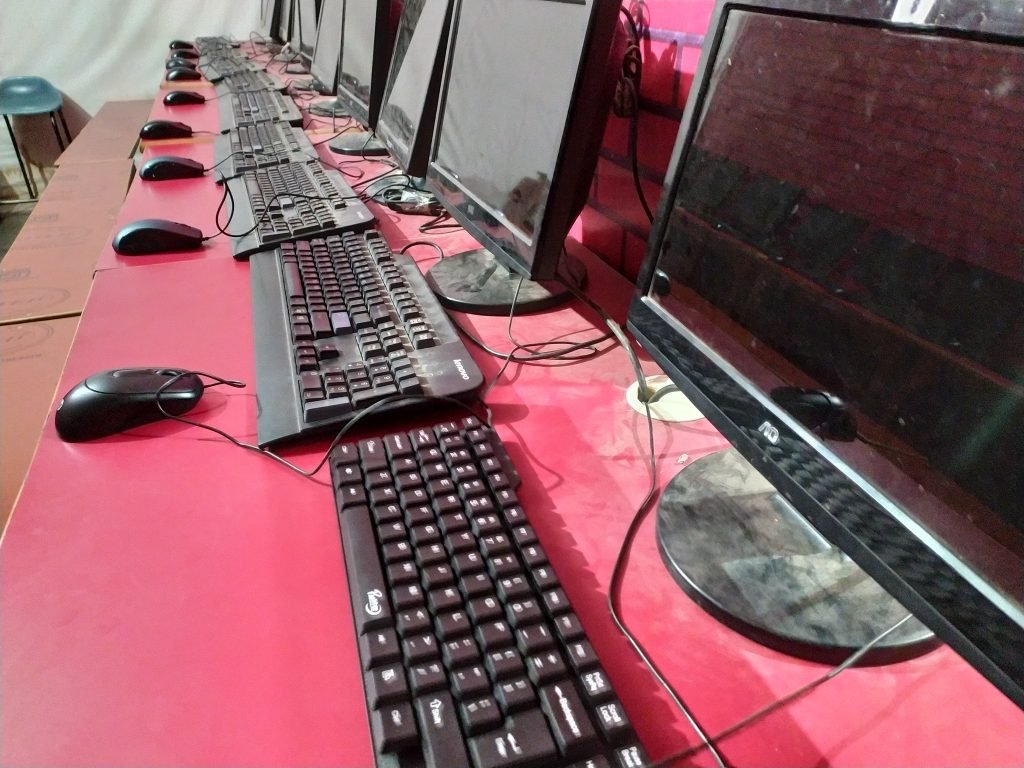
DTP Course Fees, Duration, Scope, Syllabus, Admission, Institutes & Jobs in Varanasi VedantSri
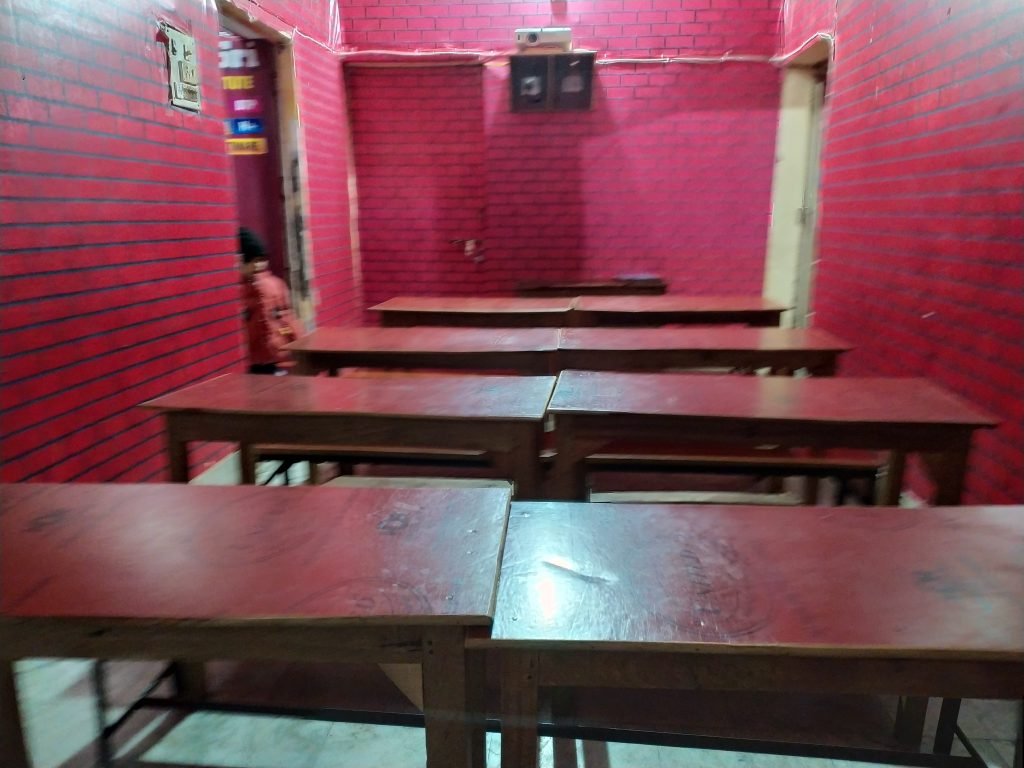
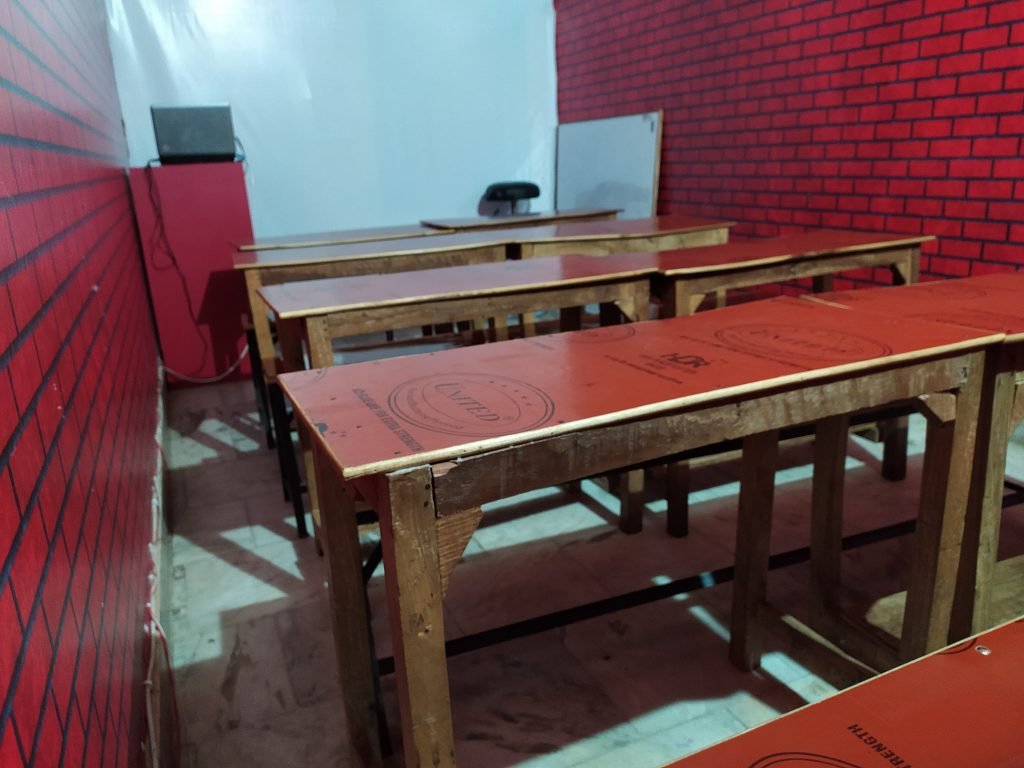
What Skills are Required for the DTP Course?

A DTP operator should:-

  • have excellent computer skills and knowledge
  • Be creative, with an eye for good design
  • be able to prioritise a varied workload
  • work well under pressure and meet strict deadlines
  • be flexible and able to adapt quickly to new creative briefs
  • work methodically and pay attention to detail
  • be able to work independently as well as in a team
  • Be able to follow a design brief closely.

Applications in the DTP Course?

In the DTP course, the applications are the following: You can learn and know properly about:-

  1. Basic/Fundamental of Designing
  2. Operating System
  3. Microsoft Office Latest
  4. Internet
  5. CorelDraw
  6. Graphics Designing
  7. Canva
  8. AI-Based Designing
  9. Projects Training

Also Read: – DCA Course Fees, Duration, Scope, Syllabus, Admission, Institutes & Jobs in Varanasi
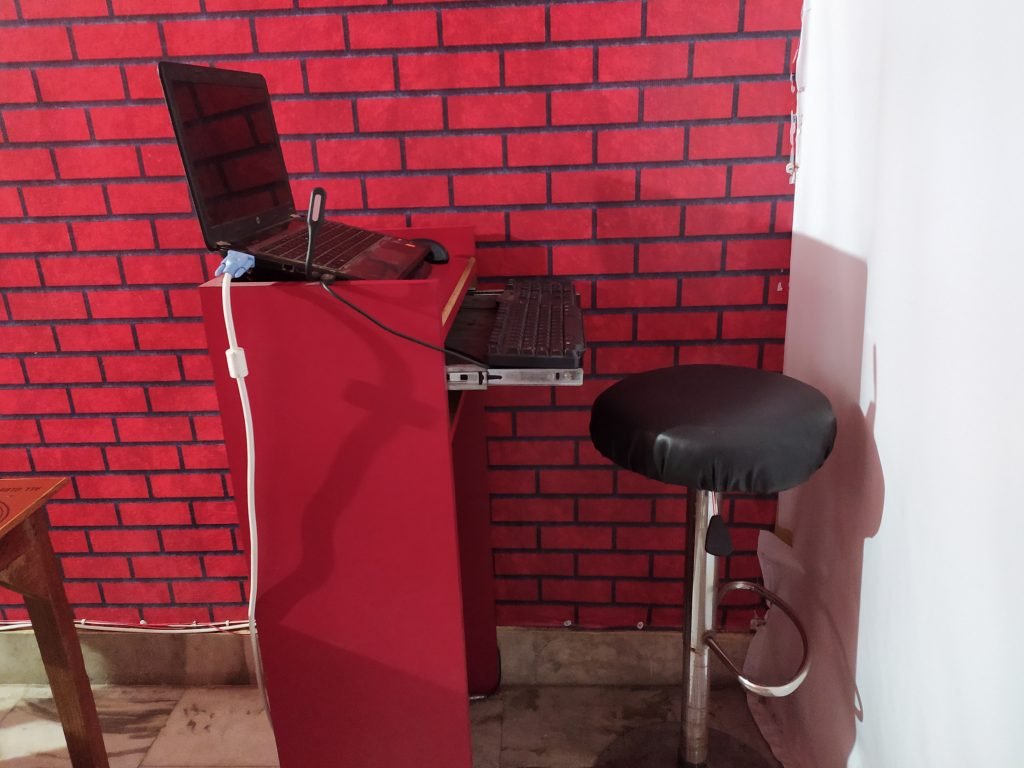
DTP Course Fees, Duration, Scope, Syllabus, Admission, Institutes & Jobs in Varanasi VedantSri Class


Full form of the DTP Course?

The full form of DTP is a Diploma in Desktop Publishing.

Duration of DTP Course?

DTP is a Useful degree, and its duration is 6 Months.

Syllabus of DTP Course?

In the DTP Course, all the Students will use CorelDRAW and Photoshop in this course. Students will get to learn to use the basic tools of  Photoshop, CorelDRAW, and the InDesign DTP Course. Upon completion of the DTP course, students will be able to understand the difference between pixel-based and vector-based graphics, and they will be able to import and export graphics in multiple formats. DTP Course Fees, Duration, Scope, Syllabus

Topics shall include creating text and gradients,  drawing and composing an illustration, transforming and distorting objects, incorporating colour techniques, placing type in an image, working with layers, and printing preparation will also be covered. Projects will include designing a logo, editing photographs for a brochure, and designing and laying out a company’s newsletter. DTP Course Fees, Duration, Scope, Syllabus

Also Read: – About O Level Course, Top 1 Best Syllabus, Duration, Fees, Scope, Institute, and Jobs in Varanasi

DTP Course, Fees, Duration, Scope, Syllabus, Admission, Institutes & Jobs in Varanasi

VedantSri Varanasi

Admission Fees for the DTP Course?

Admission Fees for the DTP course are about INR 7,000 to INR 18,000. But in VedantSri, the offer fee is INR 4,500 only.

Offer in DTP Course?

If people want to learn the Best Computer Course, then they also need to Learn Computer Typing, English Speaking, Personality development, etc. DTP Course Fees, Duration, Scope, Syllabus

But the Good news is for those who want to learn the DTP Course. VedantSri is providing 4 courses completely Free in offers, and The Free Courses are listed below:-

  1. Computer Typing for 3 Months.
  2. Personality Development.
  3. Free Mock Test
  4. CCC Classes.

Useful Article: Get up to Rs 5000 Scholarship in Computer Course

DTP Course, Fees, Duration, Scope, Syllabus, Admission, Institutes & Jobs in Varanasi
VedantSri Varanasi

Discount on DTP Course?

From time to time, VedantSri Institute provides a discount on different offers. And currently, the VedantSri Discount offer is 50% OFF on DTP course Fees, and also the admission Fee is FREE in the DTP Course offer. DTP Course Fees, Duration, Scope, Syllabus

Facilities in the DTP Course?

There are many facilities in the DTP Course:-

  1. Projector Screen Classroom.
  2. 4-ways Technique.
  3. Project-Based Training.
  4. Online Test Facilities.
  5. Online Blog Support.
  6. Free Courses Training.
  7. CTT Internship Training.
  8. Online Classes. (free)
  9. Internship Training On Office Work. (free)
  10. Project Presentation Training.
  11. Live Presentation.

Also Read: – CCC Course Fees, Syllabus, Duration, Scope, Jobs, and Institute in Varanasi

DTP Course, Fees, Duration, Scope, Syllabus, Admission, Institutes & Jobs in Varanasi

DTP Course Fees, Duration, Scope, Syllabus, Admission, Institutes & Jobs in Varanasi 16

Extra Free Course in DTP Course Offer?

There are so many extra free Courses in the DTP Course:-

  1. Typing Training.
  2. Personality Development.
  3. CCC Class.
  4. CTT Training.
  5. Free Online Test.

How to teach the DTP Course?

Way to Teach the DTP Course In VedantSri:

  1. Project-Based
  2. The Best Knowledgeable Teachers teach the students with a projector.
  3. Provided a single system for a single student.
  4. Time-to-time tests are taken with the related course.
  5. live presentation.
  6. Alternate Days Theory, Projects, and Practical Session.
  7. Student skips their lab or Theory class-related video is available on the VedantSri Android apps.
  8. Provided the Latest Project Training.
  9. Online Test. DTP Course Fees
  10. Live Classes. DTP Course Fees, Duration, Scope, Syllabus

Also Read: – DIT Course Details, Fees, Duration, Scope, Syllabus, Admission, Institutes & Jobs

DTP Course, Fees, Duration, Scope, Syllabus, Admission, Institutes & Jobs in Varanasi
VedantSri Varanasi

Course Category of DTP Course?

The course Category of DTP is a 6-month Diploma in Computer Application.

A career in DTP Courses?

There are several opportunities available in various fields after completing the DTP course. Some fields are available that give career options after completing this course. 

  • Newspaper
  • Software Companies 
  • Film Companies
  • Magazines
  • Advertising

Also Read: – Top 3 Computer Diploma Courses, 6 Months of Computer Diploma, After 12th Pass Out Computer Courses.

Job Placement in DTP Course?

A vast number of employment opportunities are being offered to graduates of the private and public sectors. Some of the job opportunities that a candidate can find are listed below:

  • Applications support engineer
  • Computer Technician 
  • Data Entry Operator 
  • Application Support Executive 
  • BPO Executive 
  • Back Office Executive 
  • Computer Operator 
  • Clerk
  • Systems Officer 
  • DTP Operator
  • Photoshop Designer
  • Graphic designer
  • Desktop Publisher
  • Desktop Designer

Useful Link:-DTP Course, Fees, Duration, Scope, Syllabus, Admission, Institutes & Jobs in Varanasi

DTP Course, Fees, Duration, Scope, Syllabus, Admission, Institutes & Jobs in Varanasi
VedantSri Varanasi

Is eligibility required for the DTP Course?

Yes, if you have completed 10, then you are eligible for the DTP Course.

Does Computer Basic Knowledge Require For the DTP Course?

No, Computer basics knowledge is not required for the DTP Course. Because basic knowledge is taught in the DTP Course.

Teaching Language in the DTP Course?

The language of the computer is English, but you can learn it in Hindi and English.

Q: What are the eligibility criteria for the DTP course?

A: Yes, if you have completed 10, then you are eligible for the DTP Course.

Q: Can I pursue the DTP course online?

A: Yes, you can pursue a DTP (Desktop Publishing) course online.

Today, many institutes and e-learning platforms offer online DTP training, covering both the basics and advanced tools needed for publishing, graphic design, and print layout.

Q: What are the career prospects after completing the DTP course?

A: There are several opportunities available in various fields after completing the DTP course. Some fields are available that give career options after completing this course. 

Newspaper
Software Companies 
Film Companies
Magazines
Advertising.

Q: How do I choose the right institute for the DTP course in Varanasi?

Research institutes offering DTP courses in Varanasi. Look for accredited programs with experienced instructors. Check student reviews and success rates. Visit campuses if possible. Compare course content, duration, and fees. Inquire about placements and support services. Choose an institute that fits your learning style and career goals. Or call at 8808888478

Q: Is there any entrance exam for the DTP course?

A: Most institutes do not require an entrance exam. Admission is usually based on academic qualifications and a personal interview.

Q: What are the fees for the DTP course syllabus?

A: INR 4,500

Q: Is DTP good for a job?

A: Yes, DTP (Desktop Publishing) is good for a job if you are interested in designing, publishing, and creative computer work.

Applications support engineer
Computer Technician 
Data Entry Operator 
Application Support Executive 
BPO Executive 
Back Office Executive 
Computer Operator 
Clerk
Systems Officer 
DTP Operator
Photoshop Designer
Graphic designer
Desktop Publisher
Desktop Designer

Q: What is the duration of the DTP certificate?

A: DTP is a Useful degree, and its duration is 6 Months.

Important links:

Top 17 Internet Question Answers

Top 17 Internet Question Answers

Que 1. Google का Full Form क्या होता है ?

Ans . Global Organization of oriented Group Language of Earth.

Que 2. Facebook किसने बनाया ?

Ans . Mark Elliot Zuckerberg

Top 17 Internet Question Answers

Que 3. Gmail का Full Form क्या है ?

Ans . Google Mail

Que 4. Gmail सबसे पहले कब आया ?

Ans . 1 April 2004

Que 5. Gmail को किसने बनाया था ?

Ans . Paul Buchheit

Que 6. Google सबसे पहले कब आया ?

Ans . 1998 में

Que 7. Father of Google कौन है ?

Ans . Larry Page and Sergey Brin

Que 8. Google क्या है ?

Ans . Google दुनिया का सबसे बड़ा search engine है search engine एक application या tool है जो Internet या Web पर आधारित है जिससे लोग web पर सूचनाओ को जल्दी और आसानी से एक्सेस कर सकते है Google search engine आज दुनिया में सबसे आधिक व्यापक रूप से उपयोग किया जाता है ताकि Internet पर कही से भी सही जानकारी आसानी से निकली जा सके Google .com पूरी दुनिया में सबसे ज्यादा देखि जाने वाली वेबसाइट है Top 17 Internet Question Answers

Que 9. Gmail क्या है ?

Ans . Google द्वारा बनाये जाने वाली एक निशुल्क service है इसमे users इन्टरनेट पर इ-मेल को भेज और प्राप्त कर सकते है

Que 10. Yahoo का Full Form क्या है ?

Ans . Yet Another Hierarchical Officious Oracle

Que 11. Internet सबसे पहले कब आया ?

Ans . 7 April 1969

Que 12. W.W.W का Full Form क्या होता है और यह कब आया है ?

Ans . World Wide Web और यह 1994 में आया

Top 17 Internet Question Answers

Que 13. Facebook सबसे पहले कब आया ?

Ans . 2004 में

Que 14. Facebook क्या है ?

Ans . Facebook एक बहूत ही लोकप्रिय और मुफ्त सोशल नेटवर्किंग वेबसाइट है वो अपने रजिस्टर्ड users को allow करता है Profiles create करने के लिए , उनमे photos और video upload करने के लिए , messages send करने के लिए और अपने friends ,family और colleagues के साथ touch में रहने के लिए , ये साईट बिलकुल ही free होता है। Top 17 Internet Question Answers

Que 15. Instagram कब और किसने बनाया है?

Ans . 2010 में , Kevin Systrom और Mike Krieger

Que 16. Instagram क्या है ?

Ans . Instagram एक ऐसा social media app है इस app का मुख्य उद्देश्य था users को encourage करना photos लेने के लिए , उसमे filter add कर और एक अच्छा सा caption लिख , use आपने account में post करे Top 17 Internet Question Answers

Que 17. Twitter को किसने बनाया ?

Ans. Jack Dorsey

(Top 17 Internet Question Answers)

By Priya Yadav (CTT Staff under Internship)

About VedantSri

Top 17 Internet Question Answers

VedantSri Computer Institute provides the best Computer Courses, Classes, and Training in Varanasi. There is NEILIT Courses CCC, BCC, O’level, Certificates, and Diploma Computer Courses available with the best training materials. Also Available Top 100 Best Computer Courses, For Example, OMDCAADCADTPDFAADAMADTP, ADFA, DCE, and MS Office. VedantSri Computer Coaching updates CCC Online Test 2019 on www.vedantsri.net. Top 17 Internet Question Answers

There are some important computer Courses for jobs CCC Classes, Typing, Internships, And Spoken English Available Free of cost with Offer. More than 50 Computer Courses are available with a 50% Fee Discount in VedantSri Varanasi. You can get the Best Digital Marketing Course at Varanasi Institute VedantSri. There is the Latest Computer Course Offer in ADCA Computer Course, DCA Computer Course, CCC Computer Course & English Spoken. Top 17 Internet Question Answers

About CCC Online Test 2020

MS-Word Online Test 2019:- This is the CCC Online Test Website Page. If You are preparing for CCC Exam or any competitive exam then you should visit on this www.vedantsri.net website. You can also download this app from the play store and you find Just like many more Online Test Series Related For Example MS Word, MS Excel, MS PowerPoint, Internet-related. This is Provided By VedantSri Computer Institute in Varanasi. The VedantSri Provides the Best Computer Classes, Courses, Coaching, and Computer Training in Varanasi Uttar Pradesh India. ( Top 17 Internet Question Answers )

Important Link

Visit at – https://www.corelclass.com

Also, Read it – CorelDraw Course Fees, Duration, Scope, Syllabus, Admission, Institutes

Read Also – Tally Course Fees, Duration, Scope, Syllabus, Admission, Institutes

Also Read – CCC Course Fees, Syllabus, Duration, Scope, Jobs, and Institute

Important Link – DFA Course Fees, Syllabus, Duration, Scope, Jobs, and Institute

Visit – ADCA Course Fees, Duration, Scope, Syllabus, Admission, Institutes

1-VedantSri Official Website:- https://vedantsri.com

2-VedantSri Student Website:- https://www.vedantsri.net

3-Students Jobs Assist Website:- https://www.jobdo.in

4-Best Deal on IT Website:- https://www.computeritpoint.com

Projects Practice VedantSri Varanasi

Projects Practice VedantSri Varanasi

Important Link:-Digital Marketing Course Fees, Duration, Syllabus, Scope, Institute and Jobs in Varanasi

Projects Practice VedantSri Varanasi

Install Free App For CCC Class Google Play Store

If you want to learn CCC Online Class Free in 2021 with Latest Neilit Syllabus Updates then here is good news for you. Because you are going to get completely free opportunity to Learn CCC Course Training By VedantSri. You have to Get only VedantSri Free App Called EasyTarika Available on Google Play Store. By Simple Search EasyTarika on Google PlayStore, You will Get this EasyTarika App. Only Install Then log in by Simple Entering Mobile number or Gmail Id or Facebook Id then you will get your CCC Class with Latest Syllabus Based Course Training. You can visit EasyTarika App Link on Google PlayStore Simply by Clicking the Below Link. (Projects Practice VedantSri Varanasi)

Free CCC Online Class App on Google PlayStore

Important Link:-ADCA Course Fees, Duration, Scope, Syllabus, Admission, Institutes & Jobs in Varanasi

Buy Rs 199/- CCC Online Class

If you plan to buy a CCC Class to Learn Online at Home then VedantSri Also Provides a Very Low-cost CCC Online Class with CCC Latest Updated Syllabus here. You will Get this Online Class only by Paying Just Rs. 199/-. You Can Pay Through UPI, Debit or Credit Card, or Net Banking Payment option. For Getting This Paid Course You have to Visit VedantSri Store by Going to the Link Below.

ccc Course online

1-VedantSri Official Website:- https://vedantsri.com

2-Student Support Website:- https://www.vedantsri.net

3-Jobs Assist Website:- https://www.jobdo.in

Projects Practice VedantSri Varanasi
Projects Practice VedantSri Varanasi 21

CorelDraw Questions with Answers

CorelDraw Questions with Answers

CorelDraw is a Graphic Designing Application Used for a Large amount of Quality full Designing for Leading Brand Logo, Poster, Brochure, Pamphlet, Book, Magzine type many more Projects. so We are going to learn some CorelDraw Tools Related Questions with Answers.

Que 1. CorelDraw क्या है ?

Ans. CorelDraw एक वेक्टर graphic एडिटर software है जिसका उपयोग Banner, Holding, Poster, Prospectus, Flyer, Wedding card, Invitation, card इत्यादि बनाने के लिए करते है (CorelDraw About All Tools Q&A)

Que 2. CorelDraw में Pick tool का क्या use है ?

Ans . इस tool का use हम page पर बनाये गए सभी प्रकार के text, shape, word तथा object को selected करने तथा object को movement करने के लिए करते है

Que 3. CorelDraw में Shape Tool का क्या use है ?

Ans . पेज पर बनाये गए किसी भी प्रकार के design को किसी अन्य Shape में बनाने के लिए इस tool का use करते है Shape या Text को Convert to Curve करने के बाद अपने मुताबिक mouse के right click करके ऐड, डिलीट तथा Curve जैसे option का use कर सकते है (CorelDraw About All Tools Q&A)

Que 4. CorelDraw में Eraser Tool का क्या use है ?

Ans . इस Tool का use page पर बने हुए graphic तथा Convert to Curve किये गए text को मिटाने के लिए करते है

Que 5. CorelDraw में Smudge Tool का क्या use है ?

Ans . इस tool के माध्यम से किसी भी graphic तथा Convert to Curve किये गए text को फ़ैलाने के लिए use करते है

Que 6. CorelDraw में Free Hand Tool का क्या use है ?

Ans . इस tool के माध्यम से आप किसी भी प्रकार की line design को किसी भी angle में खीच सकते है

Que 7. CorelDraw में Bezier Tool का क्या use है ?

Ans . इस tool से किसी प्रकार की line को विभिन्न तरह का design देने का कार्य करते है

Que 8. CorelDraw में Pen Tool का क्या use है ?

Ans . इस tool के द्वारा किसी भी प्रकार की design को किसी भी angle में तैयार कर सकते है और अपने mouse से किसी भी तरह का shape बना सकते है (CorelDraw About All Tools Q&A)

Que 9. CorelDraw में Rectangle Tool का क्या use है ?

Ans . इसका प्रयोग Rectangle object draw करने के लिए करते है Rectangle draw करने के लिए ctrl botton को दबाकर ड्रा करने से आपका object चारो तरफ से बराबर ड्रा होगा

Que 10. CorelDraw में Point Rectangle Tool का क्या use है ?

Ans . इस tool के द्वारा भी Rectangle object draw करने के लिए use करते है लेकिन इसमे पहले एक सीधी line को draw की जाती है इसके बाद mouse को दुसरे दिशा में घुमाने पर आपका Rectangle तैयार हो जायेगा (CorelDraw About All Tools Q&A)

Que 11. CorelDraw में Ellipse Tool का क्या use है ?

Ans . इस Tool के द्वारा वृताकार शेप draw करने के लिए use किया जाता है इसके मदद से वृत्त और अंडाकार जैसे shape बना सकते है सही से Ellipse draw करने के लिए ctrl button को दबाकर draw करने से आपका object चारो तरफ से बराबर size में ड्रा होगा

Que 12. CorelDraw में Polygon Tool का क्या use है ?

Ans . इस Tool के द्वारा विभिन्न प्रकार के side वाले Polygon को बना सकते है यदि side को कम या अधिक करने के लिए जरुरत पड़े तो property bar में स्थित number of point polygon को set कर सकते है (CorelDraw About All Tools Q&A)

Que 13. CorelDraw में Spirel Tool का क्या use है ?

Ans . इसके द्वारा घुमावदार line को draw करने के लिए use करते है ?

Que 14. CorelDraw में Basic Tool का क्या use है ?

Ans . Basic Tool का use Rectangular,Triangular तथा अन्य सभी shape draw करने के लिए use करते है Shape Style को बदलने के लिए property bar में perfect shape option में जाकर shape को बदलकर draw कर सकते है (CorelDraw About All Tools Q&A)

Que 15. CorelDraw में Flowchart Shape का क्या use है ?

Ans . Flowchart की मदद से Cylinder, Triangle इत्यादि जैसे shape draw करने के लिए use करते है Style को बदलने के लिए property bar में perfect shape option में जाकर shape को बदल कर draw कर सकते है

Que 16. CorelDraw में Arrow Shape का क्या use है ?

Ans . Arrow Shape की मदद से तीर जैसे आब्जेक्ट को draw करने का कार्य करते है Style को बदलने के लिए property bar में perfect shape option में जाकर shape को बदलकर draw कर सकते है

Que 17. CorelDraw में Star Shape का क्या use है ?

Ans . इसका use Star जैसे shape को draw करने के लिए करते है Style को बदलने के लिए property bar option में जाकर shape को बदलकर draw कर सकते है (CorelDraw About All Tools Q&A)

Que 18. CorelDraw में Callout Shape का क्या use है ?

Ans . इसकी मदद से हम किसी भी व्यक्ति द्वारा कही बातो को दर्शाने के लिए use करते है इसके Style को बदलने के लिए property bar option में जाकर shape को बदलकर draw कर सकते है

Que 19. CorelDraw में Text Tool का क्या use है ?

Ans . इसकी मदद से कोई भी text लिखने के लिए प्रयोग करते है इस tool को लेने के बाद draw करके भी text लिख सकते है लेकिन draw करने के बाद आपको आर्टिस्टिक टेक्स्ट में कन्वर्ट करना होगा जिसकी shortcut key (Ctrl+F8) है यदि आप convert नही करना चाहते है तो इस tool को लेने के बाद page पर कही भी click करके direct लिखना start करे आपका shape पहले से ही convert रहेगा (CorelDraw About All Tools Q&A)

Que 20. CorelDraw में Interactive Blend Tool का क्या use है ?

Ans . इस tool की मदद से page पर एक या एक से अधिक object को आपस में mixed करने के लिए प्रयोग करते है इससे सम्बंधित setting आपको property bar में मिलेगी

Que 21. CorelDraw में Interactive Contour Tool का क्या use है ?

Ans . इस tool की मदद से आप किसी भी प्रकार का Circle तथा Square को framing effect देने के लिए प्रयोग करते है इससे सम्बंधित setting आपको property bar में मिल जाएगी (CorelDraw About All Tools Q&A)

Que 22. CorelDraw में Interactive Distortion Tool का क्या use है ?

Ans . इस tool की मदद से किसी भी सेक्टेड किये हुए object को विपरीत design या shape बनाने के लिए प्रयोग करते है

Que 23. CorelDraw में Interactive Drop Shadow Tool का क्या use है ?

Ans . इस tool की मदद से seleted किये गए किसी भी object या text में परछाई (shadow ) लगाने के लिए प्रयोग करते है

Que 24. CorelDraw में Interactive Extrude Tool का क्या use है ?

Ans . इस tool की मदद से किसी भी object या text को 3D बनाने के लिए प्रयोग करते है

Que 25. CorelDraw में Interactive Transparency Tool का क्या use है ?

Ans . इस tool की मदद से किसी भी color object को ट्रांसपेरेंट बनाने के लिए प्रयोग करते है

Que 26. CorelDraw में Eye Drop Tool का क्या use है ?

Ans . इसकी मदद से किसी और object color को pick करने के लिए प्रयोग करते है

Que 27. CorelDraw में Paint Bucket का क्या use है ?

Ans . इस tool की मदद से एक या एक से अधिक object में Eye Drop Tool की मदद से pick किये गए color को किसी अन्य object में fill करने के लिए use करते है ? (CorelDraw About All Tools Q&A)

Important Link:-Digital Marketing Course Fees, Duration, Syllabus, Scope, Institute and Jobs in Varanasi

Install Free App For CCC Class Google Play Store

If you want to learn CCC Online Class Free in 2021 with Latest Neilit Syllabus Updates then here is good news for you. Because you are going to get completely free opportunity to Learn CCC Course Training By VedantSri. You have to Get only VedantSri Free App Called EasyTarika Available on Google Play Store. By Simple Search EasyTarika on Google PlayStore, You will Get this EasyTarika App. Only Install Then log in by Simple Entering Mobile number or Gmail Id or Facebook Id then you will get your CCC Class with Latest Syllabus Based Course Training. You can visit EasyTarika App Link on Google PlayStore Simply by Clicking the Below Link. (Excel I-card Macro Project)

Free CCC Online Class App on Google PlayStore

Important Link:-ADCA Course Fees, Duration, Scope, Syllabus, Admission, Institutes & Jobs in Varanasi

Buy Rs 199/- CCC Online Class

If you plan to buy a CCC Class to Learn Online at Home then VedantSri Also Provides a Very Low-cost CCC Online Class with CCC Latest Updated Syllabus here. You will Get this Online Class only by Paying Just Rs. 199/-. You Can Pay Through UPI, Debit or Credit Card, or Net Banking Payment option. For Getting This Paid Course You have to Visit VedantSri Store by Going to the Link Below.

ccc Course online

1-VedantSri Official Website:- https://vedantsri.com

2-Student Support Website:- https://www.vedantsri.net

3-Jobs Assist Website:- https://www.jobdo.in

CorelDraw Questions with Answers
CorelDraw Questions with Answers 25

Computer All Run-Command List

Computer All Run-Command List

MS Word MSPaint or brush
MS Excel Excel
MS PowerPoint optional features
MS Paint PowerPoint
Backup and Restore sdclt
Calculator calc
Certificates attune
Character Map charmap
ClearType Tuner colorful
Color Management coming
Command Prompt cmd
Component Services comp. msc
Component Services credit
Computer Management compmgmt.msc
Computer Management compmgmtlauncher
Connect to a Projector displayswitch
Control Panel control
Credential Backup and Restore Wizard credwiz
Data Execution Preventionsystempropertiesdataexecutionprevention
Date and Time timedate.cpl
Device Manager hdwwiz.cpl
Diagnostics Troubleshooting Wizard msdt
Digitizer Calibration Tool tabcal
DirectX Diagnostic Tool dxdiag
Disk Cleanup cleanmgr
Disk Defragmenter dfrgui
Disk Management diskmgmt.msc
Display dpiscaling
Display Color Calibration dccw
DPAPI Key Migration Wizard dpapimig
Driver Verifier Manager verifier
Ease of Access Center utilman
Event Viewer eventvwr.msc
Fax Cover Page Editor joy. cpl
Game Controllers joy.cpl
Getting Started irprops. cpl
IExpress Wizard iexpress
Internet Explorer iexplore
Internet Options inetcpl.cpl
Language Pack Installer lpksetup
Local Users and Groups lusrmgr.msc
Magnifier magnify
Malicious Software Removal Tool mrt
Math Input Panel mip
Microsoft Management Console mmc
Mouse main.cpl
NAP Client Configuration napclcfg.msc
Narrator narrator
Network Connections ncpa.cpl
New Scan Wizard wiaacmgr
Notepad notepad
ODBC Data Source Administrator odbcad32
On-Screen Keyboard osk
Open Documents Folder documents
Open Downloads Folder downloads
Open Favorites Folder favorites
Open Pictures Folder pictures
Open Recent Folder recent
Open Videos folder videos
Paint mspaint
Pen and Touch tabletpc.cpl
People Near Me collab.cpl
Performance Monitor perfmon.msc
Performance Options systempropertiesperformance
Phone and Modem telephon.cpl
Phone Dialer dialer
Power Options powercfg.cpl
Printer User Interface printui
Private Character Editor eudcedit
Problem Steps Recorder psr
Programs and Features appwiz.cpl
Region and Language intl.cpl
Registry Editor regedit
Remote Access Phonebook rasphone
Remote Desktop Connection mstsc
Resource Monitor resmon
SAM Lock Tool syskey
Screen Resolution desk.cpl
Services services.msc
Set Program Access and Computer Defaults computerdefaults
Share Creation Wizard shrpubw
Shared Folder Wizard shrpubw
Shared Folders fsmgmt.msc
Snipping Tool snippingtool
Sound mmsys.cpl
Sound recorder soundrecorder
SQL Server Client Network Utility cliconfg
Sticky Notes stikynot
Sync Center mobsync
System Configuration slipknot
System Configuration Editor sysedit
System Information msinfo32
System Properties MSConfig
System Properties (Advanced Tab) systempropertiesadvanced
System Properties (Hardware Tab) systempropertieshardware
System Properties (Remote Tab) systempropertiesremote
System Properties (System Protection Tab) systempropertiesprotection
System Restore rstrui
Task Manager taskmgr
Task Scheduler taskschd.msc
Taskbar and Start Menu control.exe /name Microsoft.TaskbarandStartMenu
Troubleshooting control.exe /name Microsoft.Troubleshooting
Trusted Platform Module (TPM) Management tpm.msc
User Account Control Settings useraccountcontrolsettings
User Accounts control.exe /name Microsoft.UserAccounts
Utility Manager utilman
Version Reporter Applet winver
Volume Mixer sndvol
Windows Action Center wscui.cpl
Windows Activation Client slui
Windows Anytime Upgrade WindowsAnytimeUpgradeui
Windows Anytime Upgrade Results windowsanytimeupgraderesults
Windows Disc Image Burning Tool system.cpl
Windows DVD Maker Coburn
Windows Easy Transfer migwiz
Windows Explorer explorer
Windows Fax and Scan wfs
Windows Features DVD maker
Windows Firewall firewall.cpl
Windows Journal journal
Windows Media Player wmplayer
Windows Memory Diagnostic Scheduler mdsched
Windows Mobility Center mblctr
Windows PowerShell powershell
Windows PowerShell ISE powershell_ise
Windows Remote Assistance msra
Windows Repair Disc recdisc
Windows Script Host wscript
Windows Update wuapp
Windows Update Standalone Installer wusa
WMI Management wmimgmt.msc
WordPad write
XPS Viewer xpsrchvw

Computer All Run-Command List

VedantSri Computer Institute Varanasi

Computer All Run-Command List

provides the best Computer CoursesClasses, and Training in Varanasi. There is NIELIT Courses CCC, BCC, O’level, Certificates, and Diploma Computer Courses available with the best training materials. Also Available Top 100 Best Computer Courses, For Example, OM, DCA, ADCA, DTP, DFA, ADAM, ADTP, ADFA, DCE, and MS Office. VedantSri Computer Coaching updates CCC Online Test 2020 on www.vedantsri.net. (Computer All Run-Command List)

There are some important computer Courses for jobs CCC Classes, Typing, Internships, And Spoken English Available Free of cost with Offer. More than 50 Computer Courses are available with a 50% Fee Discount in VedantSri Varanasi. You can get the Best Digital Marketing Course at Varanasi Institute VedantSri. There is the Latest Computer Course Offer in ADCA Computer Course, DCA Computer Course, CCC Computer Course & English Spoken. (Computer All Run-Command List)

About VedantSri Computer Institute Varanasi

VedantSri Computer Institute in Varanasi is the Government recognized and ISO Certified Computer Institute in Varanasi running since 2011. It Provides Computer Courses, Classes, and Training through different own branches all over Varanasi. There is Computer Scholarship Courses DCE Scholarship (Diploma in Computer Engineering), DIT most trusted computer course Available under Scholarship Test Scheme. (Computer All Run-Command List)

Varanasi Computer Institute vedantsri works at different places to ensure students to get better computer education. VedantSri Computer Classes has Diploma courses and advance diploma courses on the computerVedantSri Institute provides the latest version of computer application training in computer courses. (Computer All Run-Command List)

वेदांतश्री कम्प्यूटर इंस्टिट्यूट’ वाराणसी में पिछले 10 वर्षो से बेहतर व न्यूनतम शुल्क में कम्प्यूटर शिक्षा प्रदान करने वाली एक कम्प्यूटर ट्रेनिंग इंस्टिट्यूट है | यह संस्था कम्प्यूटर व इंग्लिश स्पीकिंग कोर्स की ट्रेनिंग प्रदान करती है | वाराणसी में कम्प्यूटर शिक्षा को बेहतर व न्यूनतम शुल्क में छात्रो तक पहुचाने में वेदांतश्री पिछले 10 वर्षो से प्रयासरत है | (Computer All Run-Command List)

Free To Learn In VedantSri Computer Institute in Varanasi

इस वेबसाइट का यूज़ वेदांतश्री में पढ़ रहे छात्रो को कोर्स से सम्बंधित ऑनलाइन सपोर्ट करने से सम्बंधित है | इस वेबसाइट पर उपलब्ध विडियो, टेस्ट शीट, Questions & Answer सेशन, ट्रिक्स, टिप्स वेदांतश्री में सिख रहे कोर्सेज से सम्बंधित है | उपलब्ध कंटेंट संस्था में सिख रहे छात्रो के डिमांड पर अपडेट किया जाता है | उपलब्ध कंटेंट वेदांतश्री में पढ़ रहे छात्रो व सम्बंधित छात्रो को निशुल्क प्रदान किया जाता है जिसका कोई अलग से शुल्क नही लिया जाता है | इस वेबसाइट पर उपलब्ध कंटेंट कम्प्यूटर कोर्सेज व इंग्लिश स्पीकिंग कोर्सेज से सम्बंधित अपडेट किया जाता है | (Computer All Run-Command List)

(Computer All Run-Command List)

About CCC Online Test 2020

CCC Online Test 2020:- This is the CCC Online Test Website Page. If You are preparing for CCC Exam or any competitive exam then you should visit this www.vedantsri.net website. (Computer All Run-Command List)

you can also download this app from the play store and you find Just like many more Online Test Series Related For Example MS Word, MS Excel, MS PowerPoint, and Internet-related. (Computer All Run-Command List)

This is Provided By VedantSri Computer Institute Varanasi. The VedantSri Provides the Best Computer Classes, Courses, Coaching, and Computer Training in Varanasi Uttar Pradesh India. (Computer All Run-Command List)

(Computer All Run-Command List)

Important Links

1-VedantSri Official Website:- https://vedantsri.com

2-Student Support Website:- https://www.vedantsri.net

3-Jobs Assist Website:- https://www.jobdo.in

4- Varanasi Gyan Website:- https://vedantsri.com/

5-Best Deal on IT Website:- https://www.computeritpoint.com

(Computer All Run-Command List)

External Link

1-Course Store Website:- https://vedantsri.in

2-Jobs Assist Website:- https://www.jobdo.in

3-MS Word Class:- https://mswordclass.com/

4-Corel Free Class:- https://corelclass.com/

Photoshop Layer Shortcut Keys

Photoshop Layer Shortcut Keys

Create new layerCtrl-Shift–N
Select non-contiguous layersCtrl-click layers
Select contiguous layersClick one layer, then Shift-click another layer
Delete LayerDelete key (while in the Move tool)
View contents of layer maskAlt-click layer mask icon
Temporarily turn off layer maskShift-click layer mask icon
Clone layer as you move itAlt-drag
Find/Select layer containing objectRight-click on the object w/Move tool
Change layer opacityNumber pad keys (w/Move tool selected)
Cycle down or up through blending modesShift–Plus(+) or Minus(–)
Change to a specific blending mode(w/Move tool) Shift–Alt–letter (i.e.: N=Normal, M=Multiply. etc.)
Switch to layer below/above current layerAlt–[ or Alt–]
Move layer below/above current layerCtrl–[ or Ctrl–]

(Photoshop Layer Shortcut Keys)

VedantSri Computer Institute Varanasi

Photoshop Layer Shortcut Keys

provides the best Computer CoursesClasses, and Training in Varanasi. There is NIELIT Courses CCC, BCC, O’level, Certificates, and Diploma Computer Courses available with the best training materials. Also Available Top 100 Best Computer Courses, For Example, OM, DCA, ADCA, DTP, DFA, ADAM, ADTP, ADFA, DCE, and MS Office. VedantSri Computer Coaching updates CCC Online Test 2020 on www.vedantsri.net. There are some important computer Courses for jobs CCC Classes, Typing, Internships, And Spoken English Available Free of cost with Offer. More than 50 Computer Courses are available with a 50% Fee Discount in VedantSri Varanasi. You can get the Best Digital Marketing Course at Varanasi Institute VedantSri. There is the Latest Computer Course Offer in ADCA Computer Course, DCA Computer Course, CCC Computer Course & English Spoken. (1st Rank in Surprise Test) Photoshop Layer Shortcut Keys

About VedantSri Computer Institute Varanasi

यदि आप MsExcel Data Transfer Projectको बनाना सिखना चाहते हैं तो इस लिक पर जाए

VedantSri Computer Institute in Varanasi is the Government recognized and ISO Certified Computer Institute in Varanasi running since 2011. It Provides Computer Courses, Classes, and Training through different own branches all over Varanasi. There is Computer Scholarship Courses DCE Scholarship (Diploma in Computer Engineering), DIT most trusted computer course Available under Scholarship Test Scheme. Varanasi Computer Institute vedantsri works at different places to ensure students to get better computer education. Photoshop Layer Shortcut Keys

यदि आप Insert Menu Questions को जानना चाहते हैं तो इस लिंक पर जाए

VedantSri Computer Classes has Diploma courses and advance diploma courses on the computerVedantSri Institute provides the latest version of computer application training in computer coursesवेदांतश्री कम्प्यूटर इंस्टिट्यूट’ वाराणसी में पिछले 10 वर्षो से बेहतर व न्यूनतम शुल्क में कम्प्यूटर शिक्षा प्रदान करने वाली एक कम्प्यूटर ट्रेनिंग इंस्टिट्यूट है | यह संस्था कम्प्यूटर व इंग्लिश स्पीकिंग कोर्स की ट्रेनिंग प्रदान करती है | वाराणसी में कम्प्यूटर शिक्षा को बेहतर व न्यूनतम शुल्क में छात्रो तक पहुचाने में वेदांतश्री पिछले 10 वर्षो से प्रयासरत है | (1st Rank in Surprise Test) Photoshop Layer Shortcut Keys

यदि आप 20 Most using Model-Sentences को जानना चाहते हैं तो इस लिंक पर जाए

Free To Learn In VedantSri Computer Institute in Varanasi

इस वेबसाइट का यूज़ वेदांतश्री में पढ़ रहे छात्रो को कोर्स से सम्बंधित ऑनलाइन सपोर्ट करने से सम्बंधित है | इस वेबसाइट पर उपलब्ध विडियो, टेस्ट शीट, Questions & Answer सेशन, ट्रिक्स, टिप्स वेदांतश्री में सिख रहे कोर्सेज से सम्बंधित है | उपलब्ध कंटेंट संस्था में सिख रहे छात्रो के डिमांड पर अपडेट किया जाता है | उपलब्ध कंटेंट वेदांतश्री में पढ़ रहे छात्रो व सम्बंधित छात्रो को निशुल्क प्रदान किया जाता है जिसका कोई अलग से शुल्क नही लिया जाता है | इस वेबसाइट पर उपलब्ध कंटेंट कम्प्यूटर कोर्सेज व इंग्लिश स्पीकिंग कोर्सेज से सम्बंधित अपडेट किया जाता है |(71 Republic Day Concert VedantSri Varanasi) Photoshop Layer Shortcut Keys

यदि आप Offer | New Year 2020 को जानना चाहते हैं तो इस लिंक पर जाए

About CCC Online Test 2020

CCC Online Test 2020:- This is the CCC Online Test Website Page. If You are preparing for CCC Exam or any competitive exam then you should visit this www.vedantsri.net website. You can also download this app from the play store and you find Just like many more Online Test Series Related For Example MS Word, MS Excel, MS PowerPoint, and Internet-related. This is Provided By VedantSri Computer Institute Varanasi. The VedantSri Provides the Best Computer Classes, Courses, Coaching, and Computer Training in Varanasi Uttar Pradesh India. (1st Rank in Surprise Test)

Visit at – https://www.corelclass.com

Read Also it – https://msexcelclass.com/

Also, Read- Tally Course Fees, Duration, Scope, Syllabus, Admission, Institutes

Also Read – CCC Course Fees, Syllabus, Duration, Scope, Jobs, and Institute

Important Link – DFA Course Fees, Syllabus, Duration, Scope, Jobs, and Institute

Visit – https://mswordclass.com/

(Photoshop Layer Shortcut Keys)

यदि आप Class update varanasi computer institute को जानना चाहते हैं तो इस लिंक पर जाए

Important Links

1-VedantSri Official Website:- https://vedantsri.com

2-VedantSri Student Support Website:- https://www.vedantsri.net

3-Students Jobs Assist Website:- https://www.jobdo.in

4- News By Students Website:- https://www.varanasiinstitutes.com/

5-Best Deal on IT Website:- https://www.computeritpoint.com

(Photoshop Layer Shortcut Keys)

Photoshop Viewing Shortcut Keys

Photoshop Viewing Shortcut Keys

Fit on ScreenDouble–click on Hand tool or Ctrl–0
100% View Level (Actual Pixels)Double–click on Zoom tool or Ctrl–1
Zoom inCtrl–Spacebar–click or Ctrl–Plus(+)
Zoom outAlt–Spacebar–click or Ctrl–Minus(–)
Hide/Show all tools and panelsTab
Hide/Show all panels except Tools panel and Options barShift–Tab
Cycle through full screen modesF
Scroll image left or right in windowCtrl–Shift–Page Up/Down
Jump/Zoom to part of ImageCtrl–drag in Navigator panel
Toggle layer mask on/off as rubylith\

(Photoshop Viewing Shortcut Keys)

VedantSri Computer Institute Varanasi

Photoshop Viewing Shortcut Keys

provides the best Computer CoursesClasses, and Training in Varanasi. There is NIELIT Courses CCC, BCC, O’level, Certificates, and Diploma Computer Courses available with the best training materials. Also Available Top 100 Best Computer Courses, For Example, OM, DCA, ADCA, DTP, DFA, ADAM, ADTP, ADFA, DCE, and MS Office. VedantSri Computer Coaching updates CCC Online Test 2020 on www.vedantsri.net. There are some important computer Courses for jobs CCC Classes, Typing, Internships, And Spoken English Available Free of cost with Offer. More than 50 Computer Courses are available with a 50% Fee Discount in VedantSri Varanasi. You can get the Best Digital Marketing Course at Varanasi Institute VedantSri. There is the Latest Computer Course Offer in ADCA Computer Course, DCA Computer Course, CCC Computer Course & English Spoken. (1st Rank in Surprise Test) Photoshop Viewing Shortcut Keys

यदि आप 2nd Useful Tricks को जानना चाहते हैं तो इस लिंक पर जाए

About VedantSri Computer Institute Varanasi

VedantSri Computer Institute in Varanasi is the Government recognized and ISO Certified Computer Institute in Varanasi running since 2011. It Provides Computer Courses, Classes, and Training through different own branches all over Varanasi. There is Computer Scholarship Courses DCE Scholarship (Diploma in Computer Engineering), DIT most trusted computer course Available under Scholarship Test Scheme. Varanasi Computer Institute vedantsri works at different places to ensure students to get better computer education. Photoshop Viewing Shortcut Keys

यदि आप hide Paragraph Shortcut को जानना चाहते हैं तो इस लिंक पर जाए

VedantSri Computer Classes has Diploma courses and advance diploma courses on the computerVedantSri Institute provides the latest version of computer application training in computer coursesवेदांतश्री कम्प्यूटर इंस्टिट्यूट’ वाराणसी में पिछले 10 वर्षो से बेहतर व न्यूनतम शुल्क में कम्प्यूटर शिक्षा प्रदान करने वाली एक कम्प्यूटर ट्रेनिंग इंस्टिट्यूट है | यह संस्था कम्प्यूटर व इंग्लिश स्पीकिंग कोर्स की ट्रेनिंग प्रदान करती है | वाराणसी में कम्प्यूटर शिक्षा को बेहतर व न्यूनतम शुल्क में छात्रो तक पहुचाने में वेदांतश्री पिछले 10 वर्षो से प्रयासरत है | (1st Rank in Surprise Test) Photoshop Viewing Shortcut Keys

Free To Learn In VedantSri Computer Institute in Varanasi

यदि आप Computer Institute Durgakund Varanasi को जानना चाहते हैं तो इस लिंक पर जाए

इस वेबसाइट का यूज़ वेदांतश्री में पढ़ रहे छात्रो को कोर्स से सम्बंधित ऑनलाइन सपोर्ट करने से सम्बंधित है | इस वेबसाइट पर उपलब्ध विडियो, टेस्ट शीट, Questions & Answer सेशन, ट्रिक्स, टिप्स वेदांतश्री में सिख रहे कोर्सेज से सम्बंधित है | उपलब्ध कंटेंट संस्था में सिख रहे छात्रो के डिमांड पर अपडेट किया जाता है | उपलब्ध कंटेंट वेदांतश्री में पढ़ रहे छात्रो व सम्बंधित छात्रो को निशुल्क प्रदान किया जाता है जिसका कोई अलग से शुल्क नही लिया जाता है | इस वेबसाइट पर उपलब्ध कंटेंट कम्प्यूटर कोर्सेज व इंग्लिश स्पीकिंग कोर्सेज से सम्बंधित अपडेट किया जाता है |(71 Republic Day Concert VedantSri Varanasi) Photoshop Viewing Shortcut Keys

यदि आप jobs Digital Marketer Required को जानना चाहते हैं तो इस लिंक पर जाए

About CCC Online Test 2020

CCC Online Test 2020:- This is the CCC Online Test Website Page. If You are preparing for CCC Exam or any competitive exam then you should visit this www.vedantsri.net website. You can also download this app from the play store and you find Just like many more Online Test Series Related For Example MS Word, MS Excel, MS PowerPoint, and Internet-related. This is Provided By VedantSri Computer Institute Varanasi. The VedantSri Provides the Best Computer Classes, Courses, Coaching, and Computer Training in Varanasi Uttar Pradesh India. (1st Rank in Surprise Test)

यदि आप Photoshop Layer Shortcut Keys को जानना चाहते हैं तो इस लिंक पर जाए

Visit at – https://www.corelclass.com

Read Also it – https://msexcelclass.com/

Also, Read- Tally Course Fees, Duration, Scope, Syllabus, Admission, Institutes

Also Read – CCC Course Fees, Syllabus, Duration, Scope, Jobs, and Institute

Important Link – DFA Course Fees, Syllabus, Duration, Scope, Jobs, and Institute

Visit – https://mswordclass.com/

यदि आप MsWord Insert Questions Answers को जानना चाहते हैं तो इस लिंक पर जाए

(Photoshop Viewing Shortcut Keys)

MsExcel Automatic Cells Resize

MsExcel Automatic Cells Resize

MsExcel Automatic Cells Resize

About VedantSri

MsExcel Automatic Cells Resize

MsExcel Automatic Cells Resize:-VedantSri Computer Institute provides the best Computer Courses, Classes, and Training in Varanasi. There is NEILIT Courses CCC, BCC, O’level, Certificates, and Diploma Computer Courses available with the best training materials. Also Available Top 100 Best Computer Courses, For Example, OM, DCA, ADCA, DTP, DFA, ADAM, ADTP, ADFA, DCE, and MS Office. VedantSri Computer Coaching updates CCC Online Test 2019 on www.vedantsri.net. There are some important computer Courses for jobs CCC Classes, Typing, Internships, And Spoken English Available Free of cost with Offer. More than 50 Computer Courses are available with a 50% Fee Discount in VedantSri Varanasi. You can get the Best Digital Marketing Course at Varanasi Institute VedantSri. There is the Latest Computer Course Offer in ADCA Computer Course, DCA Computer Course, CCC Computer Course & English Spoken.

यदि आप MsExcel Questions with Answersको बनाना सीखना चाहते हैं तो इस लिंक पर जाए

About CCC Online Test 2020

यदि आप MsWord Use single-Double को बनाना सीखना चाहते हैं तो इस लिंक पर जाए

MS-Word Online Test 2019:- This is the CCC Online Test Website Page. If You are preparing for CCC Exam or any competitive exam then you should visit this www.vedantsri.net website.

यदि आप MsWord Default-Spacing Percentage in-Alphabet को बनाना सीखना चाहते हैं तो इस लिंक पर जाए

VedantSri Logo
VedantSri Logo

you can also download this app from the play store and you find Just like many more Online Test Series Related, For Example, MS Word, MS Excel, MS PowerPoint, and Internet-related.

यदि आप MsExcel Count Row Column को बनाना सीखना चाहते हैं तो इस लिंक पर जाए

This is Provided By VedantSri Computer Institute in Varanasi. The VedantSri Provides the Best Computer Classes, Courses, Coaching, and Computer Training in Varanasi Uttar Pradesh India.

(MsExcel Automatic Cells Resize)

यदि आप Excel Entry Form Project को बनाना सीखना चाहते हैं तो इस लिंक पर जाए

Visit at – https://www.corelclass.com

Read Also it – https://msexcelclass.com/

Also, Read- Tally Course Fees, Duration, Scope, Syllabus, Admission, Institutes

Also Read – CCC Course Fees, Syllabus, Duration, Scope, Jobs, and Institute

Important Link – DFA Course Fees, Syllabus, Duration, Scope, Jobs, and Institute

Visit – https://mswordclass.com/

Photoshop Selection Shortcut Keys

Photoshop Selection Shortcut Keys

Draw marquee selection from the centerAlt-drag selection
Add to a selectionShift
Subtract from a selectionAlt
Intersect with a selectionShift–Alt
Make a copy of the selection when not in the Move toolAlt-drag selection
Ctrl-click on the layer thumbnail (in the Layers panel)Ctrl–Alt-drag selection
Move selection (in 1-pixel increments)Arrow keys
Move selection (in 10-pixel increments)Shift–Arrow keys
Select all opaque pixels on the layerHold Spacebar while drawing a marquee
Reselect last selectionCtrl-Shift–D
Feather selectionShift–F6
Move the marquee while drawing the selectionHold Spacebar while drawing marquee

(Photoshop Selection Shortcut Keys)

VedantSri Computer Institute Varanasi

Photoshop Selection Shortcut Keys

provides the best Computer CoursesClasses, and Training in Varanasi. There is NIELIT Courses CCC, BCC, O’level, Certificates, and Diploma Computer Courses available with the best training materials. Also Available Top 100 Best Computer Courses, For Example, OM, DCA, ADCA, DTP, DFA, ADAM, ADTP, ADFA, DCE, and MS Office. VedantSri Computer Coaching updates CCC Online Test 2020 on www.vedantsri.net. There are some important computer Courses for jobs CCC Classes, Typing, Internships, And Spoken English Available Free of cost with Offer. More than 50 Computer Courses are available with a 50% Fee Discount in VedantSri Varanasi. You can get the Best Digital Marketing Course at Varanasi Institute VedantSri. There is the Latest Computer Course Offer in ADCA Computer Course, DCA Computer Course, CCC Computer Course & English Spoken. (1st Rank in Surprise Test) Photoshop Selection Shortcut Keys

यदि आप MsExcel Count Row Columnको बनाना सीखना चाहते है तो इस लिंक पर जाए

About VedantSri Computer Institute Varanasi

VedantSri Computer Institute in Varanasi is the Government recognized and ISO Certified Computer Institute in Varanasi running since 2011. It Provides Computer Courses, Classes, and Training through different own branches all over Varanasi. There is Computer Scholarship Courses DCE Scholarship (Diploma in Computer Engineering), DIT most trusted computer course Available under Scholarship Test Scheme. Varanasi Computer Institute vedantsri works at different places to ensure students to get better computer education. Photoshop Selection Shortcut Keys

यदि आप hide Paragraph Shortcut को जानना चाहते हैं तो इस लिंक पर जाए

VedantSri Computer Classes has Diploma courses and advance diploma courses on the computerVedantSri Institute provides the latest version of computer application training in computer coursesवेदांतश्री कम्प्यूटर इंस्टिट्यूट’ वाराणसी में पिछले 10 वर्षो से बेहतर व न्यूनतम शुल्क में कम्प्यूटर शिक्षा प्रदान करने वाली एक कम्प्यूटर ट्रेनिंग इंस्टिट्यूट है | यह संस्था कम्प्यूटर व इंग्लिश स्पीकिंग कोर्स की ट्रेनिंग प्रदान करती है | वाराणसी में कम्प्यूटर शिक्षा को बेहतर व न्यूनतम शुल्क में छात्रो तक पहुचाने में वेदांतश्री पिछले 10 वर्षो से प्रयासरत है | (1st Rank in Surprise Test) Photoshop Selection Shortcut Keys

Free To Learn In VedantSri Computer Institute in Varanasi

यदि आप Jobs Digital Marketer Requiredको जानना चाहते हैं तो इस लिंक पर जाए

इस वेबसाइट का यूज़ वेदांतश्री में पढ़ रहे छात्रो को कोर्स से सम्बंधित ऑनलाइन सपोर्ट करने से सम्बंधित है | इस वेबसाइट पर उपलब्ध विडियो, टेस्ट शीट, Questions & Answer सेशन, ट्रिक्स, टिप्स वेदांतश्री में सिख रहे कोर्सेज से सम्बंधित है | उपलब्ध कंटेंट संस्था में सिख रहे छात्रो के डिमांड पर अपडेट किया जाता है | उपलब्ध कंटेंट वेदांतश्री में पढ़ रहे छात्रो व सम्बंधित छात्रो को निशुल्क प्रदान किया जाता है जिसका कोई अलग से शुल्क नही लिया जाता है | इस वेबसाइट पर उपलब्ध कंटेंट कम्प्यूटर कोर्सेज व इंग्लिश स्पीकिंग कोर्सेज से सम्बंधित अपडेट किया जाता है |(71 Republic Day Concert VedantSri Varanasi) Photoshop Selection Shortcut Keys

About CCC Online Test 2020

यदि आप Photoshop Layer Shortcut Keys को जानना चाहते हैं तो इस लिंक पर जाए

CCC Online Test 2020:- This is the CCC Online Test Website Page. If You are preparing for CCC Exam or any competitive exam then you should visit this www.vedantsri.net website. You can also download this app from the play store and you find Just like many more Online Test Series Related For Example MS Word, MS Excel, and MS PowerPoint, Internet-related. This is Provided By VedantSri Computer Institute Varanasi. The VedantSri Provides the Best Computer Classes, Courses, Coaching, and Computer Training in Varanasi Uttar Pradesh India. (1st Rank in Surprise Test) Photoshop Selection Shortcut Keys

Visit at – https://www.corelclass.com

Read Also it – https://msexcelclass.com/

Also, Read- Tally Course Fees, Duration, Scope, Syllabus, Admission, Institutes

Also Read – CCC Course Fees, Syllabus, Duration, Scope, Jobs, and Institute

Important Link – DFA Course Fees, Syllabus, Duration, Scope, Jobs, and Institute

Visit – https://mswordclass.com/

CorelDraw Basic Banner Design

CorelDraw Basic Banner Design

  1. CorelDraw का नया पेज लीजिये  Ctrl +N प्रेस करके
  2. शेप 14 width (चौडाई) तथा 4 Height (ऊचाई) इंच में ड्रा कीजिये
  3. एक रेक्टेंगल शेप ड्रा कीजिये 1 x 14 इंच का CorelDraw Basic Banner Design
  4. अब रेक्टेंगल शेप को क्लिक करके सेलेक्ट करे तथा F10 प्रेस करे ताकि शेप टूल सेलेक्ट हो जाये तथा Ctrl + Q प्रेस करके शेप को कर्व में कन्वर्ट का सेटिंग ओं कर देंगे
  5. शेप को … CorelDraw Basic Banner Design

About VedantSri

CorelDraw Basic Banner Design

VedantSri Computer Institute provides the best Computer Courses, Classes, and Training in Varanasi. There is NEILIT Courses CCC, BCC, O’level, Certificates, and Diploma Computer Courses available with the best training materials. Also Available Top 100 Best Computer Courses, For Example, OM, DCA, ADCA, DTP, DFA, ADAM, ADTP, ADFA, DCE, and MS Office. CorelDraw Basic Banner Design

VedantSri Computer Coaching updates CCC Online Test 2019 on www.vedantsri.net. There are some important computer Courses for jobs CCC Classes, Typing, Internships, And Spoken English Available Free of cost with Offer. More than 50 Computer Courses are available with a 50% Fee Discount in VedantSri Varanasi. CorelDraw Basic Banner Design

You can get the Best Digital Marketing Course at Varanasi Institute VedantSri. There is the Latest Computer Course Offer in ADCA Computer Course, DCA Computer Course, CCC Computer Course & English Spoken. CorelDraw Basic Banner Design

यदि आपMS-Excel Data Entry-Form Projects को बनाना सीखना चाहते हैं तो इस लिंक पर जाए

(CorelDraw Basic Banner Design)

About CCC Online Test 2020

यदि आपVaranasi Rathyatra Branchकी जानकारी के लिए इस लिंक पर जाए CorelDraw Basic Banner Design

MS-Word Online Test 2019:- This is M.S Word Online Test Website Page. If You are preparing for CCC Exam or any competitive exam then you should visit this www.vedantsri.net website.

MsWord Indentation Special Toolको जानने के लिए इस लिंक पर जाए

you can also download this app from the play store and you find Just like many more Online Test Series Related For Example MS Word, MS Excel, MS PowerPoint, and Internet-related. CorelDraw Basic Banner Design

71 Republic Day Concert VedantSri Varanasi को जानने के लिए इस लिंक पर जाए

This is Provided By VedantSri Computer Institute in Varanasi. The VedantSri Provides the Best Computer Classes, Courses, Coaching, and Computer Training in Varanasi Uttar Pradesh India. CorelDraw Basic Banner Design

यदि आप MsExcel Insert Time Projectको बनाना सीखना चाहते हैं तो इस लिंक पर जाए

(CorelDraw Basic Banner Design)

Important link

Visit at – https://www.corelclass.com

Read Also it – https://msexcelclass.com/

Also, Read- Tally Course Fees, Duration, Scope, Syllabus, Admission, Institutes

Also Read – CCC Course Fees, Syllabus, Duration, Scope, Jobs, and Institute

Important Link – DFA Course Fees, Syllabus, Duration, Scope, Jobs, and Institute

Visit – https://mswordclass.com/

MS Excel Calculator Macros Project-24 Video

MS Excel Calculator Macros Project-24 Video

Download the Pdf of This Project Below

Part –2

MS Excel Calculator Macros Project-24 Video

Part – 1

MS Excel Calculator Macros Project-24 Video

MS Excel Calculator Macros Project-24 Video

Advance Calculator बनाने का तरीका हिंदी स्टेप बाई स्टेप
1-सबसे पहले एक्सेल को Marco Enabled workbook में सेव करे
2-Developer Menu के Visual Basic टूल पर क्लिक करे
3-अब Visual Basic पेज पर इन्सर्ट मेनू में UserForm पर क्लिक करके एक यूजर फॉर्म ले लीजिये
4-यदि Project Window हाईड हो जाये तो Ctrl + R प्रेस कीजिये
5-तथा Properties Window हाईड हो तो F4 बटन प्रेस कीजिये
6-अब टूल बॉक्स से TextBox टूल लेकर UserForm पर एक TextBox ड्रा कर लीजिये
7-अब CommandButton टूल के द्वारा 1,2,3,4,5,6,7,8,9,0,00,= तथा प्लस, माईनस, इन्टू, Divide का बटन ड्रा करेंगे और लास्ट में Clear का बटन ड्रा कर लेंगे (MS Excel Calculator Macros Project-24 Video)

Important Steps


8-अब सभी सेलेक्ट कर लीजिये यदि TextBox भी सेलेक्ट हो गया हो तो Ctrl बटन प्रेस करके टेक्स्टबॉक्स पर क्लिक करें जिससे टेक्स्ट बॉक्स डी-सेलेक्ट हो जायेगा
9-अब प्रॉपर्टीज विंडो से फॉण्ट पर क्लिक करे तथा फॉण्ट पेज से साइज़ स्टाइल इफ़ेक्ट जो चाहते है वो सेट कर लें
10-अब इसी सिलेक्शन पर Back color से बटन का background कलर change कर लें तथा Fore Color से टेक्स्ट का कलर बदल दें
इसी प्रोसेस को टेक्स्टवॉक्स पर फॉलो करे
11-अब www.vedantsri.net वेबसाइट पर या Play store से VEDANTSRI एप्प को इनस्टॉल कर लें
12-और अपना एक अकाउंट ओपन कर लें तथा लोग इन करके Advance Calculator सर्च करें
13-कोडिंग दिखेगी जिसको कॉपी करके आप UserForm के कोड पेज पर पेस्ट कर दे और Run बटन प्रेस करके Calculator को एक्सेल पेज पर लाये और यूज़ करें (MS Excel Calculator Macros Project-24 Video)

Coding MsExcel Calculator Project Hindi

Coding MsExcel Calculator Project Hindi

Dim a As Double
Dim b As Double
Dim c As Double
Dim op As Double

Private Sub CommandButton1_Click()
TextBox1.Text = TextBox1.Text + "1"
End Sub

Private Sub CommandButton10_Click()
TextBox1.Text = TextBox1.Text + "0"
End Sub

Private Sub CommandButton11_Click()
TextBox1.Text = TextBox1.Text + "00"
End Sub

Private Sub CommandButton12_Click()
b = TextBox1.Text
Call operaciones
End Sub

Private Sub CommandButton13_Click()
op = 1
a = TextBox1.Text
TextBox1.Text = ""
End Sub

Private Sub CommandButton14_Click()
op = 2
a = TextBox1.Text
TextBox1.Text = ""
End Sub

Private Sub CommandButton15_Click()
op = 3
a = TextBox1.Text
TextBox1.Text = ""
End Sub

Private Sub CommandButton16_Click()
op = 4
a = TextBox1.Text
TextBox1.Text = ""
End Sub

Private Sub CommandButton17_Click()
TextBox1.Text = ""
End Sub

Private Sub CommandButton2_Click()
TextBox1.Text = TextBox1.Text + "2"
End Sub

Private Sub CommandButton3_Click()
TextBox1.Text = TextBox1.Text + "3"
End Sub

Private Sub CommandButton4_Click()
TextBox1.Text = TextBox1.Text + "4"
End Sub

Private Sub CommandButton5_Click()
TextBox1.Text = TextBox1.Text + "5"
End Sub

Private Sub CommandButton6_Click()
TextBox1.Text = TextBox1.Text + "6"
End Sub

Private Sub CommandButton7_Click()
TextBox1.Text = TextBox1.Text + "7"
End Sub

Private Sub CommandButton8_Click()
TextBox1.Text = TextBox1.Text + "8"
End Sub

Private Sub CommandButton9_Click()
TextBox1.Text = TextBox1.Text + "9"
End Sub

Private Sub operaciones()
If op = 1 Then
c = a + b
TextBox1.Text = c
End If
If op = 2 Then
c = a - b
TextBox1.Text = c
End If
If op = 3 Then
c = a * b
TextBox1.Text = c
End If
If op = 4 Then
c = a / b
TextBox1.Text = c
End If
End Sub (MS Excel Calculator Macros Project-24 Video)

Watch Excel Project Related Video Link Below

Firstly, Excel Data Entry Userform 2021: Excel UserForm Buttons Macros Project-1

Basically, Video For Excel Data Entry Userform 2021: Excel Userform Buttons Macros Project-2

Also, For Excel Macros Search & Print: Excel Macros Search & Print Project

Basically, Video for Student Excel Entry Form: Excel Students Entry Form Macros Project-1

Student Excel Entry Form: Excel Student Entry Form Macros Project-2

Video for Data Transfer in Excel: Excel Transfer Data Macros Project

MsExcel Calculator Project Hindi

About VedantSri

MsExcel Calculator Project Hindi

Basically, VedantSri Computer Institute provides the best Computer Courses, Classes, and Training in Varanasi. There is NEILIT Courses CCC, BCC, O’level, Certificates, and Diploma Computer Courses available with the best training materials. VedantSri Computer Coaching updates CCC Online Test 2019 on www.vedantsri.net. (MS Excel Calculator Macros Project-24 Video)

There are some important computer Courses for jobs CCC Classes, Typing, Internships, And Spoken English Available Free of cost with Offer. You can get the Best Digital Marketing Course at Varanasi Institute VedantSri. There is the Latest Computer Course Offer in ADCA Computer Course, DCA Computer Course, CCC Computer Course & English Spoken.

यदि आप Ms Word Design Resume 2020को बनाना सीखना चाहते हैं तो इस लीक पर जाए

(MSExcel Calculator Project Hindi)

About CCC Online Test 2020

यदि आप Bank Entry Transaction की जानकारी के लिए इस लिंक पर जाए

basically, MS-Word Online Test 2019:- This is M.S Word Online Test Website Page.Basically, If You are preparing for CCC Exam or any competitive exam then you should visit this www.vedantsri.net website. (MS Excel Calculator Macros Project-24 Video)

यदि आप Jobs Tally Candidates Requiredकी जानकारी के लिए इस लिंक पर जाए

Finally, you can also download this app from the play store and you find Just like many more Online Test Series Related For Example MS Word, MS Excel, MS PowerPoint, and Internet-related. (MS Excel Calculator Macros Project-24 Video)

MS Excel Calculator Macros Project-24 Video

यदि आप Interview Typing SpeedTest Video को जानना चाहते हैं तो इस लिंक पर जाए

This is Provided By VedantSri Computer Institute in Varanasi. The VedantSri Provides the Best Computer Classes, Courses, Coaching, and Computer Training in Varanasi Uttar Pradesh India. (MS Excel Calculator Macros Project-24 Video)

यदि आप Know About Keyboardको जानना चाहते हैं तो इस लिंक पर जाए

(MS Excel Calculator Macros Project-24 Video)

1-VedantSri Official Website:- https://vedantsri.com

2-Student Support Website:- https://www.vedantsri.net

3-Jobs Assist Website:- https://www.jobdo.in

External Link

1-VedantSri Official Website:- https://vedantsri.com

2-Course Store Website:- https://vedantsri.in

3-Jobs Assist Website:- https://www.jobdo.in

4-MS Word Class:- https://mswordclass.com/

5-Corel Free Class:- https://corelclass.com/

Effectively Learn Computer Courses

Effectively Learn Computer Courses

प्रोजेक्ट्स ट्रेनिंग

Effectively Learn Computer Courses:-छात्र-छात्राओ के मत के आधार पर कम्प्यूटर सिखने के दौरान सबसे मजेदार प्रोजेक्ट्स ट्रेनिंग होता है, जिसमे छात्र-छात्राओ की अध्यधिक रूचि रहती है , छात्र-छात्राओ को सबसे ज्यादा प्रोजेक्ट्स पर कार्य करना पसंद आता है| Effectively Learn Computer Courses

कम्प्यूटर सिखाने का बेहतर तरीका

कम्प्यूटर कोर्सेज सिखाने के दौरान छात्र-छात्राओ को थ्योरी क्लास में एक-एक कांसेप्ट को लिखवाया जाता है उसका नोट्स बनवाया जाता है  उसके बाद उस कांसेप्ट को समझाया जाता है, उदाहरण देकर समझाया जाता है ताकि एक-एक टूल्स मस्तिष्क में उतर जाये, उसके बाद प्रोजेक्ट्स बनाकर उसका उपयोग करना सिखाया जाता है, प्रोजेक्ट्स ट्रेनिंग में यह बताया जाता है की मार्केट में इस एप्लीकेशन पर प्रोफेशनल किस प्रकार से कार्य करते है, उसके बाद लैब में भेजकर प्रत्येक छात्र को एक-एक पर्सनल कम्प्यूटर पर बताये गए प्रोजेक्ट्स तथा समझाए गए टूल्स पर अभ्यास कराया जाता है | Effectively Learn Computer Courses

प्रभावशाली प्रशिक्षण

वेदांतश्री कम्प्यूटर इंस्टिट्यूट छात्र-छात्राओ को बेहतर प्रशिक्षण के लिए थ्योरी, प्रोजेक्ट्स तथा लैब के दौरान अलग-अलग तरीको द्वारा प्रभावशाली प्रशिक्षण प्रदान करता है जिसमे छात्र-छात्राओ को न्यूनतम शुल्क द्वारा अधिकतम प्रशिक्षण देने का प्रयास किया जाता है |

प्रभावशाली थ्योरी नोट्स

समय के साथ-साथ आवश्यक बदलाव कर छात्र-छात्राओ के प्रशिक्षण को और भी प्रभावशाली बनाने की कोशिश कि जाती है इसी क्रम में वेदांतश्री कम्प्यूटर इंस्टिट्यूट इस बार जुलाई 2020 डी.सी.ई एंट्रेंस में प्रवेश प्राप्त किये हुए छात्र-छात्राओ को डी.सी.ई. पैटर्न पर आधारित हिंदी कम्प्यूटर नोट्स दिए जायेंगे|

डी.सी.ई. पैटर्न की कम्प्यूटर हिंदी नोट्स निशुल्क प्रदान किये जा रहे है, इसकी मदद से जिन छात्र-छात्राओ को थ्योरी लिखने में दिक्कत होती है वे इस नोट्स की मदद से बिना थ्योरी लिखे कम्प्यूटर कोर्सेज को बेहतर तरीके से सीख सकते है यह नोट्स आसान शब्दों में लिखी गयी तथा आसान तरीके से समझ में आने वाली हिंदी कम्प्यूटर नोट्स है | Effectively Learn Computer Courses

Effectively Learn Computer Courses

About VedantSri

Effectively Learn Computer Courses

VedantSri Computer Institute provides the best Computer Courses, Classes, and Training in Varanasi. There is NEILIT Courses CCC, BCC, O’level, Certificates, and Diploma Computer Courses available with the best training materials. Also Available Top 100 Best Computer Courses, For Example, OM, DCA, ADCA, DTP, DFA, ADAM, ADTP, ADFA, DCE, and MS Office. VedantSri Computer Coaching updates CCC Online Test 2019 on www.vedantsri.net. There are some important computer Courses for jobs CCC Classes, Typing, Internships, And Spoken English Available Free of cost with Offer. More than 50 Computer Courses are available with a 50% Fee Discount in VedantSri Varanasi. You can get the Best Digital Marketing Course at Varanasi Institute VedantSri. There is the Latest Computer Course Offer in ADCA Computer Course, DCA Computer Course, CCC Computer Course & English Spoken.

यदि आप TallyERP Bank Entry Transaction की जानकारी चाहते हैं तो इस लिंक पर जाए

(Effectively Learn Computer Courses)

About CCC Online Test 2020

यदि आप Privacy Policyकी जानकारी चाहते हैं तो इस लिंक पर जाए

MS-Word Online Test 2019:- This is M.S Word Online Test Website Page. If You are preparing for CCC Exam or any competitive exam then you should visit this www.vedantsri.net website.

यदि आप Wordpad Simple Resume Matter को बनाना सीखना चाहते है तो इस लिंक पर जाए

you can also download this app from play store and you find Just like many more Online Test Series Related, For Example, MS Word, MS Excel, MS PowerPoint, Internet-related.

यदि आप 20 Most using Model-Sentencesको सीखना चाहते हैं तो इस लिंक पर जाए

This is Provided By VedantSri Computer Institute in Varanasi. The VedantSri Provides Best Computer Classes, Courses, Coaching, and Computer Training in Varanasi Uttar Pradesh India.

यदि आप MsWord Indent Outline Level Toolको बनाना सीखना चाहते है तो इस लिंक पर जाए

(Effectively Learn Computer Courses)

Visit at – https://www.corelclass.com

Read Also it – https://msexcelclass.com/

Also, Read- Tally Course Fees, Duration, Scope, Syllabus, Admission, Institutes

Also Read – CCC Course Fees, Syllabus, Duration, Scope, Jobs, and Institute

Important Link – DFA Course Fees, Syllabus, Duration, Scope, Jobs, and Institute

Visit – https://mswordclass.com/

यदि आप Verify Certificatesको जानना चाहते हैं तो इस लिंक पर जाए

BestPlace For Computer Course

BestPlace For Computer Course

BestPlace For Computer Course: Hi friend my name Anuj Kumar I learn in vedantsri I have completed graduation and now I am leaning DCA computer course in vedantsri institute, I like most to learn computer here, some of the thing I like most here as like focusing on Typing, projects, and latest version of course teaching.in vedantsri I learn on the projector which very clear crystal I see all objects and character big size on the projector screen.

Thank you

About VedantSri

BestPlace For Computer Course

VedantSri Computer Institute provides the best Computer Courses, Classes, and Training in Varanasi. There is NEILIT Courses CCC, BCC, O’level, Certificates, and Diploma Computer Courses available with the best training materials. Also Available Top 100 Best Computer Courses, For Example, OM, DCA, ADCA, DTP, DFA, ADAM, ADTP, ADFA, DCE, and MS Office. VedantSri Computer Coaching updates CCC Online Test 2019 on www.vedantsri.net. There are some important computer Courses for jobs CCC Classes, Typing, Internship, And Spoken English Available Free of cost with Offer. More than 50 Computer Courses are available with a 50% Fee Discount in VedantSri Varanasi. You can get the Best Digital Marketing Course at Varanasi Institute VedantSri. There is the Latest Computer Course Offer in ADCA Computer Course, DCA Computer Course, CCC Computer Course & English Spoken. BestPlace For Computer Course

यदि आप MsWord Sentence on separate pages को बनाना सीखना चाहते हैं तो इस लिंक पर जाए

About CCC Online Test 2020

यदि आपMS-Excel Data Entry-Form Projects को बनाना सीखना चाहते हैं तो इस लिंक पर जाए

MS-Word Online Test 2019:- This is M.S Word Online Test Website Page. If You are preparing for CCC Exam or any competitive exam then you should visit this www.vedantsri.net website. BestPlace For Computer Course

यदि आप Insert Time Project को बनाना सीखना चाहते हैं तो इस लिंक पर जाए

you can also download this app from the play store and you find Just like many more Online Test Series Related, For Example, MS Word, MS Excel, MS PowerPoint, and Internet-related. BestPlace For Computer Course

यदि आप Spacing Expanded Condensed को बनाना सीखना चाहते हैं तो इस लिंक पर जाए

This is Provided By VedantSri Computer Institute in Varanasi. The VedantSri Provides the Best Computer Classes, Courses, Coaching, and Computer Training in Varanasi Uttar Pradesh India. BestPlace For Computer Course

यदि आपExcel Bar-code Projectsको बनाना सीखना चाहते हैं तो इस लिंक पर जाए

Visit at – https://www.corelclass.com

Read Also it – https://msexcelclass.com/

Also, Read- Tally Course Fees, Duration, Scope, Syllabus, Admission, Institutes

Also Read – CCC Course Fees, Syllabus, Duration, Scope, Jobs, and Institute

Important Link – DFA Course Fees, Syllabus, Duration, Scope, Jobs, and Institute

Visit – https://mswordclass.com/

51 Most Used Sentences

51 Most Used Sentences in Spoken English

1.समझने की कोशिश करो।

Try to understand.

2. मुझे गुस्सा मत दिलाओ।

Don’t make me angry.

3. उसे समय लेने दो।

Let him take time.

4. आँख मत मारो।

Do not wink.

5. इशारा मत करो।

Do not gesture.

6. बक बक मत करो।

Don’t prattle. / Stop your gab.

7. बकवास मत करो।

Don’t talk nonsense.

8. ज़िद मत करो।

Don’t be stubborn.

9. मुझसे पंगे मत लो।

Do not mess with me.

10. धूप सेंक लो।

Bask in the sun.

11. रोटियाँ बेल लो।

Roll the chapatis.

12. रोटी कैसे बनायें?

How to roll the chapati?

13. आटा गूंथ लो।

Knead the flour

14. रोटियाँ सेंक लो।

Bake the chapatis.

15. जूते पहन लो।

Put on the shoes.

16. जूते उतार लो।

Take off the shoes.

17. शर्ट पहन लो।

Wear the shirt.

18. शर्ट उतार लो।

Take off the shirt.

19. दिल पे मत लो।

Don’t take it to heart.

20. उसे विदा कर दो।

See him off

21. उसे गाली मत दो।

Don’t abuse him.

22. अंधेरा हो रहा है।

It’s getting dark. /

It’s becoming dark. (It’s = It is)

23. अंधेरा हो गया है।

It’s got dark. /

It’s become dark. (It’s = It has)

24. मुझे नहाने दो।

Let me take a bath.

25. जाकर सो जाओ।

Go and sleep.

26. मुझे ठंड लग रही है।

I’m feeling cold.                

27. बारिश हो रही है।

It’s raining.

28. फोन आ रहा है।

The phone is ringing.

29. मशीन चालू करो।

Switch on the machine.

30. मशीन चलाओ।

Operate the machine.

31. एसी बन्द करो।

Switch off the AC.

32. एसी ऑन करो।

Switch on the AC.

33. सुबह हो गयी।

It’s Morning.

34. मेरे साथ चलो।

Come with me.

35. उसे मत देखो।

Don’t look at him.

36. उसे मत घूरो।

Don’t stare at him

37. नौकरी कर लो।

Start a job.

38. नौकरी ढूँढ लो।

Find a job.

39. ड्राइविंग सीख लो।

Learn driving.

40. तुम सीख जाओगे।

You will learn 

41. तुम में कला है।

You have the art. 51 Most Used Sentences

42. तुम अंग्रेज़ी सीखोगे।

You will learn English.

43. तुम डरपोक हो।

You are coward.

44. नंगे पैर मत चलो।

Don’t walk barefoot.

45. चालाक मत बनो।

Don’t be smart. 51 Most Used Sentences

46. दोबारा कब मिलेंगे?

When will we meet again?

47. बहुत मज़ा आया!

 Enjoyed a lot!

48. खाना लगा दो।

Serve the food.

49. दबे पाँव चलो।

Walk on the tiptoe. 51 Most Used Sentences

50. वो दबे पाँव कमरे में घुसा।

He tiptoed into the room.

51. मुझ पर एहसान मत करो।

Don’t favor me.

(51 Most Used Sentences)

VedantSri Computer Institute Varanasi

71 Republic Day Concert VedantSri Varanasi

provides the best Computer CoursesClasses, and Training in Varanasi. There is NIELIT Courses CCC, BCC, O’level, Certificates, and Diploma Computer Courses available with the best training materials. Also Available Top 100 Best Computer Courses, For Example, OMDCAADCADTPDFAADAMADTP, ADFA, DCE, and MS Office. VedantSri Computer Coaching updates CCC Online Test 2020 on www.vedantsri.net. There are some important computer Courses for jobs CCC Classes, Typing, Internships, And Spoken English Available Free of cost with Offer. More than 50 Computer Courses are available with a 50% Fee Discount in VedantSri Varanasi. You can get the Best Digital Marketing Course at Varanasi Institute VedantSri. There is the Latest Computer Course Offer in ADCA Computer Course, DCA Computer Course, CCC Computer Course & English Spoken. (1st Rank in Surprise Test) 51 Most Used Sentences

यदि आप TallyERP Bank Entry Transactionको जानना चाहते हैं तो इस लिंक पर जाए

(51 Most Used Sentences)

About VedantSri Computer Institute Varanasi

VedantSri Computer Institute in Varanasi is the Government recognized and ISO Certified Computer Institute in Varanasi running since 2011. It Provides Computer Courses, Classes, and Training through different own branches all over Varanasi. There is Computer Scholarship Courses DCE Scholarship (Diploma in Computer Engineering), DIT most trusted computer course Available under Scholarship Test Scheme. Varanasi Computer Institute Vedantsri works at different places to ensure students get better computer education. 51 Most Used Sentences

यदि आप Verify Certificates की जानकारी के लिए इस लिंक पर जाए

VedantSri Computer Classes has Diploma courses and advance diploma courses on the computerVedantSri Institute provides the latest version of computer application training in computer coursesवेदांतश्री कम्प्यूटर इंस्टिट्यूट’ वाराणसी में पिछले 10 वर्षो से बेहतर व न्यूनतम शुल्क में कम्प्यूटर शिक्षा प्रदान करने वाली एक कम्प्यूटर ट्रेनिंग इंस्टिट्यूट है | यह संस्था कम्प्यूटर व इंग्लिश स्पीकिंग कोर्स की ट्रेनिंग प्रदान करती है | वाराणसी में कम्प्यूटर शिक्षा को बेहतर व न्यूनतम शुल्क में छात्रो तक पहुचाने में वेदांतश्री पिछले 10 वर्षो से प्रयासरत है | (1st Rank in Surprise Test)

Free To Learn In VedantSri Computer Institute in Varanasi

यदि आप MS-Excel Transfer Data Project को बनाना सीखना चाहते हैं तो इस लिंक पार जाए 51 Most Used Sentences

इस वेबसाइट का यूज़ वेदांतश्री में पढ़ रहे छात्रो को कोर्स से सम्बंधित ऑनलाइन सपोर्ट करने से सम्बंधित है | इस वेबसाइट पर उपलब्ध विडियो, टेस्ट शीट, Questions & Answer सेशन, ट्रिक्स, टिप्स वेदांतश्री में सिख रहे कोर्सेज से सम्बंधित है | उपलब्ध कंटेंट संस्था में सिख रहे छात्रो के डिमांड पर अपडेट किया जाता है | उपलब्ध कंटेंट वेदांतश्री में पढ़ रहे छात्रो व सम्बंधित छात्रो को निशुल्क प्रदान किया जाता है जिसका कोई अलग से शुल्क नही लिया जाता है | इस वेबसाइट पर उपलब्ध कंटेंट कम्प्यूटर कोर्सेज व इंग्लिश स्पीकिंग कोर्सेज से सम्बंधित अपडेट किया जाता है |(71 Republic Day Concert VedantSri Varanasi) 51 Most Used Sentences

यदि आप Class update varanasi computer institute को बनाना सीखना चाहते हैं तो इस लिंक पार जाए

About CCC Online Test 2020

CCC Online Test 2020:- This is the CCC Online Test Website Page. If You are preparing for CCC Exam or any competitive exam then you should visit this www.vedantsri.net website. You can also download this app from the play store and you find Just like many more Online Test Series Related For Example MS Word, MS Excel, and MS PowerPoint, Internet-related. This is Provided By VedantSri Computer Institute Varanasi. The VedantSri Provides the Best Computer Classes, Courses, Coaching, and Computer Training in Varanasi Uttar Pradesh India. (1st Rank in Surprise Test) 51 Most Used Sentences

यदि आप 6 Useful Tricks को सीखना चाहते हैं तो इस लिंक पार जाए

1-VedantSri Official Website:- https://vedantsri.com

2-Student Support Website:- https://www.vedantsri.net

3-Jobs Assist Website:- https://www.jobdo.in

4- Varanasi Gyan Website:- https://www.varanasiinstitutes.com/

5-Best Deal on IT Website:- https://www.computeritpoint.com

यदि आप PowerPoint Project To Open Application को बनाना सीखना चाहते हैं तो इस लिंक पार जाए 51 Most Used Sentences

(51 Most Used Sentences)

Important Link

Visit at – https://www.corelclass.com

Also, Read it – CorelDraw Course Fees, Duration, Scope, Syllabus, Admission, Institutes

Read Also – Tally Course Fees, Duration, Scope, Syllabus, Admission, Institutes

Also Read – CCC Course Fees, Syllabus, Duration, Scope, Jobs, and Institute

Important Link – DFA Course Fees, Syllabus, Duration, Scope, Jobs, and Institute

Visit – ADCA Course Fees, Duration, Scope, Syllabus, Admission, Institutes

8 Point Before Learn Computer Course

8 Point Before Learn Computer Course

8 Point Before Learn Computer Course:-आगे कुछ भी बताने से पहले आपको यह समझ लेना चाहिए की ऐसे क्या कारण है जिसके वजह से ज्यादतर लोगो के पास टेक्निकल डिग्री, डिप्लोमा व सर्टिफिकेट होने के बावजूद करियर बनाने में दिक्कतों का सामना करना पड़ रहा है | जिनमे से कुछ निम्न है:-

8 Point Before Learn Computer Course

(कम्प्यूटर सीखने के दौरान इन महत्वपूर्ण बातो पर ध्यान दें:-

कम्प्यूटर कोर्सेज सीखने के दौरान यह गलती न करें |

कंप्यूटर की डिमांड को देखते हुए आप कम्प्यूटर कोर्सेज की ट्रेनिंग लेने का फैसला करते है, आप कोचिंग, इंस्टिट्यूट में जाकर कम्प्यूटर का बेसिक से एडवांस की जानकारी लेते है  कोर्स कम्पलीट होने पर आप जॉब के लिए इंटरव्यू में जाते है जहाँ आपको एक मुख्य प्रश्न का सामना करना पड़ता है की “आप कम्प्यूटर पर जाब करने वाले है अतः आपकी टाइपिंग स्पीड कितनी है?” 8 Point Before Learn Computer Course

अक्सर इंटरव्यू लेने वाला आपकी टाइपिंग स्पीड पूछने के बजाय सीधे आपसे कोई  एकाध वाक्य लिखने के लिए कह देता है और इंटरव्यू लेने वाला आपको टाइपिंग करते हुए मात्र नीचे दिए गए तीन बातो पर ध्यान देकर चेक कर लेता है की आपकी टाइपिंग स्पीड जॉब के लिए सही है या नही | 8 Point Before Learn Computer Course

8-Point Before Learn Computer-Course

टाइपिंग स्पीड चेक करने के मुख्य पॉइंट

1-की आप कीबोर्ड के तरफ बिना देखे टाइपिंग कर लेते है या देख-देखकर |

2-की आप सभी उंगलियों के प्रयोग से टाइपिंग करते है या सिर्फ एकाध उंगलियों से |

3-की आपका “वर्ड पर मिनट” (wpm) स्पीड कितना फ़ास्ट या स्लो है, अक्सर सरकारी तथा प्राइवेट नौकरीयों में न्यूनतम टाइपिंग स्पीड 30 (wpm) तक माँगा जाता है |

समाधान:- वेदांतश्री’ कम्प्यूटर स्कालरशिप कोर्सेज के साथ अलग से 90 दिन की निशुल्क टाइपिंग ट्रेनिंग की सुविधा उपलब्ध करातें है | जिससे की आप कम्प्यूटर कोर्सेज की ट्रेनिंग के साथ-साथ निशुल्क टाइपिंग ट्रेनिंग भी कर सके व इंटरव्यू में खुद को टाइपिंग स्पीड टेस्ट में सफल साबित कर सकें |

8 Point Before Learn Computer Course

दूसरी गलती’ आज के समय में 10 वर्ष पुरानी चीजे सीखना

अक्सर देखा जाता है की कम्प्यूटर संसथान कोर्सेज को सीखाने के दौरान 10-15 वर्ष पुराने एप्लीकेशन को सिखाते है उदाहरण के लिए CCC Course में MS Office का पुराना 2007 वर्शन सीखाना, जबकि कंपनी, फर्म, आर्गेनाईजेशन में MS Office के नए 2019 वर्शन पर काम किया जाता है| 8 Point Before Learn Computer Course

कम्प्यूटर कोर्सेज सीखने के दौरान इस बात पर ध्यान देना जरुरी होता है की लेटेस्ट एप्लीकेशन जैसे की MS word, Excel, PowerPoint का 2019 वर्शन, Tally ERP का लेटेस्ट वर्शन, Adobe Photoshop CC 2019 लेटेस्ट वर्शन, CorelDraw 2019 इत्यादी का लेटेस्ट वर्शन ही सीखे, तथा नए वर्शन सीखने में एक और खास बात होती है की आप नये के साथ-साथ पुराने सारे वर्शन सीखते है |

लेटेस्ट वर्शन का ध्यान न देने के कारण जॉब, इंटरव्यू तथा नौकरी में दिक्कतों का सामना करना पड़ता है | 8 Point Before Learn Computer Course

समाधान:- वेदांतश्री’ कम्प्यूटर स्कालरशिप कोर्सेज के अंतर्गत लेटेस्ट वर्शन के एप्लीकेशन पर ट्रेनिंग की सुविधा मुहैया कराते है, जिससे की आज के इस बदलते दौर में आप खुद को दो कदम आगे रख सकें | 8 Point Before Learn Computer Course

Certificate Verification System

कोर्स कम्पलीट होने के पश्चात प्राप्त कम्पलीशन सर्टिफिकेट का ऑनलाइन वेरिफिकेशन सिस्टम होना चाहिए ताकि किसी भी इंटरव्यू व जॉब में आपके सर्टिफिकेट की सत्यता को ऑनलाइन वेरीफाई करके जांचा जा सके | 8 Point Before Learn Computer Course

समाधान:- वेदांतश्री’ के अंतर्गत कोर्स कम्पलीट होने पर सर्टिफिकेट वेरिफिकेशन की निशुल्क ऑनलाइन सुविधा उपलब्ध कराई जाती है, जिसका लिंक निम्न है  www.vedantsri.net/verify-certificate

Online Support with www.vedantsri.net

कम्प्यूटर सिखाने का जो पारंपरिक तौर-तरीका है उसमें थ्योरी और लैब में एक-दो घंटे की क्लास देकर कम्प्यूटर कोर्सेज सीखाया जाता है, छात्रो को दिक्कत तब होती है जब क्लास के अलावा विषय से सम्बंधित एक्स्ट्रा नॉलेज के लिए अगले दिन के क्लास का इंतजार करना पड़ता है|

जबकि कम्प्यूटर सिखाने का सबसे प्रभावशाली तरीका यह है लैब व थ्योरी क्लास के बाद भी घर इत्यादी पर छात्र को जब समय मिले तब वह क्लास से सम्बंधित विषयो पर एक्स्ट्रा जानकारियों को सिख सकें | 8 Point Before Learn Computer Course

क्योकी करियर अथवा भविष्य बनाने से सम्बंधित पढाईयो को प्रतिदिन मात्र एक-दो घंटे कि क्लास देकर नही सिखाया जा सकता बल्कि सीखाने का सिस्टम ऐसा हो जिसमे छात्र प्रतिदिन क्लास के बाद भी जब चाहे तब’ वह हर घंटे सीख सके, अभ्यास कर सके और खुद को करियर के लिए बेहतर बना सके|

समाधान:- वेदांतश्री’ थ्योरी, प्रोजेक्ट व लैब क्लासेज में कम्प्यूटर कोर्सेज सिखाने के साथ-साथ www.vedantsri.net ब्लॉग पर छात्रो के लिए विषय से सम्बंधित एक्स्ट्रा व आवश्यक टिप्स, ट्रिक्स, ट्यूटोरिअल्स व क्लासेज को नियमित अपडेट करतें है |

8 Point Before Learn Computer Course

Learn Project Based, Not Knowledge Based.

कम्प्यूटर कोर्सेज को सीखाने के दो तरीके होते है जो की निम्न है:-

1-नॉलेज बेस्ड

2-प्रोजेक्ट बेस्ड

आईये जानते है की उपरोक्त दोनों तरीके में क्या अंतर है व कौन सा तरीका खासकर करियर बनाने के लिए ही होता है

क्या है नॉलेज बेस्ड :-कम्प्यूटर कोर्सेज को सीखाने के दौरान इस तरीके द्वारा थ्योरी और लैब की मदद से कम्प्यूटर सिखाया जाता है, जिसमे थ्योरी क्लास में कांसेप्ट का नोट्स बनवाना व कांसेप्ट को समझाना सामिल रहता है तथा लैब क्लास में प्रैक्टिस कराना शामिल रहता है | सिखाने के इस पहले तरीके को पढ़ कर ऐसा लग रहा होगा की सबकुछ तो सिखाया जा रहा है  8 Point Before Learn Computer Course

मगर सच्चाई अलग है इस तरीके से कम्यूटर की अधूरी जानकारी प्राप्त होती है पूरी नहीं | इस तरीके में कम्प्यूटर कोर्सेज की नॉलेज तो मिलती है मगर आप जॉब के लिए तैयार नही होते |

क्या हैं प्रोजेक्ट बेस्ड :- कम्प्यूटर कोर्सेज को सिखाने का यह एक प्रभावशाली तरीका है जिसमे कांसेप्ट को चार अलग-अलग तकनीक के द्वारा मस्तिष्क में उतारा जाता है इसके अंतर्गत थ्योरी क्लास में कांसेप्ट का नोट्स बनवाना, कांसेप्ट को समझाना, व जॉब सम्बंधित प्रोजेक्ट्स को तैयार कराना तथा लैब में प्रैक्टिकल कराना अनिवार्य होता है | इस तरीके के द्वारा छात्र की सिर्फ जानकारी ही नही बढती है बल्कि आप जॉब के लिए भी खुद को तैयार होते है |

समाधान:-वेदांतश्री’ कम्प्यूटर कोर्सेज को सिखाने के दौरान प्रोजेक्ट बेस्ड ट्रेनिंग का उपयोग करते है जिससे की छात्र कम्प्यूटर नॉलेज लेने के साथ-साथ स्वम को जॉब के लिए भी तैयार कर सकें (8 Point Before Learn Computer Course)

Free CCC Class + Typing Class + Spoken Class

आजकल कम्प्यूटर क्षेत्र में कोई भी जॉब हो परन्तु कुछ ऐसे नॉलेज है जिनको इंटरव्यू में जरुर चेक कीया जाता है , जैसे की टाइपिंग स्पीड, CCC सर्टिफिकेट, इंग्लिश लैंग्वेज तथा पर्सनालिटी डेवलपमेंट आदि,

कम्प्यूटर कोर्सेज के साथ-साथ इन कोर्सेज को भी सीखना जरूरी होता है जिसके लिए आपको अलग से पैसे खर्च करने पड़ते है |

समाधान:-नौकरी में इन कोर्सेज की जरुरतो को देखते हुए वेदांतश्री कम्प्यूटर के स्कालरशिप कोर्सेज के साथ Typing Class, CCC Class, PD Class तथा English Spoken की क्लास निशुल्क उपलब्ध करातें हैं| (8 Point Before Learn Computer Course)

Internship Training Program

अक्सर कम्प्यूटर सम्बंधित जॉब इंटरव्यू में कम्प्यूटर नॉलेज के साथ-साथ आपसे वर्क एक्स्पेरिंस लैटर या सर्टिफिकेट की मांग की जाती है जिसमे इंटरव्यू लेने वाला पहले मेंशन करता है की नौकरी उस कैंडिडेट को दी जाये जिसके पास कम्प्यूटर कोर्सेज की सिर्फ जानकारी ही न हो बल्कि कार्य करने का एक्सपीरियंस भी हो तो इस स्थिति में नौकरी के लिए पहले से ही अनुभव का होना अनिवार्य हो जाता है|

समाधान:-आपके इस जरुरत को देखते हुए वेदांतश्री  स्कालरशिप कोर्सेज के साथ न्यूनतम 6 माह तक का वर्क एक्सपीरियंस ट्रेनिंग उपलब्ध कराते है | तथा ट्रेनिंग पूर्ण करने पर सर्टिफिकेट भी उपलब्ध करातें हैं |

Digital Training Classes

कम्प्यूटर कोर्सेज को सीखने के दौरान सबसे जरुरी होता है सिखाने का तरीका अर्थात मुख्यरूप से थ्योरी क्लास में किस तरीके से व क्या इक्विपमेंट लगाकर कम्प्यूटर कोर्सेज को सिखाया जा रहा है

अक्सर कुछ जगहों पर कम्प्यूटर सिखाने के लिए थ्योरी क्लास में वाइट बोर्ड तथा छोटे LED स्क्रीन का प्रयोग किया जाता है, जिससे कांसेप्ट क्लियर क्रिस्टल नही हो पाता है,

समाधान:-आपके मस्तिष्क में कांसेप्ट अच्छे से उतरे इसके लिए वेदांतश्री का मानना है की थ्योरी क्लास में पूरी तरह से डिजिटली पढायी होनी चाहिए और इसी सोच के साथ वेदांतश्री अपने थ्योरी क्लासेज में HD प्रोजेक्टर का प्रयोग व फोर-वेज़-तकनीक द्वारा कम्प्यूटर कोर्सेज को पढ़ाने पर कार्य करतें है|

8 Point Before Learn Computer Course

Visit at – https://www.corelclass.com

Read Also it – https://msexcelclass.com/

Also, Read- Tally Course Fees, Duration, Scope, Syllabus, Admission, Institutes

Also Read – CCC Course Fees, Syllabus, Duration, Scope, Jobs, and Institute

Important Link – DFA Course Fees, Syllabus, Duration, Scope, Jobs, and Institute

Visit – https://mswordclass.com/

CorelDraw Shortcut Key List

CorelDraw Shortcut Key List

CorelDraw Shortcut Key List:-

1. Align
B Align bottom
P Align center page
E Align horizontal center
R Align right
T Align top
C Align vertical center
Alt+F12 Align to baseline
▲ up(CorelDraw Shortcut Key List)
2. Document Display
F9 Full-screen preview
Ctrl+W Refresh window
Shift+F9 Toggle display
Ctrl+Shift+C Show nonprinting characters
▲ up(CorelDraw Shortcut Key List)
3. Dockers
Ctrl+F9 Contour
Ctrl+F7 Envelope
Ctrl+F5 Graphic and text style
Alt+F3 Lens
Alt+F2 Linear dimensions
Alt+Enter Object properties
Alt+F7 Position
Alt+F8 Rotate
Alt+F9 Scale and mirror
Alt+F10 Size
Alt+F11 Insert symbol and special characters
Alt+F12 View manager
Alt+F6 Symbols manager
▲ up(CorelDraw Shortcut Key List)
4. Distribute Command
Shift+B Distribute bottom
Shift+E Distribute centers horizontally
Shift+C Distribute centers vertically
Shift+L Distribute left
Shift+R Distribute right
Shift+P Distribute spacing horizontally
Shift+A Distribute spacing vertically
Shift+T Distribute top
▲ up(CorelDraw Shortcut Key List)
5. General
Ctrl+C Copy
Ctrl+Insert Copy
Ctrl+X Cut
Ctrl+Delete CUt
Delete Delete
Ctrl+D Duplicate
Ctrl+V Paste
Ctrl+Shift+Z Redo
Ctrl+R Repeat
Ctrl+Z/Ctrl+Backspace Undo
▲ up
6. FIle
Ctrl+E Export
Ctrl+I Import
Ctrl+N New document
Ctrl+O Open
Ctrl+P Print
Ctrl+S Save
Ctrl+Shift+S Save as
Ctrl+F4 Exit
▲ up(CorelDraw Shortcut Key List)
7. Font Formatting
Ctrl+B Bold
Ctrl+Shift+F Font list
Ctrl+Shift+W FOnt weight
Ctrl+I Italic
Ctrl+Shift+K Smaall caps
Ctrl+U Underline
Ctrl+Numpad 2 Decrease font size
Ctrl+Shift+P Font size
Ctrl+Shift+H HTML font size
Ctrl+Numpad 8 Increase font size
Ctrl+Numpad 6 Next font combo size
Ctrl+Numpad 4 Previous font combo size
Shift+F3 Change case
Ctrl+F8 Convert text
▲ up(CorelDraw Shortcut Key List)
8. Dialogs
F11 Open fountain fill dialog
Shift+F11 Uniform fill dialog
Ctrl+Shift+B Color balance
Ctrl+B Brightness/intensity
Ctrl+Shift+U Hue/saturation
▲ up
9. Object Nudge Commands
Down arrow Nudge Down
Left arrow Nudge left
Right arrow Nudge right
Up arrow Nudge up
Shift+Down arrow Super Nudge down
Shift+Left arrow Super nudge left
Shift+Up arrow Super nudge up
Shift+Right arrow Super nudge right
Shift+Down arrow Micro nudge down
Shift+Left arrow Super nudge left
Shift+RIght arrow Super nudge right
Shift+Up arrow Super nudge up
▲ up(CorelDraw Shortcut Key List)
10. Object Ordering
Ctrl+Page down Back one
Ctrl+Page up Forward one
Shift+Page up To back
Shift +page down To front
▲ up(CorelDraw Shortcut Key List)
11. Outline Pen
Shift+F12 Open outline color dialog
F12 Open outline pen dialog
▲ up
12. Navigation
Page Down Next page
Page Up the Previous page
▲ up(CorelDraw Shortcut Key List)
13. Text Formatting
Ctrl+M Bullet text
Ctrl+E Center justify
Ctrl+F8 Convert text state
Ctrl+Shift+D Apply drop cap
Ctrl+Shift+T Edit text
Ctrl+H Force justification
Ctrl+T Format text
Ctrl+J Full justify
Ctrl+, Horizontal text
Ctrl+L Left justification
Ctrl+N No justification
Ctrl+R Right justification
Ctrl+Period Vertical text
▲ up
14. Zoom and Pan
N Navigator
H Hand tool
Alt+Down arrow Pan down
Alt+Left arrow Pan left
Alt+Pan arrow Pan up
Ctrl+F2 View manager
F2 Zoom one shot
F3 Zoom out
F4 Zoom to all object
Shift+F4 Zoom to page
Shift+F2 Zoom to selection
▲ up(CorelDraw Shortcut Key List)

CorelDraw Shortcut Key List
15. Toolbox Tool Selection

Artistic media tools
X Eraser tool
F7 Ellipse tool
Shift Toggle eyedropper and paint bucket
F5 Freehand tool
D Graph paper tool
H Hand
G Interactive fill tool
M Mesh tool
Y Polygon tool
F6 Rectangle tool
F10 Shape tool
S Smart drawing tool
A Spiral tool
F8 Text tool
Spacebar Toggle pick a state
▲ up(CorelDraw Shortcut Key List)
16. Cursor Moves Using Text Tool

Delete the character to the right
Ctrl+Delete Delete word to the right
Page down Cursor down one frame
Down arrow Cursor down one line
Ctrl+Down arrow Cursor left one paragraph
Left arrow Cursor left one character
Ctrl+Left arrow Cursor left one word
Right arrow Cursor right one character
Ctrl+Right arrow Cursor right one word
Page up Cursor up one frame
Up arrow Cursor up one line
Ctrl+Up arrow Cursor up one paragraph
Ctrl+Home Cursor to start the text
Home Cursor start of a line
Ctrl+Page up Cursor to start the text
End Cursor to end of line
Ctrl+Page down Cursor to end of the text
Ctrl+A Select all text
Shift+Left arrow Select the character to the left
Shift+RIght arrow Select the character to the right
Shift+Page Down Select down one frame
Shift+Down arrow Select down one line
Ctrl+Shift+Down arrow Select one paragraph
Shift+Page down Select up to one frame
Shift+Up arrow Select up to one line
Ctrl+Shift+Up arrow Select one paragraph
Ctrl+Shift+Left arrow Select the word to the left
Ctrl+Shift+Right arrow Select the word to the right
Ctrl+Shift+Home Select to start of frame
Shift+Home Select to start off the line
Ctrl+Shift+Page up Select to start the text
Ctrl+Shift+End Select to the end of the frame (CorelDraw Shortcut Key List)
▲ up (CorelDraw Shortcut Key List)

CorelDraw Shortcut Key List

About VedantSri

CorelDraw Shortcut Key List

VedantSri Computer Institute provides the best Computer Courses, Classes, and Training in Varanasi. There is NEILIT Courses CCC, BCC, O’level, Certificates, and Diploma Computer Courses available with the best training materials. Also Available Top 100 Best Computer Courses, For Example, OM, DCA, ADCA, DTP, DFA, ADAM, ADTP, ADFA, DCE, and MS Office. (CorelDraw Shortcut Key List)

VedantSri Computer Coaching updates CCC Online Test 2019 on www.vedantsri.net. There are some important computer Courses for jobs CCC Classes, Typing, Internships, And Spoken English Available Free of cost with Offer. More than 50 Computer Courses are available with a 50% Fee Discount in VedantSri Varanasi. You can get the Best Digital Marketing Course at Varanasi Institute VedantSri. (CorelDraw Shortcut Key List)

CorelDraw Shortcut Key List

There is the Latest Computer Course Offered ADCA Computer Course, DCA Computer (CorelDraw Shortcut Key List) Course, CCC Computer Course & English Spoken. (CorelDraw Shortcut Key List)

यदि आप Excel Shortcut Key List सिखाना चाहते है तो इस लिंक पर जाए

(CorelDraw Shortcut Key List)

Important Links

1-VedantSri Official Website:- https://vedantsri.com

2-VedantSri Student Support Website:- https://www.vedantsri.net

3-Students Jobs Assist Website:- https://www.jobdo.in

(CorelDraw Shortcut Key List)

External Link

1-VedantSri Official Website:- https://vedantsri.com

2-Course Store Website:- https://vedantsri.in

3-Jobs Assist Website:- https://www.jobdo.in

4-MS Word Class:- https://mswordclass.com/

5-Corel Free Class:- https://corelclass.com/

6-Free Excel Class:- https://msexcelclass.com/

0%
1103
A To Z Tally Shortcut Keys Online Test Series 2026 Pradip VedantSri

A To Z Tally Shortcut Keys Online Test Series 2026

1 / 36

Shortcut Key To Check Tally Product Information

2 / 36

Press Ctrl+F8 To Open

3 / 36

Press F3 in Tally To Open

4 / 36

F9 Open Purchase Return Voucher

5 / 36

Tally Shortcut key To Change Date Periods?

6 / 36

F1 Key

7 / 36

Press Backspace Key Go to Previous Options in Tally

8 / 36

Contra Voucher Used To Record Banks Related Entry in Tally

9 / 36

Press Ctrl+F5 To Open Rejection Out Voucher in Tally

10 / 36

Tally Shortcut Key To Open Company Menu

11 / 36

Single Underline Represents in Tally

12 / 36

Press Ctrl+F6 To Open

13 / 36

Press Ctrl+F4 To Open

14 / 36

Tally Shortcut Key To Check Installed Release

15 / 36

Shortcut Key To Open Configuration Setting in Tally?

16 / 36

Double Underline Represent in Tally

17 / 36

Press Ctrl+F3 in Tally To Open

18 / 36

Shortcut Key to Open Physical Stock in Tally?

19 / 36

Shortcut Key To Open Purchase Order Voucher?

20 / 36

Shortcut key To Open Stock Journal in Tally?

21 / 36

Esc Key Press to Go Back/Previous Pages in Tally

22 / 36

F7 Open Journal Voucher in Tally

23 / 36

Press Alt+F8 To Open

24 / 36

Tally F4 To Open

25 / 36

Shortcut key To Open Features Setting In Tally?

26 / 36

Press Alt+F9 To Open

27 / 36

Use of Ctrl+A in Tally

28 / 36

Press F8 To Open

29 / 36

Tally Shortcut Key to Open Others Voucher?

30 / 36

Press Alt+F5 to Open Which Voucher

31 / 36

Tally Shortcut to Open Help Website?

32 / 36

Press F6 to Open

33 / 36

Press F5 To Open

34 / 36

Tally Shortcut key to Change Current date?

35 / 36

Press Alt+F3 in Tally Open

36 / 36

Press Ctrl+Alt+R in Tally To Open

Your score is

The average score is 30%

0%