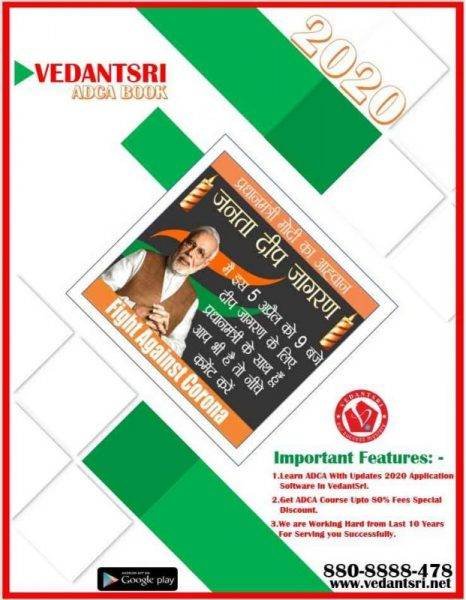
In This Project Video, we are going to Learn MS Word Cover Page Design Project-12, which can be Created Easily by following the steps given in the video. MS Word Cover Page Design Project-12
VedantSri Computer Institute provides the best Computer Courses, Classes, and Training in Varanasi. There are NEILIT Courses, CCC, BCC, O-level, Certificates, and Diploma Computer Courses available with the best training materials. Also Available: Top 100 Best Computer Courses, For MS Word Cover Page Design Project-12, Example, OM, DCA, ADCA, DTP, DFA, ADAM, ADTP, ADFA, DCE, MS Office.
VedantSri Computer Coaching updates the CCC Online Test on www.vedantsri.net. There are some important computer Courses for jobs, CCC Class, Typing, Internship, and Spoken English Available Free of cost with an offer. More than 50 Computer Courses are available with a 50% Fee Discount in VedantSri Varanasi. You can get the Best Digital Marketing Course at Varanasi Institute VedantSri. There is the Latest Computer Course Offer in the ADCA Computer Course, DCA Computer Course, CCC Computer Course & English Spoken. MS Word Cover Page Design Project-12
MS-Word Online Test:- This is the CCC Online Test Website Page. If you are preparing for the CCC Exam or any competitive exam, then you should visit the www.vedantsri.net website. MS Word CoverPage Design Project-12
You can also download this app from the Play Store, and you can find Just like many more Online Test Series Related For Example MS Word, MS Excel, MS PowerPoint, and Internet-related.
This is Provided By VedantSri Computer Institute in Varanasi. The VedantSri Provides the Best Computer Classes, Courses, Coaching, and Computer Training in Varanasi, Uttar Pradesh, India.
स्वागत है एक बार फिर MS Word वर्शन के प्रोजेक्ट बेस्ड क्लासेज में इस विडियो के अंतर्गत आप सीखेंगे की MS Word के किसी भी वर्शन पर Poster कैसे डिजाईन किया जाता है |इस विडियो को आराम से देखेते हुए स्टेप by स्टेप फॉलो करें|यदि किसी भी प्रकार का कोई क्वेश्चन या क्वेरी है तो नीचे कमेंट बॉक्स में जरुर लिखें धन्यवाद MS Word Design Poster Project-13
इस विडियो के माध्यम से आप यह जान पाएंगे कि MS Wordके अतर्गत आने वाले विभिन्न प्रकार के शेपस,कलर ,टेक्स्ट,टूल्स इत्यादि का यूज़ करके एक बेहतर पोस्टर डिज़ाइन क्रिएट कर सकते हैं जो देखने में आकर्षक लगे . MS Word Design Poster Project-13
Preview MS Word Design Poster Project
VedantSri Computer Institute Varanasi
provides the best Computer Courses, Classes, and Training in Varanasi. There is NIELIT Courses CCC, BCC, O’level, Certificates and Diploma Computer Courses available with best training materials. Also Available Top 100 Best Computer Courses, For Example, OM, DCA, ADCA, DTP, DFA, ADAM, ADTP, ADFA, DCE, MS Office. VedantSri Computer Coaching update CCC Online Test 2020 in www.vedantsri.net. MS Word Design Poster Project-13
There are some important computer Courses for jobs CCC Class, Typing, Internship And Spoken English Available Freeof cost with Offer. More than 50 Computer Courses which are available with 50% Fee Discount in VedantSri Varanasi. You can get the Best Digital Marketing Course in Varanasi Institute VedantSri. There is Latest Computer Course Offer in ADCA Computer Course, DCA Computer Course, CCC Computer Course & English Spoken. MS Word Design Poster Project-13
About VedantSri Computer Institute Varanasi
VedantSri Computer Institute in Varanasi is the Government recognized and An ISO Certified Computer Institute in Varanasi running since 2011. It Provides Computer Courses, Classes, Training by different own branches in all over Varanasi. There is Computer Scholarship Courses DCE Scholarship (Diploma in Computer Engineering), DIT most trusted computer course Available under Scholarship Test Scheme.
वेदांतश्री कम्प्यूटर इंस्टिट्यूट’ वाराणसी में पिछले 10 वर्षो से बेहतर व न्यूनतम शुल्क में कम्प्यूटर शिक्षा प्रदान करने वाली एक कम्प्यूटर ट्रेनिंग इंस्टिट्यूट है | यह संस्था कम्प्यूटर व इंग्लिश स्पीकिंग कोर्स की ट्रेनिंग प्रदान करती है | वाराणसी में कम्प्यूटर शिक्षा को बेहतर व न्यूनतम शुल्क में छात्रो तक पहुचाने में वेदांतश्री पिछले 10 वर्षो से प्रयासरत है | MS Word Design Poster Project-13
Free To Learn In VedantSri Computer Institute in Varanasi
इस वेबसाइट का यूज़ वेदांतश्री में पढ़ रहे छात्रो को कोर्स से सम्बंधित ऑनलाइन सपोर्ट करने से सम्बंधित है | इस वेबसाइट पर उपलब्ध विडियो, टेस्ट शीट, Questions & Answer सेशन, ट्रिक्स, टिप्स वेदांतश्री में सिख रहे कोर्सेज से सम्बंधित है | उपलब्ध कंटेंट संस्था में सिख रहे छात्रो के डिमांड पर अपडेट किया जाता है | उपलब्ध कंटेंट वेदांतश्री में पढ़ रहे छात्रो व सम्बंधित छात्रो को निशुल्क प्रदान किया जाता है जिसका कोई अलग से शुल्क नही लिया जाता है | इस वेबसाइट पर उपलब्ध कंटेंट कम्प्यूटर कोर्सेज व इंग्लिश स्पीकिंग कोर्सेज से सम्बंधित अपडेट किया जाता है |
(MS Word Design Poster Project)
About CCC Online Test 2023
CCC Online Test 2023:- This is the CCC Online Test Website Page. If You are preparing for CCC Exam or any competitive exam then you should visit on this www.vedantsri.net website.
you can also download this app from play store and you find Just like many more Online Test Series Related For Example MS Word, MS Excel, MS PowerPoint, Internet-related. MS Word Design Poster Project-13
This is Provided By VedantSri Computer Institute Varanasi. The VedantSri Provides Best Computer Classes, Courses, Coachings and Computer Training in Varanasi Uttar Pradesh India.
5-How do I stop pop-up or pop-under Internet ads? (इन्टरनेट पर दिखने वाले पॉपअप को मै कैसे बंद कर सकता हूँ?) Internet Questions with Answers
Ans: – Pop-up and pop-under ads can be annoying and disruptive while browsing the internet. Here’s a comprehensive guide on how to stop them using different methods and tools.
Adjust Browser Settings Google Chrome: – Open Chrome. Click the three vertical dots in the upper-right corner. Go to Settings. Click on Privacy and security on the left menu. Select Site Settings. Scroll down to Pop-ups and redirects. Toggle the switch to Block. Mozilla Firefox: – Open Firefox. Click the three horizontal lines in the upper-right corner. Go to Options. Select Privacy & Security from the left menu. Scroll down to the Permissions section. Check the box for Block pop-up windows. Microsoft Edge: – Open Edge. Click the three horizontal dots in the upper-right corner. Go to Settings. Select Cookies and site permissions on the left. Click on Pop-ups and redirects. Toggle the switch to Block. Safari: – Open Safari. Click Safari in the top menu bar. Select Preferences. Go to the Websites tab. Select Pop-up Windows from the sidebar. Choose Block and Notify or Block from the dropdown menu for the websites.
Install Ad Blockers Ad blockers can effectively stop most pop-up and pop-under ads. Here are some popular ad blockers:
AdBlock Plus: Available for Chrome, Firefox, Edge, Safari, and Opera. uBlock Origin: A lightweight and efficient blocker for Chrome, Firefox, and Edge. AdGuard: Works on multiple platforms, including Windows, macOS, Android, and iOS. Installation Steps:
Go to your browser’s extension store (e.g., Chrome Web Store, Firefox Add-ons). Search for the ad blocker of your choice. Click Add to Browser or Install. Follow the on-screen instructions to complete the installation.
Enable Pop-Up Blocking in Security Software Many antivirus programs offer built-in pop-up blocking features. Check if your antivirus software includes this functionality and enable it.
Open your antivirus software. Navigate to the settings or tools section. Look for an option related to web protection or ad blocking. Enable the pop-up blocking feature.
Use Built-In Features in Operating Systems Windows 10/11 Microsoft Defender includes features to block pop-ups. Open Settings. Go to Update & Security. Click on Windows Security. Select App & browser control. Under Exploit protection settings, make sure the Internet Explorer 11 pop-up blocking feature is enabled. macOS Safari on macOS includes robust pop-up blocking settings as described above.
Avoid Clicking on Suspicious Links Be cautious about the websites you visit and the links you click on. Avoid downloading software or clicking on ads from unreliable sources, as these can trigger pop-ups.
6-How do I copy a web page link? (मै वेब पेज की लिंक को कॉपी कैसे कर सकता हूँ?)
Ans: – Using a Web Browser
Google Chrome, Mozilla Firefox, Microsoft Edge, Safari
Open your web browser and navigate to the web page you want to copy the link from.
Click on the address bar where the URL is displayed. This will highlight the entire web address.
Right-click on the highlighted URL and select Copy from the context menu. Alternatively, you can press Ctrl+C (Windows) or Cmd+C (Mac) on your keyboard.
Using Browser Menu
Open your web browser and navigate to the desired web page.
Click on the three vertical dots (Chrome/Edge), three horizontal lines (Firefox), or Safari menu.
Select Copy link or similar option from the menu.
On a Mobile Device (Android/iOS)
Using a Web Browser
Google Chrome, Safari, Firefox
Open your web browser and navigate to the web page you want to copy the link from.
Tap on the address bar to highlight the URL.
Long-press the highlighted URL until a menu appears.
Select Copy from the menu.
Sharing the Link
Open your web browser and navigate to the desired web page.
Tap on the Share icon (it usually looks like an arrow pointing out of a box or three dots connected by lines).
From the sharing options, select Copy Link.
On a Tablet (Android/iPad OS)
Open your web browser and go to the web page you want to copy the link from.
Tap on the address bar to highlight the URL.
Long-press the highlighted URL until the copy option appears.
Select Copy.
7-How to copy text and images from a web page. (मै वेब पेज पर उपलब्ध टेक्स्ट तथा इमेजेज को कॉपी कैसे कर सकता हूँ) Internet Questions with Answers
Ans: – On a Computer (Windows/Mac)
Copying Text
Highlight the Text: Click and drag your mouse over the text you want to copy to highlight it.
Copy the Text: Right-click on the highlighted text and select Copy from the context menu. Alternatively, you can press Ctrl+C (Windows) or Cmd+C (Mac) on your keyboard.
Copying Images
Right-Click on the Image: Locate the image you want to copy and right-click on it.
Copy the Image: Select Copy image from the context menu. Alternatively, you can select Save image as… to save the image to your computer and then insert it where needed.
On a Mobile Device (Android/iOS)
Copying Text
Select the Text: Tap and hold on the text you want to copy until you see selection handles.
Adjust the Selection: Drag the handles to adjust the amount of text you want to copy.
Copy the Text: Tap Copy from the context menu that appears.
Copying Images
Tap and Hold on the Image: Find the image you want to copy and tap and hold on it.
Copy the Image: Select Copy image from the context menu. If this option is not available, you can select Save image to save it to your device and then use it as needed.
On a Tablet (Android/iPadOS)
Copying Text
Select the Text: Tap and hold on the text you want to copy until the selection handles appear.
Adjust the Selection: Drag the handles to highlight the desired text.
Copy the Text: Tap Copy from the context menu.
Copying Images
Tap and Hold on the Image: Find the image you want to copy and tap and hold on it.
Copy the Image: Select Copy from the context menu. If not available, select Save Image and then use it as needed.
8-What do I do if I get a 404 error on the Internet? (यदि आपको 404 का एरर इन्टरनेट चलाते समय वेब पेज पर मिलता है तो क्या करेंगे? )
Ans: – A 404 error, also known as “404 Not Found,” occurs when a web page you’re trying to access cannot be found on the server. This can happen for various reasons, such as the page being deleted, the URL being incorrect, or the website undergoing maintenance. Here are some steps you can take to address a 404 error:
Steps to Resolve a 404 Error
1. Check the URL
Verify the URL: Make sure the URL in the address bar is correct. Look for any typos or errors.
Try the Homepage: Remove everything after the domain name and try accessing the homepage of the website. For example, if the URL is http://example.com/page, change it to http://example.com.
2. Refresh the Page
Reload the Page: Sometimes, the 404 error is temporary. Click the refresh/reload button on your browser or press F5 on your keyboard to reload the page.
3. Search for the Page
Use the Website’s Search Function: If the website has a search bar, use it to look for the page or content you were trying to access.
Google Search: Use a search engine like Google to search for the page. Enter keywords related to the content you’re looking for.
4. Clear Browser Cache
Clear Cache: Sometimes, cached versions of web pages can cause issues. Clear your browser’s cache and cookies.
Google Chrome: Go to Settings > Privacy and security > Clear browsing data.
Mozilla Firefox: Go to Options > Privacy & Security > Cookies and Site Data > Clear Data.
Microsoft Edge: Go to Settings > Privacy, search, and services > Clear browsing data.
Safari: Go to Preferences > Privacy > Manage Website Data > Remove All.
5. Try a Different Device or Browser
Switch Devices or Browsers: Sometimes the issue might be specific to your current browser or device. Try accessing the page on a different browser or device.
6. Contact the Website
Find Contact Information: Look for contact details on the website’s homepage or a “Contact Us” page.
Report the Issue: Inform the website administrator about the 404 error so they can fix it.
7. Use a Wayback Machine
Internet Archive: If the page has been removed or the website is down, you can use the Wayback Machine at archive.org to see if an archived version of the page is available.
9-How can I protect myself while online? (खुद को ऑनलाइन कैसे सेफ रखे?)
Ans: – Protecting yourself online is crucial to ensure your personal information, financial data, and privacy remain secure. Here are some comprehensive steps you can take to protect yourself while online:
1. Use Strong, Unique Passwords
Create Complex Passwords: Use a mix of letters, numbers, and special characters. Avoid common words or easily guessable information.
Use a Password Manager: Tools like LastPass, 1Password, or Bitwarden can help generate and store complex passwords securely.
2. Enable Two-Factor Authentication (2FA)
Add an Extra Layer of Security: Use 2FA wherever possible to require a second form of identification beyond just a password, such as a code sent to your phone.
3. Keep Software Updated
Regular Updates: Ensure your operating system, browsers, and applications are updated regularly to patch security vulnerabilities.
Automatic Updates: Enable automatic updates where available to keep your software current.
4. Be Wary of Phishing Scams
Verify Links and Emails: Do not click on links or download attachments from unknown or suspicious emails. Check the sender’s email address and look for any signs of fraud.
Look for HTTPS: Ensure the websites you visit are secure, indicated by “https://” in the URL and a padlock icon.
5. Use Antivirus and Anti-Malware Software
Install Security Software: Use reputable antivirus and anti-malware programs to protect your devices from threats.
Regular Scans: Run regular scans to detect and remove any malicious software.
6. Secure Your Internet Connection
Use a VPN: A Virtual Private Network (VPN) encrypts your internet connection, especially important when using public Wi-Fi.
Secure Wi-Fi: Ensure your home Wi-Fi network is secure with a strong password and encryption (WPA3 or WPA2).
7. Manage Social Media Privacy
Adjust Privacy Settings: Review and adjust privacy settings on social media platforms to control who can see your information and posts.
Be Cautious with Sharing: Avoid sharing personal information, such as your location, address, or financial details.
8. Back Up Your Data
Regular Backups: Regularly back up important files to an external drive or a cloud service.
Multiple Backups: Keep multiple copies of backups in different locations.
9. Be Cautious with Downloads and Installations
Download from Trusted Sources: Only download software and apps from official websites or trusted sources.
Read Permissions: Pay attention to the permissions requested by apps and software during installation.
10. Educate Yourself and Stay Informed
Stay Updated: Keep yourself informed about the latest security threats and best practices for online safety.
Cybersecurity Awareness: Take part in cybersecurity training or awareness programs if available.
10-The history of the Internet? (इन्टरनेट का इतिहास क्या है?) Internet Questions with Answers
Ans: – The history of the Internet is a fascinating journey of innovation and collaboration that spans several decades. Here’s a concise overview of its development:
1960s: The Birth of Networking
ARPANET: The foundation of the Internet began with ARPANET (Advanced Research Projects Agency Network), created by the U.S. Department of Defense in the late 1960s. ARPANET connected several research institutions and allowed the sharing of information and resources.
1970s: Development of Key Protocols
TCP/IP: In the 1970s, Vint Cerf and Bob Kahn developed the Transmission Control Protocol (TCP) and Internet Protocol (IP), which became the standard networking protocols. This development was crucial for the interoperability of different networks.
1980s: Expansion and Adoption
NSFNET: The National Science Foundation Network (NSFNET) was established in 1985, providing a backbone for academic and research institutions across the United States. It helped expand the Internet’s reach beyond government and military use.
Domain Name System (DNS): Introduced in 1983, DNS provided a more user-friendly way to address Internet locations using domain names instead of numerical IP addresses.
1990s: The World Wide Web and Commercialization
World Wide Web (WWW): In 1991, Tim Berners-Lee introduced the World Wide Web, a system of interlinked hypertext documents accessible via the Internet. The creation of web browsers, like Mosaic in 1993, made it easier for people to access and navigate the web.
Commercialization: The mid-1990s saw the Internet’s commercialization, with private companies offering Internet services to the public. This period also marked the rise of early search engines, e-commerce sites, and email services.
2000s: Broadband and Social Media
Broadband Internet: High-speed broadband connections became more widespread, allowing faster and more reliable Internet access.
Social Media: Platforms like Facebook, Twitter, and YouTube emerged, transforming how people communicate and share content online.
2010s: Mobile Internet and the Internet of Things (IoT)
Mobile Internet: The proliferation of smartphones and mobile networks made the Internet accessible to billions of people worldwide, anytime and anywhere.
Internet of Things (IoT): The IoT revolution connected everyday devices to the Internet, enabling smart homes, wearable technology, and connected cars.
Present and Future
5G and Beyond: The rollout of 5G networks promises even faster and more reliable Internet connections, paving the way for innovations in areas like virtual reality (VR), augmented reality (AR), and artificial intelligence (AI).
Global Connectivity: Efforts to provide Internet access to remote and underserved regions continue, aiming to bridge the digital divide and ensure global connectivity.
11-What is the difference between the Internet and World Wide Web? (इन्टरनेट और वर्ल्ड वाइड वेब में क्या अंतर है?)
Ans: – Internet
Definition: The Internet is a global network of networks that connects millions of private, public, academic, business, and government networks.
Functionality: It facilitates the exchange of data and information between connected devices and networks worldwide.
Infrastructure: The Internet is infrastructure composed of physical cables, routers, servers, and other hardware that enable data transmission.
Examples: It includes services like email, file sharing, online gaming, video conferencing, and more.
World Wide Web (WWW)
Definition: The World Wide Web, commonly referred to as the Web, is a collection of interconnected documents and resources accessed via the Internet.
Functionality: It allows users to navigate and access web pages, multimedia content, and applications using web browsers like Chrome, Firefox, Safari, etc.
Protocol: The WWW operates on the HTTP (Hypertext Transfer Protocol) and HTTPS (Hypertext Transfer Protocol Secure) protocols for transferring data.
Examples: Websites, web pages, online services (e.g., search engines, social media platforms, online shopping sites) are part of the World Wide Web.
Internet Questions with Answers
About VedantSri
Internet Questions with Answers
VedantSri Computer Institute provides the best Computer Courses, Classes, and Training in Varanasi. There is NEILIT Courses CCC, BCC, O’level, Certificates, and Diploma Computer Courses available with the best training materials. Also Available Top 100 Best Computer Courses, For Example, OM, DCA, ADCA, DTP, DFA, ADAM, ADTP, ADFA, DCE, and MS Office. VedantSri Computer Coaching updates CCC Online Test 2019 on www.vedantsri.net. There are some important computer Courses for jobs CCC Classes, Typing, Internships, And Spoken English Available Free of cost with Offer. More than 50 Computer Courses are available with a 50% Fee Discount in VedantSri Varanasi. You can get the Best Digital Marketing Course at Varanasi Institute VedantSri. There is the Latest Computer Course Offer in ADCA Computer Course, DCA Computer Course, CCC Computer Course & English Spoken.
CCC Online Test
CCC Online Test: – This is the CCC Online Test Website Page. If You are preparing for CCC Exam or any competitive exam then you should visit this www.vedantsri.net website.
Internet Questions with Answers
you can also download this app from the play store and you find Just like many more Online Test Series Related For Example MS Word, MS Excel, MS PowerPoint, and Internet-related.
This is Provided By VedantSri Computer Institute in Varanasi. The VedantSri Provides the Best Computer Classes, Courses, Coaching, and Computer Training in Varanasi Uttar Pradesh India.
Ans- Microsoft Word एक Application Software है| जिसके द्वारा Documentation का कार्य किया जाता है इस एप्लीकेशन के अंतर्गत Biodata, Resume, Chart, Card, इत्यादि Create करने का कार्य आसानी से किया जा सकता है| MS Word Questions Answers (Part-I)
2. MS Word में मुख्य कितने और कौन-कौन से Menu या Tab होते हैं?
Ans- Microsoft Word में मुख्य 8 Menu होते है जिनके नाम निम्नलिखित है-
(i) Home
(ii) Insert
(iii) Design
(iv) Page Layout
(v) Reference
(vi) Mailing
(vii) Review
(viii) View
3. Home Menu में कितने और कौन-कौन से Toolbox होते है?
Ans- Home Menu में 5 Toolbox होते है जिनके नाम निम्नलिखित है-
(i) Clipboard
(ii) Font
(iii) Paragraph
(iv) Styles
(v) Editing
4. Home Menu के Clipboard Toolbox में कितने और कौन-कौन से Tools होते है?
Ans- इस Toolbox में 4 Tools होते है जिनके नाम निम्नलिखित है-
(i) Paste : कट तथा कॉपी किये गए डाटा को पेज पर प्लेस करना
(ii) Cut : टेक्स्ट,मैटर ऑब्जेक्ट को एक स्थान से हटाकर अन्य दुसरे स्थानों पर रखना
(iii) Copy : टेक्स्ट,मैटर ऑब्जेक्ट को एक स्थान के अलावा अन्य दुसरे स्थानों पर रखना MS Word Questions Answers (Part-I)
(iv) Format Painter : टेक्स्ट पर उपलब्ध फॉण्ट स्टाइल, इफ़ेक्ट, साइज़ तथा कलर को दुसरे टेक्स्ट पर अप्लाई करना MS Word Questions Answers (Part-I)
5. Font Toolbox में कितने और कौन-कौन से Tools होते है?
Ans- Font Toolbox के अंतर्गत 14 tools होते है जिनके नाम निम्नलिखित है-
(i) Font : टेक्स्ट, मैटर का राईटिंग स्टाइल बदलना
(ii) Font size : सिलेक्टेड टेक्स्ट की साइज़ मिनिमम 1 से मैक्सिमम 1638 तक घटाना व बढ़ाना
(iii) Grow Font : फिक्स्ड अमाउंट में टेक्स्ट साइज़ बढ़ाना
(iv) Shrink Font : फिक्स्ड अमाउंट में टेक्स्ट साइज़ घटाना
(v) Clear Formatting : टेक्स्ट पर उपलब्ध फॉण्ट स्टाइल, इफ़ेक्ट, साइज़ तथा फॉण्ट कलर को डिफ़ॉल्ट में रिसेट करना
(vi) Bold : टेक्स्ट को मोटा करना
(vii) Italic : टेक्स्ट को तिरक्षा करना
(viii) Underline : टेक्स्ट पर अंडरलाइन इफ़ेक्ट देना
(ix) Strikethrough : टेक्स्ट को मार्क करना
(x) Subscript : किसी टेक्स्ट के सिलेक्टेड लैटर या टेक्स्ट को बेसलाइन नीचे स्विच करने के लिए MS Word Questions Answers (Part-I)
(xi) Superscript : किसी टेक्स्ट के सिलेक्टेड लैटर या टेक्स्ट को बेसलाइन उपर स्विच करने के लिए
(xii) Change case : टेक्स्ट को कैपिटल से स्माल में स्विच करने के लिए
(xiii) Text Highlight Color : टेक्स्ट के बैकग्राउंड को कलर करने के लिए
(xiv) Font Color : टेक्स्ट को कलर करने के लिए
6. Clear Formatting टूल में क्या क्लियर नहीं होता है ?
Ans- टेक्स्ट का बैकग्राउंड कलर क्लियर नही होता है
7. एक से अधिक मैटर को अलग-अलग कॉपी करने के लिए किस टूल का यूज़ करते है?
Ans- क्लिपबोर्ड टूल का यूज़ करते है जिसका शॉर्टकट Alt + h + fo होता है इस शॉर्टकट का यूज़ करते है पेज लेफ्ट साइड में क्लिपबोर्ड पैनल ओपन होता है जिसके बाद पेज पर उपलब्ध मल्टीप्ल अर्थात एक से अधिक मैटर या पैराग्राफ को अलग-अलग कॉपी कर सकते है MS Word Questions Answers (Part-I)
8. Paste Special का क्या Use होता है?
Ans- कॉपी किये गए वेब, html या Unformatted टेक्स्ट को पेज पर पेस्ट करने के लिए
9. किसी शब्द में अक्षरों के बीच स्पेस को किस टूल द्वारा घटाया जाता है ?
Ans- Condensed टूल द्वारा
10. किसी शब्द में अक्षरों के बीच स्पेस को किस टूल द्वारा बढाया जाता है ?
Ans- Expanded टूल द्वारा
VedantSri Computer Institute Varanasi
Provides the best Computer Courses, Classes, and Training in Varanasi. There are NIELIT Courses, CCC, BCC, O-level, Certificates, and Diploma Computer Courses available with the best training materials. Also Available: Top 100 Best Computer Courses, For Example, OM, DCA, ADCA, DTP, DFA, ADAM, ADTP, ADFA, DCE, and MS Office. VedantSri Computer Coaching updates the CCC Online Test on www.vedantsri.net.
There are some important computer Courses for jobs, CCC Classes, Typing, Internships, And Spoken English Available Free of cost with an offer. More than 50 Computer Courses are available with a 50% Fee Discount in VedantSri Varanasi. You can get the Best Digital Marketing Course at Varanasi Institute VedantSri. There is the Latest Computer Course Offer in the ADCA Computer Course, DCA Computer Course, CCC Computer Course & English Spoken.
MS Word Questions Answers (Part-I) by Varanasi VedantSri
About VedantSri Computer Institute Varanasi
VedantSri Computer Institute in Varanasi is a government-recognised and ISO Certified Computer Institute in Varanasi, running since 2011. It Provides Computer Courses, Classes, and training through its own branches all over Varanasi. There are Computer Scholarship Courses, DCE Scholarship (Diploma in Computer Engineering), DIT’s most trusted computer course, available under the Scholarship Test Scheme. (ADCA Course Fees in Varanasi)
वेदांतश्री कम्प्यूटर इंस्टिट्यूट’ वाराणसी में पिछले 10 वर्षो से बेहतर व न्यूनतम शुल्क में कम्प्यूटर शिक्षा प्रदान करने वाली एक कम्प्यूटर ट्रेनिंग इंस्टिट्यूट है | यह संस्था कम्प्यूटर व इंग्लिश स्पीकिंग कोर्स की ट्रेनिंग प्रदान करती है | वाराणसी में कम्प्यूटर शिक्षा को बेहतर व न्यूनतम शुल्क में छात्रो तक पहुचाने में वेदांतश्री पिछले 10 वर्षो से प्रयासरत है | MS Word Questions Answers (Part-I) by Varanasi VedantSri
Free To Learn In VedantSri Computer Institute in Varanasi
इस वेबसाइट का यूज़ वेदांतश्री में पढ़ रहे छात्रो को कोर्स से सम्बंधित ऑनलाइन सपोर्ट करने से सम्बंधित है | इस वेबसाइट पर उपलब्ध विडियो, टेस्ट शीट, Questions & Answer सेशन, ट्रिक्स, टिप्स वेदांतश्री में सिख रहे कोर्सेज से सम्बंधित है | उपलब्ध कंटेंट संस्था में सिख रहे छात्रो के डिमांड पर अपडेट किया जाता है | उपलब्ध कंटेंट वेदांतश्री में पढ़ रहे छात्रो व सम्बंधित छात्रो को निशुल्क प्रदान किया जाता है जिसका कोई अलग से शुल्क नही लिया जाता है | इस वेबसाइट पर उपलब्ध कंटेंट कम्प्यूटर कोर्सेज व इंग्लिश स्पीकिंग कोर्सेज से सम्बंधित अपडेट किया जाता है |
MS Word Questions Answers (Part I)
About the CCC Online Test
CCC Online Test:- This is the CCC Online Test Website Page. If you are preparing for the CCC Exam or any competitive exam, then you should visit the www.vedantsri.net website.
You can also download this app from the Play Store, and you will find Just like many more online test series related to, for example, MS Word, MS Excel, MS PowerPoint, and Internet-related.
This is Provided By VedantSri Computer Institute, Varanasi. The VedantSri Provides the Best Computer Classes, Courses, Coaching, and Computer Training in Varanasi, Uttar Pradesh, India.
अगर आप Tally Prime Exam की तैयारी कर रहे हैं, तो आपके लिए सबसे अच्छा तरीका है कि आप ज्यादा से ज्यादा Tally Prime Online Test और Mock Test Tally Prime दें। इस ब्लॉग में हम आपको Tally Prime Online Test 50 Questions in English & Hindi, Tally Prime MCQ Online Test with Answers, Tally Prime Basic Online Test और Tally Prime Mock Test Free PDF की जानकारी देंगे।
Tally Prime Basic Online Test – Free Mock Test, MCQ, Quiz & Practice Papers by VedantSri
Tally Prime Online Test & Mock Test
आज के समय में Tally Education के अंतर्गत Tally Prime Exam देना हर student और professional के लिए जरूरी है।
Tally Prime Online Test 50 Questions (English & Hindi)
This is Tally Prime Basic Online Test Related Latest Version of the Test Series. In this post, you will prepare yourself Questions with Answers related to Tally PRIME Accounting.
Tally Prime Basic Online Test:- This is the TallyPrime Online Test Website Page. If You are preparing for the TallyPrime Exam or any competitive exam then you should visit this www.vedantsri.net website.
you can also download this app from the Play Store and will find Just like many more Online Test Series Related For Example MS Word, MS Excel, MS PowerPoint, and Internet-related. TallyPrime Online Test
Tally Prime Basic Online Test VedantSri Institute
VedantSri Computer Institute Varanasi provides this. The VedantSri Provides the Best Computer Classes, Courses, Coaching, and Computer Training in Varanasi Uttar Pradesh India.
PowerPoint is an essential tool for creating impactful presentations. Whether you’re a student, a professional, or someone looking to enhance their presentation skills, mastering PowerPoint can give you a competitive edge. Online test series are a fantastic way to assess your knowledge and improve your skills. In this post, we’ll explore the top 50 PowerPoint online test series that can help you become a PowerPoint pro.
Power Point Online Test 5456 VedantSri Institute for Top Best Online Quiz Mock Test Practice Test for Free Jobs Preparations website
Skill Enhancement: Improve your PowerPoint skills with practical tests.
Certification: Get certified and add value to your resume.
Practice: Regular practice with test series keeps your skills sharp.
Convenience: Learn and test your skills from the comfort of your home.
Self-Assessment: Identify your strengths and weaknesses.
CCC Online Test:- This is the CCC Online Test Website Page. If You are preparing for CCC Exam or any competitive exam then you should visit this www.vedantsri.net website.
you can also download this app from the play store and will find Just like many more Online Test Series Related For Example MS Word, MS Excel, MS PowerPoint, and Internet-related. PowerPoint Online Test
This is Provided By VedantSri Computer Institute Varanasi. The VedantSri Provides the Best Computer Classes, Courses, Coaching, and Computer Training in Varanasi Uttar Pradesh India.
Step into the future of skill assessment with our MS Excel Online Test 2026 – your ultimate destination for mastering the art of spreadsheet wizardry! This cutting-edge Excel Online Test Series Hub is your gateway to a transformative learning experience. Get ready to tackle a curated set of Questions with Answers that delve into the heart of spreadsheet intricacies.
This is the Online Test Website Page. If You are preparing for Excel Exam or any competitive exam then you should visit this www.vedantsri.net website. MS Online Excel Test 2026
you can also download this app from the Play Store and you find Just like many more Online Test Series Related For Example MS Word, MS Excel, MS PowerPoint, and Internet-related. MS Online Excel Test 2026
MS Online Excel Test 2026
VedantSri Computer Institute Varanasi provides this. The VedantSri Provides the Best Computer Classes, Courses, Coaching, and Computer Training in Varanasi Uttar Pradesh India. MS Excel Online Test 2026
Internet Online Test: – This is the Internet Online Test Website Page. If you are preparing for the Internet Exam or any competitive exam, then you should visit the www.vedantsri.net website. 50 Internet Online Test
You can also download this app from the Play Store, and you will find just like many more Online Test Series Related For Example, Internet online test, Internet-related questions with answers, and Internet-related.
VedantSri Computer Institute, Varanasi, provides this. The VedantSri Provides the Best Computer Classes, Courses, Coaching, and Computer Training in Varanasi, Uttar Pradesh, India. 50 Internet Online Test
Internet Online Test Series 5515 by VedantSri
About VedantSri Computer Institute Varanasi
VedantSri Computer Institute in Varanasi is a government-recognised and ISO ISO-certified computer Institute in Varanasi, running since 2011. It Provides Computer Courses, Classes, and Training through its own different branches all over Varanasi. There are Computer Scholarship Courses, DCE Scholarship (Diploma in Computer Engineering), DIT’s most trusted computer course, Available under the Scholarship Test Scheme. 50 Internet Online Test
Ans. MS PowerPoint का use हम कोई भी presentation बनाने के लिए करते है जैसे की identity card, alphabetical books, video type presentation, etc. MS PowerPoint Questions Answers
Que 2. MS PowerPoint का Run command क्या है?
Ans. MS PowerPoint का run command powerpnt होता है
Que 3. MS PowerPoint का Minimum और Maximum size कितनी है?
Ans:- Minimum Size – 8 और Maximum Size-96 होती है
Que 4. MS power point में कितने menu होते है?
Ans.MS PowerPoint में 8 menus होते है home, insert, design, animation, slide show, review, view. MS PowerPoint Questions Answers
Que 10.MS powerpoint में review menu में कितने tool होते है?
Ans. 3 Proofing, comment, protect.
Que 11. MS PowerPoint में clipboard toolbox का क्या use है?
Ans . इस tool box का use हम power point slide पर insert कराये गए shape ,picture, text को एक जगह से हटाके दुसरे जगह पर रखने के लिए तथा cut, copy, paste करके एक जगह से दुसरे जगह पर रखने के लिए तथा किसी भी shape पर same editing दुसरे shape पर देने के लिए इस tool box का use करते है MS PowerPoint Questions Answers
Que 12. MS PowerPoint में format painter का क्या use है?
Ans. इस tool का Use हम किसी भी shape पर same editing दुसरे shape पर देने के लिए करते है
Que 13. MS PowerPoint में slides toolbox का क्या use है?
Ans. इस tool box का use power point slide पर एक नया slide लेने के लिए तथा लिए गए slide में editing करने के लिए और slide पर name add करने के लिए इस toolbox का use करते है MS PowerPoint Questions Answers
Que 14. MS PowerPoint में font toolbox का क्या use है?
Ans. इस toolbox का use पॉवर point slide में लिए गए shape में लिखे गए matter के बिच के spacing को कम और ज्यादा करने के लिए इस toolbox का use करते है MS PowerPoint Questions Answers
Que 15. MS PowerPoint में paragraph toolbox का use क्या है?
Ans. इस tool box का use power point slide में लिखे गए shape के अन्दर लिखे हुए matter को top ,middle ,bottom में करने के लिए तथा लिखे गए matter के बिच में column देने के लिए इस toolbox का use करते है MS PowerPoint Questions Answers
Que 16. MS PowerPoint के editing toolbox में कितने tools है?
Ans. 3 Find, Replace, and select all
Que 17. MS powerpoint में link का क्या use है?
Ans. इस toolbox का use पॉवर point slide में insert कराये गए shape में लिखे गए matter पर कोई भी object ,video ,picture जोड़ने के लिए और power point में बनाये गए presentation के slide को किसी एक slide में कई सारे slide को insert करने के लिए तथा किसी भी text पर action देने के लिए इस toolbox का use करते है | MS PowerPoint Questions Answers
Que. 18. MS PowerPoint में media tool का क्या use है?
Ans. इस toolbox का use power point slide पर video चलने के लिए करते है
Que 19. MS power point में variants toolbox का क्या use है?
Ans. इस toolbox का use power point slide पर लिए गए theme को edit करने के लिए इस toolbox का use करते है?
Que 20. MS powerpoint में theme का क्या use है?
Ans . इस toolbox का use पॉवर point slide पर अलग अलग तरह का theme लेने के लिए इस toolbox का use करते है MS PowerPoint Questions Answers
Que 21. MS powerpoint में customize का क्या use है?
Ans. इस toolbox का use power point slide पर लिए गए theme के background को format करने के लिए तथा slide के size को बड़ा या छोटा करेने के लिए इस toolbox का use करते है MS PowerPoint Questions Answers
Que 22. MS powerpoint में preview का क्या use है?
Ans. इस toolbox का use power point slide में बनाये गए presentation को बड़ा करके देखने के लिए इस toolbox का use करते है MS PowerPoint Questions Answers
Que 23.MS PowerPoint में transition to this slide का क्या use है?
Ans . इस toolbox का use power point slide पर transition देने के लिए तथा effect देने के लिए इस toolbox का use करते है MS PowerPoint Questions Answers
Que 24. ms PowerPoint में timing toolbox का क्या use है?
Ans. इस toolbox का use पॉवर point slide पर बनाये गए presentation को एक fix time देने के लिए और बनाये गए presentation को साथ apply to all करने के लिए तथा presentation को आटोमेटिक प्ले करने के लिए इस toolbox का use करते है|
Que 25. MS PowerPoint में advanced animation का क्या use है?
Ans. इस toolbox का use power point slide में insert कराये गए picture, shape, text पर advanced effect देने के किये और shape, picture, text पर दिए गए animation को एक साथ देखने के लिए एक साथ animation को mouse द्वारा चलने के लिए इस toolbox का use करते है MS PowerPoint Questions Answers
Que 26. MS PowerPoint में start slide show का क्या use है?
Ans. इस toolbox का use पॉवर point slide पर बनाये गए presentation को current slide से play करके देखने के लिए और बनाये गए कोशुरु से देखने के लिए (from begining ) तथा sellacted slide को play करके देखने के लिए PRESENTATION को online देखने के लिए इस toolbox का use करते है
Que 27. ms PowerPoint में setup toolbox का क्या use है?
Ans. इस toolbox का use पॉवर point slide पर बनाये गए presentation को हाईड करने के लिए और presentation को record करने के लिए तथा बनाये गए presentation में timing को बदलने के लिए इस toolbox का use करते है|
Que.28 MS power point में moniters का क्या use है?
Ans. इस toolbox का use power point slide पर बनाये गए presentation को automatically play करके देखने के लिए लिए इस toolbox का use करते है
Que 29. MS PowerPoint में master view का क्या use है?
Ans. इस toolbox का use power point slide में कई सरे slide को एक साथ देखने के लिए और एक slide में कई सारे slide को लेने के लिए तथा एक slide में कई slide को देखने के लिए इस toolbox का use करते है
Que 30. MS powerpoint में show का use क्या है?
Ans. is toolbox का यूजर power point slide के ruler bar को दिखने और छुपाने के लिए और graide line को दिखने और छुपाने के लिए तथा slide को छोटा और बड़ा करने के लिए इस toolbox का use करते है
Que 31. MS PowerPoint में zoom tool का क्या use है?
Ans. इस toolbox का use पॉवर point slide पर slide को बड़ा या छोटा करने के लिए तथा slide एक fix size में करने के लिए इसका use करते है
Que 32. MS power point में color और grayscale का क्या use है?
Ans. इस toolbox का use power point slide पर लिए गए theme को color को black and white में करने के लिए तथा लिए गए theme को color में करने के लिए इस toolbox का use करते है
Que 33. MS PowerPoint का extension name बताइए?
Ans. MS PowerPoint का extension name .pptx है
Que 34. macro और window ms power point के किस menu में आते है
MS Word Online Test Set, Comprehensive, Interactive, and Free Practice Tests to Master Microsoft Word
This is the MS Word Latest Version Related to the MS Word Online Test of September. In this post, you will prepare yourself Questions with Answers related to WinWord.
0%
4053
Pos.
Name
Score
Duration
Points
1
Himanshu Dubey
100 %
48 seconds
32 / 32
2
Himanshu Dubey
100 %
51 seconds
32 / 32
3
Himanshu Dubey
100 %
52 seconds
32 / 32
4
Himanshu Dubey
100 %
54 seconds
32 / 32
5
Tamanna sharma
100 %
57 seconds
32 / 32
6
Piyuh Yadav
100 %
57 seconds
32 / 32
7
Sarthak maurya
100 %
59 seconds
32 / 32
8
Shweta Singh
100 %
59 seconds
32 / 32
9
Tamanna Sharma
100 %
59 seconds
32 / 32
10
Shweta gupta
100 %
59 seconds
32 / 32
11
Aparna Singh
100 %
1 minutes 1 seconds
32 / 32
12
Kajal
100 %
1 minutes 1 seconds
32 / 32
13
Tamanna Sharma
100 %
1 minutes 2 seconds
32 / 32
14
Mayank Vishwakarma
100 %
1 minutes 3 seconds
32 / 32
15
Tamanna Sharma
100 %
1 minutes 3 seconds
32 / 32
16
Ankit Sharma
100 %
1 minutes 3 seconds
32 / 32
17
Ayushi Singh
100 %
1 minutes 4 seconds
32 / 32
18
Shweta Shah..
100 %
1 minutes 4 seconds
32 / 32
19
Aparna Singh
100 %
1 minutes 4 seconds
32 / 32
20
Himanshu Dubey
100 %
1 minutes 4 seconds
32 / 32
21
Himanshu Dubey
100 %
1 minutes 4 seconds
32 / 32
22
Harsh singh
100 %
1 minutes 5 seconds
32 / 32
23
Ayushi Singh
100 %
1 minutes 5 seconds
32 / 32
24
Tamanna Sharma
100 %
1 minutes 5 seconds
32 / 32
25
Shweta gupta
100 %
1 minutes 5 seconds
32 / 32
26
Ayushi Singh
100 %
1 minutes 5 seconds
32 / 32
27
Harsh kumar singh
100 %
1 minutes 6 seconds
32 / 32
28
Jaya patel
100 %
1 minutes 6 seconds
32 / 32
29
Tamanna Sharma
100 %
1 minutes 6 seconds
32 / 32
30
Vishal Yadav
100 %
1 minutes 6 seconds
32 / 32
31
Shweta Shah
100 %
1 minutes 6 seconds
32 / 32
32
Jaya patel
100 %
1 minutes 6 seconds
32 / 32
33
Ayushi Singh
100 %
1 minutes 7 seconds
32 / 32
34
Ayushi Singh
100 %
1 minutes 7 seconds
32 / 32
35
Ayushi Singh
100 %
1 minutes 7 seconds
32 / 32
36
Ayushi Singh
100 %
1 minutes 7 seconds
32 / 32
37
Jaya patel
100 %
1 minutes 7 seconds
32 / 32
38
Ayushi Singh
100 %
1 minutes 7 seconds
32 / 32
39
Ayushi Singh
100 %
1 minutes 7 seconds
32 / 32
40
Tamanna Sharma
100 %
1 minutes 8 seconds
32 / 32
41
Tamanna Sharma
100 %
1 minutes 8 seconds
32 / 32
42
Tanish
100 %
1 minutes 8 seconds
32 / 32
43
Ayushi Singh
100 %
1 minutes 8 seconds
32 / 32
44
Harsh singh
100 %
1 minutes 8 seconds
32 / 32
45
Ayushi Singh
100 %
1 minutes 8 seconds
32 / 32
46
Jaya patel
100 %
1 minutes 8 seconds
32 / 32
47
Tamanna Sharma
100 %
1 minutes 8 seconds
32 / 32
48
Himanshu Dubey
100 %
1 minutes 8 seconds
32 / 32
49
Ayushi Singh
100 %
1 minutes 9 seconds
32 / 32
50
Ayushi Singh
100 %
1 minutes 9 seconds
32 / 32
51
Tamanna Sharma
100 %
1 minutes 9 seconds
32 / 32
52
Ayushi Singh
100 %
1 minutes 9 seconds
32 / 32
53
Tamanna sharma
100 %
1 minutes 9 seconds
32 / 32
54
Tamanna Sharma
100 %
1 minutes 9 seconds
32 / 32
55
Ayushi Singh
100 %
1 minutes 9 seconds
32 / 32
56
Tamanna sharma
100 %
1 minutes 9 seconds
32 / 32
57
Ayushi Singh
100 %
1 minutes 9 seconds
32 / 32
58
Vishal Yadav
100 %
1 minutes 9 seconds
32 / 32
59
Ayushi Singh
100 %
1 minutes 9 seconds
32 / 32
60
Ayushi Singh
100 %
1 minutes 10 seconds
32 / 32
61
Ayushi Singh
100 %
1 minutes 10 seconds
32 / 32
62
Ayushi Singh
100 %
1 minutes 10 seconds
32 / 32
63
Harsh kumar singh
100 %
1 minutes 10 seconds
32 / 32
64
Ayushi Singh
100 %
1 minutes 10 seconds
32 / 32
65
Tamanna Sharma
100 %
1 minutes 10 seconds
32 / 32
66
Ritika Thapa
100 %
1 minutes 10 seconds
32 / 32
67
Abhay Sonkar
100 %
1 minutes 10 seconds
32 / 32
68
Jaya patel
100 %
1 minutes 10 seconds
32 / 32
69
Tamanna sharma
100 %
1 minutes 10 seconds
32 / 32
70
Ayushi Singh
100 %
1 minutes 10 seconds
32 / 32
71
Ayushi Singh
100 %
1 minutes 10 seconds
32 / 32
72
Tamanna Sharma
100 %
1 minutes 10 seconds
32 / 32
73
Ayushi Singh
100 %
1 minutes 10 seconds
32 / 32
74
Himanshu Dubey
100 %
1 minutes 10 seconds
32 / 32
75
Tamanna Sharma
100 %
1 minutes 10 seconds
32 / 32
76
Ayushi Singh
100 %
1 minutes 11 seconds
32 / 32
77
Ankush Singh
100 %
1 minutes 11 seconds
32 / 32
78
Jaya patel
100 %
1 minutes 11 seconds
32 / 32
79
Jaya patel
100 %
1 minutes 11 seconds
32 / 32
80
Shweta gupta
100 %
1 minutes 11 seconds
32 / 32
81
Ayushi Singh
100 %
1 minutes 11 seconds
32 / 32
82
Ritika Thapa
100 %
1 minutes 11 seconds
32 / 32
83
Gautam Prajapati
100 %
1 minutes 11 seconds
32 / 32
84
Jaya patel
100 %
1 minutes 11 seconds
32 / 32
85
Jaya patel
100 %
1 minutes 11 seconds
32 / 32
86
Ayushi Singh
100 %
1 minutes 11 seconds
32 / 32
87
Jaya patel
100 %
1 minutes 11 seconds
32 / 32
88
Tamanna Sharma
100 %
1 minutes 11 seconds
32 / 32
89
Ayushi Singh
100 %
1 minutes 11 seconds
32 / 32
90
Manas
100 %
1 minutes 11 seconds
32 / 32
91
Ayushi Singh
100 %
1 minutes 11 seconds
32 / 32
92
Manas
100 %
1 minutes 11 seconds
32 / 32
93
Ayushi Singh
100 %
1 minutes 11 seconds
32 / 32
94
Ayushi Singh
100 %
1 minutes 12 seconds
32 / 32
95
Ayushi Singh
100 %
1 minutes 12 seconds
32 / 32
96
Ayush patel
100 %
1 minutes 12 seconds
32 / 32
97
Chandrachurna Singh
100 %
1 minutes 12 seconds
32 / 32
98
Ritika Thapa
100 %
1 minutes 12 seconds
32 / 32
99
Ayushi Singh
100 %
1 minutes 12 seconds
32 / 32
100
Ayushi Singh
100 %
1 minutes 12 seconds
32 / 32
101
Manas
100 %
1 minutes 12 seconds
32 / 32
102
Ayushi Singh
100 %
1 minutes 13 seconds
32 / 32
103
Ayushi Singh
100 %
1 minutes 13 seconds
32 / 32
104
Ayushi Singh
100 %
1 minutes 13 seconds
32 / 32
105
Ayushi Singh
100 %
1 minutes 13 seconds
32 / 32
106
Tamanna Sharma
100 %
1 minutes 13 seconds
32 / 32
107
Tamanna Sharma
100 %
1 minutes 13 seconds
32 / 32
108
Manas
100 %
1 minutes 13 seconds
32 / 32
109
Satyam
100 %
1 minutes 14 seconds
32 / 32
110
Ritika Thapa
100 %
1 minutes 14 seconds
32 / 32
111
Ritika Thapa
100 %
1 minutes 14 seconds
32 / 32
112
Ayushi Singh
100 %
1 minutes 14 seconds
32 / 32
113
Ayushi Singh
100 %
1 minutes 14 seconds
32 / 32
114
Ayushi Singh
100 %
1 minutes 14 seconds
32 / 32
115
Jaya patel
100 %
1 minutes 14 seconds
32 / 32
116
Anmol Sharma
100 %
1 minutes 15 seconds
32 / 32
117
Sarthak maurya
100 %
1 minutes 15 seconds
32 / 32
118
Ayushi Singh
100 %
1 minutes 15 seconds
32 / 32
119
Mayank Vishwakarma
100 %
1 minutes 15 seconds
32 / 32
120
Rishita
100 %
1 minutes 15 seconds
32 / 32
121
Tamanna sharma
100 %
1 minutes 15 seconds
32 / 32
122
Vishal Yadav
100 %
1 minutes 15 seconds
32 / 32
123
Aparna Singh
100 %
1 minutes 15 seconds
32 / 32
124
Tamanna Sharma
100 %
1 minutes 15 seconds
32 / 32
125
Ankit Sharma
100 %
1 minutes 15 seconds
32 / 32
126
Ritika Thapa
100 %
1 minutes 16 seconds
32 / 32
127
Ayushi Singh
100 %
1 minutes 16 seconds
32 / 32
128
Abhay Sonkar
100 %
1 minutes 16 seconds
32 / 32
129
Ayushi Singh
100 %
1 minutes 16 seconds
32 / 32
130
Vagisha
100 %
1 minutes 16 seconds
32 / 32
131
Simtan Siddiqui
100 %
1 minutes 17 seconds
32 / 32
132
Tamanna Sharma
100 %
1 minutes 17 seconds
32 / 32
133
Tamanna Sharma
100 %
1 minutes 17 seconds
32 / 32
134
Ritika Thapa
100 %
1 minutes 17 seconds
32 / 32
135
Jaya patel
100 %
1 minutes 17 seconds
32 / 32
136
Ayushi Singh
100 %
1 minutes 17 seconds
32 / 32
137
Durgesh Singh
100 %
1 minutes 18 seconds
32 / 32
138
Ayushi Singh
100 %
1 minutes 18 seconds
32 / 32
139
Ritika Thapa
100 %
1 minutes 18 seconds
32 / 32
140
Ayushi Singh
100 %
1 minutes 18 seconds
32 / 32
141
THE GREAT ANKUSH
100 %
1 minutes 18 seconds
32 / 32
142
Pragya pandey
100 %
1 minutes 19 seconds
32 / 32
143
Tamsil Siddiqui
100 %
1 minutes 19 seconds
32 / 32
144
Naitik chakrawal
100 %
1 minutes 19 seconds
32 / 32
145
Krishna Rawat
100 %
1 minutes 19 seconds
32 / 32
146
Tamanna Sharma
100 %
1 minutes 19 seconds
32 / 32
147
Ayushi Singh
100 %
1 minutes 20 seconds
32 / 32
148
Satyam
100 %
1 minutes 20 seconds
32 / 32
149
Arti pal
100 %
1 minutes 20 seconds
32 / 32
150
Manas
100 %
1 minutes 20 seconds
32 / 32
151
Ayush patel
100 %
1 minutes 21 seconds
32 / 32
152
lol
100 %
1 minutes 21 seconds
32 / 32
153
THE GREAT ANKUSH
100 %
1 minutes 21 seconds
32 / 32
154
Simtan Siddiqui
100 %
1 minutes 22 seconds
32 / 32
155
Nitish jaiswal
100 %
1 minutes 22 seconds
32 / 32
156
Nitin pal
100 %
1 minutes 22 seconds
32 / 32
157
Rishu Chaurasiya
100 %
1 minutes 23 seconds
32 / 32
158
Tamsil Siddiqui
100 %
1 minutes 23 seconds
32 / 32
159
Ahtesham
100 %
1 minutes 23 seconds
32 / 32
160
THE ANKUSH
100 %
1 minutes 23 seconds
32 / 32
161
Simtan Siddiqui
100 %
1 minutes 24 seconds
32 / 32
162
Harsh kumar singh
100 %
1 minutes 24 seconds
32 / 32
163
Simtan Siddiqui
100 %
1 minutes 24 seconds
32 / 32
164
Vishal yadav
100 %
1 minutes 24 seconds
32 / 32
165
Jaya patel
100 %
1 minutes 25 seconds
32 / 32
166
Ankit Sharma
100 %
1 minutes 25 seconds
32 / 32
167
THE GREAT AMRIT
100 %
1 minutes 25 seconds
32 / 32
168
Ritika Thapa
100 %
1 minutes 25 seconds
32 / 32
169
Tamsil Siddiqui
100 %
1 minutes 25 seconds
32 / 32
170
Shanvi Sharma
100 %
1 minutes 25 seconds
32 / 32
171
Anmol Sharma
100 %
1 minutes 26 seconds
32 / 32
172
Durgesh Singh
100 %
1 minutes 26 seconds
32 / 32
173
Aditya Bharti
100 %
1 minutes 26 seconds
32 / 32
174
Tamsil Siddiqui
100 %
1 minutes 26 seconds
32 / 32
175
Nitish jaiswal
100 %
1 minutes 26 seconds
32 / 32
176
Ankit Sharma
100 %
1 minutes 26 seconds
32 / 32
177
Tamsil Siddiqui
100 %
1 minutes 27 seconds
32 / 32
178
Tamsil Siddiqui
100 %
1 minutes 27 seconds
32 / 32
179
Aditya singh
100 %
1 minutes 27 seconds
32 / 32
180
Abhay
100 %
1 minutes 27 seconds
32 / 32
181
Bhart Singth
100 %
1 minutes 28 seconds
32 / 32
182
Vagisha
100 %
1 minutes 28 seconds
32 / 32
183
Nitish jaiswal
100 %
1 minutes 28 seconds
32 / 32
184
Jaya patel
100 %
1 minutes 28 seconds
32 / 32
185
Simtan Siddiqui
100 %
1 minutes 29 seconds
32 / 32
186
Tamsil Siddiqui
100 %
1 minutes 29 seconds
32 / 32
187
Ishita patel
100 %
1 minutes 29 seconds
32 / 32
188
Ehtesham Hussain
100 %
1 minutes 30 seconds
32 / 32
189
THE ANKUSH
100 %
1 minutes 30 seconds
32 / 32
190
Tausif Akhtar
100 %
1 minutes 30 seconds
32 / 32
191
Kajal 04
100 %
1 minutes 30 seconds
32 / 32
192
Tamsil Siddiqui
100 %
1 minutes 31 seconds
32 / 32
193
Nikita yadav
100 %
1 minutes 31 seconds
32 / 32
194
Abhay kumar
100 %
1 minutes 31 seconds
32 / 32
195
Manas
100 %
1 minutes 31 seconds
32 / 32
196
Tamsil Siddiqui
100 %
1 minutes 31 seconds
32 / 32
197
Suhani Singh
100 %
1 minutes 31 seconds
32 / 32
198
Mayank
100 %
1 minutes 31 seconds
32 / 32
199
Simtan Siddiqui
100 %
1 minutes 32 seconds
32 / 32
200
Nikita yadav
100 %
1 minutes 32 seconds
32 / 32
201
Pranjali
100 %
1 minutes 32 seconds
32 / 32
202
Paridhi
100 %
1 minutes 32 seconds
32 / 32
203
Rishil bhardwaj
100 %
1 minutes 32 seconds
32 / 32
204
Naveen
100 %
1 minutes 32 seconds
32 / 32
205
Simtan Siddiqui
100 %
1 minutes 32 seconds
32 / 32
206
Tamanna Sharma
100 %
1 minutes 32 seconds
32 / 32
207
Aditya Bharti
100 %
1 minutes 33 seconds
32 / 32
208
Pappu
100 %
1 minutes 33 seconds
32 / 32
209
Anmol Sharma
100 %
1 minutes 34 seconds
32 / 32
210
Manish maurya
100 %
1 minutes 34 seconds
32 / 32
211
Aneesur Rahman
100 %
1 minutes 34 seconds
32 / 32
212
Vivek M
100 %
1 minutes 34 seconds
32 / 32
213
Simtan Siddiqui
100 %
1 minutes 35 seconds
32 / 32
214
Tamsil Siddiqui
100 %
1 minutes 35 seconds
32 / 32
215
Aditya Bharti
100 %
1 minutes 35 seconds
32 / 32
216
Satyam
100 %
1 minutes 35 seconds
32 / 32
217
Shivam
100 %
1 minutes 35 seconds
32 / 32
218
Rammani yadav
100 %
1 minutes 36 seconds
32 / 32
219
.
100 %
1 minutes 36 seconds
32 / 32
220
Tamsil Siddiqui
100 %
1 minutes 37 seconds
32 / 32
221
Simtan siddiqui
100 %
1 minutes 37 seconds
32 / 32
222
Sneha Sonkar
100 %
1 minutes 37 seconds
32 / 32
223
Ayush Kumar Singh
100 %
1 minutes 37 seconds
32 / 32
224
Shashank singh
100 %
1 minutes 37 seconds
32 / 32
225
Simtan Siddiqui
100 %
1 minutes 38 seconds
32 / 32
226
Arti pal
100 %
1 minutes 38 seconds
32 / 32
227
Tamanna Sharma
100 %
1 minutes 38 seconds
32 / 32
228
Ashutosh Bhardwaj
100 %
1 minutes 38 seconds
32 / 32
229
Simtan Siddiqui
100 %
1 minutes 38 seconds
32 / 32
230
Himanshu dubey
100 %
1 minutes 39 seconds
32 / 32
231
Divya Dubey
100 %
1 minutes 39 seconds
32 / 32
232
Simtan Siddiqui
100 %
1 minutes 39 seconds
32 / 32
233
Tamsil Siddiqui
100 %
1 minutes 40 seconds
32 / 32
234
Aditya Bharti
100 %
1 minutes 40 seconds
32 / 32
235
Ritika Thapa
100 %
1 minutes 40 seconds
32 / 32
236
Shweta kumari
100 %
1 minutes 40 seconds
32 / 32
237
Vishal
100 %
1 minutes 40 seconds
32 / 32
238
Abhimanyu Pandey
100 %
1 minutes 40 seconds
32 / 32
239
Nancy Gupta
100 %
1 minutes 40 seconds
32 / 32
240
Rishil bhardwaj
100 %
1 minutes 41 seconds
32 / 32
241
Vikram Singh
100 %
1 minutes 41 seconds
32 / 32
242
Rishil bhardwaj
100 %
1 minutes 41 seconds
32 / 32
243
Simtan Siddiqui
100 %
1 minutes 42 seconds
32 / 32
244
Shreya
100 %
1 minutes 42 seconds
32 / 32
245
Tamsil Siddiqui
100 %
1 minutes 42 seconds
32 / 32
246
Arpita singh
100 %
1 minutes 42 seconds
32 / 32
247
Arti pal
100 %
1 minutes 42 seconds
32 / 32
248
Shiva
100 %
1 minutes 42 seconds
32 / 32
249
Pragati Gupta
100 %
1 minutes 42 seconds
32 / 32
250
Rishabh Gautam
100 %
1 minutes 42 seconds
32 / 32
251
Abhay
100 %
1 minutes 42 seconds
32 / 32
252
Tamanna Sharma
100 %
1 minutes 43 seconds
32 / 32
253
Simtan siddiqui
100 %
1 minutes 43 seconds
32 / 32
254
Ritika Thapa
100 %
1 minutes 43 seconds
32 / 32
255
Neha
100 %
1 minutes 43 seconds
32 / 32
256
Anmol
100 %
1 minutes 43 seconds
32 / 32
257
Arpita Singh
100 %
1 minutes 44 seconds
32 / 32
258
Himanshu dubey
100 %
1 minutes 45 seconds
32 / 32
259
Arti pal
100 %
1 minutes 45 seconds
32 / 32
260
Simtan siddiqui
100 %
1 minutes 45 seconds
32 / 32
261
bart
100 %
1 minutes 45 seconds
32 / 32
262
Simtan siddiqui
100 %
1 minutes 45 seconds
32 / 32
263
Ritika Thapa
100 %
1 minutes 45 seconds
32 / 32
264
Rishabh
100 %
1 minutes 45 seconds
32 / 32
265
Manju Sharma
100 %
1 minutes 45 seconds
32 / 32
266
doctor
100 %
1 minutes 45 seconds
32 / 32
267
Demacreace
100 %
1 minutes 46 seconds
32 / 32
268
Tamsil Siddiqui
100 %
1 minutes 46 seconds
32 / 32
269
Satyam Sharma
100 %
1 minutes 46 seconds
32 / 32
270
Akhand singh
100 %
1 minutes 46 seconds
32 / 32
271
Shashank singh
100 %
1 minutes 46 seconds
32 / 32
272
Prerna
100 %
1 minutes 47 seconds
32 / 32
273
Rishi bhardwaj
100 %
1 minutes 47 seconds
32 / 32
274
Preeti Yadav
100 %
1 minutes 47 seconds
32 / 32
275
Ayushi yadav
100 %
1 minutes 47 seconds
32 / 32
276
Chahat yadav
100 %
1 minutes 47 seconds
32 / 32
277
Deepanshu
100 %
1 minutes 47 seconds
32 / 32
278
Nancy gupta
100 %
1 minutes 47 seconds
32 / 32
279
Sanjana chauhan
100 %
1 minutes 48 seconds
32 / 32
280
Simtan siddiqui
100 %
1 minutes 48 seconds
32 / 32
281
Simtan siddiqui
100 %
1 minutes 48 seconds
32 / 32
282
Aditya singh
100 %
1 minutes 48 seconds
32 / 32
283
Neha
100 %
1 minutes 48 seconds
32 / 32
284
DEV
100 %
1 minutes 48 seconds
32 / 32
285
Ayushi shah
100 %
1 minutes 48 seconds
32 / 32
286
Tamsil Siddiqui
100 %
1 minutes 49 seconds
32 / 32
287
?????
100 %
1 minutes 49 seconds
32 / 32
288
Shahid juned
100 %
1 minutes 49 seconds
32 / 32
289
Mayank
100 %
1 minutes 50 seconds
32 / 32
290
Paridhi sonkar
100 %
1 minutes 50 seconds
32 / 32
291
Shrey pathak
100 %
1 minutes 50 seconds
32 / 32
292
Naman sahani
100 %
1 minutes 50 seconds
32 / 32
293
Arti pal
100 %
1 minutes 51 seconds
32 / 32
294
Simtan Siddiqui
100 %
1 minutes 51 seconds
32 / 32
295
Rishabh Gautam
100 %
1 minutes 52 seconds
32 / 32
296
Aditya Bharti
100 %
1 minutes 52 seconds
32 / 32
297
Ayushi yadav
100 %
1 minutes 52 seconds
32 / 32
298
Divesh
100 %
1 minutes 52 seconds
32 / 32
299
Tamsil Siddiqui
100 %
1 minutes 53 seconds
32 / 32
300
Lucky maurya
100 %
1 minutes 53 seconds
32 / 32
301
Nancy Gupta
100 %
1 minutes 53 seconds
32 / 32
302
Anmol Sharma
100 %
1 minutes 54 seconds
32 / 32
303
Arti pal
100 %
1 minutes 54 seconds
32 / 32
304
Aditya Bharti
100 %
1 minutes 54 seconds
32 / 32
305
Ayushi yadav
100 %
1 minutes 54 seconds
32 / 32
306
Paridhi sonkar
100 %
1 minutes 54 seconds
32 / 32
307
Pragati Gupta
100 %
1 minutes 54 seconds
32 / 32
308
vivek
100 %
1 minutes 54 seconds
32 / 32
309
Alok shukla
100 %
1 minutes 54 seconds
32 / 32
310
Anmol Sharma
100 %
1 minutes 54 seconds
32 / 32
311
Himanshu dubey
100 %
1 minutes 55 seconds
32 / 32
312
Prince Sharma
100 %
1 minutes 55 seconds
32 / 32
313
vivek
100 %
1 minutes 56 seconds
32 / 32
314
Kavya
100 %
1 minutes 56 seconds
32 / 32
315
Rishil bhardwaj
100 %
1 minutes 57 seconds
32 / 32
316
Anjum bano
100 %
1 minutes 57 seconds
32 / 32
317
abhinav prajapati
100 %
1 minutes 57 seconds
32 / 32
318
Muskan gupta
100 %
1 minutes 58 seconds
32 / 32
319
Durgesh Singh
100 %
1 minutes 58 seconds
32 / 32
320
Anjali Dubey
100 %
1 minutes 58 seconds
32 / 32
321
Shashank singh
100 %
1 minutes 58 seconds
32 / 32
322
Archita Gupta
100 %
1 minutes 59 seconds
32 / 32
323
Arpita singh
100 %
2 minutes
32 / 32
324
Vishal Rai
100 %
2 minutes
32 / 32
325
Priyanshu gautam
100 %
2 minutes
32 / 32
326
Shashank singh
100 %
2 minutes
32 / 32
327
Ayushi yadav
100 %
2 minutes
32 / 32
328
Mridul Srivastava
100 %
2 minutes 1 seconds
32 / 32
329
Roshani keshari
100 %
2 minutes 1 seconds
32 / 32
330
Shakti Pratap Singh
100 %
2 minutes 1 seconds
32 / 32
331
king
100 %
2 minutes 1 seconds
32 / 32
332
Tamsil Siddiqui
100 %
2 minutes 2 seconds
32 / 32
333
Jaya patel
100 %
2 minutes 2 seconds
32 / 32
334
Vishal jii
100 %
2 minutes 2 seconds
32 / 32
335
Arpita singh
100 %
2 minutes 2 seconds
32 / 32
336
Zishan Ahmad
100 %
2 minutes 3 seconds
32 / 32
337
Shashank singh
100 %
2 minutes 3 seconds
32 / 32
338
Priyanshusingh
100 %
2 minutes 3 seconds
32 / 32
339
MUFED
100 %
2 minutes 4 seconds
32 / 32
340
Himanshu Dubey
100 %
2 minutes 5 seconds
32 / 32
341
Akanksha Tripathi
100 %
2 minutes 5 seconds
32 / 32
342
Shubhanshu
100 %
2 minutes 5 seconds
32 / 32
343
Preeti Yadav
100 %
2 minutes 5 seconds
32 / 32
344
Piyush Kant Tiwari
100 %
2 minutes 5 seconds
32 / 32
345
naitik chakrawal
100 %
2 minutes 6 seconds
32 / 32
346
Arti pal
100 %
2 minutes 7 seconds
32 / 32
347
Ut
100 %
2 minutes 7 seconds
32 / 32
348
Alok
100 %
2 minutes 7 seconds
32 / 32
349
Sheetal
100 %
2 minutes 8 seconds
32 / 32
350
Muskan pal
100 %
2 minutes 8 seconds
32 / 32
351
Vaishali chaurasia
100 %
2 minutes 8 seconds
32 / 32
352
Krishna Upadhyay
100 %
2 minutes 8 seconds
32 / 32
353
Shreya
100 %
2 minutes 9 seconds
32 / 32
354
Akhand singh
100 %
2 minutes 9 seconds
32 / 32
355
Shiva
100 %
2 minutes 9 seconds
32 / 32
356
Dubey ji
100 %
2 minutes 10 seconds
32 / 32
357
Muskan Chaurasiya
100 %
2 minutes 10 seconds
32 / 32
358
HIMANSHU RANJAN
100 %
2 minutes 10 seconds
32 / 32
359
Neha
100 %
2 minutes 10 seconds
32 / 32
360
Shivangi Kumari
100 %
2 minutes 10 seconds
32 / 32
361
Ayushi Singh
100 %
2 minutes 11 seconds
32 / 32
362
Shreya
100 %
2 minutes 11 seconds
32 / 32
363
Simtan Siddiqui
100 %
2 minutes 11 seconds
32 / 32
364
Simtan Siddiqui
100 %
2 minutes 11 seconds
32 / 32
365
Mahtab
100 %
2 minutes 12 seconds
32 / 32
366
Shweta Sonkar
100 %
2 minutes 13 seconds
32 / 32
367
Priyanshu gautam
100 %
2 minutes 13 seconds
32 / 32
368
Ritika Thapa
100 %
2 minutes 13 seconds
32 / 32
369
Tamsil Siddiqui
100 %
2 minutes 13 seconds
32 / 32
370
Rishabh keshari
100 %
2 minutes 14 seconds
32 / 32
371
Mohini Singh
100 %
2 minutes 14 seconds
32 / 32
372
Aryan Chaurasiya
100 %
2 minutes 14 seconds
32 / 32
373
Ananya Verma
100 %
2 minutes 15 seconds
32 / 32
374
Saloni
100 %
2 minutes 15 seconds
32 / 32
375
Kishan raj Keshari
100 %
2 minutes 15 seconds
32 / 32
376
Shivangi Kumari
100 %
2 minutes 16 seconds
32 / 32
377
Afasad Ali
100 %
2 minutes 16 seconds
32 / 32
378
Kundan
100 %
2 minutes 16 seconds
32 / 32
379
Ashutosh Maurya
100 %
2 minutes 16 seconds
32 / 32
380
Arti pal
100 %
2 minutes 17 seconds
32 / 32
381
Ponnarasi
100 %
2 minutes 17 seconds
32 / 32
382
Anchal Dubey
100 %
2 minutes 17 seconds
32 / 32
383
𝘈𝘯𝘴𝘩𝘪𝘬𝘢 𝘊𝘩𝘢𝘶𝘳𝘢𝘴𝘪𝘢
100 %
2 minutes 17 seconds
32 / 32
384
sapna chauhan
100 %
2 minutes 18 seconds
32 / 32
385
Prajjwal Kumar
100 %
2 minutes 18 seconds
32 / 32
386
abhinav prajapati
100 %
2 minutes 18 seconds
32 / 32
387
Tarun verma
100 %
2 minutes 19 seconds
32 / 32
388
Rishil bhardwaj
100 %
2 minutes 19 seconds
32 / 32
389
Jaya Kumari
100 %
2 minutes 19 seconds
32 / 32
390
Ayushi yadav
100 %
2 minutes 20 seconds
32 / 32
391
Krishna Singh
100 %
2 minutes 20 seconds
32 / 32
392
Aditya singh
100 %
2 minutes 20 seconds
32 / 32
393
jiya binu
100 %
2 minutes 20 seconds
32 / 32
394
Durgawati Singh
100 %
2 minutes 21 seconds
32 / 32
395
Yuvraj Tiwari
100 %
2 minutes 21 seconds
32 / 32
396
vivek
100 %
2 minutes 21 seconds
32 / 32
397
Shivangi
100 %
2 minutes 22 seconds
32 / 32
398
abc
100 %
2 minutes 22 seconds
32 / 32
399
Shivangi Kumari
100 %
2 minutes 22 seconds
32 / 32
400
Shruti
100 %
2 minutes 23 seconds
32 / 32
401
Amisha Patel
100 %
2 minutes 23 seconds
32 / 32
402
Swati Dubey
100 %
2 minutes 23 seconds
32 / 32
403
Tamsil Siddiqui
100 %
2 minutes 23 seconds
32 / 32
404
Bhavya
100 %
2 minutes 23 seconds
32 / 32
405
Durgawati Singh
100 %
2 minutes 24 seconds
32 / 32
406
Prince raj
100 %
2 minutes 24 seconds
32 / 32
407
Abhishek Tomar
100 %
2 minutes 24 seconds
32 / 32
408
Vikram Singh
100 %
2 minutes 24 seconds
32 / 32
409
khushi kumari
100 %
2 minutes 24 seconds
32 / 32
410
Ritu
100 %
2 minutes 24 seconds
32 / 32
411
Kavya
100 %
2 minutes 25 seconds
32 / 32
412
Aditya singh
100 %
2 minutes 26 seconds
32 / 32
413
Simtan Siddiqui
100 %
2 minutes 26 seconds
32 / 32
414
Saloni yadav
100 %
2 minutes 27 seconds
32 / 32
415
SMITA
100 %
2 minutes 27 seconds
32 / 32
416
Vatsala Singh
100 %
2 minutes 27 seconds
32 / 32
417
Sonali Thakur
100 %
2 minutes 28 seconds
32 / 32
418
Kumari Srishti
100 %
2 minutes 30 seconds
32 / 32
419
Durgawati Singh
100 %
2 minutes 30 seconds
32 / 32
420
Riya shree
100 %
2 minutes 30 seconds
32 / 32
421
Deepak
100 %
2 minutes 31 seconds
32 / 32
422
Richa singh
100 %
2 minutes 31 seconds
32 / 32
423
Priyanshu gautam
100 %
2 minutes 32 seconds
32 / 32
424
Khushi
100 %
2 minutes 32 seconds
32 / 32
425
Ritika Singh
100 %
2 minutes 33 seconds
32 / 32
426
Samiksha Choudhary
100 %
2 minutes 33 seconds
32 / 32
427
vedanshkumar142@gmail.com
100 %
2 minutes 33 seconds
32 / 32
428
vaishnavee dwivedi
100 %
2 minutes 34 seconds
32 / 32
429
Rachana
100 %
2 minutes 35 seconds
32 / 32
430
Anmol Sharma
100 %
2 minutes 35 seconds
32 / 32
431
Amisha tiwari
100 %
2 minutes 36 seconds
32 / 32
432
Adarsh maurya
100 %
2 minutes 37 seconds
32 / 32
433
MUFEED
100 %
2 minutes 37 seconds
32 / 32
434
Priya singh
100 %
2 minutes 37 seconds
32 / 32
435
Ashish kumar
100 %
2 minutes 38 seconds
32 / 32
436
Vishal yadav
100 %
2 minutes 38 seconds
32 / 32
437
Ritika Thapa
100 %
2 minutes 38 seconds
32 / 32
438
Priyanka
100 %
2 minutes 39 seconds
32 / 32
439
Sristy kumari
100 %
2 minutes 39 seconds
32 / 32
440
Sheetal
100 %
2 minutes 40 seconds
32 / 32
441
Shahnaz
100 %
2 minutes 42 seconds
32 / 32
442
Pragati Jaiswal
100 %
2 minutes 43 seconds
32 / 32
443
Shiva
100 %
2 minutes 44 seconds
32 / 32
444
Dakshya bagga
100 %
2 minutes 44 seconds
32 / 32
445
shanvi singh
100 %
2 minutes 47 seconds
32 / 32
446
Shiva
100 %
2 minutes 47 seconds
32 / 32
447
Samiksha Choudhary
100 %
2 minutes 47 seconds
32 / 32
448
Yashvi Verma
100 %
2 minutes 48 seconds
32 / 32
449
Aishwarya Singh
100 %
2 minutes 48 seconds
32 / 32
450
Durgawati Singh
100 %
2 minutes 49 seconds
32 / 32
451
Kajal gupta
100 %
2 minutes 49 seconds
32 / 32
452
Pragati Jaiswal
100 %
2 minutes 50 seconds
32 / 32
453
𝘈𝘯𝘴𝘩𝘪𝘬𝘢 𝘊𝘩𝘢𝘶𝘳𝘢𝘴𝘪𝘢
100 %
2 minutes 50 seconds
32 / 32
454
Aashi kumari
100 %
2 minutes 50 seconds
32 / 32
455
Shravan Singh
100 %
2 minutes 52 seconds
32 / 32
456
Gunja kannaujiya
100 %
2 minutes 52 seconds
32 / 32
457
Astuti Rai
100 %
2 minutes 53 seconds
32 / 32
458
Durgawati Singh
100 %
2 minutes 54 seconds
32 / 32
459
DEV
100 %
2 minutes 56 seconds
32 / 32
460
Nandani
100 %
2 minutes 56 seconds
32 / 32
461
Piyush Kant tiwari
100 %
2 minutes 57 seconds
32 / 32
462
Himanshu Raj
100 %
2 minutes 58 seconds
32 / 32
463
Priya singh
100 %
2 minutes 58 seconds
32 / 32
464
Priya
100 %
2 minutes 59 seconds
32 / 32
465
Chandrachurna Singh
100 %
2 minutes 59 seconds
32 / 32
466
Sandhya
100 %
3 minutes
32 / 32
467
Aditya singh
100 %
3 minutes
32 / 32
468
Prince narayan
100 %
3 minutes 2 seconds
32 / 32
469
Rishil bhardwaj
100 %
3 minutes 2 seconds
32 / 32
470
Prajjwal Kumar
100 %
3 minutes 3 seconds
32 / 32
471
Akash Kumar
100 %
3 minutes 4 seconds
32 / 32
472
Durgawati Singh
100 %
3 minutes 5 seconds
32 / 32
473
Nikita Sonkar
100 %
3 minutes 7 seconds
32 / 32
474
Kartikey ray
100 %
3 minutes 7 seconds
32 / 32
475
Shiva
100 %
3 minutes 8 seconds
32 / 32
476
Durgawati Singh
100 %
3 minutes 10 seconds
32 / 32
477
User
100 %
3 minutes 12 seconds
32 / 32
478
Rajkumar Yadav
100 %
3 minutes 12 seconds
32 / 32
479
Durgawati Singh
100 %
3 minutes 13 seconds
32 / 32
480
Khushi maurya
100 %
3 minutes 15 seconds
32 / 32
481
Ankit Kushwaha
100 %
3 minutes 16 seconds
32 / 32
482
Flavia
100 %
3 minutes 17 seconds
32 / 32
483
Khushi Sonkar
100 %
3 minutes 17 seconds
32 / 32
484
Nandani
100 %
3 minutes 18 seconds
32 / 32
485
Shahnaz
100 %
3 minutes 20 seconds
32 / 32
486
Shiva
100 %
3 minutes 21 seconds
32 / 32
487
Payal Dubey
100 %
3 minutes 21 seconds
32 / 32
488
Simran siddiqui
100 %
3 minutes 24 seconds
32 / 32
489
Salahuddin Ansari
100 %
3 minutes 25 seconds
32 / 32
490
Shubham singh
100 %
3 minutes 26 seconds
32 / 32
491
Aditya Bharti
100 %
3 minutes 26 seconds
32 / 32
492
Riya yadav
100 %
3 minutes 28 seconds
32 / 32
493
Raghu
100 %
3 minutes 29 seconds
32 / 32
494
Pooja Sharma
100 %
3 minutes 30 seconds
32 / 32
495
Tanvi keshari
100 %
3 minutes 37 seconds
32 / 32
496
Kulsoom
100 %
3 minutes 37 seconds
32 / 32
497
Mayank Singh
100 %
3 minutes 41 seconds
32 / 32
498
Nidhi
100 %
3 minutes 41 seconds
32 / 32
499
Anupama Singh
100 %
3 minutes 42 seconds
32 / 32
500
Greeta
100 %
3 minutes 47 seconds
32 / 32
MS Word Basic Online Test 5471 VedantSri Institute for Top Best Online Quiz Mock Test Practice Test for Free Jobs Preparations website
MS Word Online Test: – This is the MS Word Online Test of September Website Page. If You are preparing for the MS Word Online Test of September Exam or any competitive exam then you should visit this www.vedantsri.net website.
you can also download this app from the Play Store and you find Just like many more Online Test Series Related For Example MS Word, MS Excel, MS PowerPoint, and Internet-related.
This is Provided By VedantSri Computer Institute Varanasi. The VedantSri Provides the Best Computer Classes, Courses, Coaching, and Computer Training in Varanasi Uttar Pradesh India. MS Word Online Test Set, Comprehensive, Interactive, and Free Practice Tests to Master Microsoft Word
Animation Visual Effects Course, Fees, Duration, Syllabus, Scope, Institute, and Jobs in Varanasi
What are Animation And VFX Courses?
Animation and Visual effects are at this point just used just while making colossal spending emotional motion pictures. Today, these creation strategies are similarly commonly utilized in clinical investigation, planning, TV, web content, performing articulations, corporate exchanges, and high-level training. The significance and multifaceted design of this interesting field require an intensive course of study to best arrange understudies for the solicitations of callings in these best-in-class disciplines.
Animation Visual Effects Course, Fees, Duration, Syllabus, Scope, Institute, and Jobs in Varanasi 47
The Demand forAnimation And Visual Effects?
In India and all throughout the planet, activity, and VFX are developing consistently. Films were at that point utilizing enhancements yet presently with the coming of over-the-top (OTT) stages like Netflix and Amazon, the interest for movement and VFX specialists has risen.
It covers a scope of abilities, including the basics of activity, narrating, execution, planning, drawing, 3D demonstrating, 2D and PC-created movement, compositing, liveliness hypothesis, and the creation of short movies.
In the Animation Visual Effects class Applications are listed below:-
You can learn and know properly about
Autodesk Maya
Adobe After Effects
Nuke
Mocha
Animation Visual Effects Course, Fees, Duration, Syllabus, Scope, Institute, and Jobs in Varanasi 48
Duration of Animation Visual EffectsCourse?
Animation Visual Effects is a beneficial degree and its duration is 1 Year
Syllabus of Animation Visual Effects?
Animation Visual Effects Syllabus with 20 Modules will give you a total image of what computerized promoting abilities you can get toward the finish of the course.
Admission Fees for the Animation Visual Effects are about 12000. And the offer fee is 6000/- Rs thousand Only 50% OFF on the course of Digital Marketing
OfferinAnimation Visual EffectsCourse?
If people want to learn Best Computer Course then they have to Also need to Learn Computer Typing, English Speaking, Personality development, etc.
But the Good news for those who want to learn an Animation Course. Because Varanasi is providing 5 Course Completely Free in offers and The Free Courses are listed below:-
1. Computer Typing for 3 Months.
2. English Spoken For 3 Months.
3. Personality Development.
4. CTT training For 6 Months.
5. CCC Classes.
Animation Visual Effects Course, Fees, Duration, Syllabus, Scope, Institute, and Jobs in Varanasi 49
Discount inAnimation Visual Effects?
Time to Time Varanasi Institute provides a discount on different offers.
And currently, the Varanasi Discount offer is 50% OFF on Animation Visual Effects Fees, and also admission Fee is FREE for the Animation Visual Effects offered.
Animation Visual Effects Course, Fees, Duration, Syllabus, Scope, Institute, and Jobs in Varanasi 50
Facilities in Animation Course?
There are so many extra free Courses in Animation Course:-
Extra Free Course in Animation Visual EffectsCourse Offer?
There are so many extra free Courses in Animation and Visual Effects:-
1. Typing Training.
2. English Spoken Class.
3. Personality Development.
4. CCC Class.
5. CTT Training.
6. Free Online Test.
Way to Teach Animation Visual EffectsCourse?
Way to Teach Animation Course In Varanasi:
1. Project-Based.
2. Best Knowledgeable Teachers teach the student with the projector.
3. Provided a single system for a single student.
4. Time to Time tests are taken with the related course.
5. live presentation.
6. Alternate Days Theory, Projects, and Practical Session.
7. Student skips their lab or Theory class-related video is available on Easy Tarika Android apps.
8. Provided Latest Project Training.
9. Online Test.
10. Live Classes.
Course Category of Animation Visual Effects Class?
Animation Visual Effects is a Diplomatic Type Course.
A career inAnimation Visual Effects Course?
You can get a job in digital marketing if you have passion and creativity. Some of the prospective careers in Digital marketing are enlisted below:-
Graphic Designer
Content Designer
Story Teller
Production designer
TV production coordinator/producer
Animator
Game Designing
Animation Visual Effects Course, Fees, Duration, Syllabus, Scope, Institute, and Jobs in Varanasi 51
Does eligibility require For an AnimationCourse?
Yes, If you have completed 10 then you are eligible for the Animation Visual Effects Course.
Does Computer Basic Knowledge Require For an Animation VisualCourse?
Yes, Computer Basic Knowledge is Require For the Animation Visual Effects Course. Because basic knowledge is necessary for Animation Visual Effect Course.
Teaching Language in Animation Visual Effects Course?
Basically, the language of the computer is English but you can learn it both in Hindi and English.
स्वागत है एक बार फिर MS Word वर्शन के प्रोजेक्ट बेस्ड क्लासेज में इस विडियो के अंतर्गत आप सीखेंगे की MS Word के किसी भी वर्शन पर Pamphlet कैसे डिजाईन किया जाता है |इस विडियो को आराम से देखेते हुए स्टेप by स्टेप फॉलो करें| यदि किसी भी प्रकार का कोई क्वेश्चन या क्वेरी है तो नीचे कमेंट बॉक्स में जरुर लिखें धन्यवाद (MS Word Pamphlet Project-2)
इस विडियो के माध्यम से आप यह जान पाएंगे कि MS Word के अंतर्गत आने वाले विभिन्न प्रकार के शेपस,कलर ,टेक्स्ट,टूल्स इत्यादि का यूज़ करके एक बेहतर पम्पलेट डिज़ाइन कैसे क्रिएट कर सकते हैं जो देखने में आकर्षक लगे. (MS Word Pamphlet Project-2)
provides the best Computer Courses, Classes, and Training in Varanasi. There is NIELIT Courses CCC, BCC, O’level, Certificates and Diploma Computer Courses available with the best training materials. Also Available Top 100 Best Computer Courses, For Example, OM, DCA, ADCA, DTP, DFA, ADAM, ADTP, ADFA, DCE, MS Office. VedantSri Computer Coaching update CCC Online Test 2020 in www.vedantsri.net. (MS Word Pamphlet Project-2)
There are some important computer Courses for jobs CCC Classes, Typing, Internships, And Spoken English Available Free of cost with Offer. More than 50 Computer Courses are available with a 50% Fee Discount in VedantSri Varanasi. You can get the Best Digital Marketing Course at Varanasi Institute VedantSri. There is the Latest Computer Course Offer in ADCA Computer Course, DCA Computer Course, CCC Computer Course & English Spoken. (MS Word Pamphlet Project-2)
About VedantSri Computer Institute Varanasi
VedantSri Computer Institute in Varanasi is the Government recognized and ISO Certified Computer Institute in Varanasi running since 2011. It Provides Computer Courses, Classes, and Training through different own branches all over Varanasi. There is Computer Scholarship Courses DCE Scholarship (Diploma in Computer Engineering), DIT most trusted computer course Available under Scholarship Test Scheme. (MS Word Pamphlet Project-2)
वेदांतश्री कम्प्यूटर इंस्टिट्यूट’ वाराणसी में पिछले 10 वर्षो से बेहतर व न्यूनतम शुल्क में कम्प्यूटर शिक्षा प्रदान करने वाली एक कम्प्यूटर ट्रेनिंग इंस्टिट्यूट है | यह संस्था कम्प्यूटर व इंग्लिश स्पीकिंग कोर्स की ट्रेनिंग प्रदान करती है | वाराणसी में कम्प्यूटर शिक्षा को बेहतर व न्यूनतम शुल्क में छात्रो तक पहुचाने में वेदांतश्री पिछले 10 वर्षो से प्रयासरत है | (MS Word Pamphlet Project-2)
Free To Learn In VedantSri Computer Institute in Varanasi
इस वेबसाइट का यूज़ वेदांतश्री में पढ़ रहे छात्रो को कोर्स से सम्बंधित ऑनलाइन सपोर्ट करने से सम्बंधित है | इस वेबसाइट पर उपलब्ध विडियो, टेस्ट शीट, Questions & Answer सेशन, ट्रिक्स, टिप्स वेदांतश्री में सिख रहे कोर्सेज से सम्बंधित है | उपलब्ध कंटेंट संस्था में सिख रहे छात्रो के डिमांड पर अपडेट किया जाता है | उपलब्ध कंटेंट वेदांतश्री में पढ़ रहे छात्रो व सम्बंधित छात्रो को निशुल्क प्रदान किया जाता है जिसका कोई अलग से शुल्क नही लिया जाता है | इस वेबसाइट पर उपलब्ध कंटेंट कम्प्यूटर कोर्सेज व इंग्लिश स्पीकिंग कोर्सेज से सम्बंधित अपडेट किया जाता है |
(MS Word Pamphlet Project-2)
About CCC Online Test 2023
CCC Online Test 2023:- This is the CCC Online Test Website Page. If You are preparing for CCC Exam or any competitive exam then you should visit this www.vedantsri.net website.
you can also download this app from the play store and you find Just like many more Online Test Series Related For Example MS Word, MS Excel, MS PowerPoint, and Internet-related.
This is Provided By VedantSri Computer Institute Varanasi. The VedantSri Provides Best Computer Classes, Courses, Coaching, and Computer Training in Varanasi Uttar Pradesh India.
Aligns the line or selected text to the center of the screen.
Ctrl+F
Open the find box.
Ctrl+I
Italic highlighted selection.
Ctrl+J
Aligns the selected text or line to justify the screen.
Ctrl+K
Insert a hyperlink.
Ctrl+L
Aligns the line or selected text to the left of the screen.
Ctrl+M
Indent the paragraph.
Ctrl+N
Opens a new, blank document window.
Ctrl+O
Opens the dialog box or page for selecting a file to open.
Ctrl+P
Open the print window.
Ctrl+R
Aligns the line or selected text to the right of the screen.
Ctrl+S
Save the open document. Just like Shift+F12.
Alt, F, A
Save the document under a different file name.
Ctrl+T
Create a hanging indent.
Ctrl+U
Underline the selected text.
Ctrl+V
Paste.
Ctrl+W
Close the currently open document.
Ctrl+X
Cut selected text.
Ctrl+Y
Redo the last action performed.
Ctrl+Z
Undo the last action.
Ctrl+Shift+L
Quickly create a bullet point.
Ctrl+Shift+F
Change the font.
Ctrl+Shift+>
Increase selected font +1pts up to 12pt and then increase font +2pts.
Ctrl+]
Increase selected font by +1pts.
Ctrl+Shift+<
Decrease selected font -1pts if 12pt or lower; if above 12, decrease font by +2pt.
Ctrl+[
Decrease selected font -1pts.
Ctrl+/+c
Insert a cent sign (¢).
Ctrl+’+<char>
Insert a character with an accent (grave) mark, where <char> is the character you want. For example, if you wanted an accented è you would use Ctrl+’+e as your shortcut key. To reverse the accent mark use the opposite accent mark, often on the tilde key.
Ctrl+Shift+*
View or hide non-printing characters.
Ctrl+<left arrow>
Moves one word to the left.
Ctrl+<right arrow>
Moves one word to the right.
Ctrl+<up arrow>
Moves to the beginning of the line or paragraph.
Ctrl+<down arrow>
Moves to the end of the paragraph.
Ctrl+Del
Deletes word to the right of the cursor.
Ctrl+Backspace
Deletes word to the left of the cursor.
Ctrl+End
Moves the cursor to the end of the document.
Ctrl+Home
Moves the cursor to the beginning of the document.
Ctrl+Spacebar
Reset highlighted text to the default font.
Ctrl+1
Single-space lines.
Ctrl+2
Double-space lines.
Ctrl+5
1.5-line spacing.
Ctrl+Alt+1
Changes text to heading 1.
Ctrl+Alt+2
Changes text to heading 2.
Ctrl+Alt+3
Changes text to heading 3.
Alt+Ctrl+F2
Open a new document.
Ctrl+F1
Open the Task Pane.
Ctrl+F2
Display the print preview.
Ctrl+Shift+>
Increases the selected text size by one font size.
Ctrl+Shift+<
Decreases the selected text size by one font size.
Ctrl+Shift+F6
Switches to another open Microsoft Word document.
Ctrl+Shift+F12
Prints the document.
F1
Open Help.
F4
Repeat the last action performed (Word 2000+).
F5
Open the Find, Replace, and Go To window in Microsoft Word.
F7
Spellcheck and grammar check selected text or document.
F12
Save As.
Shift+F3
Change the text in Microsoft Word from uppercase to lowercase or a capital letter at the beginning of every word.
Shift+F7
Runs a Thesaurus check on the selected word.
Shift+F12
Save the open document. Just like Ctrl+S.
Shift+Enter
Create a soft break instead of a new paragraph.
Shift+Insert
Paste.
Shift+Alt+D
Insert the current date.
Shift+Alt+T
Insert the current time.
MS Word Shortcut Keys List
About VedantSri
VedantSri Computer Institute provides the best Computer Courses, Classes, and Training in Varanasi. There is NEILIT Courses CCC, BCC, O’level, Certificates, and Diploma Computer Courses available with the best training materials. (MS Word Shortcut Keys List) Also Available Top 100 Best Computer Courses, For Example, OM, DCA, ADCA, DTP, DFA, ADAM, ADTP, ADFA, DCE, and MS Office. VedantSri Computer Coaching updates CCC Online Test 2019 on www.vedantsri.net.(MS Word Shortcut Keys List)
MS Word Shortcut Keys List
There are some important computer Courses for jobs CCC Classes, Typing, Internships, And Spoken English Available Free of cost with Offer. More than 50 Computer Courses are available with a 50% Fee Discount in VedantSri Varanasi. You can get the Best Digital Marketing Course at Varanasi Institute VedantSri. (MS Word Shortcut Keys List)There is the Latest Computer Course Offer in ADCA Computer Course, DCA Computer Course, CCC Computer Course & English Spoken. (MS Word Shortcut Keys List)
Move to the beginning of the document (वर्डपैड के पहले पेज पर आने के लिए)
Ctrl+End
Move to the end of the document (वर्डपैड के लास्ट पेज पर मूव करने के लिए)
Ctrl+Page Up
Move up one page (एक पेज उपर मूव करने के लिए)
Ctrl+Page Down
Move down one page (एक पेज नीचे मूव करने के लिए)
कोई Questions पूछने के लिए यहाँ पर क्लिक करें
Ctrl+Delete
Delete the next word (नेक्स्ट वर्ड को डिलीट करने के लिए)
F10
Display key tips (कीटिप्स डिस्प्ले करने के लिए)
Shift+F10
Show the current shortcut menu (करंट शॉर्टकट मेनू को दिखाने व छिपाने के लिए)
F1
Open WordPad Help (वर्डपैड का हेल्प आप्शन ओपन करने के लिए)
Wordpad Shortcut Keys
Wordpad Shortcut Keys
About VedantSri
VedantSri Computer Institute provides the best Computer Courses, Classes, and Training in Varanasi. There is NEILIT Courses CCC, BCC, O’level, Certificates, and Diploma Computer Courses available with the best training materials. (Wordpad Shortcut Keys) Also Available Top 100 Best Computer Courses, For Example, OM, DCA, ADCA, DTP, DFA, ADAM, ADTP, ADFA, DCE, and MS Office. VedantSri Computer Coaching updates CCC Online Test 2019 on www.vedantsri.net. (Wordpad Shortcut Keys)There are some important computer Courses for jobs CCC Classes, Typing, Internships, And Spoken English Available Free of cost with Offer. More than 50 Computer Courses are available with a 50% Fee Discount in VedantSri Varanasi. You can get the Best Digital Marketing Course at Varanasi Institute VedantSri. There is the Latest Computer Course Offer in ADCA Computer Course, DCA Computer Course, CCC Computer Course & English Spoken. ( Wordpad Shortcut Keys)
Wordpad Shortcut Keys
About CCC Online Test 2023
MS-Word Online Test 2023:- This is the CCC Online Test Website Page. If You are preparing for CCC Exam or any competitive exam then you should visit this www.vedantsri.net website. (Wordpad Shortcut Keys)
You can also download this app from the play store and you find Just like many more Online Test Series Related For Example MS Word, MS Excel, MS PowerPoint, and Internet-related. This is Provided By VedantSri Computer Institute in Varanasi. The VedantSri Provides the Best Computer Classes, Courses, Coaching, and Computer Training in Varanasi Uttar Pradesh India. ( Wordpad Shortcut Keys )
Ans:- Cut द्वारा पेज पर उपलब्ध टेक्स्ट मैटर को एक स्थान से हटाकर अन्य दुसरे स्थानों पर रखा जा सकता है, Copy द्वारा पेज पर उपलब्ध टेक्स्ट मैटर को एक स्थान के अलावा अन्य दुसरे स्थानों पर रखा जा सकता है . Wordpad Important Questions Answers
2-Clipboard क्या है?
Ans: – Clipboard के अंतर्गत Copy तथा Cut किया गया डाटा सेव रहता है जिससे की पेस्ट करके उस डाटा का उपयोग किया जा सके Wordpad Important Questions Answers
3-Use of फॉण्ट टूलबॉक्स?
Ans:- Font Toolbox का उपयोग निम्नलिखित चार कार्यो के लिए किया जाता है, 1-Font Style (Writing Style Change करने के लिए), 2-Font Size (Font size को 1 से लेकर मैक्सिमम 1638 तक कम व ज्यादा करने के लिए), 3-Font Effect (Font effect जैसे की Bold, Italic, Underline, Strikethrough, Script के लिए), 4- Font Color (Font के बैकग्राउंड व फॉण्ट को कलर करने के लिए). (Wordpad Important Questions Answers)
4-Default and Custom (डिफ़ॉल्ट तथा कस्टम क्या हैं)?
Ans:- Default का मतलब है System की Setting, व Custom का मतलब है User की Setting.
5-Work of Mouse Button(माउस बटन का कार्य क्या है)?
Ans:- Mouse में Left तथा Right दो buttons होते हैं। इसमें Left बटन का यूज़ किसी ऑप्शन्स पर क्लिक या OK करने के लिए किया जाता है तथा Right बटन का यूज़ Options को ले जाने के लिए किया जाता है।
6-Max & Min Font Size (मैक्सिमम तथा मिनिमम फॉन्ट साइज क्या है?)
20-Two ways to select whole matter (पूरे मैटर को सेलेक्ट करने के दो तरीके बताएं)?
Ans:- पूरे मैटर को select करने के लिए पहला तरीका Ctrl + A है तथा दूसरा तरीका Curser को मैटर के शुरू या अंत में क्लिक कर दे उसके बाद Ctrl + Shift + Up or Down Arrow प्रेस करें
About VedantSri
VedantSri Computer Institute provides the best Computer Courses, Classes, and Training in Varanasi. There are NEILIT Courses, CCC, BCC, O-level, Certificates, and Diploma Computer Courses available with the best training materials. Also Available: Top 100 Best Computer Courses, For Example, OM, DCA, ADCA, DTP, DFA, ADAM, ADTP, ADFA, DCE, and MS Office. VedantSri Computer Coaching updates the CCC Online Test on www.vedantsri.net.
There are some important computer Courses for jobs, CCC Classes, Typing, Internships, And Spoken English Available Free of cost with an offer. More than 50 Computer Courses are available with a 50% fee discount at VedantSri Varanasi. You can get the Best Digital Marketing Course at Varanasi Institute VedantSri. There is the Latest Computer Course Offer in the ADCA Computer Course, DCA Computer Course, CCC Computer Course & English Spoken. (Wordpad Important Questions Answers)
CCC Online Test
CCC Online Test:- This is the CCC Online Test Website Page. If you are preparing for the CCC Exam or any other competitive exam, you should visit the website at www.vedantsri.net. You can also download this app from the Play Store, and you will find Just like many more online test series related to, for example, MS Word, MS Excel, MS PowerPoint, and Internet-related. VedantSri Computer Institute in Varanasi provides this. VedantSri provides the Best Computer Classes, Courses, Coaching, and Training in Varanasi, Uttar Pradesh, India. (Wordpad Important Questions Answers)
4- How to select Krutidev font in any Text Editor as Like Notepad, Wordpad or MS Word? (किसी टेक्स्ट एडिटर में कृतिदेव फॉण्ट को कैसे सेलेक्ट करें?) (Font-Based Questions Answers)
Ans:- कृतिदेव फॉण्ट को सेलेक्ट करने के फॉण्ट स्टाइल में Kruti Dev 010 टाइप करें तथा सर्च करें
5-Have Mangal font to install in Computer or It is already install with OS (Operating System)?(क्या मंगल फॉण्ट को अलग से कंप्यूटर में इंस्टाल करना पड़ता है या यह ऑपरेटिंग सिस्टम के साथ ही कंप्यूटर में इंस्टाल हो जाता है?) (Font-Based Questions Answers)
Ans:- मंगल फॉण्ट ऑपरेटिंग सिस्टम विंडोज 7, विंडोज 8 तथा विंडोज 10 में पहले से इंस्टाल रहता है
6- Mangal Font and Krutidev Font Different?(क्या मंगल फॉण्ट और कृतिदेव फॉण्ट हिंदी के अलग-अलग फॉण्ट है?) 9Font-Based Questions Answers)
Ans:- हाँ मंगल फॉण्ट और कृतिदेव फॉण्ट अलग-अलग हिंदी के फॉण्ट होते है|
7-Show me Keyboard Layout photo of Mangal Font and Krutidev Font.(मंगल फॉण्ट तथा कृतिदेव फॉण्ट के कीबोर्ड लेआउट का फोटो दिखाईये?) (Font-Based Questions Answers)
Ans:- Krutidev Font Layout
Krutidev Keyboard
Mangal Keyboard Layout:-
Mangal Keyboard
8- What all button do you have to press to Type VEDANTSRI in Mangal and Krutidev Font in Hindi Language? (मंगल तथा कृतिदेव में VEDANTSRI शब्द को हिंदी में लिखने के लिए किस-किस बटन को प्रेस करना पड़ेगा?)
Ans:- Wait for the Answer
9- Mostly where all Mangal font demanded? (अधिकत्तर मंगल फॉण्ट का डिमांड किन-किन जगहों पर होता है?)
Ans:- Wait for the Answer
10- Mostly where is all Krutidev font demanded? (अधिकत्तर कृतिदेव फॉण्ट का डिमांड किन-किन जगहों पर होता है?)
Ans:- Wait for the Answer
(Font-Based Questions Answers)
VedantSri Computer Institute Varanasi
provides the best Computer Courses, Classes, and Training in Varanasi. There is NIELIT Courses CCC, BCC, O’level, Certificates, and Diploma Computer Courses available with the best training materials. Also Available Top 100 Best Computer Courses, For Example, OM, DCA, ADCA, DTP, DFA, ADAM, ADTP, ADFA, DCE, and MS Office. VedantSri Computer Coaching updates CCC Online Test 2020 on www.vedantsri.net. ( Font-Based Questions Answers )
There are some important computer Courses for jobs CCC Classes, Typing, Internships, And Spoken English Available Free of cost with Offer. More than 50 Computer Courses are available with a 50% Fee Discount in VedantSri Varanasi. You can get the Best Digital Marketing Course at Varanasi Institute VedantSri. There is the Latest Computer Course Offer in ADCA Computer Course, DCA Computer Course, CCC Computer Course & English Spoken. (Font-Based Questions Answers)
About VedantSri Computer Institute Varanasi
VedantSri Computer Institute in Varanasi is the Government recognized and ISO Certified Computer Institute in Varanasi running since 2011. It Provides Computer Courses, Classes, and Training through different own branches all over Varanasi. There is Computer Scholarship Courses DCE Scholarship (Diploma in Computer Engineering), DIT’s most trusted computer course Available under Scholarship Test Scheme. (Font-Based Questions Answers)
वेदांतश्री कम्प्यूटर इंस्टिट्यूट’ वाराणसी में पिछले 10 वर्षो से बेहतर व न्यूनतम शुल्क में कम्प्यूटर शिक्षा प्रदान करने वाली एक कम्प्यूटर ट्रेनिंग इंस्टिट्यूट है | यह संस्था कम्प्यूटर व इंग्लिश स्पीकिंग कोर्स की ट्रेनिंग प्रदान करती है | वाराणसी में कम्प्यूटर शिक्षा को बेहतर व न्यूनतम शुल्क में छात्रो तक पहुचाने में वेदांतश्री पिछले 10 वर्षो से प्रयासरत है | (Font Based Questions Answers)
Free To Learn In VedantSri Computer Institute in Varanasi
इस वेबसाइट का यूज़ वेदांतश्री में पढ़ रहे छात्रो को कोर्स से सम्बंधित ऑनलाइन सपोर्ट करने से सम्बंधित है | इस वेबसाइट पर उपलब्ध विडियो, टेस्ट शीट, Questions & Answer सेशन, ट्रिक्स, टिप्स वेदांतश्री में सिख रहे कोर्सेज से सम्बंधित है | उपलब्ध कंटेंट संस्था में सिख रहे छात्रो के डिमांड पर अपडेट किया जाता है | उपलब्ध कंटेंट वेदांतश्री में पढ़ रहे छात्रो व सम्बंधित छात्रो को निशुल्क प्रदान किया जाता है जिसका कोई अलग से शुल्क नही लिया जाता है | इस वेबसाइट पर उपलब्ध कंटेंट कम्प्यूटर कोर्सेज व इंग्लिश स्पीकिंग कोर्सेज से सम्बंधित अपडेट किया जाता है | (Font-Based Questions Answers)
CCC Online Test: – This is the CCC Online Test Website Page. If You are preparing for CCC Exam or any competitive exam then you should visit this www.vedantsri.net website.
you can also download this app from the play store and you find Just like many more Online Test Series Related For Example MS Word, MS Excel, MS PowerPoint, and Internet-related. (Font-Based Questions Answers)
This is Provided By VedantSri Computer Institute Varanasi. The VedantSri Provides the Best Computer Classes, Courses, Coaching, and Computer Training in Varanasi Uttar Pradesh India. (Font-Based Questions Answers)
इस Search Entry Form Excel 4 के पार्ट में कैसे फॉर्म के लिए एक टूलबॉक्स बनाये तथा Update, Delete व Reset button का फार्मूला सेट करना सीखेंगे| इसके तीसरे पार्ट को जरूर देखें यहाँ Search Entry Form Excel 4
अब आप Form में Update बटन पर डबल क्लिक करके उसके फार्मूला पेज पर आये व अपडेट का निचे दिया गया फार्मूला टाइप करें|
Dim x As Long
Dim y As Long
x = Sheet1.Range("A" & Rows.Count).End(xlUp).Row
For y = 2 To x

If Sheet1.Cells(y, "A").Text = TextBox11.Text Then
Sheet1.Cells(y, "A") = TextBox1.Text
Sheet1.Cells(y, "B") = TextBox2.Text
Sheet1.Cells(y, "C") = TextBox3.Text
Sheet1.Cells(y, "D") = TextBox4.Text
Sheet1.Cells(y, "E") = TextBox5.Text
Sheet1.Cells(y, "F") = TextBox6.Text
Sheet1.Cells(y, "G") = TextBox7.Text
Sheet1.Cells(y, "H") = TextBox8.Text
Sheet1.Cells(y, "I") = TextBox9.Text
Sheet1.Cells(y, "J") = TextBox10.Text
End If
Next y
और इसी तरह आप Form में Delete बटन पर डबल क्लिक करके उसके फार्मूला पेज पर आये व डिलीट का निचे दिया गया फार्मूला टाइप करें| Search Entry Form Excel 4
Dim x As Long
Dim y As Long
x = Sheet1.Range("A" & Rows.Count).End(xlUp).Row
For y = 2 To x

If Sheet1.Cells(y, "A").Text = TextBox11.Text Then
Rows(y).Delete shift:=xlUp
End If
Next y
और इसी तरह आप Form में Reset बटन पर डबल क्लिक करके उसके फार्मूला पेज पर आये व रिसेट का निचे दिया गया फार्मूला टाइप करें |
Unload Me
UserForm1.Show
Search Entry Form Excel 4
अब इस फॉर्म का पूरा फार्मूला आपने टाइप कर दिया तो विसुअल बेसिक को क्लोज करके एक्सेल पेज पर आ जाये | यहाँ आपको Search Entry Form को ओपन करने के लिए एक टूलबॉक्स Home Menu में क्रिएट करना होगा |
Search Entry Form Excel 4
इस एक्सेल शीट पर एक शेप ड्रा करे |
Search Entry Form Excel 4
इस शेप पर राईट क्लिक करके Assign Macro पर क्लिक करें|
Search Entry Form Excel 4 78
आपके सामने Assign Macro का नया विंडो ओपन होगा जिसमे New बटन पर क्लिक करें |
Search Entry Form Excel 4 79
और इस एक Module ओपन होगा जिस पर निचे दिया गया फार्मूला टाइप करें| और इस Module को क्लोज करें|
UserForm1.Show
Search Entry Form Excel 4 80
हम Home मेनू पर माउस राईट क्लिक करके Customize the Ribbon आप्शन पर क्लिक करें| आपके सामने Excel Option का एक विंडो ओपन होगा|
Search Entry Form Excel 4 81
इस विंडो कस्टमाइज the रिबन कॉलम साइड में Home आप्शन क्लिक करके सेलेक्ट करे उसके बाद निचे दिए गए New Group बटन पर क्लिक करें
Search Entry Form Excel 4 82
New Group पर क्लिक करते ही Home मेनू में एक टूलबॉक्स आएगा जिसे रीनेम करने के लिए Rename Button पर क्लिक करें व उसका कोई नाम टाइप कर दें |
Search Entry Form Excel 4 83
अब इस Form टूलबॉक्स को जिसे आपने अभी Home Menu में बनाया है उसे क्लिक करकें सेलेक्ट रखे और पहले कॉलम Choose Command From में Macros को सेलेक्ट करेंगे |
Search Entry Form Excel 4 84
यहाँ आपको जो शेप आपने एक्सेल पर बनाया व उसपे Macro असाइन किया था वह दिखाई देगा जिसे क्लिक करके सेलेक्ट करे व दोनों कॉलम के बीच Add बटन पर क्लिक कर दें इससे यह Assign Button आपके द्वारा बनाये गए नए Toolbox में Add हो जायेगा | और लास्ट में आप निचे दिए गए OK बटन पर क्लिक करें|
Search Entry Form Excel 4 85
अब आप एक्सेल पर आ जाये व जो शेप आपने बनाया था Use सेलेक्ट करके डिलीट कर दें और साथ Home मेनू में देखें तो आपको एक टूलबॉक्स लास्ट में दिखेगा जिसमे एक टूल भी दिखाई देगा जिस पर क्लिक करके कभी भी आप एक्सेल पर अपने फॉर्म को ओपन कर सकते है|
स्वागत है एक बार फिर MS Word 2019 वर्शन के प्रोजेक्ट बेस्ड क्लासेज में इस विडियो के अंतर्गत आप सीखेंगे की MS Word के किसी भी वर्शन पर Simple Certificate कैसे डिजाईन किया जाता है |इस विडियो को आराम से देखेते हुए स्टेप by स्टेप फॉलो करें|यदि किसी भी प्रकार का कोई क्वेश्चन या क्वेरी है तो नीचे कमेंट बॉक्स में जरुर लिखें धन्यवाद
Preview MS Word Simple Certificate Project
MS Word Simple Certificate Project-4 89
VedantSri Computer Institute Varanasi
provides the best Computer Courses, Classes, and Training in Varanasi. There is NIELIT Courses CCC, BCC, O’level, Certificates and Diploma Computer Courses available with best training materials. Also Available Top 100 Best Computer Courses, For Example, OM, DCA, ADCA, DTP, DFA, ADAM, ADTP, ADFA, DCE, MS Office. VedantSri Computer Coaching update CCC Online Test 2020 in www.vedantsri.net. There are some important computer Courses for jobs CCC Class, Typing, Internship And Spoken English Available Free of cost with Offer. More than 50 Computer Courses which are available with 50% Fee Discount in VedantSri Varanasi. You can get the Best Digital Marketing Course in Varanasi Institute VedantSri. There is Latest Computer Course Offer in ADCA Computer Course, DCA Computer Course, CCC Computer Course & English Spoken.
(MS Word Simple Certificate Project)
About VedantSri Computer Institute Varanasi
VedantSri Computer Institute in Varanasi is the Government recognized and An ISO Certified Computer Institute in Varanasi running since 2011. It Provides Computer Courses, Classes, Training by different own branches in all over Varanasi. There is Computer Scholarship Courses DCE Scholarship (Diploma in Computer Engineering), DIT most trusted computer course Available under Scholarship Test Scheme.
वेदांतश्री कम्प्यूटर इंस्टिट्यूट’ वाराणसी में पिछले 10 वर्षो से बेहतर व न्यूनतम शुल्क में कम्प्यूटर शिक्षा प्रदान करने वाली एक कम्प्यूटर ट्रेनिंग इंस्टिट्यूट है | यह संस्था कम्प्यूटर व इंग्लिश स्पीकिंग कोर्स की ट्रेनिंग प्रदान करती है | वाराणसी में कम्प्यूटर शिक्षा को बेहतर व न्यूनतम शुल्क में छात्रो तक पहुचाने में वेदांतश्री पिछले 10 वर्षो से प्रयासरत है |
Free To Learn In VedantSri Computer Institute in Varanasi
इस वेबसाइट का यूज़ वेदांतश्री में पढ़ रहे छात्रो को कोर्स से सम्बंधित ऑनलाइन सपोर्ट करने से सम्बंधित है | इस वेबसाइट पर उपलब्ध विडियो, टेस्ट शीट, Questions & Answer सेशन, ट्रिक्स, टिप्स वेदांतश्री में सिख रहे कोर्सेज से सम्बंधित है | उपलब्ध कंटेंट संस्था में सिख रहे छात्रो के डिमांड पर अपडेट किया जाता है | उपलब्ध कंटेंट वेदांतश्री में पढ़ रहे छात्रो व सम्बंधित छात्रो को निशुल्क प्रदान किया जाता है जिसका कोई अलग से शुल्क नही लिया जाता है | इस वेबसाइट पर उपलब्ध कंटेंट कम्प्यूटर कोर्सेज व इंग्लिश स्पीकिंग कोर्सेज से सम्बंधित अपडेट किया जाता है |
(MS Word Simple Certificate Project)
About CCC Online Test 2020
CCC Online Test 2020:- This is the CCC Online Test Website Page. If You are preparing for CCC Exam or any competitive exam then you should visit on this www.vedantsri.net website.
you can also download this app from play store and you find Just like many more Online Test Series Related For Example MS Word, MS Excel, MS PowerPoint, Internet-related.
This is Provided By VedantSri Computer Institute Varanasi. The VedantSri Provides Best Computer Classes, Courses, Coachings and Computer Training in Varanasi Uttar Pradesh India.